Disclosure: As an Amazon Associate, reviewstook.com earns from qualifying purchases. Links to Amazon on this page are affiliate links; they cost you nothing extra.
Phone camera marketing is full of big numbers, but a camera is more than megapixels. Sensor size, lens quality, stabilization and the software behind it decide whether photos look good. This guide shows how to read the specs and what to look for in your next phone.
This guide is based on product listings and general photography knowledge, not our own testing.
By the Reviewstook Editorial Team. Last updated: October 31, 2026.
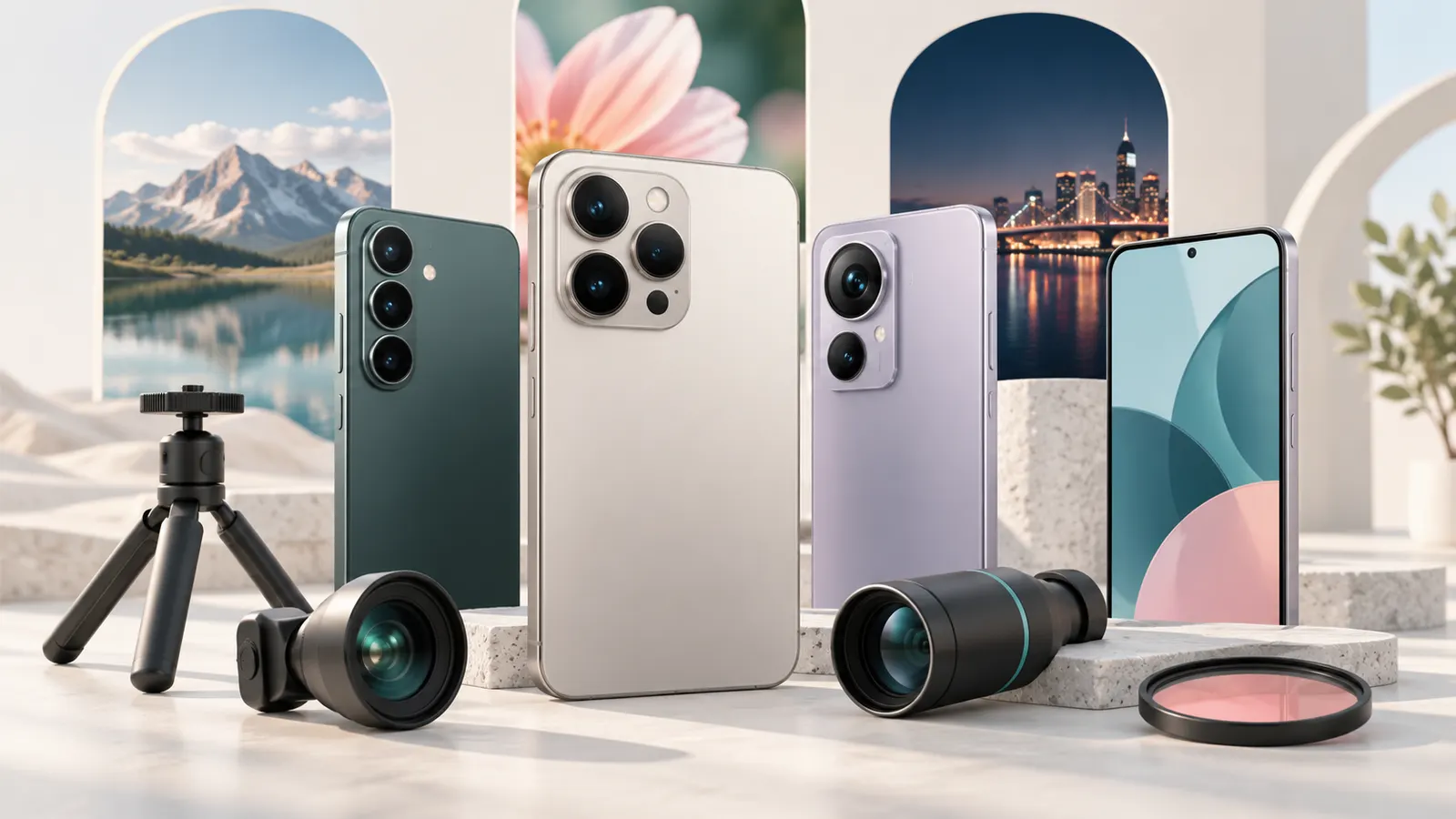
Megapixels Are the Least Important Number
A 50 or 108 megapixel sensor does not guarantee better photos. Most phones combine pixels into fewer, larger pixels to improve low-light quality. Focus on sensor size, aperture and image processing instead.
In this guide
Sensor Size and Aperture
A larger sensor collects more light, which helps in dim scenes and gives better dynamic range. A wider aperture (a smaller f-number) also lets in more light. Phone listings do not always show these, so reviews and sample photos are the best guide.
Lenses: Main, Ultrawide, Telephoto
The main camera does most of the work. Ultrawide lenses help with landscapes and groups. A telephoto lens gives optical zoom, which looks better than digital zoom. Macro and depth sensors on cheap phones are often low resolution and rarely worth paying for.
Stabilization
Optical image stabilization (OIS) reduces blur in low light and video. It is more useful than extra megapixels for everyday shots.
Video Features
Check the maximum video resolution and frame rate, stabilization and audio. If you shoot video often, look for stable footage and clear microphones. Accessories such as gimbals and microphones help; see our gimbals and wireless lavalier microphones.
Software and Processing
Image processing handles HDR, night mode and portrait blur. Makers with strong software can get better photos from modest hardware. Look at sample galleries and compare phones side by side.
Accessories That Improve Photos
A tripod, lens kit or ring light can improve photos more than a new phone. See our tripods and selfie sticks, lens kits and ring lights, and camera grips.
Choosing a Camera Phone
Decide whether you value zoom, low-light shots, video or portraits, and choose accordingly. See our best camera phones.
How to Read Sample Photos and Reviews
Since specifications say so little about picture quality, samples and reviews are your best evidence, but they need careful reading. Start with the source. A gallery taken by the manufacturer shows the best case, usually in ideal light and sometimes with editing. Independent reviewers who explain their method and show unedited images side by side are more useful, particularly when they compare phones in the same scenes.
Look at the kinds of pictures that match your own use. If you photograph children and pets, check how the phone copes with movement. If you photograph food and interiors, look at colour, white balance and indoor light. If you shoot at night, look for noise, smearing from heavy processing, and blown-out lights. View images at full size on a large screen, not as thumbnails, because small previews hide softness and artefacts.
- Check how skin tones look, since processing differs between makers.
- Compare shots of the same scene, taken at the same time, from different phones.
- Pay attention to the edges of the frame, where softness and distortion appear.
- Notice consistency: a phone that gives good pictures only occasionally is less useful than one that is reliable.
Be cautious of review scores. A number summarises many opinions and may weigh features you do not care about. Use written comparisons to identify specific strengths and weaknesses, then ask whether those weaknesses would bother you. If you can, handle the phone in a shop and take test photos of your own, or buy from a seller with a clear return policy.
Zoom in Practice: Optical, Hybrid and Digital
Zoom claims on phone listings are often confusing. Optical zoom comes from a lens with a different focal length, so the picture is captured at that magnification with full detail. Digital zoom crops the main image and enlarges it, which loses detail, although software can reduce the damage. Hybrid or enhanced zoom combines the two, using sensor data and processing to improve crops, which can look decent at modest magnification.
When a listing quotes a very high zoom number, read the details to see how much is optical. The usable range is typically the area around a dedicated telephoto lens, and quality tends to fall off beyond it. A telephoto lens is useful for portraits, because it flatters faces better than a wide lens, and for events and travel when you cannot walk closer. Check the lens’s aperture, since a telephoto with a narrow aperture can struggle in dim light.
- Decide whether you want zoom for portraits, sport, travel or wildlife.
- Look at sample photos taken at the zoom levels you will use.
- Check whether telephoto lenses are stabilised, since long zoom magnifies shake.
- Remember that zoom quality in low light is generally weaker than in daylight.
If you rarely zoom, do not pay extra for a telephoto lens. Moving closer to your subject often gives better results than relying on digital magnification. If you do zoom often, a phone with a dedicated telephoto lens is worth prioritising over extra megapixels.
Night Photos and Low-Light Technique
Night mode combines several exposures into one picture, brightening dark scenes and reducing noise. It works best when the scene and the phone are still, because the phone needs a second or more to collect light. Hold the phone steadily with both hands, tuck your elbows in, or rest the phone on a wall, a table or a small tripod. Many phones show a countdown or a bar while the exposure is in progress. Moving during this time causes blur.
Subjects that move at night are harder. People who walk or turn during a long exposure will be blurred, so ask them to stay still or use a mode that favours speed over brightness. Bright lights in the frame can cause flare, so change your angle or clean the lens. Avoid zooming in at night if you can, since digital zoom adds noise, and consider the main camera, which usually has the best light-gathering ability.
- Wipe the lens with a soft cloth, because fingerprints cause haze around lights.
- Tap on the subject to set focus and exposure before shooting.
- Reduce exposure slightly if lights look blown out.
- Use a self-timer or a remote to avoid shake when the phone is on a support.
Software choices vary between phones. Some produce bright, heavily processed night images, while others keep a darker, more natural look. Neither is wrong, and your preference matters. Compare examples in similar conditions, and watch for odd colours or smudged detail in shadows.
File Formats, Storage and Editing Options
How a phone saves pictures affects how much room you have and how much you can edit later. Common formats compress images to save space. Some phones can also save raw files, which keep more information from the sensor and give more flexibility in editing, but the files are larger and need compatible software. Check the camera app to see which formats are supported and whether raw capture works with all lenses.
Storage fills quickly with high-resolution photos and video. Look at the storage options when buying, since many phones cannot be expanded, and decide how much you need. Cloud backup helps, but it relies on data allowances and an account, so check how it works and what it costs. Regularly move or back up photos to a computer or cloud service, so that losing or damaging the phone does not mean losing your pictures.
- Delete failed shots and duplicates regularly.
- Check the video settings, since high-resolution footage uses much more space.
- Learn the built-in editor, which handles cropping, exposure and colour well for most uses.
- Consider whether you will edit on a computer or phone.
Software support is also part of camera quality. Check how long the maker promises updates, because camera improvements often arrive in software, and a phone that stops receiving updates may fall behind. Read the listing or the maker’s support page for update commitments.
Testing a Camera Phone Before the Return Window Ends
After you buy, use the first days to test the camera in your real situations. Take pictures in sunlight, in shade, indoors and at night. Photograph moving subjects, such as children or pets, and see how many are sharp. Try portrait mode, check the edges around hair and glasses, and see whether the blur looks natural. Record video while walking and check the stabilisation, the sound and how the exposure changes as you move between light and dark.
Check the front camera as well if you take selfies or join video calls. Quality differs between front and rear cameras, and some phones apply heavy smoothing. Test the shutter response: does the phone take the picture when you press, or is there a delay? Check how quickly the camera app opens, and whether it handles quick shots easily.
- Compare the results with pictures from your old phone.
- Look at photos on a computer screen as well as the phone.
- Check the lenses for dust or marks under the glass.
- Check that all cameras and flash work.
If the camera disappoints you, return the phone while you can. Signs that it is time to replace a phone’s camera include soft pictures that cleaning does not fix, a cracked lens cover, a camera app that crashes, or software support that has ended. Keep your expectations realistic, and remember that skill and light matter as much as the hardware.

Ready to Buy? Start Here
If this guide helped you decide what to look for, these products are a place to start.

As an Amazon Associate we earn from qualifying purchases. Prices and availability are shown on Amazon.
A Shopping Checklist for Camera Phones
Phone camera marketing throws a lot of numbers at you, and most of them say little about the photos you will actually take. A written checklist keeps you focused on what matters when a store display or a long listing tries to dazzle you. Bring it with you, or save it in your notes, and tick off each line before you decide.
- Which lenses do I use most: main, wide, zoom or all three?
- Do I shoot in low light often, such as indoor events or evening walks?
- How important is video, and do I need smooth stabilization for walking shots?
- Does the phone get regular software updates, which can improve the camera over time?
- Is the screen bright enough to judge photos outdoors?
- How much storage will I need for photos and clips?
- Does the return policy give me enough time to try it properly?
If you cannot answer a question yet, spend a week noticing your own habits. Look through your gallery and see which kind of shot you take most. That honest look often shows that you need a solid main camera and decent night performance more than a headline zoom figure.
Matching the Phone to the Photographer
Different people ask different things of a camera. The table below links common photographer types to the features that deserve the most attention. It stays general on purpose, since models change often and specifications shift between regions.
| Type of user | Features to weigh | Less important |
|---|---|---|
| Family snapshots | Fast, reliable autofocus and good skin tones | Extreme zoom |
| Travel and landscapes | Wide lens, dynamic range, battery life | Portrait effects |
| Social video creators | Stabilization, front camera quality, microphone performance | Raw photo options |
| Pet and sports photos | Quick shutter response and subject tracking | Macro features |
| Enthusiast editors | Raw capture, manual controls, color consistency | Heavy automatic filters |
Use the table as a prompt for your own priorities. If a phone excels in an area you rarely touch, its strength will not improve your photos. A modest phone that excels at your main use is a better match than a flashy one that does not.
Mistakes That Lead to Buyer’s Regret
Camera purchases go wrong in predictable ways. Avoid these.
Chasing a single number. High megapixel counts, big zoom claims and large aperture figures are only fragments of the story. Processing software and sensor quality shape the final image just as much.
Judging from the store screen. Retail displays are tuned to impress and may show colors differently from your home screen. Look at sample photos on a calibrated display, or take your own test shots.
Ignoring ergonomics. A heavy phone with a slippery body can lead to blurry shots and dropped devices. Hold it in the store to feel the weight and grip.
Overlooking storage. High-resolution photos and long videos fill space quickly. Pick a capacity that fits your habits, or plan for cloud backup and regular transfers.
Forgetting accessories. A case, a screen protector and a small grip can protect your investment and improve handling. Make sure the accessories you want exist for the model.
Learning to Read Marketing Language
Listings love phrases such as pro-grade, studio quality and AI-powered. These can describe real features, but they rarely tell you how well something works. Treat them as invitations to ask for details, not as evidence of results. When you see a bold claim, look for supporting information: a description of the feature, an explanation of how it works or comparison images that show the effect.
Pay attention to footnotes. Zoom figures may blend optical and digital zoom, night modes may need a steady hand for several seconds, and video features may apply only at certain resolutions. If a listing leaves out the conditions, check the maker’s specification page. A simple rule is to trust specifics over adjectives. A named sensor feature or a clear description of stabilization is more informative than a general claim of amazing quality.
Running Your Own Quick Comparison
If you can borrow or handle two phones, design a small comparison that mirrors real life. Photograph the same scenes with each device: a bright window with a person in front, a dim room, a moving subject and a distant landmark. Take each shot more than once, then view the images side by side on a larger screen at home.
Look at the brightness of faces, the detail in shadows, the color of the sky and how steadily the phone focused. Notice how long each phone takes to capture a photo and whether it feels responsive. Record a short clip while walking and watch the stabilization.
When you decide, write down the reasons in a sentence or two. That simple habit helps you commit with confidence and gives you something to check against during the return window. If you find that the phone performs differently from what you expected, return it promptly, following the seller’s terms.
Balancing the Camera Against the Rest of the Phone
A superb camera inside a phone you dislike holding is a poor deal. Weigh the camera alongside battery life, screen quality, speed and the length of software support. Photography drains the battery, so a phone that dies by late afternoon will not capture the evening events you care about. Check what the maker says about update length, because security and camera improvements often arrive through software.
Think about size too. A large phone offers a roomy viewfinder but can be awkward in a pocket, while a compact one is easy to carry and use one-handed. Be honest about how you live. If you take most pictures on the move, a manageable size and a comfortable grip may serve you better than the biggest sensor on the market. Make a short list of must-haves, then rank the remaining items by importance.
Sensors, Pixels and What the Numbers Hide
A phone camera sensor size shapes its low-light ability and depth more than its pixel count does. Large pixels, or pixels combined through binning, gather more light per shot, which is why two phones with very different headline numbers can produce similar daylight photos and very different evening ones. When you compare models using this guide, treat resolution as a cropping allowance rather than a quality score: it lets you reframe a shot later, but it does not rescue a photo the processing handled badly.
Processing is the other half of the system. The same scene can leave one phone looking natural and another looking sharpened and brightened past recognition, because each maker tunes colour, contrast and noise reduction to a house style. Decide which style you like by looking at full-size sample photos of your subjects, especially skin tones, food, pets and indoor scenes, rather than landscapes shot for marketing.
Stabilisation quietly decides how many of your photos are keepers. Optical stabilisation on the main camera helps at dusk and indoors, and good electronic stabilisation makes walking video watchable. If you shoot children, animals or events, stabilisation and fast autofocus will improve your results more than an extra specialty lens.
Zoom, Ultrawide and the Lenses You Will Really Use
Zoom claims need translating. Optical zoom from a dedicated lens preserves detail; digital zoom crops and enlarges, which modern processing disguises well at small steps and poorly at large ones. For travel and events, a genuine mid-range optical zoom is the sweet spot, bringing distant subjects closer without the bulk of extreme systems. Check the focal lengths a phone offers and notice any gaps where quality steps down between lenses.
Ultrawide lenses earn their place indoors, in property photos, at group tables and in tight travel scenes where you cannot step back. Their weakness is the edges: distortion and softness creep in, so keep important subjects toward the centre and straighten horizons later. A macro mode, whether from a dedicated lens or the ultrawide, is a delight for flowers, food detail and crafts, but needs steady hands and good light.
The practical test is your own photo library. Look back at your recent photos and count the situations: faces, food, documents, scenery, night scenes. Buy the camera system that serves the majority of that library, not the one that wins a specification contest.
Night Mode, Video and Shooting Habits
Night modes work by combining multiple frames, which means they reward a steady hand and a still subject. Brace the phone, tap to set exposure on the important part of the scene, and take two versions; movement in one frame often ruins only one of them. Scenes with mixed lighting, such as a street with bright signs, look better when you lower exposure slightly and let the shadows stay dark and natural.
For video, stability and sound decide whether a clip is watchable. Walk slowly, pan more slowly than feels necessary, and keep clips shorter than you think; editing forgives short clips and punishes long wandering ones. If you record people speaking, get closer rather than zooming, because microphones do not zoom. A small amount of planning, facing subjects toward the light, lifts phone video more than any setting.
Finally, maintain the basics: clean the lens before important shots, since pocket film softens everything; keep some storage free so the camera never refuses a moment; and back up automatically so experimenting costs nothing. The best phone camera is the one that is ready, clean and empty enough when the moment arrives.
A Simple Test Routine for Any Camera Phone
When you evaluate a phone using this guide, run the same five shots every time: a face indoors, a face outdoors, a detailed subject like food or fabric, a wide interior, and a night street. The same routine makes processing styles, stabilisation and zoom quality comparable between models in a way that specification tables never achieve.
View the results at full size on a larger screen if you can, because phone screens flatter everything. Look at edges, skin texture and shadow detail rather than overall brightness, which processing can inflate. The phone whose photos you prefer in your five-shot routine is your answer, whatever the rankings say.
Repeat the routine after major software updates if you already own the phone, since makers do adjust processing over time. Knowing your camera changed, and how, is worth more than discovering it during a holiday.
Troubleshooting Soft, Dark or Strange-Looking Photos
Soft photos are usually movement, a dirty lens or missed focus, in that order. Clean the lens, tap the subject to focus, brace the phone, and take the shot again before blaming the hardware. At night, add stillness: night modes need a moment of stability to combine their frames.
Dark photos indoors often mean the camera metered for a bright window or light in the frame. Tap on your subject to meter for them, and accept a brighter background as the price of a properly exposed person. Strange colours usually mean mixed lighting; moving the subject fully into one light source, daylight or lamplight, restores natural skin tones.
If video looks jittery while walking, slow down, bend your knees slightly and hold the phone with both hands close to your body. Stabilisation has limits, and technique supplies the rest; the smoothest phone footage online is mostly slow walking, not better hardware.
Composition Habits That Work on Every Phone
Good composition is mostly subtraction: before pressing the shutter, look at the edges of the frame and remove what does not belong, a bin, a stranger elbow, a distracting sign. Stepping one pace sideways changes backgrounds more powerfully than any editing, and phone photographers who develop the edge-checking habit improve faster than those who study settings.
Use the grid and think in thirds, placing faces and horizons on the lines rather than in the centre by default, then break the rule deliberately when symmetry or a bold central subject asks for it. Rules in composition are training wheels: they build the eye until the eye no longer needs them.
Light direction is composition too. A subject lit from the side gains shape and texture; lit from behind, it gains drama at the cost of detail; lit flat from the front, it gains clarity and loses depth. Walking around your subject to choose the light is the oldest photographic skill, and phone cameras reward it exactly as dedicated cameras do.
Editing With a Light Touch
Edit for the photo you meant to take: straighten the horizon, crop the distraction, lift shadows slightly, and stop. Phone editors make heavy processing easy, and the most common editing mistake is continuing past the point where the photo looked like the moment you remember. Small corrections preserve trust, especially in family and documentary photos.
Work on a copy where the app allows it, and compare against the original before saving. If the edit makes skin tones stranger, colours louder than life, or shadows unnaturally bright, retreat a step. Consistency across a set of photos from one event matters more than heroics on a single frame.
Build two or three saved looks you like, for daylight, indoor and evening photos, and apply them as starting points. A personal, restrained style applied consistently will make your library feel intentional, and it takes seconds per photo once the habit exists.
Everyday Assignments: Portraits, Documents and Products
For portraits, distance is your friend: step back and use a mild zoom rather than holding the phone close, because close wide-angle shots distort faces. Put the light in front of your subject, tap the nearer eye to focus, and take several frames while talking, because natural expressions arrive between poses.
For documents and receipts, use the dedicated scan mode if your phone offers one, shoot square-on in even light, and check the smallest text at full size before throwing the paper away. A document photo that cannot be read is not a record, and the check takes ten seconds.
For products and items you are selling, plain backgrounds, window light and one photo of each side plus any flaw will outperform styled efforts. Buyers trust clarity over artistry, and the same discipline, honest light and complete coverage, is what makes family and travel photos satisfying years later.
How to Turn This Guide Into a Decision
Start by naming the job in one sentence. Every guide like this one, covering phone camera buying guide, contains picks that look similar until the job is stated plainly, at which point they separate quickly. A phone bought mainly for a parent, a tripod bought for standing video, a charger bought for travel: the sentence does the sorting, and the tables and reviews in this guide then confirm or challenge it.
Next, list your non-negotiables separately from your preferences. Non-negotiables are compatibility facts: the network, connector, model or size that must be right or nothing else matters. Preferences are the qualities you would enjoy but can trade. Checking non-negotiables against the product pages first, in the order this guide presents its picks, prevents the common heartbreak of falling for a pick that was never going to fit your setup.
Then decide with a time horizon. Ask how long you expect to keep the product and what would make you replace it early. Picks that cost a little more in money or bulk often repay it by not needing replacement, while the simplest pick wins when the need is temporary or experimental. Neither instinct is wrong; matching the horizon to the pick is the skill.
Last, do a final sense-check against the mistakes sections of this guide. Most returns in this category come from a short list of avoidable errors: wrong variant, wrong compatibility assumption, or buying for an imagined use. Five minutes re-reading those warnings, with your chosen pick in mind, is the cheapest insurance in the whole purchase.
Matching the Pick to Real Life: Three Common Situations
Guides are easiest to use when they are translated into situations. Here are three of the most common ones for this category, and how the picks in this guide divide among them.
The family archivist
Your camera roll is the family history. Prioritise the main camera indoor performance, fast autofocus and generous storage, and let automatic backup protect the archive while you concentrate on being in some of the photos.
The traveller
Zoom range, ultrawide for interiors, and battery for long shooting days define a travel camera phone. Learn its lens switching before the trip so the cathedral interior and the distant tower are both one gesture away.
The seller and creator
Product photos and short video pay for phones. Clean light, a steady hand and the main camera at its native quality beat every filter; use this guide zoom and processing notes to choose a phone whose look suits your products.
Shooting Video With a Photographer Mindset
Phone video improves fastest when you treat it as a series of photographs that move: choose the frame first, then decide the single movement, a slow pan, a gentle push-in, or perfect stillness. Clips with one intention look professional; clips that wander, zoom and pan in search of a subject look restless however good the camera is.
Shoot shorter than feels natural and start recording a breath before the action, stopping a breath after. Editing can trim confidence into a clip, but it cannot manufacture a beginning or an ending you did not record. For family events, several short clips also fail more gracefully than one long one if something interrupts you.
Sound is half the clip. Move closer to speakers, shield the phone from wind with your body, and avoid standing beside loud distractions you have stopped noticing, because the microphone notices everything. A quiet room and a close phone beat a better camera across a noisy hall every time.
Sharing, Printing and Keeping Phone Photos
Sharing compresses, so send the photos that matter through the least destructive route available to you, and keep your own originals backed up separately from any social platform. The version on a messaging app is a postcard; the original file is the negative, and only one of them can make a good print in ten years time.
Printing is the test phone photos rarely face and often pass better than expected. A well-lit, steady phone photo prints beautifully at ordinary sizes, which is another reason the basics in this guide, clean lens, good light, no digital zoom, matter: they are exactly the qualities printing rewards and screens forgive.
Organise lightly but consistently: favourite the keepers on the day, delete the obvious failures while they are fresh in memory, and let automatic backup carry the rest. A library you can search is a library you will enjoy, and the camera phone you chose using this guide deserves an archive worthy of it.
Frequently Asked Questions
Do more megapixels mean better photos?
No. Sensor size, lens and processing matter more.
Is optical zoom better than digital zoom?
Yes. Optical zoom keeps detail, while digital zoom crops the image.
Do I need three or four cameras?
No. A good main camera matters most; extras are often basic.
How can I take better photos without buying a new phone?
Clean the lens, use good light, use a tripod and learn the camera’s modes.
Is a telephoto lens worth paying for?
It is worth it if you often photograph portraits, events or distant subjects. If you rarely zoom, a good main camera is more valuable.
Why do photos look different on other screens?
Screens differ in colour and brightness, and apps may compress images. Compare on a few devices before judging a photo.
Should I shoot in raw?
Raw gives more editing flexibility but uses more storage and needs compatible software. For casual use, standard formats are usually enough.
Does a phone camera replace a dedicated camera?
For many everyday uses, yes. A dedicated camera offers advantages such as larger sensors, interchangeable lenses and better handling, so it depends on what you need.
How do I get sharper photos at night?
Hold the phone still or rest it on a support, wipe the lens, and let night mode finish its exposure. Avoid zoom if possible.
Do the front and rear cameras have the same quality?
Usually not. The rear main camera is generally better, so check sample selfies if the front camera matters to you.
How important are software updates for the camera?
They can improve processing, fix bugs and add features. Check the maker's update promise before you buy.
Does more megapixels mean better photos?
Not by itself. Pixel count decides how much you can crop and print, while sensor size, lens quality and processing decide how clean and natural the photo looks, especially indoors and at night. Judge a camera phone by sample photos of your subjects, not by the largest number on the box.
Which matters more, optical or digital zoom?
Optical zoom from a real lens preserves detail because the lens does the work. Digital zoom crops the image, and processing can disguise small steps but not large ones. For travel and events, a phone with a genuine mid-range optical zoom will serve you better than one advertising extreme digital figures.
Why do my night photos look blurry?
Night modes combine several frames over a moment or two, so movement, yours or the subject, softens the result. Brace the phone against something solid, keep subjects still where you can, and take a second shot; one of the pair is usually sharp.
How do I stop phone photos looking over-processed?
Lower the exposure slightly by tapping the subject and sliding brightness down, avoid heavy filters at capture time, and shoot in the phone most natural colour profile if it offers one. You can add contrast and saturation later; you cannot remove them once baked in.
What is the quickest way to improve my phone photos?
Clean the lens, get closer instead of zooming, face your subject toward the light, and steady the phone for anything indoors. These four habits, none of which cost anything, improve more photos than any setting hidden in a menu.
How do I photograph documents and receipts clearly?
Use scan mode if your phone offers it, hold the phone parallel to the page in even light with no shadow from your hand, and check the smallest print at full size before discarding the paper. Slightly increasing contrast in editing helps text, but focus and alignment at capture do the real work.
Why do faces look distorted in close selfies?
Wide-angle lenses exaggerate whatever is nearest, and a phone held close puts the nose much nearer than the ears. Hold the phone further away, use a mild zoom or the front camera at arm length, and keep faces away from the frame edges where distortion is strongest.
Should I use the flash on my phone?
Rarely as the main light for people, because direct on-phone flash flattens faces and creates harsh shadows. It earns its place for documents, finding things, and fill light in bright backlit scenes. For evening portraits, night mode with a steady hand usually produces the kinder result.
How do I keep horizons and buildings straight?
Turn on the grid and the level indicator if your phone offers one, align a real horizontal in the scene, and remember that buildings lean when the phone tilts up, which a step backwards and a milder angle reduce. Small tilts can be corrected in editing; strong ones cannot be fully rescued.
What should I check before photographing an important event?
Charge the phone, free up storage, clean the lens, and decide your main settings in advance: which lens for group shots, night mode behaviour, and where you will stand for the key moments. Arriving with those decisions made lets you watch the event instead of operating the phone.
Bottom Line
Look for a good main sensor, optical stabilization and strong software before you chase megapixels or extra lenses. See our best camera phones for current picks.
Related Reading
- Android Phone Buying Guide: Unlocked, 5G, RAM, Updates
- 7 Best Unlocked Android Phones: Galaxy A, Moto, Flip
- 5G Phone Buying Guide: Bands, Carriers, Unlocked vs Locked