A paperless shipping label is a QR code shown on your phone that a staff member scans at a drop-off point, after which they print and attach the real label for you. It saves you printing at home, but availability depends on the carrier and the location.

Key Terms
- QR code
- A square pattern that stores a link or reference. Here it points to your booked shipment.
- Drop-off point
- A staffed counter or listed location that accepts parcels from customers.
- Label on demand
- The label is printed by staff after they scan your code, rather than by you.
In this guide
How the Process Usually Runs
- You book the shipment on the carrier’s site or in your account.
- You choose the code-based option if it is offered for your service.
- The code arrives by email or in the app. Save it and take a screenshot.
- You pack the parcel and leave the outside clear of old labels.
- At a location the carrier lists, staff scan the code, print the label and attach it.
- You ask for proof of handover if the location provides it.
Paper or Code: A Comparison
| Question | Paper label | QR code |
|---|---|---|
| Printer needed | Yes | No, staff print it |
| Where it works | Wherever the carrier accepts parcels | Only listed locations |
| What can go wrong | Smudged or creased print | Flat phone or missing signal |
Preparing Well
Charge your phone, turn the screen brightness up and save the code where it opens offline. Keep the tracking number written down as a fallback. Do not guess about item limits, packaging rules or opening hours; check the carrier’s current instructions and location listing before you travel.
Who Gets the Most Out of It
Paperless codes suit people without a printer, people travelling who cannot print, and occasional senders who dislike buying paper and ink for one parcel. They suit less well anyone who ships outside staffed hours, lives far from a listed location, or sends many parcels in one trip, where a printed batch is quicker. Think about the whole journey, including where you will stand when the counter scans the screen, and whether your phone case or a cracked display could make scanning difficult.
How a QR Code Links to Your Shipment
A QR code is a square pattern that holds a small amount of data, in this case a reference that points to a shipment record in the carrier’s system. The code itself does not contain your address or a printable label. When staff scan it, their device sends the reference to the carrier’s system, which returns the shipment details and lets them print the label on the spot. That is why you need to book the shipment first, before you travel.
Because the code is only a key, it can be useless if the booking is cancelled, expired or entered incorrectly. Many systems tie a code to a particular service and date range, though the details vary, so read the confirmation message for any time limit. A code can also be unique to you, so it is best not to share it publicly or post a picture of it online. If someone else scans it, they might be able to see or change the booking. Treat it like a reference number for your parcel. Keep the confirmation email, which may include the booking reference in text form, so staff can type it in if the scanner fails. If you have to change the destination or service, check whether a new code is created, and delete the old one from your phone to avoid confusion.
Getting the Code Ready on Your Phone
A little preparation makes the scan quick. Open the confirmation in the carrier’s app or in an email, and look for the code. Save a screenshot as well as the original, in case the app needs a signal that you do not have at the counter. Set the screen to stay on, increase brightness to a comfortable high level, and clean the screen so that smudges do not interfere with scanning. If your phone has a dark mode that dims the code, switch to light mode or use the image in a viewer with a white background.
Check that the whole code is visible and not cropped at the edges. A code that is small on the screen may be hard to read, so zoom in if the scanner struggles, but keep the quiet white border around it. Make sure your battery has enough charge, and carry a charging cable or a power bank. If you use a wallet app or a folder for tickets, add the code there so you can find it quickly. Turn off any screen filters that tint or dim the colors. If your phone has a cracked screen, test the code on another device or print it, as damage can break the pattern. Keep a note of the tracking number on paper too.
Packing for a Code-Based Drop-Off
With a paperless service, staff attach the label, so the parcel must be ready for them to do that. Seal the box completely, with all seams taped, and leave a clean, flat area on the largest side for the label. Remove or cover old labels, barcodes and addresses so they cannot be scanned by mistake. If the parcel is a soft mailer, smooth it so the label can lie flat, and avoid overstuffing so that it does not bulge.
Check the carrier’s current instructions for size and weight limits, as counters may refuse parcels that do not meet them. Weigh and measure the parcel at home if you can, because the service you booked may depend on those figures, and a difference at the counter could affect the price or acceptance. Include a note inside the parcel with the delivery address and your contact details if the carrier recommends it. Do not put loose items, such as a returns form, on the outside unless the instructions say so. Bring tape and a marker in case staff ask you to reinforce the parcel. Keep restricted or dangerous goods out of the parcel unless you have confirmed they are allowed. If you are not sure about an item, ask before travelling.
What Can Go Wrong and How to Handle It
The most common problems are simple. The code may not scan because of screen glare, a low battery or a dim screen. The location may not offer the service on that day, or the staff member may be unfamiliar with it. The booking may have expired, or the details may not match the parcel. Sometimes the scanner does not read a code on a screen with a protective film.
If the scan fails, try raising the brightness, cleaning the screen, or switching to the screenshot. Ask staff whether they can type in the reference number. If the system still does not recognise the booking, ask whether another location nearby supports the service, or whether you can print a label somewhere else. Contact the carrier through its listed channels if a payment was taken but no label could be produced. Keep proof of what you tried, such as screenshots and receipts. Do not hand over the parcel without getting a receipt or confirmation, if the location provides one. Check the tracking page later to confirm that it shows the parcel as received. If it does not, contact the carrier with your booking details and the time and place of drop-off. Ask the counter to confirm the label matches your booking details before they seal the parcel.
Privacy and Security With Digital Codes
A shipping code is a link to personal information, so handle it with care. Do not post images of the code on social media or in public chats, as someone else may use or tamper with the booking. Share the code only with the person who will drop off the parcel on your behalf, and only if you trust them. Delete screenshots from your phone and cloud folders when the shipment is complete, if you do not need them.
Be careful with emails and messages that claim to contain a shipping code. Fraudulent messages sometimes imitate carriers and ask you to click links or pay extra fees. Use the carrier’s official app or website, which you should type or open yourself, instead of following unexpected links. Check that the sender address and details match your booking. Do not give card details to a person who claims to be a courier unless you have confirmed the request through official channels. If you lend your phone to staff at the counter, keep it in sight. Lock your phone with a passcode, and keep your apps updated. If you think your booking has been tampered with, contact the carrier and cancel it. Treat your tracking number as a private reference for your own use, and think before sharing it widely.
A Typical Drop-Off, From Start to Finish
Details vary by carrier, retailer and country, so treat this walkthrough as a general picture and follow the instructions your own shipping service gives you. The core idea is that the label stays digital until someone at the drop-off point turns it into a printed label or scans it directly onto your parcel record.
At home
- Start the return or shipment through the retailer’s page or the carrier’s app and choose the option for a code instead of a printed label.
- Pack the item securely and close the box, leaving no loose flaps. Remove or cover old shipping labels and barcodes on a reused box.
- Save the code to your phone, take a screenshot as a backup, or add it to a wallet app if the service offers that.
- Check the drop-off locations that accept codes and confirm their opening hours.
At the counter or kiosk
Open the code on your phone and turn up the screen brightness, since scanners struggle with dim or glare-covered screens. The staff member or kiosk scans the code, and the system then prints a label, attaches an electronic record to the parcel or asks you to affix a printed label. Wait until you have a receipt or scan confirmation before you leave, and keep it until the carrier shows the parcel as received.
After the drop-off
Watch for a tracking update that confirms the carrier has accepted the parcel. If nothing appears after a day or so, check your email and the retailer’s account page. Keep the receipt until the refund or delivery is complete.
Avoiding Scan Failures
A code that will not scan is the most common reason for a slow drop-off. Most failures come from the phone screen and the way the code is displayed, not from the code itself.
Screen and display tips
- Increase brightness to maximum and turn off any automatic dimming.
- Clean the screen and remove any screen protector with glare or cracks over the code area if possible.
- Disable dark mode or night filters for the code image if they change its appearance.
- Hold the phone steady and flat, about the distance the scanner expects.
- Open the code before you reach the counter so you do not have to find it while a line forms.
Saved copies and backups
Do not rely on a mobile data connection inside a store, because signal can be weak. Save a screenshot, a PDF or a wallet pass in advance. A printed copy of the code also works at many locations, and it is a useful fallback if your phone battery is low or your screen is damaged. Some services allow only the original code, so check the instructions.
Wrong code, right parcel
If you are shipping more than one item, make sure each code goes with the right parcel. Mixing them up can cause delays or send a refund to the wrong order. Label each box in pencil on an inner flap or a corner, or keep them in separate bags until you scan.
Choosing a Drop-Off Location
Not every location accepts digital codes, and the ones that do may offer different services. A few minutes of research can save a wasted trip.
What to compare
| Factor | Why it matters |
|---|---|
| Code acceptance | Some sites scan codes, others only accept printed labels |
| Opening hours | Counters and kiosks may close earlier than the building |
| Cut-off times | Late drop-offs may be scanned the next business day |
| Parcel size limits | Lockers and kiosks have maximum dimensions |
| Packaging help | Some sites sell boxes and tape if you need them |
Lockers and unattended points
Self-service lockers and kiosks work well for people who want to avoid lines, but they have size and weight limits and sometimes require a specific step order. Read the on-screen instructions, scan the code when prompted, and place the parcel only in the compartment that opens.
When You Still Need Paper
Paperless options are convenient, but there are situations where printing is simpler or required. Knowing them ahead of time prevents surprises.
- International shipments that require customs forms or printed documents attached to the parcel.
- Locations that do not accept codes or have no scanning equipment.
- Parcels with special handling, such as batteries, liquids or restricted items, which may need extra labels.
- Situations when your phone is damaged, out of power or you do not want to depend on it.
If you do not have a printer, many libraries, copy shops and some stores print documents for a small fee. Another option is to ask the carrier or retailer if they can send a printable PDF to your email.
A Worked Example: A Return From Start to Finish
Suppose you want to return a pair of shoes to an online store. You log in to your order page, choose the return option and select the code method. The page shows a QR code and a short instruction sheet, and it also emails you a copy.
You put the shoes back in their original box, place that box in a mailer or shipping carton, and seal it. You take a screenshot of the code and add the email to a folder on your phone. You check the carrier’s location search and pick a nearby site that accepts codes during evening hours.
At the counter, you open the screenshot with the screen at full brightness. The staff member scans it, a label prints, and they attach it to the package. You receive a receipt, take a photo of it and keep the email until the refund appears on your account. Total time at the counter is typically a few minutes, depending on queue length.
If the scan had failed, you would have tried the emailed copy, then asked staff to type in the number printed under the code if the system allows it. That backup is why saving more than one version is a good habit.
Setting Up a Routine If You Ship Often
People who send parcels weekly or daily benefit from a small system. Codes make the process lighter, but a few habits keep it organized.
- Create a folder or album on your phone for shipping codes, and clear old ones once the parcel has been delivered or refunded.
- Keep tape, a marker, a few spare mailers and a small scale near your packing area.
- Batch drop-offs: gather all parcels and open the codes in order, one parcel per code, before you go.
- Photograph the packed parcel and the receipt for your records, especially for valuable items.
- Check carrier updates at the end of the day and note any parcels that have not yet been scanned.
With this routine, the whole process often takes only a few minutes per trip, and you have a record if a question arises later.
Keeping records simple
A single note on your phone listing the date, the item, the carrier and the tracking number is enough for most households. When the parcel is delivered or the refund arrives, mark the entry finished. If something goes missing, that note, the receipt and the confirmation email give you everything a support agent will usually ask for, so you do not need to search through your messages while waiting on hold.
Teaching others in your household
If family members also send parcels, show them the steps once: where the code is saved, how to raise the brightness, and what to do if the scan fails. A short written reminder taped inside a cupboard door is often enough.
Products Worth a Look
As an Amazon Associate, reviewstook.com earns from qualifying purchases. These picks come from our guide: 5 Best Label Makers for Home and Office (2026).
-
Brother P-touch PT-D610BT
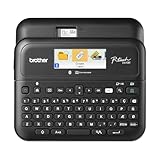 Brother P-Touch PT-D610BT Business Professional Connected Label Maker with Bluetooth®
-
Brother P-touch PTD210 Label Maker Bundle
-
Brother P-touch CUBE Plus (PT-P710BT)
How a Paperless Label Works, Step by Step at the Concept Level
A paperless shipping label replaces a printed document with a link between three things: your shipment record, a machine-readable code, and a printer at the drop-off point. When you set up a return or a shipment through a retailer or carrier channel that offers the option, the system creates the label data in the usual way, with sender, recipient, service and routing details. Instead of sending that data to your printer, it stores the record and issues a code that points to it. The code itself is not the label; it is a key. Presenting the key at an equipped location lets staff or a kiosk retrieve the record and print the physical label at the moment of handover.
That distinction explains most of the behaviour you will meet in practice. Because the code is a key, it can be shown on a phone screen, and in some flows saved or shared, without printing anything at home. Because the record sits behind the key, the details can sometimes be corrected before drop-off in a way a printed label cannot, since nothing physical exists yet. And because the final step still produces a paper label for the parcel, the parcel travels through the network exactly like any other labeled parcel once it leaves the counter. Paperless describes how the label reaches the parcel, not how the parcel is carried.
What happens between the counter scan and the label appearing
When the code is scanned, the location system looks up the shipment record, confirms it is valid and unpaid-for or prepaid as the flow requires, and sends the label to a local printer. Staff then attach the printed label to your parcel, and the acceptance scan that follows starts the tracking history. From your side, the visible steps are simple: show the code, watch the label print, hand over the parcel, keep the receipt or confirmation. Behind those steps sits an ordinary label with an ordinary barcode, which is why tracking afterwards looks no different from a parcel you labeled at home.
Understanding this chain helps you troubleshoot calmly. A code that will not scan is a display or image problem. A code that scans but retrieves nothing is a record problem, such as an expired or cancelled shipment. A label that prints with wrong details is a data problem that began when the shipment was created. Each failure has a different fix, and naming which link in the chain failed keeps a frustrating counter visit short, because you can describe the problem in terms staff recognise.
When paperless works well, and when it does not
Paperless flows work well when three conditions line up: the shipment was created through a channel that offers the option, you are dropping off at a location equipped to redeem codes, and the parcel itself is ready to travel the moment a label is attached. Returns arranged by a retailer are the classic case, because the retailer controls the record, chooses the network and tells you exactly where to go. A single parcel, packed and sealed, with the code ready on your phone, is about the smoothest drop-off that exists.
The same flow works poorly when any condition is missing. A location that cannot redeem codes turns the visit into a wasted trip, which is why checking acceptance before you travel matters more than any other preparation. Multiple parcels each needing separate codes can be slow at a busy counter if the codes are buried in different messages. Parcels that still need packing, taping or a bag at the location are awkward, because the label printing step assumes a finished parcel. And a shipment created outside a paperless channel cannot be converted at the counter by goodwill; if the record was made for a home-printed label, the paper route is the route.
International shipments, items needing extra documentation, and parcels requiring payment or identity checks at handover often sit outside paperless flows or add steps that remove the convenience. Treat those as paper-first situations unless the channel that created your shipment explicitly presents a code option for that exact shipment. The safe rule is simple: the code option belongs to the shipment, not to you or your phone, so follow what the creating channel offers for that record rather than assuming any parcel can go paperless.
Preparing the parcel when there is no label to check
A printed label at home gives you a quiet moment of review: you read the address, check the service and confirm the parcel matches. Paperless removes that moment, so build a replacement. Before leaving, open the shipment record itself, not just the code, and read the destination and service as displayed. Confirm the parcel in your hand is the item that record describes, especially with returns of similar products in similar boxes. If you are dropping off more than one parcel, keep each code paired with its parcel in the order you will present them, because a code applied to the wrong box creates a mix-up that tracking cannot untangle later.
Pack as if the label will be attached by someone in a hurry, because it will be. A flat, clean, dry area on the largest face of the parcel helps staff place the printed label well. Remove or fully cover old labels and codes on reused boxes, since a parcel carrying two scannable codes invites the network to read the wrong one. Seal the parcel completely before you travel; a label cannot be attached properly to a box that is still open, and counters are not packing stations. These small habits carry the quality control you would normally do at your own printer to the moment of handover.
A calm plan for the things that go wrong
Most paperless problems are mundane: a dim screen, a cracked screen protector scattering the scan, a code image saved so small it will not resolve, a phone battery giving up in the queue. The earlier sections cover display tips and backups; the principle underneath them is redundancy. Have the code in two places, such as the original message and a saved image. Know which location you will use and one alternative. Arrive with enough battery for the queue, not just the journey. None of this requires technical skill, only the same preparation you would give to carrying a printed label safely in the rain.
If a location cannot complete the process, ask what specifically failed before you leave: the scan, the record, or the printing. A scan failure may be solved on the spot with brightness or a steadier hold. A record failure usually means returning to the channel that created the shipment, because counter staff cannot rebuild a record they cannot see. A printing failure at that location points you to the alternative location rather than to redoing the shipment. Leaving with a diagnosis, even a rough one, saves you from repeating the same failed visit elsewhere.
Paperless in Real Life: Routines, Edge Cases and Good Habits
The difference between people who love paperless drop-off and people who swear off it after one attempt is rarely the technology. It is the routine around it. A smooth paperless user has decided, in advance, where codes live on their phone, which locations they trust, and how parcels are packed before the code is even requested. An unhappy user improvises all three in a queue. This section builds the routine and walks through the edge cases that improvisation handles badly, so the system works on an ordinary busy day and not just on a quiet one.
Where the code lives: one place, every time
Codes arrive through different doors: a retailer email, an app notification, an account page, a message. The first habit of a reliable routine is to move every code, the moment it arrives, to one chosen place, whether that is a saved image in a dedicated album, a note, or the app you will actually open at the counter. Searching through inboxes in a queue, on fading battery, with a line behind you, is the single most common paperless stress, and it is entirely self-inflicted. Moving the code takes ten seconds at home, where there is light, time and a charger, and it converts the counter moment into a simple act of opening one known place.
While you are moving the code, capture the essentials beside it: which parcel it belongs to, and where it can be redeemed. A code without its context is a puzzle. If you handle returns for family members or for a small business, this labelling of the code itself matters even more, because the person at the counter may not be the person who created the shipment. A screenshot named with the item and destination, or a note listing code, item and drop-off point together, lets anyone in the household complete the drop-off correctly.
Timing: when to create the shipment
Create the shipment when the parcel is packed, not before. A code requested for an item you later decide to keep, exchange differently or pack with something else becomes clutter that invites mistakes, and some flows give codes a limited life, so a code created too early may not survive until the day you actually travel. Pack first, weigh and measure if the flow asks for it, then create the record with the finished parcel in front of you, then move the code to its place. That order, pack, create, file, travel, is the whole routine, and it scales from one return a season to a bag of parcels every week.
Edge cases worth knowing in advance
Oversized or unusually shaped parcels can strain a paperless visit, because the location must still print and attach a label and accept the item into its cage or counter space. If your parcel is large, heavy or awkward, check before travelling that the location handles such items, since small drop-off points and unattended lockers have physical limits a staffed counter may not. Fragile items raise a different point: the label will be attached by staff, so pack and mark the parcel so the right face is obvious and the item is fully protected before handover, because your control over placement ends at the counter.
Proof of handover deserves a habit of its own. In a paper flow you might keep a copy of the label; in a paperless flow your evidence is the acceptance confirmation, a receipt, a message, or a status change in the app. Do not leave until you have one of them, and file it with the code rather than deleting the code in a tidy-up the same day. If a parcel later goes missing, the conversation with the retailer or carrier begins from that confirmation, and the person who kept it resolves the problem in one exchange while the person who did not starts from memory.
Accessibility and helping someone else
Paperless systems assume a smartphone, reasonable eyesight and confidence with screens, and not everyone has all three. If you regularly drop off parcels for a relative or neighbour, agree the arrangement in advance: whether they forward the code to you, whether you attend together, and how the confirmation gets back to them. A forwarded code shown by a helper is a normal pattern in many flows, but the record belongs to the sender, so keep the sender informed at each step. Where screens are genuinely difficult, the paper route remains a respectable choice, and choosing it deliberately beats struggling through a digital flow that was not designed with that user in mind.
There is also a modest environmental angle, worth stating without exaggeration. A paperless drop-off avoids a home-printed label and the backing sheet that comes with it, but a paper label is still printed at the location, so the saving is in home printing waste and failed prints rather than in paper overall. The larger practical saving is the failed-trip cost: a sender without a printer no longer travels to borrow one, and a sender whose printer has failed is no longer stuck. Judge paperless by that convenience and reliability, and it earns its place without needing grander claims.
Household Systems: Returns Calendars, Shared Parcels and Teaching the Routine
Paperless drop-off becomes genuinely effortless when it stops being an event and becomes a household system. The system has three parts: a place where parcels wait, a rhythm for creating shipments, and a shared understanding of who does what. None of it requires equipment beyond what you already own, and all of it removes the small frictions, the hunt for the code, the forgotten parcel, the trip made twice, that give the process a worse reputation than it deserves.
The waiting place and the weekly rhythm
Give outgoing parcels a single waiting place near the door you actually leave by, with tape, a pen and any packing supplies in the same spot. A parcel that is packed the moment a return is decided, placed in the waiting spot, and matched with its code the same day is a parcel that leaves on the next natural trip. Parcels left in the room where the item was found wait for a packing session that competes with everything else in life. Most households do not need a daily system; a twice-weekly rhythm, drop-offs folded into journeys already being made, covers ordinary returns and sales without a single special trip, and a special trip is only worth making for something urgent or valuable enough to justify it on its own.
Shared parcels and clear ownership
In shared homes, confusion usually comes from unclear ownership rather than from codes. Agree that the person who creates a shipment owns it until handover: they pack, they file the code, they either drop off or hand the parcel and the code to a named person with the details attached. A parcel handed over casually, with a code forwarded without its context, is where wrong-item and wrong-location errors breed. The fix is a ten-second message discipline: item, destination, drop-off point, code. Whoever receives that message can complete the job perfectly; whoever receives only a bare code image is being set up to guess.
Keep a simple household log for anything valuable or time-sensitive: what was sent, when, by which flow, and where the confirmation lives. The log takes seconds per parcel and pays for itself the first time a retailer asks for proof of return or a buyer asks when an item was handed over. Paperless systems generate digital confirmations, but they scatter them across apps and inboxes; the log gathers them into one place you control, which is the difference between having evidence and being able to find it.
FAQ
Is the QR code the label?
No. It is a way to retrieve the shipment so a label can be printed. Do not tape a phone or screenshot to the parcel.
What if the location cannot scan my code?
Ask staff whether they can look up the shipment another way, or whether another location nearby offers the service. If you can print at home, that is the usual fallback.
Can I forward the QR code to a friend?
You can, but anyone with the code may be able to use or view the booking. Share it only with someone you trust, and check the carrier's guidance.
Does the code expire?
Many do after a set period, but the time varies by carrier and service. Check the confirmation message and use it promptly.
What if I cannot find a location that accepts codes?
Check the carrier's current location list or use another route, such as printing the label at a shop or library.
Do I need a data connection at the counter?
Not usually for the code itself if you have saved it, but the staff device needs one. Keep a screenshot and your tracking number as a backup.
Is the QR code the same as the tracking number?
No. The tracking number follows the parcel, while the code lets staff retrieve the booking and print the label.
Can I use a paperless label for returns?
Some carriers offer it for returns, but availability depends on the service. Follow the return instructions you were given.
What should I do if staff will not accept my parcel?
Ask why, and check packaging, size and content rules. Contact the carrier if you think the refusal is mistaken.
Can I drop off a QR code parcel without a printer?
Yes, that is the main benefit. At participating drop-off points, staff or a kiosk scan the code from your phone and print or attach the label for you. Check beforehand that your chosen location accepts codes and what hours it is open.
What should I do if my phone dies before drop-off?
Try a printed copy of the code or a saved version from your email on another device. Many locations can also look up the shipment from the confirmation email or code number. Charge your phone before leaving and carry a backup, such as a screenshot or printout.
Do paperless labels work for international shipping?
Sometimes, but international parcels often need customs paperwork that must be printed or attached. Check the carrier’s instructions for your destination country, since rules differ, and ask staff at the counter whether a printed form is needed.
How can I tell if a drop-off location accepts QR codes?
Use the carrier’s or retailer’s location finder and look for filters or labels about code or label-free returns. You can also call the location or check its page. If unsure, bring a printed copy of the label as a backup.
Is it safe to show a shipping QR code to someone?
Show it only to the staff or kiosk handling your parcel. The code can reveal order or address details, so avoid posting it online or sharing it widely. If you need to share it, send it to a trusted person and delete it afterward.
Does going paperless change how my parcel is tracked?
No. Once staff print and attach the label and the parcel is accepted, it enters the same network with the same kind of label and tracking as a parcel labeled at home. The paperless part covers only how the label was produced. Keep the acceptance confirmation, because that, rather than the code, is your proof of handover.
Can I use a paperless code for a shipment I created myself?
Only if the channel you used to create that shipment offers a code option for it. The option is attached to the shipment record at creation, not added later at a counter. If your flow produced a printable label file instead, print and attach it as normal, or ask the channel whether the shipment can be recreated through a paperless route.
What if I have several returns going to different places?
Treat each return as its own pairing of parcel and code, and keep the pairings separate from the moment you pack. Present them one at a time at the counter and confirm each label goes on its matching parcel before moving to the next. Most multi-return mix-ups happen through haste at the counter, not through any fault in the codes themselves.
Is a screenshot of the code as good as the original?
A clear, full-size screenshot usually scans as well as the original display, and it protects you if the original message is hard to reach without a connection. Keep the original as well when you can, because a live display can be enlarged or refreshed if a screenshot struggles. What matters is a sharp, complete code at a size the scanner can resolve.
The Short Version
Paperless labels move the printing step to the drop-off counter. Confirm that your carrier and location support it, keep the code and tracking number saved, and follow the carrier’s current instructions.

