Sometimes, yes. Whether a shipping label stops being usable depends on the carrier and the service, and there is no single time limit that fits all of them. The reliable approach is to look at the label itself and the carrier’s current instructions before you rely on it. This guide covers why the answer varies, where to check, a step-by-step way to judge an older label and the habits that avoid the problem.

Why the Answer Varies
A label is tied to a booked shipment in a carrier system. That record can have conditions attached, such as a handover window, a service level or a payment status. If the carrier sets a limit, it is part of the service terms, not something you can see from the barcode.
In this guide
Where to Look
- The confirmation email that came with the label.
- Your shipping account, where each label often shows a status.
- The carrier’s help pages on unused or old labels.
- The label sheet itself, which may print a date or note.
A Quick Decision Path
- Find the date you created the label.
- Open the shipment in your account and read its status.
- If the status shows active or ready, keep going. If it says void, expired or similar, create a fresh label.
- If the status is unclear, contact the carrier before you send.
Physical Wear Is a Different Issue
A label can stop scanning for physical reasons even when the shipment record is fine. Heat, rubbing, moisture and sunlight can fade or smear it.
| Cause | What you see | What to do |
|---|---|---|
| Rubbing | Scuffed bars | Reprint and cover with clear tape if allowed |
| Moisture | Blotchy ink | Keep dry; reprint if smeared |
| Heat and light | Fading on heat-sensitive stock | Print closer to handover time |
Habits That Avoid the Problem
- Create the label on the day you plan to hand the parcel over, not weeks ahead.
- Keep the parcel and label indoors, away from heat and damp, until handover.
- Write the creation date on your own notes, not on the label itself.
- Keep the confirmation email, so you can show the booking if staff ask.
- If plans change, cancel or void the label in your account rather than leaving it open, following the carrier’s current instructions on refunds and cancellations.
These habits cost almost nothing and spare you a rebooking or a repeat trip to the drop-off point.
Worked Walkthrough: Checking a Label You Made Last Month
Suppose you find a printed label and a packed parcel that have sat in a cupboard. The dates here are invented, so use your own.
- Note the facts. Say the label was created on a date a few weeks ago and the parcel has not been handed over.
- Open your shipping account. Find the shipment by name or tracking number and read its status.
- Read the carrier’s current instructions. Look for pages about unused labels, handover windows and refunds. The wording may differ by service.
- Look at the physical label. Is the barcode crisp, dry and flat? Does anything look faded or scuffed?
- Check the parcel. Has the weight or content changed since you packed it? A change can make the label inaccurate.
- Decide. If the status is active, the label is clean and the parcel matches, you can often go ahead. If any of these fail, create a new label and handle the old one as the account directs.
- Record it. Note what you did, in case a question comes up later.
Common Scenarios
A label printed for a gift that was delayed
Check the status first. If your plans changed a lot, voiding the old label and making a new one near the new date is cleaner.
A return label that a customer has not used
Return labels often come with their own terms. Look at the message or page that provided the label, and ask the sender if the dates are unclear.
A label that was printed twice
Use one only. Check whether your account lets you void the extra, and remove or cover the second copy so it is not scanned.
A label that looks faded after storage
Reprint it from your account if the shipment is still active. If it is not, create a new label.
Quick Troubleshooting
| Symptom | Likely cause | What to try |
|---|---|---|
| Account shows the label as void | Voided by you or by the carrier system | Create a new label and read the carrier’s current instructions |
| Barcode will not scan at drop-off | Fading, smearing or tape glare | Reprint the label, flat and dry |
| Tracking shows no movement | Not yet handed over | Hand over the parcel or contact the carrier |
| Label details do not match the parcel | Weight or address changed | Update and relabel |
| Cannot find the confirmation | Different email or account | Check spam folders and other accounts, then contact the carrier |
Mistakes to Avoid
- Assuming a printed label stays valid forever. A shipment record can change even when the paper looks perfect.
- Handing over a parcel with two labels. Scanners may read the wrong one, so remove or cover all older labels.
- Guessing a time limit from an article. Rules differ, so rely on the carrier’s own pages.
- Deleting the confirmation email. It is useful proof of your booking.
- Ignoring wear. A smudged barcode can fail at the first scan, even if the booking is fine.
Care and Upkeep Over Time
If you often prepare parcels ahead, keep them in a dry, cool spot and store labels flat inside a sleeve rather than loose on top of boxes. Keep a simple log with the label date, the parcel and its status. Look over the log now and then, and void anything that no longer applies, using the process the carrier describes for that service.
Keeping Records That Help Later
A short note per parcel pays off when a question arrives weeks afterward. Record the date you created the label, the service you chose, the weight and size you entered, the tracking number and the date of handover. A simple spreadsheet or a notebook by the packing bench is enough. If a label is voided or replaced, write that down too, together with the new tracking number, so you never wonder which of two labels went on the box.
Label Types and Why Their Rules Differ
Not every label is the same kind of record, and that is a big reason there is no single answer about expiry. A prepaid label bought through an online marketplace, a label printed from a carrier’s own website, a label created in a third-party shipping tool and a return label sent by a retailer can each follow different terms. The paper may look identical, but the booking behind it can have different conditions for how long it stays open, who can void it and how a refund works.
Some labels are tied to a pickup request or a scheduled drop-off, and the booking may be linked to that plan. Others are tied only to a payment, so the key question is whether the payment is still held or has been released back to you. Return labels often belong to the retailer’s account rather than yours, which means you may not be able to see their status at all.
- Carrier-direct labels: check the carrier’s account page for status and instructions.
- Marketplace labels: check the order page in the marketplace, since the seller or platform may control it.
- Third-party tool labels: check both the tool’s help pages and the carrier’s own page.
- Return labels: check the message or portal that supplied it, and ask the sender if unsure.
When in doubt, the party that issued the label is the one who can tell you what its terms are.
Service Level and Handover Method
The service you picked affects how a label behaves. A tracked service, a signature service and an economy service may each set different expectations for when the parcel must enter the network. A label bought for a specific service is not automatically valid for another, so if you change your mind about speed, the label usually needs to be replaced rather than reused.
The handover method matters too. Dropping a parcel at a counter, leaving it at a locker, handing it to a driver and booking a collection can each have their own cut-off times and rules. If you booked a collection, a missed pickup may leave the label in a different state than a simple unused one. Read the confirmation message to see which method was selected, and look at the carrier’s page for what happens if the plan changes.
- Check whether the label was made for a drop-off, a collection or a locker.
- Check whether the service has a cut-off time on the day of handover.
- Check whether changing the method means creating a new label.
If a counter clerk or driver questions the label, ask them to look at the system record. Often they can scan it and tell you at once whether it is still accepted.
When the Parcel Changes After Printing
A label can be perfectly valid in the system and still be wrong for the parcel in your hands. The booking was made using the weight, size, address and service you entered at the time. If any of those details change, the label may no longer match what the carrier sees when it scans and measures the parcel.
Common triggers include adding an item after printing, swapping a box for a different size, correcting an address and changing the sender or return details. Even small changes can matter, because carriers may adjust the price or hold a parcel that does not match its record. Many carriers explain on their pages what to do when details change. Some allow edits to the booking; others require voiding and relabelling.
- Re-weigh the parcel on the day you hand it over, not just when you printed.
- Re-check the address, including apartment or unit numbers.
- Look at the box dimensions again if you swapped packaging.
- Remove the old label completely if you create a new one.
It is usually quicker to make a fresh label than to argue about a mismatch at the counter.
Questions to Ask the Carrier or Seller
If the status is unclear, a short, specific message gets better answers than a vague one. Have your tracking number, the date you created the label and the name of the service ready before you reach out. Use the help route the carrier lists for your type of account, and keep a copy of the reply.
Useful questions include:
- Is this label still active for the service I selected?
- Is there a handover window, and when does it end?
- If I do not use the label, can it be voided, and is there a deadline to request a refund?
- If I change the weight or address, should I edit the booking or buy a new label?
- If the label was supplied by a retailer, who can cancel or replace it?
Be patient but clear. Staff at a drop-off point may only be able to scan the label and tell you whether it works, while account support can view the booking history. Write down who you spoke to, the time and what they said, so you can refer to it later if there is a dispute about a parcel that was not accepted or a refund that was not issued.
A Short Glossary of Shipping Label Terms
Much of the confusion around label validity comes from vocabulary. Carriers and shipping platforms use similar words for different things, so a few plain definitions help before you read anything else.
- Label creation date: the day the label was created in the system, which may differ from the day you hand over the parcel.
- Tracking number: the code that links the label to the parcel record.
- Void: a label that has been cancelled, either by you or by the system, and can no longer be used.
- Manifest: a summary list of parcels a sender plans to give to the carrier together.
- Drop-off window: the period during which the parcel must be given to the carrier for the label to work as intended.
- Prepaid label: a label where the postage has already been paid, often supplied by a seller for a return.
When you read a carrier help page, look for these words and check how that particular service uses them. The same term can have a slightly different meaning from one company to the next.
Decision Guide by Situation
Instead of searching for a single rule, match your situation to the closest case below and then confirm it with the carrier or platform.
| Situation | First thing to check |
|---|---|
| Label printed but parcel not yet packed | The drop-off window shown on the label confirmation |
| Label printed for the wrong parcel | Whether the platform allows cancelling and a refund request |
| Return label sent by a retailer | The date or deadline in the return instructions |
| Label bought but parcel delayed | The platform policy on unused postage |
| Label damaged or unreadable | Whether the tracking number can be used to reprint |
This approach keeps you from acting on a general rumor. Policies differ by carrier, service level and platform, and they can change, so the official help page is always the final word.
How to Read the Details on Your Confirmation
The email or page you see after buying a label often holds the answer you need. Look for a line that mentions a date, a validity period, a refund deadline or an instruction about when to ship. Some platforms print this near the bottom, in smaller type, so scroll through the whole message rather than only the first screen.
If you cannot find a date, check the account area where your labels are listed. Many services show a status such as created, used, voided or refunded. That status tells you more than guessing from the age of the label. When the status is unclear, contact support with the tracking number ready, and write down the date and the name of the person or the reference number of the chat so you can return to it later.
When to Contact the Carrier Rather Than Guess
Most situations are resolved by reading the official page, but a few are worth a direct question. If money is involved, such as a refund for unused postage, ask in writing when you can. If the parcel is valuable or time-sensitive, confirm that the label will still scan before you hand it over.
Have the tracking number, the date you printed the label and a description of what changed ready before you call or chat. A clear, short question usually leads to a clear answer, whereas a long story can slow things down. Keep any reply you receive until the parcel has been delivered and the matter is closed.
It also helps to keep a simple note of every label you create. A line in a spreadsheet or notebook with the date, the carrier, the tracking number and the purpose takes seconds to write and can save a long search when a question comes up weeks later.
Finally, avoid printing labels long before you are ready to ship. Creating them close to the hand-over date reduces the chance that anything changes in between, whether that is a service rule, an address or the contents of the parcel.
Products Worth a Look
As an Amazon Associate, reviewstook.com earns from qualifying purchases. These picks come from our guide: 5 Best Label Makers for Home and Office (2026).
-
Brother P-touch PT-D610BT
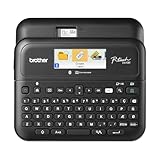 Brother P-Touch PT-D610BT Business Professional Connected Label Maker with Bluetooth®
-
Brother P-touch PTD210 Label Maker Bundle
-
Brother P-touch CUBE Plus (PT-P710BT)
What Expiry Actually Means for a Shipping Label
It helps to separate two ideas that are often tangled together. A shipping label is a record of a booked service: a sender, a recipient, a service level and a payment, all tied together under one tracking reference. Expiry, in the broad sense used in this guide, is about whether that booking is still in a state where a carrier will accept the parcel against it. That is an administrative question, decided by the carrier or the platform that sold the label, and it is separate from the physical question of whether the printed piece of paper still looks readable. A label can be physically perfect and administratively stale, or administratively fine and physically unreadable, and the two problems have entirely different remedies.
Why would a booking go stale at all? From the carrier’s side, a label is capacity promised against a plan: a collection route, a vehicle schedule, a delivery estimate given to a customer. Bookings that sit unused for a long time no longer match the network’s current plan, prices and service promises change over time, and an open booking that never becomes a parcel is also an accounting loose end. So carriers and platforms set their own arrangements for how a booking is treated as time passes, for when a parcel must enter the network, and for what happens to the charge if it never does. Those arrangements are theirs, they differ between carriers and between services from the same carrier, and they can change. That is why this guide will not quote you a number of days: any specific figure you read in a general article may belong to a different carrier, a different service or an older version of the terms. The reliable move is always to check the label’s status through the channel that issued it.
The label’s life, stage by stage
Thinking of the label as passing through stages makes most situations easier to judge. It begins as a fresh booking, created and paid for, with no parcel yet attached in the carrier’s systems. It becomes active in the practical sense when the parcel is handed over and receives its initial acceptance scan, after which the booking and the physical parcel travel together through the network. If the parcel is never handed over, the booking sits in that initial state, and the question of expiry is really the question of how long the issuer leaves it there and what they do when they close it. Alongside that main path sit the side paths: a booking cancelled or voided by the sender, a label reprinted for the same booking after a printer failure, and a booking whose details were corrected by issuing a fresh label and retiring the old one. Most expiry confusion comes from not knowing which stage your label is in, so establishing the stage, usually by entering the tracking reference in the carrier’s or platform’s own tracking or account pages, is the correct initial step in every scenario in this guide.
Reprints, Duplicates and the One-Booking Rule
Reprinting a label is not the same as creating a second label. When your printer jams or a sheet is spoiled, printing the same booking again produces another physical copy of one booking, carrying the same tracking reference. That is normally the intended remedy for a spoiled print, and the spoiled copy should be destroyed or clearly marked so it can never be attached to a different parcel in a tidy-up. The danger case is the opposite one: two different parcels travelling under copies of one reference. Sorting systems expect one reference to describe one parcel’s journey, and a duplicate in the network creates confusion that tends to surface as stalled tracking, a parcel queried at a depot, or one item effectively shadowing the other.
Keep the rule simple in your own packing area. One booking, one parcel, one surviving printed copy at the moment of handover. Spare copies kept for your records should be marked as copies or kept away from the packing bench entirely, ideally as a saved document or photograph rather than as a loose printed label that a helpful family member might stick on the next box. If you discover that a duplicate copy has genuinely been handed over on a second parcel, contact the carrier promptly with both parcels’ details rather than waiting for the network to untangle it, because early human intervention is far more effective while both items are still easy to locate.
Voiding and refunds, in concept
When a booking will not be used, the tidy outcome is to void or cancel it through the channel that sold it, where that facility exists. Voiding closes the booking cleanly: the reference is retired, the parcel it described will not be expected, and the question of a refund is handled under the seller’s terms. Whether a refund follows, and how, depends on those terms and on whether the parcel ever entered the network; a booking that was scanned in transit is a service partly delivered, while a booking never used is a different matter, but the decision belongs to the issuer in both cases. What you should not do is assume silence equals closure. An unused label left unvoided may be closed automatically under the issuer’s arrangements, may be refunded automatically, or may simply lapse with no refund, and the three outcomes look identical from your kitchen table. A short check in your account with the platform, or a question to the carrier, replaces assumption with knowledge while the details are still fresh.
When Something About the Parcel Changes
Life changes parcels after labels are printed: a buyer updates an address, two orders are combined, an item is swapped for a heavier one, a gift is delayed and the sending date slips. Each change interacts with the label differently, and sorting them calmly prevents most trouble. A change of date alone is the mildest case, but mild does not mean irrelevant, because the booking was created expecting handover within the issuer’s arrangements; if the delay is long, checking the booking’s status before the rescheduled handover is the prudent step, rather than discovering a problem at the counter with the parcel in your arms.
A change of address is not an edit you can make with a pen. The printed label, the barcode and the carrier’s routing data all describe the original destination, and handwriting a correction on the label does not update the data the network actually uses, while a hand-altered label may be refused or may travel to the original address anyway. The sound pattern is to void the original booking where possible and create a fresh label carrying the corrected details, then destroy the old print. The same applies when the parcel’s weight or dimensions have grown beyond what the booking describes: the label is a statement about the parcel, and when the statement stops being true, the label needs replacing rather than hoping the difference goes unnoticed. Where you are unsure whether a change is material, describe it to the carrier or platform and follow their direction; they would rather answer a short question than process a misdescribed parcel.
Return labels deserve their own caution
Return labels issued by a retailer or marketplace sit slightly apart from labels you buy yourself. The booking belongs, in effect, to the retailer’s arrangements with its carrier, and the window for using it, the drop-off options and the question of what happens if it goes unused are all set by the retailer’s returns terms. Those terms are usually explained in the returns instructions that came with the label, and they are the first place to look. If a return has been delayed, for example while you waited for a replacement item or a decision about keeping part of an order, check the returns page or ask the retailer before travelling to a drop-off point, because a return label declined at the counter wastes the journey and can complicate the refund timeline. Never use a retailer’s return label for a different parcel or a different return, even an identical-looking one; each label is tied to its own return authorisation, and mixing them is a reliable way to lose track of both items and both refunds.
Records That Make Any Label Question Easy
Most label anxiety evaporates when the records are kept, because nearly every question a carrier or retailer asks can be answered from three things: the tracking reference, the date and channel of purchase, and evidence of handover. Keep the confirmation message or account record for each label until the parcel is delivered and any refund or claim window you care about has passed. When you hand a parcel over, take the receipt offered, or photograph the label on the sealed parcel if no receipt is available. That small archive turns an expiry question from a guessing game into a lookup: you can state when the booking was made, show whether the parcel entered the network, and follow the issuer’s own process from a position of fact.
For anyone sending regularly, a simple log earns its keep: date, recipient, carrier or platform, tracking reference, and a note when a label is voided or reprinted. The log need not be elaborate; a notebook by the packing area or a single running document serves perfectly. Its value appears on the confusing days, when two similar parcels, one delayed return and a reprint all coexist, and the log is the only thing that says with certainty which label belongs to which story. Businesses feel this need first, but a household sending gifts, returns and marketplace sales through the year reaches the same tangle surprisingly quickly.
Storing printed labels you intend to use soon
A label printed a little ahead of handover should be stored like the modestly sensitive document it is. Keep it flat, dry and out of strong sunlight, away from heat sources that can darken heat-sensitive stock, and separate from other labels so copies cannot mingle. Do not leave it taped loosely to a box that is still being packed, where it can be creased, splashed or covered by a later change of plan; attach it as the final step before handover, after the parcel is sealed and checked. If a stored label has become faded, creased or water-marked while waiting, reprint the booking rather than hoping for the best, because a label’s physical readability is entirely within your control in a way its administrative status is not.
A Calm Decision Routine for Any Doubtful Label
When you are holding a label and wondering whether it can still be used, work through the same short routine each time. First, identify the booking: find its tracking reference and the account, message or receipt that created it. Second, check its status through the issuer’s own tracking or account tools, looking for whether it shows as awaiting handover, already in transit, cancelled or closed. Third, confirm the parcel still matches the booking in address, weight and size. Fourth, judge the physical print: flat, dark, complete and scannable by your phone. If all four checks pass, hand the parcel over with reasonable confidence. If any check fails or returns an unclear answer, resolve that specific point, by reprinting, rebooking or asking the issuer, rather than handing over and hoping, because a parcel inside the network with a problem label is far harder to help than a parcel still on your table.
Notice what this routine does not require: memorised deadlines, folklore about how long labels last, or advice gathered from discussions about other carriers and other services. The issuers maintain the facts about their own bookings, and their tools will tell you the status of yours. General guidance like this guide can teach you which questions matter and in what order to ask them. The answers for a particular label, on a particular day, live with the carrier or platform that issued it, and a two-minute check there is worth more than any general rule, including every rule of thumb you will hear from experienced senders whose experience belongs to a different service.
Talking to the carrier or seller effectively
When you do need to ask, arrive with the reference, the purchase date, the purchase channel and a one-sentence description of the situation: bought on this date, parcel not yet handed over, address has changed, what should I do. Support staff can act quickly on a well-described case, and the written channels, such as the platform’s messaging or the carrier’s contact form, have the advantage of leaving you a record of the answer. Keep that answer with the label’s other records. If the answer is that the label must not be used, act on it fully: void or set the booking aside as directed, destroy the print so it cannot resurface, and create the replacement before repacking your attention elsewhere. Half-followed advice, where the old label stays in circulation beside the new one, is how the duplicate problems described earlier in this guide are born.
Special Cases That Commonly Cause Confusion
A few recurring situations deserve naming, because they are where otherwise careful senders come unstuck. The first is the label bought for a collection that never happened. A booking tied to a collection visit has a practical life bound up with that visit in a way a drop-off label does not, and if the collection day passes, treat the label as doubtful until the issuer confirms its state, rather than assuming the parcel can simply be dropped off under it days later. The second is the marketplace label, bought through a selling platform rather than directly from the carrier. Questions about that label, including its status and any refund, usually belong to the platform that sold it, even though the carrier’s name is printed on it, and approaching the platform first saves a circular conversation. The third is the label inside a kit or a returns envelope supplied by someone else, which may have been printed well before it reached you; its age is exactly why the status check matters, and the supplier’s instructions, not your assumptions, govern what to do if it appears stale.
The fourth case is the parcel that was handed over but shows no tracking movement. That is not an expiry problem at all, because the booking clearly entered the network; it is a tracking or handling query, and it should be raised as one, with your handover receipt ready. Senders sometimes rebook and resend in this situation, creating a duplicate journey for goods that were never lost, so patience and a status enquiry come first. The fifth case is the label for an international parcel, where a stalled or ageing booking can interact with customs paperwork prepared alongside it. If such a booking needs replacing, expect the accompanying declarations to need preparing afresh too, and follow the issuer’s guidance so the label and the paperwork describe the same shipment in the same terms.
Gifts, delays and the sender’s judgement
Gift sending produces the classic expiry dilemma: the label was bought in good time, the occasion slipped, and the parcel is ready a good while later. The judgement this guide recommends is procedural rather than brave. Run the status check, confirm the parcel still matches its booking, inspect the print, and hand over only when those checks pass. If the booking has closed, rebooking is a modest cost beside the embarrassment and expense of a gift parcel refused, returned or lost in confusion, and the recipient will never know the label was bought twice. Experienced senders are not the people who take chances with old labels; they are the people whose parcels so rarely cause trouble that nobody notices their system at all, and a two-minute check is the whole of that system.
Household Systems That Prevent the Problem Entirely
The best expiry question is the one that never has to be asked, and households that send regularly can arrange that outcome with a few standing habits. Buy labels close to the sending moment as a default, and treat buying ahead as the exception that triggers a note of the date and a planned check. Keep a single, visible place for parcels awaiting handover, separate from parcels still being packed, so a printed label always means a parcel genuinely ready to go and its age can be seen at a glance. When a sending plan changes, deal with the label in the same moment as the plan: move the parcel back to the packing area, note the change, and decide then whether the booking needs checking, rather than leaving an ageing label attached to a parcel whose story has already moved on.
Families and shared households benefit from one more agreement: whoever prints a label owns it until handover, and anyone who finds a labelled parcel they did not prepare asks before moving or sending it. Most household label accidents are acts of helpfulness, a parcel kindly dropped off by someone who did not know its booking had been replaced, or a spare print kindly used for a different box. A small note on the parcel, with the date and the sender’s name, prevents nearly all of them. None of this requires software or expense. It is simply the domestic version of the same discipline a warehouse applies: one label, one parcel, one owner, and a status that anyone can check. Build those habits while your sending is occasional, and they will already be in place on the busy week when they earn their keep.
What a drop-off point can and cannot tell you
Staff at counters and drop-off points see labels all day and can often spot a booking that their systems will not accept, but their view is the carrier’s present-day system, not a history of your purchase. Arrive with your confirmation available, on paper or on your phone, so a question can be answered from the record rather than from recollection. If a label is declined, ask what the stated reason is and what the recommended remedy is, and note both; that information turns a frustrating errand into the exact facts you need for the platform or carrier conversation that follows. Be wary of improvising at the counter, such as handwriting changes on a label or paying again for a second service without retiring the initial booking, because improvised fixes tend to create the duplicate and double-charge situations that take longest to unwind. A declined label carried home again, with the reason noted, is a problem half solved; a declined label left in the system through a workaround is a problem postponed to a worse moment.
It is also worth keeping your expectations of tracking in proportion. A booking can be perfectly valid while its tracking page shows little, because tracking describes scans, and a parcel that has not yet been scanned has nothing to show. Silence on a tracking page is not evidence of expiry, just as an old purchase date is not evidence of invalidity. The status check recommended throughout this guide means looking at what the issuer’s systems actually say about the booking’s state, not inferring a state from the absence of movement. Hold those two ideas apart, and most of the worry that surrounds older labels dissolves into one clear question with one authoritative place to ask it.
FAQ
Can I reuse an old label for a new parcel?
Do not assume so. A label belongs to one booked shipment. Create a new one for each parcel unless the carrier says otherwise.
What if I printed it weeks ago?
Check its status in your account. If it is not clearly active, make a new label.
Will an unused label be refunded?
That depends on the carrier and the service. Check the carrier’s current instructions on refunds and cancellations, and note any time limits for requests.
Does tape over the label keep it valid?
Tape protects the paper from rubbing and damp, but it has no effect on the shipment record. The booking status is what decides whether the label can be used.
Who do I contact if the status is unclear?
Begin with the help section of your shipping account, then the carrier’s own support channels. Have your tracking number ready.
Can I check a label's status without an account?
Often you can enter the tracking number on the carrier's public tracking page to see whether it has any scans. That shows movement but may not show whether the booking is still open. For that, use your account or contact the carrier.
What happens if I hand over a parcel with a void label?
It may be refused at the counter, held, or returned to you, depending on the carrier. Check the status before you travel to the drop-off point to avoid a wasted trip.
Do return labels from a retailer expire?
They may have terms set by the retailer or the return portal. Look at the message that came with the label and contact the sender if no dates are given.
Should I print a spare copy of the label?
A spare can be handy if the first gets damaged, but two copies on one parcel can cause scanning confusion. Keep the spare separate and only attach one.
Can I change the address on an existing label?
Some carriers allow edits before handover, while others require a new label. Check the options in your account or the carrier's help page for your service.
Does a label printed on regular paper work?
It often does if the barcode is crisp and flat, but check the carrier's instructions for accepted paper and sizes. A fuzzy or faded print is the common problem.
What if I lost the confirmation email?
Look in other inboxes and spam folders, then check your shipping account order history. If you still cannot find it, contact the carrier with the details you remember.
The Short Version
Some labels may become invalid, and some will not. Read the status in your account, follow the carrier’s current instructions, and print labels close to the day you plan to hand over the parcel. Keep the label clean and flat, and void anything you no longer need.

