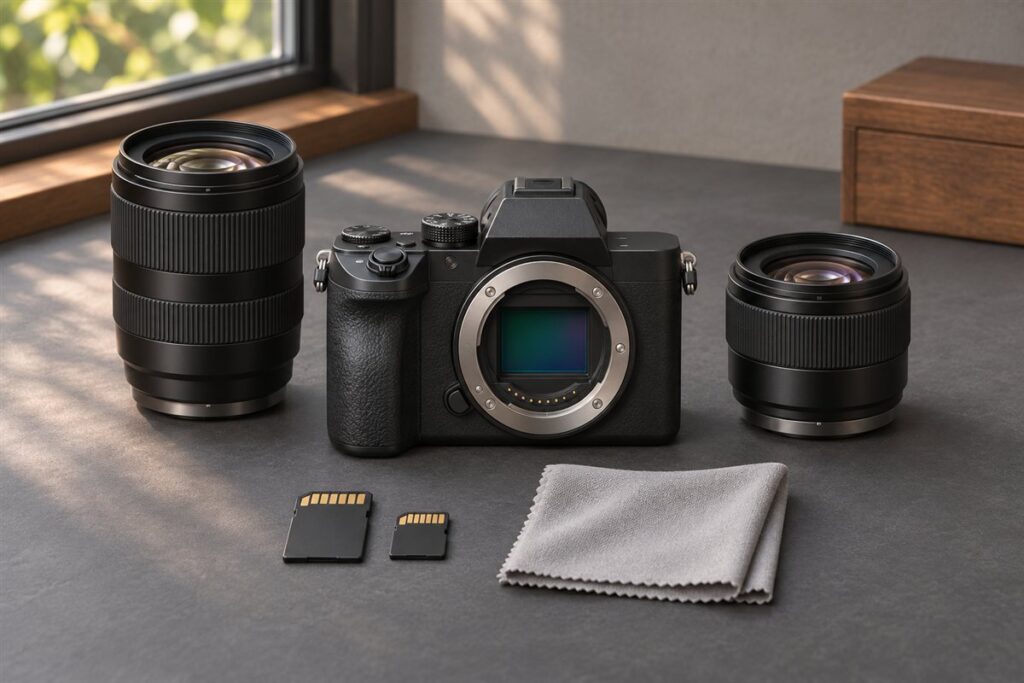
The Nikon Z6 III and the Nikon Zf are both full-frame Z-mount mirrorless cameras, but they feel very different in the hand: the Z6 III is a modern hybrid body built around a conventional layout, while the Zf wraps full-frame performance in a retro-styled body with dedicated dials. Choose the Z6 III for video and action work; choose the Zf if tactile controls and classic looks matter to you. Confirm exact specs on Nikon’s product pages.
What each camera is for
The Z6 III is for photographers who want one camera for stills and video, with a design focused on speed and flexibility. Its handling follows the familiar modern-camera pattern with a pronounced grip and menu-driven settings.
The Zf is for people who enjoy a slower, more deliberate way of shooting. Its styling takes cues from classic film cameras, and it puts key settings on physical dials so you can read and change them at a glance.
Key differences to weigh
- Handling: the Zf rewards photographers who like turning dials for shutter speed, exposure compensation and ISO. The Z6 III suits those who prefer a deeper grip and quick button access.
- Grip and comfort: a retro body usually has a smaller grip, so try heavy lenses before you commit.
- Video: the Z6 III is positioned as the more video-focused model. The Zf can record video, but it is aimed more at stills.
- Action shooting: the Z6 III leans toward faster subjects, so it is the safer choice for sport and wildlife.
- Lenses: both use the Nikon Z mount, so native lenses work on either.
Quick comparison
| Trait | Z6 III | Zf |
|---|---|---|
| Format | Full-frame mirrorless | Full-frame mirrorless |
| Design | Modern, grip-focused | Retro, dial-focused |
| Leans toward | Hybrid and action | Stills and street |
| Lens mount | Nikon Z | Nikon Z |
How to decide
- Decide whether you enjoy manual dials or prefer menus and buttons.
- Think about the lenses you plan to use. Larger telephoto lenses balance better on a deeper grip.
- List how much video you will record. Regular video work favours the Z6 III.
- Handle both in a shop if possible, because comfort is personal.
What to Test When You Hold Each Body
Because these two cameras share a mount and sit in the same full-frame class, the hands-on test often settles the question faster than any list of features. Go to a shop with the lens you use most, or the one you plan to buy, and spend at least ten minutes with each body rather than a quick pick-up and put-down.
Start with the grip. Hold the camera the way you would during a long session, with one hand under the lens, and notice whether your fingers wrap comfortably or whether the front of the body feels shallow. Then raise the camera to your eye and see whether the shutter button, command dials and any customizable buttons fall naturally under your fingertips without shifting your hold.
Next, try changing the three exposure settings without looking at the screen. On a dial-led body you will find that you can often set shutter speed and compensation by feel, while a menu-led body relies on a thumb and index finger working together with the display. Neither approach is better in general, but one will feel obvious to you and the other will feel like work.
- Check how easily you can reach the rear controls with your eye at the viewfinder.
- Look at how the viewfinder sits against your face, especially if you wear glasses.
- Pick the camera up by the strap lugs to judge how it hangs when you carry it.
- Ask whether the dials turn too easily or too stiffly for your taste, and whether they can be locked.
Write down your impressions straight away. After handling both, your memory tends to blend them together, and a few short notes help you decide with a clear head.
Lens Choices and Balance on Each Body
Both bodies take native Z-mount lenses, so any Z lens you buy will work on either one. The practical difference is how the lens feels once it is mounted. A deeper grip tends to carry a long telephoto or a heavy fast zoom more comfortably, because your hand takes the weight close to the body. A body with a shallower grip is happiest with small and medium lenses, where the whole camera stays compact and the front does not pull downward.
Think about the three lenses you expect to use most. If they are small primes and a light standard zoom, the retro-styled body will feel natural, and its looks will match compact lenses nicely. If you plan on a fast telephoto zoom for sport, wildlife or events, plan for more weight on the front and give extra attention to the grip when you test.
If you own older lenses from a different system, check the maker’s information on adapters and which features carry over, such as autofocus and stabilization. Support varies by lens, so do not assume everything works the same as it did on the original body.
- Choose lenses first, then judge the body that carries them best.
- Consider a third-party or maker-supplied grip accessory if one exists for your chosen body, and check the listing for compatibility.
- Remember that filters, hoods and adapters add weight and length to the front of the lens.
Matching the Camera to Your Stills and Video Workflow
A useful way to compare two similar cameras is to follow a typical day of work from start to finish. For a stills photographer, that means choosing settings, shooting, reviewing images and moving files to a computer. For a hybrid shooter, it also means switching between photo and video, monitoring audio and managing heat and battery over long takes.
If video is a small part of your work, such as a short family clip now and then, either body will serve, and you can decide mostly on handling and looks. If you record regularly, read the maker’s pages for recording formats, recording time limits, available ports and screen type. Check whether the screen articulates in a way that suits you for self-recording or low-angle shots, and whether the body has the microphone and headphone connections you need.
For stills, think about the speed of your subjects. Photographing people, landscapes and street scenes rarely demands extreme burst performance. Photographing children, animals or sport benefits from strong subject tracking and a camera that clears its buffer quickly. Look up the maker’s description of autofocus and burst behavior for each model, and treat marketing language as the maker’s own claim.
Also consider how you will review your work. Some photographers love a bright rear screen and quick menus, while others rarely chimp and prefer a calmer interface.
Budget Tiers, Used Bodies and Total Cost
The body is only part of the cost of a camera system. Before you commit, add up memory cards, spare batteries, a bag, a strap, a screen protector and any lens you still need. If the two bodies are close in cost, the better question is which one leaves you enough room in your budget for a good lens, since the lens usually affects your pictures more than the body.
Think in tiers. A lower budget points to one body with one versatile lens and a single extra battery. A middle budget allows a second lens, such as a fast prime for low light. A higher budget lets you add both a spare body or a pro-grade zoom and accessories. Whichever tier you are in, avoid stretching to the body and then buying a cheap, unsuitable lens.
If you consider a used body, ask about the shutter count where it is reported, the condition of the sensor and the mount, the state of the dials and buttons, and whether the original battery and charger are included. Check the seller’s return policy and any remaining warranty. Newer models can have firmware updates, so ask which version is installed and look at the maker’s page for the latest.
Common Mistakes When Choosing Between These Two
The most common mistake is choosing on looks alone, or on specifications alone. A camera that is beautiful but uncomfortable stays at home, and a camera that is technically capable but irritating to use produces fewer pictures. Balance both.
A second mistake is buying for an imagined future. People often pick the more capable body for video they may never shoot, or the more stylish body for a hobby that later turns into fast action work. Be honest about what you did last year and use that as a guide.
Third, many buyers underestimate the effect of the strap and the bag. A heavy body on a thin strap digs into the neck, while a retro body in a deep bag may be harder to reach. Plan these small items as part of the purchase.
- Do not assume that dials mean slower shooting. Many people shoot quickly with them once they are used to them.
- Do not assume that menus mean less control. Custom buttons can put your favorite settings at your fingertips.
- Do not skip reading the manual sections on custom buttons and saved setting banks.
A final check is to imagine the camera in the middle of a busy day. Picture changing a battery, swapping a card, adjusting settings with a glove on and handing the camera to a friend for a quick shot. The body that makes those small moments easy is usually the one that earns a place in your bag. If both feel acceptable, choose the one that makes you want to pick it up, because a camera you enjoy using is a camera you will use more often.
FAQ
Is the Zf only for people who like retro style?
No. Its looks attract many buyers, but the dials also make it a useful tool for anyone who wants to learn exposure by touch.
Which is better for travel?
Either works. The Zf is attractive for street and travel stills, while the Z6 III is more flexible if you also record video or shoot moving subjects.
Do I need to buy special lenses for the Zf or the Z6 III?
No. Both use the Nikon Z mount, so the same native lenses fit either body. Check the lens listing to confirm it is made for full-frame Z cameras.
Can I use older Nikon lenses on these cameras?
Many people use adapters with older lenses, but support for autofocus and stabilization varies by lens and adapter. Check the maker's compatibility information before buying one.
Is a retro camera slower to use than a modern one?
Not necessarily. Dedicated dials can make common changes quick once you know their positions, while menu-led bodies rely on customizable buttons. Speed comes mostly from practice with your own settings.
Which body suits a beginner better?
Either can suit a beginner. Some beginners enjoy learning exposure with physical dials, while others prefer automatic modes and guided menus. Try both in a shop and see which feels less intimidating.
Should I buy a second battery?
A spare battery is a sensible purchase for either camera, especially for video, travel or long events. Check the listing for the correct battery type.
What should I check on a used body?
Ask about shutter count where available, sensor and mount condition, wear on buttons and dials, included accessories and the seller's return terms. Test the camera briefly if you can.
Is full frame necessary for the kind of shooting I do?
Not always. Full frame helps with low light and shallow depth of field, but it also means larger lenses. Choose it if those advantages matter to you.
The Short Version
Both cameras share the full-frame format and the Z lens system. Choose the Z6 III for hybrid and action work, and choose the Zf for a tactile, classic way of shooting. Check Nikon’s pages for current specs before you decide.