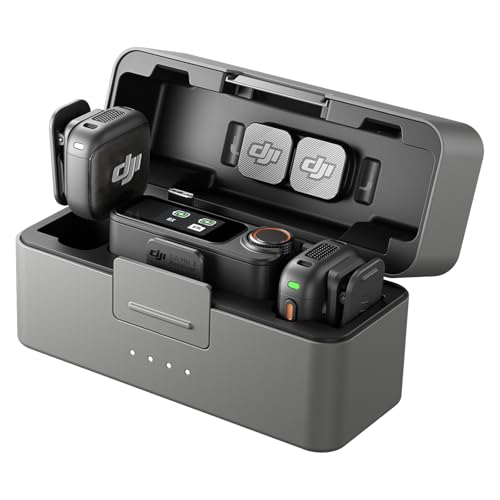
A wireless video transmission system sends a live picture from a camera to a monitor, switcher or other screens without a long cable between them. Directors, focus pullers, clients and streaming teams use these kits so they can watch footage from a distance and move freely on set or at an event.
We have not used these products ourselves, so this guide makes no claims about range or picture quality. It sets out how to choose by thinking about your camera outputs, the distance involved and how many people need to watch. Begin by checking the video connector on your camera, because the transmitter must accept that signal before anything else matters.
As an Amazon Associate we earn from qualifying purchases. Links on this site are affiliate links, and they do not change the information we give.

In this guide
Quick Picks
| Pick | Product | Best For |
|---|---|---|
| Best for multi-receiver monitoring | Hollyland Pyro H | Feeding up to four receivers from one HDMI camera |
| Best 4K kit with SDI | Hollyland Mars 4K | 4K monitoring on sets that mix SDI and HDMI gear |
| Best long-range 1080p | Accsoon CineView SE | Low-delay SDI/HDMI links over longer distances |
| Best for live streaming | Accsoon CineView HE | HDMI loop-out plus UVC streaming straight to a computer |
| Best all-round 1080p kit | Hollyland Mars 400S Pro II | A balanced mix of range, delay and app monitoring |
Our Picks

1. Hollyland Pyro H — Best for monitoring on several receivers
The Pyro H is Hollyland’s HDMI-only system built around one idea: lots of people watching one camera. Its Wi-Fi broadcast mode lets a single transmitter feed up to four receivers, so a director, client and producer can each have their own monitor without extra splitters. The transmitter takes HDMI 1.4 input with a loop-out for a local screen, and the link carries 4K30 or 1080p60 over a stated 1,300ft line-of-sight range with latency quoted at 0.06s. It hops between the 2.4GHz and 5GHz bands automatically and scans for a clean channel at startup, which helps in venues crowded with other wireless gear. The receiver also offers UVC output, so the feed can go straight into a computer for streaming. Power comes from NP-F batteries, USB-C or DC. Choose it if your camera is HDMI and several viewers matter more than SDI connectors.


2. Hollyland Mars 4K — Best 4K kit with SDI and HDMI
The Mars 4K is the pick when a set mixes connector types and still wants a 4K picture. The transmitter accepts both SDI and HDMI input, the receiver outputs both, and the system passes 4Kp30 over HDMI or 1080p60, with SDI output support for fractional frame rates such as 23.98, 29.97 and 59.94. Hollyland rates the line-of-sight range at 450ft and latency at 0.06s, which keeps the picture usable for camera moves and general monitoring. One transmitter can serve the receiver plus viewers on the HollyView app, with monitoring on up to four mobile devices in app-only setups. A smart channel scan picks a clear channel on startup, and the units run from NP-F batteries, USB-C or DC power, so they fit the battery system most small crews already own. It suits owner-operators who move between mirrorless and cinema cameras and want one kit that connects to both.


3. Accsoon CineView SE — Best long-range 1080p with SDI and HDMI
The CineView SE is Accsoon’s dual-band workhorse for 1080p work. It transmits on the 2.4GHz and 5GHz bands at the same time, which Accsoon credits for its stated 1,200ft range and latency under 0.05s — the lowest delay figure in this group, and the reason focus pullers shortlist it. The transmitter offers SDI and HDMI inputs with an HDMI loop-out, while the receiver outputs SDI and HDMI and adds a UVC feed over USB-C for a computer. One transmitter can feed up to four devices in a mix of receivers and phones or tablets running the Accsoon SEE app, which adds monitoring tools such as LUTs, waveform and focus peaking. The compact metal units run from NP-F batteries, USB-C or DC input. Pick the SE if your work is 1080p, your camera has SDI, and distance plus low delay matter more than a 4K signal.


4. Accsoon CineView HE — Best for live streaming
The CineView HE covers the HDMI side of the guide and is aimed squarely at streaming teams. The transmitter takes an HDMI input and provides an HDMI loop-out, so the camera operator keeps a local monitor while the signal travels. At the other end, the receiver outputs HDMI for a screen and UVC over USB, which lets a laptop or streaming PC take the feed directly without a separate capture device. Like its SE sibling it uses Accsoon’s dual-band 2.4GHz plus 5GHz transmission, with a stated 1,200ft range and 0.06s latency at up to 1080p60. One transmitter can feed up to four receivers or app viewers through the Accsoon SEE app, handy when a producer wants a tablet view. Power options mirror the rest of the CineView line: NP-F batteries, USB-C or DC. It fits churches, schools, event videographers and creators whose end point is usually a computer rather than a cinema monitor.


5. Hollyland Mars 400S Pro II — Best all-round 1080p kit
The Mars 400S Pro II refines Hollyland’s popular 1080p kit rather than chasing 4K. Both ends carry SDI and HDMI, the stated range rises to 450ft line of sight, and latency drops to 0.07s with a 12Mbps data rate for a cleaner HD picture. Monitoring is flexible: two receivers, one receiver plus two app viewers, or up to four devices on the HollyView app. Three scene modes trade delay against image quality, a smart channel scan runs at startup, and the fan can be set to off, low or auto — useful on quiet sets where a whirring transmitter near a microphone is a real problem. The receiver can also feed a computer directly for streaming into software such as OBS or vMix. Power is unusually flexible: NP-F plates, 6–16V DC, or 5–12V over USB-C, and an integrated cold shoe simplifies mounting. It is the safest single recommendation here for general filmmaking.

What to Look For
| Factor | Why it matters | What to check |
|---|---|---|
| Video inputs and outputs | The kit must connect to your camera and monitor | Compare HDMI and SDI connectors, and any signal format limits |
| Range | Distance and obstacles affect the link | Read the stated range as an open air figure and expect less indoors |
| Latency | Delay matters for focus and camera moves | Look for the maker’s stated delay and whether a low delay mode exists |
| Receiver count | Several people may need a view | Check how many receivers one transmitter can feed, or whether a phone app can receive |
| Power options | Long shoots drain batteries | Look for plate batteries, USB power and a clear battery indicator |
| Frequency band and interference | Busy venues crowd the airwaves | Check band choices, channel scanning and local rules for the bands used |
| Size, mounting and heat | Units sit on or near the camera | Compare weight, mounting threads and vents or fans |
Setup and Care Tips
- Mount the transmitter with its antennas upright and clear of metal and the camera body.
- Scan for a quiet channel at the venue before you settle on one.
- Use short, locking video cables so a knock does not drop the picture.
- Give the units airflow, since small transmitters can run warm.
- Keep software current and carry spare batteries and cables in one pouch.
Mistakes to Avoid
- Buying a kit with the wrong video connector for your camera.
- Trusting the maximum range in a building full of walls and other signals.
- Ignoring delay when the picture is used for focus.
- Running too many wireless systems on the same band.
- Skipping a full-length run with the kit before a real shoot day.
How do wireless video transmission systems handle range and delay?
A wireless video transmission system compresses the picture, sends it over radio and decodes it at the receiver, which is why range and delay trade off against each other. Stated range is usually an open-air figure, and real-world distance depends on walls, crowds and other signals.
Delay, often called latency, is the gap between what the camera sees and what appears on the monitor. A small delay is fine for general monitoring, but focus pulling and camera moves are more sensitive to it. If your work is mostly interviews or event coverage, a slightly higher delay may be acceptable.
- Range: treat the maker’s number as a best case, and test at your location.
- Delay: compare the stated figure and any low-delay mode.
- Image quality: higher resolution or frame rate can change what the link can carry.
- Interference: busy venues with many wireless devices may need channel scanning and band choices.
Read the listing carefully for the formats supported, since not every kit passes every resolution and frame rate. If you are unsure, check the manual.
Which wireless video transmission system should you buy?
Pick by your camera connector, your viewers and your distance. The kits above suit different jobs, so match your main use rather than chasing the highest numbers.
- If your camera is HDMI and several people need to watch, go for the Hollyland Pyro H. It is built for feeding multiple receivers.
- If your set mixes SDI and HDMI gear and you want a 4K picture, choose the Hollyland Mars 4K.
- If you work in 1080p with SDI and care most about low delay and distance, pick the Accsoon CineView SE.
- If your end point is a computer for streaming over HDMI, go for the Accsoon CineView HE, which offers UVC output for direct streaming.
- If you want one balanced kit for general filmmaking, choose the Hollyland Mars 400S Pro II for its mix of connectors, app monitoring and flexible power.
If two kits look close, ask who needs to watch and where the signal ends up: a monitor, a phone or a streaming computer. The answer often decides it. Use the buttons above to open the listing for the one that matches your workflow.
What should you check before you buy a wireless video transmission system?
Confirm connectors, formats, power and what is in the box before you order. A wireless video transmission system only works well when both ends match your camera and monitor.
- Connectors: check whether your camera outputs HDMI or SDI, and whether the receiver matches your monitor.
- Formats: confirm the resolution and frame rates your camera sends are supported.
- Viewers: check how many receivers or app devices one transmitter can feed.
- Power: look at battery plates, USB and DC options, and whether you already own the batteries.
- Cables and mounts: note which cables and mounting parts are included.
- Regional rules: confirm the frequency bands are allowed where you work.
- Heat and fans: consider noise near microphones.
- Warranty and returns: read the terms on the listing.
Before a shoot, pair the units, run them for a full session and check that the picture stays steady. A short test avoids surprises on the day.
How do you fix common wireless video link problems?
Most problems come from interference, weak power or loose cables, and quick checks usually find them. Change one thing at a time so you can see what helped.
- Picture drops out: reposition the antennas, move metal objects away and reduce distance.
- Stuttering or blocking: scan for a cleaner channel or switch bands if the kit allows.
- No picture at all: check the cable, the input setting on the transmitter and the camera output format.
- Noticeable delay: try a lower-delay mode and avoid adding extra viewers on a phone app.
- Overheating: give the units airflow and follow the manual’s guidance.
- Pairing trouble: restart both units and make sure the firmware is current.
Keep spare cables, batteries and clamps in one pouch, and label each transmitter and receiver pair. A tidy kit makes troubleshooting faster for you and any colleague who borrows it.
What wireless video transmission setup suits your type of job?
Match the setup to the job: interviews, events, live streams and cinema-style shoots each stress a wireless link in different ways. Thinking about your typical day helps you decide which features matter.
- Interviews and corporate shoots: a small group of viewers and moderate distance. A kit that feeds a monitor and a producer’s tablet is usually enough.
- Live events and church services: a crowded radio environment and long days. Look for channel scanning, flexible power and reliable cooling.
- Live streaming: the receiver often feeds a computer, so USB video output and stable software behavior matter.
- Cinema-style shoots: focus pullers and directors value low delay, sturdy connectors and monitoring tools.
- Solo shooters: light weight, simple pairing and a battery system you already own keep the rig manageable.
Also think about the cameras you use. If you switch between mirrorless and cinema bodies, connector variety becomes valuable. If everything you own is HDMI, a simpler kit avoids paying for inputs you will not use.
Think about the people watching, too. A client who looks at a tablet needs a clear picture and a simple app, while a focus puller needs the fastest feed available. Planning for each viewer avoids over-buying or under-buying. Write down the longest distance, the number of viewers and the connectors involved, then compare that short list against each listing. Check the listing for app features, supported devices and how many viewers can join before you decide.
Is a wireless video transmission system worth it, and who should skip it?
A wireless video system is worth it when movement, distance or several viewers make cables a problem, but a cable is simpler when none of those apply. Here are the trade-offs plainly.
- Is it worth paying more? Higher-priced kits tend to add more input types, 4K support or more viewers. If you only need a simple 1080p link, a basic model may be enough.
- What are the downsides? You have more to charge, pair and carry, and the signal can be affected by other wireless gear.
- Does it replace a cable? For critical shots in crowded radio environments, many crews still keep a wired backup.
- Who should skip it? If your camera stays on a tripod near the monitor, a good cable is steadier and cheaper to run.
If you move often, work with a team or stream live, a wireless link can save time on every job. Compare the picks above, check the current listing for connectors and what is included, then choose the one that fits how you will use it.
Latency in Practice: What the Delay Actually Feels Like
Every wireless video system trades a little time for its freedom, and whether that trade matters depends entirely on the job. For a director watching a monitor across a set, a small delay is invisible in practice — the performance reads the same, and framing decisions are unaffected. For a camera operator pulling focus from a remote monitor, delay is poison: the image arrives after the moment, corrections chase their own tail, and sharp work becomes guesswork. For live streaming and broadcast, delay interacts with everything else — a commentator describing action the audience has not seen yet, a second camera on a cable arriving noticeably earlier in the vision mixer, an audio feed that no longer matches lips. The systems in this guide sit at different points on this scale, and the honest buying question is not “how low is the delay” but “whose eyes will watch this feed, and what will they do with it”.
Test delay the way you will use it. Put a stopwatch or a clap in front of the camera, watch the wireless monitor beside a wired one, and compare. Then test again at the distance and through the walls of your real location, because delay figures quoted for a clear line of sight in an empty hall are a best case, not a promise. If two feeds must agree — a switched live show is the classic case — route every camera through the same kind of link, or delay the faster path in the mixer, rather than mixing wired and wireless and hoping nobody notices the drummer’s sticks landing early on one angle.
Range, walls and the honest meaning of line of sight
Range claims assume the friendliest conditions: transmitter and receiver elevated, antennas aligned, nothing between them but air. Real sets add bodies (which are mostly water and absorb signal), metal scenery, LED walls, and a crowd of phones and radios competing in the same airspace. Treat the headline range as the size of your safety margin rather than a working distance: a system comfortable at three times your actual distance will shrug off the obstacles that make a marginal system stutter. Elevate both ends where you can, keep antennas vertical and separated as the maker intends, and walk the full path the camera will travel during the take — a link that is perfect at the start position and broken behind the set piece is broken for your purposes.
Interference management is mostly housekeeping. Keep transmitters away from other transmitters, routers and microwave sources; change channels deliberately if the kit allows rather than hoping the automatic choice stays best all day; and re-test after the audience arrives, because a room full of people and their devices is a different radio environment from an empty rehearsal. Crews who build a two-minute link check into every setup change — new position, new battery, new channel scan — simply stop having wireless stories to tell.
Powering a Wireless Kit Through a Real Shoot Day
Transmitters and receivers eat batteries in proportion to how hard they work, and a shoot day punishes vague power plans. Most kits here run on interchangeable camera-style batteries, USB power, or both; the professional habit is to standardise on one battery family across the whole kit — monitors, lights and links sharing cells and chargers — so any battery can rescue any device. Budget power pessimistically: cold locations, high brightness monitors and constant transmission all shorten runs, and the changeover moment always arrives during the take you cannot repeat. Hot-swap where the hardware allows it, and assign one person to own power on anything bigger than a solo shoot; “everyone” owning batteries means nobody does.
Cable power is the quiet alternative nobody regrets. A receiver feeding a fixed monitor can live on mains or a large battery brick all day, removing half the kit from the charging rotation entirely. A transmitter on a static camera can do the same. Reserve battery discipline for the parts that genuinely move — the roaming camera, the director’s handheld monitor — and the day’s power maths becomes simple. Label batteries with their purchase batch and rotate them evenly; matched, evenly-aged cells behave predictably, and predictability is what a shoot day actually runs on.
Monitoring chains: who watches what, where
Plan the viewing chain before the kit list. The operator needs the cleanest, lowest-delay view, ideally still wired or from the camera’s own screen, with the wireless feed serving the director, the client and the script supervisor. Multi-receiver systems — the strength of the leading pick in this guide — exist precisely for this: one transmitter, several screens, no splitter compromises. Decide who gets focus peaking and exposure tools (the person judging focus and exposure) and who gets the clean picture (clients judge the picture, not the overlays; a client monitor full of technical graphics invites questions nobody needs). Feed a phone or tablet only where its extra delay and variable behaviour cannot hurt — a producer checking framing from another room is a perfect use; a focus puller is not.
Comparing the Picks by Production Style
The Hollyland Pyro H suits multi-viewer sets: its one-to-many receiver arrangement matches the director-client-agency reality of commercial and narrative work, where several people must watch without crowding the operator. The Hollyland Mars 4K is the resolution-and-connections choice, pairing a higher-resolution feed with both SDI and HDMI, which fits cameras and monitors from both worlds and productions that deliver or monitor in finer detail. The Accsoon CineView SE is the long-reach 1080p workhorse with the same dual-connection sense, aimed at events and larger venues where the distance between camera and monitor is the day’s main problem. The CineView HE leans toward streaming setups, where feeding a switcher or a streaming station reliably matters more than the last increment of range. The Mars 400S Pro II is the balanced all-rounder for smaller crews who want one kit that covers interviews, events and corporate work without specialisation regrets.
Read the list through your own call sheet. A wedding videographer roaming a venue all day needs range, battery manners and a receiver the second shooter or a fixed monitor can use. A corporate streamer needs dependable feeds into a switcher and app monitoring for the producer. A narrative crew needs multi-receiver viewing and connections that match the camera department’s monitors. The badge on the box matters less than that match — and a kit matched to the work gets booked again, while an over-bought kit with the wrong connections sits in the case.
SDI, HDMI and the adapter trap
Connection choice is partly about the plug and partly about the working style it implies. SDI locks, survives being stepped on, and runs long cables gracefully; HDMI is universal on smaller cameras and monitors but its connectors are fragile and its cables dislike distance. A kit that offers both frees you from adapter chains, and adapter chains are where intermittent feeds are born — every extra joint is a future dropout with an alibi. If you must adapt, use the shortest, best-made adapter, strain-relieve it so its weight does not hang from the port, and test the exact chain before the shoot. Whichever you standardise on, carry one spare cable of each type in the kit; wireless systems fail by cable often enough that the spare is a professional signature, not paranoia.
Extended FAQ
The picture freezes or breaks up mid-take. What should I check first?
In order: antennas (vertical, unobstructed, not touching metal or each other), distance and obstacles (has the camera moved behind scenery, a vehicle or a crowd since the check?), interference (has something switched on — an LED wall, another crew’s kit, the venue’s own systems?), and power (a transmitter on a nearly-flat battery often misbehaves before it dies). Change one thing at a time and re-test with the camera walking the problem path. If the fault follows a particular spot in the room, it is geography, not equipment — move the receiver or raise it, and mark the dead zone on the floor plan for the rest of the day.
Can I use a wireless video kit as my only monitor feed?
For many jobs, yes — with the delay caveat honestly applied. Directing, producing, client viewing and general operating at normal speeds all work well on a good modern link. The exceptions are precision focus pulling from the wireless feed, fast switched live work where feeds must match, and any situation where a dropped frame would be a safety issue rather than an inconvenience. In those cases the wireless feed becomes the second view, and a cable — unglamorous, absolute — carries the critical one. Knowing which category your shoot is in, before the day, is the whole decision.
How should I pack and maintain a transmission kit?
As a matched set: transmitter, receiver(s), antennas, batteries, chargers and the short cables that belong to it, in one case, checked against a list when it leaves and when it returns. Antennas are the most commonly lost and damaged part — carry the spares the maker offers. Keep firmware on transmitter and receivers in step per the maker’s instructions, update at home rather than on location, and clean contacts and fans (where fitted) on a schedule. A kit that is always complete is a kit that can be hired, lent and trusted; a kit with a missing receiver is an expensive paperweight with antennas.
End every shoot with the two-minute ritual: power down in an order that lets you confirm every unit is accounted for, batteries into the charger or the used bin, antennas removed if the case requires it, and any fault from the day noted on the kit list while you still remember which unit did it. Wireless video earns its money by being invisible; that invisibility is manufactured the night before and the night after, in exactly these unremarkable habits.
Workflows: Events, Worship, Sport and Streaming
Different venues stress a link differently, and a few patterns recur. At weddings and events, the camera moves through crowds and architecture all day; height for the receiver (on a stand near the videographer’s base position) and a pre-event walk of the ceremony and reception spaces matter more than any other preparation, and the couple’s key moments deserve a fresh battery as a matter of ritual. In houses of worship, the same positions repeat weekly, so a semi-permanent receiver placement, tested once and then left alone, turns wireless from a weekly setup task into furniture — and volunteer operators inherit a system that simply works. For sport, range and delay sit in tension: the producer’s monitor can tolerate the link, while a roaming camera feeding a big screen wants the shortest practical path and a receiver placed with the action’s geography in mind, not the building’s convenience.
Streaming setups deserve one extra discipline: test the entire chain, camera to audience, not just camera to receiver. The encoder, the network and the platform each add their own delay and their own failure modes, and a flawless wireless hop into a struggling stream still looks like a wireless fault to the audience. Run a private test stream at rehearsal, watch it on a phone on a different network, and you have tested what the viewers will actually get. That habit — verifying the audience’s experience rather than the equipment’s lights — is the dividing line between crews who hope and crews who know.
Crewing and communication around a wireless set
Wireless freedom changes how a crew talks. When the director is no longer tethered to the camera, agree where they will stand and how notes will travel — a quiet word at the monitor village is different from a radio call across a live set. Keep the area around receivers and their antennas a no-loitering zone; bodies are signal obstacles, and the well-meaning crowd that gathers behind the director slowly eats the link margin. On multi-camera work, assign each transmitter its camera and label everything at both ends, so a swapped receiver is spotted in seconds rather than diagnosed over headsets. And brief the client side once: the monitor may flicker for a frame when someone crosses the path, it does not mean the recording is affected, because the camera records its own media regardless of the monitoring link. That single reassurance, delivered early and calmly, prevents the most common client anxiety in wireless monitoring — the fear that a monitoring glitch is a recording failure. It is not, and saying so before it happens is what makes it believable when it does.
Finally, keep a wired fallback in the van for the critical angle on any job where failure is not an option. Professional wireless practice is not the belief that links never drop; it is a setup in which a dropped link costs thirty seconds and a cable, not the shot, the client or the day.
Choose the kit by the room you shoot in most, not the largest venue you can imagine. A system whose range comfortably covers your real work, with connections that match your cameras and monitors and a battery plan your crew will actually follow, will outperform a flagship bought for a fantasy production and wrestled with ever since. Test before you commit where you can, buy the case and the spares with the kit rather than after the first loss, and write the setup down. Wireless video is a mature, dependable tool in 2026 — in hands that treat the link as part of the craft rather than a gadget bolted onto it.
And when you train a new crew member, teach the link check before the camera settings. Cameras forgive; a room full of people waiting on a frozen monitor does not. The two-minute ritual — antennas up, path walked, batteries fresh, fallback cable known — is the entire professional secret, and it transfers to every wireless system you will ever own, whatever badge the next one carries.
Keep expectations written on the kit list, too: the rooms it covers easily, the distances that stretch it, the channels that behaved at your regular venues. That small honesty, recorded once, stops every future shoot from re-litigating the kit’s limits under time pressure — the crew plans around known margins, and the link spends its life working comfortably inside them.
One more quiet advantage of a settled wireless routine: it frees attention. Every minute not spent nursing a link is a minute spent on performance, framing and light — the things the audience actually sees. That is the return on all this housekeeping, and it is why experienced crews are almost boring about their wireless checks. Boring, in this trade, is the sound of everything working.
If budget forces a choice between a longer-range kit and a second receiver for the kit you can afford, most small crews should take the second receiver. More eyes on the picture prevents more mistakes than extra metres of range ever will — the director sees the boom dip, the client sees the product clearly, and the operator keeps working undisturbed.
Record one test at home before the first real job: walk your own rooms and garden with the camera, note where the picture complains, and compare that map with your expectations. Knowing your own kit’s behaviour in a safe place turns location surprises into familiar patterns you have already solved once.
That home test has a second benefit: it teaches the rest of your household or team what the kit can and cannot do, in an environment where questions are free. A team that has watched the picture break up behind a fridge understands line of sight forever — no lecture required.
Keep the receipt and the serial numbers with the kit list. Transmission gear is small, valuable and easy to lose on busy sets; a documented kit is insurable, lendable and replaceable in a way a memory of “the black one with two antennas” never is.
Four words, then, to tape inside the case lid: antennas, path, power, plan. If those four are right, the picture will be too.
Comparing the Picks by Production Style
The kits in this guide divide by how a production watches its own footage. The Pyro H suits sets where several people need their own screen, because feeding multiple receivers is its reason to exist. The Mars 4K suits camera departments that work in a higher-resolution chain and want both major connector types on professional bodies. The Accsoon SE suits crews who prize a dependable standard-resolution link over distance, while the HE suits streamers and event teams who need the picture to reach computers and platforms as readily as monitors. The Mars 400S Pro II suits the broad middle: a single solid link for a director or client monitor on ordinary shoots. Naming your monitoring chain before you buy prevents paying for receivers you will never hand out.
A pre-shoot link check that takes ten minutes
Wireless video rewards a short ritual before the first take. Power the whole chain from the batteries or supplies you will actually use, walk the transmitter through the full area the camera will cover, and watch the furthest receiver for breakup while doors close and people gather, because a room full of bodies absorbs signal differently from an empty one. Confirm that every monitor shows the same framing and that any recording triggered from the camera side behaves as expected. Note which channel or setting behaved best in that space. Ten minutes spent this way is cheaper than one ruined take, and crews who keep the habit stop describing wireless links as temperamental.
Power, heat and care across a long day
Plan power as carefully as signal. Transmitters and receivers draw steadily, run warm and often share batteries with the camera and monitor, so count the whole day’s consumption rather than the first hour’s. Give units air where you can, avoid sealing them inside cases while running, and rotate batteries before they are exhausted rather than after a dropout teaches the lesson. Between jobs, store the kit with cables coiled loosely, connectors capped and firmware notes kept with the case, so the next setup starts from a known state. Label each receiver with the monitor it usually feeds. Small labels and honest power maths are what make a wireless set feel professional instead of fragile.
Choose for the monitoring chain you really run, test the link in the real space, and budget power for the whole day. The picture will take care of itself after that.
When a cable is still the right answer
Professional judgement includes knowing when not to go wireless. A fixed camera close to a fixed monitor, a mission-critical feed with no tolerance for interruption, or a venue crowded with competing signals can all favour a well-run cable, neatly taped and safely routed. Many experienced crews run wireless for freedom of movement and keep a cable ready as the silent backup, switching without drama if the environment turns hostile. Judge any kit in this guide by how gracefully it fits that mixed reality: clear status information, honest behaviour when the signal weakens, and connectors that accept a cable plan without a tangle of adapters. The goal is never wireless for its own sake. The goal is a picture the whole team can trust, by whichever route the room allows.
FAQ
Is HDMI or SDI better?
SDI connectors lock in place and handle long cable runs well, which many crews prefer. HDMI is common on smaller cameras. Match whichever your camera and monitor use, or choose a kit that offers both.
Can I send video to a phone or tablet?
Some systems include an app, so a client can watch on their own device. Check how many viewers the app can support and whether it adds extra delay.
How far can a wireless video transmitter reach?
It depends on the model and the environment. Makers state open-air figures, and walls, crowds and interference reduce them. Test the kit at your location before relying on it.
What is latency in a wireless video system?
Latency is the delay between the camera picture and the monitor picture. Lower delay matters for focus pulling and live camera moves. Check the maker's stated figure and any low-delay mode.
Can a wireless video transmitter send to a phone?
Many systems support a phone or tablet app as a viewer. Check how many devices the app supports and whether it adds delay. A dedicated receiver is usually the lowest-delay option.
Do you need SDI for a wireless video kit?
Not necessarily. HDMI cameras work with HDMI kits, while SDI suits cameras and monitors that use it. Choose a kit that matches your connectors or offers both.
Can you use a wireless video kit for live streaming?
Yes, some receivers output to a computer through USB so you can stream without a separate capture device. Check the listing for this feature. Test it with your streaming software first.
Do wireless video systems need a license?
They typically use bands open to unlicensed devices, but rules vary by country. Confirm the bands and local regulations before traveling with your gear.
How do you reduce interference on a wireless video link?
Scan for a quiet channel, keep antennas clear of metal and avoid running many wireless devices on the same band. Moving closer can also help. Test at the venue before the shoot.
Questions to Ask Before You Buy
Wireless video links are used in very different situations, from a quiet interview to a busy outdoor shoot. These questions help narrow the field.
- Which video connections do my camera and monitor use, and do both ends match the transmitter and receiver?
- How far will the signal travel, and will there be walls, crowds or other obstacles in the way?
- Does anyone need to watch on a phone or tablet, or only on a dedicated monitor?
- How much delay can my workflow tolerate when a director or focus puller watches the feed?
- How will I power the transmitter and receiver during a long day?
- Are there other wireless devices on set that could compete for the same frequency band?
Compatibility Checks
Begin with ports. Confirm the resolution and frame rate your camera outputs, since not every link handles every format. Check whether the cables included are the right length and whether the connectors feel sturdy enough to survive repeated plugging. Small HDMI sockets in particular can loosen over time, so a clamp or cable lock is a sensible addition.
Next, look at the region. Radio rules vary by country, and a unit approved for one market may not be allowed in another. If you travel with your gear, confirm which bands it uses and whether those are open where you work.
Finally, think about the mounting. The transmitter usually sits on the camera cage or hot shoe, so weight and position affect balance. The receiver may live on a monitor bracket, a belt, or a cart.
Feature Trade-offs
| Feature | Advantage | Trade-off |
|---|---|---|
| Longer range | More freedom to move on large sets | Larger units with higher power draw |
| Lower delay | Better for live focus and camera moves | May reduce range or image detail |
| App streaming | Several viewers on personal devices | Often adds a little more delay |
| Compact body | Easy to rig on small cameras | Fewer ports and less cooling area |
Who Should Skip It
If your camera stays on a tripod and the monitor sits a few steps away, a good cable is simpler, steadier and has nothing to pair or charge. Wireless links earn their place when movement, distance or multiple viewers make cables awkward. Do a short pairing test in the actual location before the day of the job.
One more habit is worth building: label each transmitter and receiver pair, and keep spare cables and a small tool kit in the same case. Pairing mistakes and missing adapters cause more delays on set than any technical limit, and a tidy kit makes handover to a colleague much easier.
The Short Version
Match the connectors first, then weigh range, delay, receiver count and power. A transmission kit earns its place when the link is dependable and the crew knows how to set it up quickly.