Disclosure: As an Amazon Associate, Reviews Took earns from qualifying purchases. Links to Amazon on this page are affiliate links; they cost you nothing extra.
Check frequency rules where you film.
This guide is built from Amazon product listings and maker specs, not our own testing, so confirm compatibility, mount type and current price on each product page.
Check the current price on Amazon.com.
Last updated: November 2, 2026.
In this guide
Quick Picks
| Product | Type | Best for |
|---|---|---|
| Phenyx Pro Dual UHF Auto Scan Headset/Lapel Wireless Microphones PTU-7 | Wireless mic system | talking-head video |
| Phenyx Pro Dual Digital Headset/Lapel Wireless Microphone System PDP-2 | Wireless mic system | talking-head video |
| TONOR Wireless Microphone System (Handheld, Headset and Lapel) | Wireless mic system | talking-head video |
| Labstandard Wireless Lavalier Lapel Microphone | Wireless lavalier mic | talking-head video |
| 2-Pack Wireless Mini Lavalier Microphone (iPhone and Android) | Wireless lavalier mic | talking-head video |
| Mini Mic Pro Wireless Microphone (iPhone and Android) | Wireless lavalier mic | talking-head video |
Our Picks
Top pickBest for talking-head video
1. Phenyx Pro Dual UHF Auto Scan Headset/Lapel Wireless Microphones PTU-7
A Phenyx Pro Dual UHF Auto Scan Headset/Lapel Wireless Microphones PTU-7 (wireless mic system), per the listing. Check price on Amazon.
Good for: talking-head video. Watch out: Check frequency rules.
Best for talking-head video
2. Phenyx Pro Dual Digital Headset/Lapel Wireless Microphone System PDP-2
A Phenyx Pro Dual Digital Headset/Lapel Wireless Microphone System PDP-2 (wireless mic system), per the listing. Check price on Amazon.
Good for: talking-head video. Watch out: Check frequency rules.
Best for talking-head video
3. TONOR Wireless Microphone System (Handheld, Headset and Lapel)
A TONOR Wireless Microphone System (Handheld, Headset and Lapel) (wireless mic system), per the listing. Check price on Amazon.
Good for: talking-head video. Watch out: Higher price.
Best for talking-head video
4. Labstandard Wireless Lavalier Lapel Microphone
A Labstandard Wireless Lavalier Lapel Microphone (wireless lavalier mic), per the listing. Check price on Amazon.
Good for: talking-head video. Watch out: Check phone connector.

Best for talking-head video
5. 2-Pack Wireless Mini Lavalier Microphone (iPhone and Android)
A 2-Pack Wireless Mini Lavalier Microphone (iPhone and Android) (wireless lavalier mic), per the listing. Check price on Amazon.
Good for: talking-head video. Watch out: Check phone connector.


Best for talking-head video
6. Mini Mic Pro Wireless Microphone (iPhone and Android)
A Mini Mic Pro Wireless Microphone (iPhone and Android) (wireless lavalier mic), per the listing. Check price on Amazon.
Good for: talking-head video. Watch out: Check phone connector.

Best Picks by Category
They summarize listing data and are not hands-on test results.
- Top rated: Phenyx Pro Dual Digital Headset/Lapel Wireless Microphone System PDP-2 — check price on Amazon.
- Most reviewed: Mini Mic Pro Wireless Microphone (iPhone and Android) — check price on Amazon.
- Best value: 2-Pack Wireless Mini Lavalier Microphone (iPhone and Android) — a budget-tier pick; check price on Amazon.
- Lowest price: Labstandard Wireless Lavalier Lapel Microphone — a budget-tier pick; check price on Amazon.
- Premium option: Phenyx Pro Dual UHF Auto Scan Headset/Lapel Wireless Microphones PTU-7 — a premium-tier pick; check price on Amazon.
Price, Rating and Review Comparison
Prices change often, so confirm the current price on Amazon.
| Product | Price | Rating | Ratings | Price tier |
|---|---|---|---|---|
| Labstandard Wireless Lavalier Lapel Microphone | Check price on Amazon | Budget | ||
| 2-Pack Wireless Mini Lavalier Microphone (iPhone and Android) | Check price on Amazon | Budget | ||
| Mini Mic Pro Wireless Microphone (iPhone and Android) | Check price on Amazon | Budget | ||
| Phenyx Pro Dual Digital Headset/Lapel Wireless Microphone System PDP-2 | Check price on Amazon | Mid-range | ||
| TONOR Wireless Microphone System (Handheld, Headset and Lapel) | Check price on Amazon | Premium | ||
| Phenyx Pro Dual UHF Auto Scan Headset/Lapel Wireless Microphones PTU-7 | Check price on Amazon | Premium |
How Much Feedback Backs Each Rating
A high average from a handful of ratings is weaker evidence than a slightly lower average from thousands. Here is how the sample size looks for each pick.
How to Choose
Compatibility
Check your camera or phone model.
Build
Cheap gear can be flimsy.
Use
Match to how you shoot.
UHF Systems Versus Phone Plug-In Mics
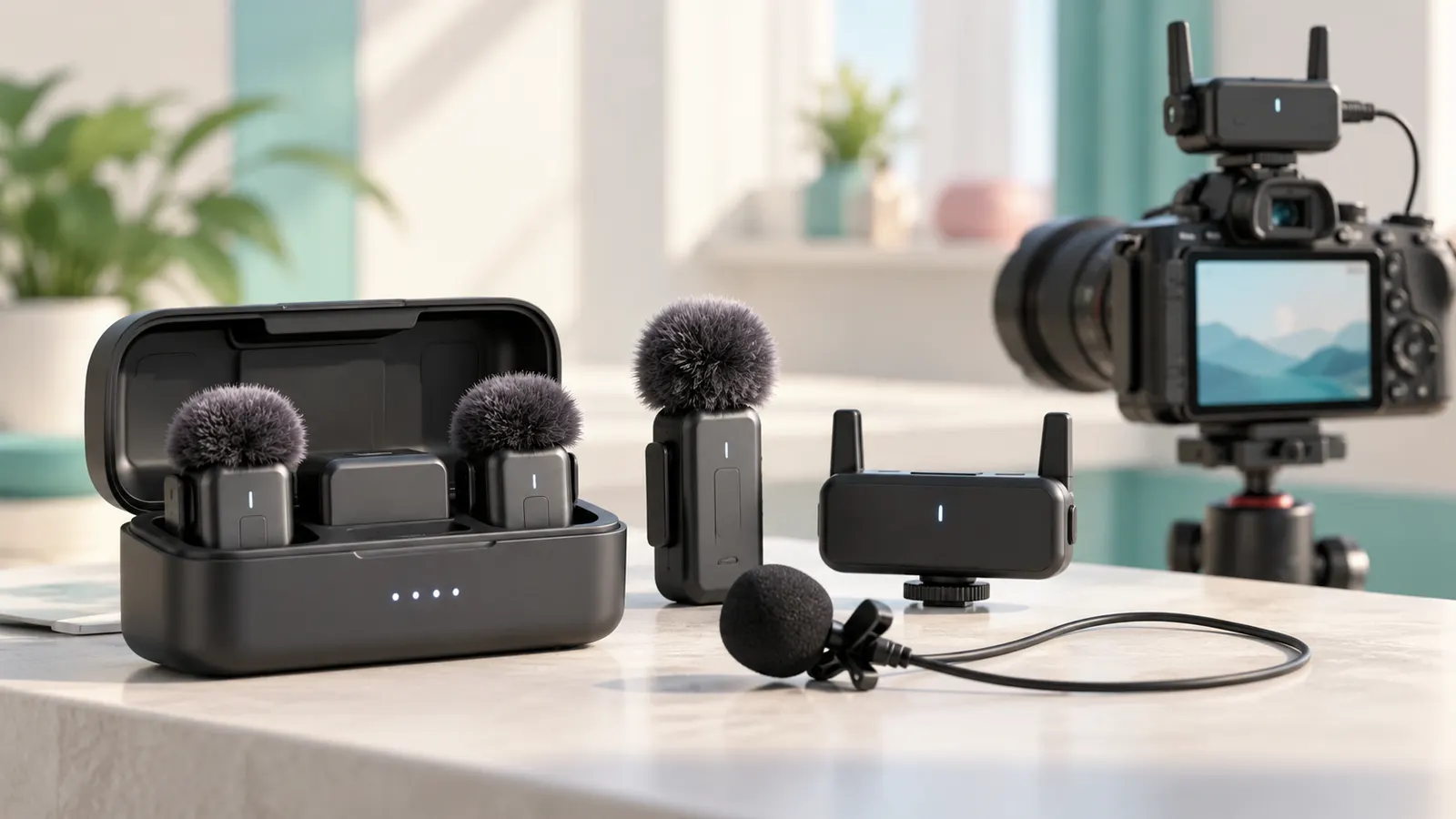
The wireless microphones in this guide fall into two broad families. The first is the traditional UHF system, with a receiver box and one or more transmitters, such as a body-pack with a lapel or headset mic, or a handheld. The UHF radio band is dedicated to this kind of gear and tends to give a stable link over a reasonable distance. These systems are often used for presentations, classes, events and talking-head video with a camera that has a microphone input.
The second family is the compact plug-in mic for a phone. These usually come as a small receiver that plugs into the phone’s charging port or headphone connector, and a tiny transmitter clip with a built-in mic. They are light, cheap and easy to take anywhere. Some are sold as two-packs for interviews. The trade-off is that they depend on the phone’s connector, and compatibility with your exact model must be checked, since phone ports differ.
The choice depends on how you shoot. If you use a camera or a mixer, a UHF system with a standard audio output is more flexible. If you mostly record on a phone and want a quick, tidy setup, a plug-in kit is convenient. Systems that offer a headset, lapel and handheld option are flexible for different scenes but are bulkier.
Also think about how many people you need to mic. A single transmitter suits solo creators. Two transmitters, whether as a dual UHF system or a two-pack, help with interviews and duets. Check how many are included and whether you can add more, and whether the receiver can handle two channels at once.
Frequency Bands and Local Rules
Wireless microphones use radio, and radio use is regulated. The rules differ from one country or region to another, and some frequency ranges used by older microphones have been reassigned to other services. A system that is legal in one place may not be allowed in another. The page’s note to check frequency rules where you film is therefore important. Look in the listing and manual for the frequency range the system uses and check local regulations or the website of your communications regulator.
UHF systems often offer multiple channels, so you can pick one with the least interference. Some have automatic scanning to find a clear channel, and some allow you to set a channel manually. If you run several systems at once, each must use its own channel to avoid clashes. Read the manual for how many systems can operate together.
2.4 GHz digital systems, including many compact mics, share the band with WiFi and Bluetooth. They often handle the pairing automatically and are convenient, but crowded environments such as conference venues can cause dropouts. Digital systems are generally easier to set up, while UHF gives more options for planning.
When filming in public places or at events, check whether the venue has its own wireless systems that might interfere. Test at the location, and bring spare batteries and a cabled backup if the shoot is important. Do not modify a wireless mic in ways that change its frequency or power, because this can break the rules.
Placing a Lavalier for Clean Sound
A lavalier is a tiny microphone clipped to clothing, and where you place it affects the sound more than most settings. The usual position is on the chest, about a hand’s width below the chin, in the center of the sternum. This keeps the mic close to the mouth while staying out of the way. Placing it too low gives a thinner, more distant voice, and placing it too close to the mouth can cause breath noise and popping.
Clothing rustle is the most common problem. Fabric rubbing on the mic or its cable creates scratchy noise. Clip the mic to a stable part of the garment, avoid collars that move, and secure the cable with a loop or a small piece of tape to relieve strain. Avoid jewelry, scarves or hair near the mic. Many kits include a foam windscreen, which reduces plosives and light wind noise. For outdoor use, a larger furry cover helps more.
The transmitter body-pack needs a place to sit: a pocket, a belt or a waistband. Make sure that the cable reaches without being stretched. For compact units, the transmitter is the mic, so you clip it directly to a shirt, and the placement rules apply.
Check the sound with headphones before recording, speak at a normal volume and adjust the input level so the loudest parts do not distort. A recording with a steady level, no clipping and low background noise is easier to edit. If you need to hide the mic, tuck it under clothing, but be aware that this may muffle the sound and increase rustling. Test with the clothing you will actually wear.
Batteries, Latency and Sync With Video
Power is a practical issue for wireless gear. UHF transmitters and receivers often use replaceable batteries, such as AA cells, or built-in rechargeable batteries. Compact phone mics typically have an internal rechargeable battery in the transmitter and take power from the phone for the receiver. Check the listing for the stated runtime and charging method, and carry spares or a way to recharge during long shoots. A mic that dies halfway through an interview is a problem.
Many systems display battery level on the receiver or transmitter. Look at it before starting, and replace batteries at the first low warning. Remove batteries from equipment you will not use for a long time to avoid leakage. If the transmitter has a mute or power switch, learn how it works, so you do not leave it on accidentally.
Latency in wireless audio is usually small, but it can affect lip sync if the audio is recorded separately from the video. Systems that feed audio directly into the camera or phone typically stay in sync. If you record to a separate device, use a clap or a sync point at the start to align it in editing. Digital wireless systems may add a few milliseconds of delay, which is not an issue for most uses.
Also think about how the audio is recorded. Some phone mics send audio directly into the camera app, while others may require specific apps or settings. Check whether the phone’s microphone input is switched over automatically and how to monitor the sound. Run a test recording before every important shoot, listen to it and check that both the video and the audio are present.
Build Quality, Accessories and When to Upgrade
Wireless mic gear is subject to knocks and tugs, so check the build. Clips should hold securely, with a spring that grips without damaging fabric. Cables should be flexible and well reinforced where they join the mic and the connector. Plastic housings should feel solid and close firmly, especially around battery compartments. Cheaper gear can work well, but the weak points often show up in connectors and clips after repeated use.
Look at what is in the box. A useful kit includes windscreens, a carrying case, spare clips, charging cables and any adapters for different ports. Phone mics may include several tips or adapters for different phone connectors. A UHF system usually needs cables to connect the receiver to a camera or mixer, and some listings do not include every type. Check the output connector on the receiver and whether it matches your camera’s input.
Consider how your needs may change. A simple plug-in mic is great for starting out, but if you move to a camera or want to mic multiple people, you may want a UHF system or a unit with a standard audio output. Higher-priced systems tend to offer more channels, better build and more robust links. A budget unit is fine for casual recording, practice and tests.
Signs that it is time to upgrade include frequent dropouts, noisy or crackling sound, broken clips, batteries that no longer hold charge and interference you cannot solve. Before replacing, try a fresh set of batteries, clean the connectors and test in another location. When you buy, check the return window and the warranty, and read reviews for notes on range, battery life and phone connector compatibility.
A Short Glossary for Wireless Lavalier Shopping
Microphone listings can feel like alphabet soup. This glossary covers the terms you are most likely to meet when comparing the systems on our list.
- Lavalier: a small clip-on microphone, also called a lapel mic, worn close to the mouth.
- Transmitter: the pack or clip that sends the audio. It usually holds the battery.
- Receiver: the unit that picks up the signal and feeds it to a camera, phone or mixer.
- Omnidirectional: picks up sound from all around, which suits a clip-on worn on clothing.
- Cardioid: favors sound from the front, which is common on handheld microphones.
- Gain: the input level. Too much causes harsh distortion, too little leaves a faint, noisy signal.
- Windscreen: a foam or fur cover that softens breath and wind sound.
Keep this list handy when you read a product page. It helps you see which items on the box are truly important for your type of recording.
Choosing by Recording Situation
A talking-head video, a classroom lesson and a live event all place different demands on a microphone. Use this table to decide which features should carry the most weight in your decision.
| Situation | Priority | Common trap |
|---|---|---|
| Interviews on a phone | Plug-in fit and a clean clip | Wrong connector for your phone |
| Camera-based video | Reliable receiver and a good cable | Level set too high on the camera |
| Classroom or workshop | Comfortable headset or lapel | Battery running low mid-session |
| Live stage or event | Strong signal and spare channels | Interference from other wireless gear |
| Two-person chat | Dual transmitters and one receiver | Uneven levels between voices |
Whatever the situation, run a short recording before the real event. Listen with headphones, walk around the space, and move your head as you would while speaking. Fix any problem before people arrive. Hide cable runs under clothing, and keep the transmitter away from phones and other devices that can add noise. For rules about the radio bands that wireless microphones may use in your area, consult official guidance from your national regulator, and check the maker’s notes for the version sold in your region.
Last of all, keep your kit organized. Coil cables loosely, store the transmitters in a padded pouch and take out the batteries if the gear will sit unused for weeks. Charge everything the night before an event and carry spares in a separate pocket. These habits reduce the odd surprises that tend to arrive at the worst possible moment, and they make setup quicker when you are working with a crowd waiting.
Recording Workflows for Wireless Lavalier Systems
The difference between wireless systems that sound professional and those that sound amateurish is rarely the hardware; it is the workflow around it. Build a pre-record routine and run it every time, in the same order, until it is boring. Fit fresh or charged batteries and confirm the transmitter and receiver agree about their state. Pair or scan for a clean channel in the actual location, not at home, because the interference in a venue, a street or an office is the interference you will record. Fit the microphone on the speaker, run the cable or position the transmitter so clothing cannot rub the capsule, and set levels with the speaker talking at their real performance volume, including the loud laugh or the emphatic point, because levels set on a polite test sentence will clip on the real one. Record twenty seconds, play it back on headphones, and listen specifically for rustle, hum, room echo and the speaker’s quietest words. That twenty-second test, honestly listened to, is worth more than any feature on the box.
During the recording, monitor if your setup allows it, because wireless faults are almost always audible before they are visible on any meter: the crackle of a failing connection, the rustle that began when the speaker crossed their arms, the hum that arrived when a light was switched on. If you cannot monitor continuously, check the recording at every natural break. Afterwards, treat the audio files with the same care as the video: name them consistently, back them up with the footage, and note which microphone and channel each speaker used, because a two-person interview edited a week later becomes archaeology without that note. Creators who work alone benefit most from the discipline, since there is no sound recordist to catch the mistake they did not hear.
Two-Person Recording, Interviews and Panels
Recording two people multiplies both the value and the failure modes. Each speaker needs their own microphone and transmitter where the conversation matters, because a single microphone between two people records the nearer, louder voice and the room’s echo of the other. Keep the two systems on clearly separated channels, set each speaker’s level individually — people differ in volume far more than they think — and agree simple ground rules before recording: no talking over each other where it can be helped, no tapping the table near a microphone, and a pause after any mishap so the edit has clean edges. For panels and events, the same principles scale, with the addition of a sound check for every speaker in the actual seats they will occupy, because a channel that is clean at the lectern may not be clean at the far chair. If your work regularly involves more than two voices, that scaling limit is the honest signal that you have outgrown the plug-in class of systems in this guide and should be looking at the multi-channel end of it.
Interviews add a social layer to the technical one. Fit the microphone on a guest with explanation and permission, show them where the transmitter will sit, and give them a moment to forget it before the first real question, because a guest conscious of the microphone performs for it. Keep a spare microphone and a plan for the guest who arrives in a fabric that rustles at every breath — a different placement, a handheld alternative, or a repositioned transmitter solves most cases — and never let audio logistics make a guest feel like a problem. The best-recorded interviews sound like conversations, and that is a production achievement as much as a technical one.
Phone, Camera and Computer: Three Hosts, Three Habits
The same wireless system behaves differently depending on what it feeds, and each host has a habit worth learning. On a phone, confirm before recording whether the phone is actually using the external microphone, because phones cheerfully record from their built-in microphone while a receiver sits plugged in and blinking; a five-second test clip, played back with the receiver then unplugged for comparison, settles the question beyond doubt. Watch the phone’s connector and case fit, keep the phone’s own battery in mind on long recordings, and remember that a phone call or notification can interrupt a take, so silence the device properly. On a camera, the disciplines are levels and synchronisation: set the camera’s audio levels manually where the camera allows, because automatic gain will pump the room noise up in every pause, and record a clap or a clear visual cue at the head of each take if you are recording sound separately. On a computer, for calls, teaching and streaming, the discipline is selection: choose the wireless system as the input in the application itself, not only in the system settings, and make a test recording in that application, because each program has its own idea of which microphone it prefers.
Across all three hosts, latency and monitoring deserve one check. Wireless systems introduce a small delay; for most recording this is irrelevant because the sound and picture are recorded together, but for live monitoring, singing, or any performance timed to music or to another performer, even a small delay can disturb the performer. Test with the actual performer and the actual monitoring arrangement, and if delay is a problem, the solutions are wired monitoring from the receiver, a different system class, or performing without in-ear monitoring — decided in rehearsal, never discovered in performance.
Choosing Between the Systems in This Guide by Your Real Work
Name your dominant recording situation and choose for it. A solo creator recording to a phone at home needs above all a system that connects without fuss, sounds consistent, and can be trusted after a twenty-second test; the compact plug-in picks serve exactly that life. A creator who interviews guests needs a second channel and the discipline that comes with it, which points to the dual systems. A presenter, teacher or performer working rooms and stages needs the range, channel choice and receiver outputs of the UHF systems, and should budget the setup time they honestly require. Check what each kit includes — spare microphones, cases, cables for each host type — because the cost of the missing cable discovered on a shoot day is always higher than its price, and check current pricing on Amazon for the configuration that matches your host devices.
Outdoor and Event Recording With Wireless Lavalier Systems
Outdoors, a wireless lavalier faces three enemies that indoor work never meets: wind, distance and noise. Wind is handled at the microphone, with a proper furry cover fitted over the capsule whenever you record outside, even on a day that feels calm, because the gust that ruins a sentence arrives without warning and a cover in the bag prevents nothing. Position helps too: a microphone on the side of the chest away from the wind, or a speaker turned slightly so their body shelters it, can save a take that no cover alone would. Distance is handled by honesty about range: keep the receiver as close to the action as the shot allows, mount it high where that is practical, and never plan a shot that needs the speaker at the edge of the system’s reach, because reach shrinks exactly when crowds, vehicles and structures fill the space between you. Noise — traffic, water, crowds, music from another part of an event — is handled by closeness: the lavalier’s great outdoor virtue is that it sits near the mouth while the noise stays far away, which is why a modest system worn well outdoors often sounds better than an expensive microphone held at arm’s length.
Events add the discipline of the unrepeatable. Weddings, speeches, ceremonies and performances give you one chance, so the workflow hardens: fresh batteries regardless of what the gauge claims, a channel scan in the filled room rather than the empty one, a sound check with each speaker at their actual position, and a backup recording running somewhere — a recorder on a lectern, a camera’s own microphone as an emergency track, anything — because a backup that sounds mediocre is infinitely better than the elegant silence of a failed main system. Agree signals with speakers and organisers in advance, know who will move and when, and position yourself where you can see the receiver’s indicators without leaving your post. Afterwards, check the key moments before you pack away, while a retake of a speech is impossible but a re-recorded interview answer or a room-tone track is still available.
A Note on Voices: Placing Microphones on Different Speakers
Every voice and every outfit changes the microphone’s job. A soft-spoken speaker needs the capsule a little closer and the gain a little higher, set from their real voice rather than from a brave test sentence. A speaker who gestures broadly will find a cable routed loosely enough to move with them, and a transmitter positioned where a seatbelt, a chair back or an embrace at a wedding will not press on it. Formal clothing hides a transmitter elegantly at the waistband or in a pocket; light summer clothing offers fewer hiding places, and a visible transmitter worn without embarrassment always sounds better than a hidden one muffled under layers. Children, if you record them, need the fitting made into a game and the equipment made boring within a minute, because a child aware of a microphone performs or fiddles, and both are audible. These are small kindnesses of craft, and they are audible in every finished recording.
Editing Wireless Audio: What Good Capture Lets You Do
Good wireless capture is what makes editing pleasant, and its absence is what makes editing a rescue operation. With clean, well-levelled lavalier audio you can afford the gentle edits: trimming pauses, removing a repeated sentence, balancing two speakers so neither dominates, and adding the lightest touch of processing to even out a room’s character. Learn to edit with restraint, because every heavy correction — aggressive noise reduction, hard compression, drastic equalisation — trades a fault for an artefact, and listeners hear artefacts as amateurishness even when they cannot name them. The practical rule is to fix in editing only what could not be fixed at capture, and to let your session notes guide you: a note that a speaker turned away at a certain point, or that a door opened mid-answer, saves minutes of puzzled listening later. Export a copy of the finished audio alongside the video and keep the original recordings untouched, because storage is cheap and the day you need the unedited sentence is always the day after you would have deleted it.
Finally, judge your wireless system by your tenth recording with it, not your first. The first recordings with any new system are clumsy: pairing is slow, placement is experimental, levels are guessed. By the tenth, the routine in this guide has become habit, the microphone lands in the right place the first time, and the system’s real character — its consistency, its behaviour in your rooms and streets, its battery manners — is what your recordings show. That is the fair trial, and it is the one the picks in this guide deserve before you conclude anything about them.
Keep the whole system together between sessions — transmitters, receivers, microphones, cables and spares in one case, charged as a single ritual — and the technology will fade into the background of your work, which is where it belongs. The creators whose audio is consistently good are rarely the ones with the most expensive system in this guide; they are the ones whose twenty-second test, careful placement and charged batteries never get skipped, especially on the busy days when skipping them is most tempting.
There is one more audience for your audio discipline: your future self, editing at midnight. Every habit in this guide — the test recording, the noted channels, the labelled files, the backup that was running — is a kindness to that person. Wireless systems reward the organised with an almost unfair consistency, and punish the improviser at the exact moment a recording cannot be repeated. Organise once, and the system in your case becomes the least interesting, most reliable part of your kit, which is the highest praise recording equipment can earn.
When you pack the case after a good recording, take ten seconds to note what worked: the placement that stayed silent, the channel that stayed clean, the gain setting that never clipped. That running note, kept in the case itself, turns each session into tuition for the next, and within a few months it becomes a personal manual for your rooms, your speakers and your system that no manufacturer’s guide could have written for you.
Frequently Asked Questions
Does it fit my camera?
Check the model list.
Cheap or premium?
Premium is more durable.
Do I need it?
Only if it solves a real need.
What is the difference between a UHF system and a phone plug-in mic?
A UHF system has a receiver and transmitters and connects to cameras or mixers through an audio output. A plug-in mic is a compact kit whose receiver plugs into a phone. UHF is more flexible, and plug-in kits are simpler.
Will a plug-in wireless mic fit my phone?
Only if the connector matches your phone's port. Phones use different connectors, so check the model list or the connector type in the listing. An adapter may be needed.
Do I need a license to use a wireless microphone?
Rules depend on your country and the frequencies used. Check local regulations and the manual. Some bands are restricted or shared.
Where should I clip a lavalier mic?
On the chest, about a hand's width below the chin, centered if possible. Keep it clear of collars and jewelry, and secure the cable to reduce rustle. Test with the clothing you will wear.
How can I reduce wind noise outdoors?
Use the foam windscreen that comes with some kits, or a furry cover if available. Position the mic out of direct wind. A recording in a sheltered spot is cleaner.
Why does my audio drop out?
Common causes are distance, obstacles, interference from other wireless devices and weak batteries. Try moving closer, changing channels if possible and replacing batteries. Keep the receiver in line of sight.
Can I use two microphones at once?
With a dual system or a two-pack, yes. Check that the receiver can handle two transmitters and whether they appear as separate channels. Test levels for each speaker.
How do I keep the audio in sync with the video?
Feed the mic directly into the camera or phone when possible. If you record separately, use a clap at the start to align the tracks in editing. Do a test recording first.
Why does my recording have a constant hiss?
Hiss usually means the gain structure is wrong: the transmitter is sending a weak signal and the camera, phone or recorder is amplifying it, along with its own noise. Raise the transmitter’s output or the microphone’s gain in sensible steps, lower the recording device’s input gain correspondingly, and re-test with real speech. A hiss that changes when you touch cables or move the receiver points instead to a connection or interference problem, which the channel scan and a cable check will usually find.
How far can I really go from the receiver?
Treat published range figures as best-case, open-field numbers. Walls, bodies, metal structures and a crowded radio environment all shorten real range, and your own body between transmitter and receiver is a surprisingly effective obstacle. In practice, stay well within the comfortable range for your environment, keep the receiver’s path to the transmitter as clear as the shot allows, and test the actual farthest position of your recording before the take that matters.
Can I record while the system charges?
Some systems allow it and some do not, and charging from a noisy power source can introduce hum into a recording even where it is allowed. Check the guidance for your specific kit, and build your routine so the question rarely arises: charge after every session, carry the case or spares the system provides, and treat a mid-session charge as an emergency measure whose audio you check carefully before trusting.
What should I do if the audio clips on loud moments?
Lower the gain at the earliest point in the chain that offers control — usually the transmitter or the microphone input — rather than only turning the recorder down, because distortion that happens at the transmitter cannot be undone later. Set levels using the loudest thing the speaker will actually do, not their conversational voice, and if your system offers a safety track or a limiter, learn how it works before the session in which you need it.
How do I hide a lavalier microphone?
Behind a button placket, under a collar edge, inside a tie or taped to the inside of clothing with the capsule’s opening clear of fabric, are the standard positions. The rules are that the capsule must breathe — fabric pressed over it muffles the voice — and that nothing may rub across it as the speaker moves. Test the hidden position with movement and real speech before recording, and accept a neatly visible microphone over a hidden one that rustles; audiences forgive a small microphone instantly and a rustling one never.
What backup should I carry for an important recording?
At minimum, spare batteries or a charged spare unit, a spare microphone if your kit allows one, and a second recording of some kind running independently — a phone in a pocket near the speaker, a recorder on the table, the camera’s own audio. Backups are judged by independence: a second track that shares the same transmitter, battery or receiver as the main one is not a backup. Check the backup exists and has recorded before you leave the venue.
Should I buy one better system or plan to add a second later?
Buy for the recordings you are actually making this season. A solo creator gains nothing from a second channel sitting unused, while an interviewer gains nothing from a single-channel system however fine. If your work is growing toward interviews, a dual system bought once is usually cheaper than a single system replaced. If your work is firmly solo, put the whole budget into the one system you will use daily and into the spare microphone and cables that keep it working.
How do I keep microphone cables from rustling?
Route the cable with a small loop near the microphone, secured under clothing or with a clip, so movement tugs at the loop rather than at the capsule. Keep the cable off bare skin and away from jewellery, zips and rough fabrics, and dress the transmitter so the cable’s run is short and still. Then test with the speaker moving as they will move in the recording, because a cable that is silent while sitting still may sing the moment they stand, gesture or turn.
Can I use a wireless lavalier for singing or instruments?
A lavalier is voiced and positioned for speech, so it will record singing or an instrument acceptably for casual use but will not flatter either the way a microphone chosen for music does. Loud singing can also overload a speech setup gain-staged for conversation. For occasional musical moments in a spoken recording it is fine; for music that matters, use the headset or handheld options some systems in this guide offer, or a dedicated music microphone, and set levels from the loudest passage.
Why does my guest sound distant even with a lavalier fitted?
Almost always because the recording device is not actually using the lavalier, or the capsule has slipped far from the mouth — under a scarf, behind a lapel fold, or down a loosened mount. Run the comparison test: record a few seconds, unplug the receiver, record again, and compare. If the two sound the same, the device was never listening to the wireless system; if they differ and the wireless version is still distant, refit the microphone higher and clearer of fabric.
Bottom Line
Check phone connector and range.
More Cameras Guides
- Best 5-inch On-Camera Monitors
- Best LP-E6 and LP-E6NH Chargers for Canon Cameras
- Best SD and MicroSD Card Readers
- Best Binoculars for Birdwatching and Hiking
- Best WiFi Digital Picture Frames for Gifts
- Best Adjustable Backdrop Stands for Studios
- Best Collapsible Light Reflectors
- Best Wireless Intervalometers for Timelapse