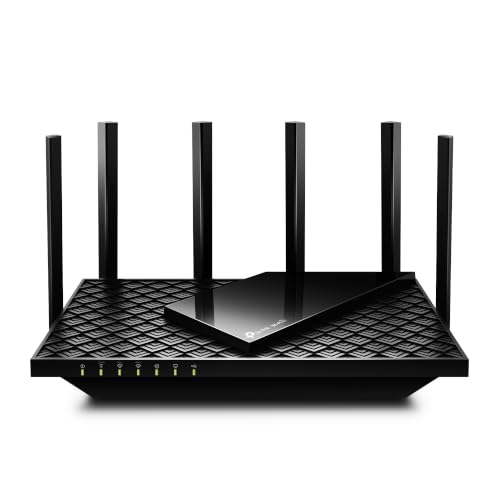
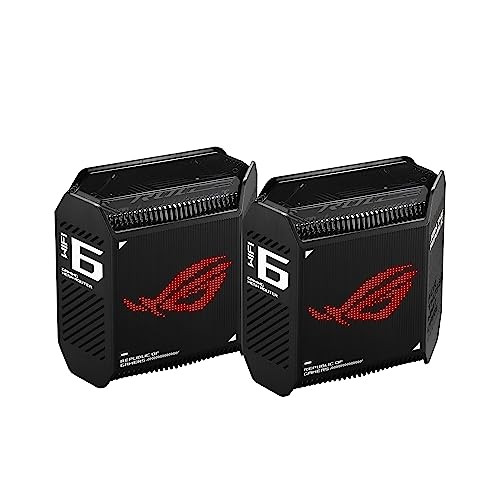
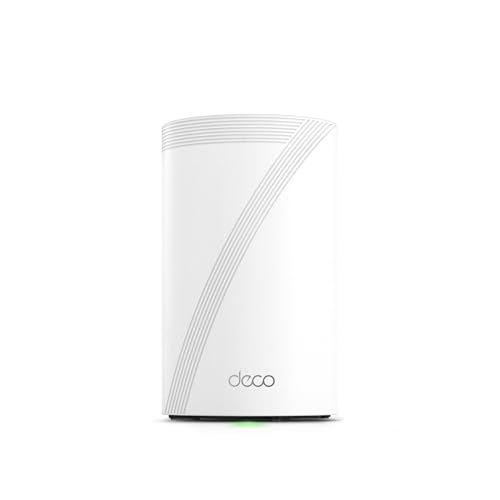
A travel router is a pocket sized wireless device that turns a single wired or hotel connection into your own private network. You plug it in, join the local network once, and then your phone, laptop, tablet and streaming stick all connect to the router instead of signing in again one by one.
We have not used these products ourselves, so this guide makes no claims about speed or results. It sets out how to choose by thinking about where you stay, how many devices you carry and which features you will actually switch on. Begin with your list of devices, because that list shapes every other choice.
As an Amazon Associate we earn from qualifying purchases. Links on this site are affiliate links, and they do not change the information we give.
In this guide
Quick Picks
| Pick | Product | Best For |
|---|---|---|
| Best Overall | GL.iNet GL-MT3000 Beryl AX | Wi-Fi 6 speed with a 2.5G wired port |
| Best for Power Users | GL.iNet GL-AXT1800 Slate AX | Most devices and wired connections |
| Best Simple Wi-Fi 6 | TP-Link TL-WR1502X Roam 6 | Easy app-based setup |
| Best Budget | GL.iNet GL-SFT1200 Opal | Full VPN features for less |
| Best Compact Classic | TP-Link TL-WR902AC | The smallest, simplest share-anything box |
Our Picks
1. GL.iNet GL-MT3000 Beryl AX — Best Overall
The Beryl AX is the travel router that covers the most situations in one small box. It runs dual-band Wi-Fi 6 at AX3000 class speeds (574 Mbps on 2.4 GHz plus 2,402 Mbps on 5 GHz), and unlike most pocket routers it has a 2.5 Gbps WAN port alongside a gigabit LAN port, so a fast wired hotel connection is not wasted. Router, repeater and access point modes are all built in, there is a USB 3.0 port for tethering or storage, and power comes over USB-C at 5V/3A, so a laptop charger or power bank can run it. OpenVPN and WireGuard clients are pre-installed, with the maker rating WireGuard throughput at up to 300 Mbps. At 196 g and roughly the size of a deck of cards, it suits travelers who carry several devices and want their whole kit behind one private, optionally VPN-routed network in every room.
View GL.iNet GL-MT3000 Beryl AX on Amazon
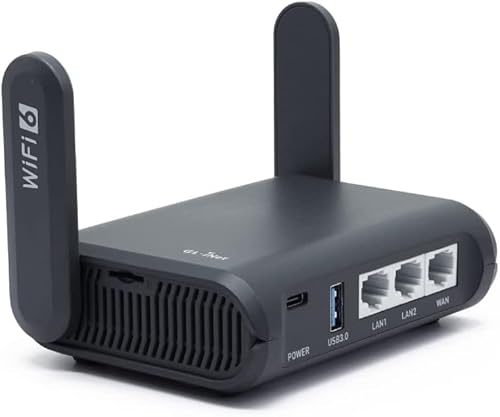
2. GL.iNet GL-AXT1800 Slate AX — Best for Power Users
The Slate AX trades a little pocketability for wired flexibility and capacity. Its Wi-Fi 6 radios deliver AX1800 class speeds (600 Mbps plus 1,200 Mbps), and GL.iNet rates it for up to 120 connected devices, the most generous figure in this group. Around the back there are three gigabit Ethernet ports — one WAN and two LAN — which makes it easy to plug in a laptop or streaming box as well as the room connection. A USB 3.0 port and a microSD slot support tethering and simple network storage, and OpenVPN and WireGuard are built in, with the maker rating WireGuard at up to 550 Mbps. It runs on OpenWrt-based firmware with a programmable side toggle for switching features such as the VPN. At about 245 g it is the pick for work trips and longer stays where several wired and wireless devices share one connection.

3. TP-Link TL-WR1502X Roam 6 — Best Simple Wi-Fi 6
TP-Link’s Roam 6 is the straightforward Wi-Fi 6 option for people who do not want to learn a router’s admin pages. The AX1500 rating means up to 1,201 Mbps on 5 GHz and 300 Mbps on 2.4 GHz, and there are two gigabit ports, one WAN and one LAN, for the room socket and a wired device. It works in router, access point, repeater and hotspot modes, can share a phone’s connection over USB tethering, and is powered by USB-C, so one phone charger can feed both devices. Setup and management run through TP-Link’s Tether app rather than a browser panel, which keeps the first-night routine short. The durable casing and 5.44 oz weight suit carry-on travel. Choose it if you want current Wi-Fi 6 sharing for a handful of devices with the least possible configuration, and do not need a built-in VPN client.


4. GL.iNet GL-SFT1200 Opal — Best Budget
The Opal keeps the GL.iNet formula — OpenWrt firmware, repeater and access point modes, and pre-installed OpenVPN and WireGuard clients — at the lowest cost in this list. Its dual-band Wi-Fi 5 radios are rated AC1200 (300 Mbps on 2.4 GHz plus 867 Mbps on 5 GHz), which is plenty for sharing a typical hotel or café connection among phones, a laptop and a streaming stick. Three gigabit Ethernet ports (one WAN, two LAN) are generous at this level, and there is a USB 2.0 port for tethering or light file sharing. VPN speeds are modest compared with the Wi-Fi 6 models above, so it fits browsing, calls and streaming through a tunnel rather than large transfers. If you want one private network name in every room plus the option of router-level VPN, and your devices do not need Wi-Fi 6, the Opal covers the essentials without overspending.
5. TP-Link TL-WR902AC — Best Compact Classic
The TL-WR902AC has been the default pocket router recommendation for years because it is tiny, simple and flexible about connections. Its dual-band AC750 Wi-Fi (300 Mbps plus 433 Mbps) will not trouble a fast fibre line, but hotel and conference connections rarely offer more, and it can share them in router, hotspot, bridge, range extender, access point or client mode. A single Ethernet port handles the wall socket, while the USB 2.0 port can share files from a stick or take a 3G/4G USB modem as the uplink. Power comes from a micro USB port, so it runs from a laptop port or a small power bank, and the body is small enough to disappear into a cable pouch. It has no Wi-Fi 6 and no built-in VPN client, so treat it as the pick for light kits, short stays and anyone who values the smallest possible setup.
View TP-Link TL-WR902AC on Amazon
What to Look For
| Factor | Why it matters | What to check |
|---|---|---|
| Connection modes | Different rooms offer different connections | Look for wired, wireless repeater and access point modes |
| Ports | Some rooms still have a wall socket | Check for a network port in and out, plus a USB port for power |
| Wireless bands | More bands spread devices more evenly | Compare dual band against single band and the standards listed by the maker |
| Power source | Decides where you can use it | Check whether it runs from a wall adapter, a laptop port or a power bank |
| VPN and privacy tools | Helps keep devices on one private setup | Look for built in VPN client support and a simple settings page |
| Size and weight | It lives in your bag between trips | Compare dimensions and see whether cables are included |
Setup and Care Tips
- Set a new network name and a strong password at home before you travel.
- Update the router software while you are on a familiar connection.
- Pack a short network cable and a spare power cable with it.
- Place the router high and away from metal objects to help the signal.
- Reset the router and clear saved networks before you hand it to anyone else.
Mistakes to Avoid
- Expecting the router to work on a hotel network that needs a web sign in, without checking the portal steps first.
- Skipping the password change and leaving the default login in place.
- Choosing a model with too few ports for a wired setup.
- Ignoring how much power the router needs from a battery pack.
- Forgetting that the hotel or venue may have rules about extra networks.
How does a travel router connect to hotel internet?
A travel router joins the hotel network through a cable, through the hotel Wi-Fi, or through a phone tether, and then broadcasts your own private network. Your devices connect to the router, not to the hotel, so you set up each device only once.
The wired route is usually the simplest. You plug a short cable from the room socket into the router’s WAN port, power it up and finish any sign-in page once. If the room has no socket, repeater mode lets the router pick up the hotel Wi-Fi and pass it on under your name.
The sign-in page is the step that trips people up. Many hotels ask for a room number or a surname in a browser before they allow traffic. Connect one device to the router, open a browser and complete that page, and the whole private network is then online.
- Wired mode: steadiest option, needs a socket and a short cable.
- Repeater or client mode: works with hotel Wi-Fi, but shares the same radio, so check the manual for what to expect.
- Tethering mode: uses your phone’s mobile data as the source, which is handy when a room has no usable network.
Whatever you use, a travel router cannot create bandwidth. It shares what the source provides, so a weak hotel line stays weak.
Which travel router should you buy?
The right travel router depends on how many devices you carry, whether you want a built-in VPN and how small your kit needs to be. Match your habits to the picks in this guide.
- If you want the most flexible all-rounder, go for the GL.iNet GL-MT3000 Beryl AX. It suits travelers with several devices who want a fast wired port and router-level VPN options.
- If you work from hotels with wired gear and many devices, choose the GL.iNet GL-AXT1800 Slate AX. It offers more Ethernet ports and the post’s highest device figure, at the cost of a bit more bulk.
- If you dislike settings pages, pick the TP-Link TL-WR1502X Roam 6. App-based setup keeps the first night short, though it has no built-in VPN client.
- If cost matters but you still want VPN features, look at the GL.iNet GL-SFT1200 Opal. It leaves out Wi-Fi 6 but keeps the essentials.
- If you want the smallest possible box, consider the TP-Link TL-WR902AC. It suits short stays and light kits.
If you are torn between two, ask which feature you would actually use on the road. A VPN client you never switch on is wasted, and a wired port you never plug into is the same. Pick the model whose strengths match your habits, not the longest list of features.
What to check before you buy a travel router
Before you buy a travel router, confirm the connection types, the power input and what comes in the box. A short checklist on the listing saves a return later.
- Connection modes: does it support the wired, repeater and tethering modes you expect to use?
- Ports: is there a WAN port for the room socket, and enough LAN ports for any wired device?
- Power: does it run from USB-C or micro USB, and will your charger or power bank supply enough?
- What is included: check the listing for a power cable, a network cable and a quick guide.
- Device support: do your phone and laptop use the Wi-Fi standard the router offers?
- VPN needs: if you plan to use one, confirm the router supports the protocol your provider uses.
- Setup style: app, browser panel, or both, and whether you are comfortable with it.
- Warranty and returns: read the terms on the listing so you know what happens if it does not suit you.
- Size and weight: make sure it fits in the pouch or bag where you plan to keep it.
Do not skip the power check. A router that needs more power than a small battery pack gives will restart or refuse to boot, and that is a frustrating problem to meet in a hotel room.
Travel router vs phone hotspot vs hotel Wi-Fi
A travel router suits several devices, a phone hotspot suits one or two, and raw hotel Wi-Fi suits a single device you do not mind signing in repeatedly. Each has a place.
A phone hotspot is the zero-cost starting point. It needs no extra gear, but it drains the phone battery, depends on your mobile data plan and can slow down when many devices join. For a quick email check it is often enough.
Hotel Wi-Fi alone is fine for one laptop. The trouble starts when you add a tablet, a phone and a streaming stick, because each one may need a separate sign-in, and some hotels cap the number of devices per room.
A travel router solves that by presenting a single device to the hotel. The router signs in once, and everything behind it rides along. It also lets you keep one familiar network name and password across every trip, so your devices reconnect on their own.
- Router strengths: one sign-in, private network, optional VPN, wired ports.
- Router weaknesses: one more item to pack and charge, plus a small learning curve.
- Hotspot strengths: nothing extra to carry.
- Hotspot weaknesses: battery, data limits and shared load.
If you often stay in places with a poor connection, a router that can take a phone tether gives you a backup path as well.
What is the best way to set up a travel router before a trip?
The best way to set up a travel router is at home, on a connection you trust, so that the trip itself only needs a plug and a sign-in. Doing the work early removes most surprises.
- Change the default login and choose a strong admin password.
- Name your network something you will recognize, then save it on every device you carry.
- Update the firmware while the connection is calm.
- Test each mode you plan to use, such as wired, repeater or tether, so you know where the settings live.
- Set up your VPN if the router supports one, and confirm it connects.
- Write down the reset steps from the manual in a note on your phone.
At the hotel, plug in, wait for the lights to settle and join the router from one device. Finish the sign-in page, then connect the rest. If something stalls, restart the router and try again before changing settings.
Keep the router, a short cable and the charger in one pouch. A kit that travels together is a kit you will actually have when you need it.
Is a travel router worth it? Downsides and who should skip it
A travel router is worth it if you carry several devices or stay in places that make you sign in repeatedly. It is not worth it if you travel rarely or only use a phone.
Be honest about the downsides. You carry one more device and cable. You need to spend a little time on setup before you leave. Some hotels or venues have rules about extra networks, and a few sign-in pages are fussy about unknown devices. A router also cannot fix a slow source connection.
Is it worth paying more? A higher-tier model makes sense if you want faster Wi-Fi standards, more wired ports or stronger VPN performance. A simpler, lower-tier model is enough if you mainly browse, make calls and stream on a few devices. Paying for features you will not switch on adds nothing.
Who should skip it?
- Travelers who carry only a phone and rarely use hotel networks.
- People who dislike any setup and are happy tethering.
- Anyone whose accommodation already provides a reliable, unlimited-device connection.
If you recognize yourself in the earlier sections, with several devices and repeated sign-ins, a travel router is a sensible tool. Compare the picks above, check the current listing for ports, power and what is included, then choose the one that fits how you will use it.
How Travel Routers Actually Work With Hotel and Public Networks
A travel router sits between a venue’s network and your devices, and everything useful about it follows from that position. In its most common mode it joins the hotel, café, or airport network as a client, then rebroadcasts its own private network that your phone, laptop, tablet, and travel companions join once. From then on, the venue sees one device, while you manage many, and the captive portal sign-in, the web page where you enter a room number or accept terms, is handled once, by whichever of your devices reaches it first, rather than on every gadget you own.
That single-connection trick solves several travel irritations at once. Hotels that limit devices per room stop mattering. Devices that cannot handle captive portals at all, games consoles, e-readers, streaming sticks, and many work laptops with locked browsers, get online through the router without ever facing the portal themselves. And because your devices always join the same familiar network name with the same password, they reconnect automatically in every new hotel, which removes the nightly ritual of rejoining and re-authenticating everything you carry.
The router also becomes the natural home for a VPN connection. Configure the VPN once on the router and every device behind it, including the ones that cannot run VPN software, is protected and appears to be connecting from wherever your VPN says you are. That matters for reaching your usual streaming libraries, for banking on networks you do not control, and for work machines whose policies demand an encrypted path. The cost is speed: the router’s processor does the encrypting, so a modest travel router will cap a fast connection when the VPN is on, which is the main reason power users step up to the stronger picks in this guide.
- Repeater versus router mode: understand which mode you are using; the mode that creates your own private network with its own addresses is the one that delivers the privacy and portal benefits.
- MAC cloning: some venues bind access to the first device that signed in; a router that can present itself consistently avoids repeating the portal dance after every power cut or checkout renewal.
- Dual-band radios: let the router receive on one band and serve your devices on the other, which can markedly improve speeds compared with a single radio doing both jobs on the same channel.
- Power options: USB power from a laptop, a power bank, or a wall adapter decides where the router can live; the best position is rarely beside the only socket.
Choosing Between the Picks in This Guide
The GL.iNet Beryl AX is the balanced default: current Wi-Fi standards, capable VPN performance for its size, and software that exposes both a friendly face and deep settings for those who grow into them. The GL.iNet Slate AX is its bigger sibling for power users, with more processing headroom that shows up precisely where travel routers strain, sustained VPN throughput and several devices streaming at once, plus more ports for wired flexibility in holiday rentals and work setups. Choose the Slate if your travel involves work traffic, video calls, and a VPN that never switches off; choose the Beryl if your needs are a family’s devices and ordinary browsing behind a VPN.
The TP-Link Roam 6 is the simplicity pick, from a maker most travellers already know, aimed at people who want the core trick, one sign-in, many devices, without a hobbyist’s admin panel. The GL.iNet Opal is the budget entry that still delivers the essential behaviour on older, slower foundations, entirely adequate for a couple of devices and undemanding connections. The TP-Link TL-WR902AC is the veteran compact classic, tiny and proven over years of hotel rooms, trading modern speed for size and familiarity.
All of them share the same honest limitation: a travel router cannot create bandwidth the venue does not provide. It organises, secures, and simplifies a connection; it does not rescue a saturated hotel network at peak hour. Buy it for control and convenience, and let speed expectations be set by the venues you actually frequent.
Setting Up Before You Travel, Step by Step
- At home, power the router, join its network, and change the admin password and your private network’s name and password to the ones your devices will remember permanently.
- Update the firmware while you are on a trusted connection, then configure your VPN if you use one, and test it thoroughly, including what happens when the VPN drops, if the router offers a kill-switch behaviour.
- Connect every device you travel with to the router’s network once at home, so each already trusts it and will reconnect automatically in the field.
- Rehearse the captive portal routine using a phone: join the router, attempt to browse, complete a portal when one appears, and confirm a second device then connects without its own portal.
- Pack the router with its cable and a compact power adapter in your hand luggage, together with any Ethernet cable if you plan to use wired room ports, which are often faster and less congested than hotel Wi-Fi.
On arrival, placement matters more than settings. Put the router where the venue’s signal is strongest, which your phone’s Wi-Fi indicator can scout room by room, often near the door or the desk rather than beside the bed, and keep it out of enclosed cupboards. If the room offers a wired port, test it; a wired feed into your router is the single biggest speed upgrade available in most hotels and costs you one cable.
Travel Routers in Four Real Situations
The business traveller with a locked-down laptop
When a work laptop cannot join portals cleanly or must be on a VPN, the router becomes the compliance layer: sign in once from a phone, let the laptop join your private network, and let the router hold the VPN so the laptop’s traffic is protected regardless of its own configuration. This is the scenario where the stronger processors in this guide justify themselves nightly.
The family holiday with many devices
Tablets, phones, a streaming stick for the room’s television, and a console: the router turns one hotel sign-in into a family network, keeps the children’s devices behind your settings, and means the television stick works in every hotel because it never has to face a portal. Set it up once per venue, in minutes, rather than per device, per evening.
The cruise, train, or per-device-priced connection
Where connections are sold per device, the router’s one-connection behaviour is worth real money, within the provider’s terms. Speeds on such networks are modest, so the budget and compact picks serve perfectly well, and the VPN question becomes one of the provider’s policy as much as of technology. Check the terms of the connection you buy, and let them, not enthusiasm, decide how you use it.
The long stay in a rental or serviced apartment
Here the router graduates into a home network: wired feed if available, your own network name your devices already trust, a VPN for your home country’s services, and a stable platform for work calls. The power-user pick earns its place, and the setup time you invested at home pays back every day of the stay.
Testing and Living With a Travel Router
Test yours across one real trip before trusting it on an important one, and note what the venues threw at it: portals that demanded daily re-signing, wired ports that were dead, networks that blocked VPN protocols. Those notes, kept with the router, turn the next trip’s setup into a routine. Keep the firmware current between trips rather than during them, since an update in a hotel room, on the network you are trying to fix, is a self-inflicted risk.
Physically, these are near-immortal devices: no moving parts, modest heat, and a life limited mainly by Wi-Fi standards moving on. The practical ownership habits are a labelled cable, a known admin password recorded in your password manager, and a factory-reset procedure you have read once before you need it at midnight in a foreign hotel. Do those small things and a travel router becomes the rare gadget that simply disappears into your travel routine, which is the highest compliment travel technology can earn.
Travel Router Terms, Explained Plainly
- Captive portal: the sign-in page a venue shows before allowing access, requiring a room number, a code, or acceptance of terms.
- Repeater or WISP mode: the mode where the router joins an existing wireless network as its internet source and serves your own network from it.
- VPN client mode: the router itself connects to a VPN service, protecting every device behind it, including those that cannot run VPN software.
- MAC address cloning: the router presenting a chosen hardware address to the venue network, useful where access is tied to the first device that signed in.
- Kill switch: a setting that blocks traffic if the VPN connection drops, so devices never quietly fall back to the unprotected venue network.
A Final Travel Router Decision Walkthrough
Count your devices and your VPN habit. A solo traveller with a phone and a laptop and no VPN will be served by the compact or budget picks and will value size over speed. A couple with a streaming habit should take the balanced pick and its modern radios. A working traveller whose VPN is always on, whose calls cannot drop, and whose laptop is locked down should take the power-user pick without hesitation, because its processor is the difference between a VPN that keeps up and one that throttles a working day. In each case the router is cheap compared with the trip it serves; buy for the traveller you are, and set it up at home, once, properly.
Security on Public Networks: What a Travel Router Does and Does Not Do
Your own router improves your security posture in specific, limited ways that are worth stating precisely. It puts your devices behind your own network name and password rather than exposed on a shared venue network where other guests’ devices may be visible to each other. It gives you one place to run a VPN, encrypting traffic between your devices and the VPN service, which protects you from snooping on the venue’s local network and from the venue itself observing your destinations. And it gives your devices a consistent, known network, which ends the risky habit of joining lookalike network names in airports and cafés, because your phone will hunt for your router’s name, not for anything claiming to be the hotel.
It does not make a malicious network honest. A venue, or an attacker imitating one, still provides your internet path, can see that a router is connected, and can attempt to interfere with anything you do before the VPN tunnel is established, which is why completing sign-ins carefully and keeping the VPN’s kill-switch behaviour on where offered are habits, not decorations. It also does not protect a device you deliberately connect directly to venue Wi-Fi, so the discipline is simple: on the road, your devices join your router, and your router joins the world.
Passwords deserve one paragraph of their own. Change the router’s admin password from its default before your first trip, use a strong, unique password for your private network, and store both in your password manager alongside the router’s reset procedure. A travel router with a default admin password on a public network is the one configuration that can leave you worse off than having no router at all, and it is entirely avoidable in five minutes at home.
Troubleshooting Travel Router Problems in the Field
- Your devices join the router but nothing loads: the captive portal almost certainly has not been completed since the router joined; open a browser on one device, attempt to visit an ordinary website, and complete the portal that appears.
- The portal never appears: some venues trigger it only for certain addresses; try signing in through the router’s own admin page if it offers a portal helper, or temporarily join the venue network directly with a phone to see what the portal demands, then replicate it for the router.
- Everything works except one service: VPN protocols are occasionally blocked by venue networks; switch the VPN’s protocol or port in the router’s settings, or fall back to a wired room connection if one exists.
- Speed collapses in the evening: that is the venue’s shared connection at peak load, not your router; move the router for a stronger signal, use the wired port if available, and schedule large uploads for the morning.
- The router worked yesterday and not today: many venues expire access daily; repeat the portal sign-in, and check whether the venue changed its network name or terms at renewal.
- Your VPN connects but nothing passes traffic: check for an address conflict between the venue’s network numbering and your home or VPN numbering in the router’s settings, a rare but classic fault that changing your router’s local address range fixes.
More Questions Worth Asking About Travel Routers
Will a travel router help on an aeroplane or a train?
Only where the service allows a device to share its connection, and many in-flight and onboard services restrict exactly that, technically or by their terms. Where sharing is permitted and the connection is sold per device, the router is genuinely useful for a couple travelling together; where it is prohibited, respect the terms, because the connection is the provider’s product to sell as they choose. Always check the conditions of the service before relying on the router in transit.
Can I use a travel router at home?
Yes, and many owners do between trips: as a guest network with a VPN for visitors’ devices, as a simple range extender, or as the network for smart-home gadgets you would rather keep off your main system. That second life matters to the buying decision, because a router that works at home for forty-eight weeks a year and travels for four is easier to justify than a single-purpose gadget, and it stays familiar and updated because it is in regular use.
How long will a travel router stay useful?
Until Wi-Fi standards or VPN protocols move past it, which is a matter of years rather than seasons, and until venue networks change their habits, which they do slowly. The picks built on current standards have the longest runway; the older budget classics will serve basic needs for a long time because hotel networks are themselves rarely cutting-edge. Buy the current standard if the price difference is tolerable, and expect the router to outlast the phone you pair it with.
The Rest of the Connectivity Kit for Travel
A travel router works best as the centre of a small, deliberate connectivity kit. A short Ethernet cable opens the wired-port trick that transforms many hotel connections. A compact multi-port USB charger powers the router, a phone, and a tablet from the single socket hotels tend to provide in a useful place, and a small power bank doubles as the router’s backup power during outages or on long rail journeys where sockets are scarce. A labelled pouch for the whole kit means the router is packed by default rather than remembered by luck.
Software belongs in the kit too, prepared at home: your VPN subscription active and tested on the router, the router’s admin app or bookmark on your phone, and your password manager holding the admin credentials and the network password for the moment a travel companion or a replacement phone needs them. Connectivity problems on the road are usually small; they become large only when the fix requires a password, an app, or a cable that is at home.
Consider also a local data option as your fallback: an eSIM or a local SIM in your phone gives you an independent path when a venue’s network is hopeless, and some travel routers can even use a tethered phone as their internet source, turning that phone connection into your private network for every device. Practising that failover once at home is the difference between a traveller who is inconvenienced by bad hotel Wi-Fi and one who simply routes around it.
A Travel Router Routine for Repeat Travellers
Frequent travellers should turn the setup in this guide into a standing routine that survives tiredness and time zones. The router lives in the same pouch as its cable and charger, which lives in the same pocket of the same bag, so packing it is a fact rather than a decision. On arrival, the order never changes: router placed where the signal is strongest, powered, portal completed from the phone, second device checked, and only then bags unpacked. A routine performed identically in every hotel stops depending on how awake you are, which is precisely when hotel technology usually wins.
Between trips, give the router ten minutes at home: firmware checked, VPN credentials confirmed still valid, admin password confirmed still recorded, and any venue-specific oddity from the last trip noted in the pouch or the password manager’s notes field. Travellers who do this find their routers age gracefully into invisible infrastructure; travellers who do not meet their routers again, each trip, as strangers with forgotten passwords, usually at midnight, usually before an early call. The difference is not technical knowledge. It is the ten minutes, and it is available to everyone who reads this before their next departure rather than after it.
FAQ
Do I need a travel router if I only carry a phone?
Probably not. A travel router makes the most sense when you carry several devices, a streaming stick or a laptop that must sign in again at every stop.
Can a travel router make a slow connection faster?
No. It cannot beat the speed of the connection you plug into. What it can do is share that connection more tidily and give you a private network of your own.
Do travel routers work with hotel sign-in pages?
Usually yes, because you complete the sign-in once on a device connected to the router. Some pages are fussy, so keep the maker's manual handy for reset steps. Check the listing for any notes on captive portals.
Can I use a travel router on a plane or train?
Rules and onboard networks vary, so check the carrier's policy before you pack it. Many onboard systems use a sign-in page that a router in client mode can handle, but the carrier may restrict extra networks. When in doubt, ask.
Is a travel router safer than public Wi-Fi?
It adds a private layer, since your devices talk to your own network first. It does not make an untrusted source safe by itself, so pair it with a VPN and strong passwords if privacy matters to you.
Can a power bank run a travel router?
Often yes, because many models take power over USB. Check the router's power requirement on the listing and compare it with what your power bank can output.
Should I choose Wi-Fi 6 or Wi-Fi 5 for a travel router?
Choose Wi-Fi 6 if your devices support it and you want better handling of many devices at once. Wi-Fi 5 is usually enough for browsing, calls and streaming on a few devices, and models using it can cost less.
Do I need a VPN built into the router?
Only if you want every device protected without installing an app on each one. If you use a VPN on one laptop, a router without a client is fine. Check which protocols the router supports against your provider.
How do I reset a travel router if the sign-in goes wrong?
Most models have a reset button or a reset option in the settings, described in the manual. Use it, set the router up again at home and retry the hotel sign-in. Save a note of your new login first.
Compatibility Checks
A travel router has to cope with many different networks. Run through these checks before you pack one.
- Does it accept a wired connection, a hotel Wi-Fi sign-in, or a USB phone tether?
- Which Wi-Fi standards do your phone, laptop and tablet support?
- Does it use a USB-C or barrel connector, and can your existing charger power it?
- Does it work with a SIM card, or only with existing networks?
- Can it handle a hotel sign-in page that asks for a room number or name?
- Is there a VPN option you plan to use, and does the router support that protocol?
Matching It to Your Use
Hotels and short stays
A small unit that turns one wired port into a private network for all your devices is convenient. Keep a short Ethernet cable in the bag.
RV and long trips
Look for antennas, external port support and flexible power input. Mounting options matter in a vehicle.
Work trips
Dual band support and a stable connection help with calls. Check the maker’s manual and instructions for firewall and privacy settings.
Feature Trade-offs
| Feature | Helps with | Worth weighing |
|---|---|---|
| Dual band Wi-Fi | Less crowding | Slightly larger body |
| Built-in battery | Cable free use | One more item to charge |
| SIM slot | Mobile data anywhere | Needs a data plan |
| Extra ports | Wired devices | Adds size |
Change the default login before first use, and update the firmware at home where the connection is calm.
Who Should Skip It
If you travel rarely, or only use one device, tethering to your phone may be enough. A travel router helps most when you carry several devices, share a connection with companions, or want your own network name in every room.
Packing Notes
Keep the router, a short cable and the charger in a small pouch so they travel together. Record the default network name and the new login in a safe note on your phone.
First Night Routine
Plug in the router, connect it to the hotel port or sign in page, then join your own devices to it. Save the network once and your laptop, tablet and phone should reconnect on later trips. Check the maker’s manual and instructions for reset steps in case a sign in page behaves oddly.
The Short Version
Choose by connection modes, ports, power source and size. The right travel router is small enough to forget in your bag, flexible enough for different rooms and simple enough to set up in minutes.