A TOSLINK optical splitter takes one digital audio output from a TV, console or streaming box and feeds it to two or three devices, such as a soundbar and an amplifier. The designs differ: some are passive fiber parts, others are powered boxes with their own electronics.
The six splitters below range from simple 1×2 adapters to powered 1×3 units. Specs come from each listing page. We have not used these products ourselves, and format and distance claims are the makers’ own.
As an Amazon Associate we earn from qualifying purchases. Links below are affiliate links, and they do not change the product information we give.
What to Look For
| Feature | Why it matters |
|---|---|
| Number of outputs | A 1×2 or 1×3 layout decides how many devices you can feed |
| Powered or passive | Powered units list longer runs; passive ones need no power cable |
| Audio formats | Optical carries stereo PCM, Dolby Digital and DTS 5.1, not 7.1 formats |
| Connector layout | Check whether outputs are sockets or a plug with a cable |
In this guide
Specs at a Glance
| Splitter | Layout | Power | Notes |
|---|---|---|---|
| KabelDirekt | 1 in, 2 out | Passive fiber | Maker says it works both ways; black |
| SOUNDFAM | 1 in, 2 out | Passive | ABS and braided jacket; outputs do not work together per the listing |
| avedio links | 1 male in, 2 female out | Passive | Lists LPCM 2.0, Dolby and DTS 5.1; 2 year warranty |
| LiNKFOR 1×3 | 1 in, 3 out | Powered | Aluminum body; 2.47 oz; optical cable included |
| MAYWILLA cable | 1 plug in, 2 plugs out | Passive | 1 meter braided cable; PVC outer material |
| cooidea 1×3 | 1 in, 3 out | Type-C powered | Per-output switches; up to 192 kHz 24 bit; 54 x 35 x 18 mm |
The 6 Best TOSLINK Optical Splitters
Top pickBest for a simple two-device split
1. KabelDirekt TOSLINK Splitter 1 to 2
A one-plug, two-socket Y adapter that connects one optical output to two playback devices, for example a TV and a soundbar at the same time. The listing names TVs, amplifiers, soundbars, PCs and game consoles as compatible, and says it can also join two sources to one receiver. The connector gender field reads female-to-female while the bullets describe a plug, so check the photos.
Suits: a simple two-device split. Strengths: no power needed and a stated two-way use. Weaknesses: conflicting connector wording. Skip it if you need three outputs.
View KabelDirekt TOSLINK Splitter 1 to 2 Y Adapter Soundbar Black on Amazon

Best for switching one source between two receivers
2. SOUNDFAM Optical Audio Splitter 1 in 2 Out
A 1×2 splitter with one male input and two female outputs, a braided jacket, metal connectors and an ABS body. The listing lists stereo, surround and 5.1 or 7.1 channel modes but also warns that the two outputs cannot work at the same time, which limits its use for feeding two devices at once.
Suits: switching one source between two receivers. Strengths: braided cable and metal ends. Weaknesses: outputs are not simultaneous per the listing. Skip it if you want both devices playing together.


Best for a soundbar plus a headset adapter
3. avedio links Optical Audio Splitter 1 in 2 Out
A fiber splitter with one male input and two female outputs, listed for LPCM 2.0, Dolby Digital and DTS 5.1 and for use with Xbox, PS4, TV boxes and soundbars. The listing describes using a soundbar and a headset together with separate volume controls, and gives a 2 year warranty.
Suits: a soundbar plus a headset adapter. Strengths: a 2 year warranty. Weaknesses: only two outputs. Skip it if you need more than two devices.


Best for feeding three devices
4. LiNKFOR Digital Optical Audio 1×3 Splitter
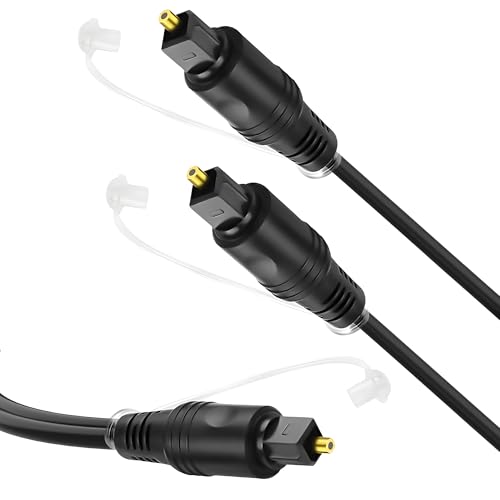
A 1×3 aluminum alloy splitter with an optical cable included, measuring 6.3 x 3.94 x 0.91 inches and weighing 2.47 ounces. It supports PCM, LPCM 2.0, Dolby AC3 and DTS 5.1 at 32, 44.1, 48 and 96 kHz, and the listing says 7.1 formats cannot pass over optical. The maker lists over-voltage protection and runs up to 25 meters.
Suits: feeding three devices. Strengths: metal body and a cable in the box. Weaknesses: no 7.1 formats. Skip it if you want a smaller unit.

Best for a TV with a free optical output
5. MAYWILLA 1 in 2 Out Splitter Cable
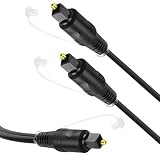
A one-meter braided splitter cable with one plug at the source end and two plugs at the other, so no socket adapter is needed. The listing says it feeds a receiver or soundbar and a second device with a TOSLINK port at the same time, and lists a PVC outer material. The brand field says Generic while the manufacturer field names another maker.
Suits: a TV with a free optical output. Strengths: a single cable with no extra adapter. Weaknesses: fixed 1 meter length and unclear brand. Skip it if you need sockets or a longer run.
View MAYWILLA 1 in 2 Out Toslink Digital Optical Splitter Adapter Cable 1M on Amazon
Best for turning outputs on or off
6. cooidea 1 in 3 Out Optical Splitter
A compact Type-C powered 1×3 splitter measuring 54 x 35 x 18 mm, with an independent switch for each output. The maker lists support up to 192 kHz and 24 bit, plus LPCM 2.0, DTS and Dolby AC3 5.1 channels.
Suits: turning outputs on or off. Strengths: per-output switches and a small body. Weaknesses: needs Type-C power. Skip it if you have no spare USB port.
Setup Notes
- Remove the small dust caps from each optical port before plugging in.
- Do not bend optical cables sharply.
- Set the source device to PCM or Dolby Digital output as the receivers allow.
- Connect power first on the powered units.
Mistakes to Avoid
- Expecting 7.1 or lossless formats over optical.
- Assuming both outputs of a 1×2 work together without checking the listing.
- Forgetting that powered models need a USB source.
- Buying a splitter when an HDMI audio extractor is the better fit.
How Optical Audio Works and What It Cannot Carry
TOSLINK sends digital audio as pulses of light along a fiber or plastic cable, which means it is not affected by electrical interference in the way an analog cable can be. It is common on televisions, soundbars, receivers, game consoles and some computers. A splitter takes one optical signal and delivers it to more than one destination, so you can feed, for example, a soundbar and a separate recorder or a second set of speakers.
Know what the format can handle. Optical comfortably carries two-channel stereo and compressed surround formats such as Dolby Digital and DTS 5.1, but it does not have the bandwidth for uncompressed multichannel audio or the newer high-bitrate formats. If you hope to pass a lossless surround format through a splitter, optical will not do it, and the source will usually fall back to a lower format or to stereo. Check what your devices output and what each device can decode.
Also remember that a splitter does not change the signal. It copies it. Every receiving device gets the same stream, so if one device cannot decode the format being sent, it will be silent or noisy. Set your source to a format that every device in the chain understands, and when in doubt, choose stereo PCM, which nearly every optical input accepts. This is the most reliable setting for a multi-room or multi-device arrangement.
Passive and Powered Splitters Compared
Splitters come in two main types. A passive splitter uses optics alone to divide the light, with no power connection. It is small, simple and has nothing to fail electrically, but the light is divided between outputs, so each output is weaker than the input. That is usually fine over short cable runs, but with long cables or weak sources it can lead to dropouts or crackle.
A powered splitter contains electronics that receive the signal and retransmit it at full strength to each output. It needs a power source, often a USB connection or a wall adapter, and the extra circuitry can be a point of failure. It suits longer cable runs and splits to three or more outputs, where a passive design may struggle. If you choose a powered model, check what supplies the power, since a USB port on a television may switch off when the television does, and the splitter will then lose power.
- Choose passive for short runs, simple setups and where power is awkward to reach.
- Choose powered for longer runs, more outputs or weaker sources.
- Look at the listing for notes on the maximum cable length the maker recommends.
- Test the system with the cable lengths you will actually use.
Never assume more outputs is better, as each additional branch has costs.
Cables, Connectors and Routing
The splitter is only part of the chain, and the cables matter too. Optical cables use either plastic or glass fiber, and plastic is typical for home use. Most are fine for short runs, but a poorly made cable can leak light or transmit a weak signal. Look for cables with firm, well-fitting connectors and a flexible jacket, and avoid ones that feel brittle or stiff.
Handle with care. Optical fiber should not be bent sharply or crushed, since this can cause loss or permanent damage. Keep a gentle curve at connectors and avoid pinching cables behind furniture. Do not tie cables tightly with zip ties. When you plug in, remove the small dust caps from the ports, and push the plug in until it clicks or seats firmly. A loose connection is a common source of intermittent dropouts.
Plan the routing so that you use the fewest connections. Each connection and each additional meter of cable adds loss, so a short and direct path is best. Keep the splitter near the source if you want to send long runs to the destinations, since the stronger signal at the start is easier to divide than a weak one at the end. Label the cables at both ends, particularly in a cabinet with many similar leads, so you can trace problems.
Fixing Silence, Crackle and Dropouts
When an optical setup produces no sound, work from the source. Check that the source device is set to output audio through its optical port, since many televisions and consoles have a setting for that. Make sure the output format is one that the receiving devices accept. Then look at the connections: are the dust caps removed, are the plugs fully seated and is the cable undamaged? Many problems are solved in these steps.
If the sound cuts out or crackles, test with a shorter cable or connect one device directly without the splitter. If that works, the splitter or the cable run is the issue. For a passive splitter, try a shorter cable or a powered model. For a powered unit, check the power connection and try a different power source. A device that loses its lock on the signal when a different input is switched may need a moment to re-sync, which is normal.
Mismatched formats cause strange symptoms, such as one speaker playing normally and another staying silent. In that case, set the source to stereo PCM and try again. Delay between devices is another common complaint: if two sets of speakers are not in sync, check the audio delay settings on the device, since most receivers and soundbars have a lip-sync control. If a problem appears suddenly after working for a long time, inspect the cable for kinks and swap it for another before replacing anything else.
When a Splitter Is Not the Right Tool
A splitter is a good solution for sending the same stereo or compressed surround audio to several places, but it is not always the right choice. If your devices connect by HDMI, an HDMI audio extractor may be a better fit, since it can pull the audio out of a video signal and deliver it to a separate output. Receivers with multiple optical outputs, or a television with both optical and headphone outputs, may give you what you need without extra hardware.
Think about the goal. If you want the same sound in two rooms, a splitter can work, but delay between rooms might be noticeable, and you may prefer a dedicated multi-room audio system. If you want to record the audio or send it to headphones, consider a device made for that purpose. For gaming, check for lag in the chain, since some devices add delay. In a setup that needs different formats on different outputs, a splitter will not help, because every output carries the same stream.
Before you buy, ask a few questions. How many outputs do you really need? What is the longest cable run? Do both destination devices accept the same format? Is a power supply available? Does the product listing say whether outputs work at the same time? Read the listing carefully for that last point, since some designs do not use all outputs simultaneously. With the answers in hand, you can match the splitter to your system.
Planning the Signal Path Before You Plug Anything In
An optical splitter is a very simple device, but the setup around it can be confusing. Drawing the path of the audio from source to speakers before you buy makes the right choice obvious, whether you are looking at a one-in two-out model such as the KabelDirekt or SOUNDFAM, or a one-in three-out unit like the LiNKFOR or cooidea.
- Name your source. A television, console, streaming box or computer sends the optical signal.
- List every destination. A soundbar, an AV receiver, a headphone amplifier or a recorder each count as one output.
- Count the outputs. Two destinations need a 1×2 splitter, and three need a 1×3.
- Check connector types. Most use the standard square TOSLINK plug, but some devices use a mini connector that needs an adapter.
- Measure cable runs. Optical cables have practical length limits, so keep runs as short as you reasonably can.
- Check the audio format. Optical connections support certain formats, and a splitter cannot add features the source does not send.
- Find power needs. Many splitters need a small USB or adapter power supply, while some are passive.
Write the path on paper. A short diagram makes the shopping list easy to build.
What a Splitter Cannot Fix
People sometimes buy a splitter hoping it will solve a problem it was never designed for. Knowing the limits saves disappointment. The table lists common situations and what a splitter can and cannot do.
| Situation | Can a splitter help? | Notes |
|---|---|---|
| Send the same sound to two speakers | Yes | This is the main purpose |
| Use one output on a television for a soundbar and headphones | Often | Check how each destination decodes the signal |
| Add surround formats the source does not send | No | The splitter only copies the signal |
| Fix audio delay between devices | Not directly | Look at delay settings on your equipment |
| Convert optical to another cable type | No | A converter is a different product |
| Boost a weak cable | Sometimes | An active unit may regenerate the signal |
If a device offers a different connection, such as an HDMI audio return channel, compare options before adding more adapters. Handle optical cables gently, since tight bends can damage the fiber, and keep the plug covers on when you are not using a port.
Tidying the Cables Afterward
When everything works, label each cable at both ends, tie loose lengths with soft ties and leave a little slack behind the equipment. A tidy setup helps when you troubleshoot later.
Picking Among the Six Splitters for Your Exact Setup
Sorted by system rather than by listing order, the six picks fall into three families. The MAYWILLA 1 in 2 Out Splitter Cable is the passive, cable-form option for short, simple runs where both destinations sit near the source. The KabelDirekt TOSLINK Splitter 1 to 2, the SOUNDFAM Optical Audio Splitter 1 in 2 Out and the avedio links Optical Audio Splitter 1 in 2 Out cover the mainstream one-to-two job with compact housings. The LiNKFOR Digital Optical Audio 1×3 Splitter and the cooidea 1 in 3 Out Optical Splitter serve three destinations and belong in setups where a soundbar, an amplifier and a headphone transmitter all expect the same feed. The right question is not which splitter is best in the abstract, but how many destinations you truly feed, how far the fiber runs, and whether a powered design fits the way your system wakes and sleeps.
One destination is silent: a calm order of checks
Start at the silent end, not the splitter. Confirm the destination is set to its optical input and that its own volume and mute state are sane, because a splitter faithfully delivers signal to a device that is listening elsewhere. Next, reseat both ends of that run: optical plugs click home, and a plug resting half a turn out passes nothing while looking connected. Swap the two output fibers at the splitter; if the silence follows the fiber, the cable or its end faces are the problem, and a gentle wipe of the tip or a spare cable settles it. If the silence stays with the same output port, inspect that port for a bent shutter or dust, and try the destination on the known-good port. Only after those steps should the splitter itself be suspected, and by then you will know exactly which link in the chain failed.
Keep the dust caps from every new cable in a small bag near the setup. A capped spare fiber, swapped in during troubleshooting, answers in seconds questions that guesswork stretches into an evening.
Living with the split you chose
Label each fiber at both ends once the system works, noting source and destination in plain words. Future you, crouched behind furniture with a phone torch, will be grateful. Route fibers with wide, lazy bends, keep them out of the pinch zone behind hinged doors and heavy feet, and give powered splitters air rather than burying them in a cable nest. Revisit the setup when you change one device, not when something breaks: most splitter problems begin the day a new box joins the chain and an old assumption about inputs quietly stops being true.
TOSLINK Splitters FAQ
Do these include an optical cable?
The LiNKFOR lists an optical cable in the box. For the others, check the listing contents.
Which ones need power?
The cooidea uses Type-C and the LiNKFOR is a powered unit. The KabelDirekt, SOUNDFAM, avedio links and MAYWILLA are described as passive.
Can I split an optical signal without losing quality?
A splitter copies the same digital signal to each output, so the audio format does not change. Light loss in a passive design can cause dropouts on long runs, in which case a powered unit helps.
Does optical carry Dolby Atmos or lossless surround?
No. Optical supports stereo and compressed surround formats such as Dolby Digital and DTS 5.1, and does not have the bandwidth for lossless or object-based formats.
Can I use a splitter in reverse to merge two sources?
Generally not. Splitters are designed to send one signal to several outputs. Use a switch if you want to choose between several sources.
Why is one of my outputs silent?
Check that the cable is fully seated and the dust cap is removed. Also confirm that the device accepts the format being sent, and try stereo PCM as a test.
How long can an optical cable be?
It depends on the cable and the equipment. Short runs work with almost any cable, while longer ones may need better cable or a powered splitter. Check the maker's guidance.
Will a splitter add audio delay?
The splitter itself adds very little, but separate devices may process audio at different speeds. Use the lip-sync setting on your receiver or soundbar to adjust.
Do I need to power a passive splitter?
No. Passive units use no power, though the light is divided between outputs. Powered units need a USB or adapter connection.
Can I connect one splitter to another?
It is possible but each stage weakens the signal, which can cause dropouts. A single powered splitter with enough outputs is usually a more reliable choice.
Planning a Real Living-Room Setup Around a Splitter
Most splitter questions become simple once the whole system is drawn on paper. Start with the source: a television is the most common one, since many TVs offer a single optical output while the room holds both a soundbar and a pair of headphones, or a soundbar and a hearing-assist transmitter. List every destination that needs the signal, then note which of them will ever play at the same time. A splitter shines when two destinations genuinely need the same feed together, such as a soundbar for the room and a transmitter feeding headphones for one listener. When destinations are used one at a time, a switch, or simply moving one cable, may serve better than splitting.
Next, walk the physical path. Measure the cable runs the setup actually needs, including the slack to reach behind furniture without strain, and keep each run as short as the room reasonably allows, since optical cable dislikes tight bends and long runs dim the light that carries the signal. Note where power is available if a powered splitter is in the plan, and where the unit itself will sit so its indicator lights and connections stay reachable. Ten minutes with a tape measure prevents the classic outcome of a splitter that works perfectly on the bench and cannot be installed where it needs to live.
Televisions with only one optical output
The single-output television is the splitter’s home ground. The TV feeds the splitter, the splitter feeds the soundbar and the second destination, and the household stops swapping cables behind the set. Two checks make this reliable: confirm the TV’s optical output format settings match what both destinations accept, since a format one destination cannot decode will leave that destination silent, and confirm whether the TV’s volume control affects the optical output, because on many sets it does not, meaning each destination handles its own volume.
Gaming and late-night listening
A common second pattern is the game console or media player feeding both a sound system and a headphone transmitter, so one player can listen at full volume while the room stays quiet. Here the powered splitter earns its place, keeping the signal strong to both ends, and the practical detail is latency: listeners comparing a headphone feed against speakers in the same room may notice the two are not perfectly aligned, which is a property of the destinations’ processing rather than a fault in the splitter.
Understanding Formats: What Travels Down the Fiber
An optical connection carries digital audio as pulses of light, and the splitter’s job is purely to divide that light; it does not decode, convert, or improve the audio itself. What the source sends is what every destination receives. That single fact explains most splitter behavior. If the source sends a format a destination cannot decode, that destination stays silent or falls back noisily, and swapping splitters will not change it. If two destinations support different formats, the source must be set to the format both can handle, which usually means choosing the simpler stereo or standard surround setting in the source’s audio menu.
It also explains why a splitter cannot add features. It cannot turn one format into another, cannot extract audio from an HDMI feed, and cannot raise the channel count beyond what the optical connection itself carries. Buyers who need conversion need a converter or an extractor, a different device entirely. The splitter’s virtue is the opposite of versatility: it does one simple thing, transparently, and a well-chosen one disappears into the system.
Why both destinations always get the same thing
Because the signal is identical at every output, there is no per-output setting to adjust on a basic splitter. Volume differences between destinations come from the destinations themselves. Format compromises are made once, at the source. Keeping that model in mind turns most troubleshooting into a short checklist: is the source sending something both ends can decode, is light reaching both ends, and is each destination set to its optical input.
Installation Craft: Connectors, Bends, and Dust Caps
TOSLINK connectors are keyed and only fit one way; they seat with a gentle click and should never need force. If a plug resists, rotate it to the correct orientation rather than pushing harder, since the connector and the port are both plastic and both lose arguments with force. Keep the small protective caps that come on new cables and ports until the moment of connection, and put them back on any cable end that gets disconnected, because the polished end of the fiber is the whole connection: dust or a scratch on that face dims or scatters the light.
Route optical cable the way you would route a garden hose you must not kink. Wide, gentle curves are fine; sharp corners, pinches under furniture legs, and cable ties pulled tight are not. Where a run must pass a doorway or a hinge, give it a protected path or choose a different route. Support long runs so their weight does not hang from the port, and leave a small service loop at each end so equipment can be pulled forward for cleaning without straining the connection.
Labeling and documenting the setup
Two destinations and a splitter create just enough complexity to confuse everyone, including the person who installed it, six months later. Label each cable at both ends with its destination, and keep a one-line note with the system: source format setting, which splitter output feeds which device, and where the splitter’s power supply plugs in. When something goes silent, that note turns a half-hour of cable tracing into a two-minute check, and it makes the setup survivable by other members of the household.
A Methodical Troubleshooting Order
When a split system misbehaves, the temptation is to replace parts at random. A fixed order finds the fault faster and cheaper. First, simplify: connect the source directly to one destination with one known cable, bypassing the splitter entirely, and confirm sound. That single test divides the world in half: if the direct connection fails, the problem lives in the source settings, the cable, or the destination, and the splitter is innocent. If it works, restore the splitter with one destination at a time, then the second, until the fault appears; the step that breaks it names the culprit.
Second, look at the light. With the source playing, the end of an optical cable glows visibly; a splitter output that shows no light while others do points at that port or its cable. Swap cables between outputs to see whether the fault follows the cable or stays with the port, a thirty-second test that separates the two most common failures. Third, revisit formats before blaming hardware: a destination that went silent after a source update or a settings change is very often receiving a format it cannot decode, and returning the source to its simpler audio setting restores it.
Intermittent dropouts and what they usually mean
Sound that drops when someone walks across the room, or when a cabinet door closes, is mechanical, not electronic: a cable under strain, a connector not fully seated, or a bend that shifts with vibration. Reseat every connector until it clicks, relieve any strained run, and reroute the cable that moves. Dropouts that arrive with particular content, by contrast, usually trace back to format changes between programs or menus, which returns the investigation to the source’s audio settings.
When to Choose Something Other Than a Splitter
Honest setup advice includes the cases where a splitter is the wrong purchase. If only one destination is ever used at a time, a switch selects between them without dividing the signal, and avoids the format compromises a shared feed imposes. If the goal is to feed destinations in different rooms at different times with different content, the goal is really a second source or a networked audio system, not a split of one feed. If the source offers only HDMI and the destinations are optical, an extractor belongs in the chain, with or without a splitter after it.
There is also a simpler truth: some households solve the problem by upgrading the destination instead. A soundbar with its own headphone output or a television with a second audio path can retire the splitter entirely. None of this diminishes the splitter for the job it does well, one feed shared by two listeners at once; it simply keeps the purchase matched to the actual pattern of use, which is where every good setup begins.
Questions That Arise After Installation
Can I split a signal that is already split?
Each division shares the light further, and cascaded splitters quickly reach the point where destinations stop locking onto the signal reliably. A powered unit feeding one more destination is sometimes workable, but the dependable answer to needing more outputs is a splitter built with more outputs, not a chain of smaller ones.
Does a splitter need to stay powered all the time?
A powered splitter only works while powered, so most owners leave its supply connected and let it idle with the system. If it is switched off with a power strip, remember that the whole split path goes dark with it, which can look exactly like a failure when someone turns the system on in the wrong order.
Why is one destination louder than the other?
The splitter delivers the same signal to both; loudness differences live in the destinations’ own volume settings and processing. Set each destination’s volume independently and, where a destination offers a fixed or variable input mode, choose the mode the manufacturer recommends for an external source.
Will a splitter work between any two brands?
The optical connection is a shared standard, and splitters are brand-agnostic in normal use. The compatibility questions that matter are about formats and decoding at the destinations, not about logos matching. If both destinations decode what the source sends, the splitter between them has very little left to get wrong.
Splitter Placement, Heat, and Living With the Installation
Where a powered splitter lives affects how well it ages. These are small, cool-running devices, but they still deserve air around them rather than a sealed, stacked pile of warm equipment. Give the unit a flat surface, keep its vents unobstructed, and avoid resting other components on top of it. Its power supply deserves the same courtesy; a supply buried behind a cabinet in a tangle of cables runs hotter and is harder to check when something goes wrong. A few minutes spent placing equipment sensibly at installation time pays out quietly for years.
Reachability matters as much as ventilation. A splitter entombed behind a heavy cabinet will not be checked when a connection loosens, and loose connections are the most common fault in the whole category. Install the unit where a hand can reach it, where its indicator lights can be seen, and where a cable can be reseated without moving furniture. If the room layout makes that impossible, at least route the cables so the destinations’ ends, which are usually reachable, are the ones that can be tested and swapped during troubleshooting.
Power strips, standby, and the order things wake up
Systems on switched power strips wake in whatever order the strip and the devices dictate, and occasionally a destination wakes before the splitter or the source and fails to find its signal. If a setup occasionally starts silent but works after a restart of one device, wake-up order is the likely story. Leaving the splitter powered continuously, where its design allows, removes it from that chain of suspicion and is the arrangement most installers settle on.
Two Destinations, Two Listeners: Etiquette and Practicalities
Shared feeds serve real households, and a few practical arrangements keep everyone happy. When a soundbar serves the room and a transmitter serves one listener’s headphones, agree on where volume lives: the room sets the soundbar, the listener sets the headphones, and the source stays untouched, so neither side’s adjustment surprises the other. If the television’s speakers remain active alongside the optical feed on some sets, muting or disabling them avoids a faint echo between the TV and the soundbar that listeners often blame on the splitter.
For listeners using headphones while others use speakers, small timing differences between the two paths can be noticeable on dialogue. This comes from processing inside the destinations, not from the split, and it is usually only apparent to someone listening to both at once, which in practice means nobody. Where one listener relies on the headphone feed for clarity, seating and headphone fit do more for their experience than any adjustment elsewhere in the chain.
Accessibility setups
Optical splitting has a genuine accessibility role: a television feeding both room speakers and a personal listening device lets a listener with hearing difficulties set their own level without raising the room’s volume. Installers of such setups should prioritize reliability over cleverness: a powered splitter, short tidy cable runs, everything labeled, and a note near the television explaining the one or two controls the listener actually needs. Simplicity at the surface, care underneath, is the whole craft.
Keeping Spares and Knowing When to Replace
An optical system has few wear items, but the cables lead the list. A cable that has been kinked, pinched, or chewed by a vacuum cleaner’s beater bar may pass a signal intermittently for months before failing outright, producing exactly the maddening dropouts described earlier. Keeping one spare optical cable of a useful length in the house converts most troubleshooting into a five-minute substitution test, and substitution is the fastest diagnostic this category offers.
Splitters themselves, having no moving parts, usually fail plainly or not at all: an output goes dark, or the unit stops passing signal entirely. Before replacing one, run the direct-connection test to be certain the fault is not in a cable or a destination, since replacing a healthy splitter fixes nothing and spends money. When a replacement is genuinely needed, match the new unit to the setup you have, outputs equal to destinations and power arrangements that suit the space, rather than reaching for the largest model on the shelf.
A Final Walk-Through Before You Call the Setup Done
Finish any splitter installation with a deliberate end-to-end test rather than a quick blast of sound. Play something familiar on the source, then check each destination in turn, and then together if they will be used together. Confirm the source’s audio setting is the one you intended, since menus have a way of reverting after updates. Confirm each destination is set to its optical input and that any automatic input-sensing has found the signal. Walk the cable path once with your eyes, looking for the tight bend or the strained connector that will become next month’s intermittent fault, and fix it now while the tools and patience are out.
Then write the note: source setting, splitter outputs and their destinations, power arrangements, and the date. Tape it inside the cabinet door or keep it with the manuals. Test the setup once more a week later, after it has lived a little, because connections settle and household members adjust things. A setup that passes that second check, with its note in place, is a finished installation, and the splitter will do what the best ones do: vanish from your attention entirely, leaving only the sound you wanted, in the places you wanted it.
Teaching the household the one-button truth
Most multi-device systems fail socially rather than technically: someone presses the wrong input and concludes the system is broken. Leave the setup in the state where the fewest actions produce sound, and show every regular user the exact sequence once. A splitter’s contribution to domestic peace is that it removes cable-swapping from that sequence altogether, which is worth stating plainly to anyone who shared the room with the old arrangement.
How Splitters Behave as Systems Grow Older
An optical installation that works on day one usually keeps working, but the small changes of a living room accumulate. Furniture moves and presses a cable. A new console joins the system and its settings differ from the old one’s. A destination is replaced, and its decoding abilities are not quite those of its predecessor. When an older setup develops a fault, resist the assumption that the splitter has aged out; work the methodical order again, because in practice the changed thing, a moved cable, a new device, a settings update, is almost always the culprit.
This is also where the installation note earns its keep a second time. Knowing what the source’s audio setting was when everything worked turns a mysterious silence into a comparison: what is different now? Systems documented at installation get fixed in minutes years later. Systems that live only in memory get rebuilt from scratch each time, and usually get rebuilt slightly wrong, which is how small faults become permanent features. The splitter itself asks for almost nothing; the discipline around it is the product.
Aging cables and the case for one refresh
If a system is several years old and has developed intermittent behavior that survives reseating and rerouting, a single planned refresh of its optical cables is a reasonable step before replacing any electronics. Cables are the only part of the chain that flexes, gets pinched, and ages mechanically. Replace them one at a time, testing between changes, so the faulty one identifies itself and the healthy spares return to the drawer as your tested reserves.
Finally, remember that a splitter is a means to an end, and the end is people listening together and apart without friction. Every decision in this guide, from format settings to cable routes to the note inside the cabinet door, serves that simple social purpose. Get those decisions right once, and the technology steps aside, which is the highest compliment any piece of home audio equipment can earn.
The Short Version
For a plain two-way split, the KabelDirekt or avedio links. For three outputs with a cable, the LiNKFOR. For a one-cable split, the MAYWILLA. For switches, the cooidea. Read the SOUNDFAM note on its outputs first.