A standing desk converter sits on top of the desk you already own and lifts a laptop, a monitor or both to a higher working height. It is a lighter change than replacing the whole desk, and most units arrive assembled. The details that decide fit are the surface size, the lift range and how the lift works.
The six converters below range from a 23.6 inch riser to a 36 inch unit with a separate keyboard tray. Sizes, lift ranges and materials come from each product’s listing page. We have not used these products ourselves, and load limits are the makers’ own figures.
As an Amazon Associate we earn from qualifying purchases. Links below are affiliate links, and they do not change the product information we give.
What to Look For
| Feature | Why it matters |
|---|---|
| Surface size | It must hold a laptop or monitor plus a keyboard |
| Lift range | Minimum and maximum height decide how well it fits your desk |
| Lift type | Gas spring, lockable steps or a manual handle feel different |
| Weight limit | Compare it with your monitor and laptop |
| Assembly | Most arrive assembled, a few need small fitting |
In this guide
Specs at a Glance
| Converter | Surface | Lift range | Notes |
|---|---|---|---|
| Mount-It! 32 x 22 | 32 x 22 in listed | 2.5 to 16.9 in | Gas spring lift; preassembled; engineered wood top |
| VIVO Single Top 26 | 26.4 x 18.5 in in the text | 1.8 in resting; 5 steps up to 15.9 in | Steel frame; listed limit 17.6 lb; surface size conflicts in the listing |
| VIVO 36 | 36 x 15.7 in plus tray | 4.5 to 20 in | Keyboard tray 36 x 11.8 in; top limit 33 lb; tray limit 4.4 lb |
| ANTHOSPACE 23.6 | 23.6 x 13.4 in | 2.4 to 15.7 in | Steel frame; listed limit 88 lb; 7.7 lb unit |
| yoopin 25.16 | 25.16 x 15.75 in | Not read | Manual lift, no motor; 10 lb; powder coat finish |
| Raathionty 23.6 | 23.6 x 13.4 in | 2.3 to 16 in | No assembly; wood top and metal base |
The 6 Best Standing Desk Converters for Laptops
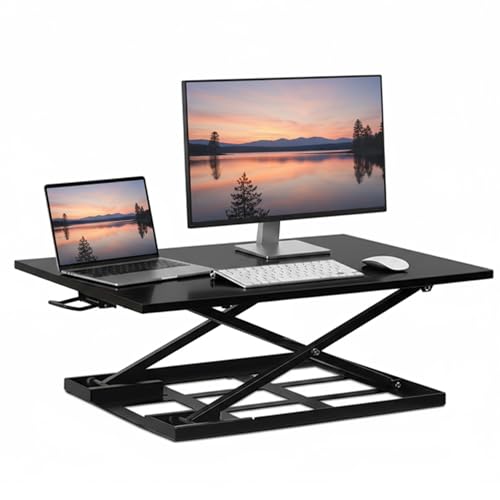
Top pickBest for a laptop plus a monitor on a wide surface
1. Mount-It! Standing Desk Converter 32 x 22
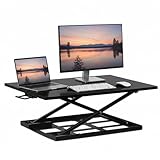
A 32 by 22 inch converter with a gas spring lift that rises straight up from 2.5 to 16.9 inches, a slim 2.5 inch folded profile, a metal base and an engineered wood top. It arrives preassembled.
Suits: a laptop plus a monitor on a wide surface. Strengths: a gas spring lift and a low folded height. Weaknesses: a large footprint; the listing weight is 17.3 kg. Skip it if your desk is shallow.
Best for one monitor or a laptop on a compact desk
2. VIVO Single Top Standing Desk Converter 26
A 26 inch single-surface riser with a steel frame, a 1.8 inch resting height and five lockable height settings from 8.5 to 15.9 inches. The listing says it needs no assembly and holds up to 17.6 pounds.
Suits: one monitor or a laptop on a compact desk. Strengths: lockable steps and no assembly. Weaknesses: the listing gives the surface as 26.4 by 18.5 inches in the text but 26.4 by 21.7 inches in the dimensions, so check before buying. Skip it if you need to carry heavy gear.
View VIVO Single Top Standing Desk Converter 26 inch on Amazon

Best for a dual monitor and laptop setup
3. VIVO Standing Desk Converter 36
A two-tier converter with a 36 by 15.7 inch top, a separate 36 by 11.8 inch keyboard tray that rises with it, a steel frame and a lift range of 4.5 to 20 inches. The top holds up to 33 pounds and the tray 4.4 pounds, according to the listing.
Suits: a dual monitor and laptop setup. Strengths: a keyboard tray and a tall maximum height. Weaknesses: a heavy 28.3 pound unit. Skip it if you want a single small riser.

View VIVO Standing Desk Converter 36 inch with Keyboard Tray on Amazon
Best for a laptop and a small keyboard
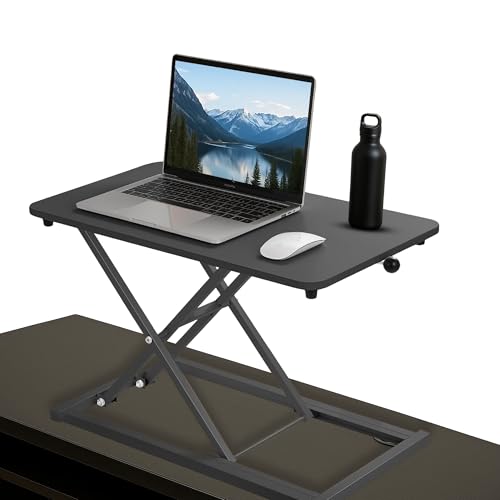
4. ANTHOSPACE Standing Desk Converter 23.6 x 13.4
A compact converter with a 23.6 by 13.4 inch platform, a steel frame that the maker says supports up to 88 pounds, a lift from 2.4 to 15.7 inches and a density board top. It is fully assembled and weighs 7.7 pounds.
Suits: a laptop and a small keyboard. Strengths: light weight and a high stated limit (88 lb is the maker’s figure and looks high for this size, so treat it as unconfirmed). Weaknesses: the listing also shows an overall size of 23 by 11.8 by 23 inches, which does not match the platform size. Skip it if you need exact dimensions confirmed.

Best for a laptop with a monitor on a mid-size desk
5. yoopin Standing Desk Converter 25.16 x 15.75
A manual converter with a 25.16 by 15.75 inch surface, a powder-coated finish and a manual lift that needs no motor. It weighs 10 pounds and arrives assembled in one piece.
Suits: a laptop with a monitor on a mid-size desk. Strengths: no power needed and a coated frame. Weaknesses: we did not find a lift range or weight limit in the text we read. Skip it if you need those figures first.

Best for a laptop on a small desk
6. Raathionty Standing Desk Converter 23.6
A 23.6 inch converter with a wood top, a metal base, a height range of 2.3 to 16 inches and no assembly. The listing describes it as suited to a desk or a bed table.
Suits: a laptop on a small desk. Strengths: a wide lift range and no assembly. Weaknesses: the listing gives the depth as 13.4 inches in one place and 13.3 in another, and no weight limit appears in what we read. Skip it if you need confirmed load figures.
View Raathionty Standing Desk Converter 23.6 inch on Amazon
Care and Setup
- Measure your desk depth against the converter before ordering.
- Compare the listed weight limit with your laptop and monitor.
- Check the minimum and maximum heights against your desk clearance.
- For assembly, use and cleaning, follow the maker’s instructions.
Mistakes to Avoid
- Ignoring the weight limit when adding a second monitor.
- Buying on surface width alone and skipping depth.
- Assuming the minimum height matches your desk clearance.
- Trusting one number when a listing shows two.
Setting the Right Working Height for Standing
A converter is only useful if it puts your screen and keyboard at ergonomic heights, and that depends on your own body. As a general guide, when standing, your elbows should rest at about a right angle with your forearms roughly level, and your wrists should stay straight when typing. The top of the screen should be near eye level, so you look slightly downward without craning your neck. These are common ergonomic guidelines rather than strict rules, and comfort varies from person to person.
Laptops create a particular problem. The keyboard and screen are attached, so raising the screen to eye level also raises the keyboard above a comfortable height. If you use a laptop alone on a converter, you will need to choose between a good keyboard position and a good screen position. Many people solve this with a separate keyboard and mouse, plus a laptop riser or an external monitor. Converters with a lower keyboard tray, or a two-tier design, address this directly by letting the screen sit higher than the keyboard.
To choose, work out the height you need. Measure from the floor to your elbow when standing with your arms relaxed. Subtract the height of your desk. The result is roughly the height the keyboard surface must rise above the desk. Then compare it with the lift range in the listing, noting both minimum and maximum figures. A converter must also fit when lowered, so the resting height should allow you to sit comfortably at your usual desk.
Taller and shorter users should check the range carefully, since an average range may not reach the right height for everyone.
Desk Depth, Clearance and Footprint
Surface size is easy to compare, but footprint on your own desk is where problems appear. Measure the depth of your desk, not only the width. A converter that fits side to side may stick out over the front edge, or leave no room for a monitor behind it. Think about where cables, a desk lamp or a monitor arm already sit, and whether a converter would collide with them.
Look at how the unit rises. Some designs move straight up, which keeps the position stable. Others move up and forward in an arc, which brings the surface closer to you as it rises. A forward-moving converter needs clear space in front of the desk, and it may interfere with a keyboard tray or chair arms. A straight-lift model needs less space but still needs overhead clearance, such as a shelf or hutch above the desk.
Also consider what remains underneath. When raised, the base sits on the desk and takes up room. When lowered, it adds height to the working surface, which raises your keyboard even when sitting. Some listings state the minimum height, and you should check that sitting remains comfortable with your chair and arms.
Check the weight of the unit too. Heavier steel models are stable but harder to move, and lighter ones are easier to reposition but may feel less solid. Make sure your desk can bear the combined weight of the converter, laptop, monitors and accessories. Thin or lightweight desks may flex.
Lift Mechanisms Compared
The way a converter lifts changes how it feels every day. Gas spring models use a pressurized cylinder to assist lifting. You release a handle or lever, and the surface rises with little effort, then lock it where you want. They allow continuous adjustment and are quick to use. Over time, gas springs can lose pressure, so a unit may sink under load or need adjusting. Check the weight range, since a too-light load can cause a gas spring unit to rise by itself, and a heavy load can make it sink.
Stepped or lockable models raise to fixed heights, usually with a latch or lever that holds the surface in place at each step. They are simple and predictable, with fewer parts to wear, but you are limited to the preset heights, which may not match your ideal. Manual mechanisms without a motor, such as scissor lifts operated by hand, need physical effort and can be awkward with a heavy load.
Electric converters use a motor and need power. They offer smooth adjustment and sometimes memory presets, but they cost more, add a cable and can be noisy. They may also have a lower capacity and need space for cord routing. Most laptop-focused converters are manual or gas-spring designs.
When comparing, think about how often you will change position. If you change many times a day, a smooth, low-effort mechanism matters. If you stand only for part of the day, a simple stepped design may be enough. Check the maker’s description for how the mechanism locks and whether the surface can wobble when raised.
Stability, Weight Limits and Real-World Setup
Weight limits are the maker’s figures, and they do not always tell the full story. A limit for the whole surface assumes the load is spread evenly. A heavy monitor at the front edge, or at full height, can feel less stable. Add the weight of your laptop, any monitor, stands, speakers and accessories, and leave a margin. If the listing gives separate limits for the main surface and the keyboard tray, follow each one.
Stability also depends on height. Most converters feel firmest at lower settings, and they can wobble at maximum height, especially when typing hard. Place heavier items toward the back and center. Use a monitor arm only if the converter is designed for it, since clamping to a thin surface can damage it. Check that the surface cannot slide, and that rubber feet grip your desk.
Cable management makes a difference. When the converter rises, cables need slack. Leave enough length for the full range of motion, and use cable ties or clips that allow movement. A cable that pulls tight can drag a laptop off the surface. Some converters include cable cutouts or channels.
When the unit arrives, inspect it. Most are preassembled, but check for damage, test the lift, and confirm that the lock engages. Place your equipment gradually and check that the surface remains stable. Keep the manual for adjustment and care instructions.
If the listing contains conflicting dimensions or limits, treat the more conservative figure as the working number and ask the seller to clarify.
Building a Sit-Stand Routine and Knowing When It Is Not Enough
A converter does not make you healthier by itself. How you use it matters more. Many people begin by standing for short periods, such as a few minutes each hour, and increase as they become comfortable. Standing for very long stretches can cause its own fatigue in feet, legs and back. The aim is variety: alternate between sitting and standing, and move regularly. Set reminders if you tend to forget.
Footwear and flooring help. An anti-fatigue mat or supportive shoes can reduce strain when standing. Keep your weight balanced, and avoid locking your knees. Shift your stance from time to time, and take short walks. If you feel pain, reduce standing time and adjust your setup. If discomfort persists, consult a qualified professional, since this guide gives general information only.
Check your posture regularly. Keep monitors an arm’s length away, wrists straight, and shoulders relaxed. Use a separate keyboard and mouse with a laptop when possible, and raise the laptop on a stand to bring the screen to eye level. A headset can help if you take many calls.
Consider whether a converter is the right solution. If you need a larger work surface, many monitors, or heavy equipment, a full standing desk might suit you better. If space is limited and you only need to raise a laptop, a simple riser plus a keyboard may be enough. Signs that your converter needs replacement include a lift that will not hold, creaking or wobbling, bent parts, or a surface that sags. Check fasteners occasionally and stop using any unit that seems unsafe.
Measure Before You Choose
Standing desk converters sit on top of your existing desk, so a few measurements decide whether a model fits at all. Sort these out before you open any product page.
- Depth of your desk. The converter needs enough surface behind it to sit stable, and a shallow desk limits what you can use.
- Width available. Leave room for a mouse, notebook and anything else you reach for.
- Clearance above. Check shelves, lamps or windowsills that the raised platform might hit.
- Your elbow height standing. The keyboard surface should land near elbow level with arms relaxed.
- Weight of your equipment. Add up the laptop, a monitor if any, and accessories, and compare with the maker’s load limit.
Write the numbers on a card and compare them with the specification tables, which usually list the footprint, maximum height, minimum height and load capacity.
Fixed Riser, Gas Spring or Electric: A Comparison
Converters tend to fall into three mechanical families. Each has trade-offs that matter in daily use.
| Type | Strengths | Trade-offs |
|---|---|---|
| Fixed or stepped riser | Simple, quiet, few moving parts | Limited height choices |
| Gas spring lift | Quick, smooth height changes by hand | You must lift gently, and the lever has a feel to get used to |
| Electric lift | Button-controlled and often with saved heights | Needs a power outlet and a cable |
If your work is mostly typing, a stable platform matters. If you move between sitting and standing often, easy adjustment will encourage you to actually change position.
Setting Up Your Standing Position
Place the screen so the top edge sits near eye level and about an arm’s length away. Keep your wrists straight on the keyboard, and let your shoulders drop. A mat can add comfort for your feet, and shoes with some cushioning help too. Alternate positions rather than standing for hours without a break, and adjust as your body tells you.
If you have an existing condition or discomfort that affects how you sit or stand, speak with a qualified professional about your setup. For assembly, follow the manual and check the load limit before adding weight, since an overloaded lift can fail or tip.
Mistakes to Avoid
- Buying on width alone and ignoring depth, which leaves the platform overhanging your desk.
- Putting a heavy monitor on a lift that is only meant for a laptop.
- Forgetting cable slack, so wires pull tight when the platform rises.
- Placing the converter against a wall where the mechanism cannot move freely.
Leave a few extra centimetres around the unit and move cables so they follow the platform without tension. A quick trial raise and lower before you connect everything will show whether the cords have enough slack.
Standing Desk Converter FAQ
Do these need assembly?
Most listings here say preassembled or no assembly. Check each page for the exact wording.
Will it fit a large monitor?
Compare the monitor weight and stand footprint with the surface size and the weight limit shown above.
Can I use just a laptop on a converter?
Yes, but the keyboard and screen will be at the same height. For better ergonomics, add a separate keyboard and mouse, and raise the laptop screen toward eye level.
How do I know if my desk can support a converter?
Check the weight of the converter plus your equipment against your desk's capacity, and look for flex in the desktop. Thin or lightweight desks may need extra care.
Is a gas spring better than a manual lift?
Gas springs are smoother and quicker, but they can lose pressure over time. Stepped manual lifts are simple and predictable but give fewer height choices.
Will a converter wobble?
Some wobble is common at maximum height, especially with a heavy load. Keep weight centered, use lower settings when typing hard, and choose a sturdier frame if wobble bothers you.
How long should I stand each day?
There is no single right answer. Many people start with short periods and alternate with sitting. Listen to your body and change position often.
Do I need an anti-fatigue mat?
It is optional, but many people find one reduces foot and leg fatigue when standing for longer periods.
Can a converter hold two monitors?
Only if the surface size and weight limit allow it. Add up the monitors' weight and stand footprints, and compare them with the listing's figures.
Choosing Between the Picks by Desk, Load and Working Style
The six converters in this guide divide along three questions, and answering them in order shortens the list quickly. The first is the desk you already own. A wide, deep desk can carry the larger surfaces here, such as the Mount-It! with its broad top or the VIVO 36 with its keyboard tray, and those extra inches are what make a converter feel like a workstation rather than a shelf. A small desk points the other way, toward the compact Raathionty or the light ANTHOSPACE frame, where the honest goal is a laptop raised to a comfortable height without the converter’s feet hanging over the desk’s edge.
The second question is what will actually sit on the surface. A laptop alone is a light, simple load, and almost any converter here handles it; a laptop plus a separate monitor, or two monitors, changes the decision completely, because the load is heavier, taller and more likely to make a lightly built converter flex when you type. Match the converter’s stated capacity to the real total — screens, stands, laptop, keyboard and the books you will inevitably add — with room to spare, and favor the wider, sturdier frames as the load grows.
The third question is how often you will move it. A converter raised and lowered many times a day wants the smoothest lift you can get, whether that is a well-balanced gas spring or a powered mechanism, because friction in the routine is what quietly ends standing habits. A converter that will sit raised for whole days at a time, in a workshop, a reception counter or a shared hot-desk, can be a simpler manual design, such as the yoopin in this list, where the lockable steps of the VIVO 26 style also make sense: set the height, leave it, and let the simplicity be the feature.
Working style finishes the decision. Writers and coders live on the keyboard, so tray position and typing stability lead. People in calls all day need the screen at camera height and value a quick, quiet lift between sitting and standing. People who sketch, sort papers or work with physical materials need clear surface more than they need mechanism. Name your dominant activity, and let it break any tie the measurements leave.
The Ergonomics of the Whole Position, Not Just the Desk
A converter raises your work; it does not arrange your body, and the difference between a standing setup that helps and one that merely relocates discomfort is in the details around the converter. Start at the floor. Stand on a flat, supportive surface, wear shoes or supportive indoor footwear during long standing periods rather than standing in socks on hard flooring, and shift your weight often. An anti-fatigue mat, discussed in the questions in this guide, earns its place for anyone standing in one spot for stretches at a time.
Set the surface so your elbows rest at roughly a right angle with your shoulders relaxed and your wrists flat, not bent upward toward a keyboard that sits too high. This elbow rule is the reliable anchor: screens can be raised on stands or books to meet your eyes, but the keyboard height is set by your arms, and a converter whose range cannot reach your correct elbow height at your desk is the wrong converter for you, however good its reviews.
The screen comes next. Its top should sit around eye level, at a distance where you read without leaning in. Leaning is the tell: if you find yourself drifting toward the screen through the day, the screen is too far, too low or too small in your view, and the fix is position, not posture willpower. Laptop users face the classic compromise, because a laptop’s screen and keyboard are joined; raised correctly for the eyes, the keyboard is wrong for the arms. The honest solution for long laptop standing is a separate keyboard and mouse, which several of the setups in this guide assume, and it transforms the converter from a laptop stand into a real workstation.
Finally, light and glare follow you up. A position that was shaded while sitting may face a window while standing, and a monitor that tilts is worth more than a setting buried in a menu. Check your new standing position at the brightest time of your working day before you declare the setup finished.
Building a Standing Habit That Survives the First Fortnight
The most common standing-desk failure is enthusiasm. A new converter arrives, its owner stands for most of the first day, aches impressively by evening, and concludes that standing is not for them. Standing is a physical activity your body adapts to over weeks, and the sensible pattern is to begin with short, frequent periods — standing for a single task, a call, a meeting — and let the total grow as it stops feeling like an event. Alternation is the point of the equipment; neither sitting all day nor standing all day is the goal the converter was bought for.
Attach standing to triggers rather than to willpower. Stand for calls, stand for the first task of the morning, stand after lunch, stand while reading documents. Triggers survive busy days because they do not require a decision, and a decision postponed is usually a decision to stay seated. Keep a pair of shoes you like standing in near the desk, and keep the route to raising the converter clear of clutter, because a converter buried under papers is a converter that stays down.
Expect a honest adjustment period in your feet, legs and lower back, and distinguish it from warning signs. General tiredness that fades overnight is adaptation. Sharp pain, numbness, or aches that are worse each morning are information that something in the setup is wrong — height, footwear, floor, or simply too much too soon — and they deserve a change, not endurance. People with existing joint, back or circulation concerns should treat the converter as they would any change in physical routine: gradually, and with professional advice where their condition calls for it.
Review the habit after a month rather than after a day. By then the novelty has gone and the truth remains: how often the converter is actually up, at what times, and how you feel at the end of a working week compared with the month before. That review, not the first enthusiastic afternoon, is the measure of whether the purchase worked.
Cables, Peripherals and the Desk Around the Converter
A converter moves, and everything connected to it must move with it, which makes cable planning the unglamorous difference between a tidy setup and a daily tangle. Every cable needs slack for the full travel of the lift: power for the laptop, the monitor lead, the charger that lives on the desk. Raise the converter to its highest position and arrange the cables there, letting them hang in a gentle loop, then lower it and confirm nothing pulls, pinches or drags across the desk edge. A cable that is perfect while sitting and taut while standing will eventually be yanked, usually at the connector, which is the expensive end.
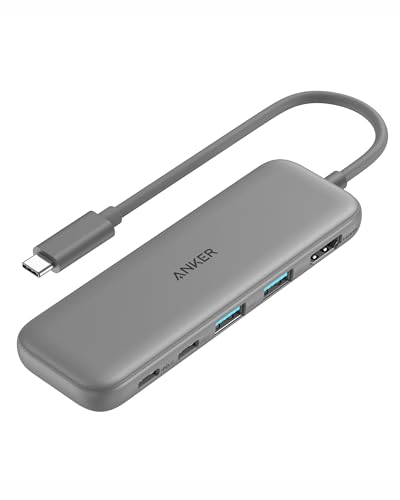
Reduce the cable count where you can. A single hub or dock on the converter, with keyboard, mouse receiver and monitor connected to it, means one cable travels to the laptop instead of four. Wireless peripherals remove their cables from the problem entirely, at the cost of batteries to manage. Either way, keep the charging cables for phones and headphones routed to a fixed point on the desk rather than on the moving surface, so the converter’s load stays the load you planned for.
Think about what else lives on the desk. The converter’s footprint is not the whole story: you need room in front for your forearms or a keyboard tray’s travel, room to the side for the notebook, the phone and the drink that will otherwise migrate onto the converter itself, and room behind for the lift mechanism’s movement where the design needs it. Measure the desk with the converter’s raised and lowered positions both in mind, and leave margin; a setup that fits exactly on paper fits awkwardly in life.
Small accessories finish the job: a monitor riser or a stack of solid books to fine-tune screen height, a hook or tray for headphones, and a simple rule that the converter surface carries work equipment only. Converters become shelves by slow degrees, and every permanent resident on the surface is weight the lift must move and clutter your arms must work around.
Care, Stability Checks and Knowing When a Converter Is Tired
A converter is a mechanical device that carries your computer over your desk, and it deserves a short, regular inspection. Every month or so, raise and lower it empty and listen: new grinding, clicking or uneven resistance is the mechanism reporting wear or a loose fixing. Check the fasteners you can reach, confirm the surface still locks positively at the heights you use, and look at the feet and the desk beneath them for the scuffs and dents that reveal slow sliding.
Stability should be tested the way you use it, not the way it looks in a photograph. With your normal load in place and the converter at working height, type firmly, rest your wrists as you do when tired, and lean the small lean everyone leans by the end of the day. Some movement in a tall converter under load is normal; movement that grows month by month, or a surface that rocks on its frame, is not, and it is a reason to tighten, adjust or retire the unit rather than to adapt your typing to it.
Keep the mechanism clean in the simple sense: dust and crumbs migrate into sliding and pivoting parts, especially on desks that double as dining tables. A wipe of the accessible surfaces and a check that nothing has fallen into the lift’s path costs a minute. Do not oil or grease parts the maker does not tell you to oil; the wrong lubricant collects grit and makes a smooth mechanism worse.
Know the retirement signs. A gas spring that no longer holds its height, locks that slip under a load they once carried, a cracked frame member, or a surface that has warped so equipment rocks — each means the converter should stop carrying a laptop and monitor over a hard floor. Converters are replaced; the computers they drop are the expensive part of the story, and they write it without warning.
More Questions About Standing Desk Converters
Where should a converter live when the desk is shared?
Shared desks need converters that are simple to set and quick to move between heights, because every user will adjust it and no user will read a manual. Agree on the two or three heights the household or team actually uses and mark them if the mechanism allows, keep the separate keyboard and mouse as shared equipment that stays with the converter, and accept a sturdier, simpler model over a delicate one with finer adjustments. In a home, the same logic applies to a desk shared between homework and work: the converter that a teenager can set safely without help is the right one for that desk.
Can a converter help in a job that is mostly phone or video calls?
Yes, and calls are one of its best uses. Standing changes how you sound and how alert you feel, which is why presenters and call handlers have stood for years. The practical needs are a screen or laptop camera at eye level while standing, a headset that frees your hands and lets you move, and a lift quiet and quick enough to use between calls without ceremony. If your day is calls, judge converters by camera height and lift manners first, and by typing stability second — the reverse of a writer’s priorities, and a good example of why the dominant activity should lead the choice.
What should I measure if I can only measure three things?
Measure your desk’s depth, your correct elbow height while standing on the floor where the converter will live, and the combined weight of everything that will sit on the surface. Desk depth rules out converters whose feet or travel do not fit. Elbow height rules out converters whose range cannot reach your working position at your desk’s height. Total weight rules out converters you would be running at their limit every day. Those three numbers, honestly taken, prevent nearly every disappointing purchase in this category.
Is a converter a good first step before buying a full standing desk?
It is the classic first step, and a sensible one, because it tests the habit at a fraction of the commitment and leaves your existing desk in place. A season with a converter teaches you whether you stand, how often, at what height and with what peripherals, and that knowledge makes any later desk purchase precise rather than hopeful. If the converter ends up raised all day, every day, a full desk may serve you better; if it ends up used in the alternating pattern it was designed for, the converter was not a stepping stone at all — it was the destination.
Standing in Small Spaces: Flats, Spare Rooms and Hot-Desks
Small rooms punish bulky furniture, and a converter is kinder to a small room than a full standing desk because it keeps the desk you have. The planning questions are still real. A converter raised in a box room may put your screen close to a wall, a shelf or a sloping ceiling, so check the raised position against the room, not just the desk: stand where you will stand, raise the surface, and look for the shelf edge, the lamp and the door swing that only exist at standing height. Problems found with a tape measure are free; problems found by forehead are not.
Vertical rooms reward vertical thinking. The space above a desk that is wasted while sitting becomes reachable while standing, and a shelf at standing eye level can hold the reference book, the phone on its charger or the plant that used to crowd the desk. Keep the things you reach for while standing at standing height and the things you use seated at seated height, and the daily migration of objects between the two levels mostly stops.
For hot-desks and rented workspaces, portability returns to the decision. A lighter converter that one person can lift off the desk and store is worth more than a heavier, finer one that must live in place and be negotiated around. The light ANTHOSPACE-style frame in this guide exists for exactly this pattern of life. If the desk must return to being a dining table by evening, measure the converter folded or lowered as carefully as raised, and decide where it sleeps before it arrives.
Noise belongs in small-space planning too. In a flat where someone sleeps in the next room, a lift that clunks through its steps at midnight is a household problem, not a specification. If your working hours are antisocial, weight smooth, quiet adjustment more heavily than you otherwise would; the best converter is the one nobody else in the home has an opinion about.
A Two-Week Setup Diary: What to Adjust and When
Rather than endlessly adjusting on instinct, give the first fortnight a structure. Days one and two are for the basics only: elbow height, screen height, cables with slack, and nothing else. Resist adding accessories. Most new setups feel wrong somewhere in the first two days, and changing five things at once teaches you nothing about which change helped.
Days three to five are for the standing pattern: short periods attached to triggers, notes on when your feet or back asked you to sit down, and one adjustment — only one — to the thing that annoyed you most. Common first adjustments are raising the screen on a stand, moving the keyboard tray or keyboard a few centimeters closer, and changing where you stand relative to the desk edge, which quietly changes every angle in the position.
The second week is for the working details: where the phone lives, whether the second screen earns its place, whether the mat helps, whether the afternoon slump is better met with standing, a walk or water. By the end of the fortnight you should be able to describe your setup in one sentence per element — surface at this height, screen on that stand, keyboard here — and a setup you can describe is a setup you can reproduce after holidays, house moves and desk changes, which is when most carefully built positions are accidentally lost.
Keep the notes, brief as they are. If you later develop an ache, the diary tells you what changed and when, which is the first question anyone advising you will ask. If you later buy a full desk or a second converter for another room, the diary is the specification, written by the only expert on your working body you have.
How do I keep a converter from slowly taking over the whole desk?
By giving everything else a home that is not the converter. The pattern is always the same: a notebook rests on the surface ‘for a minute’, a charger joins it, then a mug, until the lift is carrying a small office and your forearms have nowhere to go. Set the rule on the first day — the surface holds the screen, the keyboard and the mouse, and nothing else — and put a tray, a shelf or a drawer within arm’s reach to receive everything the rule excludes. Review the surface each Friday as part of shutting down for the week. Two minutes of clearing keeps the converter a workstation; without it, any converter, however well chosen, becomes an expensive shelf that occasionally moves.
What changes when two people of different heights share one converter?
Everything about the setup becomes a negotiation about range and memory. The converter’s height range must genuinely cover both people’s correct elbow heights at that desk, which is a stricter test than covering either one alone, and mechanisms with set positions should have a step near each person’s height rather than one compromise step between them that fits nobody. Agree on how the shared peripherals are left — keyboard centered, screen at the taller person’s stand height with the shorter person adjusting the chair or a riser rather than the whole converter where that is easier — and write the two working heights on a small note kept at the desk. Shared equipment fails on forgotten settings far more often than on mechanics, and a two-line note is the cheapest fix in this entire guide.
The Short Version
For a wide surface, the Mount-It!. For lockable steps, the VIVO 26. For a keyboard tray, the VIVO 36. For a light frame, the ANTHOSPACE. For a manual lift, the yoopin. For a small desk, the Raathionty.