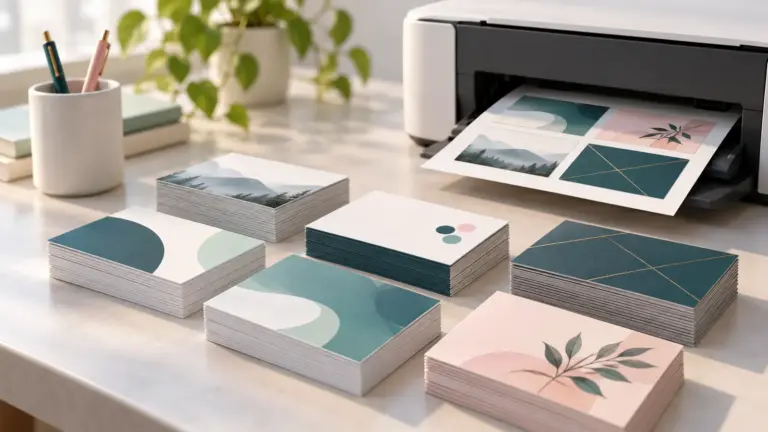
Printing on cardstock asks more of a printer than plain paper does. Thick sheets need a straight paper path, and many inkjets feed them best from a rear tray or a special slot. The weight a printer can take is set by the maker, and none of the listings below states a cardstock weight limit.
The six printers here are inkjets with rear feeds, photo trays or other specialty paper handling, according to their listings. Treat them as starting points and check the maker’s support page for the supported paper weight before you buy cardstock. We have not used these printers ourselves.
As an Amazon Associate we earn from qualifying purchases. Links below are affiliate links, and they do not change the product information we give.

What to Look For
| Feature | Why it matters |
|---|---|
| Rear or straight-through feed | Thick sheets bend less than in a curved path |
| Supported weight | Set by the maker, so read the spec sheet |
| Paper sizes | Letter, legal, 5 x 7 and custom sizes cover cards and invitations |
| Borderless printing | Edge-to-edge cards and photos |
| Duplex | Two-sided printing suits folded cards, but heavy stock may need single sheets |
Specs at a Glance
| Printer | Paper handling from the listing | Functions | Notes |
|---|---|---|---|
| Epson XP-8800 | Separate plain and photo trays; rear feed for specialty paper; 120 sheets | Print, copy, scan | 6-color ink; sizes up to letter; auto duplex; 14.6 lb |
| Epson XP-7100 | Multiple media feeds; specialty paper and DVDs | Print, copy, scan; 30-page feeder | 4.3 in touchscreen; auto duplex; 21.5 lb |
| Epson XP-6100 | Dedicated photo and DVD trays; 100 sheets | Print, copy, scan | 5-color ink; auto duplex; 15.8 ppm black; 14.6 lb |
| Epson XP-5250 | 150-sheet tray; letter to legal sizes | Print, copy, scan | 2.4 in display; auto duplex; 11.9 lb |
| Canon PIXMA TS8820 | Rear tray with custom sizes from 2.2 to 8.5 in wide; 100 sheets | Print, copy, scan | 6 individual inks; 4.3 in touchscreen; auto duplex |
| Brother INKvestment 5010 | 250-sheet tray; envelopes and glossy photo paper; letter to legal | Print, copy, scan, fax; 50-page feeder | 28 ppm black; 30.9 lb; Ethernet |
The 6 Best Printers for Cardstock
1. Epson Expression Photo XP-8800 Wireless All-in-One Printer
A 14.6 pound photo all-in-one with 6-color Claria Photo HD ink, separate trays for plain and photo paper, and a rear feed for specialty paper. Borderless prints run up to 8.5 by 11 inches, and the listing shows a flatbed scanner, a 4.3 inch touchscreen and automatic duplex.
Suits: cards and photo projects. Strengths: a rear feed and sizes from 3.5 by 5 to legal. Weaknesses: the listing gives no cardstock weight limit. Skip it if you need a document feeder.
View Epson Expression Photo XP-8800 Wireless All-in-One Printer on Amazon
2. Epson Expression Premium XP-7100 Wireless All-in-One Printer
A craft-friendly all-in-one with multiple media feeds, specialty paper and DVD printing, a 30-page automatic document feeder, a 4.3 inch touchscreen, memory card slot and borderless photos up to 8 by 10 inches. It prints two-sided automatically and weighs 21.5 pounds. The listing’s color speed field reads 1 ppm, which looks like an error, so check Epson’s page.
Suits: mixed documents and crafts. Strengths: a feeder and several feeds. Weaknesses: an unclear color speed on the listing. Skip it if you want a lighter machine.
View Epson Expression Premium XP-7100 Wireless All-in-One Printer on Amazon
3. Epson Expression Premium XP-6100 Wireless All-in-One Printer
A 5-color all-in-one with dedicated photo and DVD trays, a 100-sheet capacity, automatic 2-sided printing and a 2.4 inch display. It lists paper sizes from 3.5 by 5 inches to letter, A4 and half letter, plus up to 15.8 ppm in black and 11.3 ppm in color.
Suits: small cards and photos. Strengths: a photo tray and many small sizes. Weaknesses: the dimensions on the listing look like packaging sizes. Skip it if you want a legal tray.
View Epson Expression Premium XP-6100 Wireless All-in-One Printer on Amazon
4. Epson Expression Home XP-5250 Wireless All-in-One Printer
A 11.9 pound printer with a 150-sheet tray, a 2.4 inch display, automatic duplex and a flatbed scanner. It lists sizes from 3.5 by 5 inches to legal, and the maker calls it the fastest Expression Home model. The listing does not describe a rear feed, so confirm heavy paper handling with Epson.
Suits: general paper with the odd card. Strengths: a large tray and a small body. Weaknesses: no rear feed is described. Skip it if you print thick stock often.
View Epson Expression Home XP-5250 Wireless All-in-One Printer on Amazon
5. Canon PIXMA TS8820 Wireless Photo All-in-One Printer
A six-ink photo all-in-one with a rear tray that lists letter, legal, A4, 5 by 7 and custom widths from 2.2 to 8.5 inches and lengths up to 26.6 inches, a 4.3 inch touchscreen and automatic duplex. The listing weight of 16 ounces looks like an error.
Suits: custom-size cards. Strengths: a rear tray with custom sizes and six inks. Weaknesses: the odd weight figure and no stated cardstock limit. Skip it if you need a feeder.
View Canon PIXMA TS8820 Wireless Photo All-in-One Printer on Amazon
6. Brother INKvestment 5010 Wireless Color Inkjet All-in-One Printer
An office-class inkjet with a 250-sheet tray, a 50-page two-sided document feeder, a 2.7 inch touchscreen, Ethernet and fax. Its media list includes envelopes and glossy photo paper, with sizes from 3.5 by 5 to legal. It prints up to 28 ppm in black and weighs 30.9 pounds.
Suits: an office that prints some cards. Strengths: a large tray and a feeder. Weaknesses: the biggest unit here and no stated cardstock limit. Skip it if you want a craft-focused printer.
View Brother INKvestment 5010 Wireless Color Inkjet All-in-One Printer on Amazon
Best Picks by Category
These labels come from the price, star rating and number of ratings shown on each Amazon listing on November 2, 2026. They summarize listing data and are not hands-on test results.
- Top rated: Brother INKvestment 5010 Wireless Color Inkjet All-in-One Printer — 4.3 out of 5 from 108 ratings, about $280.
- Most reviewed: Epson Expression Premium XP-7100 Wireless All-in-One Printer — 3,938 ratings averaging 4.1 out of 5.
- Lowest price: Epson Expression Home XP-5250 Wireless All-in-One Printer — about $100.
- Premium option: Epson Expression Photo XP-8800 Wireless All-in-One Printer — about $280, rated 3.7 out of 5.
Price, Rating and Review Comparison
The table sorts the picks by price and adds the star rating and the number of ratings, which shows how much feedback sits behind each average. Prices change often, so confirm the current price on Amazon.
| Product | Price | Rating | Ratings | Price tier |
|---|---|---|---|---|
| Epson Expression Home XP-5250 Wireless All-in-One Printer | $100 | n/a | n/a | Budget |
| Epson Expression Premium XP-6100 Wireless All-in-One Printer | $130 | 4 / 5 | 1,654 | Budget |
| Epson Expression Premium XP-7100 Wireless All-in-One Printer | $150 | 4.1 / 5 | 3,938 | Budget |
| Canon PIXMA TS8820 Wireless Photo All-in-One Printer | $250 | 3.8 / 5 | 142 | Mid-range |
| Epson Expression Photo XP-8800 Wireless All-in-One Printer | $280 | 3.7 / 5 | 154 | Mid-range |
| Brother INKvestment 5010 Wireless Color Inkjet All-in-One Printer | $280 | 4.3 / 5 | 108 | Mid-range |
How Much Feedback Backs Each Rating
A high average from a handful of ratings is weaker evidence than a slightly lower average from thousands. Here is how the sample size looks for each pick.
- Epson Expression Photo XP-8800 Wireless All-in-One Printer: 154 ratings, a moderate sample behind its 3.7 average.
- Epson Expression Premium XP-7100 Wireless All-in-One Printer: 3,938 ratings, a large sample behind its 4.1 average.
- Epson Expression Premium XP-6100 Wireless All-in-One Printer: 1,654 ratings, a large sample behind its 4 average.
- Epson Expression Home XP-5250 Wireless All-in-One Printer: Amazon did not show a rating count.
- Canon PIXMA TS8820 Wireless Photo All-in-One Printer: 142 ratings, a moderate sample behind its 3.8 average.
- Brother INKvestment 5010 Wireless Color Inkjet All-in-One Printer: 108 ratings, a moderate sample behind its 4.3 average.
Printing Tips
- Look up the maker’s supported paper weight and thickness first.
- Feed one sheet at a time through the rear tray when thick stock is allowed.
- Set the paper type to match the card.
- Print a test sheet before a full run.
Mistakes to Avoid
- Assuming any inkjet takes any cardstock.
- Loading a stack when the maker advises single sheets.
- Using duplex on heavy stock.
- Skipping the paper type setting.
Cardstock Printer FAQ
Do these listings state a cardstock weight limit?
No. They name specialty paper, photo trays or rear feeds but not a weight in pounds or gsm, so check the maker’s specifications.
Why does a rear feed matter?
A rear feed gives the sheet a straighter path, which usually suits thick paper better than a curved internal path.
The Short Version
For cards and photo projects, the Epson XP-8800. For a feeder and several feeds, the XP-7100. For small sizes, the XP-6100. For a large general tray, the XP-5250. For custom sizes, the Canon TS8820. For an office machine, the Brother 5010.