The best outdoor cameras without subscription let you watch your home without paying every month for the privilege. Most security cameras work well on day one and then ask for a monthly plan to unlock recordings, smart alerts and cloud history. The cameras in this guide are different: they record to local storage, such as a microSD card, and their core features work without a subscription. You buy the camera once, and it keeps working without a bill arriving every month.
This guide compares six outdoor cameras drawn from current listings, from the Reolink 4K PTZ and Argus models, which name no subscription and no monthly fees directly in their titles, to the eufy SoloCam S340 and C35 and the TP-Link Tapo 2K QHD, which offer local storage and free detection features. The details in each section come from the listing titles: the resolution, the power source, the pan and tilt range, and the storage the listing names. Where a listing leaves a detail out, such as the exact features that work without a subscription, this guide says so and tells you to confirm it on the product page before buying.
The six picks cover the real range of buyers. The Reolink plug-in and solar models suit buyers who want a camera that records locally and tracks movement on its own. The eufy solar models suit buyers who want a wire-free camera that charges itself. The Tapo pan and tilt model suits buyers who want a wide view and free person detection. Read the shortlist, check the comparison table, then use the buying guide to match the camera to your home, your Wi-Fi and how much recording you need. The table gives you the resolution, power source and subscription position of each pick at a glance, so you can narrow the list to the cameras that fit your home before you read the full sections.
In this guide
Quick picks: best outdoor cameras without subscription
| # | Product | Where to buy |
|---|---|---|
| 1 | REOLINK 4K PTZ 3X Zoom | Check on Amazon |
| 2 | REOLINK Argus MagiCam | Check on Amazon |
| 3 | REOLINK Argus PT Ultra 4K Kit | Check on Amazon |
| 4 | eufy SoloCam S340 | Check on Amazon |
| 5 | eufy Camera C35 | Check on Amazon |
| 6 | TP-Link Tapo 2K QHD | Check on Amazon |
How We Chose the Best Outdoor Cameras Without Subscription
We started with the subscription question: does the camera work without a monthly plan? Every pick had to be a complete outdoor security camera with local storage or free features named in the listing, so the recording does not depend on a cloud plan. We preferred listings that name no subscription, no monthly fees or local storage directly, because those are the features that decide the real cost of owning the camera. Cameras that require a subscription for basic recording were excluded, as were indoor-only cameras, doorbells and camera accessories.
Within that filter we looked for a spread across power and placement: plug-in cameras for constant power, solar cameras for wire-free fitting, and pan and tilt models for wide coverage. We checked that each listing title names the exact model, so the link goes to the camera described. We did not use prices, review counts or star ratings to rank the picks, and we did not claim any hands-on testing. Subscription details are described only where the listing title names them, and the buying guide explains how to confirm exactly which features work without a plan before you buy.
Why No-Subscription Cameras Cost Less Over Time
A subscription camera looks cheap at first and expensive over time. The camera may cost less than a no-subscription model, but a monthly plan of even a few dollars adds up to more than the camera within a year or two, and it keeps charging for as long as you own the camera. A no-subscription camera costs more upfront in some cases, but the total cost stops at the purchase, plus a microSD card if one is not included. Over three or four years, the no-subscription camera is usually the cheaper option, and it keeps working if you stop paying attention to it.
The second reason is control. A camera that records locally keeps your footage on your property, on a card or a hub in your home, rather than on a company's servers. That matters to buyers who care about privacy, and it matters practically too: local recordings keep working when the internet is down, while a cloud camera stops recording when the connection drops. The picks in this guide use local storage, solar power or both, so they keep watching even when the Wi-Fi is unreliable. When you compare them, think about the total cost over the years you will own the camera, not just the price on the listing, and think about where your footage lives and who can see it.
Quick picks at a glance
| Product | Display | Processor | Memory and storage |
|---|---|---|---|
| REOLINK 4K PTZ 3X Zoom | 4K, 3X optical zoom | Wi-Fi, plug-in power | No subscription, local storage |
| REOLINK Argus MagiCam | 1080p | Wireless, 2.4/5GHz Wi-Fi | No subscription, IP67 |
| REOLINK Argus PT Ultra 4K Kit | 4K, solar powered | Wireless, pan and tilt | 128GB microSD included, no monthly fees |
| eufy SoloCam S340 | 3K, dual-lens | Solar powered | 360-degree coverage, AI detection |
| eufy Camera C35 | Spotlight-free color night vision | Indoor/outdoor, magnetic mount | Local storage, no monthly fee |
| TP-Link Tapo 2K QHD | 2K QHD | Wi-Fi, pan and tilt | Free person detection, color night vision |
The 6 Best Outdoor Cameras Without Subscription

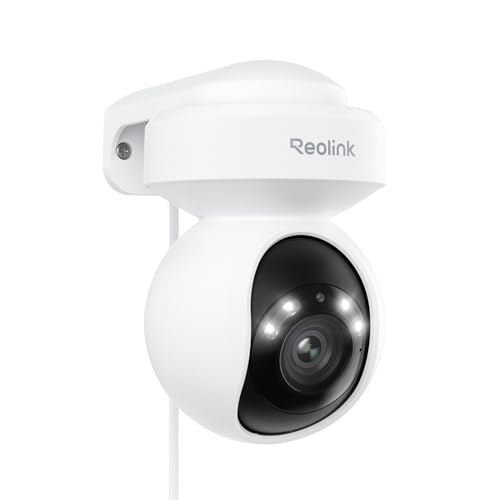
REOLINK 4K PTZ 3X Optical Zoom Outdoor Security Camera
The REOLINK 4K PTZ 3X Optical Zoom Outdoor Security Camera is the most capable pick in this guide. It is a 4K camera with 3X optical zoom, Wi-Fi and plug-in power, and the listing names no subscription local storage and auto tracking directly. The 4K resolution gives you the detail to read a face or a number plate, the optical zoom lets you look closer without losing quality, and the pan and tilt lets the camera follow movement on its own. Plug-in power means it never needs charging, and local storage means the recordings stay on your property without a monthly plan.
Key specs:
- REOLINK 4K PTZ outdoor security camera
- 3X optical zoom
- Wi-Fi with plug-in power
- No subscription local storage named in the listing
- Auto tracking
Strengths:
- No subscription local storage is named directly in the listing title
- 4K resolution with 3X optical zoom gives detail at a distance
- Plug-in power means no charging, and auto tracking follows movement
Trade-offs:
- Plug-in power needs a socket within reach of the mounting point
- The title does not state the storage capacity or the card size, so confirm it on the product page
- A PTZ camera is larger and more visible than a small fixed camera
This camera fits buyers who want the most capable no-subscription camera in this guide, with 4K detail and optical zoom. It suits homes with a power socket near the mounting point, and anyone who wants the camera to follow movement on its own. The local storage also suits buyers who want their footage to stay at home.
Worth noting before you order: check that you have a power socket within reach of where you want to mount the camera, since plug-in power is the trade-off for never charging a battery. Confirm the storage details on the product page, including whether a microSD card is included and how large a card the camera supports. Also check the mounting hardware in the listing, since a PTZ camera needs a solid mount to pan and tilt smoothly. A 4K camera also uses more storage than a 1080p camera, so a larger card is worth budgeting for if you want more than a few days of recordings.
Best for: detailed 4K monitoring with optical zoom and no subscription, where power is available.
Not suited for: homes with no outdoor power socket, or buyers who want a small, discreet camera.
Check price on Amazon: REOLINK 4K PTZ 3X Zoom

REOLINK Argus MagiCam 1080p Wireless Outdoor Camera
The REOLINK Argus MagiCam 1080p Wireless Outdoor Camera is the easy-to-fit pick in this guide. It is a wireless camera with a magnetic mount, so it can be placed and moved without screws or wiring, and the listing names no subscription directly, alongside 2.4/5GHz Wi-Fi and IP67 weather resistance. The 1080p resolution covers everyday monitoring, and the magnetic mount means you can take the camera down to charge it and put it back in seconds. This is the pick for buyers who want a no-subscription camera with the least installation effort.
Key specs:
- REOLINK Argus MagiCam 1080p wireless outdoor camera
- Magnetic mount
- 2.4/5GHz Wi-Fi
- No subscription named in the listing
- IP67 weather resistance
Strengths:
- No subscription is named directly in the listing title
- Magnetic mount makes fitting and moving the camera easy
- IP67 weather resistance suits rain and dust
Trade-offs:
- 1080p is lower resolution than the 4K picks in this guide
- The title does not state the battery life or the storage details, so confirm both on the product page
- A magnetic mount is easy to move, which also makes the camera easier to take
This camera fits renters and buyers who do not want to drill holes or run cables, and anyone who wants to try a camera position before committing to it. It suits apartments, small homes and temporary setups, where the magnetic mount and wireless design make installation a matter of minutes. The IP67 rating also suits exposed positions.
Worth noting before you order: confirm the battery life and the storage details on the product page, since the title does not state them. Check whether a microSD card is included and how large a card the camera supports. Also think about where the camera will sit: a magnetic mount is convenient, but a camera that is easy to move is also easy to take, so place it out of easy reach where possible.
Best for: easy, wire-free fitting with no subscription, especially for renters.
Not suited for: buyers who want 4K detail, or a permanently fixed camera.
Check price on Amazon: REOLINK Argus MagiCam

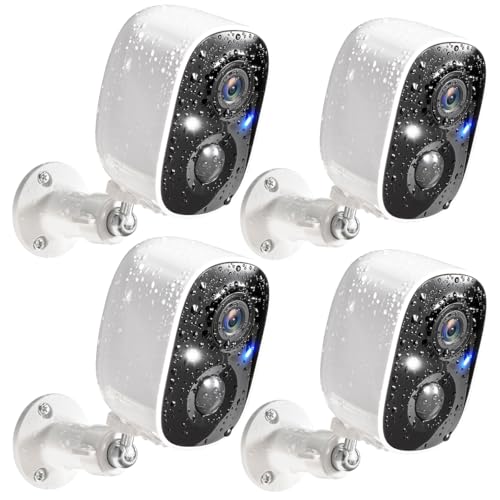
REOLINK Argus PT Ultra 4K Solar Security Cameras (4 Cam Kit)
The REOLINK Argus PT Ultra 4K Solar Security Cameras kit is the whole-property pick in this guide. It is a four-camera kit with 4K resolution, 360-degree pan and tilt, solar power and wireless fitting, and the listing names a 128GB microSD card included and no monthly fees. Four cameras cover the front, back and sides of a home, and the solar panels keep the batteries charged without wiring. The 4K resolution gives detail at every position, and the included microSD card means recording starts without a separate purchase.
Key specs:
- REOLINK Argus PT Ultra 4K solar security cameras, 4 cam kit
- 360-degree pan and tilt
- Solar powered, wireless
- 128GB microSD card included
- No monthly fees named in the listing
Strengths:
- Four 4K cameras cover a whole property in one kit
- No monthly fees named in the listing, with a 128GB microSD card included
- Solar power and wireless fitting mean no cables and no charging routine
Trade-offs:
- A four-camera kit is more than a small home needs, and costs more upfront
- Solar charging depends on sunlight, so shaded positions may need attention
- The title does not state the battery life on cloudy days, so confirm it on the product page
This kit fits buyers who want to cover a whole property with one purchase, and who do not want to run cables or charge batteries. It suits larger homes, rural properties and anyone who wants 4K detail at every corner. The included microSD card and the no-monthly-fees listing also suit buyers who want the total cost to stop at the purchase.
Worth noting before you order: check that each mounting position gets enough sunlight for the solar panels, since a shaded camera will charge slowly. Confirm the battery life and the storage details on the product page, and check whether the 128GB card is one card for the kit or one per camera. Also think about the Wi-Fi range, since four wireless cameras need a strong signal at every corner of the property. A kit is a bigger upfront purchase than a single camera, so confirm the return policy before you commit to four cameras at once.
Best for: covering a whole property with four 4K solar cameras and no monthly fees.
Not suited for: small homes, apartments, or buyers who need only one camera.
Check price on Amazon: REOLINK Argus PT Ultra 4K Kit


eufy Security SoloCam S340 (3K Dual-Lens Solar)
The eufy Security SoloCam S340 is the dual-lens solar pick in this guide. It is a 3K dual-lens solar security camera with 360-degree coverage, pan and tilt, and AI detection, and the listing names no blind spots. The dual lenses give a wide view and a close view at once, so the camera can watch a whole area and zoom into detail without missing the edges. Solar power keeps the battery charged without wiring, and the pan and tilt lets the camera follow movement. This is the pick for buyers who want a single solar camera that covers a wide area on its own.
Key specs:
- eufy Security SoloCam S340, 3K dual-lens solar security camera
- 360-degree coverage
- Pan and tilt
- AI detection
- No blind spots named in the listing
Strengths:
- Dual lenses give a wide view and a close view with no blind spots
- Solar power means no wiring and no charging routine
- AI detection helps the camera tell people and movement apart from background motion
Trade-offs:
- The listing title does not name the subscription or storage details, so confirm them on the product page
- 3K is lower resolution than the 4K picks in this guide
- Solar charging depends on sunlight at the mounting position
This camera fits buyers who want one solar camera to cover a wide area, such as a driveway or a garden, without wiring. It suits homes where a single camera needs to watch a large space, and anyone who wants the dual-lens view without a multi-camera kit. The solar power also suits positions far from a socket.
Worth noting before you order: confirm on the product page exactly which features work without a subscription and how recording is stored, since the title does not name those details. Check the solar panel position and the sunlight at the mounting point, and confirm the storage details, including whether a microSD card or a hub is needed. Also check the AI detection settings, since the camera's usefulness depends on alerts you actually want.
Best for: wide-area coverage from a single solar camera with dual lenses.
Not suited for: buyers who want 4K detail, or a camera with no-subscription wording in the title.
Check price on Amazon: eufy SoloCam S340
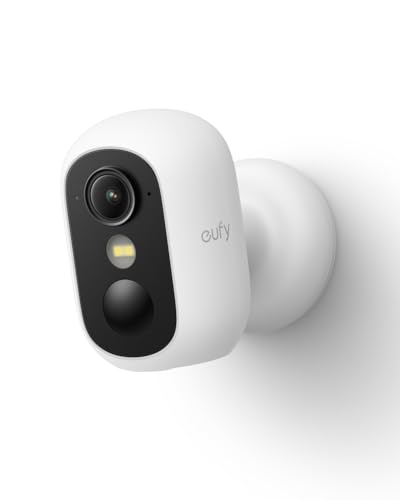
eufy Security Indoor/Outdoor Camera C35
The eufy Security Indoor/Outdoor Camera C35 is the compact, flexible pick in this guide. It is an indoor and outdoor camera with spotlight-free color night vision, a magnetic mount and local storage, and the listing names no monthly fee directly. The spotlight-free color night vision is the feature that sets it apart: it gives colour at night without a bright spotlight, which suits doorways and gardens where a spotlight would disturb neighbours. The magnetic mount makes it easy to place and move, and local storage keeps the recordings at home without a plan.
Key specs:
- eufy Security Indoor/Outdoor Camera C35
- Spotlight-free color night vision
- Magnetic mount
- Local storage
- No monthly fee named in the listing
Strengths:
- No monthly fee is named directly in the listing title
- Spotlight-free color night vision gives colour at night without a bright light
- Magnetic mount and indoor/outdoor design make it flexible to place
Trade-offs:
- The listing title does not state the resolution, so confirm it on the product page
- The title does not state the power source or the battery life
- A compact camera covers less area than a pan and tilt model
This camera fits buyers who want a small, flexible camera for a doorway, a porch or a garden, with colour night vision that does not disturb neighbours. It suits renters and small homes, where the magnetic mount and the indoor and outdoor design make fitting easy. The no-monthly-fee listing also suits buyers who want the cost to stop at the purchase.
Worth noting before you order: confirm the resolution and the power source on the product page, since the title does not state them. Check the local storage details, including whether a microSD card is included and how large a card the camera supports. Also think about the mounting position: a magnetic mount is convenient, but place the camera out of easy reach where possible.
Best for: a compact, flexible camera with colour night vision and no monthly fee.
Not suited for: buyers who want 4K detail, pan and tilt, or a wide-area camera.
Check price on Amazon: eufy Camera C35

TP-Link Tapo 2K QHD Outdoor Pan/Tilt Wi-Fi Security Camera
The TP-Link Tapo 2K QHD Outdoor Pan/Tilt Wi-Fi Security Camera is the affordable pan and tilt pick in this guide. It is a 2K QHD camera with a 360-degree view, motion tracking and color night vision, and the listing names free person detection. The pan and tilt lets one camera watch a wide area, and the free person detection means the camera can tell a person apart from background motion without a paid plan. The 2K resolution sits between the 1080p and 4K picks, giving more detail than the basic models without the cost of 4K. This is the pick for buyers who want a wide view and smart alerts on a budget.
Key specs:
- TP-Link Tapo 2K QHD outdoor pan and tilt Wi-Fi security camera
- 360-degree view
- Motion tracking
- Color night vision
- Free person detection named in the listing
Strengths:
- Free person detection is named in the listing, so smart alerts do not need a plan
- 360-degree pan and tilt covers a wide area from one camera
- 2K QHD gives more detail than 1080p, with color night vision
Trade-offs:
- The listing title does not name the storage or subscription details beyond free person detection
- The title does not state the power source, so confirm it on the product page
- 2K is lower resolution than the 4K picks in this guide
This camera fits buyers who want a pan and tilt camera with free person detection on a budget, and anyone who wants one camera to cover a wide area such as a garden or a driveway. It suits homes where the camera needs to follow movement, and buyers who want smart alerts without paying for them every month.
Worth noting before you order: confirm on the product page how recording is stored and which features need a subscription, since the title names free person detection but does not give the full storage details. Check the power source and the mounting hardware in the listing, and confirm whether a microSD card is included or sold separately. Also check the Wi-Fi range at the mounting position, since a pan and tilt camera needs a steady connection to track movement.
Best for: a wide pan and tilt view with free person detection on a budget.
Not suited for: buyers who want 4K detail, or a camera with no-subscription wording in the title.
Check price on Amazon: TP-Link Tapo 2K QHD
Buying guide
Check what works without a subscription
No subscription means different things on different cameras, so check the product page before you buy. For the Reolink picks here, the listing names no subscription local storage or no monthly fees directly. For the eufy C35, the listing names no monthly fee. For the Tapo, the listing names free person detection. For the eufy SoloCam S340, the title does not give the subscription details, so confirm them on the product page. Ask three questions: does the camera record without a plan, does it send alerts without a plan, and how long are recordings kept. The answers decide the real cost of the camera.
Local storage: the card matters
Local storage usually means a microSD card, and the card matters as much as the camera. Check whether a card is included, how large a card the camera supports, and how the camera handles a full card: does it overwrite the oldest footage, or does it stop recording. The Reolink Argus PT Ultra kit in this guide includes a 128GB microSD card, which is a good starting point. For the other picks, confirm the card details on the product page and budget for a card if one is not included. A high-endurance card made for cameras lasts longer than a standard card under constant writing.
Power: plug-in, battery or solar
Outdoor cameras are powered in three ways, and the choice decides where you can put them. Plug-in cameras, such as the Reolink 4K PTZ, never need charging but need a socket nearby. Battery cameras, such as the Reolink Argus MagiCam, can go anywhere but need charging. Solar cameras, such as the Reolink Argus PT Ultra kit and the eufy SoloCam S340, charge themselves in sunlight and suit positions far from a socket. Check the sunlight at a solar mounting point, since a shaded panel charges slowly, and check the battery life for a battery camera on cloudy days.
Placement and Wi-Fi range
A camera is only as good as its position and its connection. Mount the camera high enough to see the area and out of easy reach, and angle it to cover the approach rather than the sky. Check the Wi-Fi signal at the mounting point before you fix the camera in place, since a weak signal gives patchy recordings and missed alerts. If the signal is weak, a Wi-Fi extender or a mesh node near the camera can help. For pan and tilt cameras, check that the camera can turn freely without hitting a wall or a gutter.
Night vision and detection
Most outdoor cameras see at night, but the quality varies. Color night vision, on the eufy C35 and the Tapo, gives colour images at night, while standard infrared gives black and white. A spotlight helps colour night vision but can disturb neighbours, so the spotlight-free design on the eufy C35 is worth noting. Detection matters too: person detection, on the Tapo, reduces false alerts from trees and animals, while AI detection, on the eufy SoloCam S340, does the same. Check the detection settings on the product page, since a camera that alerts you to every passing car will soon be ignored.
Privacy and the law
An outdoor camera watches more than your property, so think about privacy and the local rules before you fit one. Angle the camera to cover your own home and garden, not a neighbour's windows or a public path, and check the local rules for recording in public areas. Tell the people in your home where the cameras are and what they record. Local storage, on the picks in this guide, keeps the footage on your property, which is a privacy advantage over cloud recording, but it does not remove the need to place the camera thoughtfully.
Setting up and everyday care
Clean the lens regularly with a microfiber cloth, since dirt, rain spots and spider webs blur the image more than most buyers expect. Check the mount and the screws every few months, since wind and vibration can loosen them. For battery and solar cameras, check the charge level in the app and clean the solar panel so it charges properly. For plug-in cameras, check the cable for damage from weather and animals. A camera that looks clean from the ground can still have a web across the lens, so check the live view after cleaning rather than assuming the image is clear.
Update the camera software when prompted, since updates improve detection and fix security issues. Change the default password and use a strong one, since an outdoor camera is a network device. Check the microSD card occasionally, and replace it if the camera reports errors, since a worn card can lose recordings. Back up important clips to your phone or computer, since a card can fail and a camera can be stolen.
Common mistakes to avoid
The most common mistake is buying a camera that needs a subscription for basic recording, and then paying every month for a feature that should have been free. A second mistake is mounting the camera where the Wi-Fi is weak, so recordings are patchy and alerts arrive late. A third is fitting a solar camera in shade, where the panel cannot charge the battery. A fourth is forgetting the microSD card, and then discovering the camera has nowhere to record.
Another mistake is pointing the camera at the sky or at a busy road, so it alerts you to every passing car and you stop paying attention. Buyers also forget to check the power source before ordering, and then find the camera needs a socket they do not have. Finally, do not buy a camera based on resolution alone: a 4K camera in the wrong position is worse than a 1080p camera in the right one, and detection, storage and power matter as much as the number of pixels.
Our final recommendation
For most buyers, the REOLINK 4K PTZ 3X Optical Zoom camera is the pick to start with: 4K detail, optical zoom, auto tracking and no subscription local storage, where power is available. If you want a wire-free camera that is easy to fit, the REOLINK Argus MagiCam gives you no subscription recording with a magnetic mount. If you want to cover a whole property, the REOLINK Argus PT Ultra 4K kit gives you four solar cameras with a microSD card included and no monthly fees.
If you want a single solar camera for a wide area, the eufy SoloCam S340 covers it with dual lenses and AI detection. If you want a compact camera with colour night vision, the eufy C35 gives you local storage and no monthly fee. If you want a pan and tilt camera with free person detection on a budget, the TP-Link Tapo 2K QHD is the pick. Whichever you choose, confirm what works without a subscription on the product page before ordering, and match the power and the placement to your home. A camera that records locally, charges itself and alerts you only when it matters is one you will keep using for years.
Frequently asked questions
Do outdoor cameras work without a subscription?
The cameras in this guide do. The Reolink picks name no subscription local storage or no monthly fees in their listings, the eufy C35 names no monthly fee, and the Tapo names free person detection. Always confirm on the product page which features work without a plan, since the details vary by model.
Where do no-subscription cameras store recordings?
Usually on a microSD card in the camera, or on a hub in your home. The Reolink Argus PT Ultra kit in this guide includes a 128GB microSD card. For the other picks, confirm whether a card is included and how large a card the camera supports, since a card is often sold separately.
Do solar cameras work in winter?
Solar cameras charge more slowly in winter, when the days are short and the sun is low, and they may need a top-up charge in prolonged cloudy weather. Check the battery life on the product page, and mount the solar panel where it gets the most sun. A plug-in camera is the safer choice if the position is shaded.
How do I stop false alerts from trees and cars?
Use person detection or AI detection, which the Tapo and the eufy SoloCam S340 offer, and set the detection zone to cover your property rather than the road. Angle the camera away from trees that move in the wind, and adjust the sensitivity in the app until the alerts are the ones you actually want.
Is a 4K camera better than a 1080p camera?
A 4K camera gives more detail, which helps for reading a face or a number plate, but it also uses more storage and more bandwidth. A 1080p camera in the right position is better than a 4K camera in the wrong one. Choose the resolution for the detail you need, and check the storage and the Wi-Fi at the mounting point.
Can I use an outdoor camera if I rent my home?
Yes. The magnetic-mount cameras in this guide, the Reolink Argus MagiCam and the eufy C35, can be fitted without drilling, which suits renters. Check your rental agreement before you drill any holes, and choose a wire-free camera if you cannot run cables.
Do outdoor cameras need Wi-Fi to record?
Most of the cameras in this guide need Wi-Fi for alerts and remote viewing, but local storage lets them keep recording when the connection is down, and the footage stays on the card. Check the product page for how each model behaves without Wi-Fi, since the details vary by camera.
How many cameras do I need for my home?
It depends on the size and shape of your home. A small home may need one camera at the front door and one at the back. A larger home may need four, one for each side, which is what the Reolink Argus PT Ultra kit in this guide provides. Start with the entrances and the areas where valuables are kept, then add cameras for blind spots once the first ones are working.
Related reading on Reviewstook: best outdoor security camera for home use under 150, best outdoor floodlight camera under 150, best outdoor security camera for renters under 150.