The best non-gaming sound cards are the ones that make music, films, and voice sound better, without a single feature aimed at a game. A sound card for gaming is built around footsteps, explosions, and chat, while a sound card for music is built around clean audio, high resolution, and honest reproduction. The difference is real: a gaming card chases effects, while a music card chases silence between the notes, and the six cards in this guide were picked because their listing titles state the exact brand and model, the resolution, and the DAC, and every listing was checked in full before it was linked.
A sound card replaces the audio built into a motherboard, and the reason to buy one is that onboard sound is often noisy. A motherboard packs audio next to power circuits, and the result is hiss, hum, and flat sound, especially through good headphones or speakers. A dedicated card, whether it sits in a PCIe slot or plugs into USB, takes the audio away from that noise, and the difference shows up as cleaner voices, clearer instruments, and a background that stays silent when nothing is playing.
This guide covers six non-gaming sound cards: a high-resolution PCIe card for music, a clean-audio upgrade card, an audiophile-value card with a respected DAC chip, a studio card that records as well as plays, a budget high-resolution card, and an external USB DAC with a headphone amplifier. All six are sold as new listings, with the model and the audio figures stated in the title, so the comparison is honest.
A sound card is also a device that must match the computer it goes into, and the buying decision is only half the job. The other half is checking the slot, the connections, and the software, and knowing whether the card is for listening, recording, or both. This guide covers the buying choice first, then the fitting, the use, and the mistakes that leave a buyer with a card that does not fit the PC.
In this guide
Quick picks: best non gaming sound cards
| # | Product | Where to buy |
|---|---|---|
| 1 | Creative Sound Blaster AE-X PCIe sound card | Check on Amazon |
| 2 | Creative Sound Blaster Audigy Fx Pro sound card | Check on Amazon |
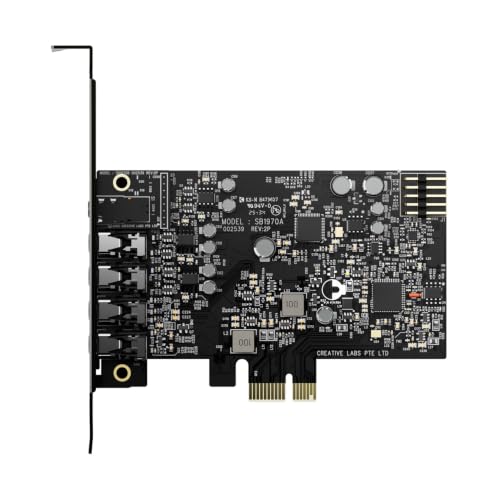
| 3 | GLOTRENDS ST113 PCIe sound card | Check on Amazon |
| 4 | ESI Juli@ eX PCIe audio card | Check on Amazon |
| 5 | Creative Sound Blaster Audigy FX V2 sound card | Check on Amazon |
| 6 | Creative Sound Blaster X4 USB DAC | Check on Amazon |
How the picks were chosen for the best non-gaming sound cards
Every card below started as a listing returned by the reviewstook.com product lookup, and every listing was checked the same way. First, the title had to name the exact brand and the exact model, including every number and letter, because a Creative Audigy FX V2 is not a Creative Audigy Fx Pro, and an ESI Juli@ eX is not an ESI Maya. Second, the title had to describe the card for music, recording, or Hi-Fi use, not for gaming, because gaming cards are a different product, and they were left out. Third, the listing had to be a new product, not a used or renewed one, since a used card can arrive with worn connectors or missing software.
The cards were also checked for the numbers that decide the sound. Resolution matters most: the Creative AE-X states 32-bit and 384kHz, the ESI Juli@ eX states 32-bit and 192kHz, and the Creative Audigy FX V2 states 24-bit and 192kHz with a 120dB DNR DAC, and those numbers decide how faithfully the card plays high-resolution music. The DAC chip matters next: the GLOTRENDS ST113 states its ESS SABRE32 ES9018K2M DAC plainly, which is a respected Hi-Fi chip. Recording inputs matter for studio use: the ESI Juli@ eX has 4 inputs and outputs, while the other cards are playback only.
One more check shaped the list: the card must be a sound card, not an accessory. Listings for cables, adapters, and replacement parts were left out, because a buyer needs the card itself. The six cards below are all complete sound cards, sold as new listings, with the model and the audio figures stated in the title.
What a non-gaming sound card is, and who should buy one
A non-gaming sound card is a dedicated audio card for a PC, built for music listening, film watching, voice work, or recording, rather than for gaming. It sits in a PCIe slot inside a desktop PC, or plugs into a USB port as an external DAC, and it replaces the audio built into the motherboard with cleaner, higher-resolution sound. Its features are aimed at reproduction: high bit depth, high sample rate, a good DAC chip, and quiet circuitry.
A non-gaming sound card suits a desktop PC used for music, a home studio used for recording, a podcaster who needs clean voice, and a film watcher who wants surround sound without gaming effects. It is the right choice when the onboard sound hisses, when high-resolution music files deserve better than a motherboard output, or when a microphone and an instrument need recording inputs. It is not the right choice for a buyer who only plays games, because gaming cards are built for that job, and their features are wasted on music.
The six cards in this guide cover the main needs. The Creative AE-X is the high-resolution pick for music. The Creative Audigy Fx Pro is the clean-audio upgrade pick. The GLOTRENDS ST113 is the audiophile-value pick with a respected DAC. The ESI Juli@ eX is the recording pick, with inputs as well as outputs. The Creative Audigy FX V2 is the budget pick. The Creative Sound Blaster X4 is the external pick, for laptops and desktops with no free slot.
What makes a good non-gaming sound card
Resolution is the first test, and it is measured in bit depth and sample rate. A card with 24-bit and 192kHz playback, like the Creative Audigy FX V2, plays high-resolution music at higher quality than a CD. A card with 32-bit and 384kHz, like the Creative AE-X, plays it at higher quality still. The numbers in this guide come from the listing titles, so they can be compared directly, and a buyer should match the resolution to the music files actually owned, not to the highest number available.
The DAC chip is the second test. The DAC turns digital files into the analogue signal that headphones and speakers play, and a good DAC sounds cleaner than a cheap one. The GLOTRENDS ST113 states its ESS SABRE32 ES9018K2M DAC plainly, and the Creative Audigy FX V2 states a 120dB DNR DAC, which means a very low noise floor. A card that states its DAC is a card that can be judged, while a card that hides it cannot.
Inputs and outputs decide the rest. A card for listening only needs an output for headphones or speakers, while a card for recording needs inputs for a microphone or an instrument. The ESI Juli@ eX has 4 inputs and outputs, which suits a home studio, while the other cards in this guide are playback only. Check the connections before buying, because a card with no input cannot record, and a card with no headphone amplifier may not drive large headphones well.
Quick picks at a glance
| Sound card | Interface and resolution | Use | Best for |
|---|---|---|---|
| Creative Sound Blaster AE-X | PCIe, 32-bit/384kHz | Hi-Res music, desktop app | High-resolution pick |
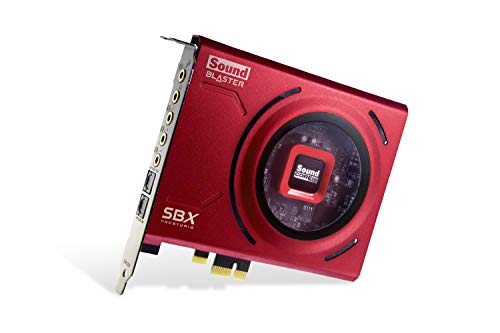
| Creative Audigy Fx Pro | PCIe, Hi-Res audio | Surround, clean audio | Upgrade pick |
| GLOTRENDS ST113 | PCIe, ES9018K2M DAC | Hi-Fi, optical output | Audiophile-value pick |
| ESI Juli@ eX | PCIe, 32-bit/192kHz | 4 in/out, recording | Recording pick |
| Creative Audigy FX V2 | PCI-E, 24-bit/192kHz | 120dB DNR DAC | Budget pick |
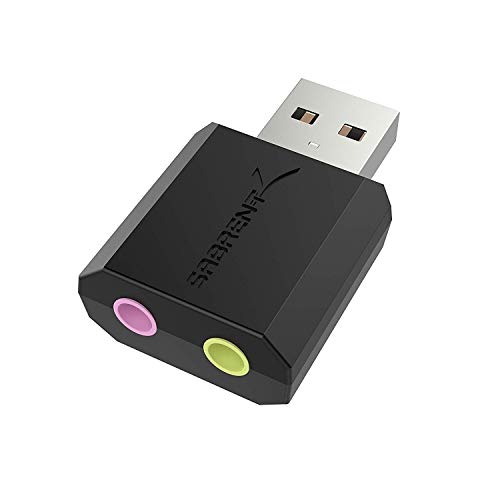
| Creative Sound Blaster X4 | USB DAC, 7.1 surround | Headphone amp, Dolby | External pick |
The best non-gaming sound cards


Creative Sound Blaster AE-X Hi-Res PCIe Sound Card
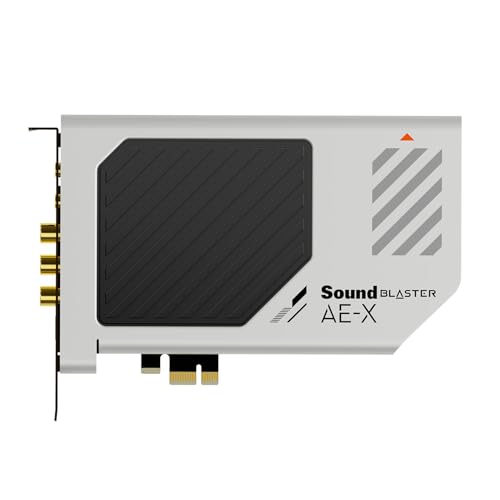
The Creative Sound Blaster AE-X is the high-resolution PCIe sound card in this guide, and it is the card for a listener who wants music to sound like music. It is a Hi-Res PCIe sound card for PC, with 32-bit and 384kHz audio, Hi-Res audio support, and a desktop app for control. That resolution is far above what a CD carries, and it means the card can play high-resolution music files at their full quality, instead of downsampling them to fit an ordinary output.
The AE-X suits a desktop PC used for music listening, and a buyer who wants a proper internal sound card rather than a USB adapter. Its PCIe slot keeps the audio hardware inside the case, away from the noise of a crowded desk, and its desktop app puts the volume, the equaliser, and the output settings in one place. It is the pick for a music-first PC.
Key specs:
- Creative Sound Blaster AE-X
- Hi-Res PCIe sound card for PC
- 32-bit/384kHz audio
- Hi-Res audio, desktop app support
- Internal PCIe card
Strengths:
- 32-bit/384kHz audio plays high-resolution music at full quality
- Internal PCIe card keeps audio hardware inside the case
- Desktop app puts settings in one place
Trade-offs:
- Needs a free PCIe slot and a desktop PC
- No built-in headphone amplifier figure stated in the title
- Music first, so buyers who want gaming extras should look elsewhere
The AE-X fits a desktop PC used for music listening, and a buyer who wants high-resolution audio inside the case. It is the pick for a music-first PC.
Best for: music listening on a desktop PC at high resolution. Not suited for: a laptop with no PCIe slot, or a buyer who wants a portable USB sound card.
Check price on Amazon: Creative Sound Blaster AE-X PCIe sound card


Creative Sound Blaster Audigy Fx Pro Hi-Res PCIe Sound Card
The Creative Sound Blaster Audigy Fx Pro is the clean-audio upgrade card in this guide. It is a Hi-Res PCIe sound card with Hi-Res audio, surround sound, and clean audio for a PC upgrade, which means it is made for a desktop whose onboard sound is noisy, flat, or simply tired. A dedicated card takes the audio work off the motherboard, and the difference shows up as cleaner voices, clearer instruments, and less background hiss.
The Audigy Fx Pro suits a desktop PC that needs better sound for music and films, and a buyer who wants a simple upgrade without a studio budget. Its surround sound support suits films as well as music, and its PCIe slot keeps it inside the case. It is the pick for a PC whose sound needs fixing.
Key specs:
- Creative Sound Blaster Audigy Fx Pro
- Hi-Res PCIe sound card
- Hi-Res audio, surround sound
- Clean audio, PC upgrade
- Internal PCIe card
Strengths:
- Clean audio replaces noisy onboard sound
- Surround sound suits films as well as music
- Simple PCIe upgrade with no external box
Trade-offs:
- Needs a free PCIe slot and a desktop PC
- No bit depth figure stated in the short title
- No external volume control or headphone amp stated
The Audigy Fx Pro fits a desktop PC with noisy onboard sound, and a buyer who wants better music and films on a budget. It is the pick for a PC whose sound needs fixing.
Best for: upgrading a desktop PC from noisy onboard audio. Not suited for: a laptop with no PCIe slot, or a buyer who needs recording inputs.
Check price on Amazon: Creative Sound Blaster Audigy Fx Pro sound card


GLOTRENDS ST113 PCIe Sound Card with ES9018K2M DAC
The GLOTRENDS ST113 is the audiophile-value card in this guide, and it is the card for a listener who knows what a DAC is. It is a PCIe sound card with an ESS SABRE32 ES9018K2M DAC, Hi-Fi audio for PC, a driver-free setup, and an isolated optical output for clean, noise-free Hi-Fi audio. The ES9018K2M is a respected DAC chip, and the isolated optical output keeps the digital signal away from the electrical noise inside a PC case, which is where cheaper cards pick up hiss.
The ST113 suits a desktop PC used for serious music listening, and a buyer who wants Hi-Fi sound without a studio budget. Its driver-free setup means it works without installing software, and its optical output feeds a separate amplifier or powered speakers with a clean digital signal. It is the pick for a listener who wants the DAC to do the talking.
Key specs:
- GLOTRENDS ST113
- PCIe sound card, ES9018K2M DAC
- ESS SABRE32 DAC, Hi-Fi audio
- Driver-free setup
- Isolated optical output
Strengths:
- ES9018K2M DAC is a respected Hi-Fi chip
- Isolated optical output keeps the signal free of case noise
- Driver-free setup works without installing software
Trade-offs:
- Needs a free PCIe slot and a desktop PC
- A lesser-known brand than Creative or ASUS
- Optical output needs an amplifier or speakers with optical input
The ST113 fits a desktop PC used for serious music listening, and a buyer who wants Hi-Fi sound on a budget. It is the pick for a listener who wants the DAC to do the talking.
Best for: Hi-Fi music listening on a desktop PC. Not suited for: a laptop with no PCIe slot, or a buyer who wants a card from a big-name brand.
Check price on Amazon: GLOTRENDS ST113 PCIe sound card

ESI Juli@ eX 32-bit 192kHz PCIe Audio Card
The ESI Juli@ eX is the recording card in this guide, and it is the card for a buyer who needs inputs as well as outputs. It is a 32-bit 192kHz PCIe audio card with 4 inputs and outputs for audio, which means it can take sound in from a microphone or an instrument and send sound out to speakers or headphones, at studio quality. Most sound cards in this guide only play sound out, while the Juli@ eX is built to record as well.
The Juli@ eX suits a home studio, a podcaster, and a musician who records on a desktop PC. Its 32-bit and 192kHz resolution captures recordings at high quality, and its four inputs and outputs give room for a microphone, an instrument, and a pair of monitors at once. It is the pick for a PC that records, not just plays.
Key specs:
- ESI Juli@ eX
- 32-bit 192kHz PCIe audio card
- 4 inputs/outputs for audio
- Studio-quality recording and playback
- Internal PCIe card
Strengths:
- 4 inputs and outputs for recording as well as playback
- 32-bit/192kHz resolution captures recordings at high quality
- Built for studio work, not just listening
Trade-offs:
- Needs a free PCIe slot and a desktop PC
- Studio features need studio software to use well
- No headphone amplifier figure stated in the title
The Juli@ eX fits a home studio, a podcaster, and a musician who records on a desktop PC. It is the pick for a PC that records, not just plays.
Best for: home recording and podcasting on a desktop PC. Not suited for: a buyer who only listens to music, or a laptop with no PCIe slot.
Check price on Amazon: ESI Juli@ eX PCIe audio card

Creative Sound Blaster Audigy FX V2 PCIe Sound Card
The Creative Sound Blaster Audigy FX V2 is the budget high-resolution card in this guide. It is a PCI-E sound card with up to 24-bit and 192kHz high-resolution playback and a 120dB DNR DAC, model SB-AFXV2, which means it plays music at higher quality than a CD, with a very low noise floor. The 120dB dynamic range figure is the number to watch: it means the quiet parts of a recording stay quiet, and the loud parts stay clean, without hiss filling the gaps.
The Audigy FX V2 suits a desktop PC that needs a cheap but real upgrade from onboard sound, and a buyer who listens to music and watches films. Its 24-bit and 192kHz playback suits high-resolution music files, and its PCI-E slot keeps it inside the case. It is the pick for a first sound card.
Key specs:
- Creative Sound Blaster Audigy FX V2
- PCI-E sound card, SB-AFXV2
- Up to 24-bit/192kHz playback
- 120dB DNR DAC
- High-resolution playback
Strengths:
- 24-bit/192kHz playback suits high-resolution music
- 120dB DNR DAC keeps the noise floor very low
- Budget card with a real upgrade over onboard sound
Trade-offs:
- Needs a free PCI-E slot and a desktop PC
- No recording inputs stated in the title
- No external controls or headphone amp stated
The Audigy FX V2 fits a desktop PC that needs a cheap but real upgrade, and a buyer who listens to music and watches films. It is the pick for a first sound card.
Best for: a first sound card on a budget. Not suited for: a laptop with no PCI-E slot, or a buyer who needs recording inputs.
Check price on Amazon: Creative Sound Blaster Audigy FX V2 sound card
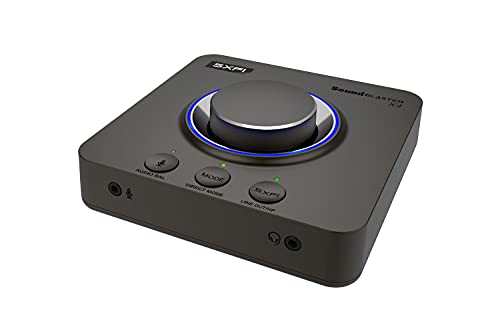
Creative Sound Blaster X4 External USB DAC and Headphone Amp
The Creative Sound Blaster X4 is the external card in this guide, and it is the sound card for a PC with no free slot. It is an external USB DAC and headphone amp with 7.1 surround, Dolby Audio, multi-device support, and audio control, which means it plugs into a USB port and gives a laptop or a desktop better sound, a headphone amplifier, and surround sound for films, without opening the case. Its multi-device support means it can switch between a PC, a console, and a phone, which suits a desk with more than one device.
The X4 suits a laptop that needs better sound, a desktop with no free PCIe slot, and a buyer who wants a headphone amplifier as well as a sound card. Its USB connection makes it portable between machines, and its 7.1 surround and Dolby Audio suit films as well as music. It is the pick for a sound card that moves with the buyer.
Key specs:
- Creative Sound Blaster X4
- External USB DAC and headphone amp
- 7.1 surround, Dolby Audio
- Multi-device, audio control
- USB Audio, no PCIe slot needed
Strengths:
- USB connection works with laptops and desktops alike
- Built-in headphone amp drives headphones properly
- 7.1 surround and Dolby Audio suit films
Trade-offs:
- An external box takes desk space
- Needs a USB port and a cable
- No recording inputs stated in the title
The X4 fits a laptop that needs better sound, and a desk with more than one device. It is the pick for a sound card that moves with the buyer.
Best for: laptops and desks that need USB sound with a headphone amp. Not suited for: a buyer who wants an internal card, or a buyer who needs recording inputs.
Check price on Amazon: Creative Sound Blaster X4 USB DAC
Buying guide for the best non-gaming sound cards
Internal PCIe or external USB: check the computer first
An internal PCIe card needs a free PCIe slot in a desktop PC, so open the case or check the manual before ordering. The Creative AE-X, the Creative Audigy Fx Pro, the GLOTRENDS ST113, the ESI Juli@ eX, and the Creative Audigy FX V2 are all internal cards, and they do not fit a laptop. A laptop buyer needs the Creative Sound Blaster X4, which plugs into USB and works with laptops and desktops alike.
Also check the slot size. Most PCIe sound cards fit a standard PCIe x1 slot, but a small form factor PC may have no free slot at all, and a graphics card may block the slot next to it. Measure the space, and check the card length in the listing, because a card that does not fit is a return.
Match the resolution to the music owned
A card with 32-bit and 384kHz playback, like the Creative AE-X, is worth it for a buyer with high-resolution music files, and it is wasted on a buyer who only streams compressed audio. A card with 24-bit and 192kHz playback, like the Creative Audigy FX V2, is the sensible middle, and it plays high-resolution files well without the cost of the top card. Match the card to the files, not to the highest number on the box.
Also check the source. A high-resolution card cannot improve a low-quality stream, because the detail was lost when the file was compressed. Buy the card for the best files owned, and use a music service or files that actually carry high-resolution audio, or the card will sound no better than the onboard audio it replaces.
Headphones: check the amplifier
A sound card with a headphone amplifier drives large headphones properly, while a card without one may sound quiet or thin through the same headphones. The Creative Sound Blaster X4 states its headphone amplifier plainly, which is why it is the external pick for headphone listeners. The internal cards in this guide do not state a headphone amplifier figure in their titles, so a buyer with large, high-impedance headphones should check the listing for the amplifier before ordering.
Also check the headphone jack. Most sound cards use a standard 3.5mm jack, and a buyer with a balanced headphone cable may need an adapter. Check the connections in the listing, and buy the adapter with the card, because a card that cannot connect to the headphones owned is useless.
Recording: buy inputs, not just outputs
A card for recording needs inputs, and most sound cards in this guide are playback only. The ESI Juli@ eX is the exception, with 4 inputs and outputs for audio, which suits a microphone, an instrument, and a pair of monitors. A podcaster or musician who buys a playback-only card will find it cannot record, and the card will need replacing.
Also check the recording software. A studio card needs a digital audio workstation to record well, and the buyer should have the software ready before the card arrives. The ESI Juli@ eX is built for studio work, and its 32-bit and 192kHz resolution captures recordings at high quality, but only if the software is set to use it.
Drivers and software: check before ordering
A sound card needs drivers to work, and the buyer should check that drivers exist for the operating system used. The GLOTRENDS ST113 states a driver-free setup, which means it works without installing software, and that suits a buyer who wants no driver chores. The Creative cards use a desktop app for control, which suits a buyer who wants to adjust the equaliser and the output settings.
Check the operating system support in the listing before ordering, because a card with no driver for the system owned will not work at all. A card that worked on an older system may not work on the newest one, and the maker support page is the place to check.
Using and caring for a non-gaming sound card
Fit it carefully, and ground yourself first
Turn the PC off and unplug it before fitting an internal card, and touch the metal case first to discharge static, because static can damage a sound card. Push the card firmly into the PCIe slot until it clicks, and screw the bracket to the case, because a loose card can lose contact and crackle. Close the case before turning the PC on, and install the drivers after the card is fitted.
For an external USB card such as the Creative Sound Blaster X4, plug it into a USB port on the back of the PC, not a front hub, because a hub can add noise. Use the cable that came with the card, and keep the card away from power adapters and wireless chargers, because both can add hum.
Set the output once, and leave it alone
Set the sample rate and bit depth in the operating system to match the music files, and leave the settings alone after that. A card set to 24-bit and 192kHz plays high-resolution files well, and a card set to a low rate downsamples them. Check the settings after every driver update, because updates can reset them to a default.
Use the desktop app or the control panel to set the volume and the equaliser once, and do not adjust them for every track. A sound card sounds best when its settings are stable, and constant fiddling hides the real sound of the card. Set it, test it with a familiar track, and leave it.
Keep the drivers current, and the connectors clean
Check for driver updates now and then, because a new driver can fix crackling, dropouts, and compatibility problems. Download drivers from the maker support page, not from a random site, because a wrong driver can break the card. If the card crackles after an update, roll the driver back and try again.
Keep the headphone jack and the output connectors clean, and unplug headphones by the plug, not by the cable, because a bent jack causes crackling. A sound card lasts for years if its connectors are treated well, and it fails early if they are yanked.
Common mistakes when buying a non-gaming sound card
Buying a gaming card by accident
The most common mistake is buying a gaming sound card when the job is music. Gaming cards chase effects, footsteps, and chat, while music cards chase clean audio and high resolution, and the two are built differently. Read the listing title before buying, and check that it describes the card for music, recording, or Hi-Fi use, not for gaming. Every card in this guide is a non-gaming card, with the model and the audio figures stated in the title.
A related mistake is buying a card for its gaming features and then never using them. A buyer who listens to music should spend the money on resolution and a good DAC, not on gaming modes that stay switched off.
Buying an internal card for a laptop
A PCIe sound card does not fit a laptop, and a buyer who orders one for a laptop will have to return it. Check the computer before ordering: a desktop PC with a free PCIe slot takes an internal card, while a laptop needs an external USB card such as the Creative Sound Blaster X4. Do not buy first and measure later.
Also check the small form factor desktop. A small PC may have no free PCIe slot, and a graphics card may block the only slot. Open the case or check the manual, and buy the external card if there is no slot.
Expecting a card to fix bad files
A sound card cannot improve a low-quality music file, because the detail was lost when the file was compressed. Buyers who stream low-bitrate audio and expect a new card to make it sound like a studio recording will be disappointed. Buy the card for the best files owned, and use a music service or files that actually carry high-resolution audio.
A related mistake is blaming the card for bad speakers or headphones. A sound card can only sound as good as the headphones or speakers connected to it, and a cheap pair will hide the card quality. Upgrade the headphones or speakers first if they are the weak link.
Buying a used or renewed card
Sound cards are sometimes sold used or renewed, and a used card can arrive with worn connectors, missing software, or no driver support. Read the full listing title before buying, and do not buy a listing that describes the card as used or renewed. Every card in this guide is a new listing, with the exact model in the title.
Check the driver support when the card arrives, because a card with no driver for the current operating system will not work. Download the driver from the maker support page, and test the card with a familiar track before the return window closes.
Final recommendation
For most buyers, the Creative Sound Blaster Audigy FX V2 is the card to buy: it is a PCI-E card with 24-bit and 192kHz high-resolution playback and a 120dB DNR DAC, and it gives a real upgrade over onboard sound without a studio budget. It is the balanced choice for music and films on a desktop PC.
For high-resolution listening, the Creative AE-X is the strongest choice, with 32-bit and 384kHz audio and a desktop app. For audiophile value, the GLOTRENDS ST113 is the pick, with its ESS SABRE32 ES9018K2M DAC and isolated optical output. For recording, the ESI Juli@ eX is the only choice here, with 4 inputs and outputs at 32-bit and 192kHz. For a clean-audio upgrade, the Creative Audigy Fx Pro is the pick. For a laptop or a desk with no free slot, the Creative Sound Blaster X4 is the external pick, with a headphone amp and 7.1 surround. Any of the six cards in this guide is a sound buy for non-gaming audio, as long as it fits the computer and matches the use.
Before ordering, check the computer once more: a free PCIe slot for an internal card, or a USB port for the external card, and the operating system the drivers support. Those two checks decide more than any feature list, and they are the reason the same card can be perfect in one PC and useless in another. Buy the resolution for the files owned, the DAC for the ears owned, and the card whose listing title states the exact brand and model, and the PC will sound like it should have all along.
Related reading on Reviewstook: see our guides to the best 5.1 and 7.1 sound cards, the best PC sound card for beginners under 100, the best PC sound card under 100 for more on this topic.
Frequently asked questions about the best non-gaming sound cards
What is the difference between a gaming and a non-gaming sound card?
A gaming sound card is built around game effects, footsteps, and chat, while a non-gaming sound card is built around clean audio, high resolution, and honest reproduction for music, films, and recording. The cards in this guide are non-gaming cards, chosen for music and studio use.
Do I need a sound card if my motherboard has audio?
A motherboard has audio, but it is often noisy, because the audio circuits sit next to power circuits. A dedicated sound card takes the audio away from that noise, and the difference shows up as cleaner voices, clearer instruments, and a silent background. A buyer with good headphones or speakers will hear it.
Can I use an internal sound card in a laptop?
No. An internal PCIe sound card needs a free PCIe slot in a desktop PC, and it does not fit a laptop. A laptop buyer needs an external USB sound card such as the Creative Sound Blaster X4 in this guide, which plugs into USB and works with laptops and desktops alike.
What resolution should a sound card have for music?
A card with 24-bit and 192kHz playback, like the Creative Audigy FX V2, plays high-resolution music well, and a card with 32-bit and 384kHz, like the Creative AE-X, plays it at higher quality still. Match the card to the music files owned, because a high-resolution card cannot improve a low-quality file.
Which sound card is best for recording?
The ESI Juli@ eX in this guide, because it has 4 inputs and outputs for audio at 32-bit and 192kHz, while the other cards here are playback only. A podcaster or musician needs inputs for a microphone or an instrument, and a playback-only card cannot record.
Does a sound card improve the sound of streaming music?
It can, but only if the stream carries good quality audio. A sound card cannot restore detail that was lost when a file was compressed, so a low-bitrate stream will sound the same through any card. Use a music service or files that carry high-resolution audio to hear the card at its best.