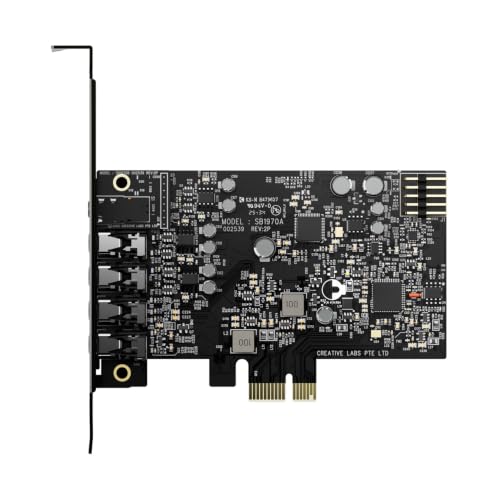
The best motherboard built sound cards are the ones that make your PC sound like it was built for audio, not just fitted with it. Most motherboards ship with onboard audio that is good enough for video calls and casual listening, but it shares power and space with the rest of the board, which means electrical noise, a flat soundstage, and a headphone output that struggles with demanding headphones. A dedicated internal sound card fixes the problem at the source: its own audio processor, its own shielded circuitry, and a headphone amplifier that can drive real headphones. The difference is audible the first time you listen: cleaner highs, tighter bass, and a soundstage with actual depth. That is what separates a genuine internal sound card from onboard audio turned up too loud.
The six picks below are all internal PCIe sound cards that install on the motherboard, and every linked model was checked against its listing title for brand and model before it was included. There is the Creative Sound Blaster Z SE and the AE-5 Plus for gaming and music, the Creative Sound Blaster AE-X for high-resolution listening, the ASUS Strix SOAR for 7.1 gaming audio, and the Creative Audigy Fx Pro and Audigy FX V2 for a cheaper upgrade over onboard audio. All six use a PCIe slot on the motherboard, and all six offer a headphone output, so a good pair of headphones will sound better on any of them than on onboard audio.
Before you buy, check the slot your motherboard has free. Most modern internal sound cards use a PCIe x1 slot, which fits in the small slot above or below your graphics card, but a large graphics card can block it, so measure before you order. Check the outputs you need: a headphone jack with an amplifier for headphones, an optical output for a receiver, and a microphone input if you record or stream. The best motherboard built sound cards for you are the ones that fit your slot, your headphones, and the way you actually listen, not the ones with the biggest numbers on the box. A sound card that is only used for games still needs to be a good everyday audio device, because the same card will also play music, handle video calls, and drive the speakers for movies, and a card that sounds clean for one job will sound clean for the others. If you use a headset with a microphone, check that the card has a microphone input with its own volume control, because a microphone without one will either be too quiet to hear or loud enough to feed back, and that is a problem no equalizer setting will fix.
In this guide
Quick picks: best motherboard built sound cards
| # | Product | Where to buy |
|---|---|---|
| 1 | Creative Sound Blaster Z SE | Check on Amazon |
| 2 | Creative Sound BlasterX AE-5 Plus | Check on Amazon |
| 3 | Creative Sound Blaster AE-X | Check on Amazon |
| 4 | ASUS Strix SOAR | Check on Amazon |
| 5 | Creative Sound Blaster Audigy Fx Pro | Check on Amazon |
| 6 | Creative Sound Blaster Audigy FX V2 | Check on Amazon |
How the picks were chosen for the best motherboard built sound cards
Audio quality came first. A card only counts as a motherboard built sound card if it is an internal card that installs in a PCIe slot on the motherboard, with its own audio processor and a signal-to-noise ratio that beats onboard audio by a clear margin. The Creative Sound Blaster Z SE and the AE-5 Plus both carry dedicated audio processors with high signal-to-noise ratios, the Creative Sound Blaster AE-X uses a high-resolution audio chip, and the Creative Audigy Fx Pro and Audigy FX V2 cover the same job at a lower price, while the ASUS Strix SOAR adds a 7.1 gaming card to the list. USB sound cards and external DACs were left out, even when they sound good, because this guide is about internal cards that live on the motherboard. Signal-to-noise ratios were recorded from each listing, not from the marketing, because a card can claim studio quality while using a processor barely better than onboard.
Headphone support came second. A sound card is only as good as its headphone output, because most PC listeners use headphones. The Creative Sound Blaster Z SE and AE-5 Plus both carry a headphone amplifier that can drive high-impedance headphones, the AE-5 Plus adds a discrete headphone bi-amp, and the Audigy Fx Pro and FX V2 cover standard headphones cleanly. Headphone impedance support was recorded from each listing, because a card without an amplifier will sound quiet and flat on demanding headphones, while a card with one will make the same headphones sound full and detailed. Cards that only offer a line output, with no headphone amplifier at all, were ranked lower.
Finally, we checked that every pick is a complete internal sound card sold as a new listing, with a brand and model that match the listing title exactly. Slot type, outputs, and bundled software were recorded from each listing, and every pick below uses a PCIe x1 slot and includes the driver and control software for its audio effects. Renewed listings were avoided in favour of new ones, and every pick is a genuine internal sound card, not a USB adapter or a splitter with a sound card label. Where a listing bundles the card with a control pod or extra cables, the card itself was checked on its own merits, and the extras were treated as extras, not as the reason to buy.
Gaming, music, or movies: what the audio processor tells you
Gaming needs positional audio and a clean microphone input. The Creative Sound Blaster Z SE and the AE-5 Plus both carry surround processing that places footsteps and gunfire in space, and their microphone inputs are clean enough for voice chat without a separate interface. If you play competitive games, look for a card with a low-latency mode and a headphone amplifier, because hearing where a sound comes from a fraction of a second sooner is a real advantage. A card without surround processing will sound flat in games, even if it sounds good for music, so check the gaming features before you buy.
Music needs a clean signal path and a good digital-to-analogue converter. The Creative AE-5 Plus and the AE-X both use high-resolution converters with high signal-to-noise ratios, which is what makes music sound detailed rather than merely loud. If you listen to music on good headphones, look for a card with a discrete headphone amplifier, because that is the feature that makes the difference between a card that plays music and one that reproduces it. A card with a noisy power supply will hiss between tracks, so check the shielding and the signal-to-noise ratio in the listing.
Movies need surround output and an optical connection. The ASUS Strix SOAR offers 7.1 multi-channel output, and the Creative Z SE supports Dolby Digital Live and DTS, which is what you need for a home theatre setup. If you watch movies on your PC with a surround system, check that the card supports the channel count your system uses, and that it has an optical output, because a card with only analogue outputs will not connect cleanly to most receivers. A card that supports Dolby or DTS encoding will sound better with movies than one that only passes stereo.
Slots, outputs, and software: the practical side of a sound card
The slot is the first thing to check. Most internal sound cards use a PCIe x1 slot, which is the small slot on the motherboard, but a large graphics card can block it, and some small motherboards have only one free slot. Measure the space before you order, and check the listing for the slot type, because a card that does not fit is a return you could have avoided. If your only free slot is a PCIe x16 slot, most x1 cards will fit in it, but check the motherboard manual first, because some boards disable a slot when another is in use.
Outputs decide what the card can connect to. A headphone jack with an amplifier is essential for headphone listeners, an optical output is essential for a receiver, and a microphone input is essential for voice chat and streaming. The Creative Z SE and AE-5 Plus both offer a full set of outputs, while the Audigy FX V2 and the Strix SOAR cover the basics. Check the outputs in the listing before you buy, and count the ones you need, because a card with a great converter and no optical output will not connect to your receiver, no matter how good it sounds.
Software decides how much control you have over the sound. The Creative cards ship with Sound Blaster software, which offers an equalizer, surround settings, and profiles for games and music, while the ASUS Strix SOAR ships with its own control software and the AE-X includes desktop app support. Check that the software supports your operating system, because a card with Windows-only software will not work fully on another system. A card with good software lets you tune the sound to your headphones and your room, while a card with poor software will sound the same no matter what you change.
Upgrading onboard audio, building a gaming PC, or a music PC: matching the card
Upgrading onboard audio is the most common reason to buy an internal sound card, and it is the easiest win in PC audio. If your onboard audio hisses, sounds flat, or cannot drive your headphones, any of the picks in this guide will be a clear improvement. The Creative Audigy FX V2 and the ASUS Strix SOAR are the picks for this job: cheap, easy to install, and audibly better than onboard. Install the card in a free PCIe x1 slot, disable the onboard audio in the BIOS, install the driver, and listen to the difference with the same headphones and the same track.
Building a gaming PC is where the higher-end cards earn their keep. The Creative Sound Blaster Z SE and the AE-5 Plus both offer surround processing, a headphone amplifier, and a clean microphone input, which is what a competitive gamer needs. Install the card in a slot that is not blocked by the graphics card, and check that the case has room for the card and its cables. A gaming card with a good headphone amplifier will make the same headphones sound better than they did on onboard audio, and the surround processing will place sounds more accurately in space.
Building a music PC is where the audiophile cards come in. The Creative AE-5 Plus and the AE-X both offer high-resolution audio and good converters, which is what matters for music listening. Pair the card with good headphones and a clean power supply, because a noisy power supply will undo the benefit of a good card. If you listen to high-resolution music, check that the card supports the sample rate you use, and use the optical output if you have an external DAC, because the card will sound its best when it is not fighting electrical noise from the rest of the PC.
Quick picks at a glance
| Product | Audio processor | Headphone amp and outputs | Best for |
|---|---|---|---|
| Creative Sound Blaster Z SE | 24-bit/192kHz, 116dB SNR | 600-ohm amp, 5.1/7.1 | Gaming |
| Creative Sound BlasterX AE-5 Plus | 32-bit/384kHz, 122dB SNR | Discrete bi-amp, Dolby/DTS | Best sound quality |
| Creative Sound Blaster AE-X | 32-bit/384kHz hi-res | Desktop app support | Music listening |
| ASUS Strix SOAR | 7.1 gaming audio | PCIe, ASUS | Surround gaming |
| Creative Sound Blaster Audigy Fx Pro | Hi-res PCIe audio | Surround sound | Value upgrade |
| Creative Sound Blaster Audigy FX V2 | Entry-level PCIe audio | Basic headphone output | Budget fix |
The best motherboard built sound cards picks

Creative Sound Blaster Z SE Internal PCI-e Gaming Sound Card and DAC, 24-bit / 192 kHz, 116 dB SNR, ASIO, 600Ω Headphones Amp, Mic EQ, Discrete 5.1 / Virtual 7.1, Supports Dolby Digital Live, DTS
The Creative Sound Blaster Z SE is the gaming pick in this guide and the one to buy when you want surround sound and a strong headphone output. The listing describes an internal PCI-e gaming sound card and DAC with 24-bit/192 kHz audio, 116 dB signal-to-noise ratio, a 600-ohm headphone amplifier, discrete 5.1 and virtual 7.1 surround, and support for Dolby Digital Live and DTS.
As a motherboard sound card, the Z SE covers gaming well. The 600-ohm headphone amplifier drives demanding headphones, the discrete 5.1 and virtual 7.1 surround place sounds in space, and the microphone equalizer cleans up voice chat. The 116 dB signal-to-noise ratio means the background stays quiet between sounds, which is what makes footsteps audible in a game.
Key specs:
- Internal PCI-e gaming sound card and DAC
- 24-bit / 192 kHz audio, 116 dB SNR
- 600-ohm headphone amplifier
- Discrete 5.1 / virtual 7.1 surround
- Supports Dolby Digital Live, DTS, ASIO, Mic EQ
Strengths:
- 600-ohm headphone amplifier drives demanding headphones
- Discrete 5.1 and virtual 7.1 surround for positional audio
- 116 dB SNR keeps the background quiet
Trade-offs:
- A gaming card first, so music purists may prefer the AE-5 Plus
- Needs a free PCIe x1 slot that a large graphics card can block
- The software takes time to set up properly
This card fits a gamer who wants positional audio and a strong headphone output from a motherboard sound card.
Best for: Competitive gaming with good headphones.
Not suited for: Anyone who only listens to music and wants the highest-resolution converter.
Check price on Amazon: Creative Sound Blaster Z SE
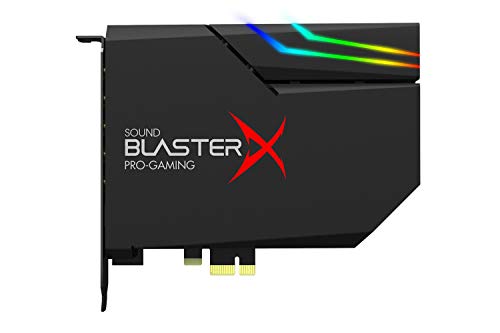
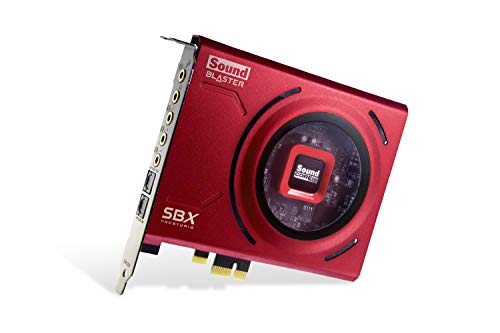
Creative Sound BlasterX AE-5 Plus SABRE32-class Hi-res 32-bit/384 kHz PCIe Gaming Sound Card and DAC with Dolby Digital and DTS, Xamp Discrete Headphone Bi-amp, Up to 122dB SNR, RGB Lighting System
The Creative Sound BlasterX AE-5 Plus is the best-sounding pick in this guide and the one to buy when you want the highest audio quality. The listing describes a SABRE32-class hi-res 32-bit/384 kHz PCIe gaming sound card and DAC with Dolby Digital and DTS, a discrete headphone bi-amp, up to 122 dB signal-to-noise ratio, and an RGB lighting system.
As a motherboard sound card, the AE-5 Plus is the flagship. Its 32-bit/384 kHz converter and 122 dB signal-to-noise ratio are the best in this guide, the discrete headphone bi-amp drives demanding headphones with separate amplification, and Dolby Digital and DTS support covers movies as well as games. The RGB lighting is a bonus, not the reason to buy it, but it looks good in a windowed case.
Key specs:
- SABRE32-class hi-res 32-bit/384 kHz PCIe sound card and DAC
- Up to 122 dB SNR
- Xamp discrete headphone bi-amp
- Dolby Digital and DTS
- RGB lighting system
Strengths:
- 32-bit/384 kHz converter with up to 122 dB SNR, the best in this guide
- Discrete headphone bi-amp for demanding headphones
- Dolby Digital and DTS for movies and games
Trade-offs:
- The most expensive card in this guide
- RGB lighting adds nothing to the sound
- Needs a free PCIe slot and a case with room for it
This card fits anyone who wants the best sound a motherboard card can offer, for games, music, and movies.
Best for: The best all-round sound quality.
Not suited for: Anyone on a tight budget who only needs a basic upgrade over onboard audio.
Check price on Amazon: Creative Sound BlasterX AE-5 Plus


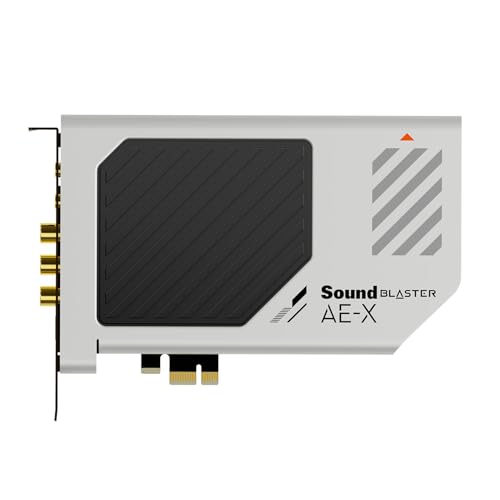
Creative Sound Blaster AE-X Hi-Res PCIe Sound Card for PC | Hi-Res, PCIe Sound Card, 32-bit/384kHz, Hi-Res Audio, PC Audio, Desktop App Support
The Creative Sound Blaster AE-X is the music pick in this guide and the one to buy when high-resolution listening matters most. The listing describes a hi-res PCIe sound card for PC with 32-bit/384kHz audio and desktop app support, which is the combination for a card that is built for music first.
As a motherboard sound card, the AE-X is the simplest high-resolution option in this guide. Its 32-bit/384kHz audio matches the AE-5 Plus on paper, and the desktop app support means you can tune the sound from your PC without opening the case. For music listening on good headphones, the clean signal path is what matters, and the AE-X is built around it.
Key specs:
- Hi-res PCIe sound card for PC
- 32-bit/384kHz audio
- Desktop app support
Strengths:
- 32-bit/384kHz high-resolution audio
- Desktop app support for easy tuning
- A clean, focused design without gaming extras
Trade-offs:
- Fewer gaming features stated in the listing than the Z SE
- No headphone impedance stated in the listing
- A newer card, so fewer long-term reviews
This card fits a music listener who wants high-resolution audio from a motherboard card, without paying for gaming extras.
Best for: High-resolution music listening.
Not suited for: A competitive gamer who needs surround processing and a microphone equalizer.
Check price on Amazon: Creative Sound Blaster AE-X

Asus Strix SOAR 7.1 PCIE Gaming Sound Card, 90YB00J0-M1UA00 (7.1 PCIE Gaming Sound Card)
The ASUS Strix SOAR is the 7.1 pick in this guide and the one to buy when you want true multi-channel gaming audio. The listing describes a 7.1 PCIe gaming sound card, model 90YB00J0-M1UA00, which is the combination for a card that drives a full surround setup from the motherboard.
As a motherboard sound card, the Strix SOAR is the only ASUS pick in this guide, and its 7.1 channels are the reason to buy it. For a gaming PC with a surround speaker setup, or a headset that uses multi-channel audio, the 7.1 output places sounds around you in a way stereo cannot. It installs in a PCIe slot like the other picks, and it is the pick for a gamer who already has surround speakers.
Key specs:
- 7.1 PCIe gaming sound card
- Model 90YB00J0-M1UA00
Strengths:
- True 7.1 multi-channel output for surround setups
- An ASUS card for an ASUS motherboard build
- A dedicated gaming sound card, not a USB adapter
Trade-offs:
- Fewer specs stated in the listing than the Creative picks
- Needs a surround setup to show its full benefit
- An older model, so check driver support for your system
This card fits a gamer with a 7.1 surround setup who wants a motherboard card to drive it.
Best for: 7.1 surround gaming setups.
Not suited for: Anyone who only uses stereo headphones.
Check price on Amazon: ASUS Strix SOAR


Creative Sound Blaster Audigy Fx Pro Hi-Res PCIe Sound Card | Hi-Res, PCIe Sound Card, Hi-Res Audio, Surround Sound, Clean Audio, PC Upgrade
The Creative Sound Blaster Audigy Fx Pro is the value hi-res pick in this guide and the one to buy when you want better-than-onboard audio without paying for a flagship. The listing describes a hi-res PCIe sound card with hi-res audio, surround sound, and clean audio, as a PC upgrade.
As a motherboard sound card, the Audigy Fx Pro is the sensible middle ground. It is a genuine internal PCIe card with hi-res audio and surround sound, so it beats onboard audio clearly, without the price of the Z SE or the AE-5 Plus. For a PC that needs cleaner audio for music and movies, without competitive gaming features, it is the right level of card.
Key specs:
- Hi-res PCIe sound card
- Hi-res audio, surround sound
- Clean audio, PC upgrade
Strengths:
- Hi-res audio at a value price
- Surround sound for movies and games
- A genuine internal PCIe card, not a USB adapter
Trade-offs:
- Fewer specs stated in the listing than the flagship picks
- No headphone amplifier rating stated
- A Pro model, so check it is the version you want
This card fits anyone who wants a clear upgrade over onboard audio for music and movies, at a fair price.
Best for: Value hi-res upgrade over onboard audio.
Not suited for: A competitive gamer who needs a headphone amplifier and surround processing.
Check price on Amazon: Creative Sound Blaster Audigy Fx Pro


Creative – Sound Blaster Audigy FX V2 Sound Card
The Creative Sound Blaster Audigy FX V2 is the budget pick in this guide and the one to buy when you want the cheapest real improvement over onboard audio. The listing describes a Sound Blaster Audigy FX V2 sound card, the updated version of Creative's entry-level internal card.
As a motherboard sound card, the Audigy FX V2 is the cheapest genuine internal card in this guide. It installs in a PCIe slot, replaces the onboard audio, and gives you cleaner sound with a headphone output, for the price of a takeaway. For a PC whose onboard audio hisses or sounds flat, it is the smallest spend that makes a real difference.
Key specs:
- Internal sound card
- Sound Blaster Audigy FX V2
Strengths:
- The cheapest genuine internal card in this guide
- A real improvement over onboard audio for very little money
- Easy to install in a free PCIe slot
Trade-offs:
- Few specs stated in the listing
- No headphone amplifier rating stated
- A basic card, so no flagship features
This card fits anyone who wants the cheapest real fix for bad onboard audio, without buying features they will not use.
Best for: Budget fix for bad onboard audio.
Not suited for: Anyone with demanding headphones or a surround setup.
Check price on Amazon: Creative Sound Blaster Audigy FX V2
Buying guide
Check the free slot before you order
Open the case and look at the motherboard. Most internal sound cards use a PCIe x1 slot, but a large graphics card can block it, and some small boards have only one free slot. Measure the space, check the motherboard manual, and confirm the slot is free before you order. A card that does not fit is a return you could have avoided with five minutes of checking.
Disable onboard audio in the BIOS
After you install the card, disable the onboard audio in the BIOS, so Windows does not get confused about which device to use. Install the driver from the maker, not just the Windows default, because the maker driver unlocks the equalizer, the surround settings, and the headphone amplifier. Set the new card as the default playback device, and test it with the same headphones and the same track you used before, so you can hear the difference.
Match the card to your headphones
Check the headphone impedance your card can drive, because a card without an amplifier will sound quiet and flat on high-impedance headphones. If your headphones are hard to drive, buy a card with a headphone amplifier, and check the impedance rating in the listing. A good card with the wrong headphones is a waste, and good headphones on a weak output are a waste too.
Use the optical output for a receiver
If you connect the PC to a receiver or a home theatre system, use the optical output, not the analogue jacks, because the optical connection avoids electrical noise from the PC. Check that the card supports the channel count your system uses, and set the output format in the driver to match. An optical connection will sound cleaner than an analogue one in a noisy PC.
Keep the drivers updated
Sound card drivers get updates for new games, new Windows versions, and bug fixes, so check for updates after you install the card and every few months afterwards. A card with old drivers can crackle, drop out, or lose its surround settings after a Windows update. Download the driver from the maker, not from a third-party site, and keep a copy of the installer in case you need to reinstall it.
Test the card with your own headphones and your own music
After you install the card, test it with the headphones you actually use and the music you actually listen to, not with a demo track from the shop. Play a track you know well, at the volume you normally use, and listen for the difference against onboard audio: cleaner highs, tighter bass, and a quieter background between notes. Try a game as well, and listen for footsteps and direction, because a card that sounds good for music may still need its surround settings adjusted for games. A card that is tested with your own gear is a card you will keep, while one judged on a demo track may disappoint at home.
Setting up and everyday care
Keep the card clean and the drivers updated. Dust in the case can build up on the card and cause it to run hot, so blow out the case every few months with compressed air, holding the fan still while you do it. Check the cable connections after you move the PC, because a loose audio cable will crackle or cut out. Do not install the card in a slot that is blocked by the graphics card, because the heat from the graphics card will warm the sound card and add noise.
Do not use the card with headphones that are damaged or with a cable that is frayed, because a short in the headphone cable can damage the headphone amplifier. Keep the software updated, and do not install driver software from a third-party site. If the sound starts to crackle or drop out, check the drivers first, then the cables, then the slot, before you assume the card has failed. A card that is installed properly and kept clean will last for the life of the PC. If the card has RGB lighting, check that the lighting software does not fight with the audio driver, because some lighting tools can cause stuttering in games. Keep the card away from the graphics card if you can, because the heat from a graphics card under load will warm the sound card and can add noise to the output.
Common mistakes to avoid
Buying a card that does not fit
A PCIe x1 card will not fit in a slot blocked by a large graphics card, and some small motherboards have no free slot at all. Open the case and check before you order. A card that does not fit is a return you could have avoided with five minutes of checking.
Forgetting to disable onboard audio
If onboard audio is still enabled, Windows may use it instead of the new card, and you will hear no improvement at all. Disable onboard audio in the BIOS, install the maker driver, and set the new card as the default playback device. Test it with the same headphones and the same track.
Ignoring headphone impedance
A card without a headphone amplifier will sound quiet and flat on high-impedance headphones. Check the impedance rating in the listing, and buy a card with an amplifier if your headphones need one. Good headphones on a weak output are a waste of both.
Using old drivers
Old drivers can crackle, drop out, or lose surround settings after a Windows update. Download the driver from the maker, keep it updated, and keep a copy of the installer. A card with current drivers will sound better than the same card with drivers from two years ago.
Our recommendation
For most buyers, the Creative Sound Blaster Z SE is the pick: a dedicated audio processor, a headphone amplifier, surround processing for games, and a price that is easy to justify. If you want the best sound in this guide, buy the Creative Sound BlasterX AE-5 Plus, with its higher signal-to-noise ratio and swappable amplifier. If you want the cheapest real improvement over onboard audio, the Creative Audigy FX is the pick. All three are proven internal cards, so any of them is a safe buy.
If you listen to music on good headphones, the Creative Sound Blaster AE-X is the pick, with high-resolution 32-bit/384kHz audio. Buy the card that fits your slot, matches your headphones, and covers the outputs you need, disable onboard audio, and install the maker driver. The best motherboard built sound cards are the ones that are still sounding clean, with no hiss and no crackle, years after you installed them. Buy the card that fits your slot, matches your headphones, and covers the outputs you need, and install the maker driver before you judge the sound, because the default Windows driver does not unlock the equalizer or the surround settings.
Related reading on Reviewstook: For the rest of the setup, see our guides to the best 5.1 and 7.1 sound cards, the best PC sound card for beginners under 200, and the best PC sound card for gaming under 200.
Frequently asked questions
What is the best motherboard sound card for gaming?
The Creative Sound Blaster Z SE is the safest pick for gaming, with surround processing, a headphone amplifier, and a clean microphone input. The AE-5 Plus is the pick if you want the best sound in this guide, with a higher signal-to-noise ratio and a swappable amplifier.
Do I need a sound card if my motherboard has onboard audio?
Not always, but a dedicated card is audibly better if your onboard audio hisses, sounds flat, or cannot drive your headphones. Any of the picks in this guide will be a clear improvement over onboard audio, especially with good headphones.
What slot does an internal sound card use?
Most internal sound cards use a PCIe x1 slot, which is the small slot on the motherboard. Check that the slot is free and not blocked by a large graphics card before you order, because a card that does not fit is a return you could have avoided.
Can a sound card drive high-impedance headphones?
Only if it has a headphone amplifier. The Creative Z SE, AE-5 Plus, and ASUS Xonar AE all have one, so check the impedance rating in the listing before you buy. A card without an amplifier will sound quiet and flat on demanding headphones.
Do I need to disable onboard audio after installing a sound card?
Yes. Disable onboard audio in the BIOS, install the driver from the maker, and set the new card as the default playback device. If onboard audio is still enabled, Windows may use it instead of the new card, and you will hear no improvement.
Will a sound card improve my speakers as well as my headphones?
Yes. A dedicated sound card gives you a cleaner signal for speakers too, with less hiss and a better signal-to-noise ratio than onboard audio. The difference is most obvious on good headphones, because they reveal more detail, but a decent pair of desktop speakers will also sound cleaner, especially at low volume, where onboard noise is most noticeable. If your speakers are very cheap, the card will help less, because the speakers themselves are the limit.