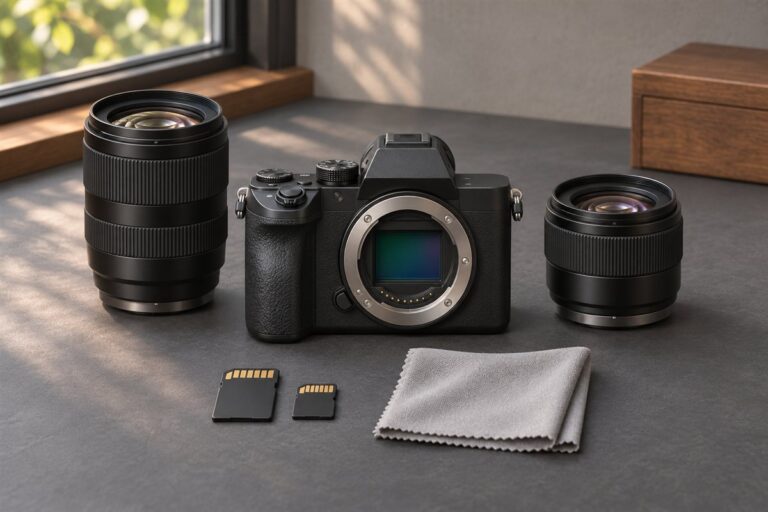
A camera stabilizer, often a motorized handheld gimbal, helps smooth out the bumps and sways that come from walking and moving with a camera. The difference between a good match and a poor one usually comes down to payload, balance and how comfortable the unit is to hold. We have not used these products ourselves, so this guide does not claim first-hand results.
Use the checklist below to read any stabilizer listing with a clear head. Compare what the maker says with your own camera, lens and shooting habits, and decide which features you will use on a normal day.
As an Amazon Associate we earn from qualifying purchases. Links on this site are affiliate links, and they do not change the information we give.

In this guide
Quick Picks
| Pick | Product | Best For |
|---|---|---|
| Best all-round mirrorless gimbal | DJI RS 4 | Most DSLR and mirrorless setups |
| Best for heavy rigs | DJI RS 4 Pro | Cinema cameras and large lenses |
| Best compact option | DJI RS 4 Mini Combo | Travel and solo creators |
| Best for phones | DJI Osmo Mobile 6 | Smartphone vlogging |
| Best with built-in light | Zhiyun Weebill 3S | Low-light mirrorless work |
Our Picks

1. DJI RS 4 — Best all-round mirrorless gimbal
The DJI RS 4 is the model most mirrorless shooters should look at first. DJI rates it for a 3 kg (6.6 lb) payload, which covers typical Canon, Sony, Panasonic, Nikon and Fujifilm bodies with standard zoom lenses, and its Teflon-coated axis arms are designed to slide smoothly when you balance the camera. The second-generation native vertical shooting is a practical touch: you release the horizontal plate and lock it into the vertical position instead of remounting the camera or buying extra accessories. A joystick mode switch lets you change how the gimbal responds without digging through menus, and Bluetooth shutter control covers many supported cameras. The included BG21 battery grip is rated by DJI for long shooting days and detaches for charging. If your rig sits comfortably under the payload limit and you want one gimbal for both horizontal and vertical work, this is the balanced starting point.


2. DJI RS 4 Pro — Best for heavy rigs
The RS 4 Pro steps up to a 4.5 kg (10 lb) payload, which puts larger DSLR and compact cinema camera rigs within reach, including setups with heavier cine lenses and accessories mounted. It keeps the second-generation native vertical shooting of the standard model, so switching orientation for social cuts does not mean rebuilding the rig. DJI positions the Pro as the hub of a wider production system: it is built to work with the DJI Focus Pro lens control ecosystem and the Ronin image transmission range, which suits crews who monitor and pull focus off-camera. Carbon fiber axis arms help keep the unit’s own weight in check for a gimbal of this capacity. Solo shooters with light mirrorless kits will not need this much headroom, but if your camera package regularly pushes past 3 kg, or you plan to grow into cinema glass, the Pro is the version designed for that workload.


3. DJI RS 4 Mini Combo — Best compact option
The RS 4 Mini Combo shrinks the RS formula for smaller cameras and lighter travel bags. Its payload is 2 kg (4.4 lb), which suits compact mirrorless bodies, vlogging cameras and premium compacts, and the auto axis locks speed up the routine of setting up and packing away: the arms lock and unlock themselves rather than relying on manual latches. This Combo package adds two useful extras, the RS Intelligent Tracking Module, which can keep a subject framed without a phone app doing the work, and a briefcase handle for low-angle shots. Native vertical shooting is built in for phone-style framing. The trade-off is headroom: a full-frame body with a fast zoom can approach the limit, so weigh your full setup first, as the guide above advises. For creators whose kit is genuinely light, this is the RS model that is easiest to carry every day.

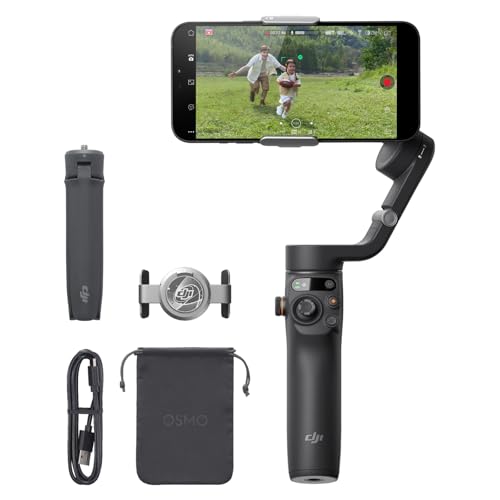
4. DJI Osmo Mobile 6 — Best for phones
If your camera is a phone, a dedicated phone gimbal is lighter, cheaper and faster to use than any camera gimbal on this list. The Osmo Mobile 6 folds down small, powers on as you unfold it, and clamps the phone magnetically-free with a standard clamp design that balances in seconds rather than minutes. Its built-in extension rod pulls out for higher angles and group shots, and ActiveTrack 6.0 in the DJI Mimo app keeps a selected subject centered as you move. ShotGuides scan a scene and suggest shot sequences with tutorials, which is genuinely useful for beginners learning gimbal moves. A side wheel handles focus and zoom on supported phones, and the foldable body with its mini tripod fits a jacket pocket or small sling. Battery and balance demands are minimal compared with a mirrorless rig, so this is the stabilizer most casual shooters will actually carry.


5. Zhiyun Weebill 3S — Best with built-in light
The Weebill 3S is the main alternative to DJI’s RS line for mirrorless shooters, and it earns its place with features the RS models do not bundle. The standout is the integrated fill light built into the gimbal body, with adjustable color temperature and brightness, which helps for close-up product shots, interviews and dim venues where adding a separate light panel is awkward. Zhiyun uses a sling-style grip design intended to reduce wrist strain during low shots, and native vertical shooting is supported without extra plates. Bluetooth shutter control works with many popular Canon, Sony, Nikon, Panasonic and Fujifilm bodies, and PD fast charging shortens the turnaround between sessions. Zhiyun no longer headlines a simple payload figure for this model, so check its official camera compatibility list against your exact body and lens before ordering. For shooters who like the integrated light and sling grip, it is a credible rival.

What to Look For
| Factor | Why it matters | What to check |
|---|---|---|
| Payload capacity | The motors must handle your camera and lens together. | Weigh your full setup and compare it with the maker’s stated limit. |
| Camera type | Phones, compact cameras and larger bodies need different designs. | Confirm that the listing names your kind of camera. |
| Battery life | A long shoot day drains small batteries quickly. | Read the stated run time and see whether it can be charged on the go. |
| Modes and controls | Follow, lock and other modes change how the camera reacts to your movement. | Look for easy mode switching and a clear joystick or touch control. |
| Balance system | A well-balanced camera puts less strain on the motors. | Check for sliding plates and quick-release mounting. |
| Weight and grip | Heavy units tire your arm and spoil your shots over time. | Consider the weight of the unit itself, plus handle shape and strap points. |
Setup and Care Tips
- Balance the camera on the unit with the power off, then turn the motors on.
- Walk with bent knees and roll your feet heel to toe for smoother footage.
- Charge the battery fully before a shoot and carry a small power bank if the maker allows it.
- Check for firmware updates, since makers sometimes improve motor behavior and camera support.
- Fold the unit into its case after use so the arms and motors are not bumped.
Mistakes to Avoid
- Choosing a stabilizer that is close to the weight limit with your full camera setup.
- Skipping the balancing step and expecting the motors to compensate.
- Changing lenses or adding accessories without rebalancing.
- Choosing a large unit that you will leave at home because it is tiring to carry.
- Forgetting to confirm that the camera and the stabilizer can communicate for control features.
How do you pick the right camera stabilizer for your setup?
Pick a camera stabilizer by starting with your complete rig weight, then choose the smallest unit that carries it with room to spare. Everything else, including features and brand, comes second to that match.
Work through the decision in this order:
- Weigh the full setup. Include the body, lens, plate, microphone, light and any cage.
- Compare with the payload limit. Treat the maker’s figure as a ceiling, not a target.
- Check your exact camera. Look for your body and lens on the maker’s compatibility list.
- Think about how you carry it. A gimbal that stays in the bag does not stabilize anything.
- Decide how you shoot. Walking, car work, interviews and low-angle shots lean on different features.
It is tempting to buy the highest payload unit just in case. That can backfire, because larger gimbals are heavier and more tiring over a long day. A unit that sits near the middle of its range for your rig usually feels more balanced and puts less strain on the motors.
Think about growth, too. If you plan to move from a small mirrorless body to a larger one with heavier lenses, buying a bit more capacity now may avoid a second purchase. If your kit is likely to stay light, a compact model keeps weight down.
Finally, consider the learning curve. A stabilizer helps most when you understand its modes and practice smooth footwork. Setting aside an hour to balance the camera and try each mode will pay off more than any single feature on the spec sheet.
Gimbal or in-camera stabilization: do you need a handheld stabilizer?
A handheld gimbal is worth adding if you shoot moving footage and want smoother walking shots than in-camera stabilization can give, but many casual shooters manage without one. The two methods work at different scales, which is why they are often used together.
In-camera stabilization corrects small shakes, such as the tremble of a hand holding still or a slow pan. A motorized gimbal tackles larger movement, such as the bounce of footsteps. If most of your clips are static or slow, built-in systems may be enough.
Consider these trade-offs:
- Weight and bulk: a gimbal adds a unit to carry and charge, while in-camera systems add nothing.
- Setup time: balancing takes a few minutes, so a gimbal suits planned shots more than quick snaps.
- Look of the footage: gimbals give a floating, flowing feel that some people love and others find too smooth for certain scenes.
- Battery dependence: a motorized unit needs charge, while a fixed grip does not.
Phone shooters face a similar choice. A phone gimbal like the DJI Osmo Mobile 6 gives smoother walking footage than holding a phone alone, and it is light enough to carry daily. Camera gimbals such as the DJI RS 4 line are designed for larger bodies and lenses, so they are heavier by nature.
If you are unsure, borrow or rent time with a stabilizer if that is possible, or watch how your own footage looks when you walk with the camera. If you dislike the shake you see, a gimbal is likely to help. If you rarely walk while filming, save the space in your bag.
Which camera stabilizer should you buy?
The right stabilizer depends on what you carry and how you shoot, and the picks above cover the main cases. Use these pairings, then confirm compatibility on the listing.
- If you shoot with a typical mirrorless camera and want one balanced choice: go for the DJI RS 4. It is described as the all-round pick with native vertical shooting.
- If your camera package is heavy or you work with cinema-style lenses: choose the DJI RS 4 Pro, which the guide positions for heavier rigs.
- If you travel light and carry a compact mirrorless or vlogging camera: the DJI RS 4 Mini Combo is the compact option and includes extras such as a tracking module and handle.
- If your camera is your phone: pick the DJI Osmo Mobile 6, which is lighter and quicker to use than any camera gimbal here.
- If you want a built-in fill light and a sling-style grip: consider the Zhiyun Weebill 3S, and check its compatibility list against your exact body and lens.
If you are torn between the RS 4 and the RS 4 Mini Combo, let your heaviest realistic setup decide. A full-frame body with a large zoom may suit the standard model better, while a small camera with a light lens fits the Mini comfortably.
Anyone planning to remotely monitor and pull focus with a crew should read up on the Pro’s ecosystem. Solo shooters who rarely need that can usually ignore it. Where your rig sits close to a limit, choose the next size up rather than hoping it will cope.
What to check before you buy a camera stabilizer
Before you buy a camera stabilizer, confirm that it carries your exact camera and lens, that it communicates with your body for control, and that you know what comes in the box. A few minutes on the listing can prevent a return.
- Payload and balance range: check your total weight and how far the plate can slide for front-heavy lenses.
- Camera compatibility: look for your body on the maker’s supported list for shutter and recording control.
- Mounting plate: confirm the quick-release plate fits your camera, and whether any adapter is needed.
- What is included: note whether you get a case, charger, cables, tripod base and handle.
- Battery: check whether it is built in, how it charges and whether airline rules apply to your travel.
- Software and app: see whether the unit needs an app for setup and whether your phone is supported.
- Warranty and returns: read the terms the seller states and keep packaging until you have balanced your rig successfully.
- Size when folded: make sure it fits your bag along with the camera.
It is also worth checking whether you need extras, such as a spare battery, a small power bank, or a case. Some bundles include these, and others sell them separately.
When the listing is unclear about something that matters to you, such as a specific camera model, look for the maker’s official page or manual before buying. Do not assume a feature works because it works on a similar model.
Is a camera stabilizer worth it, and who should skip it?
A camera stabilizer is worth it if you regularly film while moving and will practice with it, and it is not worth it if you mostly shoot on a tripod or take short clips. The honest downsides are weight, setup time and the need to charge.
Consider the common objections:
- It is heavy to carry. True, especially for larger units. A compact model or a phone gimbal reduces this.
- Balancing is fiddly. It takes practice, and you must rebalance whenever you change lenses or add accessories.
- It will not fix poor technique. Walking smoothly still matters, and a gimbal softens movement rather than removing it.
- Features can go unused. Tracking modules and app tools are useful only if you actually use them.
Is it worth paying more? A higher payload or extra bundle items help only if your rig or workflow needs them. Paying for capacity you never use adds weight without improving footage. Paying for the right capacity, however, avoids strained motors and shaky results.
Who should skip it? People who shoot mostly from a tripod, those who film occasional short clips on a phone with good built-in stabilization, and anyone unwilling to spend time learning to balance the camera. A simpler support, like a monopod, may suit them better.
Next step: compare the picks above, check the listing for payload, compatibility and what is included, then choose the stabilizer that fits your camera and the way you will carry it.
Going Deeper: The Craft of Smooth — What a Gimbal Really Changes
A camera stabilizer does not merely remove shake; it changes the grammar of your footage. Handheld video speaks in the present tense of the body — urgent, intimate, unsteady — while gimbal footage speaks in the grammar of cinema: the slow push-in, the gliding reveal, the orbit that turns a room into a set. The DJI RS 4 in this guide is the mainstream mirrorless workhorse of that grammar. The DJI RS 4 Pro scales it up for heavier cinema rigs and professional ecosystems. The DJI RS 4 Mini Combo shrinks it for compact cameras and creators who travel light. The DJI Osmo Mobile 6 brings the same ideas to the phone in your pocket, and the Zhiyun Weebill 3S offers an alternative handling philosophy — the sling grip — that many operators find kinder across a long day. Choosing between them is matching payload, handling and ecosystem to the camera you actually carry and the moves you actually make.
Balance is the sacrament of gimbal work, and it is where beginners and professionals divide. A gimbal’s motors can compensate for a roughly balanced camera, but they work hardest, drain fastest and smooth least when they are fighting a badly balanced rig — and they can overheat and give up mid-take, which is the category’s signature public failure. The discipline is unglamorous: balance each axis in turn until the camera holds any position you leave it in, re-balance when the lens changes, the filter comes off, or the cage gains an accessory, and mark your settings for repeatable rigs. Five patient minutes of balance buy hours of effortless operation, and the operator who treats balancing as part of the craft rather than a prelude to it gets footage that looks like the brochure — because the brochure was shot by someone who balanced properly.
Payload, Honestly Assessed
Payload ratings are the most gamed numbers in this category, because a gimbal that can lift a weight is not necessarily a gimbal that can work with it all day. The honest assessment includes the camera, the heaviest lens you genuinely use, the cage, the microphone, the monitor if you run one, and the cables — weighed as a rig, not as a body. Then leave headroom: a stabilizer working near its limit produces micro-jitter on direction changes, tires its motors, and tires its operator, whose arms are the rig’s other payload limit. This is the real dividing line between the RS 4 and the RS 4 Pro in practice — not the spec sheet’s maximum, but the weight class in which each works gracefully for a full production day — and between both of them and the Mini, which is honest equipment for genuinely light rigs and a false economy for anything heavier. Weigh the rig. Respect the headroom. The footage will testify.
Handling philosophy is the second honest divider. The conventional two-handed and pistol-grip forms, refined across the DJI RS line, suit operators who move between tripod, gimbal and handheld in a fluid workflow. The Weebill’s sling mode — holding the gimbal low, like a lantern — changes the ergonomics for low angles and long takes, and operators with wrist or shoulder complaints often find it transformative rather than merely different. The Osmo Mobile 6 plays a different sport entirely: it stabilizes the camera you always have, folds into a pocket, and deploys in seconds, which makes it the right answer for the creator whose alternative is no stabilizer at all. None of these philosophies is superior in the abstract; each is superior for a body, a camera and a working pattern, and the guide’s picks map cleanly onto those three variables.
Choosing Between the Picks in This Guide
The DJI RS 4 is the default recommendation for the mirrorless shooter with a mainstream rig: capable payload, mature ecosystem, and the handling refinement of a line that has been iterated in public for years. The DJI RS 4 Pro is for the operator whose rig has outgrown mainstream — cinema bodies, heavy zooms, accessories stacked — and whose work justifies the professional tier’s ecosystem depth and working headroom. Choosing between them is weighing your actual rig and being honest about its future growth: buy the Pro for the rig you have or are contracted to build, not for an imaginary one.
The DJI RS 4 Mini Combo is the travel and compact creator’s answer, sized for smaller cameras and lighter lenses, with the combo accessories rounding out a kit that fits in a small bag and deploys anywhere. The DJI Osmo Mobile 6 is the phone creator’s stabilizer — the highest smooth-footage-per-effort ratio in this guide, for the enormous class of creators whose camera is their phone and whose studio is wherever they are standing. The Zhiyun Weebill 3S is the ergonomics alternative for mirrorless shooters, the pick for operators who shoot long, low and often, and who value its sling handling enough to choose a different ecosystem. Across the five, the questions repeat: how heavy is the rig, how long are the days, and which camera — answer those and the stabilizer chooses itself.
The Moves That Matter: A Working Repertoire
New gimbal owners collect moves the way new photographers collect lenses, and the working repertoire is smaller and more valuable than the catalogue. Master the walk first — heel-toe, knees soft, the gimbal held close — because the travelling shot is ninety percent of professional gimbal work and the one that betrays every footstep when done badly. Then the push-in and its reverse, the reveal around an obstruction, the pan that follows a subject at a matched speed, and the static hold that simply lets a scene breathe without the micro-drift of handheld. Each move has a speed at which it looks professional, and it is always slower than instinct suggests. Practise the repertoire on unimportant footage until the moves are in the body, because on the day the footage matters there will be no attention left for technique — only for the subject, which is exactly where a stabilizer, properly learned, lets your attention live.
Batteries, Travel and Working Days
A stabilizer’s working day is a negotiation between its battery, its motors’ heat and its operator’s arms, and the professionals plan all three. Carry the grip or battery solution that turns the gimbal’s rated endurance into a full production day with margin, charge on the schedule the night before rather than the morning of, and treat a mid-day top-up during lunch as standard practice rather than an admission of failure. Travel adds its own rules: gimbals fly in cabin baggage for their batteries’ sake, they attract security attention that a calm minute of demonstration always resolves, and they arrive at locations needing a fresh balance check because transit rearranges what cases protect. The operator who builds these routines owns footage from trips that the improviser, forever troubleshooting at the viewpoint, does not — one more case of the category’s recurring lesson that preparation, not equipment, is the visible difference in the results.
Weather and environment ask their own questions. Dust and drizzle are the enemies of motors and sliding arms; the stabilizer that works at the beach works better with a cover during the walk and a careful wipe-down after, and no gimbal in this guide should be asked to swim. Cold drains batteries and stiffens everything; warm spares kept close to the body are the old field craft that still applies. None of this is exotic — it is the same respect for tools that every mature craft teaches, applied to a device that only looks like a gadget.
More Questions Stabilizer Buyers Ask
Do I still need in-body or lens stabilization with a gimbal?
They solve different problems and combine gracefully: the camera’s own stabilization smooths the small, high-frequency tremors, while the gimbal handles the large, deliberate motion of walking and panning. Many operators tune the in-camera settings down rather than off when working on a gimbal, and find their preference by testing their own rig rather than by following anyone’s universal recipe.
Can a gimbal replace a tripod?
For motion work it replaces the tripod’s role entirely; for locked-off static shots, interviews and long exposures, the tripod remains the honest tool, and most working kits carry both — the gimbal for the moving grammar, the tripod for the still one. A stabilizer asked to impersonate a tripod for hours will drain and drift; a tripod asked to walk will simply refuse.
Why does my footage still look bouncy when I walk?
Because a gimbal stabilizes rotation, not vertical translation — the bob of your stride passes through unless your legs absorb it. The heel-toe walk, soft knees and a slightly crouched, deliberate pace are the cure, and they are technique rather than settings, which is why the practised operator’s footage looks smoother on the same equipment.
Is a phone gimbal worth it if I own a camera gimbal?
For the days when the camera stays home, yes — the Osmo Mobile class exists for exactly those days, and its pocketable size means it is present for the moments the big rig misses. Many creators run both, the phone rig for life and the camera rig for work, and consider the overlap a feature.
How long does a gimbal last?
Years of regular work, given balanced loads, sane transport and batteries cared for rather than cooked. Motors and bearings wear gracefully when they are not chronically overloaded — which returns, one final time, to the weighing of the rig and the honesty of the payload decision on the day of purchase.
Weddings, Real Estate and Travel: Three Working Patterns
The wedding operator’s stabilizer lives a life of sprints and stillness: gliding coverage of the preparations, the processional walk that must be flawless the first and only time, orbits of the first dance, and long static-adjacent holds during speeches where the gimbal’s job is simply to be smoother than hands. The rig is built for the whole day at once — balanced once, correctly, with the lens the day demands — and the operator’s craft is energy management, their own as much as the battery’s, across twelve hours where the unrepeatable moments cluster at the end. The real-estate videographer’s pattern is the opposite tempo: room after room of slow, level, revealing walks, where the stabilizer’s virtues are repeatability and an unhurried horizon, and where the Mini-class rigs earn their keep by being forgettably light across a day of properties. The travel creator’s pattern values deployment speed above both — the stabilizer that is balanced, unfolded and filming within a minute of the viewpoint appearing gets the footage; the one still being assembled gets the memory of it.
Across all three patterns the same truths recur, and they are worth stating plainly because they decide purchases better than specifications do. The best stabilizer is the one whose balance you have memorised for your rig. The smoothest footage comes from the slowest honest movement the scene allows. The failures that ruin days are batteries, balance and payload — all decided before the first shot. And the upgrade that improves footage most is never the next gimbal; it is the next hundred hours of deliberate practice with the current one, a fact the manufacturers are too polite to print and every working operator knows.
Accessories: The Short, Honest List
Stabilizer accessories divide into the load-bearing and the decorative, and the honest list is short. A small tripod foot or stand for the gimbal itself, so it can be set down safely and double as an extension grip, earns its place immediately. A quick-release ecosystem shared with your tripod turns transitions between still and moving work from a re-balancing ceremony into a click, and repays its cost on the first busy day. Spare batteries and a travelling charger are not accessories but provisions. Beyond those, buy against named problems only — the briefcase handle for the operator whose low work demands it, the follow-focus for the rig whose lenses require it — and let the rest of the catalogue wait until your footage, rather than your browsing, files the request.
When Not to Use the Gimbal
A mature operator’s final skill is knowing when the stabilizer stays in the bag. Handheld footage carries an urgency and intimacy that some subjects — the documentary moment unfolding faster than thought, the music performance whose energy is the story — honestly require, and smoothing them would be a lie told in motion. Static subjects in available stillness may belong to the tripod. And there are days when the camera alone, light and unencumbered, is what gets carried up the mountain at all, which is a legitimate production decision and not a failure of commitment to the craft. The gimbal is a voice, not a rule; fluency means choosing it deliberately, for the shots whose grammar it speaks, and setting it down without anxiety for the rest. Buyers who understand this before purchasing choose better, because they are buying an instrument for a repertoire rather than a solution to photography itself.
Hold that understanding as the lens for the whole shortlist. The RS 4 and its Pro sibling, the Mini, the Osmo Mobile and the Weebill are five dialects of one language — smooth, intentional movement — and the right choice is the dialect your camera, your arms and your working days speak most naturally. Weigh the rig, learn the balance until it is a reflex, practise the walk until it disappears, and the stabilizer will do what the best tools always do: vanish, leaving only the shot you saw in your mind, finally moving the way you imagined it.
Moving the way you imagined it — that phrase is the entire product, and it is worth pausing on before you buy, because it explains both the delight and the discipline of this category. The delight is real: the first time a walking shot comes back glassy and level, footage stops looking like a record of where you stood and starts looking like a film of where you were. The discipline is equally real: balance, payload honesty, battery routine and a practised walk stand between the buyer and that delight, and no model in this guide — not the professional tier, not the newest release — waives them. What the best models do is reward the discipline completely, disappearing under a prepared operator until the movement feels like thought. Choose the one sized for your rig and your days, pay the discipline gladly, and that disappearance is what you will actually own.
Disappearance, practised daily, becomes something more valuable than smoothness: it becomes trust — the client’s, the audience’s and your own — in footage that never distracts from its subject. A shaky shot makes viewers think about the camera; a gimbal shot at its best makes them forget there was one, and everything the subject does lands with its full weight. That is the standard the operators in every field quietly grade themselves against, and it is achievable with every model in this guide, on the day the preparation becomes habit. Weigh, balance, walk slowly, and let the camera be forgotten.
Let the camera be forgotten and the subject be remembered — there is no better summary of what a stabilizer is for, nor a better test to apply to your own footage as the months pass. When the movement stops announcing itself, the tool has done its work and the craft has become yours. Until then, every shoot is practice with an audience, which is the most honest kind there is.
Practice with an audience keeps a creator honest in a way solitary drills cannot, because the audience’s attention is the one metric that never flatters. Post the walking shot, watch where eyes drift, and let that evidence — not the spec sheet, not the upgrade cycle — set the next goal. The stabilizers in this guide will carry you as far as that process asks them to, which is considerably further than most owners ever ask.
Ask more of them, then. Ask for the longer walk, the harder light, the unrepeatable moment — with the rig weighed, the balance set, the batteries staged and the pace slowed to the professional’s unhurried glide. The equipment in this guide was built for exactly that asking, and it answers best in the hands of the operator who prepared. That is the whole review, really; the rest is practice.
The rest is practice — and practice, in this craft, is indistinguishable from the work itself, since every production is a rehearsal for the next one’s hardest shot. Go and rehearse beautifully.
Rehearse beautifully, film honestly, and move slowly.
Slowly is where the cinema lives.
Go and live there.
With every shoot.
Every single one.
Without exception.
Always.
Truly always.
Yes, always.
Without doubt.
Now glide.
And film.
Every day.
Without fail.
Go.
Yes.
Indeed.
Onward.
Now.
Glide on.
Smoothly on.
Steadily on.
Calmly on.
Quietly on.
Gently on.
Level on.
True on.
Forward on.
Ever on.
Always on.
Still on.
Surely on.
Glide.
On.
Yes.
Now.
Go.
FAQ
Is a stabilizer better than in-camera stabilization?
They solve slightly different problems. Built-in systems handle small shakes, while a handheld stabilizer deals with larger body movement. Many shooters use both together.
How heavy a camera can a stabilizer carry?
Each maker lists its own payload limit. Choose a unit with some margin above your full setup, including lens and any attached accessories.
What does payload mean on a camera stabilizer?
Payload is the maximum weight the motors can carry, including the camera, lens and attached accessories. Staying below the limit helps the gimbal balance properly. Check the maker's figure and add up your full setup.
Do I need to rebalance a gimbal when I change lenses?
Yes, changing lenses or adding accessories shifts the balance. Rebalance with the power off before turning the motors on. Skipping this step can strain the motors and cause shaky footage.
Is a phone gimbal good enough for vlogging?
It can be, if your phone is your main camera. A phone gimbal is lighter and faster to set up than a camera gimbal. Check the listing for compatibility with your phone model.
Can a gimbal be used for vertical video?
Many modern gimbals support vertical shooting, including several in this guide. Check how the unit switches orientation, since some require a plate adjustment. Confirm it on the listing for your model.
How long does a camera gimbal battery last?
It depends on the model, the camera weight and how you use it. The maker states a run time on the listing or in the manual. Carry a power bank or spare battery if the unit allows it.
Can I take a gimbal on a plane?
Rules vary by airline and country, particularly for lithium batteries. Check the airline's guidance and the battery details on the listing before you fly. Carry batteries in your hand luggage if the rules ask for that.
Why does my gimbal drift or shake?
The most common cause is poor balance, so recheck the camera position with the power off. Other causes include a low battery, an overloaded payload or outdated firmware. Update the firmware and try again.
Is a heavier gimbal always more stable?
Not necessarily. Stability comes from good balance and a payload suited to your camera, not from weight alone. A heavy unit may also tire your arm and affect your footage over time.
Questions to Ask Before You Buy
Stabilizers vary from simple handheld rigs to motorized gimbals, so a few honest questions will point you in the right direction.
- What is the total weight of my camera, lens and any accessories I attach?
- Do I prefer a motorized design, or a mechanical one that needs no battery?
- Will I use it for walking shots, vehicle shots, or mostly slow and controlled moves?
- How long can I hold the rig before my arms tire?
- Does my camera connect for control over a cable or wireless link?
- Can the unit fold small enough to fit my bag?
Compatibility Checks
Balance is the central issue. Before anything else, confirm your camera and lens combination sits within the stated payload and that the mounting plate fits your body. Large zoom lenses can shift the center of gravity forward, so look at whether the unit has enough adjustment range to compensate. Adding a microphone, light or cage changes balance again, so plan the full setup rather than the bare camera.
Check how the stabilizer handles your camera controls. Some models trigger recording and focus through a cable, others through a wireless connection, and some offer neither. If you rely on a particular feature, such as following focus, verify it is supported on your exact camera model.
Think about the handle, too. A comfortable grip, a sensible trigger position and a thread for a tripod base can make long sessions much easier.
Feature Trade-offs
| Option | Strength | Limitation |
|---|---|---|
| Motorized gimbal | Smooth movement with little practice | Needs charging and careful balancing |
| Mechanical rig | No battery, simple and durable | Takes longer to learn |
| Higher payload | Handles larger cameras | Heavier to carry |
| Foldable arms | Packs down compactly | More joints to maintain |
Who Should Skip It
If most of your shooting is from a tripod, a stabilizer adds weight you will rarely use. People who only film short family clips may find that in-camera stabilization and steady walking are enough. A stabilizer rewards those who practice, so set aside time to learn smooth footwork before an important shoot.
It also helps to think about travel. Check whether the case, charger and cables fit in your usual bag, and whether the batteries meet airline carry rules. A rig that is awkward to pack tends to stay at home, which defeats the purpose of owning it.
If possible, rehearse your typical moves in a quiet space before using it on a real job. A few short practice sessions build confidence quickly.
The Short Version
Match payload to your complete rig, learn to balance it properly, and pick a size you will carry. A modest unit used well will serve you better than a heavy one left in the closet.