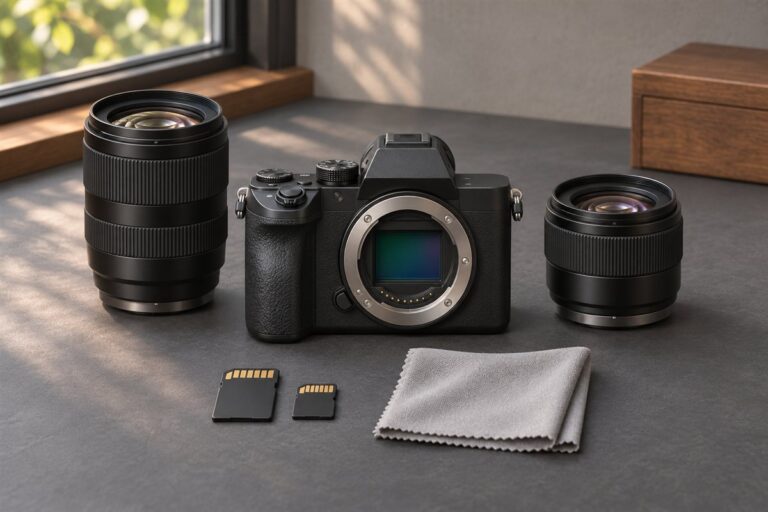
A spare camera battery is only useful if it arrives charged and undamaged, and loose cells knock against keys and coins in a bag. A dedicated case keeps lithium packs and memory cards in labeled slots and makes it easy to tell which ones are ready.
The six cases below mix hard shells with rubber seals and soft zippered pouches. Slot counts, sizes and materials come from each listing page. We have not used these products ourselves, and water, dust and shock claims are the makers’ own.
As an Amazon Associate we earn from qualifying purchases. Links below are affiliate links, and they do not change the product information we give.

What to Look For
| Feature | Why it matters |
|---|---|
| Battery slots | Counts range from two up to six per case |
| Card capacity | SD, micro SD, CFexpress and XQD slots vary by model |
| Shell type | Hard ABS shells and soft polyester pouches suit different bags |
| Battery size limit | Check the maximum size against your battery model |
In this guide
Specs at a Glance
| Case | Type | Batteries | Notes |
|---|---|---|---|
| JJC Multi-Function | Hard ABS case | 3 camera batteries or 8 AA | 6 SD, 6 CFexpress B or XQD, 5 CFexpress A; 6.46 x 3.59 x 1.52 in |
| JJC 6 Pocket Pouch | Zippered pouch | 4 battery slots | 2 zip pockets for cards; belt loop; 76 g |
| K and F Concept | Hard ABS and rubber case | 2 camera batteries or 8 AA or AAA | 4 SD, 6 micro SD, 2 CF or 2 XQD; carabiner; 6.1 x 3.31 x 1.22 in |
| King Ma | Fabric pouch | 3 camera batteries, or 2 plus 4 AA | Net pockets for SD, CF or TF; 5.91 x 2.95 x 1.3 in; 75 g |
| JJC 6 Battery Box | Hard ABS case | 6 camera batteries | 16 micro SD, 6 SD, 3 CFexpress A, 2 CFexpress B or XQD |
| JJC Compact Nikon | Hard ABS case | 2 camera batteries | 3 SD, 4 CFexpress B or XQD; lanyard |
The 6 Best Camera Battery Cases

Top pickBest for a photographer carrying batteries and several card types
1. JJC Multi-Function Case
A matte black hard case with an ABS shell and TPR padding. The listing says it holds three camera batteries or eight AA batteries plus six SD cards, six CFexpress Type B or XQD cards or five CFexpress Type A cards. It lists a size limit of 2.32 x 1.56 x 0.91 inches for batteries and includes a card ejector and a screwdriver.
Suits: a photographer carrying batteries and several card types. Strengths: high capacity and a hard shell. Weaknesses: larger than the compact JJC. Skip it if you carry one or two batteries.

Best for a soft carry on a belt or in a pack
2. JJC 6 Pocket Pouch
A black polyester pouch with a zipper, four battery pockets and two zippered card pockets. Each battery slot is listed for one lithium battery, six AA or eight AAA cells, and the pouch has a removable belt loop. It weighs 76 grams and the listing calls it moisture resistant.
Suits: a soft carry on a belt or in a pack. Strengths: a belt loop and flexible slots. Weaknesses: a soft shell offers less crush protection. Skip it if you want a rigid case.
Best for clipping a case to a bag
3. K and F Concept Case
A hard case with a polycarbonate and ABS exterior and a molded rubber lining that the maker says keeps out water, dust and debris. It holds four SD cards, six micro SD cards, two CF or XQD cards and two camera batteries or eight AA or AAA cells, and has a locking latch and a carabiner. Size is 6.1 x 3.31 x 1.22 inches.
Suits: clipping a case to a bag. Strengths: a rubber seal and a carabiner. Weaknesses: only two battery slots. Skip it if you carry several spares.
View K and F CONCEPT Camera Battery SD Card Holder for 4 SD Cards/6 TF/2 CF/2 XQDs on Amazon

Best for a light soft pouch
4. King Ma Pouch
A small black fabric pouch measuring 5.91 x 2.95 x 1.3 inches with four pockets, hook-and-loop closure and a zipper for cards. It is listed to hold three camera batteries, or two batteries and four AA cells, plus SD, CF and TF cards in net pockets. The style field says backpack, though the item is a small waist or shoulder pouch.
Suits: a light soft pouch. Strengths: a low weight of 75 grams. Weaknesses: the listing excludes some large battery types. Skip it if you use a large NP-F or EN-EL4 style battery.

View King Ma Camera Battery Bag Battery Pouch for Canon Batteries Holder on Amazon
Best for long shoots with many spare batteries
5. JJC 6 Battery Box
A black hard case with an ABS shell. The listing says it holds six camera batteries and up to 16 micro SD cards, six SD cards, three CFexpress Type A cards or two CFexpress Type B or XQD cards, with a screwdriver. Batteries up to 1.5 x 0.9 x 2.4 inches are listed to fit.
Suits: long shoots with many spare batteries. Strengths: six battery slots in one case. Weaknesses: bulkier than the smaller cases. Skip it if you want a pocket-size case.
View Canon LP-E6 Sony NP-FZ100 Nikon EN-EL15 Camera Battery Memory Card Case Box on Amazon
Best for a small bag or a jacket pocket
6. JJC Compact Nikon Case
A compact black ABS case listed for two camera batteries, three SD cards and four CFexpress Type B or XQD cards, with a flathead screwdriver and an anti-lost lanyard. The maker lists it for Nikon EN-EL15 batteries and says it fits others up to 2.32 x 1.56 x 0.91 inches.
Suits: a small bag or a jacket pocket. Strengths: compact size and a lanyard. Weaknesses: two battery slots only. Skip it if you need to carry cards of many types.
View Portable Camera Battery Memory Card Case for Nikon EN-EL15 Z6 III II Z7 II on Amazon
Care and Use Notes
- Put charged batteries in one side and used batteries in the other, or mark them with tape.
- Check the listed maximum battery size against your own battery before ordering.
- Keep the lock or zipper closed when the case is in a bag.
- Do not rely on a water resistance claim for full immersion.
Mistakes to Avoid
- Buying a case without checking which card types it holds.
- Mixing charged and empty batteries without a marker.
- Assuming every case fits large battery packs.
- Leaving a latch loose in a travel bag.
Checking That Your Battery Actually Fits the Slots
Battery fit is the first filter, and it is easy to get wrong. Camera batteries come in many shapes, and a case that fits a small, slim battery may not take a large one. The listings above state size limits for batteries, such as a maximum width, depth and height for certain slots, and one pouch is flagged as excluding some large battery types. Start by finding your battery model number, usually printed on the battery, and look up its dimensions in the camera manual or the maker’s specification page.
Compare those dimensions with the case’s stated limit. Leave a little margin, since a battery that just fits may be hard to remove, and some cases fit snugly by design. If you use a battery grip with larger cells, or a different battery type for a second camera, check each one separately. Mixed collections are common: a photographer may carry a main camera battery, a flash battery pack and AA cells for accessories. Look for a case that lists AA or AAA slots if you need those.
Pay attention to how the battery sits. Some cases hold batteries upright in a grid, and others hold them flat in foam or fabric cut-outs. The terminals should face the way the case intends, so that contacts are covered or protected. Read whether the slot is flexible, adjustable or rigid. An adjustable slot copes with different sizes but may not hold a battery as firmly. If the listing names battery families, such as those from certain camera makers, treat that as a guide, not a guarantee, and confirm with the dimensions.
Card Types and Slots: SD, microSD, CFexpress and XQD
Many cases combine battery slots with card slots, which is convenient but demands a closer look. SD cards are the most common and come in full size and microSD, the latter often called TF in some listings. CFexpress cards come in types, including Type A and Type B, which differ in size, and XQD cards are an older format that shares a shape with CFexpress Type B. CF cards are older still. The listings above give counts for each card type, so read them to see whether your cards are covered.
Check not only whether a card type is supported but how many of each you can store, and whether the slots are separate or shared. A case that holds many microSD cards may hold only a couple of CFexpress cards. If you use more than one camera system, you may need to carry two or three card types at once. Make a list of cards you carry and compare it with the case.
Consider how cards are held. Some cases use foam slots that grip the card, and others use net pockets or small sleeves. Foam slots usually protect better and make it clear which are full, while net pockets are flexible but may let cards slide out. Check that you can reach a card without tipping out the others, and that the slot labels or colour coding are visible. A card ejector or small tool, mentioned in some listings, can help with tight slots. Keep cards in their protective cases or slots when not in use, away from moisture and static.
Hard Shell or Soft Pouch: Choosing the Carry Style
The listings show two carry styles. Hard cases have a rigid shell, usually plastic, with foam or padded slots inside and a latch or lock. They protect against crushing and knocks, and they keep contents organized when you toss the case in a bag. They take up fixed space, and they can be bulkier. Some include seals meant to resist moisture and dust, but you should treat those claims as maker statements and not as a promise of protection when submerged.
Soft pouches are made of fabric with zippers or hook-and-loop closures. They are light, they bend to fit into a pocket or bag, and some have a belt loop. They offer less protection against hard impacts and crushing, so they suit light use, short trips, and padded bags. A pouch can be a good second case for a spare battery or two.
Think about how you shoot. If you work on location, in rain or dust or on rough ground, a rigid case with a latch is reassuring. If you travel light, shoot street photography or want something that hangs from a belt, a pouch is more convenient. Features like a carabiner, lanyard or belt loop make it easier to keep the case within reach, but always check attachments are secure. Consider the closure too. A latch that opens by accident in a bag defeats the purpose, so look for a firm click and test it. Match the case size to your bag, so that it sits flat and does not shift.
A Simple System for Charged and Spent Batteries
The point of a battery case is knowing which battery is ready. Without a system, you may find yourself in the field with a battery that you thought was charged. A basic rule works well: keep charged batteries in one end or row, and depleted ones in another, and never put them back in the same place after use. Many photographers flip a spent battery upside down in its slot, or move it to a marked slot, so that a glance shows its state.
Use labels or markers. A small piece of coloured tape, a sticker or a mark on the case can show which side is for full batteries. If your case has numbered slots, use them to track the order in which you use batteries, which also makes wear more even. Some photographers rotate batteries so that all of them age at a similar rate and no single battery does all the work.
- Charge batteries before every trip, not just before a long shoot.
- After use, place spent batteries in the designated slot as soon as they are removed.
- Keep a note of how many batteries a typical shoot uses, so you can plan how many to carry.
- Carry a spare charger or power bank option if your trips are long.
Cards need the same treatment. Keep blank cards and full cards in separate slots so you never format a card you have not yet copied. A consistent routine reduces the risk of losing both power and images.
Travel Rules, Temperature and Safe Handling of Lithium Packs
Camera batteries are lithium cells, and they deserve careful handling. Protect the terminals so they cannot touch metal objects such as coins or keys, which can cause a short circuit. A case with separate slots does this naturally, and many batteries also come with terminal covers. Never carry loose batteries in a pocket with metal items. Do not use or charge a battery that is swollen, cracked, leaking or unusually hot, and dispose of damaged lithium batteries through proper recycling channels, not in household waste.
Air travel has rules. In general, spare lithium batteries must be carried in the cabin and not in checked luggage, with terminals protected, and limits apply to larger batteries. Rules vary by airline and country and change over time, so check with your airline and aviation authority before you fly. Keep the batteries in a case so that they are easy to present at a security check.
Temperature changes performance. Cold reduces the effective capacity of a battery, so in winter, carry spares in an inner pocket close to your body and swap them as needed. A cold battery that appears flat may recover when warmed. Avoid leaving batteries in a hot car or in direct sun, since heat accelerates wear and can be unsafe. Store spare batteries partly charged in a cool, dry place for long periods, rather than fully charged or fully empty.
Replace a case when latches fail, foam crumbles, zippers break, or slots no longer hold a battery firmly. A case that lets batteries rattle loose is not doing its job.
Sizing a Battery Case to Your Gear
A battery case looks like a simple plastic box, but buying the wrong size makes it useless. Batteries differ in thickness and shape, and a case molded for one type may not hold another. A few measurements and checks keep your order on track.
- Identify your battery model. Read the code on the label and compare it to the case listing, which often names compatible types.
- Count the slots you need. Think about how many spare batteries you carry on a typical shoot, plus a slot or two for growth.
- Check the thickness. Some cases hold slim cells, while others handle thicker packs.
- Look at the card slots. Many cases also hold memory cards, so see how many and what type.
- Confirm the closure. A snap, latch or zip should hold firmly in a bag.
- Consider the carry. A loop or clip lets you attach the case to a strap or belt.
If you use more than one camera system, consider separate cases for each battery type, labelled by color or tag. That way you never reach for the wrong battery on location.
Styles of Case Compared
Hard shells, soft pouches and wallet styles each solve a different problem. The table compares them in everyday terms, so you can match the case to your habits.
| Style | Protection | Convenience | Best for |
|---|---|---|---|
| Hard plastic shell | Resists crushing and keeps contacts covered | Snaps open and shut | Camera bags and heavy travel |
| Soft pouch | Light padding only | Easy to stuff into a pocket | Short outings |
| Wallet-style holder | Medium protection | Holds batteries and cards together | Photographers who carry many cards |
| Modular system | Stackable boxes | Add more as you grow | Teams and long projects |
| Belt pouch | Depends on materials | Quick access on location | Event and wedding work |
Many cases use a color or position system to separate charged and used cells. A common habit is to place a charged battery with the contacts facing up or in the green-coded slot, and to turn used batteries the other way. Whatever system you pick, apply it every time, and write it on a small card in the case.
Keep the metal contacts covered. Coins, keys and tools in a pocket can short the terminals, so a case with a closing lid or contact covers adds a layer of protection.
Clean the case now and then by wiping with a damp cloth and drying it fully. Dust and grit can scratch contacts. Replace a case with cracked hinges or a lid that no longer closes securely, because a spilled batch of batteries on a shoot is no fun.
It also helps to keep a short note inside the lid listing the camera models each battery fits, particularly if you share the case with a friend or colleague. A quick glance prevents mixed-up cells and wasted time on location.
Camera Battery Cases FAQ
Which case holds the most batteries?
The JJC 6 Battery Box lists six camera batteries.
Which ones are soft pouches?
The JJC 6 Pocket Pouch and the King Ma Pouch are fabric pouches with zippers or hook-and-loop closures.
Can I put a battery in a case with the terminals exposed?
It is better to protect the terminals, either with the battery's own cover or with a slot that keeps them from touching metal. Exposed terminals can short if they touch coins or keys.
How many spare batteries should I carry?
It depends on the camera, your shooting style and the temperature. Note how many batteries a typical shoot uses, then add a spare. Cold weather and video use drain batteries faster.
Are these cases waterproof?
Some are described as water resistant, but that is a maker claim and usually does not mean the case can be submerged. Treat the claim as protection from light splashes and dust, and check the listing.
Can I take spare camera batteries on a plane?
Rules generally require spare lithium batteries to be in carry-on baggage with terminals protected. Requirements vary by airline and country, so check before you travel.
Why does my battery die faster in cold weather?
Cold slows the chemical reactions in the cell and reduces available capacity. Keep spares warm in an inner pocket and swap them as needed.
Should I store batteries fully charged?
For long storage, many makers suggest a partial charge in a cool, dry place. Check your battery's manual for its recommendation.
What card types do I need to look for in a combined case?
Check the listing for the exact types you use, such as SD, microSD, CFexpress Type A or B and XQD, and for how many of each the case holds. A case may hold many of one type and few of another.
Fit Is a Measurement, Not a Brand Match
The most common reason a battery case disappoints has nothing to do with its materials or its stitching: the batteries it was bought for do not sit properly in its slots. Camera batteries that share a family name can differ between generations, and third-party packs are sometimes a fraction larger than the maker’s own. A slot that grips a slightly oversized pack too tightly will strain its seams and make the battery hard to extract with cold fingers, while a slot cut generously for a larger pack lets a smaller one rattle, which wears both the battery’s casing and the case’s lining over time.
Before ordering any of the six cases in this guide, measure your actual batteries — height, width and thickness — and compare those numbers with the slot dimensions in the listing rather than relying on a compatibility list alone. Then think about how you will use the case in the field. A battery that slides out with a gentle push suits a photographer changing packs one-handed at an event; the same loose fit in a case that lives at the bottom of a hiking pack invites batteries to work their way out and mingle with loose items. The JJC Multi-Function Case, the K and F Concept Case and the JJC 6 Battery Box each hold batteries in their own way, and the reviews above describe those arrangements; your job is to match the arrangement to your hands and your bag.
Do the same check for memory cards if you are considering a combined case. Card slots are cut for specific formats, and a case that holds many SD cards may hold very few of the larger professional formats, or none at all. Photographers who shoot to CFexpress or XQD should confirm not just that the format is listed but how many cards the case takes, because a combined case that carries your batteries beautifully and your cards not at all solves only half the problem it was bought for.
Finally, consider the batteries you will own next, not just the ones on your desk. If a camera upgrade is likely within the case’s lifetime, a case with a little flexibility in slot size or a mixed layout will survive the change, while a case moulded tightly around one battery model becomes a spare-parts drawer item the day the new body arrives. Cases are inexpensive compared with cameras, but the organisational system built around them is worth more than the case itself, and systems survive best when they are not rebuilt every year.
Six Cases, Three Working Philosophies
Read as a group, the six options above fall into three philosophies of carry. The first is the combined organiser, represented by the JJC Multi-Function Case and the K and F Concept Case: batteries and cards together in one rigid or semi-rigid package that lives inside a camera bag. This suits photographers who pack a bag once and work from it all day, because everything power- and media-related is in one place, and an empty slot at the end of the day tells its own story about what was used.
The second philosophy is the belt-and-pocket pouch, represented by the JJC 6 Pocket Pouch and the King Ma Pouch. These trade rigidity for immediacy: batteries ride on your person, reachable without putting the bag down, which is exactly what event, wedding and sports photographers need when a battery change happens between moments rather than between locations. The cost of that immediacy is protection — a soft pouch in a trouser pocket or on a belt will not shrug off a fall the way a hard case in a padded bag will — so pouch users should think of the pouch as the working set and keep reserves protected in the bag.
The third philosophy is the dedicated box: the JJC 6 Battery Box and the JJC Compact Nikon Case, designs that do one thing in an orderly way. A box suits photographers who carry several of the same battery, want them stored terminals-protected and counted at a glance, and prefer to keep cards in a separate wallet of their own. The compact, single-system case makes particular sense for photographers who run one body and a small kit, where a big combined organiser would be mostly empty air.
None of these philosophies is the correct one in the abstract. The useful exercise is to picture your last three shoots and ask where your batteries actually were at the moment you needed one: in the bag across the room, in your pocket, or in the car. Buy the case that puts the next battery where your hand already goes, and the rest of the decision — colour, closure, exact slot count — becomes a detail rather than a dilemma.
A Charged-and-Spent System That Survives a Busy Day
A case earns its keep by answering one question instantly: which of these batteries is ready? Photographers who shoot long days develop a personal convention and never break it. One common system is orientation: charged batteries go in contacts-down or facing one way, spent batteries return facing the other way, so a glance or even a touch in the dark tells you the state of every slot. Another is position: the case is filled from one end, spent batteries return to the other, and the boundary between the two groups moves across the case as the day goes on.
Whichever convention you choose, it only works if it is applied at the moment of the change, not reconstructed later. Swap the battery, put the spent one away in its spent position immediately, and close the case. Rebuilding your memory of which packs are charged at the end of a long day, with six identical batteries on a table, is a miserable and error-prone job — and the error announces itself the next morning, mid-shoot, as a camera that dies a minute after you fitted a supposedly fresh pack.
Cards deserve the same discipline, and combined cases make it easier by keeping the two systems side by side. Full cards go in one set of slots or one orientation, empty formatted cards in another, and the rule is identical: the state of a card should be readable from where it sits, never from memory. Photographers who work this way also tend to number their batteries discreetly, so that a pack which ages faster than its siblings can be identified and retired rather than suspected forever. A case with clear slots and a consistent routine turns power management from a source of anxiety into background — which is the entire point of buying one.
Battery Cases on the Road: Travel, Weather and Long Trips
Travel changes what a battery case must do. Airline rules require spare lithium batteries to travel in the cabin with their terminals protected against short circuit, and a proper case is one of the cleanest ways to satisfy that requirement: each pack sits in its own slot, separated from keys, coins and other batteries. Keep the case in your hand luggage where you can present it if asked, and check your airline’s current guidance before a trip, since the rules are the carrier’s to set and can change.
On long trips the case also becomes your charging rota made visible. With limited chances to charge — a shared lodge outlet, a vehicle adapter, a short evening in a hotel — the case shows you at a glance how many full packs remain and which spent ones are waiting for the next opportunity. Photographers on multi-day hikes or in remote locations plan around this: the case is packed full at the start, and its slowly changing pattern of orientations is the fuel gauge for the whole trip. Treating it that way, rather than as a mere container, helps you ration shooting, charging stops and spare capacity with clear information.
Weather tests cases in quieter ways. A soft pouch carried outside a jacket in rain will pass moisture to whatever is inside, and batteries and cards both prefer to stay dry; in wet conditions a case belongs inside the bag or under a waterproof layer, not clipped proudly outside it. Cold is the other travel companion: batteries deliver less in low temperatures, so a case kept in an inside pocket, warmed by your body, keeps the next pack ready to perform, while spent packs sometimes recover a little usable charge when warmed — enough, occasionally, for a few final frames. Dust and sand argue for cases that close fully rather than open pouches, since grit in a card slot or on battery contacts causes problems out of proportion to its size.
More Questions About Camera Battery Cases
Should batteries be stored in the case long-term at home?
A case is a sensible home for batteries between shoots: it keeps them together, protected and countable, in a cool dry place. For long storage, follow the battery maker’s guidance on charge level, and keep the case somewhere that does not bake in sun or sit against a heat source. Avoid storing batteries loose in a drawer among metal objects, which is precisely the situation a case exists to prevent.
How do I clean a battery case?
Empty it completely first. A soft case can usually be shaken out, brushed and wiped with a slightly damp cloth, then left open to dry fully before batteries go back in. Hard cases can be wiped inside and out, paying attention to the slots where grit collects. Never put batteries back into a damp case, and check that no cleaning fibres are left behind in the slots.
Can one case serve two different camera systems?
Only if its slots genuinely fit both battery shapes without forcing. A slot stretched by a larger battery will then hold the smaller one loosely, and a case that serves two systems badly is worse than two small cases that each serve one system well. Combined battery-and-card cases sometimes solve this differently, with one side given to each system — but check the slot dimensions for both before assuming it works.
What should I do with a case whose slots have stretched or torn?
Retire it from field duty. A stretched slot that lets a battery slip out defeats the case’s purpose, and a torn lining can shed fibres onto contacts. A worn case can still serve at home for storing retired batteries awaiting recycling, clearly separated from your working kit so the two never mix on a shoot day.
Is a case worth it if I only own two batteries?
Often yes, because the case’s value is organisation as much as capacity: terminals protected, state visible at a glance, and both packs findable in the same place in the dark. Photographers with small kits often choose one of the compact options in this guide rather than a large organiser, and get the same discipline at a scale that matches their gear.
The Quiet Value of a Small, Well-Chosen Case
A battery case will never be the most exciting purchase in a photographer’s kit, but it touches every shoot. It protects the packs that power the camera, keeps the cards that hold the day’s work, and replaces a handful of small uncertainties — which battery is charged, where the spare card is, whether the terminals are safe — with a system you can read at a glance. Choose the size by the batteries you measured, the style by where your hand goes when a battery dies, and the layout by the formats you actually shoot, and any of the six cases above will repay its modest place in your bag for years.
Materials and Closures: What Daily Handling Teaches You
Specifications list materials, but daily handling reveals what those materials mean. A hard shell protects against the crush of a packed bag and the knock of a dropped case, and it keeps its shape so slots stay aligned and batteries slide in the same way every time. The trade is bulk and a certain clatter in a quiet venue. A soft pouch disappears into a pocket and weighs almost nothing, but it asks the bag around it — or your own body — to provide the protection. Semi-rigid cases try to split the difference, and for many photographers they succeed: enough structure to keep order, enough give to pack into odd spaces.
Closures deserve more attention than they usually get. A zip that runs smoothly with one hand, and keeps running smoothly after a season of dust, is worth more than an elegant flap that needs two hands and your full attention at the moment a battery dies mid-ceremony. Magnetic and elastic closures are fast and silent, which matters at events, but test how securely they hold when the case is full and the bag is tipped — a closure that opens in the bag returns you to loose batteries among your gear, the exact problem the case was bought to end. Lids that open flat make the state of every slot visible at once; lids that open partway keep things contained but hide the very information you opened the case to see.
Linings matter quietly. A soft inner surface protects battery casings and card labels from abrasion, while a rubberised or grippy lining holds packs in place when the case is less than full. If you shoot in cold conditions, handle a candidate case with gloves before committing: small zips, tight elastic and fiddly clasps all become slower with gloves on, and battery changes are precisely the moments when you can least afford to take gloves off and work with numb fingers.
None of these details can be judged from a photograph. If you can, handle the case; if you cannot, read the product sections above for the closure and material each model uses, and weigh them against where the case will live — belt, pocket, bag divider or desk drawer. The right answer differs by home, and a case that is perfect in a studio drawer can be wrong on a mountain.
How Many Spares Should the Case Hold? Planning by Shoot Type
Slot count is a planning decision disguised as a product feature. A portrait session of an hour or two rarely needs more than one spare pack; a wedding, a match or a day of wildlife waiting can consume several, and video work consumes batteries at a pace stills photographers find startling. Count your honest worst day, add one pack for the day that goes worse than that, and let the total choose the case size. Buying a case for an average day guarantees the exceptional day — usually the important one — runs short.
There is also an argument for a case slightly larger than today’s need. Batteries accumulate: a second body joins the kit, a grip takes two packs at once, a friend with the same system shares a charging rota on a trip. A case with a couple of spare slots absorbs all of that without a rethink, and the empty slots cost nothing but a little space. The opposite error is buying a case so large it stays home because it will not fit the bag; a case’s capacity only counts on the days it travels with you.
Cards follow the same logic with higher stakes, because a full card cannot be emptied by optimism. If your combined case holds fewer cards than your worst day needs, the overflow cards will live somewhere less organised, and that is where mistakes breed. Photographers who shoot to two cards at once for backup should count slots in pairs. The aim, as with batteries, is a case that makes the state of your media visible and sufficient — never a case that forces part of the system to live by memory and luck.
A five-minute end-of-day routine
The case system pays its biggest dividend in the last five minutes of a shoot day, if you give it those five minutes. Empty the camera, return its battery to a spent slot, and put every card you filled into its full position while the day is still fresh in your mind. Charge in a deliberate order — tomorrow’s first packs first — and return charged packs to their charged orientation as they finish, so the case is truthful whenever you open it. Once a month, look the case itself over: clear grit from the slots, check the closure, and note any battery that is swelling, cracking or noticeably weaker than its siblings, because a case that organises your batteries also puts their condition on display. Five quiet minutes like this, repeated after every shoot, are what separate photographers who trust their kit from photographers who hope.
Photographers who lend or share kit should say their system out loud to anyone borrowing it: which orientation means charged, where full cards live, and what never goes loose in a pocket. A system that exists only in one person’s head fails the first time the kit is shared, and the failure looks like a dead battery or a formatted card that was not empty. Writing the convention on a small card kept inside the case lid takes a minute and makes the whole arrangement survive handovers, assistants and tired evenings when nobody is thinking clearly.
Keep the case itself on your packing list, by name, rather than assuming it will be in the bag. Cases get taken out for charging and left on desks; a named item on the list is checked, an assumed one is discovered missing at the location. It is a small habit, but like everything else about this unglamorous little accessory, it is exactly the kind of small habit that decides whether a shoot runs smoothly.
The Short Version
For a mix of batteries and cards, the JJC Multi-Function. For a belt pouch, the JJC 6 Pocket. For a rubber-lined lock case, the K and F Concept. For a light fabric pouch, the King Ma. For six batteries, the JJC Box. For a compact Nikon-style case, the JJC Compact.