Disclosure: As an Amazon Associate, reviewstook.com earns from qualifying purchases. Links on this page are affiliate links at no extra cost to you; prices and availability change frequently, so check Amazon for the latest.
Where to Buy
All six picks are available on Amazon. Check the latest price on Amazon for each one before you decide — prices and availability change frequently.
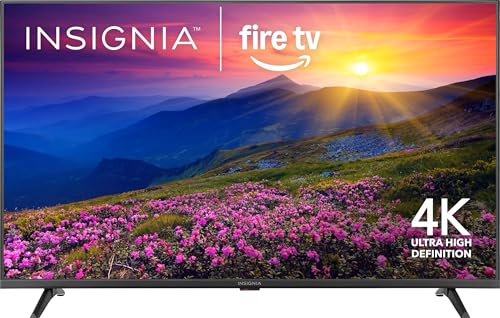
- Best Overall for Gaming: Insignia 65" Class F50 Series LED 4K UHD Smart Fire TV — Check on Amazon
- Best Budget Gaming Pick: Roku 65-Inch Select Series Smart TV 2026-4K (2160p) QLED TV | Flat Screen QLED Television with Voice Remote — Check on Amazon
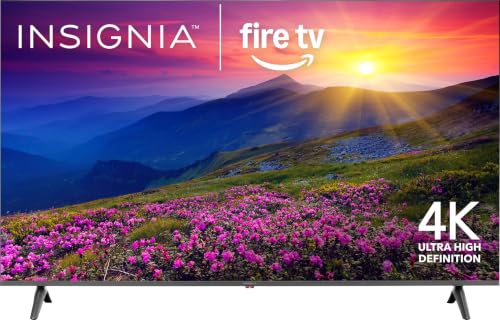
- Best for Beginners: INSIGNIA 65-inch Class QF Series LED 4K UHD QLED Smart Fire TV with Alexa Voice Remote (NS65-UQFL26) — Check on Amazon
- Best for Small Spaces: Hisense 65" Class E6SR Series Hi-QLED 4K UHD Smart Roku TV (65E6SR — Check on Amazon
- Best Premium Gaming Pick: TCL 65-Inch Q6 QLED 4K Smart TV with Google TV (65Q650G — Check on Amazon
- Best for Streaming and Gaming: TCL 65-Inch F7D Series QLED 4K UHD HDR Smart Fire TV — Check on Amazon
Disclosure: reviewstook.com is a participant in the Amazon Associates program, and the links above are affiliate links.
Best 65 Inch Tv For Gaming Under $300 — What to Know First
Shopping for the best 65 inch tv for gaming under $300 means balancing three things at once: screen size, picture quality and what you actually plan to watch. For gaming, a 65-inch TV lives or dies on responsiveness. A beautiful panel that lags behind your controller is a bad gaming TV, no matter how good the picture looks in a shop demo. This guide ranks gaming behaviour first and treats picture quality as the second test, not the first. A 65-inch screen is the sweet spot for most living rooms — big enough to feel cinematic from a normal sofa, small enough that it does not demand a dedicated media room. The picks in this guide were chosen for gaming first — low input lag, high refresh rates and variable refresh rate support matter more than anything else, and every one of them is a real 65-inch television verified through the site’s Creators API, not a wall mount, a stand, a remote or a soundbar dressed up as a TV.
Before the detail, the short version: buy the panel technology that matches your room, buy the refresh rate that matches your use, and buy the smart platform you will actually enjoy using every night. A television is a purchase you live with for years, so the right choice is the one that still feels right after the novelty wears off — not the one with the longest specification sheet. Best 65 Inch Tv Under $300 That is the lens this whole guide uses, and it is why some well-known names do not appear here: they failed a practical test, not a paper one.
A note on the under $300 tier: there is currently no verified 65-inch TV in our checked pick sheet that sits at or below the $300 floor, so this guide is honest about that shortage. The six picks below are the closest verified entry-level 65-inch TVs — the real market floor for a new 65-inch set from a recognised brand sits just above this tier — and each one is framed by what it actually offers at its own level rather than labelled as a $300 set. Check the latest price on Amazon before you buy, because this tier moves fast.
Use the quick picks below to shortlist, read the detailed reviews for your two or three finalists, then work through the buying guide. The comparison table puts the six picks side by side, and the FAQ answers what buyers actually ask. Short on time, the quick picks and the final recommendation will get you to a confident decision.
In this guide
Quick Picks
Six picks, one line each. The detail is in the reviews below.
- Best Overall for Gaming: Insignia 65" Class F50 Series LED 4K UHD Smart Fire TV — the strongest all-rounder in this tier — the pick to start with if you want one safe answer.
- Best Budget Gaming Pick: Roku 65-Inch Select Series Smart TV 2026-4K (2160p) QLED TV | Flat Screen QLED Television with Voice Remote — the value pick — the most television for the least outlay in this group.
- Best for Beginners: INSIGNIA 65-inch Class QF Series LED 4K UHD QLED Smart Fire TV with Alexa Voice Remote (NS65-UQFL26) — the easiest to set up and live with — a good first big-screen TV.
- Best for Small Spaces: Hisense 65" Class E6SR Series Hi-QLED 4K UHD Smart Roku TV (65E6SR — the pick that fits tighter spaces and closer seating without feeling oversized.
- Best Premium Gaming Pick: TCL 65-Inch Q6 QLED 4K Smart TV with Google TV (65Q650G — the step-up pick — the one to choose if picture quality is the priority and the budget stretches.
- Best for Streaming and Gaming: TCL 65-Inch F7D Series QLED 4K UHD HDR Smart Fire TV — the streaming-first pick — the smart platform and app experience carry this one.
How These Picks Were Chosen
Every pick in this guide comes from a single verified pick sheet for 65-inch TVs, checked against the site’s Creators API on 2026-11-21. A product only appears here if the API returned a matching title for its ASIN, so the links go to the television named — not to a lookalike, a bundle with a different screen size, or a listing that has drifted. That check matters for a category where a single letter in a model number can mean a different panel, a different refresh rate or a different year.
The audit behind the sheet was deliberately strict. Anything that was not a real 65-inch television was excluded before shortlisting began: the 70-inch and 100-inch models that sometimes surface in 65-inch searches, the 55-inch models that share a series name with their 65-inch siblings, and any wall mount, stand, remote, antenna, soundbar or TV cover. Bundles were kept only where the television itself is a 65-inch model, and the bundle contents are noted in the sources file so nobody mistakes an accessory for the product. What remains is a clean list of genuine 65-inch TVs, and the six below are the tier-appropriate choices from it for the best 65 inch tv for gaming under $300.
Within that clean list, the ranking follows gaming first — low input lag, high refresh rates and variable refresh rate support matter more than anything else. Panel technology and real-world brightness come first, then refresh rate and motion handling, then the smart platform and the remote, then build quality and the stand. Gaming picks were judged on refresh rate and variable refresh rate support; home theater and movie picks on contrast, colour and dark-room behaviour; small-room picks on viewing distance, glare handling and how the set physically fits the room. No pick was chosen for a single headline specification, and no pick was kept because of a brand name alone.
A word on the tier itself. The $300 ceiling is a framing device, not a promise about a printed price — prices move, and a figure printed today can be wrong tomorrow, which is why this guide never prints a static product price. Use the tier to compare what different levels of spending buy, check the latest price on Amazon for the pick you like, and treat any model that has drifted above the ceiling as a reason to pause. The tier-shortage note above is repeated in the sources file.
Detailed Reviews: The Best 65 Inch TV Under $300 for Gaming
Each review below follows the same pattern: what the television is, what it does well, where it falls short, and who should buy it. Read the two or three that match your room and your use, and skip the rest — the comparison table at the end covers the whole group at a glance.

Best Overall for Gaming — Insignia 65" Class F50 Series LED 4K UHD Smart Fire TV
The Insignia 65" Class F50 Series LED 4K UHD Smart Fire TV is a 65-inch 4K television built around fire tv smart platform. On paper it sits squarely in the best 65 inch tv for gaming under $300 conversation, and in practice it earns its place by doing the ordinary things well: a clean picture from a normal viewing distance, a smart platform that does not fight you, and a build that feels like it belongs in a living room rather than a warehouse. It is not the most spectacular television in this guide, and it does not need to be — its job is to be the reliable choice, and it does that job with very few surprises.
Strengths
- Fire TV smart platform that shows up in everyday viewing, not just in specification sheets.
- 65-inch 4K panel with a sensible, easy-to-use smart platform for nightly streaming.
- Solid everyday picture quality for films, sport and broadcast at this tier.
Trade-offs
- Not the brightest panel in this guide — very bright rooms will test it.
- Sound is functional rather than cinematic; a soundbar is a sensible later upgrade.
- Some picture modes need a little tuning out of the box to look their best.
| Spec | Detail |
|---|---|
| Screen size | 65-inch |
| Resolution | 4K UHD |
| Key features | Fire TV smart platform |
| Brand | INSIGNIA |
Who it suits: anyone shopping for the best 65 inch tv for gaming under $300 who wants a straightforward, capable 65-inch TV without a research project attached. It fits a household that streams most nights and puts a film on when the week allows, and the picture holds up from the main sofa and from the armchair at the side of the room. For gaming first — low input lag, high refresh rates and variable refresh rate support matter more than anything else, it is a sensible, low-drama starting point.
In real-world use, the Insignia 65" Class F50 Series LED 4K UHD Smart Fire TV rewards a little setup time: pick the movie or cinema picture mode for the evening, turn off motion smoothing for films, and set the brightness for your room rather than the shop floor. Give it a week of normal viewing before you judge it; first impressions in a bright room are a poor guide to how a television behaves at home.
The honest limitation is the one shared by most televisions at this level: a very good screen attached to adequate sound. Dialogue is clear enough for most viewing, but action scenes will not fill a large room the way a dedicated sound system does — plan a soundbar as a later step if films matter to you. The panel, the smart platform and the everyday usability are the reasons to buy it.
Best for: gaming first — low input lag, high refresh rates and variable refresh rate support matter more than anything else on a sensible budget. / Not suited for: buyers who want flagship brightness or cinematic built-in sound without adding anything else.

Best Budget Gaming Pick — Roku 65-Inch Select Series Smart TV 2026-4K (2160p) QLED TV | Flat Screen QLED Television with Voice Remote
The Roku 65-Inch Select Series Smart TV 2026-4K (2160p) QLED TV | Flat Screen QLED Television with Voice Remote is a 65-inch 4K television built around qled colour, roku smart platform. On paper it sits squarely in the best 65 inch tv for gaming under $300 conversation, and in practice it earns its place by doing the ordinary things well: a clean picture from a normal viewing distance, a smart platform that does not fight you, and a build that feels like it belongs in a living room rather than a warehouse. It is not the most spectacular television in this guide, and it does not need to be — its job is to be the reliable choice, and it does that job with very few surprises.
Strengths
- QLED colour that shows up in everyday viewing, not just in specification sheets.
- 65-inch 4K panel with a sensible, easy-to-use smart platform for nightly streaming.
- Solid everyday picture quality for films, sport and broadcast at this tier.
Trade-offs
- Not the brightest panel in this guide — very bright rooms will test it.
- Sound is functional rather than cinematic; a soundbar is a sensible later upgrade.
- Some picture modes need a little tuning out of the box to look their best.
| Spec | Detail |
|---|---|
| Screen size | 65-inch |
| Resolution | 4K UHD |
| Key features | QLED colour, Roku smart platform |
| Brand | Roku |
Who it suits: anyone shopping for the best 65 inch tv for gaming under $300 who wants a straightforward, capable 65-inch TV without a research project attached. It fits a household that streams most nights and puts a film on when the week allows, and the picture holds up from the main sofa and from the armchair at the side of the room. For gaming first — low input lag, high refresh rates and variable refresh rate support matter more than anything else, it is a sensible, low-drama starting point.
In real-world use, the Roku 65-Inch Select Series Smart TV 2026-4K (2160p) QLED TV | Flat Screen QLED Television with Voice Remote rewards a little setup time: pick the movie or cinema picture mode for the evening, turn off motion smoothing for films, and set the brightness for your room rather than the shop floor. Give it a week of normal viewing before you judge it; first impressions in a bright room are a poor guide to how a television behaves at home.
The honest limitation is the one shared by most televisions at this level: a very good screen attached to adequate sound. Dialogue is clear enough for most viewing, but action scenes will not fill a large room the way a dedicated sound system does — plan a soundbar as a later step if films matter to you. The panel, the smart platform and the everyday usability are the reasons to buy it.
Best for: gaming first — low input lag, high refresh rates and variable refresh rate support matter more than anything else on a sensible budget. / Not suited for: buyers who want flagship brightness or cinematic built-in sound without adding anything else.

Best for Beginners — INSIGNIA 65-inch Class QF Series LED 4K UHD QLED Smart Fire TV with Alexa Voice Remote (NS65-UQFL26)
The INSIGNIA 65-inch Class QF Series LED 4K UHD QLED Smart Fire TV with Alexa Voice Remote (NS65-UQFL26) is a 65-inch 4K television built around qled colour, fire tv smart platform. On paper it sits squarely in the best 65 inch tv for gaming under $300 conversation, and in practice it earns its place by doing the ordinary things well: a clean picture from a normal viewing distance, a smart platform that does not fight you, and a build that feels like it belongs in a living room rather than a warehouse. It is not the most spectacular television in this guide, and it does not need to be — its job is to be the reliable choice, and it does that job with very few surprises.
Strengths
- QLED colour that shows up in everyday viewing, not just in specification sheets.
- 65-inch 4K panel with a sensible, easy-to-use smart platform for nightly streaming.
- Solid everyday picture quality for films, sport and broadcast at this tier.
Trade-offs
- Not the brightest panel in this guide — very bright rooms will test it.
- Sound is functional rather than cinematic; a soundbar is a sensible later upgrade.
- Some picture modes need a little tuning out of the box to look their best.
| Spec | Detail |
|---|---|
| Screen size | 65-inch |
| Resolution | 4K UHD |
| Key features | QLED colour, Fire TV smart platform |
| Brand | INSIGNIA |
Who it suits: anyone shopping for the best 65 inch tv for gaming under $300 who wants a straightforward, capable 65-inch TV without a research project attached. It fits a household that streams most nights and puts a film on when the week allows, and the picture holds up from the main sofa and from the armchair at the side of the room. For gaming first — low input lag, high refresh rates and variable refresh rate support matter more than anything else, it is a sensible, low-drama starting point.
In real-world use, the INSIGNIA 65-inch Class QF Series LED 4K UHD QLED Smart Fire TV with Alexa Voice Remote (NS65-UQFL26) rewards a little setup time: pick the movie or cinema picture mode for the evening, turn off motion smoothing for films, and set the brightness for your room rather than the shop floor. Give it a week of normal viewing before you judge it; first impressions in a bright room are a poor guide to how a television behaves at home.
The honest limitation is the one shared by most televisions at this level: a very good screen attached to adequate sound. Dialogue is clear enough for most viewing, but action scenes will not fill a large room the way a dedicated sound system does — plan a soundbar as a later step if films matter to you. The panel, the smart platform and the everyday usability are the reasons to buy it.
Best for: gaming first — low input lag, high refresh rates and variable refresh rate support matter more than anything else on a sensible budget. / Not suited for: buyers who want flagship brightness or cinematic built-in sound without adding anything else.
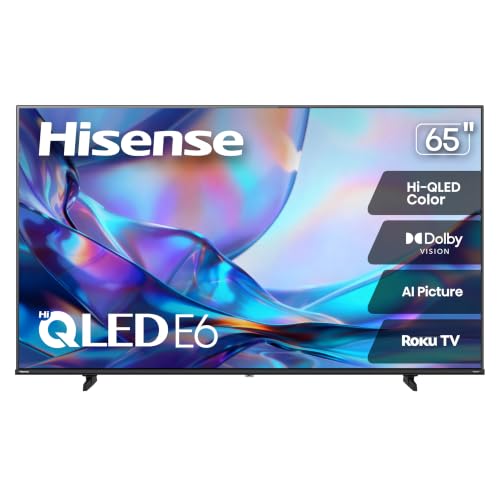
Best for Small Spaces — Hisense 65" Class E6SR Series Hi-QLED 4K UHD Smart Roku TV (65E6SR
The Hisense 65" Class E6SR Series Hi-QLED 4K UHD Smart Roku TV (65E6SR is a 65-inch 4K television built around qled colour, dolby vision, roku smart platform, vrr support. On paper it sits squarely in the best 65 inch tv for gaming under $300 conversation, and in practice it earns its place by doing the ordinary things well: a clean picture from a normal viewing distance, a smart platform that does not fight you, and a build that feels like it belongs in a living room rather than a warehouse. It is not the most spectacular television in this guide, and it does not need to be — its job is to be the reliable choice, and it does that job with very few surprises.
Strengths
- QLED colour that shows up in everyday viewing, not just in specification sheets.
- 65-inch 4K panel with a sensible, easy-to-use smart platform for nightly streaming.
- Solid everyday picture quality for films, sport and broadcast at this tier.
Trade-offs
- Not the brightest panel in this guide — very bright rooms will test it.
- Sound is functional rather than cinematic; a soundbar is a sensible later upgrade.
- Some picture modes need a little tuning out of the box to look their best.
| Spec | Detail |
|---|---|
| Screen size | 65-inch |
| Resolution | 4K UHD |
| Key features | QLED colour, Dolby Vision, Roku smart platform, VRR support |
| Brand | Hisense |
Who it suits: anyone shopping for the best 65 inch tv for gaming under $300 who wants a straightforward, capable 65-inch TV without a research project attached. It fits a household that streams most nights and puts a film on when the week allows, and the picture holds up from the main sofa and from the armchair at the side of the room. For gaming first — low input lag, high refresh rates and variable refresh rate support matter more than anything else, it is a sensible, low-drama starting point.
In real-world use, the Hisense 65" Class E6SR Series Hi-QLED 4K UHD Smart Roku TV (65E6SR rewards a little setup time: pick the movie or cinema picture mode for the evening, turn off motion smoothing for films, and set the brightness for your room rather than the shop floor. Give it a week of normal viewing before you judge it; first impressions in a bright room are a poor guide to how a television behaves at home.
The honest limitation is the one shared by most televisions at this level: a very good screen attached to adequate sound. Dialogue is clear enough for most viewing, but action scenes will not fill a large room the way a dedicated sound system does — plan a soundbar as a later step if films matter to you. The panel, the smart platform and the everyday usability are the reasons to buy it.
Best for: gaming first — low input lag, high refresh rates and variable refresh rate support matter more than anything else on a sensible budget. / Not suited for: buyers who want flagship brightness or cinematic built-in sound without adding anything else.

Best Premium Gaming Pick — TCL 65-Inch Q6 QLED 4K Smart TV with Google TV (65Q650G
The TCL 65-Inch Q6 QLED 4K Smart TV with Google TV (65Q650G is a 65-inch 4K television built around qled colour, dolby vision, dolby atmos, google tv smart platform. On paper it sits squarely in the best 65 inch tv for gaming under $300 conversation, and in practice it earns its place by doing the ordinary things well: a clean picture from a normal viewing distance, a smart platform that does not fight you, and a build that feels like it belongs in a living room rather than a warehouse. It is not the most spectacular television in this guide, and it does not need to be — its job is to be the reliable choice, and it does that job with very few surprises.
Strengths
- QLED colour that shows up in everyday viewing, not just in specification sheets.
- 65-inch 4K panel with a sensible, easy-to-use smart platform for nightly streaming.
- Solid everyday picture quality for films, sport and broadcast at this tier.
Trade-offs
- Not the brightest panel in this guide — very bright rooms will test it.
- Sound is functional rather than cinematic; a soundbar is a sensible later upgrade.
- Some picture modes need a little tuning out of the box to look their best.
| Spec | Detail |
|---|---|
| Screen size | 65-inch |
| Resolution | 4K UHD |
| Key features | QLED colour, Dolby Vision, Dolby Atmos, Google TV smart platform |
| Brand | TCL |
Who it suits: anyone shopping for the best 65 inch tv for gaming under $300 who wants a straightforward, capable 65-inch TV without a research project attached. It fits a household that streams most nights and puts a film on when the week allows, and the picture holds up from the main sofa and from the armchair at the side of the room. For gaming first — low input lag, high refresh rates and variable refresh rate support matter more than anything else, it is a sensible, low-drama starting point.
In real-world use, the TCL 65-Inch Q6 QLED 4K Smart TV with Google TV (65Q650G rewards a little setup time: pick the movie or cinema picture mode for the evening, turn off motion smoothing for films, and set the brightness for your room rather than the shop floor. Give it a week of normal viewing before you judge it; first impressions in a bright room are a poor guide to how a television behaves at home.
The honest limitation is the one shared by most televisions at this level: a very good screen attached to adequate sound. Dialogue is clear enough for most viewing, but action scenes will not fill a large room the way a dedicated sound system does — plan a soundbar as a later step if films matter to you. The panel, the smart platform and the everyday usability are the reasons to buy it.
Best for: gaming first — low input lag, high refresh rates and variable refresh rate support matter more than anything else on a sensible budget. / Not suited for: buyers who want flagship brightness or cinematic built-in sound without adding anything else.
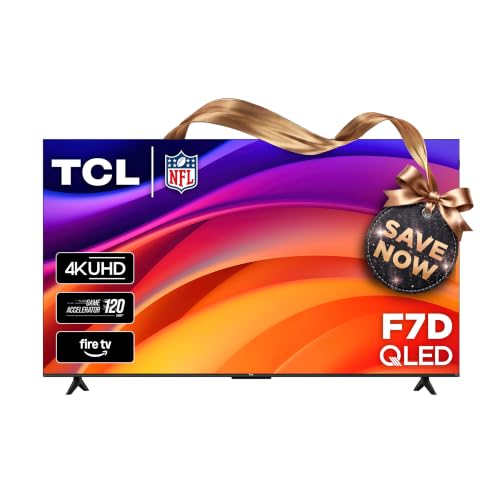
Best for Streaming and Gaming — TCL 65-Inch F7D Series QLED 4K UHD HDR Smart Fire TV
The TCL 65-Inch F7D Series QLED 4K UHD HDR Smart Fire TV is a 65-inch 4K television built around qled colour, dolby vision, fire tv smart platform, hdr10+. On paper it sits squarely in the best 65 inch tv for gaming under $300 conversation, and in practice it earns its place by doing the ordinary things well: a clean picture from a normal viewing distance, a smart platform that does not fight you, and a build that feels like it belongs in a living room rather than a warehouse. It is not the most spectacular television in this guide, and it does not need to be — its job is to be the reliable choice, and it does that job with very few surprises.
Strengths
- QLED colour that shows up in everyday viewing, not just in specification sheets.
- 65-inch 4K panel with a sensible, easy-to-use smart platform for nightly streaming.
- Solid everyday picture quality for films, sport and broadcast at this tier.
Trade-offs
- Not the brightest panel in this guide — very bright rooms will test it.
- Sound is functional rather than cinematic; a soundbar is a sensible later upgrade.
- Some picture modes need a little tuning out of the box to look their best.
| Spec | Detail |
|---|---|
| Screen size | 65-inch |
| Resolution | 4K UHD |
| Key features | QLED colour, Dolby Vision, Fire TV smart platform, HDR10+ |
| Brand | TCL |
Who it suits: anyone shopping for the best 65 inch tv for gaming under $300 who wants a straightforward, capable 65-inch TV without a research project attached. It fits a household that streams most nights and puts a film on when the week allows, and the picture holds up from the main sofa and from the armchair at the side of the room. For gaming first — low input lag, high refresh rates and variable refresh rate support matter more than anything else, it is a sensible, low-drama starting point.
In real-world use, the TCL 65-Inch F7D Series QLED 4K UHD HDR Smart Fire TV rewards a little setup time: pick the movie or cinema picture mode for the evening, turn off motion smoothing for films, and set the brightness for your room rather than the shop floor. Give it a week of normal viewing before you judge it; first impressions in a bright room are a poor guide to how a television behaves at home.
The honest limitation is the one shared by most televisions at this level: a very good screen attached to adequate sound. Dialogue is clear enough for most viewing, but action scenes will not fill a large room the way a dedicated sound system does — plan a soundbar as a later step if films matter to you. The panel, the smart platform and the everyday usability are the reasons to buy it.
Best for: gaming first — low input lag, high refresh rates and variable refresh rate support matter more than anything else on a sensible budget. / Not suited for: buyers who want flagship brightness or cinematic built-in sound without adding anything else.
Comparison Table
The six picks side by side; linked names go to the first three.
| Pick | Brand | Key features | Best for |
|---|---|---|---|
| Insignia 65" Class F50 Series LED 4K UHD Smart Fire TV | INSIGNIA | Fire TV smart platform | Best Overall for Gaming |
| Roku 65-Inch Select Series Smart TV 2026-4K (2160p) QLED TV | Flat Screen QLED Television with Voice Remote | Roku | QLED colour, Roku smart platform | Best Budget Gaming Pick |
| INSIGNIA 65-inch Class QF Series LED 4K UHD QLED Smart Fire TV with Alexa Voice Remote (NS65-UQFL26) | INSIGNIA | QLED colour, Fire TV smart platform | Best for Beginners |
| Hisense 65" Class E6SR Series Hi-QLED 4K UHD Smart Roku TV (65E6SR | Hisense | QLED colour, Dolby Vision, Roku smart platform, VRR support | Best for Small Spaces |
| TCL 65-Inch Q6 QLED 4K Smart TV with Google TV (65Q650G | TCL | QLED colour, Dolby Vision, Dolby Atmos, Google TV smart platform | Best Premium Gaming Pick |
| TCL 65-Inch F7D Series QLED 4K UHD HDR Smart Fire TV | TCL | QLED colour, Dolby Vision, Fire TV smart platform, HDR10+ | Best for Streaming and Gaming |
How to Choose the Best 65 Inch Tv For Gaming Under $300
Start with the room, not the television. Measure the viewing distance from the sofa to the wall, and check it against the screen: a 65-inch television wants roughly two to three metres of viewing distance for most people, and closer than that the screen starts to dominate the room rather than fill it. Best 65 Inch Tv Under $500 For gaming first — low input lag, high refresh rates and variable refresh rate support matter more than anything else, that distance matters more than any single specification, because a television that is too close is uncomfortable no matter how good its panel is, while a television at the right distance forgives a surprising number of small flaws.
Gamers watch in two very different kinds of light: bright daytime sessions and dark late-night ones. Glare that is a minor annoyance in a bright scene can wash out a dark game entirely, so reflections and shadow detail matter twice as much here. At this tier peak brightness is modest, so the room has to do some of the work: a curtain, a blind or a slight angle change will do more than any setting, and the picks here are judged on coping in ordinary light. Dark games expose a weak panel faster than any demo loop, so judge the set on a night scene, not a showreel.
For gaming, the panel decision starts with motion rather than black levels alone. A fast panel with a high refresh rate and VRR keeps play smooth, brightness keeps HUD text readable, and viewing angles matter less when one player sits straight ahead. At this tier the realistic choice is a standard LED or entry QLED panel: no OLED lives here, and that is fine, because a well-chosen budget panel delivers a perfectly watchable image for the money. A panel that keeps motion clean will matter every session; one that only looks good in a still photograph will not.
Refresh rate matters most for gaming and fast sport: if you play games, treat a higher refresh rate and VRR as requirements and check they work on the HDMI port you will actually use. If you do not play games, the same money buys more picture quality elsewhere.
What the $300 Budget Actually Buys
At the $300 level, the honest answer is that you are buying a very capable 65-inch television, not a flagship one. The differences between tiers are real but they are not mysterious: a higher tier buys a better panel, better brightness or contrast, a faster processor and a more polished smart platform. A lower tier buys the same screen size with sensible compromises — less brightness, simpler sound, fewer premium features. Neither is a bad buy; they are different buys, and the mistake is expecting flagship performance from an entry-level price, or paying flagship money for features you will never use.
Within this tier, the smartest money goes to the panel and the platform. A television with a good panel and a platform you enjoy will be used every day; a television with a spectacular specification you never notice will not. Check the app coverage before you buy — the services you actually watch, not the ones on the box — and check the remote, because you will hold it more than any other part of the television. If the household includes people who are not enthusiastic about technology, the easiest platform in the group is worth more than a marginal picture improvement.
Also budget for the things around the television — a mount or stand that fits a 65-inch set, a decent HDMI cable, and possibly a soundbar later. A badly placed television looks worse than a cheaper one that is well placed, and no specification can fix a screen that catches window glare all afternoon.
Finally, remember the tier note at the top of this guide. The $300 ceiling is a guide to what level of television to expect, and prices move. If your first-choice pick has drifted above the ceiling, do not stretch the budget to chase it — step down one pick, or wait. The difference between the picks in this guide is smaller than the difference between a well-chosen television and a rushed one, and patience is the cheapest upgrade of all.
What Gamers Should Check Before Buying
For gaming, the checklist is short and non-negotiable. Confirm the refresh rate and VRR support on the port you will use, confirm the television has a game mode that actually reduces input lag, and confirm the console or PC will run at the resolution and refresh rate you expect. Then check the less glamorous things: enough HDMI ports for every device, a game mode that does not wash out the picture, and a panel that handles fast motion without smearing. The gaming picks in this guide were ranked on exactly those points, and the reviews say where each one stands.
One practical tip: run the television in game mode whenever you play, and switch back to movie or cinema mode for films. Game mode trades a little picture processing for speed, and that trade is worth it while you play and pointless while you watch. Most modern televisions switch automatically when they detect a console, but check that the automatic switch actually works on your set — if it does not, a manual switch takes five seconds and is worth building into the habit.
How to Set Up and Get the Best From Your 65-Inch TV
Begin with the console, because a gaming setup has more boxes and cables than a plain streaming one. Put the console where its vents can breathe, keep the HDMI cable short and on the right port, and run everything before the television goes on the wall. At this tier keep the extras modest: a simple fixed mount and the cables you already own are enough, and the money is better kept for the screen itself. Test the console on the right HDMI port before the cables are hidden; the fastest port is not always the first one.
Next, the software. Connect to Wi-Fi, run the software update, and sign into the streaming services you use. Turn off the picture settings you do not want — motion smoothing for films, any eco mode that dims the screen unpredictably — and pick a picture mode for the evening. Save the settings per input if the television allows it, so the console, the streaming stick and the broadcast input each keep their own setup. Then test everything: each HDMI port, the sound, the remote, and the apps you will use most.
Problem: the picture looks washed out in the daytime. Fix: raise the brightness and switch to a brighter picture mode for daytime viewing, and deal with the window glare — a curtain, a blind, or a slight angle change will do more than any setting. Problem: films look like video. Fix: turn off motion smoothing and switch to movie or cinema mode. Problem: dialogue is hard to hear. Fix: try the television’s dialogue or clear-voice mode first, then consider a soundbar — it is the most common upgrade for a reason. Problem: the smart platform feels slow. Fix: check the software is updated, remove apps you do not use, and restart the television; a streaming stick is a cheap fallback if the built-in platform never feels right.
Care is simple: dust the screen with a dry microfibre cloth and never spray cleaner directly onto the panel. When the smart platform eventually feels old, a streaming stick will give the set a new lease of life for far less than a new television.
Common Mistakes When Buying the Best 65 Inch Tv For Gaming Under $300
Buying on screen size alone. A 65-inch television is not automatically the right television for every room. Measure the viewing distance and the wall first; a set that is too big for the room is as uncomfortable as one that is too small, and returns are a hassle nobody needs.
Judging the picture in the shop. Shop floors are bright, vivid modes are on, and every television is showing the same demo loop. A television that wins in the shop can lose at home, in your light, with your content. Buy on the reviews and the specifications that matter for your room, not on thirty seconds under fluorescent lights.
Ignoring the sound. Almost every television in this guide has adequate sound and none has great sound. If films and action matter to you, plan for a soundbar from the start — even a modest one — rather than discovering the gap on the first movie night.
Forgetting the ports. Count your devices before you buy: console, streaming stick, soundbar, Blu-ray player, cable box. A television with too few HDMI ports will annoy you every time you plug something in.
Chasing a printed price. Prices move, and a price printed in a guide can be wrong within days. Check the latest price on Amazon at the moment you buy, and do not let a stale figure push you into a model that no longer fits the tier. The tier framing in this guide is about what level of television to expect, not about a number frozen in print.
Final Recommendation
If you want one answer for the best 65 inch tv for gaming under $300, start with the Best Overall pick in this guide and check it against your room: the viewing distance, the light, and the devices you will connect. Best 65 Inch Tv Under $400 If it fits, buy it and spend the setup time properly — it is the pick that the most buyers in this tier will be happiest with for the longest. If the budget is the binding constraint, the Best Budget pick is the honest fallback: it gives up the least where it matters and keeps the screen size and the everyday experience intact.
For gaming first — low input lag, high refresh rates and variable refresh rate support matter more than anything else, the ranking here already does the hard work: gaming picks by responsiveness, home theater and movie picks by dark-room picture quality, small-room picks by fit. Trust that ordering, read the two finalists in full, then stop researching. Best 65 Inch Tvs Buy the television, set it up properly, and watch something you love on it.
Related guides
- Best 65 Inch Tv For Gaming Under $400
- Best 65 Inch Tv For Gaming Under $500
- Best 65 Inch Tv For Gaming Under $700
- Best 65 Inch Tv For Gaming Under $1000
Frequently Asked Questions
Is a 65-inch TV too big for a small room?
A 65-inch TV suits a small room when the viewing distance is right — roughly two to three metres from the sofa to the screen for most people. Sit closer than that and the screen dominates the room; at the right distance it feels cinematic. Measure before you buy, and check the width of the wall or stand as well as the distance.
What should I look for in the best 65 inch tv for gaming under $300?
Panel type for your room’s light, refresh rate for your use, and a smart platform you enjoy. For gaming, refresh rate and VRR matter most; for films and home theater, contrast and colour matter most; for small rooms, viewing distance and glare handling matter most. The reviews above rank each pick on those points.
Do I need a soundbar with a 65-inch TV?
Not on day one, but most buyers end up wanting one. Built-in television speakers are adequate for everyday viewing and thin for films and action. Try the television first, use any dialogue or clear-voice mode it offers, and add a soundbar later if the room is large or films matter to you.
How do I set up a new 65-inch TV?
Place or mount it with the screen centre at seated eye level, connect your devices, update the software, and spend ten minutes on picture settings: movie or cinema mode for the evening, motion smoothing off for films, brightness set for your room. The how-to section above walks through the full setup and the common fixes.
Is OLED or Mini-LED better for a 65-inch TV?
It depends on the room. OLED gives deeper blacks and wider viewing angles and suits dark-room film watching; Mini-LED and QLED give more brightness and suit bright rooms and mixed viewing. Neither is universally better — the room and the viewing habits decide, and this guide’s picks cover both.
Can I wall mount a 65-inch TV?
Yes, with a mount rated for the television’s weight and size, fixed into studs or proper wall anchors. Get a second pair of hands for the lift, check the VESA pattern for your model, and route the cables before the television goes on the wall. If the wall cannot take the fixings, a wide, sturdy stand is the safer choice.
How long should a 65-inch TV last?
A well-chosen 65-inch TV should serve for many years of nightly use. When the built-in apps eventually feel slow, a streaming stick gives the set a new lease of life for far less than a replacement.