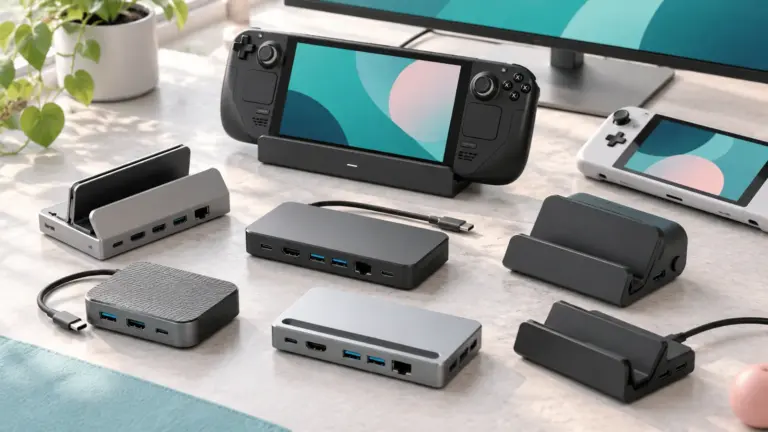
A Thunderbolt 4 hub turns one port on your computer into several. For photographers that usually means a fast card reader or external SSD, a display or two, power for the laptop and a few spare ports for a tethering cable or a drive, all through a single cable.
The six products below range from slim aluminum hubs with three Thunderbolt 4 ports to a wider desk unit with Ethernet and USB-A. Specs come from each product’s listing page. We have not used these hubs ourselves. Speed, charging and display figures are the makers’ own and depend on your computer.
As an Amazon Associate we earn from qualifying purchases. Links below are affiliate links, and they do not change the product information we give.

What to Look For
| Feature | Why it matters |
|---|---|
| Downstream ports | Each Thunderbolt 4 port is listed at 40Gbps for fast SSDs and displays |
| Host charging | Watts delivered to the laptop through the one cable |
| Display support | Dual 4K or a single 8K, depending on the computer |
| Extras | SD card slot, Ethernet and USB-A save extra adapters |
| Power supply | Most hubs need their own adapter to work |
Specs at a Glance
| Hub | Ports and charging | Displays | Notes |
|---|---|---|---|
| Satechi Slim Hub | 3 Thunderbolt 4 plus USB 3.2 Gen 2; 60W to host | Dual 4K 60Hz or single 8K 30Hz | 7.09 oz; 100W adapter included |
| Satechi Slim Hub Pro | 3 Thunderbolt 4, USB-A, SD, Ethernet; up to 100W to host | Dual 4K 60Hz or single 8K 30Hz | 8.75 oz; 150W GaN supply included |
| Sabrent HB-TBT4 | 3 Thunderbolt 4 plus USB-A; 60W | Dual 4K 60Hz or single 4K 144Hz | 198 g; 15.7 in cable included |
| Plugable TBT4-HUB3C | 3 Thunderbolt 4 downstream; 60W | Two 4K 60Hz or one 8K 30Hz | HDMI adapter included |
| Belkin Connect | 5 ports; 96W to host | Dual 4K 60Hz or single 8K 30Hz | 3-year warranty |
| UGREEN 8-in-1 | 3 Thunderbolt 4, 3 USB-A, Ethernet; up to 85W | Two 4K 60Hz or one 8K 30Hz on Windows | 140W charger included; 1.4 kg |
The 6 Best Thunderbolt 4 Hubs
1. Satechi Thunderbolt 4 Slim Hub
A slim hub with one Thunderbolt 4 host port with 60W power delivery, three Thunderbolt 4 downstream ports at up to 40Gbps and 15W each, and a USB 3.2 Gen 2 port at 10Gbps. It supports dual 4K at 60Hz or a single 8K at 30Hz, and the box has a 100W adapter and a 2.6 foot Thunderbolt 4 cable. The listing notes that dual external displays are not supported on the MacBook Pro M3, and its highlight line mentions four Thunderbolt 4 ports while the bullets describe three downstream.
Suits: a slim desk or travel hub. Strengths: three fast ports and a thin shape. Weaknesses: no card reader. Skip it if you want Ethernet or an SD slot.
View Satechi Thunderbolt 4 Slim Hub, Single 8K or Dual 4K Display, USB 3.2 Gen 2 on Amazon
2. Satechi Thunderbolt 4 Slim Hub Pro
A step up with three Thunderbolt 4 ports, USB-A at up to 10Gbps, a UHS-II SD card reader at up to 312MB/s and Gigabit Ethernet. The listing says up to 100W host charging, though its table shows 96 watts, and it supports daisy-chaining up to six devices. The 150W GaN power supply and a 0.8 m cable come in the box.
Suits: photographers who offload SD cards. Strengths: a card reader and Ethernet in one hub. Weaknesses: conflicting charging figures. Skip it if you need only extra Thunderbolt ports.
View Satechi Thunderbolt 4 Slim Hub Pro, Docking Station, 100W USB-C Charging on Amazon
3. Sabrent Thunderbolt 4 Hub HB-TBT4
An aluminum hub with three Thunderbolt 4 ports plus a USB-A port, 60W charging and a 15.7 inch Thunderbolt 4 cable, with a 20V/6A power supply. The maker lists support for dual 4K at 60Hz or single 4K at 144Hz and 5K, 6K or 8K at 60Hz with DSC, depending on the host, and says it is not a KVM switch.
Suits: a high-refresh display setup. Strengths: a 144Hz display figure and a USB-A port. Weaknesses: 60W charging. Skip it if your laptop needs more power.
View SABRENT Thunderbolt 4 Hub, 60W Charging, 3X TB4 + USB-A (HB-TBT4) on Amazon
4. Plugable Thunderbolt 4 Hub, 3 Ports
A hub built on the Intel Goshen Ridge chipset with three downstream Thunderbolt ports at 40Gbps and 15W, 60W laptop charging and an included USB-C to HDMI 2.0 adapter. The listing details which Macs support dual displays and notes that the included power adapter is required for operation.
Suits: a plain hub with clear compatibility notes. Strengths: an included HDMI adapter and daisy-chaining up to six devices. Weaknesses: no card reader. Skip it if you use a base Apple chip and want dual displays.
View Plugable Thunderbolt 4 Hub – 3X Thunderbolt 4 Ports on Amazon
5. Belkin Connect Thunderbolt 4 5-in-1 Core Hub
A 5-port unit measuring 5.3 by 2.9 by 0.7 inches with 96W power delivery, 15W downstream charging and support for a single 8K display at 30Hz or dual 4K at 60Hz. The listing calls it both a docking station and a core hub, and one bullet says 3x upstream and 1x downstream, which looks reversed. The maker gives a 3-year warranty.
Suits: a compact desk setup with a longer warranty. Strengths: 96W charging. Weaknesses: confusing port wording. Skip it if you want a clear port count.
6. UGREEN 8-in-1 Thunderbolt 4 Station
A desk-sized unit with three Thunderbolt 4 ports at 40Gbps and 15W, three USB-A 3.2 ports at 10Gbps, Gigabit Ethernet and a 140W GaN charger that supplies up to 85W to the laptop. The listing says basic Apple chip Macs extend to one 4K display, and the dock must be connected to its charger to work.
Suits: a permanent desk with wired network. Strengths: Ethernet and three USB-A ports. Weaknesses: a larger body. Skip it if you want something slim for travel.
View UGREEN 8-in-1 Thunderbolt 4 Docking Station, Dual 4K@60Hz, 3xTBT4, 40Gbps on Amazon
Care and Setup
- Plug the hub into a Thunderbolt 4 or USB4 port on the computer.
- Use the supplied power adapter and cable.
- Connect fast SSDs and displays to the Thunderbolt ports.
- Keep vents clear so the aluminum body can shed heat.
Mistakes to Avoid
- Assuming every port runs at 40Gbps.
- Ignoring the host’s display limits.
- Using a short or non-Thunderbolt cable on the host port.
- Expecting a hub to power a large laptop without checking the watts.
Thunderbolt 4 Hub FAQ
Do I need a Thunderbolt 4 computer?
Makers recommend a Thunderbolt 4 or USB4 host for full performance. Plain USB-C hosts may be limited.
What is the difference between a hub and a dock?
A hub mainly adds ports. A dock usually adds more, such as Ethernet and a card reader.
The Short Version
For a slim basic hub, the Satechi Slim Hub. For an SD slot and Ethernet, the Slim Hub Pro. For high-refresh displays, the Sabrent. For clear compatibility notes, the Plugable. For 96W in a compact body, the Belkin. For a wired desk, the UGREEN.