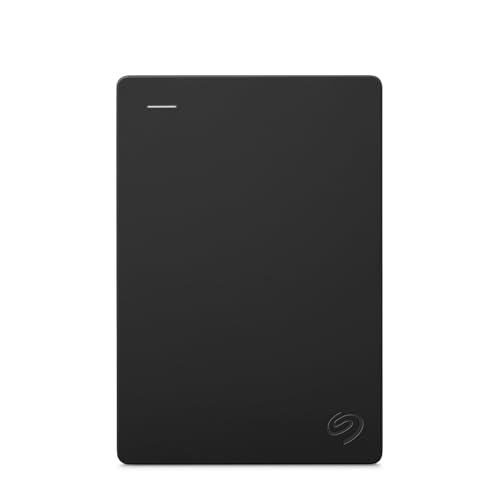
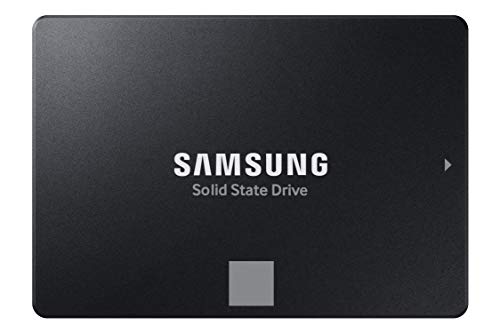
The best use for SSDs depends on what the drive has to do, because a solid-state drive is not one product but several: a fast NVMe drive that loads games in seconds, a SATA drive that revives an old laptop, and a pocket-sized portable drive that carries a photo library between computers. Each of those uses asks for a different kind of SSD, and the wrong choice wastes money or leaves speed on the table. This guide covers six SSDs, one for each of the main uses: gaming, backups, creative work, laptop upgrades, portable storage, and everyday computing.
An SSD stores data on flash memory with no moving parts, which is why it is faster, quieter, and tougher than the hard drive it replaces. The best use for SSDs starts with that simple fact: anything that reads and writes data all day runs better on flash. A computer that boots from an SSD starts in seconds rather than minutes, a game installed on an SSD loads its world without the long pause of a spinning disk, and a photo library on a portable SSD opens anywhere without waiting for a slow drive to spin up.
The six drives in this guide cover the main uses an SSD is bought for. The Samsung 990 PRO 1TB is the gaming and heavy-work pick, with the fastest read speed in this guide. The WD_BLACK SN850X 1TB is the second gaming pick, built for high-performance play. The Crucial MX500 1TB and the Samsung 870 EVO 1TB are the upgrade picks, SATA drives that fit older laptops and desktops. The SanDisk Extreme Portable SSD 1TB and the Samsung T7 Portable SSD 1TB are the portable picks, drives that travel in a pocket and plug in by USB-C.
This guide covers six best use for SSDs picks, and every one of them is a genuine SSD with its brand, model, capacity, and speed stated in the listing title, so a buyer can tell exactly which drive is in the box. The comparison table below gives the short version, and the sections after it give the detail for each drive, including who each one fits and where each one falls short. The buying guide after the picks explains how to match the interface, the capacity, and the form to the use, so a buyer who is still unsure can decide from the job first and the drive second.
An SSD also deserves a word about capacity, because the use decides the size. A gaming drive needs room for games that run to a hundred gigabytes each, so a 1TB drive is the smallest size that makes sense for a gaming computer. A laptop upgrade needs room for the operating system and the files that live on the machine, so 1TB covers most buyers. Every pick in this guide is a 1TB drive, which suits the most uses without paying for space that stays empty.
In this guide
Quick picks: best use for ssds
| # | Product | Where to buy |
|---|---|---|
| 1 | Samsung 990 PRO 1TB | Check on Amazon |
| 2 | WD_BLACK SN850X 1TB | Check on Amazon |
| 3 | Crucial MX500 1TB | Check on Amazon |
| 4 | Samsung 870 EVO 1TB | Check on Amazon |
| 5 | SanDisk Extreme Portable SSD 1TB | Check on Amazon |
| 6 | Samsung T7 Portable SSD 1TB | Check on Amazon |
How the picks were chosen for the best use for SSDs
The picks were chosen from the product listings returned by the site product search, and only genuine SSDs made the list. Each listing title was checked for the brand, the model, the 1TB capacity, and the speed, and a drive was only linked when all of those matched the listing. Hard drives, USB flash sticks, memory cards, enclosures, and cables were not counted as picks, because the article is about SSDs and their uses, not about storage in general.
Use was the first filter, because the keyword sets it: every pick in this guide serves a clear use, stated in the listing title or in the drive design. The Samsung 990 PRO and the WD_BLACK SN850X state gaming and high-end computing in their titles, the Crucial MX500 and the Samsung 870 EVO state PC and laptop upgrades, and the SanDisk Extreme Portable and the Samsung T7 state portable storage for gaming, students, and professionals. A drive with no clear use was not chosen.
Interface was the second filter, because the interface decides the speed a drive can reach. A PCIe 4.0 NVMe M.2 drive, like the Samsung 990 PRO and the WD_BLACK SN850X, reaches read speeds above 7,000 MB/s, which suits gaming and heavy work. A SATA 2.5-inch drive, like the Crucial MX500 and the Samsung 870 EVO, reaches about 560 MB/s, which is far slower on paper but still many times faster than a hard drive, and it fits the older laptops and desktops that have no M.2 slot. A USB-C portable drive, like the SanDisk Extreme Portable and the Samsung T7, reaches 1,050 to 2,000 MB/s, which suits carrying files between computers.
The third filter was the listing itself. Every pick is a new listing from a known storage brand: Samsung, WD_BLACK, Crucial, or SanDisk. Listings for used or renewed drives were excluded, and listings whose titles named a different capacity, a different model, or a different brand were excluded too. The result is six 1TB drives that a buyer can order with confidence that the drive in the box matches the drive in the title.
What makes an SSD good for its use
A good SSD is first of all fast enough for the job it has to do, and the speed that matters is the read speed, which decides how quickly games load, files open, and the computer starts. The Samsung 990 PRO reads at up to 7,450 MB/s and the WD_BLACK SN850X at up to 7,300 MB/s, which are the fastest speeds in this guide and the speeds to choose for gaming and heavy work. The Crucial MX500 and the Samsung 870 EVO read at up to 560 MB/s, which is slower but still fast enough to make an old computer feel new, and the SanDisk Extreme Portable reads at up to 2,000 MB/s while the Samsung T7 reads at up to 1,050 MB/s, which are the speeds that matter when moving large files by USB.
Form and interface are the second quality that matters, because they decide whether the drive fits the computer at all. An M.2 2280 NVMe drive, like the Samsung 990 PRO and the WD_BLACK SN850X, slides into a slot on a modern motherboard or laptop, and it needs that slot to work. A 2.5-inch SATA drive, like the Crucial MX500 and the Samsung 870 EVO, fits the drive bay of an older laptop or desktop, and it needs a SATA connection and a bay to sit in. A portable drive, like the SanDisk Extreme Portable and the Samsung T7, needs only a USB-C port, and it works with almost any computer, tablet, or console.
Capacity is the third quality, because a drive that is too small fills up and slows down. Every pick in this guide is a 1TB drive, which holds the operating system, the programs, and a large library of games or photos with room to spare. A 500GB drive costs less but fills quickly once games and video arrive, and a 2TB drive costs more than most buyers need for a single use. The 1TB size is the balance point: large enough for the main use, small enough to stay affordable, and the size that suits the most buyers.
Finally, a good SSD is one that survives the use it is bought for. A drive that lives inside a desktop needs no protection beyond the case, but a drive that travels in a pocket needs to survive drops and weather, and the SanDisk Extreme Portable states IP65 water and dust resistance and up to 3 metres of drop protection, with 256-bit AES encryption for the files on it. A drive that holds backups needs to be reliable for years, and the Samsung 870 EVO and the Crucial MX500 are the picks in this guide with the longest record as upgrade drives.
NVMe, SATA, and portable: how to choose
NVMe is the interface to choose when speed matters most, and the picks in this guide show the range. The Samsung 990 PRO reads at up to 7,450 MB/s over PCIe 4.0, and the WD_BLACK SN850X reads at up to 7,300 MB/s with write speeds up to 6,300 MB/s, which are the fastest drives in this guide. A buyer who games, edits video, or runs heavy software should choose NVMe, and should check that the computer has a free M.2 2280 slot before ordering, because an NVMe drive has nowhere to go in a computer without one.
SATA is the interface to choose when the computer is older, and the picks in this guide show why it still matters. The Crucial MX500 and the Samsung 870 EVO both read at up to 560 MB/s over SATA III, which is about five times faster than a hard drive and fast enough to make a slow laptop feel new.
Portable is the form to choose when the files have to travel, and the picks in this guide show the trade. The SanDisk Extreme Portable reads at up to 2,000 MB/s over USB-C 3.2 Gen 2, with IP65 water and dust resistance, drop protection, and encryption, which suits outdoor work and travel. The Samsung T7 reads at up to 1,050 MB/s over USB 3.2 Gen 2, which is slower but still fast for moving photo libraries and documents, and it is the pick for a student or a professional who carries files between computers every day.
Capacity and brand are the last choices, and 1TB from a known brand is the safe answer in this guide. Every pick is a 1TB drive from Samsung, WD_BLACK, Crucial, or SanDisk, which are the brands with the longest record in flash storage. A buyer who needs more room should look at the 2TB and 4TB versions of the same models, but 1TB is the size that suits the most uses in this guide.
Quick picks at a glance
| SSD | Interface | Top speed | Best use |
|---|---|---|---|
| Samsung 990 PRO 1TB | NVMe PCIe 4.0 M.2 | 7,450 MB/s | Gaming and heavy work |
| WD_BLACK SN850X 1TB | NVMe M.2 2280 | 7,300 MB/s | Gaming |
| Crucial MX500 1TB | SATA 2.5-inch | 560 MB/s | Laptop and PC upgrades |
| Samsung 870 EVO 1TB | SATA III 2.5-inch | 560 MB/s | Everyday upgrades |
| SanDisk Extreme Portable 1TB | USB-C 3.2 Gen 2 | 2,000 MB/s | Portable and outdoor work |
| Samsung T7 Portable 1TB | USB 3.2 Gen 2 | 1,050 MB/s | Portable everyday storage |
The best use for SSDs
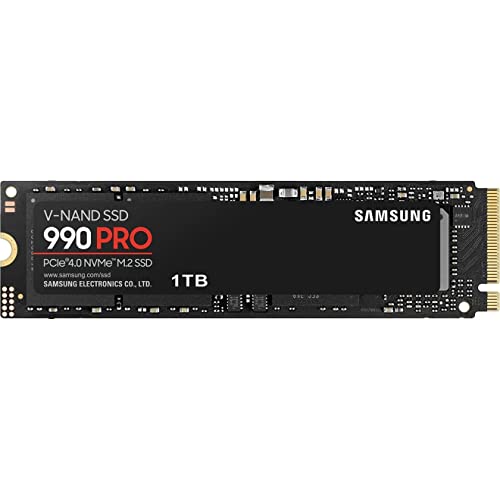
Samsung 990 PRO 1TB
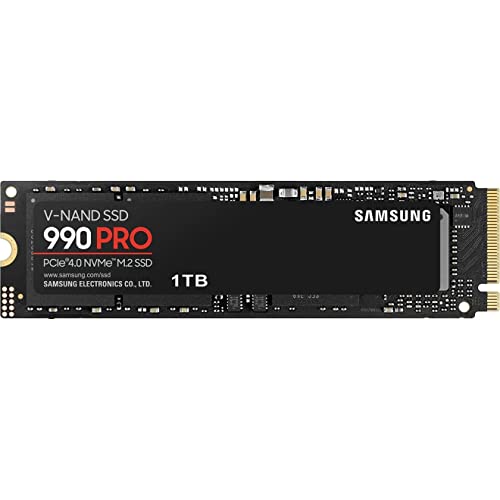
The Samsung 990 PRO 1TB is the gaming and heavy-work pick in this guide, and it is the drive to choose when the buyer wants the fastest SSD in this list. The listing title states the brand, the 990 PRO model, the 1TB capacity, the PCIe 4.0 M.2 2280 form, the read speed of up to 7,450 MB/s, the NVMe interface, and the model code MZ-V9P1T0B/AM, with high-end computing, gaming, and heavy-duty workstations as the uses. That is a complete specification, and it tells the buyer exactly which drive is in the box.
A drive that reads at 7,450 MB/s loads games and large files with almost no waiting, which is the point of an NVMe drive in a gaming computer or a workstation. The 990 PRO is the pick for a buyer who edits video, renders large files, or plays games that load big worlds, and who has a modern motherboard or laptop with a free M.2 slot. The 1TB capacity holds the operating system, the programs, and a library of games with room to spare.
Key specs:
- Capacity: 1TB
- Interface: PCIe 4.0 NVMe M.2 2280
- Read speed: up to 7,450 MB/s
- Model: MZ-V9P1T0B/AM
- Use: high-end computing, gaming, workstations
Strengths:
- Fastest read speed in this guide
- NVMe M.2 form fits modern computers
- Stated for gaming and heavy work
Trade-offs:
- Needs a free M.2 slot to install
- No heatsink stated in this listing
- Faster than a SATA computer can use
The Samsung 990 PRO 1TB fits the buyer who games or works with large files on a modern computer. It is the pick for a gaming PC, a video editing workstation, or a fast laptop with an M.2 slot.
Best for: gaming and heavy work on a modern computer. Not suited for: an older laptop with no M.2 slot, or a buyer who only needs a simple upgrade.
Check price on Amazon: Samsung 990 PRO 1TB

WD_BLACK SN850X 1TB
The WD_BLACK SN850X 1TB is the second gaming pick in this guide, and it is the drive to choose when the buyer wants a gaming SSD with strong write speeds as well as read speeds. The listing title states the brand, the SN850X model, the 1TB capacity, the M.2 2280 form, the read speed of up to 7,300 MB/s, the write speed of up to 6,300 MB/s, the gaming label, and the model code WDS100T2X0E. That is a complete specification for a gaming drive.
Write speed matters when games are installed, updates are downloaded, and files are saved, and the SN850X writes at up to 6,300 MB/s, which is the fastest write speed stated in this guide. The drive is built for gaming expansion, which means it suits a gaming PC or a console with an M.2 slot, and the 1TB capacity holds a large game library.
Key specs:
- Capacity: 1TB
- Interface: NVMe M.2 2280
- Read speed: up to 7,300 MB/s
- Write speed: up to 6,300 MB/s
- Model: WDS100T2X0E, gaming
Strengths:
- Fastest write speed stated in this guide
- Built for gaming expansion
- 1TB holds a large game library
Trade-offs:
- Needs a free M.2 slot to install
- No heatsink stated in this listing
- Gaming label adds nothing for office work
The WD_BLACK SN850X 1TB fits the buyer who plays games and installs them often. It is the pick for a gaming PC or a console with an M.2 slot, and for a buyer who wants fast installs as well as fast loads.
Best for: gaming, with fast installs and fast loads. Not suited for: an older computer with no M.2 slot, or a buyer who only stores documents.
Check price on Amazon: WD_BLACK SN850X 1TB

Crucial MX500 1TB
The Crucial MX500 1TB is the upgrade pick in this guide, and it is the drive to choose when the buyer wants to revive an older laptop or desktop. The listing title states the brand, the MX500 model, the 1TB capacity, the 3D NAND flash, the SATA 2.5-inch form, the speed of up to 560MB/s, and the model code CT1000MX500SSD1. That is a complete specification for a SATA upgrade drive.
A SATA SSD is the simplest upgrade a slow computer can get, because it fits the same 2.5-inch bay and the same SATA connection as the hard drive it replaces. The MX500 reads at up to 560MB/s, which is about five times faster than a hard drive, and that difference shows up every time the computer starts, a program opens, or a file is saved. The 1TB capacity holds the operating system and the files that live on the machine, which is the size most upgrade buyers need.
Key specs:
- Capacity: 1TB
- Interface: SATA, 2.5-inch
- Read speed: up to 560MB/s
- Flash: 3D NAND
- Model: CT1000MX500SSD1
Strengths:
- Fits the bay and cable of an old hard drive
- Five times faster than a hard drive
- 1TB suits most upgrades
Trade-offs:
- Slower than any NVMe drive in this guide
- Needs a 2.5-inch bay and SATA cable
- No stated speed above 560MB/s
The Crucial MX500 1TB fits the buyer with an older laptop or desktop that still runs on a hard drive. It is the pick for a first SSD upgrade, a family computer, or a work laptop that needs to feel new again.
Best for: reviving an older laptop or desktop. Not suited for: a modern gaming PC, or a buyer who needs NVMe speed.
Check price on Amazon: Crucial MX500 1TB


Samsung 870 EVO 1TB
The Samsung 870 EVO 1TB is the everyday upgrade pick in this guide, and it is the drive to choose when the buyer wants a SATA upgrade from the brand with the longest record in consumer SSDs. The listing title states the brand, the 870 EVO model, the 1TB capacity, the SATA III 2.5-inch form, the read speed of up to 560MB/s, and the model code MZ-77E1T0B/AM, with PC and laptop upgrades for IT pros, creators, and everyday users as the uses.
The 870 EVO has the same speed as the Crucial MX500, and the same job: to replace a hard drive in a laptop or desktop and make the whole computer faster. The difference is the brand record and the stated audience, which runs from IT professionals to creators to everyday users, and that breadth is the point of this pick. A buyer who wants a SATA drive from Samsung, for a work laptop, a creator machine, or a family computer, will find this is the one.
Key specs:
- Capacity: 1TB
- Interface: SATA III, 2.5-inch
- Read speed: up to 560MB/s
- Model: MZ-77E1T0B/AM
- Use: PC and laptop upgrades
Strengths:
- Long record as an upgrade drive
- Fits the same bay as a hard drive
- Stated for pros, creators, and everyday users
Trade-offs:
- Slower than any NVMe drive in this guide
- Needs a 2.5-inch bay and SATA cable
- Same speed as the cheaper SATA pick
The Samsung 870 EVO 1TB fits the buyer who wants a trusted SATA upgrade. It is the pick for a work laptop, a creator machine, or a family computer that still runs on a hard drive.
Best for: a trusted everyday SATA upgrade. Not suited for: a modern gaming PC, or a buyer who needs NVMe speed.
Check price on Amazon: Samsung 870 EVO 1TB


SanDisk Extreme Portable SSD 1TB
The SanDisk Extreme Portable SSD 1TB is the portable and outdoor pick in this guide, and it is the drive to choose when the files have to travel and survive the trip. The listing title states the brand, the Extreme Portable model, the 1TB capacity, the transfer speed of up to 2000MB/s, the new model label, the IP65 water and dust resistance, the drop protection of up to 3 metres, the 256-bit AES encryption, and the USB-C 3.2 Gen 2 connection. That is the most complete protection list of any drive in this guide.
A portable drive earns its keep in the field, and the SanDisk Extreme Portable is built for it: the IP65 rating keeps out dust and rain, the drop protection survives a fall from a desk or a bag, and the encryption keeps the files private if the drive is lost. The speed of up to 2,000 MB/s is the fastest portable speed in this guide, which matters when a photographer copies a card full of photos or a video maker moves a project between computers.
Key specs:
- Capacity: 1TB
- Interface: USB-C 3.2 Gen 2
- Transfer speed: up to 2000MB/s
- Protection: IP65, up to 3M drop
- Security: 256-bit AES encryption
Strengths:
- Fastest portable speed in this guide
- IP65 water and dust resistance
- Encryption keeps files private
Trade-offs:
- Needs a USB-C port for full speed
- Portable drives cost more per gigabyte
- No stated use as a boot drive
The SanDisk Extreme Portable SSD 1TB fits the buyer who works outdoors or travels with files. It is the pick for a photographer, a video maker, or anyone who carries a library in a pocket and needs it to survive the trip.
Best for: portable work outdoors and on the road. Not suited for: a buyer who wants an internal drive, or a computer with no USB-C port.
Check price on Amazon: SanDisk Extreme Portable SSD 1TB


Samsung T7 Portable SSD 1TB
The Samsung T7 Portable SSD 1TB is the portable everyday pick in this guide, and it is the drive to choose when the buyer wants a pocket drive for daily use. The listing title states the brand, the T7 model, the 1TB capacity, the Titan Gray colour, the USB 3.2 Gen 2 connection, the speed of up to 1,050MB/s, and the model code MU-PC1T0T/AM, with gaming, students, and professionals as the uses. That is a complete specification for a portable everyday drive.
The T7 is slower than the SanDisk Extreme Portable, and that is the honest trade in this guide: it reads at up to 1,050 MB/s, which is still fast enough to move a photo library or a set of documents in seconds, and it does so in a small pocket-sized body from a brand with a long record in portable storage. A student who carries coursework, a professional who carries presentations, or a gamer who carries a game library will find the T7 is the drive that disappears into a bag and works on almost any computer.
Key specs:
- Capacity: 1TB
- Interface: USB 3.2 Gen 2
- Transfer speed: up to 1,050MB/s
- Model: MU-PC1T0T/AM, Titan Gray
- Use: gaming, students, professionals
Strengths:
- Pocket-sized and easy to carry
- Works on almost any computer by USB
- Stated for students and professionals
Trade-offs:
- Slower than the SanDisk portable pick
- No water or drop rating stated
- No encryption stated in the title
The Samsung T7 Portable SSD 1TB fits the buyer who carries files every day. It is the pick for a student, a professional, or a gamer who wants a pocket drive that works everywhere.
Best for: portable everyday storage in a pocket. Not suited for: outdoor work in rain and dust, or a buyer who needs the fastest portable speed.
Check price on Amazon: Samsung T7 Portable SSD 1TB
Buying guide: matching the SSD to the use
Check the slot before buying an NVMe drive
An NVMe drive needs a free M.2 2280 slot, and a buyer who orders one without checking will find a drive with nowhere to go. A modern desktop motherboard usually has one or two M.2 slots, and a modern laptop may have one, but an older computer may have none at all. The buyer should check the manual or the specifications of the computer first, and should look for the words M.2 and NVMe, because a slot that only takes SATA M.2 will not run an NVMe drive at full speed. The Samsung 990 PRO and the WD_BLACK SN850X in this guide both need that slot.
Match the capacity to the library
A 1TB drive suits the uses in this guide, but a buyer should count the library before ordering. A gamer should add up the size of the games that will live on the drive, because modern games run large, and a drive that is full slows down and forces deletions. A photographer should add up the size of the photo library, and a video maker should add up the size of a single project, because a drive that cannot hold one project is the wrong drive. The 1TB picks in this guide hold a large library, and the same models are sold in 2TB and 4TB for buyers who need more room.
SATA is still the right answer for old computers
A buyer with an old laptop may look at the NVMe speeds in this guide and feel that SATA is a poor choice, but that is the wrong way to read the numbers. A SATA drive at 560 MB/s is about five times faster than the hard drive it replaces, and the difference shows up in every start, every program launch, and every file save. The Crucial MX500 and the Samsung 870 EVO exist for exactly this buyer, and they are the picks that turn a slow computer into a usable one for a modest cost. The buyer should spend the saving on capacity, not on speed the computer cannot use.
Portable drives need protection and encryption
A portable drive lives in a pocket, a bag, and a car, and it will be dropped, rained on, and left behind, so protection matters more than it does for an internal drive. The SanDisk Extreme Portable in this guide states IP65 water and dust resistance and drop protection up to 3 metres, which are the ratings to look for in a drive that travels. Encryption matters too, because a lost drive should not mean lost files in the wrong hands, and the SanDisk states 256-bit AES encryption for exactly that reason. A buyer who carries sensitive work should treat both as requirements.
Keep a backup, even on an SSD
An SSD is reliable, but it is not a backup, and a buyer who keeps the only copy of a file on any single drive will lose it one day. The best use for SSDs includes backups, and the right setup is two drives: one that holds the working files, and one that holds the copy. The Samsung T7 and the SanDisk Extreme Portable in this guide are the drives to use for the copy, because they plug in by USB and carry the backup anywhere. A buyer should copy the files that matter, check that the copy opens, and keep the backup drive somewhere the working drive is not.
Using and caring for an SSD
Leave free space on the drive
An SSD slows down when it is nearly full, because it needs empty blocks to write new data quickly, and a drive that is 95 percent full will feel slower than the same drive at 70 percent full. A buyer should keep at least a tenth of the drive free, and should move old games, video, and backups to a second drive when the first one fills up. The 1TB picks in this guide give room for that, but only if the buyer does not fill them to the edge.
Do not defragment an SSD
A hard drive needs defragmenting, but an SSD does not, and running a defragmenter on one only wears the flash memory without making it faster. The operating system already handles the layout of files on an SSD, and the buyer should leave it alone. A buyer who sees a defragment option should skip it, and should check that the operating system has recognised the drive as an SSD, so it uses the right maintenance instead.
Keep portable drives dry and safe
A portable SSD should be kept in a case or a pocket of its own, not loose in a bag with keys and coins that scratch the shell and strain the USB-C port. The SanDisk Extreme Portable in this guide is rated for water and dust, but no drive should be left in a hot car or a wet bag, and the cable should be the one that came with the drive or a cable rated for the same speed. A buyer should unplug the drive with the eject command, not by pulling the cable, so the files are not left half-written.
Update the firmware when the maker offers it
SSD makers release firmware updates that fix bugs and improve reliability, and a buyer should install them when they appear. Samsung, WD, Crucial, and SanDisk all offer free tools for this, and the update takes a few minutes with the drive connected.
Common mistakes when buying an SSD
Buying NVMe for a computer with no M.2 slot
The most common mistake in this guide is ordering an NVMe drive for a computer that has no M.2 slot, and finding a fast drive with nowhere to install it. The buyer should check the computer specifications first, and should look for the words M.2 and NVMe together, because a SATA-only slot will not run an NVMe drive. The Samsung 990 PRO and the WD_BLACK SN850X need that slot, and a buyer without it should choose the Crucial MX500 or the Samsung 870 EVO instead.
Choosing capacity by price alone
A 500GB drive costs less than a 1TB drive, and a buyer on a budget may choose it, but a drive that fills up in a year is the expensive choice in the end. Games, photos, and video grow, and a small drive forces the buyer to delete files or buy a second drive sooner than planned. The 1TB picks in this guide are the size that suits the most uses, and a buyer who can afford it should choose 1TB over 500GB for any use that involves games or media.
Treating a portable drive as a backup
A portable SSD is a convenient place to keep files, but a single copy is not a backup, and a buyer who keeps the only copy of a photo library on a pocket drive will lose it when the drive is lost or fails. The right setup is two copies on two drives, with one of them kept somewhere else, and the portable drive is the copy, not the original. A buyer should copy the files, check the copy, and keep the original on the computer as well.
Ignoring the interface speed of the port
A portable SSD that reads at 2,000 MB/s will only reach that speed on a USB-C port that supports it, and a buyer who plugs it into an old USB port will see a much slower speed and blame the drive. The SanDisk Extreme Portable in this guide states USB-C 3.2 Gen 2, and the buyer should check that the computer port matches, because the cable and the port both decide the speed. A buyer with only older ports should expect slower transfers and should not pay for speed the port cannot deliver.
Our recommendation for the best use for SSDs
The best use for SSDs is the use that matches the drive to the job, and the six picks in this guide cover the jobs most buyers have. A gamer or a heavy worker should choose the Samsung 990 PRO 1TB, which is the fastest drive in this guide and the one built for high-end computing and gaming. A buyer who wants the fastest write speeds as well should choose the WD_BLACK SN850X 1TB, which writes at up to 6,300 MB/s and is built for gaming expansion.
A buyer with an older laptop or desktop should choose the Crucial MX500 1TB or the Samsung 870 EVO 1TB, which are the SATA picks that fit the bay the hard drive already sits in and make the whole computer faster for a modest cost. A buyer who carries files should choose the SanDisk Extreme Portable SSD 1TB for outdoor and travel work, with its water and dust resistance and encryption, or the Samsung T7 Portable SSD 1TB for everyday pocket storage.
The single recommendation, for a buyer who wants one drive and one answer, is the Samsung 990 PRO 1TB for a modern computer with an M.2 slot, and the Samsung 870 EVO 1TB for an older computer without one. Both are 1TB drives from a brand with a long record, both state their full specification in the listing title, and both suit the use they were chosen for.
Related reading on Reviewstook: see our guides to best 2TB SSDs for gaming under 100, best 2TB SSDs for backups under 100, how to choose an external SSD for more on this topic.
Frequently asked questions about the best use for SSDs
What is the best use for an SSD?
The best use for an SSD is the job that benefits most from fast flash storage: gaming, where it cuts load times; backups, where it copies files quickly; creative work, where it opens large photos and video without waiting; laptop upgrades, where it makes an old computer feel new; and portable storage, where it carries a library in a pocket.
Is an NVMe SSD better than a SATA SSD?
An NVMe SSD is faster than a SATA SSD, with the Samsung 990 PRO in this guide reading at up to 7,450 MB/s against up to 560 MB/s for the SATA picks, but it is only better when the computer has a free M.2 slot to install it in. A SATA SSD is the right choice for an older laptop or desktop with a 2.5-inch bay and no M.2 slot, and it is still about five times faster than the hard drive it replaces.
What size SSD should I buy?
A 1TB SSD suits the most uses in this guide, because it holds the operating system, the programs, and a large library of games or photos with room to spare. A 500GB drive costs less but fills quickly once games and video arrive, and a 2TB drive costs more than most buyers need for a single use. A buyer with a large game or photo library should look at the 2TB versions of the same models.
Can I use a portable SSD as a backup drive?
A portable SSD works well as a backup drive, because it plugs in by USB and copies files quickly, and the SanDisk Extreme Portable and the Samsung T7 in this guide are both sold for that use. The buyer should keep two copies of the files that matter, one on the computer and one on the portable drive, and should check that the backup copy opens before relying on it.
Do SSDs wear out?
An SSD wears with writing, because each flash cell can only be written a limited number of times, but a modern SSD from a known brand lasts for years of ordinary use, and the buyer is far more likely to replace the computer than to wear out the drive.