The best media player hard drives are external drives that hold a large media library, connect with a single cable, and play back video without stuttering, buffering, or dropped frames. A media player, a smart television, a streaming box, or a home theatre PC can only play what it can read, and the drive attached to it decides how much of a collection is available at any moment. This guide covers six external hard drives that suit media playback: two portable Seagate drives, one desktop Seagate drive, two Western Digital drives, and one Toshiba drive, ranging from a compact 2TB portable to a 20TB desktop unit.
A media player hard drive is a different purchase from a backup drive, even though the hardware looks similar. A backup drive spends most of its life on a shelf and is plugged in once a week, while a media drive is plugged in every evening, spins up on demand, and streams large video files for hours at a time. Capacity matters more than raw speed for playback, because even 4K video needs only a fraction of what a USB 3.0 connection can deliver, but a drive that is too small forces constant shuffling of files, and a drive that sleeps too aggressively can pause a film while it wakes up.
The six drives in this guide cover the main ways people build a media library. The Seagate 2TB Portable is the small portable pick for a single player, the Seagate 8TB Expansion is the desktop pick for a large library, the WD 20TB Elements is the biggest pick for a household archive, the WD 2TB My Passport is the portable pick with backup software and password protection, the Toshiba Canvio Basics 2TB is the simple budget portable, and the Seagate One Touch 8TB is the desktop pick with a USB-C connection. Every pick states its brand, its capacity, and its model code in the listing title, so a buyer can tell exactly which drive is in the box.
This guide covers six best media player hard drives, and every one of them is an external hard drive with a USB connection, which is the connection that media players, televisions, and streaming boxes accept. Portable drives draw power from the USB port, so they need no separate power brick, while desktop drives use their own power supply and are meant to stay in one place. The comparison table below gives the short version, and the sections after it give the detail for each drive, including who each one fits and where each one falls short.
A hard drive for a media player also deserves a word about file formats and capacity planning, because the drive is only half of the setup. A media player reads the files on the drive, and a library of 4K films grows fast: a single high-bitrate film can take tens of gigabytes, and a season of a television show can take more than a whole music collection. A 2TB drive holds a comfortable starter library, an 8TB drive holds a serious collection, and a 20TB drive holds an archive that a household can grow into for years. The right size is the one that leaves room to grow, because a full drive is a slow drive to manage.
In this guide
Quick picks: best media player hard drives
| # | Product | Where to buy |
|---|---|---|
| 1 | Seagate 2TB Portable Hard Drive | Check on Amazon |
| 2 | Seagate 8TB Expansion Desktop Hard Drive | Check on Amazon |
| 3 | WD 20TB Elements Desktop External Hard Drive | Check on Amazon |
| 4 | WD 2TB My Passport Portable External Hard Drive | Check on Amazon |
| 5 | Toshiba Canvio Basics 2TB Portable External Hard Drive | Check on Amazon |
| 6 | Seagate One Touch 8TB External Hard Drive | Check on Amazon |
How the picks were chosen for the best media player hard drives
The picks were chosen from the product listings returned by the site product search, and only drives that are genuine external hard drives with a USB connection made the list. Each listing title was checked for the brand, the capacity, and the model code, and a drive was only linked when all three matched the listing. Media players themselves, enclosures without a drive inside, and accessories such as cables or cases were not counted as picks, because the article is about hard drives, not about players.
Capacity was the first filter, because a media library needs room. The guide includes 2TB portable drives for a starter library, 8TB desktop drives for a large collection, and a 20TB desktop drive for an archive, so that a buyer at any size can find a fit. A drive below 2TB was not considered, because it fills up too fast with video, and a drive above 20TB was not needed, because the 20TB pick already covers the largest household library in this guide.
Connection and power were the second filter. Portable drives in this guide draw power from the USB port, which keeps the setup to one cable and makes the drive easy to move between a player, a television, and a computer. Desktop drives use their own power supply, which suits a drive that stays beside the player permanently. The Seagate One Touch 8TB adds a USB-C connection for newer players and computers, while the other picks use the USB 3.0 connection that almost every media player accepts.
The third filter was the listing itself. Every pick is a new listing from a known drive brand: Seagate, Western Digital, or Toshiba. Listings for used or renewed drives were excluded, and listings whose titles named a different capacity or a different model were excluded too. The result is six drives that a buyer can order with confidence that the drive in the box matches the drive in the title.
What makes a hard drive good for a media player
A good media player hard drive is first of all large enough, because video is the hungriest kind of file a household stores. A single 4K film can occupy more space than a thousand songs, and a library grows every time a new film or series is added. A drive that is exactly big enough today is too small in six months, so the sensible choice is a drive with room to spare. That is why this guide starts at 2TB and runs to 20TB, and why the desktop picks are the ones to look at for a library that keeps growing.
A good media drive is also quiet and cool, because it sits in the room where people watch. A portable drive has no fan and makes little noise beyond a faint spin, which suits a bedroom or a living room. A desktop drive is larger and has its own power supply, but it is still designed to sit beside a television without drawing attention. A drive that clicks, whines, or runs hot is a bad neighbour for a media player, and the drives in this guide are all standard consumer models built for exactly this kind of everyday use.
Compatibility is the third quality that matters, because a media player is pickier than a computer. Most players accept drives formatted in the common file systems and connected over USB, and the drives in this guide connect over USB 3.0 or USB-C, which covers nearly every player, television, and streaming box on sale. A buyer should still check the player manual for a maximum supported capacity and a supported file system before ordering, because a few older players refuse very large drives or a particular format.
Finally, a good media drive is one the household can live with for years. A portable drive that travels between rooms needs a sturdy case and a short cable, while a desktop drive that never moves needs a stable place and a power socket. The drives in this guide are all from brands with long histories in storage, and each listing states a warranty period, which is the simplest sign that the maker stands behind the drive.
Portable drives, desktop drives, and how to choose between them
Portable hard drives are the small, bus-powered drives in this guide: the Seagate 2TB Portable, the WD 2TB My Passport, and the Toshiba Canvio Basics 2TB. They draw power from the USB port, so they need no separate power brick, and they are small enough to carry in a bag or slip into a drawer. A portable drive suits a household that moves the library between rooms, or a buyer who plugs the drive into a laptop to load it and then into a player to watch. The trade-off is capacity: portable drives in this guide stop at 2TB, which is plenty for a starter library but not for an archive.
Desktop hard drives are the larger, mains-powered drives: the Seagate 8TB Expansion, the WD 20TB Elements, and the Seagate One Touch 8TB. They use their own power supply, so they stay in one place beside the player, and they offer far more capacity for the money. A desktop drive suits a household with a large library, or a buyer who keeps the drive connected permanently and adds films to it over time. The trade-off is that a desktop drive needs a power socket and is not meant to travel.
Capacity is the simplest way to choose between the two kinds. A 2TB portable drive holds a comfortable collection of films and shows for one person or a couple, and it is the right size when the library is small and the drive moves around. An 8TB desktop drive holds a serious collection for a household, and a 20TB desktop drive holds an archive that can grow for years without a second drive. Buyers who are unsure should pick the larger size, because adding a second drive later means managing two libraries instead of one.
Connection is the other decision. Every drive in this guide connects over USB, which is the connection that media players expect, but the details differ: the portable drives and the desktop Expansion and Elements drives use USB 3.0, while the One Touch 8TB uses a USB-C connection. A buyer with a newer player or computer will welcome USB-C, while a buyer with an older player should check that the player has a matching port. In practice, USB 3.0 is the safe universal choice, and USB-C is the convenient choice for newer hardware.
Quick picks at a glance
| Drive | Capacity | Connection | Best for |
|---|---|---|---|
| Seagate 2TB Portable | 2TB portable | USB 3.0 | Starter library |
| Seagate 8TB Expansion | 8TB desktop | USB 3.0 | Large library |
| WD 20TB Elements | 20TB desktop | USB 3.0 | Household archive |
| WD 2TB My Passport | 2TB portable | USB 3.1 / 3.0 | Portable with protection |
| Toshiba Canvio Basics 2TB | 2TB portable | USB 3.0 | Simple budget portable |
| Seagate One Touch 8TB | 8TB desktop | USB-C | Large library, newer hardware |
The best media player hard drives

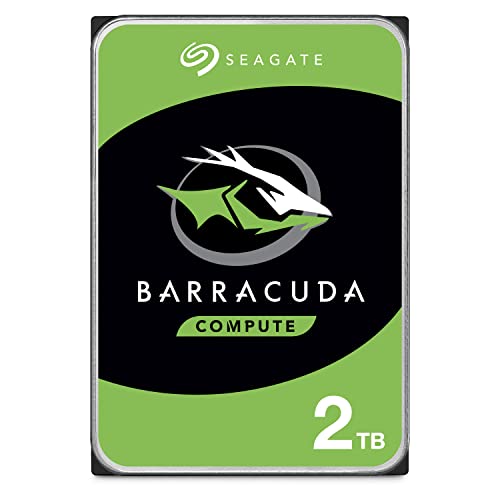
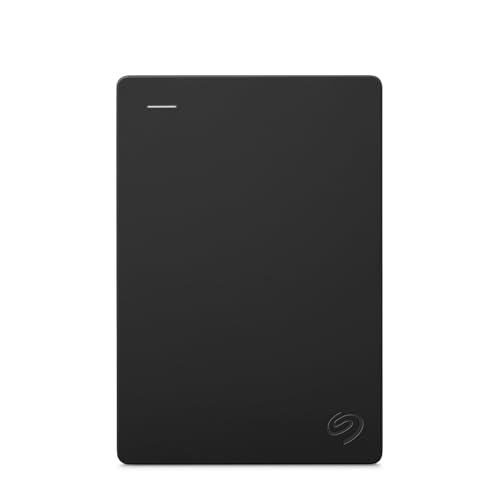
Seagate 2TB Portable Hard Drive (STGX2000400)
The Seagate 2TB Portable is the small portable pick in this guide, and it is the simplest way to give a media player a library. The listing title states the brand, the 2TB capacity, the USB 3.0 connection, and the model code STGX2000400, so a buyer knows exactly which drive is in the box. It is a portable drive, which means it draws power from the USB port and needs no separate power brick, and it works with Windows and macOS, so the same drive can be loaded on a computer and then plugged into a player.
A 2TB portable drive is the right size for a starter library. It holds a comfortable collection of films and television shows for one person or a couple, and it is small enough to carry between rooms or to take on a trip. The listing also notes a one-year warranty and an Adobe CC trial, which are extras rather than reasons to buy, but the core of the pick is simple: a known brand, a useful capacity, and a single-cable connection.
Key specs:
- Capacity: 2TB
- Connection: USB 3.0
- Model: STGX2000400
- Type: portable external hard drive
- Warranty: 1 year
Strengths:
- Portable size needs no power brick
- 2TB holds a solid starter library
- USB 3.0 works with most players
Trade-offs:
- 2TB fills up as a library grows
- No password protection stated in the title
- Portable drives are easier to knock off a shelf
The Seagate 2TB Portable fits the buyer who wants a simple drive for one media player and a starter library. It is the pick for a bedroom player, a small living-room setup, or a household that is just starting to build a collection and wants to spend the least to get going.
Best for: a starter media library on one player. Not suited for: a large household archive that needs 8TB or more.
Check price on Amazon: Seagate 2TB Portable Hard Drive
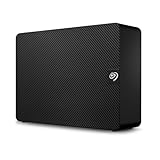

Seagate 8TB Expansion Desktop Hard Drive (STKP8000400)
The Seagate 8TB Expansion is the desktop pick for a large library, and it is the drive to choose when a 2TB portable is no longer enough. The listing title states the brand, the 8TB capacity, the USB 3.0 connection, and the model code STKP8000400, and it describes the drive as a desktop hard drive for easy backup with plug-and-play setup. It is a desktop drive, so it uses its own power supply and is meant to stay beside the player, and the listing notes a one-year warranty plus a one-year Rescue data recovery service.
An 8TB desktop drive changes how a household manages a library. Instead of choosing which films to keep and which to delete, the household can keep everything and add more over time, and the drive stays connected so the whole collection is always available. The Expansion line is Seagate everyday desktop storage, made for exactly this kind of always-connected use, and the 8TB size is the sweet spot for a serious collection that is still affordable to house in a single drive.
Key specs:
- Capacity: 8TB
- Connection: USB 3.0
- Model: STKP8000400
- Type: desktop external hard drive
- Warranty: 1 year, plus 1-year Rescue service
Strengths:
- 8TB holds a large library in one drive
- Desktop design suits always-connected use
- Rescue service included for a year
Trade-offs:
- Needs a power socket and stays in one place
- Desktop size is not portable
- No backup software stated in the title
The Seagate 8TB Expansion fits the household with a growing library that lives beside one media player. It is the pick for a living-room setup where the drive is plugged in permanently and the collection is added to week by week.
Best for: a large always-connected media library. Not suited for: a buyer who moves the drive between rooms.
Check price on Amazon: Seagate 8TB Expansion Desktop Hard Drive

WD 20TB Elements Desktop External Hard Drive (WDBWLG0200HBK-NESN)
The WD 20TB Elements is the biggest drive in this guide, and it is the pick for a household archive that is meant to grow for years. The listing title states the brand, the 20TB capacity, the USB 3.0 connection, and the model code WDBWLG0200HBK-NESN, and it describes the drive as a desktop external hard drive for plug-and-play storage. It is a desktop drive with its own power supply, made to sit beside a player or a computer and hold everything the household owns.
A 20TB drive is hard to outgrow. It holds a film collection, a television archive, a music library, and a photo backup with room to spare, and it means the household can stop thinking about capacity and start thinking about what to watch. The Elements line is Western Digital everyday desktop storage, and the 20TB size is the one to choose when the goal is to buy once and not buy again for a long time. The trade-off is size and permanence: this drive stays where it is put.
Key specs:
- Capacity: 20TB
- Connection: USB 3.0
- Model: WDBWLG0200HBK-NESN
- Type: desktop external hard drive
- Setup: plug-and-play storage
Strengths:
- 20TB is hard to outgrow
- One drive holds films, shows, and music
- Plug-and-play setup with no software needed
Trade-offs:
- Desktop size needs a power socket
- Largest drive in this guide, so it costs the most
- No backup software stated in the title
The WD 20TB Elements fits the household that wants one drive for everything and does not want to manage capacity again. It is the pick for a home theatre archive, a family media server, or a collector who keeps every film and show.
Best for: a household archive that should last for years. Not suited for: a small starter library or a portable setup.
Check price on Amazon: WD 20TB Elements Desktop External Hard Drive

WD 2TB My Passport Portable External Hard Drive (WDBYVG0020BBK-WESN)
The WD 2TB My Passport is the portable pick with extras, and it is the drive to choose when the library also needs protection. The listing title states the brand, the 2TB capacity, the black colour, and the model code WDBYVG0020BBK-WESN, and it notes backup software with defence against ransomware and password protection, with a USB 3.1 and USB 3.0 compatible connection. It is a portable drive, so it draws power from the USB port and needs no separate brick.
The My Passport line is Western Digital portable storage, and the 2TB size is the right size for a starter library that moves between rooms. The backup software and password protection are the features that set it apart from a plain portable drive: the software can keep a copy of the library safe, and the password keeps the drive private if it is lost or borrowed. For a media library that also holds family photos or personal files, those extras are worth having.
Key specs:
- Capacity: 2TB
- Connection: USB 3.1 / USB 3.0 compatible
- Model: WDBYVG0020BBK-WESN
- Colour: black
- Extras: backup software and password protection
Strengths:
- Backup software and password protection included
- Portable size needs no power brick
- USB 3.1 and 3.0 compatible
Trade-offs:
- 2TB fills up as a library grows
- Software extras need a computer to set up
- Portable drives are easier to misplace
The WD 2TB My Passport fits the buyer who wants a portable drive that also protects the library. It is the pick for a starter collection that moves between a computer and a player, and for a household that keeps personal files on the same drive as its films.
Best for: a portable library that also needs backup and password protection. Not suited for: a large archive that needs 8TB or more.
Check price on Amazon: WD 2TB My Passport Portable External Hard Drive


Toshiba Canvio Basics 2TB Portable External Hard Drive (HDTB520XK3AA)
The Toshiba Canvio Basics 2TB is the simple pick in this guide, and it is the drive to choose when the buyer wants storage and nothing else. The listing title states the brand, the Canvio Basics line, the 2TB capacity, the USB 3.0 connection, the black colour, and the model code HDTB520XK3AA. There is no backup software and no password feature in the title, and that is the point: this is a plain portable drive that does one job, which is to hold files and play them back.
A simple drive has real advantages for a media player. There is no software to install, no account to create, and no setting to change before the first film plays, because the drive is plug-and-play storage. The Canvio Basics line is Toshiba everyday portable storage, and the 2TB size is the right size for a starter library, a second drive for a spare room, or a drive that a household dedicates to one player and leaves alone.
Key specs:
- Capacity: 2TB
- Connection: USB 3.0
- Model: HDTB520XK3AA
- Colour: black
- Type: portable external hard drive
Strengths:
- Simple plug-and-play storage, no software
- Portable size needs no power brick
- Known brand at a useful capacity
Trade-offs:
- No backup software or password protection
- 2TB fills up as a library grows
- No warranty period stated in the title
The Toshiba Canvio Basics 2TB fits the buyer who wants the simplest possible drive for a media player. It is the pick for a spare-room player, a second drive, or a household that prefers plain storage without extra software.
Best for: simple plug-and-play storage for one player. Not suited for: a buyer who wants backup software or password protection.
Check price on Amazon: Toshiba Canvio Basics 2TB Portable External Hard Drive

Seagate One Touch 8TB External Hard Drive (STNB8000400)
The Seagate One Touch 8TB is the desktop pick with a modern connection, and it is the drive to choose when the player or computer uses USB-C. The listing title states the brand, the One Touch line, the 8TB capacity, and the model code STNB8000400, and it notes that the drive is USB-C compatible with most Windows and macOS systems, with a Rescue Recovery service. It is a desktop external hard drive, so it uses its own power supply and is meant to stay beside the player.
An 8TB desktop drive with USB-C covers both a large library and newer hardware in one purchase. The capacity holds a serious collection, the USB-C connection suits a modern player, laptop, or desktop, and the Rescue Recovery service adds a safety net for the first year. The One Touch line is Seagate everyday desktop storage with a cleaner design than the Expansion line, and it is the pick for a household that has already moved to USB-C and wants the drive to match.
Key specs:
- Capacity: 8TB
- Connection: USB-C compatible
- Model: STNB8000400
- Type: desktop external hard drive
- Service: Rescue Recovery
Strengths:
- USB-C suits newer players and computers
- 8TB holds a large library in one drive
- Rescue Recovery service included
Trade-offs:
- Desktop size needs a power socket
- USB-C cable may need an adapter for older players
- No backup software stated in the title
The Seagate One Touch 8TB fits the household with newer hardware and a large library. It is the pick for a living-room player with a USB-C port, or a buyer who loads the library on a modern laptop and then plugs the drive into the player.
Best for: a large library on newer USB-C hardware. Not suited for: an older player with only USB-A ports and no adapter.
Check price on Amazon: Seagate One Touch 8TB External Hard Drive
Buying guide for media player hard drives
Start with capacity, not speed
Capacity is the decision that matters most, because a media library only grows. Count the films and shows already owned, then add room for a year of new additions, and buy the next size up if the budget allows. A 2TB drive is a starter library, an 8TB drive is a serious collection, and a 20TB drive is an archive. Speed matters far less for playback than for copying, because even 4K video uses only a small part of what a USB 3.0 connection can carry, so a buyer should spend on space before spending on speed.
Choose portable or desktop by where the drive lives
A portable drive suits a library that moves, because it draws power from the USB port and needs only one cable. A desktop drive suits a library that stays, because it offers far more capacity for the money and is built to stay connected. The wrong choice is easy to spot: a desktop drive on a bedside table is clutter, and a portable drive that is always plugged in is a capacity limit waiting to happen. Decide where the drive will live, then buy the kind that fits that place.
Check the player before buying the drive
A media player is pickier than a computer, and the manual is the authority. Check the maximum drive capacity the player supports, because a few older players refuse very large drives, and check which file systems the player reads, because a drive formatted for a computer may need reformatting before the player sees it. Also check the port: a USB-C drive needs a USB-C port or an adapter, while a USB 3.0 drive fits almost every player. Five minutes with the manual prevents a return.
Keep one copy of the library safe
A media drive holds hours of work in collecting, ripping, and organising files, and a single drive is a single point of failure. The drives in this guide that include backup software make the job easier, but any drive can be backed up by copying the library to a second drive once a month. The simplest rule is that a file exists only if it exists in two places, and a media library is worth the second place. A backup drive does not need to be fast or fancy; it only needs to be large enough.
Plan for growth, not just for today
A library that fits exactly today will not fit in six months, because every new film and every new season adds gigabytes. Buyers who choose the larger size now save the cost and the hassle of a second drive later, and they save the time of moving a library from a full drive to a bigger one. The 8TB and 20TB picks in this guide exist for exactly this reason: they give a household room to grow without managing two libraries at once.
Using and caring for a media player hard drive
Give the drive air and a stable place
A hard drive lasts longest when it sits still, stays cool, and is not knocked around. Put a desktop drive on a flat surface with air around it, away from radiators and direct sun, and put a portable drive somewhere it will not slide off a shelf. A drive that falls while it is spinning is the most common cause of a dead drive, so the cheapest protection is a stable place and a short cable that cannot be tripped over.
Eject before unplugging
A drive that is unplugged while it is writing can lose the file being written and can corrupt the file system, which may make the whole library unreadable until it is repaired. Always eject the drive from the player or computer before pulling the cable, and wait for the drive to spin down before moving it. The habit takes five seconds and saves hours of rebuilding a library.
Keep the drive cool during long playback
A film night of several hours keeps a drive spinning and warm, and a drive in a closed cabinet can get hotter than a drive on an open shelf. Leave space around the drive, do not stack books or boxes on top of it, and do not cover it with cloth. If the drive feels hot to the touch after a long session, move it to a cooler spot and give it a rest before the next session.
Check the drive once in a while
A drive that is checked occasionally fails gracefully, while a drive that is ignored fails suddenly. Once a month, listen for new clicking or grinding sounds, check that the library still opens, and copy a few new files to confirm the drive is writing properly. If the drive starts making noises it did not make before, copy the library to a second drive immediately, because a noisy drive is a drive asking to be replaced.
Common mistakes when buying a media player hard drive
Buying too small
The most common mistake is buying a drive that fits today library and nothing more. Video grows faster than any other kind of file, and a drive that is full in six months forces either deleting films or buying a second drive. The fix is to buy one size larger than the current library needs, because the extra space is cheaper now than a second drive later.
Buying a media player instead of a drive
A surprising number of buyers search for a hard drive and end up with a media player, because the two products are sold together and the listings look alike. A media player plays files; a hard drive stores them. Check the listing title for the words hard drive and a capacity in terabytes before ordering, and check that the listing names a drive brand and model, not a player brand.
Ignoring the player limits
Some older players refuse drives above a certain size, and some refuse a file system the drive ships with. A buyer who skips the manual can end up with a drive the player cannot see, and the fix is a reformat or a return. Read the player manual for the maximum capacity and the supported file systems before ordering, and format the drive to match if needed.
Forgetting the backup
A media library is a collection built over months or years, and a single drive is a single point of failure. Buyers who never back up the library lose everything when the drive fails, and the failure always comes at the worst time. Keep a second copy on another drive, even a slow one, and refresh it once a month, because a backup is the only real protection a library has.
Final recommendation
For most households, the Seagate 8TB Expansion is the best media player hard drive to buy first, because 8TB holds a large library in a single desktop drive, the USB 3.0 connection works with almost every player, and the one-year warranty plus Rescue service cover the first year. It is the drive that lets a household stop managing capacity and start watching, and it is the size that a growing library needs.
Buyers who need a portable drive should choose the WD 2TB My Passport, because it adds backup software and password protection to a portable 2TB drive, and it moves easily between a computer and a player. Buyers who want the simplest drive should choose the Toshiba Canvio Basics 2TB, because it is plain plug-and-play storage with nothing to set up. Buyers who want the largest archive should choose the WD 20TB Elements, because 20TB is hard to outgrow.
Whatever the choice, the rule is the same: buy one size larger than the current library needs, check the player manual for capacity and file system limits, and keep a second copy of the library on another drive. A media drive is a quiet purchase that pays off every evening, and the right one is the one that holds the whole collection with room to spare.
Related reading on Reviewstook: see our guides to best external hard drives, best portable hard drives, best streaming media players for more on this topic.
Frequently asked questions about media player hard drives
What size hard drive do I need for a media player?
It depends on the library. A 2TB drive holds a comfortable starter collection of films and shows, an 8TB drive holds a large collection for a household, and a 20TB drive holds an archive that can grow for years. Buy one size larger than the current library needs, because video grows faster than any other kind of file, and a full drive forces deleting films or buying a second drive.
Do media players work with any external hard drive?
Most players accept USB external hard drives, but the manual is the authority. Check the maximum supported capacity, because a few older players refuse very large drives, and check the supported file systems, because a drive may need reformatting before the player sees it. USB 3.0 drives work with almost every player, while USB-C drives need a matching port or an adapter.
Is a portable or a desktop hard drive better for a media player?
A portable drive is better when the library moves between rooms, because it draws power from the USB port and needs only one cable. A desktop drive is better when the library stays in one place, because it offers far more capacity for the money. Choose by where the drive will live: portable for a moving library, desktop for a permanent one.
Can I use the same hard drive for backup and media playback?
Yes, and the WD 2TB My Passport in this guide is built for exactly that, with backup software and password protection. A drive can hold a media library and a backup at the same time, as long as there is room for both. Keep in mind that a single drive is still a single point of failure, so a library that matters should exist in two places.
How do I connect a hard drive to a media player?
Plug the drive into the player USB port with the cable that comes in the box, and wait for the player to detect it. Portable drives draw power from the port, while desktop drives need their own power supply plugged in first. If the player does not see the drive, check the file system and the capacity limit in the player manual, and eject the drive properly before unplugging it.