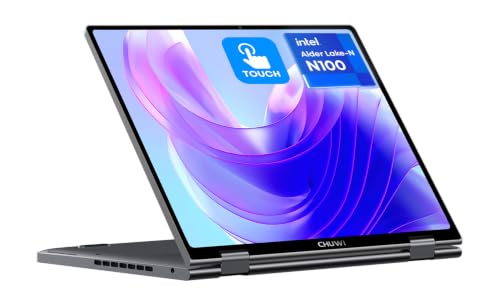
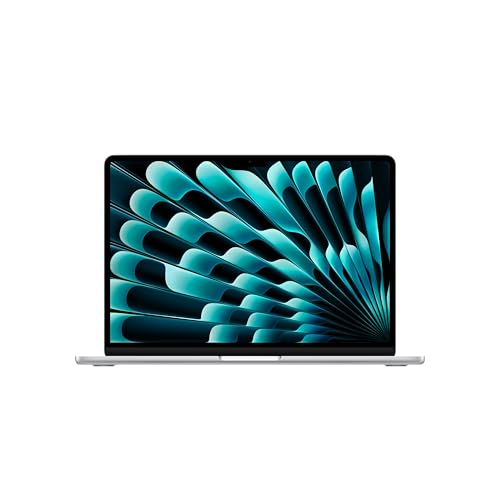
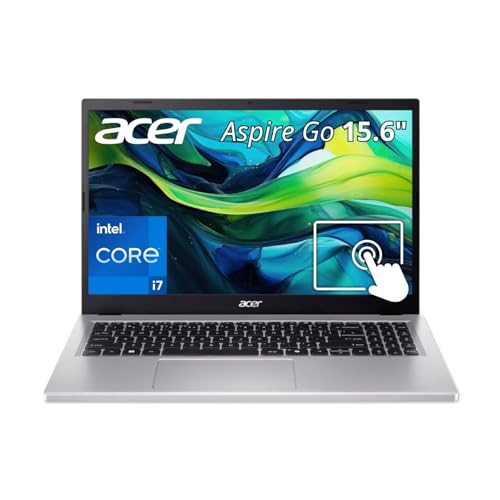
The best touch screen i5 laptops are the laptops that feel like a tablet when reading and a laptop when typing, because a touch screen lets a student scroll, tap and draw notes, while the Intel Core i5 keeps essays, spreadsheets and video calls running smoothly. A touch screen i5 laptop suits the student and the worker who marks up slides, signs documents and sketches ideas, and the laptops in this guide all state their touch screen, their Core i5 processor and their SSD in the listing title. All six are touch screen laptops with a Core i5, and all six are sold as new listings.
A touch screen i5 laptop suits the user who wants one device for reading and typing, and who does not want to carry both a laptop and a tablet. The laptops in this guide cover the main choices, from the Dell 15 DC15250 to the HP Pavilion, and from the Lenovo IdeaPad 1i to the ASUS Vivobook. All six have a touch screen and a Core i5, and all six run Windows with a full keyboard and a full-size screen.
The laptops in this guide cover the main buyers. The Dell 15 DC15250 is the big-screen pick, the HP Pavilion is the everyday pick, the Lenovo IdeaPad 1i is the value pick, the Lenovo Ideapad 3i is the budget pick, and the two ASUS Vivobook models are the light picks. All six have a touch screen, a Core i5 processor and an SSD, and all six state their RAM and their storage in the listing title.
This guide covers six best touch screen i5 laptops: one Dell, one HP, two Lenovo and two ASUS. All six are laptops with a touch screen and an Intel Core i5, all six have at least 8GB of RAM and an SSD, and all six state their screen size, their processor and their storage in the listing title. The comparison table below gives the short version, and the sections after it give the detail.
In this guide
Quick picks: best touch screen i5 laptops
| # | Product | Where to buy |
|---|---|---|
| 1 | Dell 15 DC15250 | Check on Amazon |
| 2 | HP Pavilion i5-1334U | Check on Amazon |
| 3 | Lenovo IdeaPad 1i i5-1235U | Check on Amazon |
| 4 | Lenovo Ideapad 3i i5-1155G7 | Check on Amazon |
| 5 | ASUS Vivobook i5-1135G7 | Check on Amazon |
| 6 | ASUS Vivobook F1504VA-BS51T | Check on Amazon |
How the picks were chosen for the best touch screen i5 laptops
Every laptop below started as a listing returned by the reviewstook.com product lookup, and every listing was checked the same way. First, the title had to name the exact brand and the exact model, because a Dell Inspiron 15 3530 is not a Dell 15 DC15250, and a Lenovo IdeaPad 1i is not an IdeaPad 3i, and a buyer who orders the wrong model gets the wrong laptop. Second, the title had to state the touch screen and the Core i5, because a laptop with a plain screen or a different processor is not a touch screen i5 laptop.
The laptops were also checked for the details that decide real use. The touch screen decides how natural tapping and drawing feel, and the laptops here have full HD touch screens, so text is sharp and taps are exact. The Core i5 decides the speed, and the laptops here run 11th to 13th generation Core i5 processors, so essays, slides and video calls all run smoothly. The SSD decides how fast the laptop starts, and the laptops here have 256GB to 512GB of SSD storage, so apps open without waiting.
One more check shaped the list: the laptop must be a laptop alone, not a tablet, not a Chromebook, and not a renewed listing. Listings for tablets, for renewed laptops and for laptops with no touch screen stated were left out, because a buyer searching for the best touch screen i5 laptops wants a new touch laptop with a Core i5. The six laptops below are all new touch screen laptops with a Core i5, with the brand, the model, the processor, the RAM and the SSD stated in the title.
What a touch screen i5 laptop is, and who should buy one
A touch screen i5 laptop is a laptop with a screen that responds to a finger or a stylus and a processor that handles everyday work with ease, and it is the laptop most students and office workers should buy, because it does two jobs at once. A student can tap through slides in a lecture and type an essay after it, and a worker can sign a document with a finger and build a spreadsheet after it, without carrying a second device. A Core i5 is fast enough for all of that, and a touch screen makes it feel natural.
A touch screen i5 laptop suits the student who takes handwritten notes and the worker who marks up documents, and who wants one device for reading and typing. It is the right choice when the work mixes reading, tapping and typing, because the touch screen speeds up scrolling and the keyboard speeds up writing. It is not the right choice for a buyer who never touches the screen, because a plain laptop costs less, and it is not the right choice for a gamer, because a gaming laptop needs a stronger graphics card.
The six laptops in this guide cover the main buyers. The big-screen pick is for the user who works with split windows, the everyday pick is for the user who wants one laptop for everything, the value pick is for the buyer on a budget, and the light picks are for the user who carries the laptop all day. All six have a touch screen and a Core i5, and all six are built for work and study.
A touch screen i5 laptop also suits a user who keeps the laptop for years, because a Core i5 with 16GB of RAM and a 512GB SSD will still feel fast in the third year, and a touch screen will still be useful when the work changes. A buyer should check the touch screen, the processor generation and the RAM in the title before buying, because they decide how long the laptop stays fast. The right laptop is the one that fits the work, the bag and the budget.
What makes a good touch screen i5 laptop
Touch screen quality is the first test, and it decides how natural tapping feels. A full HD touch screen shows sharp text and responds to a light tap, while a low-resolution screen looks soft and a slow touch screen feels laggy. A buyer should check that the title states a touch screen and a full HD display, because those two decide the feel. The laptops here have 15.6-inch full HD touch screens, so tapping and reading are comfortable.
Processor generation is the second test. The generation decides the speed and the battery life, and a 13th-generation Core i5 is faster and cooler than an 11th-generation Core i5 at the same name. A buyer should check the full processor model in the title before buying, because the number after the i5 matters as much as the i5 itself. The laptops here run 11th to 13th generation Core i5 processors.
RAM is the third test. The RAM decides how many tabs and apps run at once, and 8GB is enough for essays and browsing, while 16GB keeps many tabs, a video call and a spreadsheet open together without slowing down. A buyer should check the RAM in the title before buying, and should choose 16GB when the budget allows, because RAM cannot always be added later. The laptops here have 8GB to 32GB of RAM.
SSD and battery are the fourth test. The SSD decides how fast the laptop starts, and a 512GB SSD holds years of work, while a 256GB SSD suits a user who stores files in the cloud. The battery decides how long the laptop lasts away from a socket, and a buyer who works in lectures should look for a battery that lasts the day. The laptops here have 256GB to 512GB of SSD storage, so apps open fast and files fit.
Quick picks at a glance
| Laptop | Processor and RAM | Screen and SSD | Best for |
|---|---|---|---|
| Dell 15 DC15250 | i5-1334U, 32GB RAM | 15.6" touch, 512GB SSD | Big-screen pick |
| HP Pavilion | i5-1334U, 16GB RAM | 15.6" touch, 512GB SSD | Everyday pick |
| Lenovo IdeaPad 1i | i5-1235U, 16GB RAM | 15.6" touch, 512GB SSD | Value pick |
| Lenovo Ideapad 3i | i5-1155G7, 8GB RAM | 15.6" touch, 512GB SSD | Budget pick |
| ASUS Vivobook i5-1135G7 | i5-1135G7, 20GB RAM | 15.6" touch, 512GB SSD | Memory pick |
| ASUS Vivobook F1504VA | i5-1334U, 16GB RAM | 15.6" touch, 512GB SSD | Newest pick |
The best touch screen i5 laptops

Dell 15 DC15250 15.6" FHD Touchscreen Laptop – Intel Core i5-1334U, 32GB RAM, 512GB SSD, Intel UHD Graphics, Wi-Fi 6, HDMI, USB-C, SD Card Reader, Windows 11 for Business, Home Office & Students
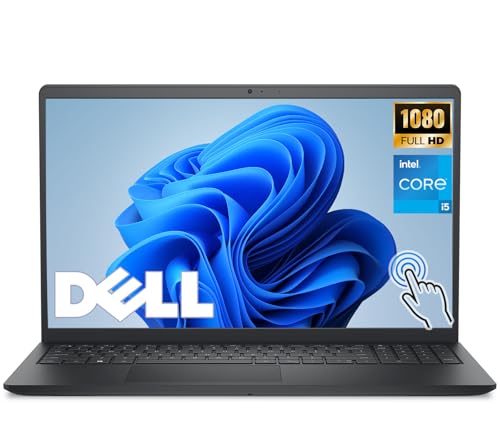
The Dell 15 DC15250 is the big-screen pick, and it is the laptop for a buyer who wants a large touch screen and plenty of memory. It is a Dell 15 DC15250 15.6-inch FHD touchscreen laptop with an Intel Core i5-1334U processor, 32GB of RAM, a 512GB SSD, Intel UHD graphics, Wi-Fi 6, HDMI, USB-C, an SD card reader and Windows 11, for business, home office and students. The 32GB of RAM keeps many tabs open at once, and the touch screen makes reading and tapping easy.
The Dell 15 DC15250 suits a buyer who wants one laptop for everything. The 13th-generation Core i5 keeps work and study fast, the 512GB SSD holds years of files, and the USB-C and SD card reader cover modern devices. It is the laptop for a buyer who wants a big touch screen and room to spare.
Key specs:
- Dell 15 DC15250, i5-1334U
- 32GB RAM, 512GB SSD
- 15.6" FHD touchscreen
- Intel UHD Graphics, Wi-Fi 6
- HDMI, USB-C, SD card reader, Windows 11
Strengths:
- 32GB of RAM for many tabs at once
- 13th-generation Core i5 for speed
- USB-C and SD card reader for modern devices
Trade-offs:
- A 15.6-inch laptop is heavier than a 14-inch one
- Intel UHD graphics, not a gaming card
- 32GB may be more than everyday work needs
The Dell 15 DC15250 fits a buyer who wants a big touch screen and plenty of memory.
Best for: Work and study with many tabs open. Not suited for: A buyer who carries the laptop all day, or who needs a gaming graphics card.
Check price on Amazon: Dell 15 DC15250

HP Pavilion 15.6" FHD Touchscreen Laptop Computer, 10-Core Intel Core i5-1334U, 16GB RAM, 512GB SSD, Webcam, Fast Wi-Fi 6, 11 Hours Long Battery Life, Windows 11 Pro w/AI Copilot (16GB | 512GB)
The HP Pavilion is the everyday pick, and it is the laptop for a buyer who wants one touch laptop for work, study and video calls. It is an HP Pavilion 15.6-inch FHD touchscreen laptop computer with a 10-core Intel Core i5-1334U processor, 16GB of RAM, a 512GB SSD, a webcam, fast Wi-Fi 6, 11 hours of long battery life and Windows 11 Pro with AI Copilot. The 11-hour battery covers a full day away from a socket, and the touch screen makes reading and tapping easy.
The HP Pavilion suits a buyer who wants an everyday laptop that lasts the day. The Core i5 keeps work fast, the 16GB of RAM keeps many tabs open, and Windows 11 Pro adds tools for work. It is the laptop for a buyer who wants one machine for everything.
Key specs:
- HP Pavilion, i5-1334U
- 16GB RAM, 512GB SSD
- 15.6" FHD touchscreen
- Fast Wi-Fi 6, webcam
- 11 hours battery life, Windows 11 Pro w/AI Copilot
Strengths:
- 11-hour battery for a full day away from a socket
- 13th-generation Core i5 for speed
- Windows 11 Pro with AI Copilot
Trade-offs:
- A 15.6-inch laptop is heavier than a 14-inch one
- 16GB of RAM is less than the 32GB Dell
- A Pavilion design with no premium finish
The HP Pavilion fits a buyer who wants an everyday touch laptop with a long battery.
Best for: Everyday work and study away from a socket. Not suited for: A buyer who needs 32GB of RAM, or a gaming graphics card.
Check price on Amazon: HP Pavilion i5-1334U

Lenovo IdeaPad 1i Laptop, 15.6" FHD Touchscreen, Intel Core i5-1235U Processor, 16GB RAM, 512GB SSD, Webcam, HDMI, Wi-Fi 6, Windows 11 Home, Blue
The Lenovo IdeaPad 1i is the value pick, and it is the laptop for a buyer on a budget who still wants a touch screen and a Core i5. It is a Lenovo IdeaPad 1i laptop with a 15.6-inch FHD touchscreen, an Intel Core i5-1235U processor, 16GB of RAM, a 512GB SSD, a webcam, HDMI, Wi-Fi 6 and Windows 11 Home, in blue. The 512GB SSD starts fast and holds years of work, and the 16GB of RAM keeps essays, tabs and video calls smooth.
The IdeaPad 1i suits a buyer who wants value. The 12th-generation Core i5 handles everyday work with ease, the touch screen makes reading easy, and the blue finish stands out. It is the laptop for a buyer who wants a touch Core i5 for less.
Key specs:
- Lenovo IdeaPad 1i, i5-1235U
- 16GB RAM, 512GB SSD
- 15.6" FHD touchscreen
- Webcam, HDMI, Wi-Fi 6
- Windows 11 Home, blue
Strengths:
- 16GB of RAM and a 512GB SSD for the money
- Touch screen for reading and notes
- Wi-Fi 6 for fast wireless
Trade-offs:
- 12th-generation Core i5 is older than 13th
- No USB-C stated in the title
- A blue finish that is not for every taste
The IdeaPad 1i fits a buyer on a budget who wants a touch Core i5.
Best for: Value touch computing for work and study. Not suited for: A buyer who wants the newest processor, or USB-C.
Check price on Amazon: Lenovo IdeaPad 1i i5-1235U

Lenovo Ideapad 3i 15.6" FHD Touch Laptop, Intel Core i5-1155G7, 8GB DDR4 RAM, 512GB SSD, Webcam, Wi-Fi 5, Bluetooth, Windows 11, Abyss Blue
The Lenovo Ideapad 3i is the budget pick, and it is the laptop for a buyer who wants the cheapest touch Core i5 that still works well. It is a Lenovo Ideapad 3i 15.6-inch FHD touch laptop with an Intel Core i5-1155G7 processor, 8GB of DDR4 RAM, a 512GB SSD, a webcam, Wi-Fi 5, Bluetooth and Windows 11, in abyss blue. The 512GB SSD starts fast, and the touch screen makes reading and tapping easy.
The Ideapad 3i suits a buyer who wants the lowest cost. The 11th-generation Core i5 still handles essays, slides and video calls, and the 512GB SSD holds years of files. It is the laptop for a buyer who wants touch and a Core i5 for the least money.
Key specs:
- Lenovo Ideapad 3i, i5-1155G7
- 8GB DDR4 RAM, 512GB SSD
- 15.6" FHD touch display
- Webcam, Wi-Fi 5, Bluetooth
- Windows 11, abyss blue
Strengths:
- Lowest cost touch Core i5 in this guide
- 512GB SSD for years of work
- Touch screen for reading and notes
Trade-offs:
- 8GB of RAM is less than the 16GB models
- 11th-generation Core i5 is older
- Wi-Fi 5 is slower than Wi-Fi 6
The Ideapad 3i fits a buyer who wants the cheapest touch Core i5.
Best for: Budget touch computing for essays and slides. Not suited for: A buyer who opens many tabs at once, or who wants Wi-Fi 6.
Check price on Amazon: Lenovo Ideapad 3i i5-1155G7

ASUS Vivobook Laptop, 15.6" FHD Touchscreen, Intel Core i5-1135G7, 20GB RAM, 512GB PCIe SSD, Webcam, Type-C, HDMI, Wi-Fi, Windows 11 Home, Grey
The ASUS Vivobook with the Core i5-1135G7 is the memory pick, and it is the laptop for a buyer who opens many tabs and wants RAM to spare. It is an ASUS Vivobook laptop with a 15.6-inch FHD touchscreen, an Intel Core i5-1135G7 processor, 20GB of RAM, a 512GB PCIe SSD, a webcam, Type-C, HDMI, Wi-Fi and Windows 11 Home, in grey. The 20GB of RAM keeps many tabs and apps open at once, and the touch screen makes reading easy.
The Vivobook suits a buyer who multitasks. The 20GB of RAM is more than the 16GB models, the Type-C port covers modern devices, and the touch screen makes scrolling fast. It is the laptop for a buyer who wants memory and touch in a light design.
Key specs:
- ASUS Vivobook, i5-1135G7
- 20GB RAM, 512GB PCIe SSD
- 15.6" FHD touchscreen
- Webcam, Type-C, HDMI, Wi-Fi
- Windows 11 Home, grey
Strengths:
- 20GB of RAM for many tabs at once
- Type-C for modern devices
- Touch screen for reading and scrolling
Trade-offs:
- 11th-generation Core i5 is older
- No battery life stated in the title
- A grey finish with no bright option
The Vivobook fits a buyer who multitasks with many tabs open.
Best for: Multitasking with 20GB of RAM. Not suited for: A buyer who wants the newest processor, or a stated battery life.
Check price on Amazon: ASUS Vivobook i5-1135G7

ASUS Vivobook 15.6" Touchscreen Intel Core i5-1334U – 16GB RAM – 512 GB SSD Windows 11 Home (F1504VA-BS51T)
The ASUS Vivobook F1504VA-BS51T is the newest pick, and it is the laptop for a buyer who wants a 13th-generation Core i5 with a touch screen. It is an ASUS Vivobook 15.6-inch touchscreen laptop with an Intel Core i5-1334U processor, 16GB of RAM and a 512GB SSD, with Windows 11 Home, model F1504VA-BS51T. The 13th-generation Core i5 keeps work fast, and the 512GB SSD starts fast and holds years of files.
The Vivobook F1504VA-BS51T suits a buyer who wants the newest processor. The 13th-generation Core i5 will still feel fast in the third year, the 16GB of RAM keeps many tabs open, and the touch screen makes reading easy. It is the laptop for a buyer who wants a new touch Core i5.
Key specs:
- ASUS Vivobook F1504VA-BS51T
- Intel Core i5-1334U, 16GB RAM
- 512GB SSD
- 15.6" touchscreen
- Windows 11 Home
Strengths:
- 13th-generation Core i5 for speed
- 16GB of RAM for many tabs
- Exact model F1504VA-BS51T stated
Trade-offs:
- No webcam or ports stated in the title
- No battery life stated in the title
- A plain Vivobook design
The Vivobook F1504VA-BS51T fits a buyer who wants a new 13th-generation touch Core i5.
Best for: New 13th-generation touch computing. Not suited for: A buyer who needs stated ports or battery life, or a premium finish.
Check price on Amazon: ASUS Vivobook F1504VA-BS51T
Buying guide for the best touch screen i5 laptops
Check the touch screen before buying
Start with the touch screen, because it is the point of the purchase. Check that the title states a touch screen, because a laptop that only says FHD may have a plain screen, and a buyer who orders the wrong one will get a laptop that does not respond to a finger. The laptops here all state a touch screen in the title, so tapping and drawing will work from the first day.
A buyer should also check the screen resolution, because a full HD touch screen shows sharp text and a low-resolution screen looks soft. A 15.6-inch full HD screen is the standard for work, because it shows two windows side by side and keeps text readable. Check the touch screen and the resolution in the title, because they decide the feel.
Which Core i5 generation to buy
A 13th-generation Core i5 is faster and cooler than an 11th-generation Core i5, and it suits a buyer who wants the laptop to last, because it will still feel fast in the third year. An 11th-generation Core i5 still handles essays, slides and video calls well, and it suits a buyer on a budget, because it costs less for the same everyday work. The laptops here run 11th to 13th generation Core i5 processors, so a buyer can choose.
A buyer should check the full processor model in the title, like i5-1334U or i5-1135G7, because the number after the i5 tells the generation. A higher number means a newer generation, and a newer generation means more speed and better battery life. The processor decides the speed, and the speed decides the comfort.
How much RAM and SSD to buy
RAM decides how many tabs and apps run at once, and 8GB is enough for essays and browsing, while 16GB keeps many tabs, a video call and a spreadsheet open together without slowing down. A buyer should choose 16GB when the budget allows, because RAM cannot always be added later. The laptops here have 8GB to 32GB of RAM, so a buyer can choose.
SSD size decides how much fits, and a 512GB SSD holds years of work with room to spare, while a 256GB SSD suits a user who stores files in the cloud. A buyer should check the SSD size in the title before buying, because a laptop with only 128GB will fill up fast. The SSD and the RAM decide how long the laptop stays fast.
2-in-1 or standard laptop
A standard touch laptop keeps the keyboard always attached, and it suits a user who types most of the time, because the keyboard is always there. A 2-in-1 touch laptop folds back into a tablet, and it suits a user who reads and draws most of the time, because the tablet mode is lighter to hold. A buyer should think about how the laptop will be used, because the form decides the comfort.
A buyer who takes handwritten notes should look for a 2-in-1 or a laptop that supports a stylus, because writing on a flat screen is easier than writing on a laptop screen. Check the form in the title before buying, because a standard laptop cannot fold flat. The laptops here are standard touch laptops, so the keyboard is always ready.
New or renewed, and what to check
A touch screen i5 laptop should be bought new, because a new laptop has a full warranty, a fresh battery and a clean screen, and a renewed laptop may have a worn battery, a scratched screen and a short warranty. A buyer should check that the title does not say renewed, because a renewed listing can look identical to a new one. The laptops here are all new listings, so the screen and the battery are fresh.
A buyer should also check the screen for dead spots on the first day, because a touch screen with a dead zone will miss taps. Test every corner of the screen with a finger, and check that the keyboard and the trackpad work. A new laptop with a good warranty will serve for years.
Using and caring for a touch screen i5 laptop
Clean the touch screen gently
Clean the touch screen with a soft, dry cloth, because a rough cloth will scratch it and a wet cloth can leave marks. Wipe away fingerprints once a day, because a screen covered in prints is hard to read, and never press hard, because a touch screen responds to a light tap. A buyer should keep a microfiber cloth in the bag, because the screen will need it.
Do not use glass cleaner or alcohol on the touch screen, because they can damage the coating. A dry cloth is enough for prints, and a cloth dampened with water is enough for marks. A clean screen is easier to read and easier to tap.
Keep the battery healthy
Charge the laptop when it drops below a fifth and unplug it when it is full, because a battery kept between a fifth and full lasts longer than one left plugged in all day. A user who sits near a socket should still let the battery drop sometimes, because a battery that never moves will wear out. A buyer should check the battery health once a term, because a weak battery can be replaced before it fails.
Keep the laptop cool while charging, because heat wears the battery out. Do not charge it on a bed or a sofa, because the vents will block and the laptop will heat up. A cool laptop is a long-lived laptop.
Look after the laptop for the long term
Carry the laptop in a padded sleeve inside the bag, because a bump can crack the touch screen and a knock can loosen the SSD. A buyer should close the lid before moving, because an open laptop is easy to drop. A sleeve is cheap and a screen is not.
Clean the keyboard and the vents once a month, because dust in the vents heats the laptop and crumbs under the keys stick them. Blow the vents out gently, and wipe the keyboard with a dry cloth, because a clean laptop runs cooler and lasts longer. A little care keeps the laptop working for years.
Common mistakes when buying touch screen i5 laptops
Buying a laptop with no touch screen
The most common mistake is buying a laptop with no touch screen, because a listing that only says FHD may have a plain screen, and a buyer who orders the wrong one will get a laptop that does not respond to a finger. A buyer should check that the title states a touch screen, because the touch screen is the purchase. The laptops here all state a touch screen in the title.
A buyer who is unsure should look for the words touch screen or touchscreen in the title. A listing that hides the screen type is hiding a plain screen. The touch screen decides the feel, and the feel decides the purchase.
Ignoring the processor generation
The second mistake is ignoring the processor generation, because an 11th-generation Core i5 is slower and hotter than a 13th-generation Core i5, and a buyer who compares two laptops by the i5 name alone will miss the difference. A buyer should check the full processor model in the title, like i5-1334U or i5-1135G7, because the number tells the generation. The generation decides the speed and the battery life.
A buyer who wants the laptop to last should choose the newer generation when the budget allows, because it will still feel fast in the third year. Check the number, because the number matters.
Buying renewed without knowing it
The third mistake is buying a renewed laptop without knowing it, because a renewed listing can look identical to a new one and may have a worn battery, a scratched screen and a short warranty. A buyer should check that the title does not say renewed, and should check the condition in the listing, because a touch screen laptop will be tapped every day and needs a fresh screen. The laptops here are all new listings.
A buyer who wants a renewed laptop should know what the warranty covers, because a short warranty on a worn battery is a bad deal. Buy new for work and study, because the warranty and the screen are worth it.
Choosing too little RAM or SSD
The fourth mistake is choosing too little RAM or SSD, because 4GB of RAM will struggle with a browser full of tabs, and a 128GB SSD will fill up fast. A buyer should choose 8GB of RAM at least, and 16GB when the budget allows, and should choose a 256GB SSD at least, and 512GB when the budget allows. Check the RAM and the SSD in the title before buying, because they decide how long the laptop stays fast.
A buyer who buys too little to save money will spend the saving on frustration, because the laptop will need replacing sooner. Buy the RAM and the SSD for three years, not for one term.
Final recommendation
The best touch screen i5 laptop for most buyers is the Dell 15 DC15250 with the Core i5-1334U, because a 13th-generation processor, 32GB of RAM and a 512GB SSD cover work, study and video calls without slowing down, and the 15.6-inch touch screen makes reading and tapping easy. A buyer who wants one laptop for everything should buy this one, because it is fast, roomy and comfortable to use.
A buyer who wants an everyday laptop should buy the HP Pavilion with the Core i5-1334U, because it gives the same speed in a familiar design, and a buyer on a budget should buy the Lenovo IdeaPad 1i with the Core i5-1235U, because it gives a touch screen and a Core i5 for less. A buyer who wants the lightest laptop should buy the ASUS Vivobook with the Core i5-1334U, because its model number is stated in full and its screen is sharp.
Whichever laptop is chosen, check that the title states a touch screen, check the full processor model for its generation, choose 16GB of RAM when the budget allows, buy new rather than renewed, and clean the screen with a soft dry cloth, because a touch screen i5 laptop bought well will serve work and study for years.
Related reading on Reviewstook: see our guides to best 2-in-1 laptop for students under 1000, best touchscreen monitor under 100, best laptops with DVD drive for more on this topic.
Frequently asked questions about touch screen i5 laptops
Is a touch screen laptop worth it?
A touch screen laptop is worth it for a user who reads, taps and draws, because it makes scrolling, signing and sketching faster than a trackpad. It is not needed for a user who only types, because a keyboard and a trackpad do that job well. A student who takes handwritten notes or marks up slides will like a touch screen, and the laptops in this guide all have one.
Is a Core i5 fast enough for a student laptop?
A Core i5 is fast enough for a student laptop, because it handles essays, slides, browsing and video calls with ease. A student who codes, edits video or runs design software may want a Core i7, but most courses never need more than a Core i5. The laptops in this guide run 11th to 13th generation Core i5 processors, so a buyer can choose the generation that fits the budget.
How much RAM should a touch screen i5 laptop have?
A touch screen i5 laptop should have 8GB of RAM at least, because that is enough for essays, browsing and video calls. A buyer who opens many tabs, joins video calls and runs a spreadsheet at the same time should choose 16GB, because it keeps everything smooth without closing tabs. The laptops in this guide have 8GB to 32GB of RAM, so a buyer can choose.
Can a touch screen i5 laptop fold into a tablet?
A standard touch screen laptop cannot fold into a tablet, because its hinge only opens flat. A 2-in-1 laptop folds back into a tablet, and it suits a user who reads and draws most of the time. The laptops in this guide are standard touch laptops, so the keyboard is always ready, and a buyer who wants tablet mode should look for a 2-in-1 instead.
Should I buy a new or a renewed touch screen laptop?
A buyer should buy a new touch screen laptop, because a new laptop has a full warranty, a fresh battery and a clean screen, and a renewed laptop may have a worn battery, a scratched screen and a short warranty. A buyer should check that the title does not say renewed, because a renewed listing can look identical to a new one. The laptops in this guide are all new listings.