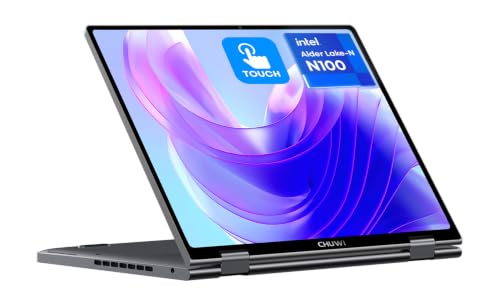
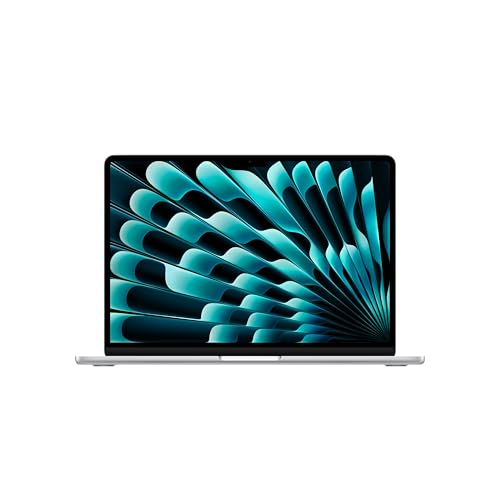
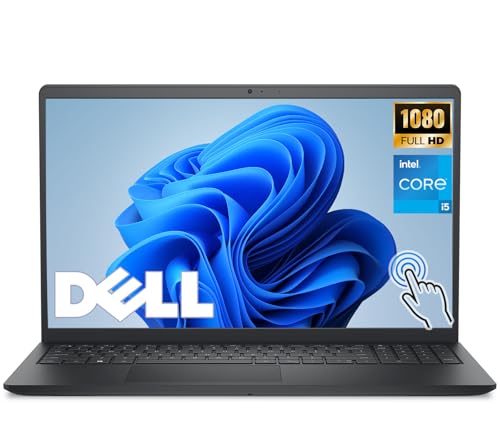
The best student laptops with solid state drive storage are the laptops that boot in seconds, open apps without waiting, and survive a semester of being carried between lectures, because a solid state drive has no moving parts and reads data far faster than an old hard drive. A student laptop with an SSD starts fast, wakes fast, and does not slow down when the drive fills with essays and slides, and the laptops in this guide all state their SSD size, their processor and their screen in the listing title. All six are student laptops with an SSD, and all six are sold as new listings.
A student laptop with a solid state drive suits the student who carries one laptop for lectures, the library and the dorm, and who wants it to work the moment the lid opens. The laptops in this guide cover the main choices, from the budget Acer Aspire Go to the big-screen Lenovo V15, and from the touchscreen Dell Inspiron 3530 to the light ASUS Vivobook Go. All six have an SSD, and all six run Windows with a full keyboard and a full-size screen.
The laptops in this guide cover the main buyers. The Acer Aspire Go models are the value picks, the Lenovo V15 models are the big-screen picks, the Dell Inspiron 3530 is the touchscreen pick, and the ASUS Vivobook Go is the light pick. All six have an SSD of 256GB or more, and all six state their RAM, their processor and their storage in the listing title.
This guide covers six best student laptops with solid state drive storage: two Acer, two Lenovo, one Dell and one ASUS. All six are laptops with an SSD, all six have at least 8GB of RAM, and all six state their screen size, their processor and their SSD in the listing title. The comparison table below gives the short version, and the sections after it give the detail.
In this guide
Quick picks: best student laptops with solid state drive
| # | Product | Where to buy |
|---|---|---|
| 1 | Acer Aspire Go 15 AG15-71PT-7378 | Check on Amazon |
| 2 | Acer Aspire Go 15 AG15-21PT-R641 | Check on Amazon |
| 3 | Lenovo V15 i7-13620H | Check on Amazon |
| 4 | Lenovo V15 Ryzen 5 7520U | Check on Amazon |
| 5 | Dell Inspiron 3530 i5-1335U | Check on Amazon |
| 6 | ASUS Vivobook Go 15 E1504FA-AS52 | Check on Amazon |
How the picks were chosen for the best student laptops with solid state drive
Every laptop below started as a listing returned by the reviewstook.com product lookup, and every listing was checked the same way. First, the title had to name the exact brand and the exact model, because an Acer Aspire Go 15 AG15-71PT-7378 is not an AG15-21PT-R641, and a Lenovo V15 with a Ryzen 5 is not a V15 with an i7, and a student who orders the wrong model gets the wrong laptop. Second, the title had to state the SSD, because a laptop with only a hard drive or only cloud storage is not a student laptop with a solid state drive.
The laptops were also checked for the details that decide real student use. The SSD size decides how much fits, and the laptops here have 256GB to 1TB of SSD storage, so essays, slides and apps all fit. The RAM decides how many tabs and apps run at once, and the laptops here have 8GB to 32GB, so a browser full of tabs will not slow them down. The processor decides the speed, and the laptops here run Intel Core i5 and i7 or AMD Ryzen 5, so essays, spreadsheets and video calls all run smoothly.
One more check shaped the list: the laptop must be a laptop alone, not a tablet, not a Chromebook with only cloud storage, and not a renewed listing. Listings for tablets, for renewed laptops and for laptops with no SSD stated were left out, because a student searching for the best student laptops with solid state drive wants a new laptop with a real SSD. The six laptops below are all new student laptops with an SSD, with the brand, the model, the processor, the RAM and the SSD stated in the title.
What a student laptop with a solid state drive is, and who should buy one
A student laptop with a solid state drive is a laptop that stores its files on flash memory instead of a spinning disk, and it is the laptop most students should buy, because it boots in seconds, opens apps without waiting, and keeps working when it is bumped in a bag. A solid state drive has no moving parts, so it does not break when the laptop is carried, and it reads data fast, so a student who opens a big slide deck before a lecture will not wait. A laptop with an SSD is the baseline for school, and the laptops here all have one.
A student laptop with a solid state drive suits the student who carries one laptop for lectures, the library and the dorm, and who wants it to work the moment the lid opens. It is the right choice when the student writes essays, builds slides, joins video calls and browses with many tabs open, because the SSD and the RAM keep all of that smooth. It is not the right choice for a student who only needs a browser and a keyboard, because a cheaper Chromebook can do that, and it is not the right choice for a gamer, because a gaming laptop needs a stronger graphics card.
The six laptops in this guide cover the main buyers. The value picks are for the student on a tight budget, the big-screen picks are for the student who works with split windows, the touchscreen pick is for the student who likes to tap and draw, and the light pick is for the student who carries the laptop all day. All six have an SSD, and all six are built for school.
A student laptop with a solid state drive also suits a student who keeps the laptop for four years, because an SSD will not slow down the way a hard drive does, and a laptop with 16GB of RAM and a 512GB SSD will still feel fast in the final year. A buyer should check the SSD size, the RAM and the processor in the title before buying, because they decide how long the laptop stays fast. The right laptop is the one that fits the course, the bag and the budget.
What makes a good student laptop with a solid state drive
SSD size is the first test, and it decides how much fits. A 256GB SSD holds the system, the apps and a year of essays, while a 512GB SSD holds four years of work with room to spare, and a 1TB SSD holds everything plus media. A buyer should check the SSD size in the title before buying, and should choose 512GB when the budget allows, because a full drive slows the laptop down. The laptops here have 256GB to 1TB of SSD storage.
RAM is the second test. The RAM decides how many tabs and apps run at once, and 8GB is enough for essays and browsing, while 16GB keeps many tabs, a video call and a spreadsheet open together without slowing down. A buyer should check the RAM in the title before buying, and should choose 16GB when the budget allows, because RAM cannot always be added later. The laptops here have 8GB to 32GB of RAM.
Processor is the third test. The processor decides the speed, and an Intel Core i5 or AMD Ryzen 5 handles essays, slides and video calls with ease, while a Core i7 handles heavier work like video editing and coding. A buyer should check the processor in the title before buying, and should match it to the course, because a coding or design course needs more speed than an essay course. The laptops here run Core i5, Core i7 and Ryzen 5 processors.
Screen and weight are the fourth test. The screen decides how comfortable long essays are, and a 15.6-inch full HD screen shows two windows side by side, while a 14-inch screen is lighter to carry. A buyer should check the screen size in the title before buying, and should think about the bag, because a laptop carried all day should be light. The laptops here have 15.6-inch screens, so essays and slides are easy to read.
Quick picks at a glance
| Laptop | Processor and RAM | SSD | Best for |
|---|---|---|---|
| Acer Aspire Go 15 i7 | i7-13620H, 32GB RAM | 1TB SSD | Top pick for four years |
| Acer Aspire Go 15 Ryzen 5 | Ryzen 5, 16GB RAM | 512GB SSD | Value pick |
| Lenovo V15 i7 | i7-13620H, 16GB DDR5 | 512GB SSD | Big-screen pick |
| Lenovo V15 Ryzen 5 | Ryzen 5 7520U, 16GB DDR5 | 512GB SSD | Everyday pick |
| Dell Inspiron 3530 | i5-1335U, 16GB RAM | 512GB SSD | Touchscreen pick |
| ASUS Vivobook Go 15 | Ryzen 5 7520U, 8GB RAM | 512GB SSD | Light pick |
The best student laptops with solid state drive

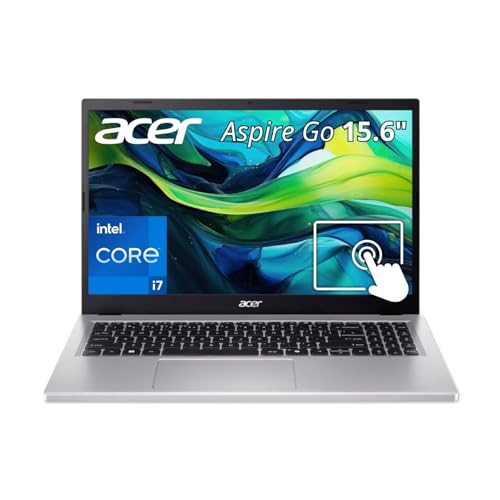
Acer Aspire Go 15in AI Laptop i7-13620H 32GB RAM 1TB SSD Touch | AG15-71PT-7378, 15.6in FHD IPS touchscreen, Intel UHD graphics, WiFi 6, Windows 11 Home, long battery life
The Acer Aspire Go 15 with the Core i7 is the top pick, and it is the laptop for a student who wants one machine for the whole degree. It is an Acer Aspire Go 15-inch AI laptop with an i7-13620H processor, 32GB of RAM and a 1TB SSD with touch, model AG15-71PT-7378, with a 15.6-inch FHD IPS touchscreen, Intel UHD graphics, WiFi 6, Windows 11 Home and a long battery life. The 1TB SSD holds four years of essays, slides and projects, and the 32GB of RAM keeps many tabs open at once.
The Aspire Go 15 with the i7 suits a student who wants speed and room to grow. The Core i7 handles coding, design and video calls, the 1TB SSD holds everything, and the touch screen makes reading and marking up slides easy. It is the laptop for a buyer who wants one laptop for four years.
Key specs:
- Acer Aspire Go 15, AG15-71PT-7378
- Intel i7-13620H, 32GB RAM
- 1TB SSD, touchscreen
- 15.6in FHD IPS touchscreen
- WiFi 6, Windows 11 Home, long battery life
Strengths:
- 32GB of RAM and a 1TB SSD for four years
- Core i7 for coding and design work
- Touch screen for reading and marking up slides
Trade-offs:
- A 15.6-inch laptop is heavier than a 14-inch one
- Intel UHD graphics, not a gaming card
- A large laptop for a small bag
The Aspire Go 15 with the i7 fits a student who wants one fast laptop for the whole degree.
Best for: A full degree with heavy work and many tabs. Not suited for: A buyer on a tight budget, or who needs a gaming graphics card.
Check price on Amazon: Acer Aspire Go 15 AG15-71PT-7378

Acer Aspire Go 15in Laptop AMD Ryzen 5 16GB RAM 512GB SSD Touch | AG15-21PT-R641, 15.6in FHD touchscreen, WiFi 6, HDMI port, webcam, Windows 11 Home, backlit keyboard
The Acer Aspire Go 15 with the Ryzen 5 is the value pick, and it is the laptop for a student on a tight budget who still wants a touch screen and a fast SSD. It is an Acer Aspire Go 15-inch laptop with an AMD Ryzen 5 processor, 16GB of RAM and a 512GB SSD with touch, model AG15-21PT-R641, with a 15.6-inch FHD touchscreen, WiFi 6, an HDMI port, a webcam, Windows 11 Home and a backlit keyboard. The 512GB SSD holds years of work, and the 16GB of RAM keeps essays, tabs and video calls smooth.
The Aspire Go 15 with the Ryzen 5 suits a student who wants value. The Ryzen 5 handles essays and slides with ease, the touch screen makes reading easy, and the backlit keyboard helps in dim lecture halls. It is the laptop for a buyer who wants the most for the money.
Key specs:
- Acer Aspire Go 15, AG15-21PT-R641
- AMD Ryzen 5, 16GB RAM
- 512GB SSD, touchscreen
- 15.6in FHD touchscreen
- WiFi 6, HDMI port, webcam, backlit keyboard
Strengths:
- 16GB of RAM and a 512GB SSD for the money
- Touch screen for reading and notes
- Backlit keyboard for dim lecture halls
Trade-offs:
- Ryzen 5 is slower than the Core i7 for heavy work
- 512GB fills faster than 1TB
- A 15.6-inch laptop is heavier than a 14-inch one
The Aspire Go 15 with the Ryzen 5 fits a student on a budget who wants a touch screen and a fast SSD.
Best for: Value student work with a touch screen. Not suited for: A buyer who edits video or codes heavily, or who needs 1TB of storage.
Check price on Amazon: Acer Aspire Go 15 AG15-21PT-R641

Lenovo V15 16" i7-13620H 16GB DDR5 512GB SSD Win 11 Laptop | Intel 10-Core CPU, 16" WUXGA IPS Display, Wi-Fi 6, Copilot AI, Office 365, Dolby Audio, Privacy Shutter, Multimedia PC
The Lenovo V15 with the i7 is the big-screen pick, and it is the laptop for a student who works with split windows and wants room to see. It is a Lenovo V15 16-inch laptop with an i7-13620H processor, 16GB of DDR5 RAM and a 512GB SSD, with Windows 11, an Intel 10-core CPU, a 16-inch WUXGA IPS display, Wi-Fi 6, Copilot AI, Office 365, Dolby Audio, a privacy shutter and a multimedia design. The 16-inch screen shows two windows side by side, and the 512GB SSD holds years of work.
The V15 with the i7 suits a student who works with documents and spreadsheets side by side. The big screen makes research easy, the Core i7 keeps everything fast, and the privacy shutter covers the webcam in lectures. It is the laptop for a buyer who wants a big screen for study.
Key specs:
- Lenovo V15, i7-13620H
- 16GB DDR5 RAM, 512GB SSD
- 16" WUXGA IPS display
- Intel 10-Core CPU, Wi-Fi 6
- Copilot AI, Office 365, Dolby Audio, privacy shutter
Strengths:
- 16-inch screen for split windows
- Core i7 with 16GB of DDR5 RAM
- Privacy shutter for the webcam
Trade-offs:
- A 16-inch laptop is heavier to carry
- 512GB fills faster than 1TB
- No touch screen stated in the title
The V15 with the i7 fits a student who works with split windows on a big screen.
Best for: Big-screen study with documents side by side. Not suited for: A buyer who carries the laptop all day, or who wants a touch screen.
Check price on Amazon: Lenovo V15 i7-13620H

Lenovo Laptop Computer V15, AMD Ryzen 5 7520U, 16GB DDR5 RAM, 512GB SSD | 15.6" FHD, for Business & Student, > Intel i5-1235U, Beat IdeaPad, Webcam w/Shutter, Numeric Keypad, Win 11 Pro w/Copilot
The Lenovo V15 with the Ryzen 5 is the everyday pick, and it is the laptop for a student who wants a solid machine for essays, slides and video calls. It is a Lenovo V15 laptop computer with an AMD Ryzen 5 7520U processor, 16GB of DDR5 RAM and a 512GB SSD, with a 15.6-inch FHD display, for business and student use, a webcam with shutter, a numeric keypad, and Windows 11 Pro with Copilot. The Ryzen 5 handles everyday work with ease, and the 512GB SSD starts fast and holds years of files.
The V15 with the Ryzen 5 suits a student who wants a dependable everyday laptop. The numeric keypad helps with spreadsheets, the webcam shutter protects privacy, and Windows 11 Pro adds tools for school. It is the laptop for a buyer who wants a solid machine without fuss.
Key specs:
- Lenovo V15, AMD Ryzen 5 7520U
- 16GB DDR5 RAM, 512GB SSD
- 15.6" FHD display
- Webcam w/shutter, numeric keypad
- Win 11 Pro w/Copilot
Strengths:
- 16GB of DDR5 RAM for everyday work
- Numeric keypad for spreadsheets
- Webcam shutter for privacy
Trade-offs:
- Ryzen 5 is slower than the Core i7 for heavy work
- 512GB fills faster than 1TB
- No touch screen stated in the title
The V15 with the Ryzen 5 fits a student who wants a dependable everyday laptop.
Best for: Everyday essays, slides and video calls. Not suited for: A buyer who edits video or codes heavily, or who wants a touch screen.
Check price on Amazon: Lenovo V15 Ryzen 5 7520U

Dell Inspiron 3530 Laptop – 15.6-inch FHD (1920 x 1080) Touchscreen Display, Intel Core i5-1335U, 16GB DDR4 RAM, 512GB SSD, Intel Iris Xe Graphics, Windows 11 Home – Carbon Black
The Dell Inspiron 3530 is the touchscreen pick, and it is the laptop for a student who likes to tap, scroll and draw notes. It is a Dell Inspiron 3530 laptop with a 15.6-inch FHD touchscreen display, an Intel Core i5-1335U processor, 16GB of DDR4 RAM, a 512GB SSD, Intel Iris Xe graphics and Windows 11 Home, in carbon black. The touch screen makes reading and marking up slides easy, and the Core i5 keeps essays and video calls smooth.
The Inspiron 3530 suits a student who takes handwritten notes and marks up slides. The touch screen feels like a tablet when reading, the keyboard feels like a laptop when typing, and the 512GB SSD holds the whole term. It is the laptop for a buyer who wants touch and typing in one machine.
Key specs:
- Dell Inspiron 3530, i5-1335U
- 16GB DDR4 RAM, 512GB SSD
- 15.6-inch FHD touchscreen display
- Intel Iris Xe Graphics
- Windows 11 Home, carbon black
Strengths:
- Touch screen for notes and slides
- Core i5 with 16GB of RAM
- Iris Xe graphics for everyday work
Trade-offs:
- 512GB fills faster than 1TB
- DDR4 RAM is older than DDR5
- A 15.6-inch laptop is heavier than a 14-inch one
The Inspiron 3530 fits a student who likes to tap, scroll and draw notes.
Best for: Touchscreen notes and slides. Not suited for: A buyer who never touches the screen, or who needs 1TB of storage.
Check price on Amazon: Dell Inspiron 3530 i5-1335U

ASUS 2023 Vivobook Go 15 Laptop, 15.6" FHD Display, AMD Ryzen 5 7520U Processor, 8GB RAM, 512GB SSD, Windows 11 Home, Mixed Black, E1504FA-AS52
The ASUS Vivobook Go 15 is the light pick, and it is the laptop for a student who carries the laptop all day and wants it to feel light. It is an ASUS 2023 Vivobook Go 15 laptop with a 15.6-inch FHD display, an AMD Ryzen 5 7520U processor, 8GB of RAM, a 512GB SSD and Windows 11 Home, in mixed black, model E1504FA-AS52. The Go design keeps the laptop light, and the 512GB SSD starts fast and holds the whole term.
The Vivobook Go 15 suits a student who walks between lectures with the laptop in a bag. The light body is easy to carry, the Ryzen 5 handles essays and slides, and the 512GB SSD holds years of work. It is the laptop for a buyer who wants a light machine for school.
Key specs:
- ASUS Vivobook Go 15, E1504FA-AS52
- AMD Ryzen 5 7520U, 8GB RAM
- 512GB SSD
- 15.6" FHD display
- Windows 11 Home, mixed black
Strengths:
- Light Go design for carrying all day
- 512GB SSD for years of work
- Ryzen 5 for essays and slides
Trade-offs:
- 8GB of RAM is less than the 16GB models
- No touch screen stated in the title
- A 2023 model, not the newest
The Vivobook Go 15 fits a student who carries the laptop all day.
Best for: Light carrying between lectures. Not suited for: A buyer who opens many tabs at once, or who wants a touch screen.
Check price on Amazon: ASUS Vivobook Go 15 E1504FA-AS52
Buying guide for the best student laptops with solid state drive
How big should the SSD be
Start with the SSD size, because it decides how much fits and how long the laptop stays fast. A 256GB SSD holds the system, the apps and a year of essays, and it suits a student who stores files in the cloud, because the cloud holds the rest. A buyer who keeps files on the laptop should choose 512GB, because four years of essays, slides and photos need room, and a full drive slows the laptop down.
A 1TB SSD suits a student who keeps media, games and big projects on the laptop, because it holds everything with room to spare. Check the SSD size in the title before buying, because a laptop with only 128GB will fill up fast, and a laptop that says cloud storage instead of SSD may have almost no local storage at all. The SSD size is the purchase, and everything else follows.
How much RAM does a student need
RAM decides how many tabs and apps run at once, and 8GB is enough for essays, browsing and video calls, because those tasks are light. A student who opens many tabs, joins video calls and runs a spreadsheet at the same time should choose 16GB, because it keeps everything smooth without closing tabs. The laptops here have 8GB to 32GB of RAM, so a buyer can choose.
A buyer should also check whether the RAM can be added later, because some laptops have RAM soldered in and some have a spare slot. When the RAM is fixed, buy the size needed for four years, because it cannot be changed. Check the RAM in the title before buying, because it decides how the laptop handles busy days.
Which processor fits the course
An Intel Core i5 or AMD Ryzen 5 handles essays, slides, browsing and video calls with ease, and it suits most courses, because those tasks are light. A student who codes, edits video or runs design software should choose a Core i7 or a Ryzen 7, because those tasks need more speed. The laptops here run Core i5, Core i7 and Ryzen 5 processors, so a buyer can match the processor to the course.
A buyer should also check the processor generation in the title, because a newer generation runs cooler and faster than an older one at the same name. A 13th-generation Core i5 is faster than an 11th-generation Core i5, and a buyer who compares two laptops should check the full model number. The processor decides the speed, and the speed decides the comfort.
Screen size, weight, and battery
A 15.6-inch full HD screen shows two windows side by side, and it suits essays and slides, because the text is easy to read and the windows fit. A smaller screen is lighter to carry, and a bigger screen is easier to work on, so a buyer should think about the bag and the desk. The laptops here have 15.6-inch screens, so work is comfortable.
Weight matters too, because a laptop carried all day should be light, and a heavy laptop will tire the shoulder. Battery matters as well, because a student who sits far from a socket needs a laptop that lasts the day. Check the screen and the weight in the title before buying, because they decide how the laptop feels to carry.
New or renewed, and what to check
A student laptop should be bought new, because a new laptop has a full warranty, a fresh battery and a clean SSD, and a renewed laptop may have a worn battery and a short warranty. A buyer should check that the title does not say renewed, because a renewed listing can look identical to a new one. The laptops here are all new listings, so the battery and the warranty are fresh.
A buyer should also check the warranty in the listing before buying, because a student laptop will be carried every day and a good warranty covers accidents. Keep the box and the receipt, because they are needed for a warranty claim. A new laptop with a good warranty will serve four years of school.
Using and caring for a student laptop
Keep the SSD with room to spare
Keep at least a fifth of the SSD free, because a full SSD slows the laptop down and shortens its life. Move old essays and photos to the cloud or an external drive at the end of each term, because the files will still be there when needed and the laptop will stay fast. A buyer should check the free space once a month, because a drive that fills quietly will slow down quietly.
Uninstall apps that are no longer used, because they take space and run in the background. A laptop with room to spare boots fast and opens apps fast, and a laptop that is full will lag. Good habits keep the SSD fast for four years.
Charge the battery kindly
Charge the laptop when it drops below a fifth and unplug it when it is full, because a battery kept between a fifth and full lasts longer than one left plugged in all day. A student who sits near a socket should still let the battery drop sometimes, because a battery that never moves will wear out. A buyer should check the battery health once a term, because a weak battery can be replaced before it fails.
Keep the laptop cool while charging, because heat wears the battery out. Do not charge it on a bed or a sofa, because the vents will block and the laptop will heat up. A cool laptop is a long-lived laptop.
Look after the laptop for four years
Carry the laptop in a padded sleeve inside the bag, because a bump can crack the screen and a knock can loosen the SSD. A buyer should close the lid before moving, because an open laptop is easy to drop. A sleeve is cheap and a screen is not.
Clean the keyboard and the vents once a month, because dust in the vents heats the laptop and crumbs under the keys stick them. Blow the vents out gently, and wipe the screen with a soft cloth, because a clean laptop runs cooler and lasts longer. A little care keeps the laptop working through graduation.
Common mistakes when buying student laptops
Buying a laptop with no real SSD
The most common mistake is buying a laptop with no real SSD, because a listing that says cloud storage or eMMC instead of SSD has almost no local storage, and a laptop with a hard drive will boot slowly and lag. A buyer should check that the title states an SSD and its size, because the SSD is the purchase. A laptop without an SSD will feel slow from the first day.
A buyer who is unsure should look for the words SSD and the size in the title, like 256GB SSD or 512GB SSD. A listing that hides the storage type is hiding a slow drive. The SSD decides the speed, and the speed decides the comfort.
Choosing too little RAM
The second mistake is choosing too little RAM, because 4GB of RAM will struggle with a browser full of tabs, and a student who opens many tabs will watch the laptop lag. A buyer should choose 8GB at least, and 16GB when the budget allows, because RAM decides how many apps run at once. Check the RAM in the title before buying, because it cannot always be added later.
A buyer who buys 4GB to save money will spend the saving on frustration, because the laptop will need replacing sooner. Buy the RAM for four years, not for one term.
Buying renewed without knowing it
The third mistake is buying a renewed laptop without knowing it, because a renewed listing can look identical to a new one and may have a worn battery and a short warranty. A buyer should check that the title does not say renewed, and should check the condition in the listing, because a student laptop will be carried every day and needs a fresh battery. The laptops here are all new listings.
A buyer who wants a renewed laptop should know what the warranty covers, because a short warranty on a worn battery is a bad deal. Buy new for school, because the warranty and the battery are worth it.
Ignoring the screen and the weight
The fourth mistake is ignoring the screen and the weight, because a dim screen will strain the eyes during long essays, and a heavy laptop will tire the shoulder on the walk to lectures. A buyer should check the screen size and the full HD resolution in the title, and should think about the bag, because the laptop will be carried every day. A bright full HD screen and a light body make school easier.
A buyer who works in bright rooms should choose a screen with an anti-glare coating, because glare makes reading hard. Check the screen in the title before buying, because it decides how the laptop feels to use.
Final recommendation
The best student laptop with solid state drive storage for most students is the Acer Aspire Go 15 with the Core i7, because a fast processor, 32GB of RAM and a 1TB SSD cover four years of essays, tabs and projects without slowing down. A student who wants one laptop for the whole degree should buy this one, because it has room to grow and speed to spare.
A student on a tight budget should buy the Acer Aspire Go 15 with the Ryzen 5, because it gives a 512GB SSD and a touchscreen for less, and a student who wants a big screen should buy the Lenovo V15, because its 16-inch display shows two windows side by side. A student who likes to tap and draw should buy the Dell Inspiron 3530, because its touchscreen makes notes easy, and a student who carries the laptop all day should buy the ASUS Vivobook Go, because it is light and its 512GB SSD holds the whole term.
Whichever laptop is chosen, check the SSD size in the title, choose 16GB of RAM when the budget allows, buy new rather than renewed, keep a fifth of the SSD free, and carry it in a padded sleeve, because a student laptop bought well will serve from the first lecture to graduation.
Related reading on Reviewstook: see our guides to best 2-in-1 laptop for students under 1000, best laptops with DVD drive, best high quality laptop backpacks for more on this topic.
Frequently asked questions about student laptops with solid state drive
How big should the SSD be in a student laptop?
A 256GB SSD is enough for a student who stores files in the cloud, because the system, the apps and a year of essays fit on it. A 512GB SSD is better for most students, because four years of essays, slides and photos need room, and a full drive slows the laptop down. A 1TB SSD suits a student who keeps media and big projects on the laptop. Check the SSD size in the title before buying, because a laptop that says cloud storage instead of SSD may have almost no local storage.
Is 8GB of RAM enough for a student laptop?
8GB of RAM is enough for essays, browsing and video calls, because those tasks are light. A student who opens many tabs, joins video calls and runs a spreadsheet at the same time should choose 16GB, because it keeps everything smooth without closing tabs. The laptops in this guide have 8GB to 32GB of RAM, so a buyer can choose. When the RAM is fixed and cannot be added later, buy the size needed for four years.
Is an SSD better than a hard drive for students?
An SSD is better than a hard drive for students, because it boots in seconds, opens apps without waiting, and has no moving parts to break when the laptop is carried. A hard drive is slower and can fail when bumped, while an SSD keeps working in a bag. A student laptop should always have an SSD, and the laptops in this guide all do.
Should a student buy a new or a renewed laptop?
A student should buy a new laptop, because a new laptop has a full warranty, a fresh battery and a clean SSD, and a renewed laptop may have a worn battery and a short warranty. A buyer should check that the title does not say renewed, because a renewed listing can look identical to a new one. The laptops in this guide are all new listings, so the battery and the warranty are fresh.
Does a touchscreen help a student laptop?
A touchscreen helps a student who likes to tap, scroll and draw notes, because it makes the laptop feel like a tablet when reading and a laptop when typing. It is not needed for essays alone, because a keyboard and a trackpad do that job well. A student who takes handwritten notes or marks up slides will like a touchscreen, and the Dell Inspiron 3530 in this guide has one.