The best laptops with DVD drive built in are older models, because new laptops rarely include an optical drive anymore. A laptop with a DVD drive suits a buyer who still burns discs, plays DVDs, or installs software from a disc, and the models that still offer one are business laptops from earlier years. The five laptops in this guide cover the main choices: Dell Latitude business notebooks, a Lenovo business laptop, and a Dell Inspiron with the biggest drive here.
A laptop with a DVD drive matters because an external drive is one more thing to carry and lose. A built-in DVD writer reads and writes discs without extra parts, and it suits a buyer who works with discs every day. The right laptop has the drive built in, the processor for the work, and the operating system for the software. The buyer who chooses a laptop with a built-in drive gets discs without the extra hardware.
The laptops in this guide cover the main uses. The Dell Latitude E6420 is the best all-round pick, the Dell Latitude E6540 is the performance pick, the DELL Latitude D531 is the budget pick, the Lenovo 15.6 inch business laptop is the Windows 10 pick, and the Dell Inspiron 15 5000 is the storage pick. All five are laptops with a DVD drive built in, and all five are sold as new listings.
This guide covers five best laptops with a DVD drive: three Dell Latitude notebooks, one Lenovo business laptop, and one Dell Inspiron. All five have built-in DVD writers, all five state the drive in the listing title, and all five suit work with discs. The comparison table below gives the short version, and the sections after it give the detail.
In this guide
Quick picks: best laptops with dvd drive
| # | Product | Where to buy |
|---|---|---|
| 1 | Dell Latitude E6420 notebook DVD writer laptop | Check on Amazon |
| 2 | Dell Latitude E6540 business laptop DVDRW | Check on Amazon |
| 3 | Dell Latitude D531 laptop DVD CDRW optical drive | Check on Amazon |
| 4 | Lenovo 15 inch business laptop DVD RW Windows 10 | Check on Amazon |
| 5 | Dell Inspiron 15 5000 laptop DVD RW Windows 10 | Check on Amazon |
How the picks were chosen for the best laptops with DVD drive
Every laptop below started as a listing returned by the reviewstook.com product lookup, and every listing was checked the same way. First, the title had to name the exact brand and the exact model, including every processor and model number, because a Dell Latitude E6420 is not a Latitude E6540, and a Dell Inspiron 15 5000 i5567 is not another Inspiron. Second, the title had to state that the laptop has a DVD drive built in, because a laptop with a bundled external drive is not a laptop with a built-in drive.
The laptops were also checked for the details that decide real use. The processor decides the work, and the laptops here have Core i5, Core i7, dual core, and AMD A6 processors. The memory decides the multitasking, and the laptops here have 2GB, 4GB, and 8GB. The storage decides the files, and the laptops here have 80GB, 320GB, 500GB, and 1TB drives. The operating system decides the software, and the laptops here run Windows 7 Pro, Vista Business, and Windows 10.
One more check shaped the list: the laptop must have a built-in DVD drive, not a bundled external drive, and it must be a new listing, not a renewed one. Listings for external drives, laptops with bundled external drives, and renewed laptops were left out, because a buyer searching for the best laptops with DVD drive wants a laptop with the drive built in. The five laptops below are all laptops with a built-in DVD drive, sold as new listings, with the brand, the model, and the drive stated in the title.
What a laptop with a DVD drive is, and who should buy one
A laptop with a DVD drive is a laptop with an optical drive built into the chassis, able to read and write DVDs and CDs without an external drive. It is an older design, because new laptops leave the drive out to save weight, and it is the right choice for a buyer who still works with discs. A laptop with a DVD drive is the machine for discs, and it is the one that does not need extra hardware.
A laptop with a DVD drive suits any buyer who still uses discs. It is the right choice when the work needs DVDs burned, when the movies are on disc, and when the software installs from a disc. It is not the right choice for a buyer who never uses discs, because a laptop without a drive is lighter and faster, and it is not the right choice for a buyer who wants the latest hardware.
The five laptops in this guide cover the main buyers. The all-round and performance picks are for the business user who wants a Latitude with a DVD writer, the budget pick is for the buyer who wants the simplest laptop with a drive, and the Windows 10 pick is for the buyer who wants modern software. The storage pick is for the buyer who wants the biggest drive.
A laptop with a DVD drive also suits a buyer who works offline, because discs do not need the internet. The buyer who checks the drive, the processor, and the operating system gets the best laptop, and the buyer who buys by the photo alone gets the wrong one. The right laptop is the one with the drive built in and the specs for the work.
What makes a good laptop with a DVD drive
The drive is the first test, and it decides the discs. A DVD writer reads and writes DVDs, a DVDRW does the same, and a DVD and CDRW drive reads DVDs and writes CDs, so a buyer should check the drive type in the title before buying. The laptops here have DVD writers, a DVDRW, and a DVD and CDRW drive, and a buyer who burns DVDs should look for a writer. Check the drive in the title before buying.
The processor is the second test. A Core i7 handles work better than a Core i5, and a Core i5 handles it better than a dual core or an AMD A6, so a buyer who works hard should look for the fastest processor. The E6540 here has a Core i7, and it is the performance pick for that reason, and a buyer should check the processor in the title before buying.
Memory and storage are the third test. 8GB of memory covers multitasking better than 2GB, and a 1TB drive holds more than an 80GB drive, so a buyer who keeps many files should look for both. The laptops here have 2GB, 4GB, and 8GB of memory and 80GB to 1TB of storage, and a buyer should check both in the title before buying.
The operating system is the fourth test. Windows 10 suits modern software, and Windows 7 Pro and Vista Business suit older software, so a buyer should check the system in the title before buying. The Lenovo and the Inspiron here run Windows 10, and they are the picks for a buyer who wants modern software. Check the system in the title before buying.
Quick picks at a glance
| Laptop | CPU and drive | Use | Best for |
|---|---|---|---|
| Dell Latitude E6420 | 14 inch, i5, DVD writer | Business, disc writing | Best all-round laptop |
| Dell Latitude E6540 | 15.6 inch, i7, DVDRW | Business, bigger screen | Best performance laptop |
| DELL Latitude D531 | Dual core, DVD/CDRW | Basic work, discs | Best budget laptop |
| Lenovo 15.6" Business | 15.6 inch, A6, DVD-RW | Business, Windows 10 | Best Windows 10 laptop |
| Dell Inspiron 15 5000 | 15.6 inch, i5, 1TB, DVD-RW | Storage, Windows 10 | Best storage laptop |
The best laptops with a DVD drive

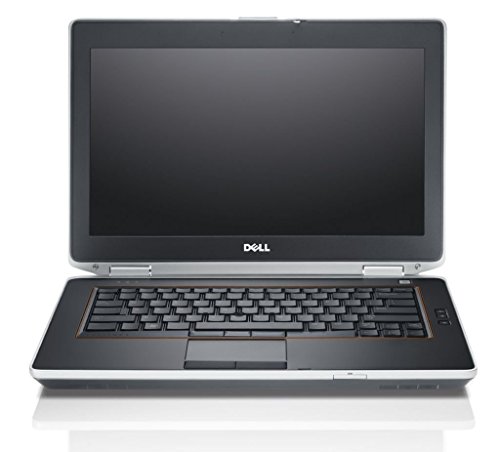
Dell Latitude E6420 14 LED Notebook Intel Core i5 i5-2520M 2.50 GHz 4GB DDR3 320GB HDD DVD-Writer Intel HD 3000 Graphics Bluetooth
The Dell Latitude E6420 Notebook is the best all-round pick in this guide, and it is the pick for a buyer who wants a business laptop with a DVD writer built in. It is a Dell Latitude E6420 14 LED notebook with an Intel Core i5 i5-2520M processor at 2.50 GHz, 4GB of DDR3 memory, a 320GB hard drive, a DVD writer, Intel HD 3000 graphics, and Bluetooth. The DVD writer reads and writes discs, and the 14 inch screen suits work on the go.
The E6420 suits a buyer who needs a laptop that still writes DVDs. The built-in DVD writer burns discs without an external drive, the Core i5 processor covers office work, and the Bluetooth connects accessories. It is the laptop for a buyer who wants a business notebook with a DVD writer.
Key specs:
- Dell Latitude E6420 Notebook
- 14 LED display
- Intel Core i5 i5-2520M 2.50 GHz
- 4GB DDR3, 320GB HDD
- DVD-Writer, Intel HD 3000, Bluetooth
Strengths:
- Built-in DVD writer reads and writes discs
- Core i5 processor covers office work
- Bluetooth connects accessories
Trade-offs:
- An older laptop with an older processor
- 320GB hard drive, slower than an SSD
- 4GB of memory, the least here
The E6420 fits a buyer who needs a business laptop that still writes DVDs.
Best for: a business notebook with a built-in DVD writer. Not suited for: a buyer who wants a modern laptop, or an SSD.
Check price on Amazon: Dell Latitude E6420 notebook DVD writer laptop

Dell Latitude E6540 Business Laptop 15.6 Inch Intel Core i7 i7-4610M 3.0 GHz 8GB DDR3L 500GB Solid State Hybrid Drive SSHD Webcam DVDRW Windows 7 Pro
The Dell Latitude E6540 Business Laptop is the performance pick in this guide, and it is the pick for a buyer who wants the fastest processor here with a DVDRW built in. It is a Dell Latitude E6540 business laptop, 15.6 inch, with an Intel Core i7 i7-4610M processor at 3.0 GHz, 8GB of DDR3L memory, a 500GB solid state hybrid drive, a webcam, a DVDRW, and Windows 7 Pro. The Core i7 is the fastest processor here, and the hybrid drive is faster than a plain hard drive.
The E6540 suits a buyer who wants a bigger screen and a faster processor with a DVD drive. The 15.6 inch display gives more room than the 14 inch models, the 8GB of memory covers multitasking, and the DVDRW reads and writes discs. It is the laptop for a buyer who wants a 15.6 inch business laptop with a DVDRW.
Key specs:
- Dell Latitude E6540 Business Laptop
- 15.6 inch display
- Intel Core i7 i7-4610M 3.0 GHz
- 8GB DDR3L, 500GB hybrid drive
- Webcam, DVDRW, Windows 7 Pro
Strengths:
- Core i7, the fastest processor here
- 15.6 inch display gives more room
- Hybrid drive is faster than a plain hard drive
Trade-offs:
- An older laptop with Windows 7 Pro
- A hybrid drive, slower than a full SSD
- A 15.6 inch laptop that is heavier to carry
The E6540 fits a buyer who wants a 15.6 inch business laptop with a DVDRW and a fast processor.
Best for: a 15.6 inch laptop with a DVDRW. Not suited for: a buyer who wants Windows 11, or a full SSD.
Check price on Amazon: Dell Latitude E6540 business laptop DVDRW

DELL Latitude D531 Laptop with 1.8GHz Dual Core CPU, 2GB RAM, 80GB Hard Drive, DVD/CDRW Optical Drive, Built-In Wifi, and Windows Vista Business
The DELL Latitude D531 Laptop is the budget pick in this guide, and it is the pick for a buyer who wants the simplest laptop with a DVD drive. It is a DELL Latitude D531 laptop with a 1.8GHz dual core CPU, 2GB of RAM, an 80GB hard drive, a DVD and CDRW optical drive, built-in Wi-Fi, and Windows Vista Business. The DVD and CDRW drive reads DVDs and writes CDs, and the built-in Wi-Fi connects without a dongle.
The D531 suits a buyer who needs a basic laptop for discs and light work. The optical drive covers DVDs and CDs, the built-in Wi-Fi covers the network, and the laptop is simple to use. It is the laptop for a buyer who wants the most basic laptop with a DVD drive here.
Key specs:
- DELL Latitude D531 Laptop
- 1.8GHz dual core CPU
- 2GB RAM, 80GB hard drive
- DVD/CDRW optical drive
- Built-in Wi-Fi, Windows Vista Business
Strengths:
- DVD and CDRW drive covers discs and CDs
- Built-in Wi-Fi needs no dongle
- Simple laptop for basic work
Trade-offs:
- 2GB of RAM and an 80GB drive, the least here
- Windows Vista Business, an older system
- A dual core CPU that is the slowest here
The D531 fits a buyer who needs a basic laptop for DVDs, CDs, and light work.
Best for: the simplest laptop with a DVD drive. Not suited for: a buyer who wants modern software, or a fast laptop.
Check price on Amazon: Dell Latitude D531 laptop DVD CDRW optical drive

Lenovo 15.6" HD Premium Business Laptop | AMD A6-9225 Dual-core up to 3.0GHz | 8GB RAM | 500GB HDD | DVD-RW | AMD Radeon R4 Graphics | WiFi | HDMI | Webcam | Windows 10
The Lenovo 15.6" HD Premium Business Laptop is the Windows 10 pick in this guide, and it is the pick for a buyer who wants a laptop with a DVD-RW and a modern operating system. It is a Lenovo 15.6 inch HD premium business laptop with an AMD A6-9225 dual-core processor up to 3.0GHz, 8GB of RAM, a 500GB hard drive, a DVD-RW, AMD Radeon R4 graphics, Wi-Fi, HDMI, a webcam, and Windows 10. The DVD-RW reads and writes discs, and Windows 10 suits modern software.
The Lenovo suits a buyer who wants a 15.6 inch laptop with a DVD drive and Windows 10. The 8GB of RAM covers multitasking, the 500GB hard drive holds the files, and the HDMI connects a monitor. It is the laptop for a buyer who wants a business laptop with a DVD-RW on Windows 10.
Key specs:
- Lenovo 15.6" HD Premium Business Laptop
- AMD A6-9225 dual-core up to 3.0GHz
- 8GB RAM, 500GB HDD
- DVD-RW, AMD Radeon R4 graphics
- Wi-Fi, HDMI, webcam, Windows 10
Strengths:
- Windows 10 suits modern software
- DVD-RW reads and writes discs
- HDMI connects a monitor
Trade-offs:
- An AMD A6 processor, the slowest modern chip here
- A 500GB hard drive, slower than an SSD
- A 15.6 inch laptop that is heavier to carry
The Lenovo fits a buyer who wants a 15.6 inch business laptop with a DVD-RW on Windows 10.
Best for: a DVD-RW laptop on Windows 10. Not suited for: a buyer who wants a fast processor, or an SSD.
Check price on Amazon: Lenovo 15 inch business laptop DVD RW Windows 10

Dell Inspiron 15 5000 Non-Touch – i5567-1836GRY (15.6” HD Display, i5-7200U 2.50GHz, 8GB DDR4, 1TB 5400rpm, DVD-RW, Bluetooth 4.2, Windows 10 Home 64)
The Dell Inspiron 15 5000 Non-Touch is the storage pick in this guide, and it is the pick for a buyer who wants the biggest hard drive here with a DVD-RW. It is a Dell Inspiron 15 5000, model i5567-1836GRY, with a 15.6 inch HD display, an i5-7200U processor at 2.50GHz, 8GB of DDR4 memory, a 1TB 5400rpm hard drive, a DVD-RW, Bluetooth 4.2, and Windows 10 Home 64. The 1TB drive is the largest here, and the DVD-RW reads and writes discs.
The Inspiron 15 5000 suits a buyer who wants a 15.6 inch laptop with a big drive and a DVD-RW. The 1TB hard drive holds a large library, the 8GB of DDR4 memory covers multitasking, and Windows 10 Home suits modern software. It is the laptop for a buyer who wants the most storage with a DVD drive.
Key specs:
- Dell Inspiron 15 5000 Non-Touch
- 15.6” HD display, i5-7200U 2.50GHz
- 8GB DDR4, 1TB 5400rpm
- DVD-RW, Bluetooth 4.2
- Windows 10 Home 64, i5567-1836GRY
Strengths:
- 1TB hard drive, the largest here
- DVD-RW reads and writes discs
- Windows 10 Home suits modern software
Trade-offs:
- A 5400rpm hard drive, slower than an SSD
- A 15.6 inch laptop that is heavier to carry
- An HD display, not Full HD
The Inspiron 15 5000 fits a buyer who wants a 15.6 inch laptop with the biggest drive and a DVD-RW.
Best for: the most storage with a DVD drive. Not suited for: a buyer who wants an SSD, or a Full HD display.
Check price on Amazon: Dell Inspiron 15 5000 laptop DVD RW Windows 10
Buying guide for the best laptops with a DVD drive
Built-in drive or bundled external drive
Start with the drive, because a built-in drive and a bundled external drive are not the same. A built-in drive sits in the laptop and needs no extra parts, and a bundled external drive is a separate device that must be carried and plugged in. The laptops here all have the drive built in, and a buyer should check the title for the drive before buying, because it decides the use.
The title should state the drive plainly, with words like DVD writer, DVDRW, or DVD-RW. A listing that says the laptop comes with an external drive is not a laptop with a built-in drive, and a buyer should skip it. Check the title for the built-in drive before buying.
Processor: Core i7, Core i5, or dual core
The processor decides the work, and a buyer who works hard should look for the fastest one. A Core i7 handles work better than a Core i5, and a Core i5 handles it better than a dual core or an AMD A6, so a buyer should check the processor in the title before buying. The E6540 here has a Core i7, and it is the performance pick, and the E6420 and the Inspiron here have Core i5 processors.
The processor also decides how long the laptop stays useful, because a faster processor handles new software for longer. A buyer who buys the fastest processor now will not need to replace the laptop soon, and a buyer who buys the slowest will feel the limit first. Check the processor in the title before buying.
Memory and storage: how much is enough
Memory decides the multitasking, and a buyer who keeps many apps open should look for 8GB. 2GB covers basic work, 4GB covers office work, and 8GB covers multitasking, so a buyer should check the memory in the title before buying. The E6540, the Lenovo, and the Inspiron here have 8GB, and the E6420 has 4GB, and the D531 has 2GB.
Storage decides the files, and a buyer who keeps many files should look for a big drive. An 80GB drive holds the basics, a 500GB drive holds the work, and a 1TB drive holds a large library, so a buyer should check the storage in the title before buying. The Inspiron here has a 1TB drive, and it is the storage pick.
Operating system: Windows 10 or older
The operating system decides the software, and a buyer who wants modern software should look for Windows 10. The Lenovo and the Inspiron here run Windows 10, and they are the picks for a buyer who wants modern software, while the E6540 runs Windows 7 Pro and the D531 runs Vista Business. Check the system in the title before buying, because it decides the software.
An older system suits older software, and a buyer who runs legacy apps may want Windows 7 or Vista. A buyer who runs modern apps should buy Windows 10, and a buyer who runs old apps should check that the system supports them. The system decides the software, and the buyer should match it to the work.
New or renewed: check the listing
Laptops with a DVD drive are older models, and some listings are renewed, which means the laptop was used before. A buyer who wants a new laptop should check the title for any renewed note before buying, because a renewed laptop may have a worn battery or a tired drive. The laptops here are sold as new listings, and a buyer should check the title before buying.
The condition matters too. A new laptop has a fresh battery and a clean drive, and a renewed one may not, so a buyer should read the title carefully. Check the title for renewed before buying, because it decides the condition.
Using and caring for a laptop with a DVD drive
Set the laptop up and test the drive
Set the laptop up on the first day, and test the DVD drive with a disc, because a drive that is not tested may not work. Insert a DVD and check that it reads, and burn a disc to check that the writer works, because a drive that is tested will be trusted. A laptop that is set up right will work from the start.
After setting it up, update the operating system and the drivers, because an older laptop needs updates to run well. Install the software, check the Wi-Fi, and set the display, because a laptop that is updated will run better. Take the time to set it up right.
Keep the drive clean
A DVD drive collects dust, and it needs a cleaning disc now and then to stay clean. Use a lens cleaning disc when the drive skips, and do not touch the lens, because a dirty lens will misread discs. A drive that is kept clean will read well, and one that is neglected will skip.
Handle discs by the edges, because a scratched disc will not read well. Store discs in cases, and keep them out of the sun, because a disc that is scratched or warped will fail. Good habits keep the drive and the discs working.
Look after the battery for the long term
An older laptop battery will not last as long as a new one, and a buyer should check the battery life before relying on it. Use the laptop plugged in for heavy work, and on battery for light work, because the battery will last longer that way. A battery that is treated well will last longer, and one that is abused will fail.
Store the laptop in a sleeve when carrying it, because a laptop that is knocked around will suffer. A buyer who carries the laptop every day should use a padded sleeve, and a buyer who leaves it on a desk should keep it dust-free. A little care keeps the laptop working.
Common mistakes when buying a laptop with a DVD drive
Buying a laptop with a bundled external drive
Laptops that come with a bundled external drive appear in the same search results as laptops with a built-in drive, and a buyer in a hurry can buy one by mistake. A bundled external drive is a separate device, and a built-in drive sits in the laptop, so a buyer who wants a built-in drive should check the title. The laptops here all have the drive built in, and a buyer should buy one of them.
The same care applies to external drives alone. An external drive is not a laptop, and a buyer who wants a laptop with a drive should buy a laptop. Check the title for the laptop and the drive before buying.
Buying a renewed laptop without checking
Laptops with a DVD drive are older models, and some listings are renewed, which means the laptop was used before. A buyer who wants a new laptop should check the title for any renewed note before buying, because a renewed laptop may have a worn battery or a tired drive. The laptops here are sold as new listings, and three renewed models were left out of this guide for that reason.
The same care applies to the battery. A renewed laptop may have a tired battery, and a buyer should check the battery life before relying on it. Check the title for renewed before buying, because it decides the condition.
Buying too little memory or storage
A buyer who buys too little memory will feel the limit, because 2GB covers basic work and 8GB covers multitasking. A buyer who keeps many apps open should buy 8GB, and a buyer who works lightly can buy 4GB. Check the memory in the title before buying, because it decides the multitasking.
The same care applies to the storage. A buyer who keeps many files will fill an 80GB drive fast, and should look for 500GB or 1TB. Check the storage in the title before buying, because it decides the files.
Forgetting the operating system
A buyer who forgets the operating system will find the software does not run. Windows 10 suits modern software, and Windows 7 Pro and Vista Business suit older software, so a buyer should check the system in the title before buying. The Lenovo and the Inspiron here run Windows 10, and they are the picks for modern software.
The same care applies to the drivers. An older laptop may need older drivers, and a buyer should check that the drivers are available. Check the system in the title before buying, because it decides the software.
Our recommendation for the best laptop with a DVD drive
The best laptop with a DVD drive for most buyers is the Dell Latitude E6420 Notebook, because it is a 14 inch business notebook with an Intel Core i5 i5-2520M processor, 4GB of DDR3 memory, a 320GB hard drive, a DVD writer, Intel HD 3000 graphics, and Bluetooth. It suits business work and disc writing, it covers the essentials, and it is the laptop for a buyer who wants a business notebook with a DVD writer built in. A buyer shopping for a laptop with a DVD drive should start there.
A buyer who wants the fastest processor should buy the Dell Latitude E6540 with its Core i7, a buyer who wants the simplest laptop should buy the DELL Latitude D531, and a buyer who wants Windows 10 should buy the Lenovo 15.6 inch business laptop. A buyer who wants the most storage should buy the Dell Inspiron 15 5000 with its 1TB drive.
Whichever laptop is chosen, check that the drive is built in first, match the processor and the memory to the work, and check the operating system before buying. The right laptop is the one with the drive built in, the specs for the work, and the system for the software.
Related reading on Reviewstook: see our guides to best external DVD drive for laptops under 20, best 2-in-1 laptop under 1000, best gaming laptop under 1000 for more on this topic.
Frequently asked questions about laptops with a DVD drive
Do new laptops still come with a DVD drive?
Most new laptops do not, because the drive adds weight and most buyers no longer use discs. The laptops with a DVD drive built in are older models, like the Dell Latitude and Lenovo business laptops in this guide, and a buyer who wants a built-in drive should buy one of those. Check the title for the drive before buying, because it decides the use.
A buyer who wants a new laptop and a DVD drive can buy an external drive, but that is a separate device to carry. A built-in drive needs no extra parts, and a buyer who works with discs every day should buy a laptop with the drive built in.
What is the difference between a DVD writer and a DVDRW?
A DVD writer reads and writes DVDs, and a DVDRW does the same, because the two terms describe the same drive. A DVD and CDRW drive reads DVDs and writes CDs, so it covers both disc types. Check the drive type in the title before buying, because it decides the discs.
A buyer who burns DVDs should look for a writer or a DVDRW, and a buyer who only plays DVDs can buy a reader. The laptops here have writers and DVDRW drives, and they cover both uses.
Should I buy a new or a renewed laptop with a DVD drive?
A buyer who wants a new laptop should check the title for any renewed note before buying, because a renewed laptop may have a worn battery or a tired drive. The laptops here are sold as new listings, and three renewed models were left out of this guide. Check the title for renewed before buying, because it decides the condition.
A renewed laptop can still work well, but the battery and the drive may be tired, and a buyer should check the battery life before relying on it. A new laptop has a fresh battery and a clean drive.
Can a laptop with a DVD drive run Windows 10?
It can when the listing states Windows 10, because the Lenovo and the Inspiron here run Windows 10 and suit modern software. The E6540 runs Windows 7 Pro, and the D531 runs Vista Business, so a buyer who wants modern software should buy one of the Windows 10 models. Check the system in the title before buying, because it decides the software.
An older system suits older software, and a buyer who runs legacy apps may want Windows 7 or Vista. A buyer who runs modern apps should buy Windows 10, and a buyer who runs old apps should check that the system supports them.
How much storage should a laptop with a DVD drive have?
It depends on the files. An 80GB drive holds the basics, a 500GB drive holds the work, and a 1TB drive holds a large library, so a buyer who keeps many files should look for a big drive. The Inspiron here has a 1TB drive, and it is the storage pick, and the Lenovo and the E6540 here have 500GB drives.
The drive speed matters too. A hard drive is slower than an SSD, and a buyer who wants speed should look for a hybrid drive or an SSD. The E6540 here has a hybrid drive, which is faster than a plain hard drive. Check the storage in the title before buying.