Gaming laptops have reached a point where they no longer feel like a compromise. A modern gaming laptop with an RTX graphics card, a fast high-refresh display, and a capable processor can run the latest games at high settings, and it can also handle work, school, and content creation without breaking a sweat. The trade-off is still real: a gaming laptop is heavier, louder, and more expensive than a thin ultrabook, but for gamers who need portability, it is the only machine that does everything.
This guide compares six gaming laptops that represent the best value right now, from the ASUS ROG Strix G16 and the Lenovo Legion 5a with RTX 5060 graphics to the MSI Stealth 16 AI+ with an RTX 5070 Ti. Every laptop below has a dedicated NVIDIA graphics card, a high-refresh display, and enough memory and storage for modern games, and each one is built around a different priority: value, portability, screen quality, or raw performance. The list is ordered so you can find your priority quickly.
A note on deals and timing: laptop prices change constantly, and a model that is a great deal this week may not be next week. We have not listed prices, because they would be out of date before you read them, but the laptops below are chosen because they offer strong specifications for their class. When you buy, compare the graphics card, the display, the memory, and the storage rather than the headline discount, because those are the things that decide how the laptop actually performs.
In this guide
Quick picks: best deals on gaming laptops right now
| # | Product | Where to buy |
|---|---|---|
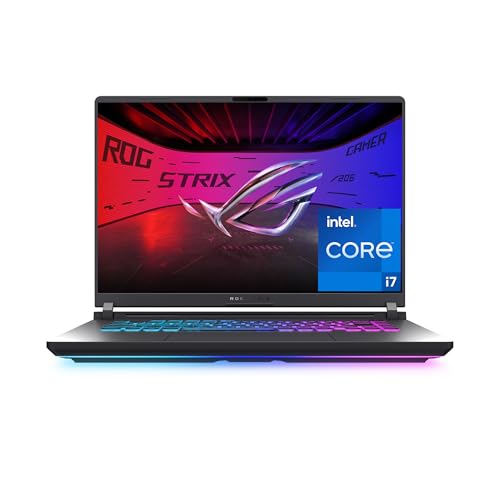
| 1 | ASUS ROG Strix G16 (2025) Gaming Laptop, 16” FHD+ 16:10 165Hz/3ms, NVIDIA® GeForce RTX™ 5060, Intel® Core™ i7 Processor | Check on Amazon |
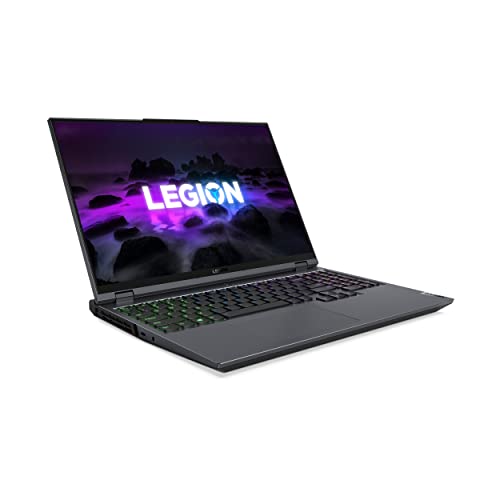
| 2 | Lenovo Legion 5a – 2026 – Gaming Laptop – NVIDIA GeForce RTX 5060-15.3" OLED WQXGA Display – 165Hz Refresh Rate – Ryzen | Check on Amazon |
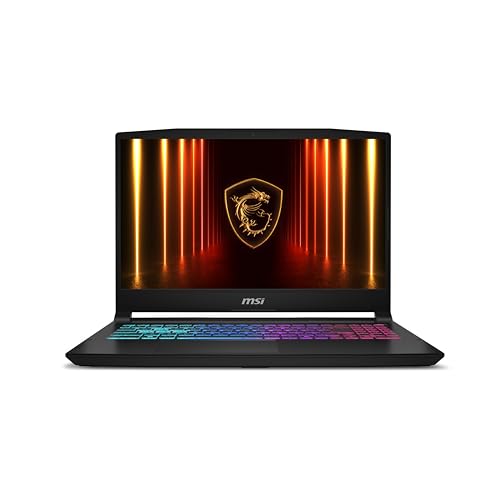
| 3 | msi Stealth 16 AI+ 16” 240Hz QHD+ OLED Gaming Laptop: Intel Core Ultra 9 386H, NVIDIA Geforce RTX 5070Ti, 32GB DDR5, 1TB | Check on Amazon |
| 4 | Alienware 16 Aurora Gaming Laptop, RTX 5050, Intel Core 7 240H | Check on Amazon |
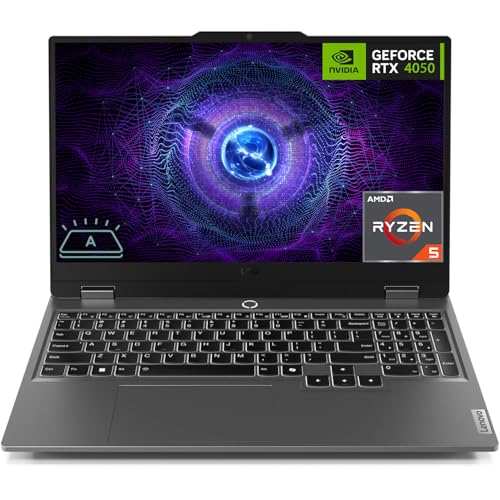
| 5 | Alienware 15 Gaming Laptop, RTX 4050, Intel Core 7 240H, Windows 11 Home | Check on Amazon |
| 6 | Acer Nitro V 16S AI Gaming Laptop | Check on Amazon |
Quick comparison
| # | Product | Best for |
|---|---|---|
| 1 | ASUS ROG Strix G16 (2025) Gaming Laptop, RTX 5060 | ROG Strix G16 with RTX 5060 and 165Hz display |
| 2 | Lenovo Legion 5a (2026) Gaming Laptop, RTX 5060, OLED | Legion 5a with RTX 5060 and OLED display |
| 3 | MSI Stealth 16 AI+ Gaming Laptop, RTX 5070 Ti, OLED | MSI Stealth 16 AI+ with RTX 5070 Ti and QHD+ OLED |
| 4 | Alienware 16 Aurora Gaming Laptop, RTX 5050 | Alienware 16 Aurora with RTX 5050 and 120Hz WQXGA |
| 5 | Alienware 15 Gaming Laptop, RTX 4050, 165Hz | Alienware 15 with RTX 4050 and 165Hz display |
| 6 | Acer Nitro V 16S AI Gaming Laptop, RTX 5060 | Acer Nitro V 16S with RTX 5060 and Ryzen 7 |
The table above is a shortcut, not a verdict. Two products can look close on a spec line and feel very different in daily use, so use it to narrow the field to two or three candidates, then read those full sections before deciding.


1. ASUS ROG Strix G16 (2025) Gaming Laptop, RTX 5060
The ASUS ROG Strix G16 (2025) is the value gaming laptop of this list, built around NVIDIA’s GeForce RTX 5060 graphics and an Intel Core i7 processor. The RTX 5060 is a current-generation graphics card that handles modern games at high settings, and it supports the ray tracing and AI features that define modern gaming. The 16-inch Full HD+ display runs at 165Hz with a 3ms response time, which means fast-moving games look smooth rather than smeared, and the 16:10 aspect ratio gives you a little extra vertical space for work as well as play.
On paper, the headline facts are straightforward: NVIDIA GeForce RTX 5060 graphics; 16-inch Full HD+ 16:10 display; 165Hz refresh rate, 3ms response; Intel Core i7 processor; 2025 ROG Strix model. None of that makes it the right pick for everyone, but it does define the audience clearly. If those headline facts match what you actually need day to day, this is a shortlist candidate rather than a curiosity. If they do not match, the rest of this section will make that obvious quickly, and you can move on to the next pick without losing anything.
What stands out
- NVIDIA GeForce RTX 5060 graphics
- 16-inch Full HD+ 16:10 display
- 165Hz refresh rate, 3ms response
- Intel Core i7 processor
- 2025 ROG Strix model
The combination of a current RTX 5060 and a 165Hz display is the standout, because it means the laptop can both run modern games well and show them smoothly, which is the whole point of a gaming laptop. The ROG Strix line is ASUS’s dedicated gaming brand, with cooling and build quality designed for sustained gaming sessions. The 16-inch screen is a good size for gaming on the go, and the 16:10 aspect ratio is a bonus for productivity.
Before you buy, it is worth checking the practical details that cause most returns. Confirm that the listing shows the exact model name and configuration you expect, because similar models often share a name and differ in one specification that matters. Check the size and the connections against your setup, and make sure you know what is included in the box and what is sold separately. Read the return policy before ordering, and when the product arrives, test it with your real setup in the first few days rather than leaving it in the box. A quick check at the start saves a return later, and it is the simplest way to be sure the product you receive is the one you meant to buy.
Trade-offs to weigh
A gaming laptop with this much performance is heavier and louder than a thin laptop, and the battery life will be short when gaming, so it needs its charger for serious sessions. The Full HD+ resolution is sharp but not as crisp as a QHD display, and the laptop is a 2025 model, so newer designs may offer refinements. The ROG Strix is a gaming-first machine, so it will not blend into a conservative office.
Who it fits best
Best for gamers who want current-generation RTX graphics and a fast display at a fair price, and who need a laptop that also handles work.

2. Lenovo Legion 5a (2026) Gaming Laptop, RTX 5060, OLED
The Lenovo Legion 5a (2026) is the screen pick of this list, pairing an RTX 5060 graphics card with a 15.3-inch OLED WQXGA display. OLED is the display technology that changes how games look, because each pixel produces its own light, which gives perfect blacks, vivid colors, and instant response times that no LCD can match. The WQXGA resolution is sharper than Full HD, and the 165Hz refresh rate keeps fast games smooth. The AMD Ryzen processor provides the CPU performance to match, and the 2026 Legion design is Lenovo’s latest gaming platform.
On paper, the headline facts are straightforward: NVIDIA GeForce RTX 5060 graphics; 15.3-inch OLED WQXGA display; 165Hz refresh rate; AMD Ryzen processor; 2026 Legion model. None of that makes it the right pick for everyone, but it does define the audience clearly. If those headline facts match what you actually need day to day, this is a shortlist candidate rather than a curiosity. If they do not match, the rest of this section will make that obvious quickly, and you can move on to the next pick without losing anything.
What stands out
- NVIDIA GeForce RTX 5060 graphics
- 15.3-inch OLED WQXGA display
- 165Hz refresh rate
- AMD Ryzen processor
- 2026 Legion model
The OLED display is the reason to buy this laptop, because it makes games look dramatically better than a standard LCD, with deep blacks and colors that pop, and the WQXGA resolution is sharp enough for work as well as play. The RTX 5060 handles modern games at high settings, and the Legion line is known for good cooling and solid build quality. For a gamer who values image quality above all else, this is the best screen on the list.
Before you buy, it is worth checking the practical details that cause most returns. Confirm that the listing shows the exact model name and configuration you expect, because similar models often share a name and differ in one specification that matters. Check the size and the connections against your setup, and make sure you know what is included in the box and what is sold separately. Read the return policy before ordering, and when the product arrives, test it with your real setup in the first few days rather than leaving it in the box. A quick check at the start saves a return later, and it is the simplest way to be sure the product you receive is the one you meant to buy.
Trade-offs to weigh
OLED displays cost more than LCDs, and they can suffer from burn-in if a static image is displayed for very long periods, so they need a little care. The 15.3-inch screen is smaller than the 16-inch models, and the laptop is a gaming machine, so it is heavier and louder than a thin laptop. Battery life while gaming will be short, as with any gaming laptop.
Who it fits best
Best for gamers who prioritize display quality above everything else and want the vivid, high-contrast image that only OLED provides.

3. MSI Stealth 16 AI+ Gaming Laptop, RTX 5070 Ti, OLED
The MSI Stealth 16 AI+ is the most powerful laptop on this list, and the specifications explain why: an NVIDIA GeForce RTX 5070 Ti graphics card, a 16-inch QHD+ OLED display running at 240Hz, an Intel Core Ultra 9 processor, 32GB of DDR5 memory, and a 1TB SSD. The RTX 5070 Ti is a step above the RTX 5060 models, with more power for demanding games and for ray tracing, and the 240Hz OLED display is the fastest and sharpest screen here. The 32GB of memory and terabyte of storage mean the laptop will not run out of headroom for years.
On paper, the headline facts are straightforward: NVIDIA GeForce RTX 5070 Ti graphics; 16-inch QHD+ OLED display, 240Hz; Intel Core Ultra 9 386H processor; 32GB DDR5 memory; 1TB SSD storage. None of that makes it the right pick for everyone, but it does define the audience clearly. If those headline facts match what you actually need day to day, this is a shortlist candidate rather than a curiosity. If they do not match, the rest of this section will make that obvious quickly, and you can move on to the next pick without losing anything.
What stands out
- NVIDIA GeForce RTX 5070 Ti graphics
- 16-inch QHD+ OLED display, 240Hz
- Intel Core Ultra 9 386H processor
- 32GB DDR5 memory
- 1TB SSD storage
The performance is the story: the RTX 5070 Ti, the Core Ultra 9, and 32GB of DDR5 memory give this laptop the headroom to run the most demanding games at high settings, and the 240Hz QHD+ OLED display shows them at their best. The Stealth line is MSI’s thin gaming laptop, so it is more portable than most laptops with this much power, and the 1TB SSD holds a large game library. For a gamer who wants the best, this is the best.
Before you buy, it is worth checking the practical details that cause most returns. Confirm that the listing shows the exact model name and configuration you expect, because similar models often share a name and differ in one specification that matters. Check the size and the connections against your setup, and make sure you know what is included in the box and what is sold separately. Read the return policy before ordering, and when the product arrives, test it with your real setup in the first few days rather than leaving it in the box. A quick check at the start saves a return later, and it is the simplest way to be sure the product you receive is the one you meant to buy.
Trade-offs to weigh
This much performance costs more than the other laptops here, and the laptop is still a gaming machine, so it will be louder and hotter under load than a thin ultrabook. The OLED display needs care to avoid burn-in from static images, and the battery life while gaming will be short. It is more machine than most gamers need, so you are paying for headroom.
Who it fits best
Best for gamers who want the most powerful laptop on this list and are willing to pay for it, with the best display to match.

4. Alienware 16 Aurora Gaming Laptop, RTX 5050
The Alienware 16 Aurora is the design pick of the list, bringing Dell’s premium gaming brand to a more accessible price. It pairs an NVIDIA GeForce RTX 5050 graphics card with an Intel Core 7 240H processor, 16GB of DDR5 memory, and a 1TB SSD, and it displays games on a 16-inch WQXGA screen running at 120Hz. The WQXGA resolution is sharper than Full HD, which makes games and work look crisper, and the Alienware design is distinctive, with the lighting and styling that the brand is known for.
On paper, the headline facts are straightforward: NVIDIA GeForce RTX 5050 graphics; 16-inch WQXGA 120Hz display; Intel Core 7 240H processor; 16GB DDR5 RAM; 1TB SSD storage. None of that makes it the right pick for everyone, but it does define the audience clearly. If those headline facts match what you actually need day to day, this is a shortlist candidate rather than a curiosity. If they do not match, the rest of this section will make that obvious quickly, and you can move on to the next pick without losing anything.
What stands out
- NVIDIA GeForce RTX 5050 graphics
- 16-inch WQXGA 120Hz display
- Intel Core 7 240H processor
- 16GB DDR5 RAM
- 1TB SSD storage
The Alienware brand brings a premium design and build quality that the other laptops here do not match, and the WQXGA 120Hz display is sharper than a Full HD screen. The RTX 5050 handles modern games at good settings, and the 16GB of DDR5 memory plus a 1TB SSD cover the essentials for gaming and work. For a gamer who wants a laptop that looks as good as it performs, the Aurora is the pick.
Before you buy, it is worth checking the practical details that cause most returns. Confirm that the listing shows the exact model name and configuration you expect, because similar models often share a name and differ in one specification that matters. Check the size and the connections against your setup, and make sure you know what is included in the box and what is sold separately. Read the return policy before ordering, and when the product arrives, test it with your real setup in the first few days rather than leaving it in the box. A quick check at the start saves a return later, and it is the simplest way to be sure the product you receive is the one you meant to buy.
Trade-offs to weigh
The RTX 5050 is the entry-level card in the current NVIDIA lineup, so it will not match the RTX 5060 or 5070 Ti models for demanding games at high settings. The Alienware design carries a premium, so you pay more for the brand and the styling than for raw performance. The laptop is also a gaming machine, so it will be heavier and louder than a thin laptop.
Who it fits best
Best for gamers who want the Alienware design and a sharp WQXGA display, and who play modern games at good rather than maximum settings.
Check price on Amazon: Alienware 16 Aurora Gaming Laptop, RTX 5050, Intel Core 7 240H

5. Alienware 15 Gaming Laptop, RTX 4050, 165Hz
The Alienware 15 is the compact Alienware of the list, a 15-inch gaming laptop with an RTX 4050 graphics card, an Intel Core 7 240H processor, and a 165Hz WUXGA display. The RTX 4050 is a previous-generation graphics card that still handles modern games well at good settings, and the 165Hz display keeps fast games smooth. The 15-inch size makes it more portable than the 16-inch models, and the WUXGA resolution gives a little extra vertical space compared with a standard Full HD screen. The Alienware design brings the brand’s distinctive styling to a smaller, more affordable package.
On paper, the headline facts are straightforward: NVIDIA GeForce RTX 4050 graphics; Intel Core 7 240H processor; 15-inch WUXGA 1920×1200 display, 165Hz; 16GB DDR5 RAM; Windows 11 Home. None of that makes it the right pick for everyone, but it does define the audience clearly. If those headline facts match what you actually need day to day, this is a shortlist candidate rather than a curiosity. If they do not match, the rest of this section will make that obvious quickly, and you can move on to the next pick without losing anything.
What stands out
- NVIDIA GeForce RTX 4050 graphics
- Intel Core 7 240H processor
- 15-inch WUXGA 1920×1200 display, 165Hz
- 16GB DDR5 RAM
- Windows 11 Home
The 165Hz display is the standout for a laptop at this level, because a fast screen makes games feel smoother even when the graphics card is not the most powerful, and the Alienware design is premium. The 15-inch size is genuinely portable for a gaming laptop, and the Core 7 processor with 16GB of DDR5 memory handles games and work comfortably. For a gamer who values portability and a fast screen, this is a good balance.
Before you buy, it is worth checking the practical details that cause most returns. Confirm that the listing shows the exact model name and configuration you expect, because similar models often share a name and differ in one specification that matters. Check the size and the connections against your setup, and make sure you know what is included in the box and what is sold separately. Read the return policy before ordering, and when the product arrives, test it with your real setup in the first few days rather than leaving it in the box. A quick check at the start saves a return later, and it is the simplest way to be sure the product you receive is the one you meant to buy.
Trade-offs to weigh
The RTX 4050 is a previous-generation card, so it will not match the current RTX 5060 models for the most demanding games, and it may age faster as games get more demanding. The 15-inch screen is smaller than the 16-inch models, and the laptop is still a gaming machine with the weight and noise that implies. The price reflects the Alienware brand, so you pay for design as well as performance.
Who it fits best
Best for gamers who want a portable Alienware with a fast 165Hz display and who play at good settings rather than maximum.
Check price on Amazon: Alienware 15 Gaming Laptop, RTX 4050, Intel Core 7 240H, Windows 11 Home


6. Acer Nitro V 16S AI Gaming Laptop, RTX 5060
The Acer Nitro V 16S AI is the AI gaming laptop of the list, pairing an RTX 5060 graphics card with an AMD Ryzen 7 260 processor in a 16-inch body. The RTX 5060 is a current-generation card that runs modern games at high settings, and the Ryzen 7 processor provides strong CPU performance for gaming and for work. The AI designation refers to the neural processing capability, rated at 572 AI TOPS, which supports the AI features that Windows and modern games are adding. The Nitro line is Acer’s value gaming brand, focused on performance per dollar rather than premium materials.
On paper, the headline facts are straightforward: NVIDIA GeForce RTX 5060 Laptop GPU; AMD Ryzen 7 260 processor; 16-inch display; AI gaming laptop; 572 AI TOPS. None of that makes it the right pick for everyone, but it does define the audience clearly. If those headline facts match what you actually need day to day, this is a shortlist candidate rather than a curiosity. If they do not match, the rest of this section will make that obvious quickly, and you can move on to the next pick without losing anything.
What stands out
- NVIDIA GeForce RTX 5060 Laptop GPU
- AMD Ryzen 7 260 processor
- 16-inch display
- AI gaming laptop
- 572 AI TOPS
The RTX 5060 and Ryzen 7 combination is the value story here, because it delivers current-generation gaming performance at a price below the premium brands, and the 16-inch display is a good size for gaming. The AI capability is a forward-looking feature that will matter more as software uses it, and the Nitro line is known for solid cooling and straightforward design. For a gamer who wants the most performance for the money, this is a strong pick.
Before you buy, it is worth checking the practical details that cause most returns. Confirm that the listing shows the exact model name and configuration you expect, because similar models often share a name and differ in one specification that matters. Check the size and the connections against your setup, and make sure you know what is included in the box and what is sold separately. Read the return policy before ordering, and when the product arrives, test it with your real setup in the first few days rather than leaving it in the box. A quick check at the start saves a return later, and it is the simplest way to be sure the product you receive is the one you meant to buy.
Trade-offs to weigh
The Nitro line is a value brand, so the build quality and materials will not feel as premium as an Alienware or a Legion, and the design is functional rather than luxurious. The display specification is less detailed than the OLED models, so it will not match them for image quality. The laptop is a gaming machine, so it will be heavier and louder than a thin laptop.
Who it fits best
Best for value-focused gamers who want current RTX 5060 performance and a Ryzen 7 processor without paying for a premium brand.
Check price on Amazon: Acer Nitro V 16S AI Gaming Laptop
Buying guide
Warranties, returns, and checking your purchase
Most products in this guide come with a manufacturer warranty, and the length and coverage vary by brand, so check the warranty terms before you buy rather than after something goes wrong. Keep the packaging until you have tested the product, because a return is much easier with the original box. When the product arrives, check that the model name, the configuration, and the included accessories match the listing, and test it with your real setup in the first few days. If anything is wrong, contact the seller promptly, because return windows are limited and the first week is the time to find problems.
Graphics card: the heart of a gaming laptop
The graphics card decides which games you can play and at what settings, and it is the most important specification on a gaming laptop. The RTX 5060 is the current sweet spot for most gamers, handling modern games at high settings, while the RTX 5070 Ti adds headroom for demanding games and ray tracing. The RTX 5050 and RTX 4050 are entry-level cards that handle games at good settings but will struggle with the most demanding titles. When comparing laptops, the graphics card matters more than the processor, so spend your money there first.
Display: refresh rate and resolution
The display decides how games look and feel, and two numbers matter: the refresh rate and the resolution. A 165Hz or 240Hz display shows fast games smoothly, while a 60Hz display will look choppy in comparison, even if the graphics card is powerful. A higher resolution like WQXGA or QHD+ is sharper than Full HD, but it also demands more from the graphics card. OLED displays offer the best image quality, with perfect blacks and vivid colors, but they cost more and need care to avoid burn-in.
Processor and memory
The processor matters less than the graphics card for gaming, but it still needs to be capable: a modern Core i7, Core Ultra 9, or Ryzen 7 is more than enough for gaming and for work. Sixteen gigabytes of RAM is the minimum for modern games, and 32GB gives headroom for multitasking and for future games. DDR5 memory is faster than DDR4, and it is worth having on a laptop you intend to keep for several years.
Storage: how much do you need?
Modern games are large, and a 1TB SSD is the practical minimum for a gaming laptop, because a 512GB drive will fill up after only a few games. An NVMe SSD is faster than a SATA SSD, which means games load quicker, and it is worth checking the storage type before buying. If the laptop has only 512GB, make sure it can be upgraded, because you will want more space sooner than you think.
Cooling and noise
Gaming laptops generate a lot of heat, and the cooling system decides whether the laptop can sustain its performance or throttles under load. Look for laptops with dual fans, heat pipes, and vents that are not blocked when the laptop sits on a desk. Noise is the trade-off: a gaming laptop under load will be audible, and the quietest laptops are usually the ones with the best cooling design rather than the least powerful hardware. Use headphones if the fan noise bothers you.
Battery life: the honest truth
Gaming laptops have short battery life when gaming, typically one to two hours, because the graphics card draws a lot of power. For light work like browsing and documents, the same laptop can last much longer, especially if it switches to integrated graphics. Do not buy a gaming laptop expecting all-day battery life while gaming; buy it for performance, and carry the charger. The battery is for portability between outlets, not for gaming away from them.
AMD, Intel, and NVIDIA: does the brand matter?
For gaming laptops, the graphics card brand matters more than the processor brand, because NVIDIA currently dominates laptop graphics and the RTX cards on this list all come from NVIDIA. The processor choice is between Intel and AMD, and both make capable gaming chips: Intel’s Core and Core Ultra processors and AMD’s Ryzen processors both handle games and work well, and the difference between them is smaller than the difference between graphics cards. When comparing two laptops, look at the graphics card first, then the display, then the processor. A laptop with a better graphics card and a weaker processor will almost always play games better than the reverse.
Frequently asked questions
Can a gaming laptop replace a desktop?
For most gamers, yes. A modern gaming laptop with an RTX graphics card can run the same games as a desktop at similar settings, and it adds portability. A desktop will still be more powerful for the same money, easier to upgrade, and quieter under load, but a laptop is the only choice if you need to game in different places.
How much RAM do I need for gaming?
Sixteen gigabytes is the minimum for modern games, and it is enough for gaming plus a browser and a chat app. Thirty-two gigabytes gives headroom for multitasking, streaming, and future games, and it is worth having on a laptop you intend to keep for several years. More than 32GB is unnecessary for gaming alone.
Is an OLED display worth it on a gaming laptop?
If you value image quality, yes. OLED displays have perfect blacks, vivid colors, and instant response times that make games look dramatically better than on an LCD. They cost more and need care to avoid burn-in from static images, but for a gamer who plays in a dark room, the difference is immediately visible.
How long will a gaming laptop last?
A gaming laptop with a current RTX graphics card should handle new games at good settings for three to five years, and it will remain usable for work and older games for longer. The graphics card is the part that ages fastest, because games get more demanding every year, while the processor and memory age more slowly.
Should I buy a gaming laptop on sale?
Yes, if the specifications are right. Gaming laptops go on sale frequently, and a discount on a laptop with the right graphics card and display is a genuine saving. Do not buy a laptop just because it is cheap: check the graphics card, the display, the memory, and the storage first, because a cheap laptop with a weak graphics card is not a deal.
Conclusion
The best deal on a gaming laptop right now depends on what you value. The MSI Stealth 16 AI+ is the most powerful laptop here, with an RTX 5070 Ti and a 240Hz OLED display for gamers who want the best. The Lenovo Legion 5a is the best screen for the money, with an OLED display and an RTX 5060. The ASUS ROG Strix G16 and the Acer Nitro V 16S are the best value picks, with current RTX 5060 graphics at a fair price. And the Alienware models are the best choice if you want premium design. Whichever you choose, spend your money on the graphics card and the display first, because those are the things that decide how games actually look and feel.
Do not buy a gaming laptop for the discount alone. Compare the graphics card, the display refresh rate, the memory, and the storage, and buy the machine that matches the games you actually play. Check the return policy, test the laptop with your games in the first week, and make sure the cooling keeps up. A gaming laptop is a significant purchase, and the right one will serve you for years.