reviewstook.com is reader-supported. When you buy through links on our site, we may earn an affiliate commission.
Where to buy
Most filming is not cinema. Most filming is Tuesday: the product demonstration a small business owes its customers, the training session that must be recorded once and watched fifty times, the school concert, the interview for the company page, the property walkthrough, the creator’s weekly upload shot between other obligations. The best digital cameras for filming, in that real world, are not the ones with the most exotic specifications — they are the ones that start reliably, focus without being watched, record sound a viewer can bear, keep going for the length of the event rather than the length of a clip, and hand over files that an ordinary editing programme opens without complaint. This guide ranks for Tuesday.
A boundary must be drawn at the door, because a neighbouring guide in this series covers the other world: independent cinema, with its log profiles, rigs, crews and narrative ambitions. Readers whose filming means telling stories with actors and lighting plans should go there. Readers whose filming means work — content that informs, sells, teaches, records and persuades, shot by one person or a small team on a schedule — are in the right room. Every pick below is linked from our verified pool, and each is judged on the practical filming virtues: autofocus you can trust while presenting, stabilisation for the handheld reality, heat behaviour across long takes, audio provisions, and the humility to be operated by someone whose main job is something else.
- Panasonic LUMIX S5IIX: the linked pick for video-first workhorses and long-form recording
- Sony Alpha 7 IV: the linked pick for the hybrid all-rounder who films and photographs
- Canon EOS R6 Mark II: the linked pick for events, weddings and people on camera
- DJI Osmo Pocket 3: the linked pick for solo creators who move while filming
- Sony ZV-1F: the linked pick for the simplest talking-head and business video
- Nikon Z50 II: the linked pick for budget hybrid filming in small teams
The recurring theme of the reviews is trust. Practical filming is usually unrepeatable in the small ways that matter — the interviewee will not say it again quite like that, the ceremony will not re-run — and it is usually shot by someone who cannot watch the camera because they are busy being in front of it, or interviewing, or presenting. A filming camera for real work is therefore less a specification sheet than a colleague: it should hold focus on a face while its operator thinks about questions, hold exposure while a cloud crosses, and hold its temper through a two-hour conference session. Ranked below, in that spirit.
Key Takeaways
- Practical filming rewards reliability — focus, heat, audio — over exotic specifications.
- Autofocus that tracks a presenter frees the operator to do the actual job.
- Long events expose recording limits and heat; check them before the ceremony does.
- Sound decides whether viewers stay; every pick here takes audio seriously.
- This guide covers everyday filming; narrative cinema has its own guide in this series.
- The best filming camera is the one a non-specialist can run correctly on a busy day.
In this guide
Quick Picks
| Camera | Badge | Why it is here |
|---|---|---|
| Panasonic LUMIX S5IIX | Best video-first workhorse | Built for long, serious recording with pro file options and cool running. |
| Sony Alpha 7 IV | Best hybrid all-rounder | Stills and video excellence in one body, with autofocus that leads the class. |
| Canon EOS R6 Mark II | Best for events and people | Flattering colour, dependable face tracking and wedding-proven manners. |
| DJI Osmo Pocket 3 | Best for moving solo creators | A gimbal in the pocket: smooth walking footage with almost no setup. |
| Sony ZV-1F | Best for simple business video | Talking-head filming reduced to its essentials, kindly priced and sized. |
| Nikon Z50 II | Best budget hybrid | Honest video, easy colour and easy sharing for small teams starting out. |
What separates the best digital cameras for filming from cameras that merely film?
Nearly every modern camera records video; the filming cameras are the ones designed around the recording rather than tolerating it. The differences announce themselves across a working day. Focus: a filming camera tracks a face or a product continuously and calmly, without the hunting pulses that betray a stills system improvising. Endurance: it records for the length of real events, managing heat and file sizes as engineering problems already solved, rather than stopping at the moment the vows begin. Monitoring: its screen shows the operator what the recording actually looks like — exposure warnings, audio levels, a tally that cannot be missed — because a filming mistake discovered in the edit is a filming mistake forever.
Audio architecture is the fourth separator, and the least marketed. A filming camera provides a microphone input as a matter of course, a headphone output so the sound can be verified while it happens, and levels that can be set deliberately rather than prayed over. The fifth is file manners: codecs and formats that ordinary editing software on ordinary computers opens without a conversion ritual, because practical filming ends in delivery, and delivery delayed by transcoding is a cost somebody pays. The picks below were screened on all five separators, in roughly that order, because that is the order in which real filming days fail.
Panasonic LUMIX S5IIX — Best video-first workhorse
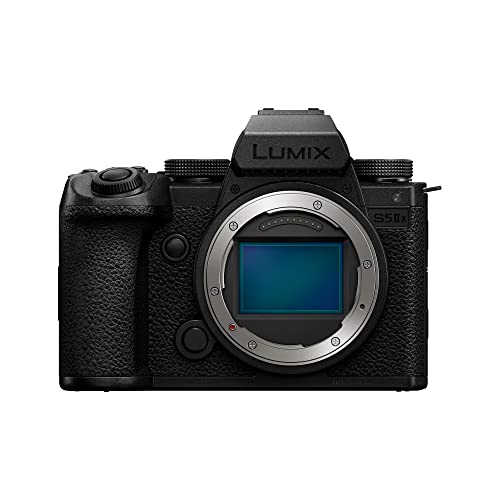
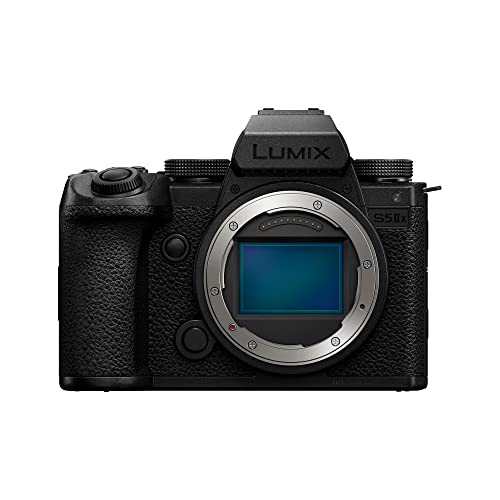
The S5IIX is what happens when a manufacturer stops treating video as the stills camera’s hobby. This is the video-first sibling in its line: recording options that reach into professional territory — high-quality internal codecs, recording to external drives over USB, streaming provisions, unlimited-feeling takes managed by a body designed to shed heat — wrapped around a full-frame sensor with phase-hybrid autofocus and in-body stabilisation that finally give Panasonic’s video heritage the focusing confidence it long lacked. For the small production company, the church media team, the corporate videographer and the serious creator, it is the pick that behaves like equipment rather than like a camera doing a favour.
Long-form work is its home ground. Conferences, ceremonies, theatre, training days — the events that run in hours rather than minutes — are where lesser cameras announce their limits, and where this one’s thermal design and recording flexibility keep the tally light on. Direct-to-drive recording changes the economics of a long day: no pocketful of cards, no mid-event media panic, footage already on the drive the edit will use. Streaming support answers the hybrid event, where the room and the remote audience are both owed a picture, without a separate encoder chain for modest setups.
The working details continue the theme. Audio provisions are complete — input, headphone monitoring, deliberate levels — and the body’s controls assume an operator who adjusts while recording, not one who sets and hopes. Stabilisation steadies the handheld B-roll and the walk-through; autofocus, while a half-step behind the Sony below in sheer face-tracking sorcery, is dependable for presenters, products and processions. Files are as professional as the user chooses to make them, from edit-friendly delivery formats to the heavy codecs a colourist would request.
Its costs are the professional’s usual ones: a body and system priced for people who earn with it, menus deep enough to deserve a setup afternoon, and stills that — while entirely capable — play second fiddle in the design’s priorities. A photographer who films occasionally should look at the hybrids below. A filmer who photographs occasionally has found the list’s most honest mirror.
- Filming character: long-form, professional, cool-running
- Recording: internal pro codecs, external drive over USB, streaming
- Focus and stability: phase-hybrid AF, in-body stabilisation
- Audio: input, headphone monitoring, manual levels
- Stills: capable, deliberately second priority
Strengths
- Built for events measured in hours
- Recording flexibility no rival here matches
- Professional audio and monitoring manners
Trade-offs
- Priced and specced for people who earn with it
- Menus reward a proper setup session
- Stills take second place in its design
Best for: production teams, venues, corporate and event videographers. Not suited for: stills-first buyers or minimalists.
For a one-person production business, this body also consolidates the van: camera, long-form recorder and streaming source in one case, with the lenses shared across stills jobs. Consolidation is an unglamorous virtue that accountants understand instantly — every duplicated box not bought is budget returned to the lights and microphones that audiences actually perceive.

Sony Alpha 7 IV — Best hybrid all-rounder
If the filming must share a body with serious stills — the wedding shooter who delivers a highlight film, the journalist whose story runs in both media, the business whose owner photographs the product and films its story — the A7 IV is the balanced answer. Its video specification is complete rather than exotic: high-quality 4K from a full-frame sensor, colour profiles from ready-to-post to grade-ready, and the autofocus system by which rivals are measured, tracking faces and eyes through movement, occlusion and poor light with a calm that lets a solo operator run a two-medium day without an assistant.
The autofocus deserves its emphasis because practical filming is autofocus filming. The presenter walks to the whiteboard; the interviewee leans in on the important answer; the product is raised toward the lens. In each case this camera holds the plane of focus the way a good camera operator would, and its focus-breathing compensation keeps the frame’s edges from pulsing as focus shifts — a small correction that separates footage that looks produced from footage that looks captured. For the hybrid worker, that trust is the product: set the camera, step into the work, and let the colleague made of silicon watch the focus.
Endurance and files are handled with professional sobriety. Long takes are managed well within the body’s class, dual card slots record with backup or overflow manners, and the codec menu spans the distance between “upload it tonight” and “the editor will grade it” without forcing either user into the other’s format. Audio input and headphone output are present and proper. The body’s stills excellence — the reason hybrids choose it — needs no detour here beyond noting that nothing about the video brief has been bought with the photography’s coin.
The debits are appetite and complexity: the body is a serious purchase, its menus ask to be configured once by someone patient, and its highest video modes make demands on cards and computers that casual filmers should decline in favour of its friendlier settings. Configured sanely, it disappears into the working week — which, for the person whose camera must be two cameras, is the entire requirement.
- Filming character: hybrid excellence, autofocus-led
- Video: 4K full-frame, ready or grade-ready profiles
- Focus: face and eye tracking, breathing compensation
- Files: dual slots, codecs for every delivery
- Stills: uncompromised — the hybrid’s whole point
Strengths
- The autofocus solo operators trust most
- No stills sacrifice for the video brief
- File and card manners of a professional tool
Trade-offs
- Serious money and serious menus
- Top video modes demand fast media and computers
- More camera than a filming-only brief requires
Best for: wedding, editorial and business hybrids shooting both media. Not suited for: filming-only buyers or the configuration-averse.
Its resale and rental ubiquity carry a practical filming benefit: when a second body is needed for the big day — a second angle at the ceremony, a loaner while yours is serviced — this is the camera the rental shelf and the colleague’s bag are most likely to hold, in the mount your lenses already fit. Ecosystems are logistics, and logistics win filming days.

Canon EOS R6 Mark II — Best for events and people
Events are filming’s trust exercise: one take, moving subjects, light that answers to the venue rather than the videographer. The R6 Mark II has become a default tool for that world by combining three kindnesses. Its colour flatters people straight from the camera, so the highlight film needs little rescue. Its autofocus finds and holds faces in a crowd with an assurance that lets one operator cover a ceremony respectfully from a single position. And its stabilisation, working with the lens, smooths the handheld processional and the mingling hour into footage that looks planned.
The body’s event manners extend to its recording behaviour: generous take lengths for its class, dual slots for the day’s safety, and a video specification — oversampled 4K, capable slow motion for the confetti and the first dance — pitched exactly at the deliverables event clients actually receive. The files grade gracefully when a colourist is involved and please immediately when one is not, which describes the real distribution of event work better than any showreel admits.
For businesses, the same virtues translate: the interview that flatters the founder, the testimonial that holds focus while the customer warms to their story, the awards evening filmed by the marketing manager between other duties. Canon’s menu logic and colour are famously quick to learn, which matters when the operator films monthly rather than daily, and the system’s lens range covers everything from the wide room shot to the discreet long-lens ceremony angle.
Reservations belong to the extremes. The most demanding professional video specifications — the heavy internal codecs, the external-drive recording, the streaming apparatus of the Panasonic above — are not this body’s parish, and multi-hour continuous recording in hot venues should be tested by any buyer whose work lives there, as it should with any camera in this class. Within the event world’s real envelope, though, this is the pick whose footage most often arrives already looking like the day felt, and clients renew the videographers whose cameras do that.
- Filming character: events, people, one-take trust
- Colour: flattering straight from the camera
- Focus: faces held in crowds and motion
- Recording: dual slots, generous takes, graceful files
- Learning curve: the friendliest of the full-frame picks
Strengths
- People look their best with least intervention
- Autofocus composure under event pressure
- Stabilised handheld footage that looks planned
Trade-offs
- Pro video extremes belong to the Panasonic
- Very long hot-venue takes need personal testing
- System investment at full-frame level
Best for: weddings, ceremonies, testimonials and people-led business video. Not suited for: codec maximalists or all-day conference recording as a staple.
A word for the second-shooter economy: this body’s popularity among event professionals means assistants who already know it are findable, and a borrowed twin matches colour without a grading negotiation. In event work, where the team assembles per booking, that social compatibility is a filming feature no specification table lists.

DJI Osmo Pocket 3 — Best for moving solo creators
Some filming cannot wait for a tripod. The market tour, the site walkthrough, the travel day, the workshop floor — footage gathered by walking, talking and pointing — is where the Pocket 3 has quietly become the professional’s second camera and the solo creator’s first. It is a three-axis gimbal with a one-inch-class sensor folded into a pocketable wand: switch it on and the lens is awake, stabilised and tracking, in less time than a conventional camera needs to extend its lens. Walking footage comes out level and floating; a tap commands it to follow a face or a product; the screen rotates for the vertical formats that half of practical filming now delivers.
The creator workflow around it is equally considered. Its wireless microphone ecosystem pairs directly, so the presenter’s voice arrives clean while the camera stays at arm’s length or across the room — the single upgrade that most transforms amateur footage, built into this pick’s family as a native rather than an accessory hunt. Files offload by cable in minutes, the app moves keepers to the phone for same-day posting, and the whole apparatus fits in the jacket that also holds the day’s other tools. For estate agents, tour guides, tradespeople documenting work, and teachers filming demonstrations, it collapses the distance between “we should film that” and the finished clip to nearly nothing.
Quality, within its sensor class, is the surprise: 4K footage with a considered colour pipeline, a gentler profile for those who grade, and low-light manners that embarrass larger cameras of a few years ago. Autofocus is continuous and willing, face tracking handles the walking monologue, and the gimbal absorbs the gait that no in-body stabilisation fully forgives. It will not replace the full-frame picks for the interview series or the ceremony — and it does not apply for those jobs. It owns the moving, spontaneous, one-person territory outright.
Limits are physical and final: a fixed lens at one focal length, a small sensor’s ceiling in true darkness, a single card, and a battery that is the device — long days want the charging handle or a power bank in the routine. Treat it as the camera of motion and immediacy, charged nightly and carried always, and it returns more usable footage per gram than anything else in this guide.
- Filming character: motion, spontaneity, one-person crews
- Stabilisation: true three-axis gimbal, always ready
- Audio: native wireless microphone pairing
- Formats: horizontal and vertical by a twist of the screen
- Carry: pocket-sized; power bank for long days
Strengths
- Smooth walking footage with zero setup
- Wireless audio that transforms solo filming
- Carried always, therefore used always
Trade-offs
- Fixed lens, small-sensor ceiling
- Battery is internal — plan power for long days
- Not the interview or ceremony instrument
Best for: creators, agents, guides and documenters who film while moving. Not suited for: formal events or low-light productions.
Its presence in professional bags carries the guide’s recurring moral: footage exists because the camera was there. The Pocket’s owners film the B-roll, the walkthrough and the reaction that the big camera, packed away an hour ago, would have missed — and edits are built from exactly that connective tissue.

Sony ZV-1F — Best for simple business video
Strip practical filming to its most common single scene — one person, at a desk or in a shop, talking to their customers — and the ZV-1F is the camera that scene would design for itself. A compact with a wide fixed lens composed for arm’s-length framing, face and eye autofocus that simply holds, a product-showcase behaviour that shifts focus to the object raised toward the lens and back to the face when it lowers, and a microphone arrangement with a wind-shielded capsule for the presenter who films where they stand. It exists to make the weekly update, the explainer and the testimonial a twenty-minute task rather than a production.
The business virtues are procedural. It connects as a webcam-class device for the live call and the stream, transfers its clips to the phone for the same-day post, and asks its owner to learn almost nothing — the background-defocus control is a button, not a lesson. For the sole trader whose filming competes with the actual trade for hours, that economy of attention is the specification that matters, and this camera’s whole design bows to it. Its footage is clean, bright and immediately usable; its colour is tuned to flatter the presenter it expects.
Growth room is where honesty is required. The fixed lens will not reach across a hall; the compact sensor will not see in the dark like the full-frame picks; the audio input provisions suit its class rather than a production’s; and the business that graduates to events, interviews at distance or multi-camera work will graduate from this camera too. That is not a flaw but a correct sizing: it is the filming equivalent of the first van, bought for the work that exists, replaced when the work outgrows it — by owners who, crucially, spent the intervening years actually filming, building the audience that justifies the upgrade.
Buy it as a commitment device. Businesses stall on video because the imagined production is heavy; this camera makes the real production light enough to survive a busy week, and consistency — the weekly clip, filmed adequately, forever — outperforms the quarterly epic in every algorithm and every customer’s memory.
- Filming character: the talking head, perfected and simplified
- Framing: wide fixed lens for arm’s-length presenting
- Focus: faces held, products showcased automatically
- Sharing: phone transfer for same-day posting
- Growth: sized for today’s work, honestly
Strengths
- The least filming knowledge required of any pick
- Product showcase focus serves sellers directly
- Webcam duty through the same device
Trade-offs
- Fixed wide lens; no reach
- Compact-sensor limits in darkness
- Outgrown by event or multi-camera ambitions
Best for: sole traders, small businesses, teachers and weekly creators. Not suited for: events, halls or production growth already underway.
Pair it with the discipline of a fixed filming corner — the same shelf, the same window light, the camera living on its small tripod — and the business acquires a studio that assembles itself. Practical filming rewards permanence of setup more than quality of equipment, and no pick here makes a permanent setup easier to keep.

Nikon Z50 II — Best budget hybrid
The Z50 II closes the list as the filming camera for teams whose budget and experience are both young. It is a compact mirrorless body whose video is honest 4K with easy colour — including presets that give footage a considered look straight from the camera, sparing the beginner the grading suite entirely — and whose stills are strong enough that the same body covers the team’s photography without apology. For the community organisation, the school department, the start-up and the parish media volunteer, it is the one-camera answer that leaves budget over for the microphone and the light, which is where this guide keeps insisting the audience’s experience is actually decided.
Its filming manners suit the learner. Autofocus tracks faces and subjects with modern competence; the controls present video as a first-class mode rather than a menu exile; and the wireless sharing moves the day’s clip to a phone for the announcement that cannot wait for the edit. Recording limits and heat are appropriate to its class — assemblies, matches, lessons and interviews sit comfortably inside them — and its files open in every editor a beginner is likely to meet, including the free ones such teams actually use.
The platform argument matters at this level: the mount admits the lenses the team will want as its ambitions clarify — a fast prime for the interview series, a longer zoom for the sports day — so the camera is a beginning rather than a cul-de-sac. Its ergonomics suit smaller hands and smaller bags, which in school and community settings decides whether the camera is carried to the event at all. And its price class means the dreaded accident is a budget problem, not a catastrophe — a consideration every organisation lending equipment to volunteers has learned to price in.
Ceilings, plainly: a smaller sensor than the full-frame picks, audio and monitoring provisions of its class, and professional recording exotica absent by design. A team filming its first fifty pieces will not meet those ceilings; a team filming its five-hundredth should already be shopping this list’s upper half with the revenue the Nikon helped it earn.
- Filming character: beginner-honest hybrid for small teams
- Video: 4K with ready-look presets, no grading required
- Sharing: wireless to phone for immediate announcements
- Platform: lenses to grow into, prices to survive accidents
- Stills: strong enough to be the team’s only camera
Strengths
- Budget left over for microphone and light
- Ready-look colour spares beginners the grade
- A platform, not a dead end
Trade-offs
- Smaller sensor, class-level audio provisions
- No professional recording exotica
- Serious programmes will outgrow it — by design
Best for: schools, community teams, start-ups and first productions. Not suited for: professional long-form or low-light staples.
Its finest quality is organisational: it is the camera a committee can approve. One body, one modest lens set, a microphone, a light — a complete filming capability whose invoice fits a term’s budget and whose operation fits a volunteer’s afternoon of training. More good filming has been enabled by approvability than by any specification ever printed.
What separates the six when they stand side by side?
| Camera | Filming heartland | Operator level | Long events | Choose it when |
|---|---|---|---|---|
| Panasonic LUMIX S5IIX | Production and long-form | Professional | Its speciality | Filming is the business |
| Sony Alpha 7 IV | Hybrid stills + video | Professional | Strong within class | One body must do both media |
| Canon EOS R6 Mark II | Events and people | Confident amateur up | Strong within class | Faces and ceremonies lead |
| DJI Osmo Pocket 3 | Motion and spontaneity | Anyone | Clips, not marathons | You film while walking |
| Sony ZV-1F | Talking head | Anyone | Desk sessions | One person presents to camera |
| Nikon Z50 II | Team beginnings | Learner | Comfortable class limits | A small team is starting out |
Read down the operator column before the heartland column: the camera whose demands match the person who will actually run it — on the tired day, at the busy event — is the correct row, and the theoretically superior row above it is merely a more expensive way to be let down.
How do you set up a practical filming kit around any of these cameras?
The camera is the third purchase, not the first. Sound comes first: a microphone that can be placed near the speaker — wireless for presenters, a simple USB or camera-mounted solution for desks — because audiences forgive soft pictures and abandon bad audio within seconds. Light comes second: one soft source in front of the subject transforms every camera in this guide more than a body upgrade would. Support third: the tripod or gimbal appropriate to the scene’s movement. Then the camera, chosen from the picks by heartland. Add the unglamorous consumables — spare batteries, cards sized for the real event, a cable that lives in the kit — and rehearse the whole chain once on an unimportant recording. Kits fail at their joints, and the rehearsal is where joints are found.
Which mistakes ruin practical filming more than camera choice?
Recording without monitoring sound, first and always: the interview filmed beautifully over a buzzing air-conditioner, discovered in the edit, is this genre’s founding tragedy, and a headphone check in the first minute prevents it. Second, trusting a single copy — one card, one battery, one camera for the unrepeatable event. Third, the un-rehearsed setup: settings inherited from last week’s different job, white balance wandering, the camera in a stills mode while the ceremony proceeds. Fourth, filming the room instead of the subject — camera marooned at the back, faces the size of postage stamps, audio gathered from the audience’s coughs.
The fifth mistake is aiming at the wrong guide: buying cinema apparatus for Tuesday’s work, then filming nothing because the rig takes an hour to assemble — or buying a pocket camera for the annual conference and discovering its limits at the keynote. Match the instrument to the filming you actually have, which is the whole argument of this article and its cinema-focused sibling, read together.
How do you film a one-hour event without losing it to limits or heat?
Prepare like the event is unrepeatable, because it is. Test the exact recording mode at home for longer than the event will run — same resolution, same room warmth if you can manage it — because published limits describe somebody else’s afternoon. Power the camera from the mains or a substantial battery solution where the venue allows, since battery swaps are interruptions and interruptions at the wrong minute are losses. Record to the largest, fastest cards the camera approves, start the recording before the event’s official beginning, and let it run through the applause: storage is cheap, moments are not. If the programme has natural acts or intervals, they are your card-and-battery windows; if it has none, the workhorse picks above exist precisely for that programme. Finally, place a second recorder — even a phone, discreetly — on the audio alone. Video can survive a dropped frame; an event whose sound is lost is lost.
What should a solo creator’s weekly filming routine look like?
Fixed, brief and boring in its logistics so the content can be none of those things. One filming corner or one carried kit, assembled permanently; one session a week in which several pieces are filmed back to back while the light and the setup are already right; files offloaded the same evening into dated folders; the camera charged and its card cleared as part of the same ritual, so next week’s session starts at zero friction. The picks above each support a version of this — the Pocket and the little Sony by portability, the hybrids by living on the tripod in the corner — and the routine matters more than the row chosen. Audiences are built by the fiftieth adequate film, not by the fifth perfect one, and every routine decision should be audited against that arithmetic.
How do you film an interview that looks and sounds professional?
Sit the subject near the light, not near the background. A window to one side, the camera at the subject’s eye level, a chair placed far enough from the wall behind that the scene gains depth — this arrangement, available in most rooms, outperforms any camera upgrade. Set the white balance for the room rather than trusting it to wander, lock the exposure for the face, and let the autofocus of the hybrid picks hold the eyes while you hold the conversation. Sound decides the rest: the microphone belongs near the subject — clipped, boomed just out of frame, or on the table between you — never on a camera across the room. Record thirty seconds, play it back through headphones, and only then begin; the interview that cannot be repeated deserves its rehearsal, and the subject will relax into the pause as professionalism rather than delay. Film a minute of the empty room’s silence before they leave, too — editors use it to smooth cuts, and it costs nothing but foresight.
What does vertical filming change about camera choice?
More than tradition admits. A large share of practical filming now delivers vertically — the announcement, the product clip, the story format — and the picks differ in how gracefully they accept the rotation. The Pocket turns its screen and reframes by design; the compacts and hybrids mark vertical guides and, in several cases, tag the files so editing software opens them already oriented; all of them can be turned on a tripod with a simple bracket, which remains the honest universal solution. The deeper change is compositional: vertical framing crowds faces and products, rewards centre-weighted staging, and punishes the wide establishing habits of horizontal work. Filming teams should decide the delivery shape before the shoot, not in the edit — a frame composed for one orientation cropped into the other is a compromise audiences can see, whichever camera in this guide recorded it.
How should a business archive its filming so footage stays useful?
Treat footage as an asset with a filing system, not as a by-product with a folder. The workable pattern: dated project folders named for the client or the content, never for the camera; originals preserved untouched, with edits and exports in their own subfolders; the one master interview or product film tagged so the next three productions can find and reuse it. Cameras that name files sensibly and hold honest clocks make the pattern cheap to keep; the offload ritual from the downloading guide in this series makes it automatic. Businesses discover the value at the second anniversary, when the new campaign needs the founder’s testimonial from the first — findable in a minute, or lost in a drive of undated exports. Practical filming compounds: every piece correctly archived is B-roll, evidence and inheritance for the pieces not yet imagined.
When should a filming setup add a second camera?
When the edit starts begging for it: the interview that needs a reaction shot, the ceremony whose single angle cannot be in two places, the demonstration where the wide shot and the hand detail are both the story. A second camera need not match the first’s rank — the Pocket covering the roaming angle beside a full-frame master, the little Sony holding the wide while the Canon works the faces — provided the colour conversation between them is settled on a test afternoon rather than during the event. Audio, by contrast, should never be doubled carelessly: one sound plan, one primary recorder, everything else as backup. Add the second camera when the work asks twice, rehearse the pair together once, and the multi-angle edit will repay the modest complexity every time it is used.
How do you keep filming quality consistent across a whole year of content?
Write the recipe down and pin the camera to it. One saved configuration per recurring job — the interview setup, the product table, the event mode — with exposure, colour, frame rate and audio levels decided once, photographed as a settings card, and restored after any borrowing or experiment. Consistency in practical filming is rarely a talent outcome; it is what happens when nobody has to reinvent the setup under time pressure, and when the person filming in November inherits the exact decisions that worked in March. The hybrids and the workhorse in this guide all protect configurations in custom memories for precisely this reason. Teams that adopt the discipline find their archive developing a recognisable house look — an asset in itself — while teams that improvise weekly produce a year’s content that looks like twelve different businesses made it.
What should you rent before you buy?
The event, once. Any camera in this guide’s upper half can be hired for the weekend of the real job — the conference, the wedding, the product launch — and a single working day teaches more than a month of reviews: whether the menus suit your hands at speed, whether the autofocus behaves in your venue’s light, whether the files please your editor and your computer. Rental also disciplines the heartland question, because the camera that returns to the shop with relief was never your pick, and the one you rebook for the next event has identified itself. Buy after the second rental, with the accessories list written by experience — the spare battery count, the card sizes, the microphone that the first day proved necessary — and the purchase becomes a ratification rather than a wager.
How does filming for clients differ from filming for yourself?
Accountability enters, and the camera choices shift with it. Client work demands the redundancies this guide mentions in passing and means in earnest: dual-card recording or a tethered copy, a second body within reach, files delivered in the formats the client’s editor expects, and releases and permissions handled as part of the filming day rather than as an afterthought. It also demands the boring professionalism of the test — the venue visited or at least interrogated in advance, the light at the actual hour known, the sound of the room heard before the audience fills it. The workhorse and hybrid picks above are ranked with that accountability in mind; a camera that delights its owner but offers no backup path is a hobbyist’s instrument whatever its price, and client filming is where the distinction stops being philosophical.
How do you film in a noisy, echoing room when the room cannot be changed?
Shorten the distance and soften the surfaces you control. The microphone’s distance to the speaker outweighs every other variable — halve it and the room’s echo drops out of the contest — so presenters in halls wear the wireless microphone, and seated interviews put the recorder on the table rather than trusting the camera’s ears. Bring the camera closer too, filling the frame from a respectful middle distance instead of zooming from the back wall. Then dress the set within your rights: a rug or a row of coats over chairs behind the subject, curtains drawn, the audience-facing wall softened with whatever the venue allows. The full-frame picks’ low-light manners and the Pocket’s wireless pairing both serve this scenario, but the governing truth is acoustic, not optical: in a hard room, the closest microphone wins, and every other decision is commentary.
What filming skills matter more than the camera upgrade you are postponing?
Three, and they compound. Exposure discipline — reading a scene’s brightness, protecting faces, and setting the camera deliberately instead of accepting its first guess — separates produced footage from captured footage on any body in this guide. Sound craft — microphone placement, level setting, the headphone habit — decides whether strangers finish watching. And the edit’s grammar — holding a shot long enough to mean something, cutting on movement, letting a scene breathe — turns adequate footage into communication. A season spent deliberately practising those three on a modest pick will produce better filming than a flagship operated on defaults, which is why this guide’s budget rows are recommendations rather than apologies, and why its expensive rows are framed as trust and endurance rather than as talent in a box.
Final Recommendation
Match the camera to the filming you actually have. Production teams and long-form recorders should take the Panasonic workhorse; hybrids who photograph as seriously as they film should take the Sony; events and people belong to the Canon; movement belongs to the Pocket; the weekly talking head belongs to the little Sony; and a small team beginning should take the Nikon and spend the savings on sound. Do that, rehearse once, monitor the audio always — and Tuesday’s filming will take care of itself, which is the highest compliment practical equipment can be paid.
Frequently Asked Questions
What is the difference between this guide and the indie movie guide?
Intent and apparatus. This guide serves practical filming — content, events, business and creators — where reliability, autofocus and fast delivery rule, and one operator often works alone. The companion guide serves narrative filmmaking: stories with crews, controlled light, log profiles and graded footage, where the camera is one instrument in a production. Many cameras appear in both conversations with different rankings, because the jobs are different; choose the guide whose Tuesday — or whose film set — resembles yours.
Do I need 4K for practical filming?
For most practical work, 4K is now the sensible default rather than a luxury: it allows reframing and cropping in the edit, future-proofs the archive, and costs little on the cameras here. The exceptions are long events on modest computers, where the friendlier formats edit faster and deliver identically, and direct-to-social pieces filmed for immediate posting. Decide by the edit you will actually do, not by the number on the box.
How important is a microphone input?
Decisive, if filming people speaking is any part of the brief. A camera without one sentences its owner to the built-in microphones’ room-filling murmur or to separate audio recording and synchronisation. Every pick in this guide provides for external audio at its level — from native wireless pairing to full input and monitoring — because this guide regards sound as half the product. Buy the microphone in the same month as the camera.
Can these cameras livestream?
Most can, at levels matching their class: the Panasonic builds streaming in as a professional feature; the hybrids connect to computers as high-quality sources or stream through their makers’ software; the compacts serve as webcam-class devices for calls and simple streams. For a regular, audience-facing stream, test the whole chain — camera, connection, platform — on an unlisted broadcast first, and treat the first public stream as the second one you have ever done.
What recording length should I expect?
It varies by mode, temperature and model, which is why this guide refuses to print a single comforting number. The professional workhorse is designed for hours; the hybrids handle event-length takes in their mainstream modes; the compacts film in the sessions their size implies. The buyer’s duty is the home test described above, run in the exact mode of the real event — a ten-minute experiment that has saved more ceremonies than any specification.
How long do batteries really last when filming?
Shorter than the stills figures on the box suggest, because filming runs the sensor, screen and processor continuously. Plan in events, not hours: a ceremony kit carries enough batteries or mains power for the whole programme plus a margin, a desk setup lives plugged in, and the compact picks treat a power bank as standard luggage. The discipline that matters is rehearsal arithmetic — film your longest realistic session at home on one battery, note the honest figure for your mode, and pack to twice it. Every pick here supports USB power or swappable cells sufficient to the plan; what fails at events is never the camera’s capacity but the owner’s estimate of it.
My footage looks fine on the camera but dull on the computer. Why?
Usually because the camera’s screen flatters and the scene’s light was flatter than it felt. Screens are small, bright and forgiving; the computer shows the truth at size. The remedies are upstream: give the subject real light from the front, set the white balance deliberately so colour arrives decided, expose for the face rather than the room, and choose one of the considered colour profiles these cameras offer instead of the flattest default. Footage that is lit, balanced and exposed at capture needs minutes in the edit; footage that is none of those needs hours, and rarely recovers what the scene offered for free.
Should a beginner film in automatic or manual settings?
Automatic for the first productions, with two manual exceptions learned immediately: fix the white balance so colour cannot drift mid-scene, and learn where the exposure compensation lives for the moment a face goes dark against a bright window. Everything else — focus, exposure, gain — the picks in this guide handle well enough in their assisted modes for a beginner’s real work, and the confidence of finished pieces teaches faster than a month of menu study. Graduate to fuller manual control one variable at a time, as specific disappointments demand it, and the learning sticks because each lesson arrives attached to a film that needed it.
Is in-body stabilisation enough, or do I need a gimbal?
For seated, tripod and gentle handheld work, the stabilisation in the full-frame picks is enough and more. For sustained walking, stairs, vehicles and choreographed movement, physics votes for the gimbal — which is why the Pocket exists as a pick rather than as an accessory recommendation. Choose by the movement in your real footage: watch your last five filming attempts and count the walking minutes honestly.
Related Guides
Continue with the best digital cameras for indie movie, the best digital cameras for journalists and the best digital cameras for film like quality.


