reviewstook.com is reader-supported. When you buy through links on our site, we may earn an affiliate commission.
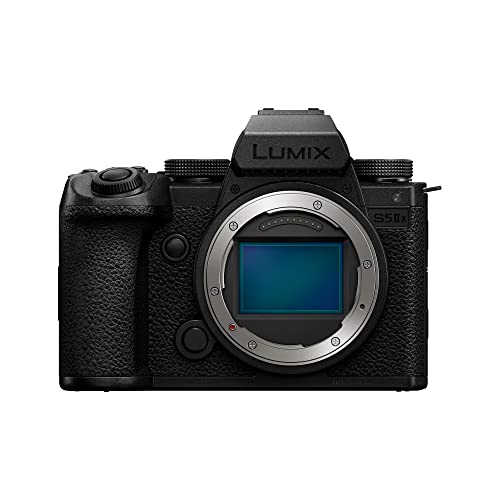
Where to buy
All six cameras below link to their Amazon listings. Video-first buying has one rule the stills world never teaches: the camera is the cheap part of the signal chain. Budget in the same order for the fast cards its best modes demand, the microphone its image deserves, and storage for footage that multiplies faster than any beginner believes. A video camera bought with its chain is a working instrument; bought alone, it is an IOU.
- Panasonic LUMIX S5IIX: check price on Amazon
- Sony Alpha 7 IV: check price on Amazon
- Canon EOS R6 Mark III: check price on Amazon
- Panasonic LUMIX S5II: check price on Amazon
- DJI Osmo Pocket 3: check price on Amazon
- Sony ZV-1F: check price on Amazon
Strip away every other job a camera can do, the portraits, the wildlife, the family album, and one pure question remains: what should film the video? The best cameras for filming video are answered here on video’s own terms, the terms of the person whose output is measured in finished minutes: creators, videographers, businesses, documentarians, anyone whose camera is bought to move. On those terms, the virtues reorder themselves completely. Resolution is the least of it. What matters is the depth and flexibility of the recording itself, the honesty of the colour, the behaviour of focus across a moving minute, the sound the camera can be fed, and the stamina to keep all of that true at the end of a long recording day.
This guide is the deep end of our filming cluster, deliberately. Its neighbours cover the hybrid who also photographs, the beginner who also posts, and the short-film maker with a festival in mind. This one assumes video is the work, and it ranks six cameras by the specifications and behaviours that video professionals actually interrogate: codecs and bit depths, frame-rate menus, oversampling and crops, monitoring tools, audio architecture, thermal stamina and the editing life of the files afterward. If those words are your vocabulary, you are in the right guide; if they are not yet, the explanations here are written to make them yours by the end.
One framing truth before the rankings. Modern video quality has compressed at the top: every camera here records footage that would have required a broadcast budget a generation ago. The differences that remain are differences of workflow and of failure modes, of which camera keeps its promises at minute forty, in mixed light, on a moving subject, into an editor’s timeline. That is where this guide spends its attention, because that is where working videographers spend theirs.
Key Takeaways
- For pure video work, recording depth and workflow outrank headline resolution.
- The LUMIX S5IIX offers the richest video toolkit and colour pipeline in this guide.
- Sony’s Alpha 7 IV is the proven all-round video workhorse with the deepest lens shelf.
- Canon’s R6 Mark III leads on autofocus and high-frame-rate confidence.
- The S5II carries most of the Panasonic video craft to a kinder budget.
- The Pocket 3 is the stabilised video specialist no kit bag should be without.
- Cards, audio and storage are part of the camera purchase, not accessories after it.
In this guide
Quick Picks
| Camera | Badge | Why it is here |
|---|---|---|
| Panasonic LUMIX S5IIX | Best Video Camera Overall | Codecs, colour, monitoring and stamina for serious video work. |
| Sony Alpha 7 IV | Best All-Round Video Body | Oversampled quality and an ecosystem that never strands a shoot. |
| Canon EOS R6 Mark III | Best Autofocus for Video | Detection and speed for moving subjects and high frame rates. |
| Panasonic LUMIX S5II | Best Value Video Hybrid | The Panasonic video pipeline at a friendlier position. |
| DJI Osmo Pocket 3 | Best Stabilised Video Tool | Gimbal-smooth 4K for movement, travel and B-roll. |
| Sony ZV-1F | Best Simple Video Camera | Creator video without a learning curve, in the white finish. |
How did we choose cameras for filming video?
We read every candidate’s video specification the way an editor reads it, because the edit is where video specifications become visible. Bit depth and chroma sampling decide how far colour can be pushed before it tears. The codec decides how the files behave on a real timeline, in size, in smoothness, in the computer they demand. Oversampling decides real detail, which is why two cameras with the same headline resolution produce visibly different footage, and crop factors at each frame rate decide whether the lens you mounted is the lens you get.
Behaviour during recording was weighted as heavily as the specification of it. Autofocus was judged across minutes, not moments: breathing, hunting, the treatment of a subject who turns away and returns. Stabilisation was judged walking, because video moves. Thermal and recording-limit behaviour was judged at the lengths real assignments run, interviews, events, ceremonies, because a video camera’s most important number is the one at which it stops.
Audio architecture was treated as a video specification, which it is. Microphone inputs, headphone monitoring, levels you can see and trust, and the preamps’ honesty decide whether the camera can be the whole production or merely its picture department. Finally, the ecosystem test: lenses, rigs, media and the second-hand market, because video work is a system that grows, and a camera is bought into its future.
The picks in detail
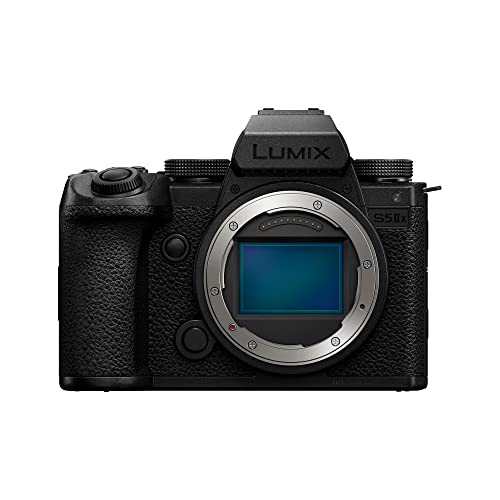
Panasonic LUMIX S5IIX — Best Video Camera Overall
For pure video, the S5IIX is the most complete instrument in this guide, and the margin is in the pipeline rather than the poster numbers. Its recording menu runs to the formats professionals ask for by name, its V-Log colour carries genuine grading latitude, its monitoring suite, waveform, vectorscope, false colour in spirit and practice, lets a shooter expose by evidence rather than by hope, and its open-gate recording uses the whole sensor’s height, giving the editor vertical, square and reframed deliverables from one master. Add cooling that treats long recording as the normal case, and the result is a camera whose video specification survives contact with a working day.
Its stabilisation deserves separate mention in a video guide, because Panasonic’s implementation has become the reference for handheld and walking footage, smoothing the operator’s gait into something that reads as intention. Phase-hybrid autofocus, this generation’s completion, tracks subjects with the steadiness long takes require, and the audio and streaming provisions are designed in rather than appended. It is, in short, the camera in this guide that a videographer can build a practice on without a list of exceptions.
The costs are concentration and ecosystem: menus deep enough to reward a configuration day, and an L-mount lens shelf that, while broad and growing, rents thinner than Sony’s in some regions. For the video-first buyer, those are the right costs to pay, because what they purchase is the deepest video craft available without stepping into dedicated cinema bodies and their dedicated prices.
- Form: full-frame mirrorless, video-led
- Recording: deep format and codec menu
- Colour: V-Log with real latitude
- Monitoring: waveform-grade tools in body
- Role: videographers, production, serious creators
Strengths
- The richest video pipeline in this guide.
- Open-gate masters serve every deliverable shape.
- Cooling and stamina for real recording days.
Trade-offs
- Menus reward a configuration day.
- L-mount rentals vary by region.
- Over-specified for casual clips.
Best for: videographers, production companies and creators whose output is finished video. Not suited for: buyers who mostly photograph and occasionally clip.

Sony Alpha 7 IV — Best All-Round Video Body
The Alpha 7 IV’s video case is the case of the proven workhorse. Its 4K is oversampled from a higher-resolution capture, which is why its footage carries the crisp, honest detail that survives compression and delivery, and its colour science offers both the ready-made looks a fast turnaround needs and the log profile a graded production wants. Autofocus for video is mature and confident, with the eye tracking that talking-head and documentary work depends on, and focus-breathing compensation with supported lenses addresses one of video’s subtlest professional irritations by name.
Around that core sits the deepest support system in video: E-mount lenses for every shot and budget, cages and rigs from every maker, media everywhere, and a generation of videographers whose settings, rigs and hard-won knowledge are one search away. A working videographer’s camera is partly a network, and no network here is larger. Its recording behaviour across long days is a known quantity, which on a paid shoot is a feature beyond price.
Its video concessions are the generalist’s familiar ones: the highest frame rates arrive with crops to plan around, rolling shutter asks respect in fast pans, and the dedicated video bodies, Panasonic’s here, offer deeper in-body tooling. For the videographer who wants one body that every client, rental house and second shooter already understands, it remains the safest professional purchase in this guide.
- Form: full-frame mirrorless, balanced
- Video: oversampled 4K detail
- Colour: ready looks plus S-Log options
- Focus: eye tracking, breathing compensation
- Role: client work, documentary, channels
Strengths
- Oversampled footage survives delivery compression.
- The largest support network in video.
- Known behaviour on paid, pressured days.
Trade-offs
- Top frame rates come with crops.
- Rolling shutter disciplines fast pans.
- Video tooling depth trails the Panasonic.
Best for: working videographers and creators with client deadlines. Not suited for: specification maximalists who live in menus.
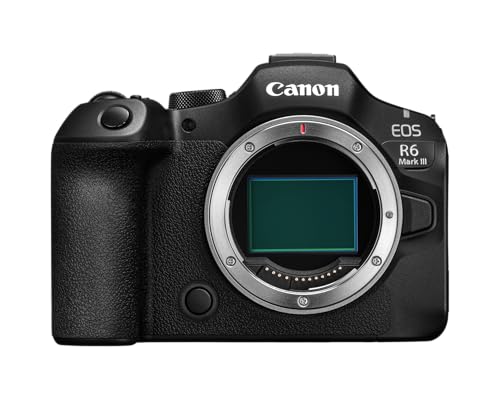
Canon EOS R6 Mark III — Best Autofocus for Video
Video autofocus has quietly become the discipline that decides shoots, and the R6 Mark III is this guide’s master of it. Canon’s detection recognises people, animals and vehicles, holds a face through turns, occlusions and crossings, and refinds it with a discretion that keeps the viewer inside the scene. For the videographer filming movement, sport, wildlife behaviour, children, events at their fastest, that reliability converts directly into usable minutes, which is the only currency video is finally paid in.
The rest of the video package honours the flagship badge: high frame rates for slow motion that holds detail, colour that treats skin with Canon’s traditional kindness, stabilisation that cooperates with the lens for walking shots, and stills of the first order for the thumbnails, posters and behind-the-scenes the video life consumes in bulk. It is the pick for the videographer whose subjects refuse direction and whose takes cannot be repeated.
Flagship depth bills accordingly, in the body, in media for its fastest modes, and in the learning its menus deserve. Its recording stamina at maximum settings should be planned like a professional plans it, with the settings chosen for the assignment rather than by default. For movement-led video work, it earns its place at the top of the autofocus argument, and the argument is often the whole shoot.
- Form: full-frame mirrorless flagship
- Focus: detection that holds through chaos
- Motion: high frame rates with detail
- Colour: skin-kind, delivery-friendly
- Role: sport, events, wildlife, fast documentary
Strengths
- Autofocus that converts to usable minutes.
- Slow motion without the mush.
- Stills arm serves the video business.
Trade-offs
- Flagship costs across body and media.
- Top settings need thermal planning.
- Depth is wasted on static subjects.
Best for: videographers filming moving, unrepeatable subjects. Not suited for: talking-head and studio video, where focus sits still.

Panasonic LUMIX S5II — Best Value Video Hybrid
The S5II brings the Panasonic video philosophy, deep colour, honest monitoring, superb stabilisation, to the buyer whose budget must also feed lenses, lights and rent. Its V-Log matches its X sibling’s, which makes it both a value main camera and the natural second body in a Panasonic production, and its phase-hybrid autofocus performs the same steady subject work. For interviews, brand films, music work and channels with ambitions, it records footage whose quality will not be the reason any client hesitates.
What the saving surrenders lives at the production margin: certain professional recording formats and streaming refinements its sibling carries. A videographer’s honest self-interrogation, do my deliverables actually use those, will for most buyers answer no, at which point the S5II becomes not the compromise pick but the intelligent one, with the difference spent where audiences can see it, in glass and light.
It shares the family disciplines: menus that reward configuration, an L-mount shelf to check locally, and stabilisation that will spoil its owner for lesser systems. As the centre of a growing video practice on a real budget, it is the pick this guide expects to age best per unit of money spent.
- Form: full-frame mirrorless, video-leaning
- Colour: V-Log matching the S5IIX
- Focus: phase-hybrid, take-length steady
- Stabilisation: class-reference walking footage
- Role: interviews, brand films, growing practices
Strengths
- Panasonic’s video craft at a kinder position.
- Matches the X model as a second body.
- Savings fund lenses and light visibly.
Trade-offs
- Some pro formats reserved for the X.
- Menus reward a configuration day.
- Regional rental depth varies.
Best for: budget-honest videographers building a practice. Not suited for: productions needing the X model’s full format menu.

DJI Osmo Pocket 3 — Best Stabilised Video Tool
Judged purely as a video instrument, the Pocket 3 does one thing better than every full-frame body in this guide: it moves. Its three-axis gimbal turns walking into gliding, running into tracking shots, and a turned wrist into a reveal, all from a one-inch sensor whose 4K footage, including high-frame-rate and vertical-native modes, is startlingly assured. For travel films, property walkthroughs, process videos, behind-the-scenes and the moving B-roll that lifts an edit from record to film, it is not a toy accessory; it is the specialist half of a professional kit.
Its video thinking is modern in ways the big bodies are still learning. The rotating screen treats vertical delivery as a first-class citizen. Tracking holds a subject while the operator walks, talks and gestures. Its colour profiles include a log option for matching into a graded production, and its wireless microphone companions make it a complete interview and narration instrument that fits a coat pocket. Videographers who dismissed the form have a habit of borrowing one for a single shoot and then quietly buying it.
Its limits are a fixed wide view, a sensor that concedes low light to the full-frame picks, and battery life measured in shoots rather than days. It complements a main body rather than replacing one for most professionals. As the second video camera in the bag, and the first one out of it when movement is the shot, nothing in this guide competes with it.
- Form: pocket gimbal video camera
- Video: 4K including high frame rates
- Stabilisation: three-axis mechanical
- Screen: rotates for vertical masters
- Role: movement, travel, B-roll, walkthroughs
Strengths
- Movement footage no body stabilisation matches.
- Vertical treated as a native format.
- A complete narration kit in a pocket.
Trade-offs
- Fixed wide view only.
- Low light concedes to full-frame bodies.
- Battery measured in shoots, not days.
Best for: videographers whose work moves, travels and walks. Not suited for: anyone needing interchangeable lenses as the main camera.

Sony ZV-1F — Best Simple Video Camera
At the opposite pole from the S5IIX’s depth sits a video camera whose entire philosophy is removal: no lens to change, no codec menu to configure, no focus to pull, just a bright wide lens, a one-inch sensor, eye autofocus and colour tuned for faces, arranged so that a creator can film a good-looking video within minutes of the box opening. In the white finish listed here it is also, frankly, designed to look friendly on a desk, which in the creator economy is a working feature.
Its video virtues are the ones high-volume creators actually bill for: consistency across hundreds of uploads, a product-showcase focus shift that serves reviewers and sellers, directional built-in audio that respects a voice at arm’s length, and files that need little from the edit. The channel that publishes daily is a video factory, and this is a factory camera, optimised for throughput and sameness in the best sense.
Depth is what it trades away: fixed framing, a session-length battery, and a ceiling that ambitious videographers will reach and recognise. It will not grow into a production body, and it does not pretend to. For the creator whose video is themselves, their desk and their products, it remains the most efficient instrument in this guide per finished minute published.
- Form: fixed-lens video compact, one-inch sensor
- Lens: bright, wide, desk-framed
- Focus: eyes and showcased products
- Audio: directional built-in array
- Role: daily creators, sellers, reviewers
Strengths
- Good video within minutes of unboxing.
- Consistency across a heavy upload schedule.
- Showcase focus serves product video natively.
Trade-offs
- Fixed lens and framing, permanently.
- No growth into production work.
- Session-length battery.
Best for: creators filming themselves and their products daily. Not suited for: videographers with clients, crews or cinema ambitions.
Comparison table
| Camera | Sensor / form | Best at | Standout | Choose it for |
|---|---|---|---|---|
| Panasonic LUMIX S5IIX | Full frame | Recording depth and colour | Open gate, pro monitoring | Serious video production |
| Sony Alpha 7 IV | Full frame | All-round video work | Oversampled detail, ecosystem | Client videography |
| Canon EOS R6 Mark III | Full frame | Moving subjects | Detection-led autofocus | Sport and fast events |
| Panasonic LUMIX S5II | Full frame | Value video craft | Sibling colour for less | Growing practices |
| DJI Osmo Pocket 3 | 1-inch gimbal | Movement and B-roll | Mechanical stabilisation | Travel and walkthroughs |
| Sony ZV-1F | 1-inch compact | Simple creator video | Showcase focus, kind colour | Daily desk creators |
What video specifications actually matter, and which are marketing?
Bit depth matters every time you grade: the step from eight to ten bits is the difference between skies that band and skies that bend, and every serious pick here records ten-bit internally. Chroma sampling matters with it, the colour resolution behind the luma detail, visible in saturated edges and in green-screen work. Oversampling matters more than the resolution headline: a 4K image downsampled from a richer capture is measurably finer than a 4K image read natively, which is why the Alpha 7 IV’s footage punches above its specification sheet.
Frame-rate menus matter in their fine print. The question is never whether a camera offers high frame rates but what they cost: which crop arrives with them, whether autofocus survives them, and how the detail holds. Crops are not sins, they are facts to plan lenses around, but the videographer who discovers them on location has bought the wrong camera or read the wrong review. Rolling shutter, similarly, is a planning fact: fast pans and vibrating platforms expose it, and the bodies here differ honestly in how much respect they demand.
What is mostly marketing is the bare resolution race at the top of the sheet. Delivery is overwhelmingly at resolutions every pick here exceeds, and audiences judge sharpness by contrast, stability and light long before pixel counts. Buy the pipeline, the colour, the focus and the stamina; the pixels have already been won by everyone at this table.
How do you build a video workflow around these cameras?
Decide the delivery before the recording settings
Every choice cascades from the deliverable. A graded cinema master wants log, ten-bit and the deepest codec the cards allow; a daily channel wants the camera’s kindest baked colour and files the edit can chew without transcoding; a vertical-first production wants open-gate or native vertical thinking from the first frame. Videographers who choose settings by habit rather than by destination pay for it in the edit, in hours and in quality, on every single project.
Feed the camera real audio
The picture half of video is the half audiences forgive. Build the audio chain as deliberately as the lens choice: the microphone matched to the shot, levels monitored on headphones, a backup recorder on anything unrepeatable. Every serious body here accepts and monitors proper audio; the workflow that treats that provision as decoration produces beautiful silent films about people talking.
Move the footage like it matters
Video files are large, numerous and irreplaceable, and the workflow’s dull centre is transfer discipline: cards copied twice before formatting, folders named for the project and the day, proxies made for the big codecs while the cards copy. The videographer whose media management is a system can take on the next job; the one whose desktop is an archaeology site cannot, whatever camera they own.
Grade as a decision, not a rescue
Expose log like you mean it, a consistent method, monitored with the tools these bodies provide, and the grade becomes the application of a look rather than the salvage of mistakes. Shoot a colour reference at each location change. The footage from every pick here rewards a decided grade and exposes an indecisive one, and the difference is workflow, not equipment.
What mistakes do people filming video make?
Recording everything at maximum settings
The deepest codec at the highest frame rate for a static interview is not quality; it is storage burn, edit friction and thermal risk spent on nothing the audience can see. Professionals match the setting to the shot’s actual demands, which is why their cards, batteries and timelines survive the day. Maximum is a tool for the shots that need it.
Ignoring the crop at the chosen frame rate
The lens composed for the sensor’s full width becomes a different, longer lens when the high-frame-rate mode crops, and the videographer who discovers this during the take has framed a forehead. Read the fine print of your chosen body’s modes, mark the crops on a card in the case, and compose with the mode’s real field of view.
Letting autofocus narrate the scene
Focus that breathes, hunts or hops between faces tells the audience the camera is confused, and confused cameras make anxious viewing. Set the focus area and sensitivity for the shot, lock it when the composition is static, and let tracking work where movement justifies it. The best video autofocus in this guide is a servant; the mistake is promoting it to director.
Under-lighting and blaming the sensor
Every body here is accused of noise by someone filming in a cave of their own choosing. Video consumes light continuously, and a single deliberate light, placed for the subject, transforms the footage of the cheapest pick here more than an upgrade to the dearest. Light first, sensitivity second, complaints last.
Final Recommendation
For video as the main work, the Panasonic LUMIX S5IIX is the recommendation: the deepest recording pipeline, colour and monitoring available in a hybrid body, with the stamina to match. Choose the Sony Alpha 7 IV for the ecosystem and the proven client-work record, the Canon EOS R6 Mark III when the subjects move and the takes cannot repeat, and the S5II when the same Panasonic craft must share a budget with lenses and light. Keep the Pocket 3 in the bag for movement, and the ZV-1F on the desk for volume. Film the video with the camera whose pipeline you have actually read, and the finished minutes will show it.
Related guides
- Best Cameras for HD Video — Why 1080p Done Properly Still Wins for Streaming, Teaching and Recording
Frequently Asked Questions
Is 4K enough, or should I buy for higher resolutions?
For delivery, 4K is more than enough for the overwhelming majority of video work, and oversampled 4K from these bodies is genuinely fine. Higher-resolution and open-gate modes earn their place as production tools, reframing, stabilisation headroom, vertical deliverables from one master, rather than as visible sharpness. Buy them for the workflow, not the number.
What is the difference between log and regular colour?
Log records a deliberately flat, low-contrast image that preserves the widest range of light and colour for grading afterward. It is raw material: powerful in a colourist’s hands, drab without one. Regular profiles deliver a finished look in camera. Neither is superior; they serve different post-production commitments, and choosing honestly between them is a mark of a working videographer.
Why does my footage look worse than the camera’s demos?
Light and stability, almost always. Demonstrations are lit deliberately and supported properly, and the same camera in a dim room, handheld, on automatic exposure, produces the footage its owner complains about. Add one light, support the camera, set exposure deliberately, and the gap closes with a speed that surprises everyone the first time.
How much storage does serious video need?
More than intuition suggests, by an order of magnitude. Deep codecs at high frame rates consume cards the way travel consumes money, and a working videographer budgets storage as a per-project consumable, with fast cards for capture and large, backed-up drives for the archive. The workflow section’s discipline, copy twice, then format, is what makes the volume survivable.
Can one of these cameras run a whole video business?
Yes, and thousands do, most often on the Alpha 7 IV and S5II-class bodies in this guide. The business’s growth path is lenses, audio, light and a second body for coverage and insurance, in roughly that order. The camera is the practice’s foundation, and every foundation here is strong enough to build on.
How do interviews, events and channels each stress a video camera differently?
The interview is video’s examination in stillness: long takes, a face at close range, exposure and focus that must not wander while a stranger says the thing the film exists for. It bills the camera for audio architecture, monitoring honesty and thermal calm, and it is where the Panasonic pair’s tooling and the Sony’s eye tracking earn their professional reputations one quiet hour at a time.
The event is the examination in endurance and improvisation: light that changes by the room, subjects who will not repeat themselves, and a schedule owned by other people. Detection-led autofocus, stabilisation and known battery behaviour dominate here, which is the Canon’s and the workhorse Sony’s territory. The channel is the examination in volume: hundreds of finished minutes a year, where consistency, file efficiency and a camera that is pleasant to live with daily outweigh any single specification, and where the ZV-1F’s simplicity and the Pocket 3’s speed become production economics rather than conveniences.
A videographer’s real career mixes all three, often in one week, which is why the all-round bodies anchor this guide and the specialists flank them. Read the table as a small fleet rather than a podium: the body that interviews, the body that moves, the body that publishes daily are three answers, and many working kits, wisely, contain two of them.
What does the second year of serious video work change?
The first year is spent learning what the camera can do; the second is spent learning what the work actually asks. Frame rates settle into the two or three the deliverables use. The codec menu narrows to a house standard. The rig stops evolving and starts being maintained. And the videographer’s purchasing turns surgical: the lens the archive proves is missing, the audio upgrade the clients’ rooms demand, the second body bought for coverage and insurance rather than novelty.
It is also the year the footage starts to be judged as a body of work, and consistency, of colour, of framing habits, of sound, becomes the practice’s signature. The cameras in this guide were ranked with that year in mind: their colour pipelines match across bodies, their files behave in professional editors, and their ecosystems let a practice grow without a change of flag. Choose the one whose second year you can picture, and the first year will take care of itself.
How should video files be archived for the long term?
Finished video is an asset with a half-life set by its storage discipline. Masters and project files live in two places, one of them not in the building; consumer drives are refreshed on a schedule rather than trusted on a hope; and the archive is indexed while the projects are warm, because unlabelled footage is footage already lost, merely not yet deleted. The deep codecs in this guide produce files worth this care, and the productions that treat archiving as part of the shoot, budgeted and scheduled, are the ones whose back catalogues keep earning.
Keep the camera originals of anything with a client, a contract or a memory attached, and let the proxies and exports be the disposable layer. Storage is the cheapest insurance in the entire video enterprise, and the only one whose absence is discovered exactly once, permanently.
How do you expose video correctly, and why do beginners find it harder than stills?
Video exposure carries a constraint stills never impose: the shutter is a creative constant, not a free variable. The convention of a shutter angle near one hundred and eighty degrees, in practice a shutter speed around double the frame rate, gives motion its natural blur, and the videographer who obeys it loses the stills photographer’s favourite exposure lever. What remains is aperture, sensitivity and, in bright light, neutral-density filtration, which is why ND filters are not accessories in video but grammar. The bodies in this guide differ in how gracefully they support that grammar, in their sensitivity cleanliness, their monitoring honesty and their behaviour with variable ND systems on the lens.
Beginners find it harder because the feedback is slower. A still exposes its error in one frame; a video exposes its error across a minute of drifting light, a face that brightens as it crosses the room, a window that blooms as the camera pans. The professional’s tools in these bodies, zebras set to skin, waveforms read at a glance, exist to make that slow feedback immediate, and the videographer who learns to expose by the instruments rather than by the screen’s flattering brightness has learned the discipline that separates video craft from video luck.
What role does the monitor play, and when is the camera’s screen not enough?
The camera’s screen is a viewfinder; a monitor is an instrument. On a tripod-based production, an external monitor buys size for focus judgement, tools the body may present less conveniently, and a shared view for the director or client whose confidence is part of the production’s machinery. Every serious body here outputs a clean, capable feed for exactly this reason. Outdoors, the monitor fight is brightness, and the honest answers are hoods, high-brightness panels and the discipline of exposing by waveform when the screen has become a mirror.
For the solo videographer, the calculus is weight and setup time against judgement, and it resolves differently by genre: the interview gains from the monitor’s certainty, the run-and-gun event loses more to its rigging than it gains. The mature position is that the monitor is a tool for specific shots and setups, not a permanent exoskeleton, and the bodies here were chosen partly because their own screens and tools are good enough that the monitor stays an option rather than becoming a necessity.
How do you match two different cameras in one production?
Multi-camera video is where colour science stops being a review word and becomes a Tuesday problem. The professional’s method is boring and total: same white balance set by a reference, matched profiles chosen as a pair, exposure matched by waveform rather than by eye, and a colour chart filmed by both cameras at each lighting change for the editor’s rescue. Within one maker’s line, the Panasonic pair here, matching is a head start; across makers, it is a discipline.
The deeper rule is hierarchy. The A-camera owns the look; the B-camera is matched to it, in the grade, by a colourist who was told which was which. Productions that declare both cameras equal produce edits that argue with themselves. Choose the hierarchy when you choose the kit, shoot the chart without fail, and the mixed fleet in this guide, a full-frame body for the master and the Pocket 3 for movement, cuts together like a family rather than a negotiation.
Why does the edit begin before the shoot?
Because every decision the editor will bless or curse is made in the field: the frame rate that matches the project’s timeline, the codec the edit machine can actually play, the audio recorded in a form that syncs without archaeology, the slates and notes that turn a card dump into a library. Videographers who have edited their own footage develop a field discipline that pure shooters rarely match, and this guide’s workflow sections are written from the editor’s chair deliberately. The camera choices above all assume the footage is going somewhere to be finished, and they were ranked by how kindly they treat the person, often the same person, who must finish it.
Practise the loop once before it matters: shoot an hour, edit it the same evening, and list what the field owed the edit and failed to pay. That list, taped inside the case, is worth more than another lens, and it is the truest buying advice this guide contains, because the second camera decision, the upgrade, the accessory, should be made from that list and from no advertisement, including the rankings above.
A short defence of boring reliability
Video forums reward the exotic: the hacked firmware, the adapted cinema lens, the rig that photographs like a spaceship. Working videographers reward the opposite, because their failures are public and billed by the day. The bodies at the top of this guide are, by the standards of internet excitement, almost dull: they record what they promise, in the formats their manuals describe, for as long as their media and power last, and their files open in every editor without a ritual. That dullness is the product. A camera whose behaviour can be forgotten is a camera whose operator can remember the subject, the client and the story, and finished video is made of exactly those three things.
Choose accordingly. The best camera for filming video is rarely the one with the longest thread of speculation beneath it; it is the one already carrying a thousand unglamorous productions whose makers have stopped talking about it, because there is nothing left to complain about. On that evidence, the ranking above is less an opinion than a census.
One more census worth taking before the purchase: ask the working videographers you actually know, the wedding shooter, the agency’s content lead, the school’s media teacher, what they film on and what they would buy again tomorrow. Their answers will rhyme with this guide’s table, because the table was built from their working reality, and where their answer differs, it will differ for a local reason, a rental shelf, a client’s house standard, a second shooter’s existing kit, that deserves to outrank any review. Video is a trade before it is a hobby, and trades run on exactly this kind of local knowledge.
Then make the decision and close the tabs. The videographer’s scarcest resource is not dynamic range; it is the season of work lost to deliberation while a perfectly capable camera sat unbought. Every body in the table above has carried professional video this year, and the one that joins your kit this month will be carrying yours next month, which is the only comparison that will ever be screened.
When it arrives, spend the first day on the unglamorous liturgy this guide keeps returning to: configure it for your deliverables, shoot and edit a complete test, label its cards and batteries, and write its settings on the card that lives in the case. A camera inducted that way stops being a purchase and becomes a practice, and practices, not purchases, are what audiences have been watching all along.
Repeat that induction for every major addition to the kit, the second body, the new audio chain, the lighting package, and the practice compounds the way interest does. Two years of it produce the thing clients actually hire: not a camera owner, but a video operation whose results can be promised in advance, which is the final and only definition of professional that this guide recognises.
Promise-keeping, in the end, is what every specification in this long guide was a proxy for. Bit depth is a promise about the grade, stamina a promise about the schedule, autofocus a promise about the take, and the camera that keeps all three, in your hands, on your work, is the best camera for filming video by the only measure that survives the premiere.
Buy with that measure in hand and the choice clarifies itself, because each of these six keeps its promises in a different dialect: Panasonic in depth, Sony in dependability, Canon in pursuit, the little DJI in motion, and the small Sony in sheer daily willingness. Dialects differ; the promise is the same, and your work, not the brochure, will choose the accent it prefers to speak in.
Speak it fluently for a year, publish the work without apology, and let the next decision be made by the videographer that year creates. That videographer’s judgement, earned across a hundred finished minutes, will be worth more than this or any other guide, and reaching it is the entire point of choosing well today.
Until then, the table above is a sound map and the workflow sections are a sound compass. Set out with either body at its top and the fundamentals in this guide, and the video will be recognisably professional within a month, because professionalism in video was never a sensor. It is a chain of kept promises, from the light in the room to the label on the card, and every link of that chain is now in your hands.
Keep the chain unbroken for one production, start to finish, and notice how the conversation changes: clients stop asking what you film on and start asking when you are free. That is the moment the camera question, the one this whole guide answers, quietly retires itself, and the work becomes about the work.
Work toward that retirement of the question with every shoot, and let this guide’s last word be the trade’s oldest one: nobody ever watched a frame rate. They watched a story, a face, a place, a product, a day, filmed clearly and finished honestly. Choose the camera that helps you do that this month, and begin.
Beginning, in video, has a specific shape worth copying from the professionals: one camera, one lens, one light, one microphone, one subject you care about, and a deadline of this Friday. Constraints that tight have produced more good first films than any shopping list, and every body in the table above will honour them completely.
Meet that Friday deadline and the second film plans itself over the weekend, because momentum is the videographer’s true medium. The camera question will return, as budgets and ambitions grow, but it will return as a colleague’s question, specific and answerable, and by then you will not need a guide to answer it. You will need only your own archive, which is the finest review anyone ever publishes.
Build that archive one finished piece at a time, protect it like the asset it is, and the question that opened this guide, which camera films video best, will have been answered in the only court whose verdict matters: the work itself, screened, delivered and watched to the end.
Watched to the end: hold those four words as the specification above all specifications. Every choice in this guide, from codec to card, was made in their service, and every future choice you make in video can be tested against them in a single honest question. Does this help the viewer stay? Answer it consistently and the camera in your hands becomes, by definition, the right one.
Staying is earned in the first ten seconds and repaid across the whole piece, with a clear voice, a steady frame and a subject the light respects. Give any of these six cameras those three gifts and they will repay you in the only currency video has ever truly minted: attention, held.
Attention held, week after week and client after client, becomes a reputation, and a reputation becomes a practice. That is the road this guide’s table stands at the start of, and it is open to anyone willing to learn a camera properly and finish what they start.
When does recording in a flat colour profile actually disadvantage a creator delivering straight to clients?
Flat profiles demand careful grading time, accurate exposure, and calibrated monitoring before their flexibility becomes an advantage. A wedding supplier promising same week highlights, or a trades business needing product demonstrations uploaded promptly, may produce stronger results using a pleasing standard profile baked directly into files. Consistency across multiple shooting days matters more than squeezing theoretical dynamic range from scenes already lit within comfortable limits.
Bit depth and chroma sampling influence that decision too. Thinly encoded flat footage pushed aggressively during correction can reveal banding across skies and walls, particularly after platform compression. Testing a representative scene through the complete delivery chain exposes those weaknesses honestly, whereas judging solely from a pristine timeline monitor flatters the workflow unrealistically.
How can I judge whether autofocus pulsing will trouble a particular lens combination before an important shoot?
Film a volunteer walking diagonally toward the lens against a busy background containing vertical lines, foliage, and passing traffic. Repeat the approach at several apertures while narrating each variation aloud for later identification. Pulsing often emerges during contrast transitions or when face priority competes with a brightly lit object crossing behind the subject, patterns invisible during static test charts indoors.
Also examine breathing, the subtle magnification shift accompanying focus travel, during slow rack movements between two objects placed at different depths. Some combinations suit documentary responsiveness yet distract during deliberate product reveals. Knowing which behaviour belongs to your pairing lets you choose manual focus zones, restrict detection areas, or swap glass before clients and collaborators depend on flawless execution.
Delivery specifications should be confirmed before production rather than assumed from previous clients, because aspect ratio, loudness targets, and caption requirements differ between broadcasters, course platforms, and social channels. Exporting a short sample through the intended destination exposes pillarboxing, crushed shadows, or rejected file wrappers while correction remains painless. Keeping a written preset sheet beside the editing machine prevents late night guesswork when deadlines compress and fatigue makes familiar settings surprisingly easy to misremember.
Captions should be reviewed on a phone held at arm length, where small text and low contrast become obvious before publication. Many viewers watch silently in shared spaces, so intelligibility without sound is not an accessibility extra but a central viewing condition. Checking that experience personally respects both deaf audiences and casual scrollers equally.
Thumbnail stills pulled from actual footage rather than staged separately promise viewers an honest preview, and that honesty tends to attract subscribers who stay for substance. Choose a frame containing a genuine expression plus readable context, then add only enough contrast to survive small phone displays during rapid scrolling through crowded subscription feeds each morning.
Related Guides
Narrative work narrows the focus in our short film camera guide. The hybrid who also photographs should see the film-and-shoot roundup, and duration takes over in our live events filming guide.


