Disclosure: As an Amazon Associate, reviewstook.com earns from qualifying purchases. Links on this page are affiliate links; they cost you nothing extra. Prices and availability change often, so check the current Amazon listing before you buy.
People shop for a macbook pro 16 for the screen first and justify everything else afterwards, and there is nothing wrong with that instinct. The 16.2-inch Liquid Retina XDR panel is not merely a bigger window; it changes which kinds of work feel comfortable without an external monitor, how many windows can share the desk at once, and whether the laptop can honestly serve as someone’s only display for years. This guide treats the 16-inch as a class of machine — the desktop-replacement class — and asks who belongs in it, what the size costs in portability, and how to choose between the two verified finishes of the current M5 Pro configuration listed on Amazon.
The class question matters because the 16-inch is easy to buy for the wrong reason. It photographs impressively, it tops the range, and it tempts buyers who mostly work at one desk with a large monitor already waiting there — people who will carry the extra size daily and use the big panel rarely. The opposite buyer also exists: the editor, designer or analyst who works from kitchen tables, client offices and hotel desks for weeks at a time, for whom the large panel is the entire workstation. For that second buyer the 16-inch is not an indulgence at all. It is the tool that makes a portable office real.
Key takeaways about the Macbook Pro 16 class
- Screen estate is the product: timelines gain tracks, spreadsheets gain columns, and documents can sit side by side without constant window shuffling.
- The verified listings here are the same M5 Pro configuration in two finishes, Space Black and Silver, each with 24GB of unified memory and a 1TB SSD.
- The larger chassis brings a bigger battery and more cooling room, which suits long sessions and sustained workloads away from a desk setup.
- Portability is the honest price: the machine is heavier, needs a larger bag, and is awkward on small tray tables and café counters.
- If a large external monitor already anchors your main desk and you travel weekly, the smaller sibling deserves a serious look before you commit.
In this guide
Quick picks: one configuration, two finishes
Marketplace listings for this model currently present the M5 Pro configuration in two colourways. Choosing between them is a matter of taste, wear visibility and resale habits rather than performance, so this guide spends its comparison energy on the class decision — whether a 16-inch laptop belongs in your life at all — and treats the finish choice with the lightness it deserves.
| Listing | Chip | Memory | Storage | Finish |
|---|---|---|---|---|
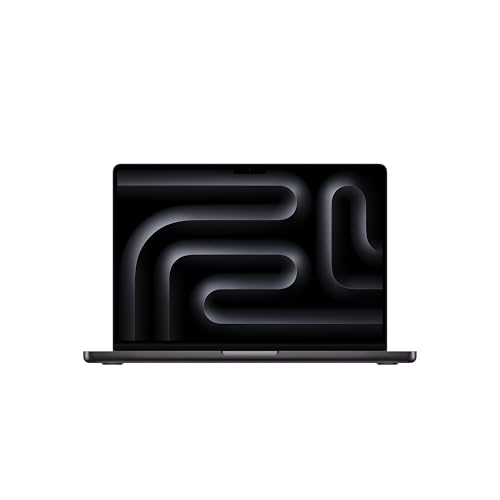
| MacBook Pro 16 M5 Pro, Space Black | 18-core CPU, 20-core GPU | 24GB unified | 1TB SSD | Space Black |
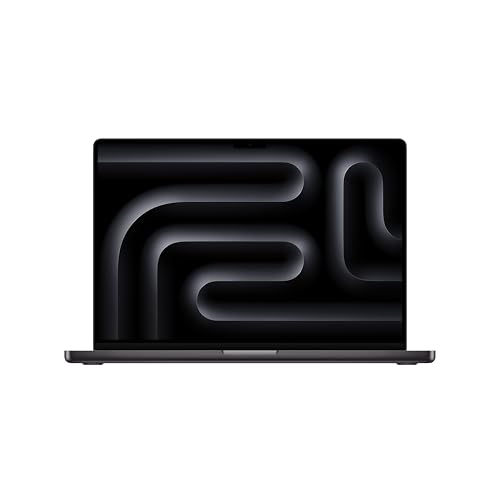
| MacBook Pro 16 M5 Pro, Silver | 18-core CPU, 20-core GPU | 24GB unified | 1TB SSD | Silver |

MacBook Pro 16 with M5 Pro in Space Black — the working finish
Badge: Best for professionals who live on the built-in display
- Chip: Apple M5 Pro, 18-core CPU and 20-core GPU
- Memory: 24GB unified memory
- Storage: 1TB SSD
- Display: 16.2-inch Liquid Retina XDR
- Wireless: Wi-Fi 7
- Finish: Space Black
Space Black has become the default professional finish for a reason: it disappears. In a dark edit suite, a theatre booth or a dim client boardroom, the darker chassis draws no attention to itself, and fingerprints and minor scuffs from daily handling show less obviously against it during the working week. Under the finish sits the configuration this class deserves — an 18-core CPU and 20-core GPU pairing that treats timeline work, large photo libraries and serious development loads as ordinary business, backed by 24GB of memory that lets those jobs coexist with the browser, chat and reference material every modern project drags along.
The panel is the headline, though. Sixteen inches at this quality means a video editor can see the programme monitor, the timeline and the scopes without any of them shrinking into uselessness. A financial modeller can keep the assumptions sheet beside the model. A writer can draft against research in a genuine split view rather than a cramped compromise. Every one of those arrangements is possible on a smaller screen in the sense that walking to work in the rain is possible; the question is whether you want to do it every day for five years.
Strengths
- A built-in display large and accurate enough to serve as a complete workstation in temporary locations.
- Strong sustained performance, with the larger chassis giving the cooling system more room to breathe.
- The darker finish hides the evidence of travel and daily handling gracefully.
Trade-offs
- Noticeably heavier in a bag than the 14-inch, and the difference accumulates across a day of movement.
- Too wide for many aeroplane tray tables and cramped café counters, where the big panel cannot even open fully.
- Dark finishes can show scratches as bright lines if the machine is treated roughly without a case.
Best for: mobile professionals whose laptop screen is their primary screen. Not suited for: daily commuters who mostly dock to a large monitor at both ends of the journey.

MacBook Pro 16 with M5 Pro in Silver — the classic finish
Badge: Best for long ownership and a timeless desk presence
- Chip: Apple M5 Pro, 18-core CPU and 20-core GPU
- Memory: 24GB unified memory
- Storage: 1TB SSD
- Display: 16.2-inch Liquid Retina XDR
- Wireless: Wi-Fi 7
- Finish: Silver
Silver is the finish that ages invisibly. Where dark coatings can eventually reveal wear at edges and palm rests, bare-toned aluminium simply looks like itself after years of use, which is why so many long-ownership buyers choose it deliberately. It also reads differently in bright rooms: lighter, less monolithic on a desk, and better matched to the pale accessories and sit-stand desks of a home studio. None of this changes a single benchmark, and that is exactly the point — with the configuration identical, you are free to choose with your eyes and your habits rather than a spreadsheet.
Practically, the Silver machine suits the semi-permanent desk that travels occasionally: the studio corner, the workshop bench, the spare-room office that relocates to a cabin or a client’s site a few times a year. In those patterns the weight penalty is paid rarely, the big panel is enjoyed daily, and the finish will still look presentable when the machine is handed down or sold at the end of its service.
Strengths
- Identical performance and memory to the Space Black listing, so the choice carries no technical risk.
- The finish conceals long-term wear better than any coating over a multi-year ownership.
- Bright, neutral presence that suits light home-studio environments and photographs honestly for resale.
Trade-offs
- Fingerprints and desk grime can be more visible against the pale surface in harsh light.
- It shares the class-wide costs: weight, bag size and tray-table incompatibility.
- Buyers who later wish they had chosen the darker look cannot change finishes without changing machines.
Best for: studio-based owners planning a long service life from one machine. Not suited for: anyone whose work happens in dark venues where a pale slab reflects stray light and attention.
Buying guide: deciding whether the 16-inch class fits your life
Map your screens before you map your budget
Draw a rough week and mark where each hour of computer work physically happens, then mark what screen serves that hour today. If most hours already happen in front of a large external display, the laptop’s panel is a secondary surface — useful for chat windows and reference material — and paying the size and weight premium for it is difficult to defend. If most hours happen wherever you happen to be, the panel is your primary instrument and the calculus inverts completely. This single exercise, done with a pen in five minutes, predicts satisfaction with the 16-inch better than any review score.
The bag test and the tray test
Portability complaints about this class are rarely about raw weight in isolation; they are about fit. Measure your current bag’s laptop compartment against the machine’s footprint, because a 16-inch laptop that forces a new, larger bag changes your whole carrying system. Then picture the smallest surface you regularly work on — a train tray, a lecture-hall flip desk, a café’s two-person table shared with a companion — and ask whether the machine can open and work there without negotiation. Buyers who pass both tests stop noticing the size within a month. Buyers who fail either test notice it every single day.
Why the configuration under the panel is already settled
Unlike line-ups where the big chassis hides several chip tiers, the verified listings here pair the larger body with the M5 Pro and 24GB of memory as a single decision. That is a sensible match for the class: a screen bought for serious work deserves silicon that will not make that work wait, and memory sized for the multitasking the wide panel encourages. Side-by-side windows are not free — each visible application holds its documents in memory — so the generous tier quietly supports the very behaviour the display invites. Readers who want the chip-generation story in isolation, including the step up to M5 Max, will find it in the dedicated M5 buying decision for this size, while the compact 14-inch guide covers the same family from the portability-first direction.
Battery expectations for a big screen
A larger, brighter panel consumes more power than a small one, and the chassis answers with a larger battery. The lived result is a machine that handles long working days of mixed use with the same unplugged confidence as its smaller sibling, provided brightness is managed sensibly in bright environments where the panel works hardest. For marathon sessions of rendering or compiling, treat a power outlet as part of the furniture regardless of size class; sustained maximum load is a plugged-in activity on any laptop that has ever been sold.
Setting up a 16-inch as a one-screen workstation
Step 1: Arrange the window system you will actually keep
The wide panel rewards a deliberate window layout: main application centre, reference material to one side, communication tools corralled into a narrow column or a separate desktop space you visit rather than inhabit. Set up the split views and spaces on the first day, learn the handful of shortcuts that move windows between them, and resist the overlapping-window sprawl that wastes exactly the space you paid for.
Step 2: Position the machine for your neck, not your lap
A bigger laptop invites longer sessions in worse postures — sunk into a sofa, screen low, neck bent for an evening. At any location where you work for more than an hour, raise the machine so the top of the screen approaches eye level and use an external keyboard if that becomes your regular pattern in one place. The panel’s size makes it a fine primary display at proper height; it is a poor one balanced on knees, whatever its resolution.
Step 3: Build the backup and charging routine around size
Large machines tend to live in fewer places, which makes a fixed backup drive at the main base easy to keep connected — take advantage of that gravity. Leave the charger at the base as well if the machine rarely travels, and keep a second, shared travel charger in the bag for the exceptions. The goal is a machine that is always backed up and rarely below half charge without you ever thinking about either.
Mistakes people make when buying the big one
The classic error is buying the screen for a job you do twice a year. A conference talk, an annual report, one big edit — these borrow the language of need while describing occasions that a borrowed monitor or a patient afternoon would serve perfectly well. The second error is the reverse snobbery: assuming the 16-inch is only for video editors, when analysts, researchers, writers working against sources, and anyone living in split-screen arrangements benefit just as directly. A third error is forgetting the ecosystem costs — the larger bag, the sleeve that actually fits, the desk depth the open machine needs — and discovering them as surprises after the exciting part is over. Finally, buyers sometimes choose the finish by photograph rather than by habit: glossy product shots flatter dark finishes, while the pale finish quietly wins the five-year wear contest on real desks.
Frequently asked questions
Is the 16-inch model too heavy to carry every day?
It depends entirely on the carrying pattern. A short walk from car to office is nothing; a forty-minute walking commute with other gear in the same bag makes the weight a daily tax. Judge by your own route and total load rather than by the number alone, and remember the bag itself usually grows with the machine.
Do the two finishes differ in anything besides colour?
Based on the verified listings, no: chip, memory, storage, display and wireless specification are the same, so the decision is about appearance, wear behaviour and personal taste. Confirm the specification block on the listing you choose, as marketplace pages can be revised.
Can the 16-inch replace a desktop and monitor entirely?
For a large share of professionals, yes — that is the class’s entire proposition. The exceptions are people needing specialised desktop hardware, multiple large displays, or a machine that stays permanently in one room while they also travel with a laptop.
Is the bigger screen better for eyes during long days?
More space lets you raise font sizes while keeping more content visible, which many people find more comfortable than squinting at dense small text. Comfort still depends on viewing distance, brightness matched to the room, regular breaks and, for desk use, screen height — size alone is not an ergonomic programme.
Should I choose the 14-inch instead if I own a large monitor?
Quite possibly. If the external display serves most of your hours and the laptop mostly travels between docks, the smaller machine gives up little and gains real portability; the 14-inch configuration guide works through that purchase in full.
Which finish resists visible wear better over years?
Silver generally hides the slow evidence of use — edge wear, palm-rest polish — more forgivingly, while Space Black hides day-to-day fingerprints and looks more discreet in dark venues. Choose according to which kind of wear your life produces more of.
The final recommendation
Choose the 16-inch when the laptop’s own screen is where your work truly happens, and choose the finish by the rooms you work in and the years you plan to keep the machine. Space Black for the travelling professional who lives in varied, often dim locations; Silver for the studio anchor that will be looked at daily for half a decade. Either way, you are buying the same strong M5 Pro configuration under the same excellent panel, so the risk in this purchase is not picking the wrong listing — it is picking the wrong class. Do the screen-mapping exercise honestly, pass the bag and tray tests, and the big machine will feel less like a splurge and more like the obvious shape of your working life. For wider context while you decide, see Lenovo’s Legion Pro 7i Gen 10 in the Windows gaming class and the MSI MAG 274QPF X30MV gaming monitor.
Work scenarios where the wide panel changes the day
Take the analyst building a board presentation in a regional office with no spare monitors. On the big screen the deck, the underlying spreadsheet and the notes document coexist without a carousel of switching, and the mental thread of the argument survives intact because nothing has to be closed to make room for something else. That continuity is the real productivity feature being purchased. Cognitive science aside, every knowledge worker knows the small leak of attention that happens each time a window vanishes and must be recalled; a wide panel plugs dozens of those leaks a day.
Take the editor on a three-week documentary trip. The hotel desk becomes the edit suite each evening, and the 16-inch panel is large enough to judge framing and exposure honestly rather than approximately, with the timeline visible in the same glance. Footage backed up to portable drives, selects assembled nightly, a rough structure emerging before the journey home — that workflow exists because the screen can carry it. On a smaller panel the same person defers everything to the studio, and the trip’s quiet evenings produce nothing.
Take the researcher writing a literature review across thirty open papers. Split view with the draft on one side and sources on the other is the whole method; the wide screen makes the method comfortable for the months the project lasts. None of these scenarios involves exotic software or extreme performance. They involve space, which is why this class of laptop has a devoted constituency that specifications alone never explain.
Ergonomics of the large laptop, taken seriously
A 16-inch machine used carelessly is a neck injury with excellent colour accuracy. The screen is big enough to encourage very long sessions, and long sessions punish poor posture with compound interest. Three habits protect the owner of any large laptop. First, keep the machine’s screen top near eye level whenever a session will exceed an hour, using a stand and an external keyboard at fixed bases. Second, treat brightness as an ergonomic control: a panel blazing in a dim room tires eyes as surely as a dim panel in bright sun. Third, stand up between tasks rather than between hours; the wide screen will wait patiently, and your spine will notice the difference by the end of the first month.
Chair and desk matter more than any laptop accessory marketed with the word ergonomic in its name. If the 16-inch is your main machine, the chair you sit in for six hours deserves a share of the budget that buyers instinctively reserve for hardware tiers. This is unfashionable advice in a product guide, but the people who still love their big laptop in year three are disproportionately the people whose backs were looked after in year one.
Sound, camera and the meeting-heavy life
The larger chassis houses a speaker system with genuine low-end presence for a laptop, which matters in two ordinary situations: reviewing audio or video work without headphones in a quiet room, and joining calls where voices must stay intelligible at low volume in a shared space. The built-in camera and microphone array handle the modern meeting load respectably, keeping your face lit evenly and your voice clear without a ring light or a desk arm. Professionals whose reputation travels through a small video window should still test their main meeting setup in the room they actually use, because lighting in that room will do more for their image than any camera specification.
For presenters, the big panel doubles as a confidence monitor: notes large enough to read at a glance, the current slide visible without turning to the projector screen, and the next slide previewed in the corner. Anyone who presents monthly from their own machine will find this an underrated argument for the class, particularly in venues where the provided equipment amounts to a cable and optimism.
Colour work and external displays in this class
The XDR panel’s accuracy makes the 16-inch a credible grading and proofing surface for photography and video delivered to screens, which is the destination of most work now. Pair it with consistent room lighting and the discipline to check final exports on an ordinary consumer display, and it can be the only screen a travelling visual professional carries. At a fixed base, many owners still add a large external monitor — not because the laptop panel is inadequate, but because two surfaces suit the work: reference material and communication on the laptop, the canvas full-screen on the monitor. The machine drives that arrangement over a single cable to a suitable dock, and the wide internal panel remains useful rather than becoming a dark lid, which is more than can be said for smaller laptops in the same setup.
Buyers weighing a monitor purchase alongside this laptop may find our guide to the MSI MAG 274QPF X30MV a useful look at the fast gaming end of the display market, and the explainer at LED LCD display technology explained through current TVs helpful background on panel terminology generally.
Travel patterns: who should not buy this size
Some lives are simply incompatible with the class, and naming them saves returns. The bicycle commuter with a small pannier, the consultant who works from a different café table every three hours, the field engineer whose laptop shares a bag with tools, the student moving between lecture seats designed for notebooks — all of them will feel the footprint as friction many times a day. Weight is only part of it; the machine demands table space, bag volume and a certain deliberateness in setting up and packing away that high-frequency movers cannot afford. Those buyers are not settling for less when they choose the smaller sibling; they are choosing the machine that matches the physics of their days.
There is also a middle pattern worth recognising: the person who travels twice a month and works at one desk otherwise. For them the answer often depends on what waits at the desk. A large monitor already installed argues for the portable machine; an empty desk argues that the laptop itself should be the large screen, accepting the travel tax as the price of a better daily canvas.
Five-year ownership in the big chassis
Large laptops tend to be kept longer than small ones, partly because they cost more and partly because their owners bought them as primary machines rather than companions. Plan for that horizon. The battery will eventually want servicing; budget for it in year three or four rather than treating it as a failure. Storage discipline matters as the archive grows: finished projects belong on external drives with a second copy elsewhere, keeping the internal terabyte breathing room for active work. The operating system and your main applications will grow heavier across those years, and the 24GB memory tier in these listings is the quiet decision that will make year five feel composed instead of strained.
Resale and hand-down prospects are strong for this class because the screen size keeps the machine desirable as a family or studio computer long after its first owner’s needs move on. The Silver finish’s forgiving wear behaviour helps here, though a well-kept Space Black machine with its packaging and a fresh battery service will find a buyer without difficulty. Keep the box. Future you, posting the listing or handing the machine to a relative, will be glad of it.
Cooling, fan behaviour and the quiet-room question
Thermal design is the invisible half of the size decision. A larger chassis gives heat more places to go: bigger fans that can move air at lower speeds, more internal volume, more surface to shed warmth. Under the sustained loads that define professional work — a long render queue, a full test suite, a batch export — the 16-inch generally maintains its pace with less acoustic drama than a smaller body housing similar silicon. In a shared studio or a quiet home office at night, that difference is not a footnote. It decides whether your machine’s hardest work can happen while a partner sleeps in the next room or a colleague records audio at the next desk.
Everyday loads tell a simpler story: both sizes are effectively silent for browsing, documents and calls, because modern chips sip power at idle and the fans stay still. The class distinction only appears when work becomes sustained, which is why buyers should forecast their heavy hours rather than their average ones. A machine bought for bursts will never reveal its cooling character; a machine bought for marathons reveals it weekly, and owners of the big chassis chose, consciously or not, the marathoner’s tool.
Security and privacy on a screen everyone can read
A large, bright display in a public place is a billboard, and professionals carrying client work should behave accordingly. A privacy filter is a reasonable purchase for anyone who regularly works on trains or in shared spaces with confidential material, accepting the small brightness cost as the price of discretion. The platform’s encryption, biometric sign-in and remote-locate tools cover device loss; your own habits cover the rest — screen locking when you step away, care about which documents sync where, and a healthy suspicion of open wireless networks. The bigger the screen, the more deliberate those habits need to be, simply because more of your working life is visible at a glance to the person behind you in the coffee queue.
Accessories that earn their place with this class
Accessory marketing will try to sell the new owner of a large laptop a small warehouse. Resist all but a short list. A sleeve or case sized honestly for the 16-inch footprint, because protection that does not fit will not be used. A stand for the main base, to bring the panel to eye level. A backup drive of generous capacity that lives connected at that base, exploiting the machine’s tendency to return to the same desk. A second charger if the machine has two regular homes. Everything else — docks, hubs, exotic peripherals — should be bought in response to a specific recurring annoyance rather than in anticipation of imaginary ones. The wide panel already solves the problem accessories most often claim to solve, which is workspace; what remains is posture, protection and backup, and those three are cheap compared with the machine itself.
Comparing the class against its neighbours
Against the 14-inch sibling, the 16-inch trades carrying ease for canvas and cooling; the silicon story is similar enough that the body is the decision. Against Windows desktop-replacement laptops, the comparison becomes about ecosystem and graphics: machines like the one covered in the Legion Pro 7i Gen 10 gaming laptop profile offer discrete graphics and game libraries that this platform does not, at the cost of size, noise and battery behaviour that make them desk machines in practice. Against a desktop computer, the 16-inch argues that one machine, present everywhere you work, beats a more powerful machine that is absent whenever you leave its room. Each comparison is really the same question wearing different clothes: where does your work happen, and what must be true of the machine that follows it there?
A pre-purchase checklist for the big laptop
- Measure the laptop compartment of the bag you actually carry, and the smallest table you regularly work at.
- Write down how many of last week’s working hours used an external monitor; let the answer arbitrate the size.
- Confirm chip, memory, storage and finish in the listing’s specification area before paying, and again in system settings on arrival.
- Budget in the same breath for a fitted sleeve, a desk stand and a backup drive.
- If you present or record in quiet rooms, weigh the cooling behaviour of the larger chassis as a working feature.
- Keep packaging and invoice together; this class is commonly resold or handed down, and completeness pays.
None of these steps requires technical expertise, and together they convert an expensive guess into a considered purchase. The 16-inch rewards considered buyers more than most laptops do, because its strengths and its costs are both about daily life rather than laboratory numbers — how your bag feels at six in the evening, how your timeline looks at midnight in a rented room, how your neck feels at the end of a long week. Get the life-fit right and the machine’s excellence has somewhere to land.
How different professions actually use the extra inches
Architects and engineers reviewing drawings on site gain something specific from this panel: legibility at a distance. A plan held between two people on a building site or across a meeting table needs characters that survive being read from an angle and an arm’s length away, and screen area is what buys that legibility without zooming the context away. The same logic serves teachers displaying work to a small group, sales engineers walking a client through a configuration, and doctors or lawyers reviewing documents jointly with the person across the desk. Whenever the laptop screen is a shared surface rather than a private one, size stops being a preference and becomes a communication tool.
Musicians and audio producers use the width differently again: a digital audio workstation is a horizontal art form, and the arrange window’s timeline, mixer and piano roll compete for the same inches. On the 16-inch panel a producer in a hotel room can keep the arrangement and the mixer in view simultaneously, which changes sketching ideas from a cramped compromise into genuine work. Podcast editors benefit similarly, with waveforms wide enough to make cuts by eye at conversational zoom levels. These are not marginal conveniences; for travelling audio work they are the difference between a laptop that demos ideas and a laptop that finishes them.
Data workers — the spreadsheet and notebook constituency — may be the class’s quietest majority. A model with its inputs visible beside its outputs, a notebook with code above and results below, a dashboard next to the query that feeds it: the wide screen supports the two-pane pattern that defines analytical work. Paired with the M5 Pro’s cores for local computation, the machine becomes a portable analysis station, and the 24GB memory tier keeps the browser full of documentation from evicting the dataset that matters.
What the first month of ownership teaches
New owners of this class report a predictable sequence. Week one is delight at the canvas and mild surprise at the bag. Week two brings the discovery of the machine’s real weight on the longest regular journey, and the window-layout habits either form or fail to form. By week four, the owners who mapped their screens honestly before buying have stopped thinking about the size at all — the laptop has become the place work happens — while the mismatched owners are shopping for monitors to justify docking it permanently, or quietly listing it. The lesson is not that the machine is divisive; it is that the decision quality is visible early, which is why this guide keeps returning to the five-minute mapping exercise rather than to any specification.
There is one more first-month task worth scheduling: test the machine under your genuine heaviest load while the return window is open, and check the delivered specification in system settings on the first evening. Marketplace listings group variants under similar titles, and the time to discover a mismatch is while the remedy is a simple exchange. Run the big export, open the largest project, fill the screen with your real arrangement of windows, and let the machine prove it is the one you meant to buy.
The honest summary of the class
The 16-inch MacBook Pro is a workstation that happens to fold. Its panel, cooling and battery are sized for people whose computer is their workplace, carried between temporary versions of that workplace. Its costs are the physics of that ambition: mass, footprint and a purchase price that demands the buyer actually need what it offers. Within the class, the verified choice in this guide is mercifully simple — one strong configuration, two finishes, no wrong answers — which leaves all the thinking where it belongs: on the shape of your working life. If that life is lived on the laptop’s own screen, in rooms that change weekly, with work that fills every inch offered to it, then the big machine is not the extravagant option at all. It is the economical one, because it replaces a desktop, a monitor and a travel laptop with a single tool that is always where you are.
Desk depth, stands and the geometry of a permanent base
One practical detail catches many first-time owners of large laptops: the open machine is deep. The screen hinges behind the keyboard, the footprint extends toward the back of the desk, and on shallow desks — the narrow console tables and kitchen counters that double as offices in small homes — the front edge can arrive uncomfortably close to the user. Measure the depth of your main surface before the machine arrives, and if space is tight, plan for a stand that lifts and slightly overhangs the rear, reclaiming the strip of desk the keyboard would otherwise occupy when an external keyboard takes over typing duty. It is a small geometry problem with a cheap solution, but only if it is noticed before the first frustrating evening rather than after.
The stand decision pairs naturally with the question of a permanent external keyboard and pointing device. Owners who dock the big laptop at one base for most of the week often discover the ideal arrangement is hybrid: machine raised and open as a second display, hands on a separate keyboard and mouse, and the laptop’s own excellent input devices reserved for travel days. That arrangement costs less than a monitor, uses the panel you already paid for, and preserves the one-machine simplicity that justified the class in the first place.
When the answer is a desktop instead
Fairness to the reader requires a clear statement of the class’s limits. If your work never leaves one room, involves hardware the laptop cannot host, or would benefit from a screen far larger than sixteen inches used eight hours a day, a desktop with a proper monitor remains the better tool — cheaper per unit of performance, easier to repair, and kinder to posture by default. The 16-inch laptop’s premium buys mobility of serious capability, and mobility you never use is the most expensive feature in any catalogue. Buyers in that position should also weigh simply keeping an existing laptop for travel and putting the whole budget into the desk. The readers this guide is for are the others: the ones whose work genuinely moves, and who have felt the compromise of doing it on a screen that was too small in a room that was not theirs. For them, the class is not a compromise at all — it is the first machine that stopped asking them to choose between power and presence.
Reading the listing like a professional buyer
Because both finishes sit under near-identical marketplace titles, the discipline of reading the specification block matters more here than the choice itself. Confirm the chip’s full name including the Pro designation, the core counts, the memory figure, the storage capacity, the display size and the finish, in that order, and treat any listing whose title promises a chip generation the manufacturer does not sell as a listing to walk away from. The verified pair in this guide were chosen because their titles describe the manufacturer’s real configuration in the manufacturer’s own terms. On arrival, the system settings panel is the court of final appeal: open it before installing your life onto the machine, compare each figure against the order, and only then begin migration. Five minutes of pedantry at the start of ownership is cheaper than any remedy available later.
The class verdict, restated for the undecided
If you have read this far and remain torn, the tiebreaker is a single question about regret. Imagine the machine a year from now, on your longest ordinary day. Which regret is easier to picture: the slight ache of a heavier bag, or the familiar frustration of a screen that made your main work feel cramped in yet another temporary room? Most buyers know their answer immediately once the question is framed as regret rather than specification, because they have already lived both frustrations on previous machines. Buy against the regret you cannot tolerate, accept the other as the known cost of the choice, and you will have made the class decision the way its happiest owners made it — from experience, honestly examined, rather than from a comparison table’s largest numbers.
And if both regrets feel equally unlikely, that is information too: it suggests your work is flexible about screens and your travel is forgiving about weight, in which case either size will serve and the decision can be made on budget and preference without anxiety. The worst outcome in this entire category is not choosing the second-best laptop; it is spending workstation money while remaining unsure what problem the money was solving. This guide’s exercises — mapping your screens, testing your bag and tray, timing your heavy work — exist to make sure that whatever you choose, you choose it knowingly.
Group work, handovers and the machine as a shared asset
In small studios the big laptop often becomes a semi-shared asset: the machine that goes to the client presentation, renders the overnight queue, or stands in when a colleague’s computer fails. The wide screen serves that role well because work remains legible to two people standing at a desk, and the strong configuration means whoever borrows it inherits no compromises. If your machine will live that double life, set up a separate user account for shared duties from the start, keep client material in clearly bounded folders, and agree the borrowing etiquette before the first emergency rather than during it. Studios that treat the flagship laptop as infrastructure — maintained, backed up and insured as a business asset — consistently get more years and fewer dramas from it than owners who treat it as a personal indulgence that occasionally does work.
That framing also clarifies the purchase for employers equipping staff. A 16-inch machine issued to a consultant who presents and produces at client sites replaces three line items — laptop, travel monitor, presentation backup — and its cost should be judged against that bundle, not against the cheapest laptop in the catalogue. Equipping people with the screen their work is actually done on is not generosity; it is the removal of a daily friction that was being paid for in slower, more error-prone work all along.
There is a final, quieter argument for the big screen that belongs to anyone planning to keep a machine for five years or more: as eyes age, generous text at comfortable sizes stops being a preference and becomes a requirement, and a panel that can show large type without surrendering context is a panel that extends the comfortable working life of both the laptop and its owner. Buyers in their forties and fifties choosing a machine to carry them toward their sixties consistently undervalue this in the showroom and overvalue it at the desk three years later. If that is your horizon, let the wide, bright, high-resolution canvas count for more in your decision than the youthful arithmetic of grams and millimetres — the machine should fit the reader you will be for most of its service, not only the traveller you are on the day it arrives.
To close the class argument with a concrete image: picture the machine open on the desk of a rented flat in a city you do not live in, at the start of a two-week assignment. Everything you need is on that one screen — the work, the references, the calls, the evening’s entertainment after the work is done — and nothing about the arrangement feels like a compromise you are enduring until you get back to a real office. That feeling, repeated across assignments and years, is what the owners of this class actually bought. If the picture appeals and the bag test passes, you have your answer, and the only remaining choice is the finish that suits the rooms of your life.
A word, finally, about timing the purchase of a machine in this class. Because the big laptop is typically a long-keeping, income-supporting tool, the right moment to buy it is the start of the work that needs it — a new role, a practice going independent, a production season approaching — rather than a season of discounts unconnected to your calendar. A machine that arrives when the work does begins paying for itself immediately in capacity and calm; a machine bought speculatively, however good the promotion, sits as expensive potential. Read the listings, confirm the configuration with the care this guide has described, and then align the click with the work. The screen will do the rest, every day, in every temporary room your career invents for it.
If a single sentence must carry the whole guide, it is this: the 16-inch is the right laptop for people whose screen travels with them and whose work fills screens completely, and the wrong laptop for people whose screens stay on desks while only the computer travels. Everything else — finishes, fans, batteries, bags — is commentary on that distinction. Decide which person you are with the evidence of your own last month, and the listings above will do exactly what they promise.
Buyers still circling the decision might borrow one practical trick from studio managers: rent or borrow the size for a week if any channel allows it, and live the full routine — commute, desk, sofa, presentation — before committing five years to a footprint. A week of real life settles arguments that months of reading cannot.
Then order, unbox it at a clear desk, and give the big screen its first proper week.