Disclosure: As an Amazon Associate, reviewstook.com earns from qualifying purchases. Links on this page are affiliate links; they cost you nothing extra. Prices and availability change often, so check the current Amazon listing before you buy.
Pair your earbuds to a laptop for the workday, and your phone becomes a stranger to them; pair them back to the phone, and the laptop meeting loses its audio. bluetooth multipoint explained simply: it is the feature that ends that tug of war, letting one headset hold live connections to two devices at once and hop between them as sound demands. A call arriving on the phone interrupts the laptop’s video, and when the call ends, the video resumes through the same earbuds, untouched by your hands.
This explainer unpacks bluetooth multipoint explained at the level that decides whether it works for you: how the two connections are maintained, why one audio source always wins, where the feature breaks down — two phones, gaming dongles, the hands-free profile switch — and how implementations differ between brands that treat multipoint as a headline feature and brands that bury a fragile version of it. Understanding the mechanics turns multipoint from a checkbox into a predictable behaviour you can shop for.
Key takeaways
- Multipoint holds two simultaneous connections and switches by priority, with calls outranking media
- It plays one source at a time — mixing laptop music with phone audio is not what the feature does
- Implementation quality varies more than the spec: codec resets and profile switches are where cheap versions wobble
- Both host devices and the headset must play along, and older hosts are the usual weak link
In this guide
Bluetooth Multipoint Explained: the two-link trick
A conventional headset maintains one active connection, and switching hosts means tearing that connection down and building another — the ten-second silence while earbuds announce a new pairing partner. Multipoint keeps two links warm simultaneously. Each link is a full Bluetooth connection with its own negotiated codec and profile set, maintained mostly in an idle doze, waking when its host produces audio. The headset’s firmware arbitrates between them, and the arbitration rules, not the radio, are what you experience as the feature’s personality.
Because both links stay alive, the switch is a routing decision rather than a reconnection, which is why a good multipoint headset moves from laptop video to phone call in under a second while a non-multipoint headset needs a small ceremony. The cost is carried quietly: two links to maintain means slightly higher idle power draw, and the headset must reserve processing for the arbitration, which is one reason bargain models implement multipoint grudgingly and expensively good ones make it invisible.
Priority rules: why the call always wins
Every multipoint implementation ranks audio, and the ranking is nearly universal: an incoming or active phone call outranks everything, media playback ranks next, and notification bleeps trail behind, often muted entirely on the secondary device. The ranking exists because a missed call is a social failure while a paused song is nothing. When the call ends, the headset hands the stage back to whatever was playing, and most media apps resume automatically — the small miracle that makes the feature feel like magic the first week and like plumbing thereafter.
Edge cases expose the seams. Two calls, one on each device, cannot both be served; the headset picks the first and the second device gets whatever its own fallback is. A navigation prompt on the phone may or may not interrupt laptop audio depending on how the phone classifies it. And a laptop that treats its meeting software as a call will seize priority exactly as designed, which startles people whose phone call then cannot break through. None of this is malfunction; it is arbitration doing what arbitration must.
One stream at a time: the mixing misunderstanding
The most common disappointment with multipoint is the expectation that it mixes — that you could hear game audio and a phone podcast simultaneously, one in each ear of your life. It does not. Bluetooth profiles were built around a single active audio stream per headset, and multipoint switches that stream between hosts rather than blending them. A handful of gaming headsets achieve a genuine mix by combining a dongle link for the game with a Bluetooth link for the phone, but that is two radios doing two jobs, not multipoint as the term is normally sold.
Knowing this in advance recalibrates what to buy. If your dream is hearing Discord on the phone while the game plays on the PC, shop for dual-connection gaming headsets with separate volume controls for each feed. If your need is the office rhythm — laptop media and phone calls trading places all day — true multipoint is exactly right, and mixing was never part of your requirement. Matching the feature to the actual daydream prevents the most common returns.
The profile switch hiding inside every call
When a call takes over, the headset changes more than its source: it renegotiates from the high-quality media profile to the two-way hands-free profile that carries the microphone. Audio quality narrows audibly, and on some computers the switch confuses applications that had locked onto the media device, producing the classic meeting fault where the headset vanishes or the microphone defaults elsewhere. Multipoint multiplies these moments because switches happen more often, which is why headsets with mature firmware handle the dance gracefully and immature ones drop a link and sulk.
You can reduce the friction from the host side. On a work laptop, set the headset explicitly as both output and input inside the meeting software rather than accepting defaults, and disable competing devices you never use, such as a monitor’s absent speakers. On the phone side, nothing needs doing; phones have arbitrated calls since before multipoint existed. The laptop is where the feature earns or loses its reputation, and five minutes of deliberate configuration is usually the difference.
Brand dialects of the same feature
Multipoint is a behaviour, not a certification, so brands speak it with accents. Some ecosystems prioritise their own devices, switching seamlessly between a phone and tablet of the same family while treating a Windows laptop as a second-class citizen. Some headsets remember many devices but hold only one link until a flagship sibling taught them better. Others cap multipoint at specific codecs, silently dropping to the baseline codec when the second link joins — a trade some listeners notice and most never do.
Reviews rarely stress-test these dialects because they require two hosts and patience. When shopping, look for reports that describe the actual switch: how long it takes, whether media resumes unprompted, whether the second device can steal audio merely by playing a notification. Those behavioural details, not the presence of the word multipoint on the box, predict your daily experience. A feature you must think about has failed at its only job.
Multipoint with dongles, consoles, and other special cases
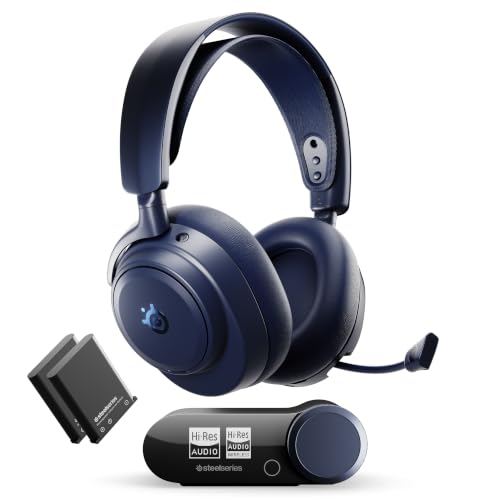
Gaming headsets with USB dongles complicate the picture usefully. The dongle link is not Bluetooth, so a headset can often run the dongle for the console or PC and Bluetooth for the phone as genuinely parallel connections — the one common route to true simultaneous audio. Read such claims carefully: some models switch between dongle and Bluetooth rather than blending, and the product page rarely volunteers the distinction. The manual’s connection diagram tells the truth that marketing copy avoids.
Consoles add their own restrictions, since several support Bluetooth audio only partially or through the controller, and a multipoint headset may find its second link refused entirely. Handhelds, smart TVs, and in-flight entertainment systems each negotiate with different levels of competence. The pragmatic approach for a multi-device life is to test the exact triangle of devices you own during the returns window, because multipoint compatibility is a property of the combination, not of the headset alone.
Battery and stability costs, stated plainly
Holding two links costs power, though less than folklore suggests: the second link dozes most of the time, and the real drain is the switching activity on busy days. Expect a modest reduction in playtime with multipoint active — noticeable across a week, irrelevant across a day. Stability is the sharper cost. Two hosts means two Bluetooth stacks with two sets of quirks, and a host that misbehaves can destabilise a link it shares with an innocent device, which is why a headset can seem flaky at the office and flawless at home.
When troubleshooting multipoint weirdness, disable the feature temporarily. If the headset becomes rock solid on one host, the arbitration or the second host was the problem, and you can reintroduce devices one at a time. This is also the honest test of whether you need the feature at all: some owners discover their second link served a device they barely use, and that single-link life is calmer. Features should pay rent in convenience, and multipoint is no exception.
Setting up multipoint so it behaves from day one
Pair in the order you care about: most headsets treat the first-paired device as primary, so make that the one whose calls must always win — normally the phone. Pair the second device immediately after, before daily use buries the procedure under habit, and then run a deliberate rehearsal: play media on the laptop, call the phone from another number, confirm the switch and the return journey. Five rehearsed minutes teach you your headset’s arbitration personality better than any manual.
Name the headset consistently on both hosts and remove stale pairings of the same headset left over from earlier setups, because duplicate records are a quiet source of connection roulette. Keep firmware updated through the companion app; multipoint arbitration is precisely the kind of behaviour firmware updates refine. Finally, teach the humans around the setup: a partner whose tablet is the forgotten second link will keep stealing your audio from the next room, and no firmware update fixes that.
Multipoint and the meeting-era workday
The feature’s defining habitat is the hybrid workday: a laptop running meetings and media, a phone carrying calls and messages, and a worker who cannot perform a pairing ritual between them. In that habitat, multipoint’s value is measurable in interruptions not taken — the call answered in the same earbuds that were playing the focus playlist, the meeting joined without the thirty-second device shuffle that used to open every stand-up. Employers noticed too: headset fleets for hybrid staff now list multipoint in procurement requirements, because the alternative is a drawer of single-purpose headsets and a helpdesk queue of pairing tickets.
The workday also exposes the feature’s sharpest edge, which is the meeting software’s own device handling, covered earlier in this guide. The mature setup — headset set explicitly in the meeting app, phone as the priority device, firmware current — turns the two-device day into a non-event. It is worth the rehearsal this guide prescribed: the first live call is the wrong classroom for arbitration lessons, and the second week of a well-configured multipoint setup is when its owners stop being able to imagine the single-link life they led before.
What comes after multipoint: broadcast and shared audio
The Bluetooth roadmap points past pairwise connections entirely. LE Audio’s broadcast capability — Auracast — lets one source transmit to many listeners at once: a television to a roomful of earbuds, a station announcement to every waiting passenger’s devices, a friend’s phone sharing a song to two pairs of buds without a splitter’s indignity. That is not multipoint as this guide has defined it — no arbitration, no priority, one-to-many rather than two-to-one — but it grows from the same soil: the expectation that audio should flow to the listener’s chosen device without ceremony.
For today’s buyer, the implication is modest and practical: a headset with current Bluetooth and LE Audio support is buying into the ecosystem those broadcasts will use, while multipoint remains the feature that serves the two-device present. Roadmaps should never outvote requirements — buy multipoint for the laptop-and-phone day you actually live — but a small preference for current radios in a product you will keep for years is not roadmap-chasing. It is simply refusing to buy yesterday’s plumbing for tomorrow’s house.
How multipoint actually juggles: the mechanics under the marketing
Multipoint sounds like a single feature, but underneath it is a set of compromises about attention. A multipoint headset holds two live links and must constantly decide which source owns the speakers, which owns the microphone, and what happens in the half-second when both want the headset at once. Those decisions are made by priority rules baked into firmware, and understanding the rules explains nearly every behaviour users describe as the feature being smart one day and haunted the next.
| Event | What most multipoint headsets do | Why it feels that way |
|---|---|---|
| A call arrives on the phone while music plays from the laptop | The call takes the speakers and microphone; the music pauses or ducks | Calls are treated as the highest-priority audio in almost every implementation |
| A notification pings on the idle device | Some headsets switch entirely for a two-second sound, then switch back | The idle device requested an audio session and the headset honoured it too eagerly |
| You press play on the second device while the first is playing | Behaviour varies: some switch, some refuse until the first pauses | There is no universal standard for media-versus-media priority |
| The first device walks out of range | The second device promotes itself, sometimes with a delay and a chime | The headset waits to be sure the loss is real before reassigning attention |
| Both devices play a video at once | One wins; the other’s audio may vanish rather than mix | Classic multipoint switches between sources instead of blending them |
| A meeting app grabs the microphone on the laptop | The headset may drop to a lower-quality call profile for all audio | Using the microphone switches the whole link into hands-free mode with narrower audio |
The microphone row of that table explains the single most common multipoint complaint in remote work: music that sounds wonderful until a meeting starts, then turns thin and distant. The moment any app opens the headset’s microphone, the connection renegotiates into a call profile designed for voices in both directions, and music shares that narrower pipe until the call fully ends. It is not damage, not interference, and not a setting you broke; it is the profile system working exactly as designed, and the workaround is a separate microphone so the headset can stay in its music profile.
It also explains why switching takes a breath rather than happening instantly. The headset must confirm the new source really wants the channel, tear down the old stream politely, and re-clock everything to the new source. That little ceremony, repeated a dozen times a day by an over-eager notification, is what people experience as multipoint being flaky, when the truer description is multipoint being too obedient.
Setting up two devices so they behave: a field routine
- Decide which device is the call device and which is the media device. Most people want the phone to own calls and the computer to own everything else. Naming the roles first turns every later setting from guesswork into enforcement of a decision you already made.
- Pair the phone first, then the computer. On many headsets the first pairing gets subtle priority in reconnection order. Pairing in role order, phone before laptop, quietly stacks the morning reconnection race in favour of the device that receives calls.
- Silence the notification chatter on the media device. The laptop’s email pings and chat alerts are the sounds most likely to hijack the headset mid-call. Muting app notification sounds, rather than the apps themselves, keeps the information and loses the hijacking.
- Turn off automatic ear detection conflicts. Headsets that pause when removed sometimes interpret a switch between devices as a removal. If switching behaves oddly, test a day with wear detection disabled to see whether two conveniences were fighting.
- Give the headset one charging-and-reset ritual. A monthly full charge and an occasional power-cycle clear the small state errors that accumulate in any always-on radio. Multipoint headsets are tiny computers negotiating for a living; they benefit from the same restart courtesy as bigger ones.
- Write down your working configuration. Which device was paired first, which app settings you changed, which profile the companion app uses. When a future update shuffles something, that note is the difference between restoring a known-good setup and re-deriving it from memory.
Notice that none of these steps involves buying the newest model. Multipoint quality differences between headsets are real, especially in switching speed and in how gracefully media-versus-media conflicts resolve, but the majority of daily friction comes from configuration: two devices shouting notifications, an app seizing the microphone, or a pairing order that contradicts the owner’s actual priorities.
Three working days with multipoint, honestly narrated
The support agent whose phone and softphone share one headset
For a support agent, multipoint is not a luxury but the job itself: the computer carries the softphone queue while the mobile carries the supervisor’s calls and the authentication prompts. The configuration that survives this life gives the computer the meeting profile permanently, through a separate desk microphone, so the headset never drops into narrow call audio for music between queues. The lesson generalises: whoever uses the microphone most should own a microphone that is not the headset.
The student moving between lecture laptop and phone
A student’s switching is gentler: lecture recordings and study music from the laptop, everything social from the phone. The trap here is the learning platform’s habit of keeping an audio session open after the lecture ends, holding the headset hostage while the phone stays silent. Closing the lecture tab, rather than pausing it, releases the session, and that single habit removes most of the day’s apparent multipoint failures.
The gamer with a console, a PC, and a phone for chat
Three sources exceed classic multipoint’s two-link design, which is why gaming setups feel like the feature’s final exam. The workable pattern is to let the headset’s two links serve the two sources that must interrupt each other, usually PC and phone, and give the console a wired or dongle path of its own. Trying to rotate three devices through two slots guarantees that whichever device is left out will be the one that rings during a match.
When multipoint is the wrong tool, and what to use instead
- You need two sources mixed at once, not switched. A commentator hearing game audio and a co-host simultaneously needs a small mixer, because multipoint’s whole design is taking turns. No firmware update will turn a switch into a blend.
- Your main device is a television. TVs are possessive Bluetooth sources with slow menus and aggressive reconnection. A dedicated wireless headphone system with its own transmitter base usually serves TV listening better than asking a multipoint headset to negotiate with a panel.
- Latency matters more than convenience. Competitive play punishes the extra negotiation multipoint maintains. A single-purpose low-latency dongle connection for matches, with multipoint reserved for desk hours, beats one connection trying to be both.
- Your two devices are both phones. Dual-phone life creates call-priority collisions no setting fully resolves, because both devices legitimately own the highest priority class. Many dual-carriers end up happier with one headset per phone and a charging stand that keeps the choice physical and obvious.
None of these verdicts indict the technology; they locate its border. Multipoint is a switching system for people whose attention also switches, one thing at a time, between two cooperative devices. Inside that border it is one of the most useful features modern headsets have. Outside it, the honest fix is a different tool, and recognising the border early saves the money other people spend upgrading headsets to solve a topology problem.
The two-link budget: what multipoint costs each connection
Multipoint is often discussed as pure addition, a second connection for free, but radios keep accounts. A headset maintaining two links divides its attention, its buffering, and in some designs its audio quality between them, and while good implementations hide the cost gracefully, the cost explains several behaviours users report. A connection that is rock-stable alone may grow slightly more fragile with a second device attached, especially at range, because the radio is time-sharing its listening between two conversations and can miss the opening syllable of either.
Battery accounting follows the same logic. Two links mean two sets of keep-alive exchanges, two devices to stay discoverable for, and more frequent wake-ups from the deep sleep a single-connection headset enjoys. Owners who enable multipoint for a convenience they use twice a week and pay for it in standby life every day have the accounting backwards, and the companion app’s toggle deserves an honest audit against your actual switching habits.
| Resource | Single connection | Multipoint (two links) |
|---|---|---|
| Radio attention | Devoted to one stream | Shared; brief gaps while checking the idle link |
| Standby battery | The maker’s headline figures usually assume this | Noticeably shorter in most implementations |
| Switching latency | Not applicable | A second or two while priority rules resolve |
| Codec ceiling | The best the pair negotiates | Sometimes reduced while both links are active, model-dependent |
| Failure surface | One device can misbehave | Either device can seize, poll, or misbehave into your ears |
None of this argues against the feature; it argues for enabling it deliberately. The commuter whose phone and laptop genuinely alternate all day collects far more than the budget costs. The listener who pairs a tablet out of curiosity and forgets it is paying rent on a room they never enter, and their mysterious battery and stability complaints are the invoice arriving.
Priority rules in the wild: five interruptions and their logic
The phone rings during a laptop film
Nearly every implementation gives the call the floor, pauses the film, and returns to it when the call ends, and this is the behaviour multipoint is sold on. The detail worth testing in your first week is the return journey: some headsets restore the film’s audio automatically, others wait for you to press play, and knowing which yours does prevents the small daily confusion of a silent laptop and a finished call.
A text arrives with a sound during the same film
Here implementations diverge and tempers flare. A notification is a tiny audio session, and headsets that honour every session will abandon the film for a two-second chime and then wander back. The cure lives on the source side, in notification settings, because the headset cannot distinguish an urgent alert from a promotional one; it can only obey, and it obeys everything equally.
You join a meeting while music plays from the phone
The meeting application opens a microphone, the headset’s laptop link drops into call profile, and the phone’s music is typically paused or muted for the duration. Owners misread this as the headset choosing the laptop over the phone, when the truer description is that a live microphone outranks playback in every priority scheme, because conversations are perishable and songs are not.
The laptop sleeps mid-afternoon
A sleeping source should release its claim gracefully, and mostly does, but the half-second world of Bluetooth includes laptops that announce departure badly, leaving the headset holding a ghost link while the phone waits. Toggling the headset’s connection in its app, or simply power-cycling the headset at your desk each morning, clears these ghosts before they can haunt a call.
Two people, one headset, a shared television
Households add a social layer to priority rules: a partner’s tablet, paired once for a holiday, retains its claim and may seize the headset during your film. Pairing lists are household policy whether you drafted them or not, and the periodic audit recommended elsewhere in this guide is how the policy stays yours.
Troubleshooting multipoint: a decision path
- Name the misbehaviour precisely. Switching when it should not, refusing to switch, dropping the idle device, or degrading audio are four different faults sharing a surname. The precise name chooses the branch below.
- If it switches too eagerly, discipline the sources. Silence notification sounds on the media device, close applications that hold audio sessions open, and check for a forgotten device polling. Eagerness is almost always obedience to a source you had not considered.
- If it refuses to switch, check who holds the microphone. A meeting application, a voice assistant, or a recording tool on the current device may be holding the top priority legitimately. Close it fully and test again before blaming the headset.
- If the idle device keeps vanishing, test range on that link. The second link is maintained with less radio attention, so a device at the edge of range drops out of multipoint before it would drop out of a solo connection. Move it closer for a day and observe.
- If audio quality falls when both are connected, read the codec story. Some headsets step down their audio mode while juggling. If your listening is critical, the honest configuration may be single-connection for music sessions, with multipoint reserved for the working day.
- Reset the pairing list as the last resort, and rebuild it in role order. Phone first if calls rule your day, computer first if meetings do. The rebuild takes ten minutes and clears every accumulated ghost at once.
Worked in that order, multipoint troubleshooting is mostly source management wearing a headset costume. The headset itself is the accused in a minority of cases, usually where a firmware fault is documented for the model, which is why a quick search for your model’s known issues belongs early in any stubborn case: other owners’ documented misery is free diagnostic labour.
Fast-switch ecosystems: multipoint’s close relatives, and the confusion between them
Alongside true multipoint, the major phone and computer ecosystems offer fast-switching features that move a headset’s single active connection between devices signed into the same account. The experience resembles multipoint on a calm day: put down the tablet, pick up the phone, and the audio follows. The difference appears on a busy day, because a fast-switched headset is connected to one device at a time, and a call arriving on the device it is not currently following cannot seize the speakers the way a true second link allows. Owners who buy expecting multipoint and receive fast-switching feel the difference precisely in that moment, and conclude the feature is broken when it is merely different.
Neither design is superior in the abstract; they optimise different lives. Fast-switching suits an owner whose devices are used in sequence and who values simplicity and battery, because maintaining one link is cheaper and the account does the remembering. True multipoint suits an owner whose devices interrupt each other, the phone that rings during the laptop’s film, and who accepts the battery and complexity costs catalogued in this guide. The buying error is assuming the words are interchangeable on a product page; the fix is reading for the specific phrase about simultaneous connections, and testing the interruption case inside the return window.
Hybrids exist and confuse further: headsets that hold two links and also participate in an ecosystem’s switching, moving one of their links between account devices. These can be the best of both for an owner inside one ecosystem, and the most baffling for an owner across two, which is a fair summary of multipoint’s entire biography: the feature rewards owners who understand their own device topology, and taxes those who let the topology assemble itself.
Multipoint for accessibility and caregiving: the feature’s serious side
Multipoint’s most consequential users rarely appear in marketing. A person who relies on a phone’s accessibility announcements and a computer’s screen reader needs both voices available without a pairing ritual between them, and a two-link headset delivers exactly that continuity. A caregiver whose phone must interrupt any other audio instantly, because the call that matters cannot wait for a settings menu, is using the priority rules in this guide as safety equipment. For these owners the configuration advice inverts some of this guide’s defaults: notifications from the critical device should stay loud and entitled, the pairing list should be ruthlessly limited to the devices that matter, and reliability outranks audio quality in every trade the setup offers.
The same lens clarifies choices for less critical lives. Asking what must be able to interrupt you, honestly, is a question about attention and obligation, not about audio. Multipoint configured from that answer behaves like a well-trained assistant; configured by default and by accident, it behaves like a roommate who reads every notification aloud. The technology is identical in both houses. The configuration is the character.
There is also a purchasing implication worth stating plainly: for accessibility-critical use, buy the headset whose switching behaviour you can test thoroughly inside a generous return window, from a maker whose support answers multipoint questions with specifics. The specification that matters most to these owners, dependable interruption, is the one least reducible to a number, and the return window is once again the laboratory that tells the truth.
The future tense: broadcast audio and the end of the two-link era
The Bluetooth audio architecture now arriving in products reframes the problem this article has been solving. The newer low-energy audio system was designed with sharing in mind: one source broadcasting to many listeners, hearing devices joining streams directly, and public venues offering audio to any compatible earbud in the room. In that world the two-link negotiation that defines classic multipoint becomes a special case of a more general question, which streams am I subscribed to, and the headset’s job shifts from juggling two private links to curating a menu of available broadcasts.
For buyers today, the future tense argues for two modest preferences. Prefer headsets whose makers update firmware actively, because the transition will arrive as software as much as hardware. And prefer sources, phones especially, that support the newer audio architecture, because a source bought now will live through the transition while a headset may be replaced within it. Neither preference should override fit, sound, and the interruption behaviour you need this year; futures in this industry have a history of arriving late and unevenly, and a headset is bought for the life you are actually living.
What will not change is the human problem underneath: attention is singular, sources are plural, and something must arbitrate. Classic multipoint arbitrates with priority rules between two links; the coming systems arbitrate with subscriptions and broadcasts. The owner who understands arbitration itself, which is what this guide has really been teaching, will read the next generation’s product pages with the same sceptical fluency as this generation’s.
Multipoint terms and behaviours, translated
| Term or behaviour | What it actually describes | Why you care |
|---|---|---|
| Multipoint | Two simultaneous connections with priority-based switching between them | The subject of this guide, and a specific claim to verify on product pages |
| Fast switching | One connection that moves between account devices as you pick them up | Feels similar in calm use, behaves differently when devices interrupt each other |
| Dual connection (marketing) | Usually multipoint, occasionally fast switching in disguise | The spec sheet’s fine print decides; test the interruption case |
| Priority device | The source whose calls or audio the headset favours when both compete | Setting it deliberately is the difference between a tool and a poltergeist |
| Hands-free profile | The two-way call mode with a microphone path and narrower audio | Its engagement is why music quality falls during calls and meetings |
| Audio profile | The one-way high-quality listening mode | What the headset returns to when no microphone is needed |
| Session | An application’s claim on the audio path, held until the app releases it | Forgotten sessions are the commonest cause of a headset that will not switch |
| Companion app | The maker’s control panel for connections, priorities, and firmware | Where multipoint is configured, audited, and usually repaired |
That vocabulary converts product pages from poetry into specification. A headset that names its simultaneous connection count, exposes its priority controls in the app, and documents its profile behaviour is a headset whose maker expects informed buyers, and it should be rewarded for the expectation.
The multipoint readiness checklist for your next headset
- Confirm simultaneous connections in writing. Look for the explicit statement that two devices connect at once, not the ambience of multi-device language.
- Inspect the companion app’s connection screen before buying. Screenshots in the app listing show whether both devices can be seen, prioritised, and disconnected individually. That screen is your daily cockpit; judge it as one.
- Check the maker’s firmware cadence. Multipoint behaviour is firmware behaviour, and a maker who updates is a maker still negotiating on your behalf.
- Plan your microphone strategy. If meetings dominate, budget for the separate microphone that keeps the headset in its music profile, and treat that as part of the headset’s true price.
- Test the interruption matrix in the return window. Call during laptop audio, notification during a call, meeting during phone music, second device walking out of range. Four tests, one evening, total knowledge.
A headset bought through that checklist will still surprise you occasionally, because two radios and three software ecosystems guarantee a long tail of small behaviours. But it will surprise you at the margins rather than at the foundations, and the foundations, priority, profile, and pairing order, will be the ones you chose.
Multipoint across ecosystems: when your phone and laptop disagree about everything
The hardest multipoint households are the mixed ones, a phone from one ecosystem and a computer from another, because each source assumes it is the centre of the headset’s world and neither knows the other exists. Pairing order, reconnection races in the morning, and competing companion software all grow sharper across the border. The configuration discipline in this guide matters most exactly here: roles assigned deliberately, the phone owning calls, the computer owning media and meetings, notification ambitions silenced on the media side, and the pairing list kept to the two citizens and no tourists.
Reconnection order deserves a practical note for mixed households. When the headset powers on, it typically seeks its most recent or its first-paired device, and the morning’s first connection often becomes the day’s default in subtle ways. Owners who want the phone to win the morning should wake the phone’s connection first, a ten-second ritual of opening the phone’s Bluetooth page or playing a second of audio, before the laptop asserts itself. Rituals sound like superstition until they are understood as scheduling, and scheduling is what priority systems run on.
The mixed household also benefits most from the companion app’s device management screen, because it is the one place where both citizens are visible together, with their connection states and priorities shown honestly. Checking that screen when behaviour puzzles you, rather than interrogating each source separately, is the mixed household’s master diagnostic, and it resolves the majority of hauntings by simply showing which device currently holds a claim you had forgotten granting.
The meeting-heavy configuration, specified completely
- Sources: work laptop as the meeting device, phone as the interruption device, nothing else paired.
- Microphone: a separate desk microphone owns the laptop’s input permanently, keeping the headset in its high-quality listening profile through every call.
- Notifications: the laptop’s chat and mail sounds are silenced at the application level; the phone’s sounds remain, because the phone’s interruptions are the ones with authority.
- Pairing order: phone first, laptop second, rebuilt in that order whenever the list is reset, so reconnection priority matches the household’s constitution.
- Firmware: updated on a Friday evening cadence, never on a meeting morning, with the release notes read for connection changes specifically.
- Fallback: the headset’s cable lives in the desk drawer, rehearsed once, for the day the radio environment declares an emergency during the call that matters.
That specification is deliberately complete enough to copy, and its every line is a scar from a failure described earlier in this guide. Configurations written from scars behave differently from configurations written from brochures: they assume interruption, congestion, and forgetfulness, and they hold. Adapt the roles to your own constitution and keep the structure, because the structure is the lesson.
What multipoint teaches about every connected product
Multipoint is a small feature that exposes a large truth about connected products: their behaviour is an ecology, not a property. The headset alone has no switching character; the character emerges from the headset, two sources, their applications, their notification policies, and their update schedules interacting. Owners who learn to see the ecology stop asking which product is broken and start asking which interaction changed, and that question, in this guide’s experience, has a findable answer nearly every time.
The ecology view also disciplines buying. A new headset inserted into an unchanged ecology inherits most of the old behaviour, which is why upgrades so often disappoint owners who expected a personality transplant. Changing the ecology, the roles, the silences, the microphone strategy, is free and frequently sufficient; changing the headset inside a reformed ecology is how upgrades finally deliver what their boxes promised. Sequence matters: ecology first, hardware second, verdict last.
That is the note to end the explanation on, because it generalises beyond headsets to every smart product in the house. The feature named in this article’s title is two radios keeping a diary of negotiations; understanding it was never really about the number two. It was about learning to read negotiations, and the reader who can read them here can read them anywhere.
Questions readers ask about this topic
Can multipoint play two devices at the same time?
Generally no. Standard multipoint switches one active audio stream between two connected devices; it does not blend them. The exception is gaming headsets that combine a USB dongle link with a Bluetooth link as separate radios, which can genuinely mix game sound and phone audio with independent volumes. If simultaneous sound is your goal, shop specifically for that dual-connection design rather than for the multipoint label.
Why does my laptop audio not resume after a phone call?
The headset returned the stage, but the laptop application did not resume playback — some players pause permanently on losing their audio device, and some operating systems reroute output during the call and forget to come back. Test with a different app to isolate which layer is forgetting. Keeping the headset set explicitly as the default device, and updating its firmware, resolves most cases; a few stubborn apps simply need a press of play.
Does multipoint reduce sound quality?
It can, indirectly. Some headsets drop to a baseline codec when the second link is active, and every call forces the narrower hands-free profile while it lasts. Listeners sensitive to codec differences may notice the multipoint tax on certain models. If quality is your priority, check whether a headset maintains its high-quality codec with two links connected, and treat vague answers as a no.
How many devices can multipoint connect?
Two active connections is the standard meaning of multipoint, regardless of how many devices the headset remembers. A few models advertise higher counts, but two remains the practical norm, and the arbitration complexity of three live links makes them rare. Your remembered list can be long — phones, tablets, laptops past and present — while only two hold live links at any moment.
Why does my headset connect to the wrong device?
Because the wrong device asked first or loudest: any remembered host within range can claim a link at power-on, and a tablet streaming in another room will happily take the stage. Forget the pairing on devices you no longer use with the headset, and power the headset on near the host you intend. Deliberate pairing order — phone first — also biases the arbitration toward the device whose calls matter most.
Is multipoint worth it for a single-device user?
No, and it is worth saying so. If your headset lives on one phone, multipoint adds arbitration complexity, a little idle drain, and a class of faults you will never benefit from. Disable it and enjoy the simpler link. The feature earns its keep only in genuine two-device rhythms — classically a work laptop plus a personal phone — where the switching it automates would otherwise happen a dozen times a day.
Can multipoint connect to three devices if I only use one at a time?
Classic Bluetooth multipoint is built around two simultaneous links, and a third device generally has to displace one of them through the companion app or a manual swap. Some ecosystems soften this with fast-switching features that move a single active connection between several remembered devices, which feels similar in calm use but behaves differently when two sources demand attention at once: the displaced device simply is not connected. If your day genuinely rotates through three sources, plan which two need live interruption rights and let the third connect on demand, rather than expecting all three to listen politely in the background.
Why does my music quality collapse when a call or meeting starts?
Because opening the microphone moves the whole connection from a music profile to a two-way call profile, and the call profile reserves most of its narrow capacity for your voice travelling upward. Music squeezed through the remaining space sounds thin and mono-like, and it recovers the moment the call fully ends and the profile renegotiates. The durable workaround is a separate microphone for the computer, such as a desk USB model, which lets the headset remain a music-only device in its high-quality profile even while you talk.
Related guides
Bluetooth 5.0 versus 5.3 compared
Bluetooth audio latency explained
fixing a headset that keeps cutting out
Bose QuietComfort 45 versus Sony WH-1000XM4