Disclosure: As an Amazon Associate, reviewstook.com earns from qualifying purchases. Links to Amazon on this page are affiliate links; they cost you nothing extra. Listing details such as price and availability change often, so check the current Amazon listing before you buy.
If you want the best robot vacuums for noise-sensitive homes, the short answer is to look for a machine with a dedicated quiet or low-power mode, a schedule you can control, and a dock that does not force a loud cycle at the wrong moment. Nobody enjoys a motor roaring while a video call is running or a baby is finally napping, and the right robot lets you move the work to the part of the day when nobody cares.
This guide compares six robot vacuums that suit that goal, from a slim entry machine to full robot-and-mop systems with a docking station. Each profile covers who it suits, three strengths, one honest limitation and a clear choose-it or skip-it line. Below that you will find a comparison table, a buying checklist, the mistakes that lead people to the wrong robot, and answers to the questions shoppers ask before ordering. Details come from the makers’ published listings, so confirm the exact configuration on the page before you buy.
In this guide
Quick Picks
| If you want | Pick | Why it stands out | Link |
|---|---|---|---|
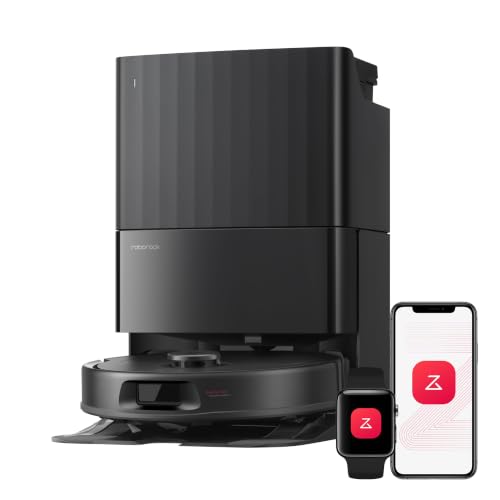
| Best overall for a quiet home | Roborock Qrevo S | Multi-function dock and selectable power levels |  Check on Amazon |
| Best for a small apartment | Lefant M210 | Slim body that reaches under furniture | 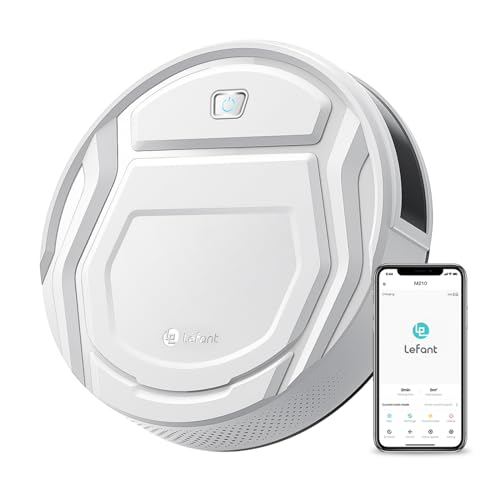 Check on Amazon |
| Best value-for-money wording | Roborock Q8 Max | Strong feature list without a full mop dock |  Check on Amazon |
| Best premium all-in-one | Dreame L40 Ultra | Full station that handles emptying and mop care | Check on Amazon |
| Best for hands-off schedules | eufy Clean X8 Pro | Self-empty station reduces daily attention | Check on Amazon |
How These Picks Were Chosen
We have not run these machines in a home ourselves, and we are not going to pretend a decibel reading from memory. Noise is also very personal: a sound that one household ignores will bother another. So the selection leans on things that are published and checkable, namely whether the maker lists multiple suction or power settings, whether the robot can be scheduled from an app, how it finds its way around, and what the docking station does and when.
We then spread the list across sizes and styles so that a studio renter and a family with a large open plan both find something. If a listing gives a sound figure, compare it with the others in this article and treat it as one input, not the whole decision.
One more point on honesty: no list can promise how a particular robot will sound in your rooms. Floor type, room shape and how full the bin is all change the sound, and so does the power level you choose. Treat this article as a way to narrow the field, then read the listing details and the maker’s manual for the model you like.
1. Roborock Qrevo S
Roborock markets this as a robot vacuum and mop that comes with a multi-function dock. It is the most complete option here for a home where you want the machine to work and finish without being babysat.
Who it suits: households with a mix of hard floors and low rugs that want one scheduled run and as little attention afterward as possible.
- The dock handles emptying and mop care, so the robot does not need you nearby during or after a run.
- Several suction levels are listed in the app, which lets you pick a gentler setting for hours when the house is quiet.
- Laser-based navigation and a room map make it practical to clean one room at a time and leave the others undisturbed.
Honest limitation: the dock is large, and its emptying and washing cycles make their own sounds, so place it away from a bedroom wall.
Choose it if you want one machine for floors and light mopping with room-by-room control. Skip it if you have a small space where a big dock would dominate the room.
2. Dreame L40 Ultra
The Dreame L40 Ultra is a full-station robot vacuum and mop aimed at buyers who want the machine to look after itself for long stretches. It sits at the premium end of this list, so it is worth considering only if you will use the extra automation.
Who it suits: larger homes and busy households that want a robot to run on a fixed schedule while everyone is out.
- The station is built for automatic emptying and mop cleaning, which keeps manual chores to a minimum.
- Obstacle sensing helps it avoid small items on the floor, which means fewer interruptions and fewer rescue trips.
- App controls let you set cleaning by room and choose different power levels for different areas.
Honest limitation: the whole system takes up more floor space than a bare robot and is more than a studio or dorm room needs.
Choose it if you want a premium, hands-off system and have room for a station. Skip it if you only want a simple robot for a couple of rooms.
3. eufy Clean X8 Pro
The eufy Clean X8 Pro pairs a robot with a self-empty station, which is the single feature that most reduces how often you need to touch the machine. For noise-minded owners this matters because the robot can go back to its dock and offload without your involvement.
Who it suits: people who want a scheduled vacuum with a hands-off dock but do not need a robot that washes its own mop.
- The self-empty station lets the robot carry on across several runs before you handle the dust bag.
- Dual-turbine suction is the maker’s headline feature, aimed at pulling debris from different floor types.
- Laser navigation builds a map, so you can limit cleaning to specific zones and times.
Honest limitation: check the listing for exactly how the mopping function works, because it is not the same as a station that washes pads.
Choose it if vacuuming is your main concern and you want a dock that empties itself. Skip it if mopping is the priority.
4. eufy Omni C20
The eufy Omni C20 is an all-in-one station model, meaning the dock takes care of the mop as well as the debris. It targets buyers who like the idea of a fully automatic robot but are not ready for the highest tier.
Who it suits: mixed-floor homes with an open kitchen and living space that need regular light mopping.
- The all-in-one station is designed to wash and care for the mop between runs.
- Scheduling and room control sit in the app, so you decide when it works and where.
- It covers vacuuming and mopping in one pass, which saves a separate mopping routine.
Honest limitation: the station has a larger footprint than a plain charging base, so measure the corner where it will sit.
Choose it if you want an all-in-one station at a step below the flagship tier. Skip it if you rarely mop and would rather not manage water tanks.
5. Roborock Q8 Max
The Roborock Q8 Max is a robot vacuum and mop without the large wash dock, which makes it easier to place in a typical home. It is a sensible middle choice for those who want mapping and app control without a bulky station.
Who it suits: two or three bedroom homes that want mapping and room-by-room cleaning at a manageable size.
- Laser navigation and app maps allow zone control and no-go areas, so it can skip a nursery or home office.
- Adjustable suction levels let you choose a gentler run during quiet hours.
- The mop attachment gives you a light wipe for sealed hard floors between deeper cleans.
Honest limitation: without a wash dock you will empty the bin and rinse the mop yourself, so it is not fully hands-off.
Choose it if you want mapping and mopping without the footprint of a big station. Skip it if you want the robot to empty itself.
6. Lefant M210
The Lefant M210 is a slim, simple robot vacuum for small rooms. It does not have a dock that empties itself and it does not map a home the way laser models do, but it is easy to understand and easy to place.
Who it suits: studio renters, dorm rooms and anyone who wants a basic scheduled vacuum for hard floors and thin rugs.
- A slim body lets it go under many sofas and beds where taller robots would stop.
- The setup is simple, with fewer rooms, zones and settings to learn.
- Without a bulky dock, it tucks into a corner and stays out of the way.
Honest limitation: navigation is more basic than on laser-mapping robots, so it may cover a floor less methodically.
Choose it if you live in a small space and want a simple, slim robot. Skip it if you want detailed maps, room control or a self-emptying base.
Comparison Table
| Product | Type | Dock | Key feature | Best use | Link |
|---|---|---|---|---|---|
| Roborock Qrevo S | Vacuum and mop | Multi-function | Room maps and dock care | Mixed floors, low attention | Check on Amazon |
| Dreame L40 Ultra | Vacuum and mop | Full station | Obstacle sensing | Larger homes | Check on Amazon |
| eufy Clean X8 Pro | Vacuum | Self-empty | Dual-turbine suction | Daily vacuuming | Check on Amazon |
| eufy Omni C20 | Vacuum and mop | All-in-one | Mop care in station | Open-plan homes | Check on Amazon |
| Roborock Q8 Max | Vacuum and mop | Charging base | Laser mapping | Mid-size homes | Check on Amazon |
| Lefant M210 | Vacuum | Charging base | Slim body | Small rooms | Check on Amazon |
How to Choose a Quiet Robot Vacuum
Begin with the setting, not the machine. A robot that runs at a gentle power level while you are out and only boosts suction on rugs will bother you far less than one that always runs flat out. Look through the listing for the words quiet mode, standard, strong or max, and read what each does. A robot with only one power setting offers you no choice.
Next, think about timing. Scheduling is the single most useful quiet feature, because it lets you move the noise to when you are at work or outdoors. Check that the app supports weekly schedules and a do-not-disturb window, and confirm that the robot returns to its dock on its own.
Third, consider the dock. A self-emptying base is convenient, but the emptying burst is short and distinct, so put the base where you will not hear it from the bedroom. A wash-and-dry station adds more cycles, but they also run when you are away. If you are very sensitive to sound, a plain charging base with a manual bin may suit you better.
Fourth, navigation. Laser mapping lets a robot work through a home in tidy lines, which means fewer repeat passes and fewer bumps into furniture. Basic bump-and-turn robots wander, and that can mean longer total running time even if each moment is quieter.
Fifth, floors. Hard floors and low rugs are easy for nearly any robot. Thicker carpets may need a higher power setting, and higher power usually means more sound. If you have mostly deep carpet, a robot may not be the answer to a noise problem.
Finally, check size. Measure the gap under your sofa and bed against the height listed for the robot, and measure the spot where the dock will sit, including clearance on each side. Read the listing for how the maker describes the dust bin or bag, the brush design and the app’s room controls, and keep in mind that replacement parts such as filters and brushes are an ongoing cost of owning any robot.
Matching a Robot to Your Daily Routine
The same robot can feel intrusive in one household and invisible in another, and the difference is almost always the routine around it. Think about the sequence of a normal weekday. If everyone leaves by eight and returns after five, a mid-morning schedule means you never hear the machine at all, and the dock quietly empties itself while the house is empty. In that case the loudest cycle in the system is irrelevant to you, and you can choose on navigation and mop features instead.
If you work from home, the picture changes. A robot that runs during your meetings is a daily irritation, so you want room-by-room control: send it to the kitchen and hallway while you sit in the office, then let it do the study when you break for lunch. Maps and zone cleaning on the Roborock and Dreame models make this much easier than a basic bump-and-turn robot that simply roams the whole floor.
Shift workers and parents of young children have a different problem, because quiet hours are not the same every day. For them, an app that lets you pause, send the robot home and begin a single room on demand is more valuable than a rigid weekly timer. Look for a quick-clean button in the app and a physical button on the robot, so someone can stop it without hunting for a phone.
Finally, think about the night. Some owners like to run a robot late in the evening on a low power level while the house is settling. That only works if the bedrooms are far from the dock and the robot has a gentle mode, so read the manual for any do-not-disturb setting that stops it from leaving the dock during set hours.
Dock and Placement Tips for a Calmer Home
Where the base station sits affects how noticeable the whole system feels. A dock in a hallway outside a bedroom door will carry sound straight into the room, while the same dock in an entryway or a utility corner is barely noticed. Solid floors and bare walls reflect sound, so a rug under or beside the station and a bookcase nearby can soften it a little.
Leave open space on both sides of the base and in front of it, using the clearances in the maker’s manual, so the robot can find its way home without bumping around. Keep the area free of cables, shoes and pet bowls, because a robot that struggles to dock repeats its approach, and that repetition is the part you will hear.
It also helps to place the dock near an outlet that is not behind furniture, since a tight space makes it harder to reach the bin or water tank when you need to. A station that is easy to service gets serviced, and a serviced robot runs more smoothly than one with a clogged brush or full bag.
Common Buying Mistakes
- Buying on suction numbers alone. A higher suction figure often goes with a louder setting. Choose a robot that does the job on a mid-level mode.
- Ignoring the dock. People focus on the robot and forget that the station has its own noises and its own footprint.
- Paying for features you will not use. A wash-and-dry station is wasted on a home with carpet throughout.
- Skipping the measuring tape. A robot that cannot fit under the sofa leaves a lot of dust behind.
- Forgetting upkeep. Brushes, filters and mop pads wear out, and a neglected robot works harder.
Final Recommendation
There is no single quietest robot, because the answer depends on your floors and your daily routine. Here is how the list breaks down by buyer type.
- Best overall: Roborock Qrevo S, for the balance of scheduling, room control and a dock that looks after the work.
- Best for small spaces: Lefant M210, for its slim body and simple setup.
- Best middle ground: Roborock Q8 Max, for mapping without a large station.
- Best premium: Dreame L40 Ultra, for a full station that does almost everything.
- Best for vacuum-only homes: eufy Clean X8 Pro, for the self-empty base.
- Best all-in-one at a step down: eufy Omni C20.
If you are still undecided, begin with our top two. Open the listings, read the quiet-mode details and dock description, and pick the one that fits your space.
Going Deeper: What Quiet Really Means, Model by Model
Quiet is not a single setting; it is the sum of the robot’s power level, the dock’s behaviour, the time of day and the room it runs in. The profiles above introduce six robots that can all play a calmer role in a home. This section deepens each one: who it suits when noise is the deciding factor, what its honest trade-off is, and how to run it so the quiet promise survives contact with real life.
Roborock Qrevo S: the all-round quiet routine
The Qrevo S pairs vacuuming and mopping with a multi-function dock, and for a noise-conscious buyer that combination matters in a specific way: the dock takes over jobs that would otherwise involve you handling the robot, and the robot itself can be scheduled for the hours when the house is empty or busy. Its room maps let you send it to the kitchen and hallway daily while giving bedrooms a gentler, less frequent visit, which is how quiet robots earn their keep: the right power, in the right room, at the right hour.
Choose it if you want one robot to handle mixed floors with little daily attention and you have a sensible dock spot away from where people sleep or work. Skip it if your home is tiny and a multi-function dock would dominate the only available corner, or if you vacuum only and would never use the mop care you are housing. Run it on a lower power setting for the everyday round, as the guide’s own questions suggest, and reserve higher settings for the rooms and days that genuinely need them.
Dreame L40 Ultra: the fuller station for larger, busier homes
The L40 Ultra is positioned for larger homes, with a full station and obstacle sensing, and its quiet case rests on competence: a robot that navigates a big, furnished home without constant rescues is a robot that does not interrupt your day with beeps, bumps and rescue missions. In a large home, interruptions are a kind of noise too. Choose it if your floor plan is extensive, your furniture is plentiful, and you want the station to carry as much of the upkeep as possible while the robot works through room after room on its own.
Skip it if your home is compact, because a full station serving a small floor area is furniture without a purpose, or if your layout is simple and open, where obstacle sensing earns little. Think about where the station will sit in a large home: a central, calm spot, away from bedroom walls, shortens the robot’s journeys and keeps the dock’s own sounds, when it empties or cares for the mop, where they disturb nobody. Placement is half the quiet equation, and it is entirely in your hands.
eufy Clean X8 Pro: the vacuum-focused choice
The X8 Pro is the vacuum-only entry in this guide, listed with dual-turbine suction and a self-empty arrangement, and that focus is its quiet virtue. A machine that does one job has fewer cycles, fewer dock operations and fewer things to schedule around. For a home where mopping is handled another way, or where floors are mostly carpet and low rugs, a vacuum-focused robot run at sensible power is a straightforward path to calm daily upkeep.
Choose it if daily vacuuming is the whole job and you prefer to keep mopping separate, on your own schedule. Skip it if you know you want the robot to mop as part of its round, because adding that wish later means a different machine. Because it is vacuum-focused, your routine decisions are simple: how often, which rooms, what power. Use the lower settings for the daily pass across hard floors, and let carpeted rooms have the stronger treatment only when they need it.
eufy Omni C20: mopping with the station, for open-plan living
The Omni C20 brings mop care into an all-in-one station and is aimed at open-plan homes in this guide. Open-plan spaces change the noise question: there are fewer doors to close against sound, so timing and power settings do more of the work. A station that handles mop care keeps the routine self-contained, and in an open home that tidiness matters, because the dock and robot are usually in view as well as in earshot.
Choose it if your living space is open, hard-floored in large part, and you want vacuuming and mopping handled in one routine with the station carrying the mop chores. Skip it if your home is divided into many small carpeted rooms, where a mop-centred station is aimed at floors you do not have. Schedule its runs for when the open space is unoccupied or busy with other activity, and the same machine that would intrude on a quiet evening becomes unnoticeable background.
Roborock Q8 Max: mapped cleaning without the big station
The Q8 Max offers laser mapping and room control with a charging base rather than a full station, and that trade is worth understanding clearly. You gain maps, zones and no-go areas, the tools that let a quiet routine be precise, sending gentler cleaning where people rest and stronger cleaning where life happens. You give up the station’s emptying and mop care, so the bin and the mop remain your small, regular jobs.
Choose it if you want mapping and mopping in a mid-size home and you are content to empty a bin yourself, which in a smaller home is a brief and infrequent task. Skip it if you know, from experience, that manual emptying is where your routines fail; then a station model above is the honest purchase. For noise, the Q8 Max rewards thoughtful scheduling most of all, because there is no dock activity to plan around, only the robot itself, moving through rooms at the hours you choose.
Lefant M210: quiet through simplicity and size
The M210 is the slim, simple robot of the guide, and its quiet case is different in kind: a small robot, doing a simple job in a small space, with no bulky dock and no elaborate routine. In a studio or a single room, that simplicity is the feature. It tucks into a corner, slips under furniture that taller robots cannot reach, and asks almost nothing in setup or attention.
Choose it if your space is genuinely small, your floors are hard or thinly rugged, and you want scheduled tidiness rather than a whole-home system. Skip it if you need maps, room control or self-emptying, because those are different machines at a different scale, and no amount of wishing adds them later. Set expectations as the profile advises: coverage will be less methodical than a laser robot’s, so run it often, and let frequency do the work that navigation does on larger models.
Comparing the Six on Quiet, Honestly
Compared with each other, these robots divide first by dock. The station models, the Qrevo S, the L40 Ultra and the Omni C20, move chores into the dock, including the occasional louder moments of emptying and mop care, which you can schedule for empty hours. The X8 Pro’s self-empty arrangement reduces bin handling with a vacuum-only focus. The Q8 Max and the M210 keep everything manual and, in return, keep the home free of dock activity altogether. Neither arrangement is quieter in the abstract; each is quieter in a particular household rhythm.
They divide second by control. The mapped models let you be precise about where and how strongly the robot cleans, and precision is a quiet feature: gentle where people are, thorough where they are not. The simple M210 offers no such targeting, but in one or two rooms there is little to target. Buy control when your home has distinct zones with distinct needs. Save the money and the setup when it does not.
And they divide third by the mop. If mopping joins the routine, the station models that care for the mop remove the least pleasant part of robot mopping. If mopping stays manual, a vacuum-focused robot avoids housing equipment you will not use. Decide the mop question early, because it, more than brand or badge, determines which half of this guide you should be shopping in.
Dock Placement and Scheduling for a Calmer Home
The guide’s placement advice deserves expanding, because placement is where quiet is won or lost. Put the dock on a hard, level spot away from bedroom walls where possible, with the clearance the manual asks for, and out of the main walking line so the returning robot is not crossing feet all evening. A hallway end, a utility corner or the far side of a living room usually beats the wall shared with a nursery or a home office. Check that the robot can reach the dock without threading a maze, because a robot hunting for home is a robot making itself noticed.
Scheduling is the other half. Anchor runs to the house’s existing empty or busy hours: school and work hours, the dog walk, the weekly shop, the noisy life of a kitchen at cooking time. Avoid the quiet hinges of the day, early morning in a sleeping house and the evening wind-down, unless the robot is on its gentlest setting in a distant room. Most owners need one experiment per room: run the robot at the intended hour, live alongside it, and adjust once. After that, a good schedule disappears from thought, which is the entire goal.
Care and Upkeep, Quietly Done
A well-kept robot is a calmer robot. Wound hair and debris around brushes and wheels make any machine work harder and sound rougher, so the weekly check the guide implies is also a noise habit: empty the bin or check the station, clear the brush, look at the wheels, and wipe dusty sensors. Keep filters maintained as the manual directs, since a clogged filter makes the whole system labour. For mopping models, clean pads are quieter pads in spirit if not in measurement: a robot dragging a tired pad will be run again, and a second run is always louder than one run done properly.
Keep the dock area itself tidy and swept. A robot returns to the dustiest corner of its world, and grit around the charging area helps nothing. Every few months, review the schedule against the household’s current life. Routines drift: children change schools, jobs change hours, a room becomes an office. A quiet routine is a maintained routine, adjusted when life moves, rather than a setting made once and defended forever.
Three Homes, Three Different Right Answers
Consider a flat where someone works from home and a baby naps in the next room. There, quiet is not a preference but the condition of the robot being used at all, and the winning formula is scheduling plus gentleness: a mapped robot, the Q8 Max or the Qrevo S, running the living areas on a lower setting while the nap room stays a no-go zone, at hours chosen around the household’s fragile quiet. A robot that respects that map earns daily use; one that cannot will be switched off by the second week.
Consider a large family house, empty on weekday mornings, with mixed floors and a dog. Quiet matters less at noon in an empty house, so the fuller stations come into their own: the L40 Ultra or the Qrevo S running a thorough routine, dock doing its louder work to an audience of nobody, floors ready by the time the house refills. The same machines, run at the wrong hour in the evening, would be a nuisance; timing converts them.
Consider finally a studio flat, one room doing everything, hard floors and a thin rug. There the M210’s simplicity is not a compromise but a fit: small space, small robot, no dock to house, run while the owner is at the gym or the shops. The pattern across all three homes is the guide’s quiet thesis in action: there is no quietest robot, only the quietest arrangement of robot, dock, power and hour for a particular life.
More Questions Shoppers Ask About Quiet Robot Vacuums
Why does the dock sometimes make more noise than the robot?
Because emptying and mop care are concentrated jobs done quickly, while vacuuming is a spread-out job done gently. A station pulls a bin’s contents through in seconds and may run water and drying cycles for pads, and those brief, purposeful sounds are the trade for weeks of not handling dust yourself. The practical answer is scheduling: station models let the whole cycle happen at the hours you choose, so put the dock’s busy moments inside the robot’s run, at a time when the house is empty or awake and active, rather than letting a delayed cycle surprise a quiet room.
Can I run a robot vacuum at night?
You can, if the arrangement respects the sleepers. A robot on a gentle setting, working distant hard-floored rooms with doors closed between, disturbs many households very little, while the same robot bumping around a bedroom door on full power will wake the house. Test it once while someone is awake to judge, start with the rooms furthest from the bedrooms, and keep the dock’s emptying cycle out of the small hours by choosing a station model whose routine you control, or a manual-bin model that makes no dock sound at all.
What if my robot keeps waking or disturbing the household despite planning?
Change one variable at a time. First the hour, then the power setting, then the room order, then the dock position if the station is the culprit. Check the brushes and wheels for wound hair, since a labouring robot is a louder robot, and confirm nothing in the room has changed, a moved chair or a new rug edge, to make the robot bump and retry. In almost every case one of those adjustments restores the calm, because household noise problems are usually arrangement problems, not machine faults.
Is a quiet robot a good choice for a home with a nervous pet?
Often, with a gentle introduction. Let the pet encounter the robot switched off first, then run it briefly in another room, and build up while you are present and calm. Gentle settings, predictable schedules and a dock placed away from the pet’s bed or feeding spot all help the machine become part of the furniture rather than an event. Some pets never fully relax around any robot, and that, too, is information: schedule runs for when the pet is out or settled elsewhere, and the home can still be both clean and peaceful.
Your First Week With a Quiet Robot: a Calm Setup Plan
Day one is for placement, not cleaning. Choose the dock spot with quiet in mind, away from the walls of rooms where people sleep or concentrate, with the maker’s clearance respected and a route out that does not cross the busiest doorway. Charge the robot fully, connect the app if your model uses one, and resist the urge to launch a full clean immediately. A dock placed thoughtfully on day one saves a month of small annoyances.
On day two, run the mapping or first clean while the house is awake and you can observe. Listen as much as you watch: note which rooms carry the sound, where the robot bumps or retries, and which thresholds make it hesitate. Adjust furniture slightly, set no-go areas for the rooms that must stay undisturbed, and save the map only when the layout is the real, everyday layout, not a tidied fiction the robot will never see again.
Across the rest of the week, experiment with one variable at a time: a gentler setting for the daily round, a stronger one for the kitchen after cooking, a schedule anchored to the house’s empty hours. Keep a short note of what you changed and whether the house felt calmer. By the end of the week the routine should need no thought, and that thoughtlessness is the true measure of a quiet robot: not silence, which no cleaning machine offers, but a clean home that never once made you stop what you were doing and listen.
When a Robot Is Not the Quiet Answer
Honesty requires one more comparison: sometimes the quietest solution is not a robot at all. A small home cleaned quickly with a light stick vacuum, at a moment of your choosing, may disturb the household less than any automated routine, because the noise is brief, chosen and finished. Robots win on frequency and effort, not on absolute peace. If your home is tiny, your floors are few and your schedule is flexible, weigh that before buying. If your home is larger, busier or short on cleaning time, the robot’s scheduled gentleness will beat your own hurried sessions, and the models in this guide give you six different ways to arrange that win.
Power Settings, Room by Room: a Practical Pattern
Since quietness is mostly a settings discipline, here is the pattern experienced owners settle into. Hard floors in living areas get the gentle everyday setting, because smooth surfaces surrender their dust easily and a light pass, run often, keeps them honest. Kitchens get a slightly more thorough treatment after cooking, when crumbs and grit concentrate, still at an hour when the room is in use and nobody minds a working machine nearby. Bedrooms get the gentlest visits of all, scheduled before bedtime rather than during sleep, so the room is fresh and the night is undisturbed. Hallways and entrances, the dirt highways of every home, get frequency instead of force: short, regular passes that stop grit travelling further into the house.
Carpet is the one place to spend power deliberately. A thicker rug in the main room may deserve the stronger setting on its weekly visit, while the daily round skips or skims it gently. Mapped models make this per-room thinking easy to save as a routine; simpler models achieve a version of it by being run at different times in different areas. Either way, the principle is constant: match the effort to the surface and the hour, and a robot that seemed merely adequate on its default setting becomes, in practice, the quiet, thorough servant the guide promised.
Revisit the pattern when the seasons change. Winter brings grit and closed doors; summer brings open windows, dust and different sleeping arrangements. A five-minute adjustment of the schedule twice a year keeps the routine fitted to the house as it is, rather than the house as it was when the robot arrived.
A Note on Guests, Children and the Household’s Quietest Hours
A quiet routine should also survive the household’s irregular life. When guests stay, when children are home from school, when a relative works nights and sleeps days, the schedule that served the ordinary week may suddenly sit on top of someone’s rest. The mapped models in this guide make the adjustment easy: close a room out of the routine for a few days, move the run to the hour when the house is up and busy, and restore the old pattern when life returns to normal. Owners who treat the schedule as a living arrangement rather than a fixed setting find their robots stay welcome in every version of the household, and a welcome robot is a robot that keeps cleaning, quietly, for years.
Frequently Asked Questions
Will a quiet-mode setting clean as well as full power?
Generally it will pick up everyday dust and crumbs on hard floors, while thicker carpet may need a higher setting. Try a lower power level first and raise it only for rooms that need it.
Where should I put the dock to keep noise down?
Choose a spot away from bedroom walls, such as a hallway or a corner of the living room, with open space around it so the robot can dock without trouble. Follow the maker’s clearance notes in the manual.
Do I need a self-emptying station?
No. It reduces how often you handle the bin, but a manual bin is perfectly workable in a small home. Choose a station if you run the robot daily or have a lot of floor to cover.
Will the robot fit under my furniture?
Measure the clearance beneath your sofa and bed, then compare it with the height on the listing. Leave a little room to spare, because a robot that wedges itself will stop mid-run.
What if the robot is not right for my home?
Check the seller’s return window on the Amazon listing before you buy, and keep the packaging for the first few weeks so a return is simple.
Does it work with my phone and voice assistant?
Most models in this guide use a phone app, and many list voice assistant support. Confirm the exact assistants on each listing, since support varies by model and region.
Is a robot enough to replace a regular vacuum?
For daily upkeep on hard floors and low rugs, often yes. Most owners still keep a stick or upright for stairs, upholstery and the occasional deep clean of thick carpet.
How often do replacement parts need changing?
Filters, side brushes, main brushes and mop pads wear with use. The maker’s manual gives the suggested schedule, and spare parts are sold for most of these models.
Related Guides
- Best Ryobi and DeWalt Cordless Handheld Vacuums Compared
- Best Samsung Vacuums: Jet Stick and Jet Bot Models Compared
- Best 2-in-1 Stick Vacuums That Convert to Handheld