Disclosure: As an Amazon Associate, reviewstook.com earns from qualifying purchases. Links to Amazon on this page are affiliate links; they cost you nothing extra. Prices and availability change often, so check the current Amazon listing before you buy.
Where to buy
All six picks for best smartwatches under $150 below are sold on Amazon. Use the links to check the current listing for your phone, wrist size, and color before ordering. Start with the Fitbit Versa 4 if you want the shortest shortlist.
- Fitbit Versa 4 — check price on Amazon
- Amazfit GTS 4 — check price on Amazon
- Garmin Venu Sq — check price on Amazon
- Samsung Galaxy Watch 4 (40mm) — check price on Amazon
- Amazfit Active 2 — check price on Amazon
- Fitbit Charge 6 — check price on Amazon
Read the full guide ↓
The best smartwatches under $150 occupy the most competitive ground in wearables: high enough to include AMOLED displays, built-in GPS almost everywhere, contactless payments, and genuine app platforms, yet low enough that every brand must still choose what to leave out. The keyword phrase best smartwatches under $150 is used here as tier framing — these are the models whose normal market position defines this band — and, as always on this site, no static prices are printed because they shift constantly; check price on Amazon for the live figure on any pick.
What the step up from the under-$100 tier actually buys is worth stating plainly, because it decides whether you should spend it. You gain screen quality first (AMOLED replaces TFT), payments and richer phone integration second, and sensor depth third — ECG, body composition, dual-band GPS, and offline maps all appear in this guide and nowhere below it. You do not gain longer battery life; if anything, smarter watches sip power faster, with the Galaxy Watch 4’s daily charging as the extreme case. Readers still deciding their ceiling should read this alongside best smartwatches under $100 and the broader best smartwatches landscape before committing.
The six picks divide by philosophy. Fitbit coaches. Garmin measures. Samsung platforms. Amazfit values. None is wrong; each is wrong for somebody. The reviews below name that somebody in every verdict, so you can eliminate confidently — at this tier, a confident elimination is worth as much as a recommendation.
In this guide
Quick Picks
| Pick | Badge | Key spec |
|---|---|---|
| Fitbit Versa 4 | Best Overall Under $150 | Built-in GPS |
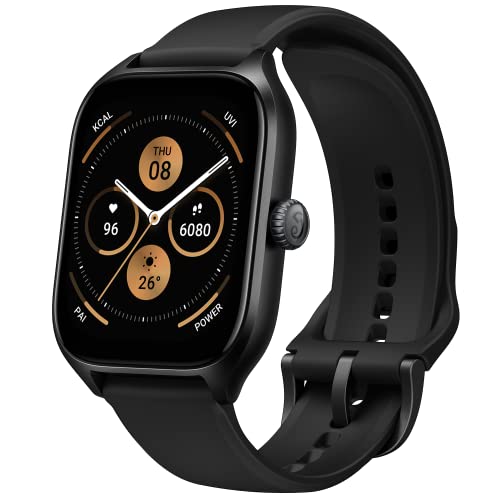
| Amazfit GTS 4 | Best Display and Value | 1.75-inch AMOLED display |
| Garmin Venu Sq | Best for Garmin Training Data | Built-in GPS |
| Samsung Galaxy Watch 4 (40mm) | Best Wear OS Apps Under $150 | Wear OS with Google Play apps |
| Amazfit Active 2 | Best Modern All-Rounder | 1.32-inch AMOLED display, 44mm round case |
| Fitbit Charge 6 | Best Slim Tracker in the Tier | Built-in GPS |
How These Picks Were Chosen
Shortlisting began with the under-$100 criteria — verified heart rate, sleep, and workout tracking with a quality free app — then added this tier’s expectations: built-in GPS, a display and case finish a class above entry level, and at least one capability unavailable below the line, such as payments, ECG, dual-band GPS, body composition, or offline maps. Every model’s headline specs were verified against manufacturer and listing sources, variant differences were recorded, and older-generation models were kept only where their capability still clearly beats newer budget hardware, with their age stated openly in the review.
No hands-on testing is claimed in this guide. Condition matters at this tier because new, renewed, and international listings mix on the same search pages; the reviews flag where to check condition, region, and variant before ordering. Prices are never printed — check the current Amazon listing for the figure, the seller, and the warranty that applies to that specific unit.
The 6 Best Smartwatches Under $150
Fitbit Versa 4 — Best Overall Under $150
The Versa 4 suits buyers who want a balanced, comfortable smartwatch with excellent health tracking and week-scale battery life. If your days mix workouts, sleep goals, notifications, and tap-to-pay errands, and you prefer Fitbit’s plain-language guidance to raw data tables, this is the safest overall buy in the tier.
- Built-in GPS
- Battery life 6+ days
- Water resistant to 50 meters
- Daily Readiness Score, sleep and SpO2 tracking
- Google Maps and Google Wallet on watch
Strengths
- Six-plus-day battery life removes the nightly-charge habit entirely
- Readiness and sleep coaching turn data into daily decisions
- Google Wallet and Maps add genuine smartwatch utility
Trade-offs
- No third-party apps beyond Google’s included set
- Deepest insights need Fitbit Premium after the trial
- No music storage for phone-free listening
The Versa 4’s strength is coherence. Hardware, app, and coaching all point the same direction: understand your recovery, train at the right intensity, sleep better. Built-in GPS handles runs and rides, the 50-meter rating handles the pool, and Wallet handles coffee afterwards — a complete active day on one charge that lasts the better part of a week. It is less flexible than Wear OS rivals and less sport-serious than Garmin, but for the large middle of buyers it is the most livable watch here. Compare it with the slimmer Charge 6 below if you love the platform but prefer a band, and with best smartwatches for seniors if large text and simplicity are priorities for the wearer.
The honest limitation is ecosystem control. Google decides which apps exist here, and the list is short. If installing niche apps, storing music, or replying richly to every message matters, a Galaxy Watch or the Amazfit alternatives fit better. If Fitbit’s included set covers your life, the limitation never surfaces.
Best for: Most buyers who want health coaching, payments, and long battery in one watch / Not suited for: Buyers who need an open app store or offline music storage
Check on Amazon — check price on Amazon for the current listing, color options, and band sizes before you buy.

Amazfit GTS 4 — Best Display and Value
The GTS 4 suits buyers who judge a watch by its screen and its everyday smartness: calls answered from the wrist, Alexa questions, bright workout data, and a design that passes at the office. Android and iPhone owners are equally well served, and no subscription stands between you and your full health data.
- 1.75-inch AMOLED display
- Dual-band GPS
- 5 ATM water resistance
- Bluetooth calling and Alexa built-in
- Battery life up to 8 days in typical use
Strengths
- AMOLED display rivals watches well above this tier
- Dual-band GPS is a flagship-grade tracking feature at this price band
- No subscription required for complete health analysis in Zepp
Trade-offs
- Touch-first controls are less assured during sweaty or wet workouts
- App ecosystem is closed compared with Wear OS
- Eight-day battery assumes typical use; heavy GPS shortens it
Hold the GTS 4 next to any rival here and the display makes the argument: large, bright, and sharp, with watch faces that actually use the space. Dual-band GPS locks faster and holds cleaner lines in cities and tree cover, Bluetooth calling is genuinely useful, and the sport library covers everything from pool swimming to trail running. Zepp’s subscription-free model quietly saves real money across a two-year ownership span compared with subscription platforms. It also headlines our swimming guide, and cross-shoppers from best smartwatches under $100 should see it as the clearest reason to stretch: the screen, GPS, and call hardware are a visible class above the sub-$100 field.
The honest limitation is depth for structured athletes. Garmin’s training analysis and Fitbit’s coaching both go further for their specific audiences, and button-free control frustrates some interval trainers. As a beautiful, capable all-rounder, though, the GTS 4 defines value in this tier.
Best for: Display lovers and all-round buyers on Android or iPhone / Not suited for: Structured-training athletes who need advanced coaching metrics
Check on Amazon — check price on Amazon for the current listing, color options, and band sizes before you buy.

Garmin Venu Sq — Best for Garmin Training Data
The Venu Sq suits buyers who want Garmin’s trusted activity and health platform in a friendly square touchscreen watch. If you run, cycle, swim, and lift, and you want Body Battery and Garmin Connect’s deep history without a rugged multisport case or price, this is your entry into that ecosystem.
- Built-in GPS
- Battery life up to 6 days in smartwatch mode
- Pulse Ox, Body Battery, sleep and stress tracking
- 20+ preloaded sports apps
- Garmin Pay on supported banks; bright touchscreen display
Strengths
- Body Battery turns sleep and stress into an intuitive daily energy gauge
- Garmin Connect offers unmatched free depth for workout history
- Square display shows notifications and data fields generously
Trade-offs
- Earlier-generation model, so design and screen tech trail newer releases
- Garmin Pay bank support varies — check your bank before relying on it
- No speaker for calls; smart features are notification-focused
Garmin’s reputation was built on data you can trust, and the Venu Sq delivers that core in its most approachable shape. GPS sports cover the mainstream thoroughly, health monitoring runs around the clock, and Garmin Connect — free, deep, and export-friendly — keeps years of training searchable. The square case divides opinion aesthetically but wins practically for text and data. Because this is an earlier generation still widely sold in this tier, value is its argument: flagship-adjacent tracking history at a budget position. Triangulate it against best garmin watches if you suspect you will outgrow it, and against best fitness watches for the broader sport-watch field.
The honest limitation is vintage. You trade the newest sensors, screens, and smart features for price and platform depth. Buyers who keep a watch four years may prefer spending up; buyers who value proven data today will be well served now.
Best for: Data-driven exercisers who want Garmin Connect without flagship pricing / Not suited for: Buyers who prioritize the newest design, calls, and app flexibility
Check on Amazon — check price on Amazon for the current listing, color options, and band sizes before you buy.
Samsung Galaxy Watch 4 (40mm) — Best Wear OS Apps Under $150
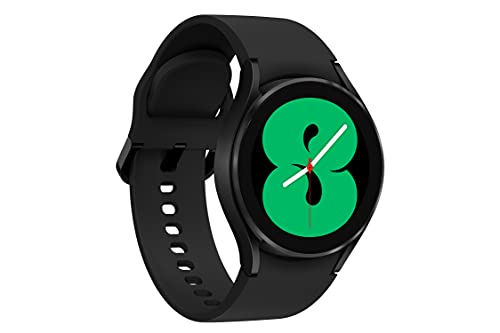
The Galaxy Watch 4 suits Android — especially Samsung phone — owners who want a real app platform: Spotify, Maps, Messages, and thousands of Play Store watch apps. If body composition measurement and ECG features intrigue you and you accept daily-to-two-day charging, this older flagship still out-smarts everything else here.
- Wear OS with Google Play apps
- BioActive sensor: heart rate, ECG, body composition
- Built-in GPS
- 5 ATM water resistance
- 40mm Super AMOLED display; Android only, best with Samsung phones
Strengths
- Full Wear OS app ecosystem at a budget-tier position
- Body composition analysis is unique in this guide
- Bright AMOLED display with smooth performance
Trade-offs
- Battery life of roughly one to two days demands regular charging
- Android only, with some features limited to Samsung phones
- Older generation — confirm new versus renewed condition on the listing
Age is the Galaxy Watch 4’s discount and its caveat in one. As Samsung’s first Wear OS flagship, it brought body composition, ECG, and a proper app store to Android wrists, and those capabilities still exceed what newer budget watches offer. In this tier it is the pick for people whose watch is a small phone: apps, replies, payments, voice assistant, and rich notifications. The cost is stamina — expect to charge every day or two, a rhythm Apple Watch owners accept and Amazfit owners will find shocking. Check listing condition carefully, since new, renewed, and international stock mix freely at this position; our best samsung galaxy watches guide explains the generations so you can verify exactly which Watch 4 variant you are buying.
The honest limitation is battery life plus platform lock-in. iPhone owners cannot use it at all, and travelers must pack the charger and plan around it. If apps are your priority, no rival here competes; if endurance is, every rival here wins.
Best for: Android and Samsung owners who want real apps and body composition / Not suited for: iPhone owners and anyone unwilling to charge every day or two
Check on Amazon — check price on Amazon for the current listing, color options, and band sizes before you buy.

Amazfit Active 2 — Best Modern All-Rounder
The Active 2 suits buyers who want the newest Amazfit formula in a classic round watch: bright AMOLED, GPS with map support, ten-day battery, and a case that looks like a watch rather than a gadget. It fits gym-to-office life and Android or iPhone owners equally.
- 1.32-inch AMOLED display, 44mm round case
- Built-in GPS with offline maps support
- Battery life up to 10 days
- 5 ATM water resistance
- 160+ sport modes with heart rate and sleep tracking
Strengths
- Round, conventional styling suits more wrists and wardrobes
- Offline map support is rare and useful for trails and travel
- Ten-day battery with a bright AMOLED screen is a strong pairing
Trade-offs
- Newer model with a shorter long-term track record than Garmin or Fitbit
- Zepp app depth trails Garmin for structured training plans
- Leather-strap premium variants cost more — verify which variant the listing sells
The Active 2 shows where budget smartwatches are heading: a round AMOLED watch with real GPS maps, a deep sport library, and ten days between charges, at a position that undercuts the classic brands. Daily health coverage — heart rate, sleep, readiness-style recovery views in Zepp — is complete and subscription-free, and the standard silicone-strap sport variant is the value configuration to target. It is the easiest recommendation here for a gift, because its looks offend no one and its setup is painless. Shoppers arriving from best smartwatches for hiking should note the map support, while remembering battery in GPS mode, not smartwatch mode, governs long trail days.
The honest limitation is pedigree. Amazfit iterates quickly, which brings fresh hardware but shorter software-support horizons than Garmin’s famously long tails. For most two-to-three-year ownership plans that is a fair trade for this hardware at this tier.
Best for: Buyers who want a modern round AMOLED watch with maps and long battery / Not suited for: Athletes who need Garmin-grade training analysis and long support
Check on Amazon — check price on Amazon for the current listing, color options, and band sizes before you buy.
Fitbit Charge 6 — Best Slim Tracker in the Tier
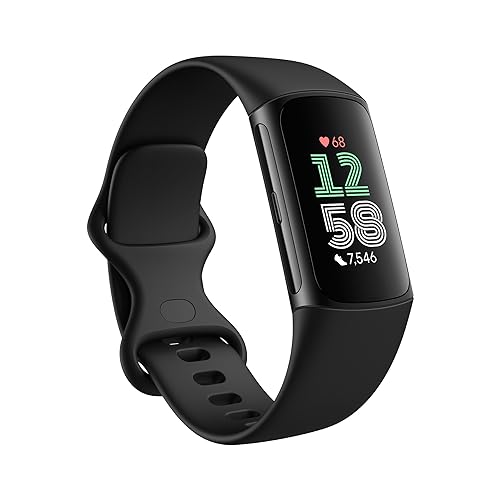
The Charge 6 suits buyers who want this tier’s health platform in the slimmest possible hardware. If a full watch face feels like too much — at the gym, in bed, or alongside a traditional watch — the Charge 6 delivers GPS, ECG, stress tools, and Fitbit coaching in a band you will forget is on.
- Built-in GPS
- Water resistant to 50 meters
- Battery life up to 7 days
- ECG app, EDA stress scans, SpO2 and sleep tracking
- Google Maps and YouTube Music controls; Fitbit platform
Strengths
- Most health sensors per gram in this guide, including ECG and EDA
- Built-in GPS in a slim band remains a rare combination
- Comfortable enough for the 24-hour wear its metrics assume
Trade-offs
- Small screen limits maps, messages, and workout data at a glance
- Premium subscription gates the deepest Fitbit insights after trial
- Band format offers no app-store growth path
Think of the Charge 6 as the Versa 4’s platform distilled into a band. You keep GPS, swim tracking, ECG, stress management, and the full Fitbit app experience; you surrender screen size, Wallet convenience at a glance, and any pretense of a fashion watch. For sleep tracking specifically, the slim case is not a compromise but an advantage — overnight comfort drives the consistent wear that makes readiness scores meaningful. It appears in our swimming guide for the same reason: capability density. If your shortlist includes the Inspire 3 from the under-$100 guide, the Charge 6 is what the step up buys: GPS onboard, ECG and EDA sensors, and Google app integration.
The honest limitation is interaction. Everything beyond a glance — maps, music, long notifications — is cramped on a band screen, and Premium’s paywall shapes the long-term value. Buy it as a health instrument, not a wrist computer, and it excels.
Best for: Health-focused buyers who prefer a band to a watch at any size / Not suited for: Buyers who read long notifications or use maps on the wrist
Check on Amazon — check price on Amazon for the current listing, color options, and band sizes before you buy.
Comparison Table
| Pick | Badge | Standout spec | Also note |
|---|---|---|---|
| Fitbit Versa 4 | Best Overall Under $150 | Battery life 6+ days | Water resistant to 50 meters |
| Amazfit GTS 4 | Best Display and Value | Dual-band GPS | 5 ATM water resistance |
| Garmin Venu Sq | Best for Garmin Training Data | Battery life up to 6 days in smartwatch mode | Pulse Ox, Body Battery, sleep and stress tracking |
| Samsung Galaxy Watch 4 (40mm) | Best Wear OS Apps Under $150 | BioActive sensor: heart rate, ECG, body composition | Built-in GPS |
| Amazfit Active 2 | Best Modern All-Rounder | Built-in GPS with offline maps support | Battery life up to 10 days |
| Fitbit Charge 6 | Best Slim Tracker in the Tier | Water resistant to 50 meters | Battery life up to 7 days |
Specs above are the verified headline figures from the manufacturer and listing sources recorded in the research notes for this guide. Always confirm case size, band size, and phone compatibility on the live listing, because brands sell the same model name in several sizes and regional variants.
How to Choose a Smartwatch Under $150
Pick your platform before your product. Fitbit, Garmin, Samsung/Wear OS, and Amazfit/Zepp are not interchangeable skins; they are different apps, different coaching styles, and different data histories. Your health data compounds in value the longer it stays in one place, so choose the platform whose daily presentation you enjoy and whose subscription model you accept. Switching later is possible but always lossy. The smartwatch buying guide compares platform philosophies in full.
Decide whether payments and apps are core or garnish. If you tap to pay daily and install watch apps weekly, only the Versa 4’s Wallet and the Galaxy Watch 4’s full Play Store truly serve you here, and the Galaxy’s battery tax is simply the price. If notifications, workouts, and sleep are your whole use case, Amazfit and Garmin give you more stamina and fewer charges for the same daily satisfaction. Be honest about your last month of actual watch use, not your imagined one.
Weigh sensor depth against coaching depth. This tier offers both, rarely in the same watch. ECG, EDA, and body composition (Fitbit and Samsung) measure more things; Garmin’s training and recovery analysis interprets athletic data more deeply; Fitbit’s readiness coaching interprets lifestyle data most accessibly. Athletes in structured plans lean Garmin; health improvers lean Fitbit; the curious lean Samsung. Our best health and heart rate watches guide extends this comparison upward for buyers considering a further stretch.
Interrogate older flagships carefully. The Galaxy Watch 4 and Venu Sq deliver yesterday’s flagship capability at today’s budget position — a great trade with homework attached. Confirm whether the listing is new or renewed, which region it was built for, how long software support plausibly remains, and whether accessories like chargers are included. A verified bargain beats a mysterious one at any discount.
Keep battery reality in the decision. Claims in this tier span from about a day to about ten days, and both extremes are honest under their own usage patterns. Map the claim to your life: GPS hours per week, always-on display preference, and tolerance for carrying a charger when traveling. The best watch is the one that never dies mid-workout or mid-trip, and that is a property of your habits as much as its battery cell.
Key Takeaways
- Platform first: Fitbit coaches, Garmin measures, Samsung platforms, Amazfit values.
- The step up buys AMOLED, payments, and deeper sensors — not longer battery life.
- Older flagships are great value with homework: verify condition, region, and variant.
- Match battery claims to your GPS hours and charging tolerance, not the headline.
How to Migrate Your Health Data When Switching Platforms
- Before unpairing the old watch, open its app and sync fully, then export your history where the platform allows it (most offer data export from account settings on the web).
- Screenshot or note your personal baselines — resting heart rate, typical sleep duration, VO2 max estimate — so the new platform’s early readings have context.
- Set up the new watch with identical personal details (height, weight, wrist, units) to keep estimates comparable.
- Wear the new watch consistently for two weeks before judging its scores; every platform rebuilds baselines from scratch.
- Connect the new app to any shared hubs you use (such as phone health platforms or training services) so future moves stay easier.
- Factory-reset the old watch only after the new setup is confirmed working and your export is saved.
Expect a interpretation gap even with perfect migration. Sleep stages, readiness scores, and calorie models differ between brands, so the same night can score differently in two apps without either being wrong. Compare trends within one platform over time rather than absolute numbers across platforms, and give the new system a month before drawing conclusions about your physiology — most apparent changes are measurement changes.
How to Get the Most From Coaching and Readiness Scores
Readiness-style scores reward boring consistency: regular sleep and wake times, honest workout logging, and wearing the watch overnight most nights. Log subjective notes where the app allows — illness, travel, alcohol, late meals — because patterns you spot in those annotations often explain score dips better than the score itself. Use the score as a dial, not a verdict: on low days, swap intensity for volume or technique work rather than skipping training entirely, unless you are ill. Problem: scores feel random. Fix: tighten wear consistency and sleep schedule for two weeks before judging. Problem: heart rate zones feel wrong in workouts. Fix: verify your maximum heart rate setting and band fit, since every downstream metric inherits those errors. Problem: notifications overwhelm the coaching. Fix: prune watch notifications to calls, messages, and calendar, and let the health app be the watch’s main voice. For comfort and strap options that make 24-hour wear realistic, see best watch bands.
How the Four Platforms Really Differ Day to Day
Specifications make platforms look interchangeable; daily life reveals their personalities. Fitbit’s personality is the encouraging coach. Its app opens with today — readiness, sleep, activity — written in language a beginner understands, and its prompts nudge rather than nag. The cost of that friendliness is depth on demand: athletes who want to dissect interval data will feel the ceiling, and the Premium boundary is a recurring presence in the experience, with the best analysis always visible just beyond it. Owners who accept the coach metaphor tend to stay for years, because the relationship is with the guidance, not the gadget.
Garmin’s personality is the meticulous record-keeper. Garmin Connect assumes you care, or will learn to care, about the structure of your training: workout histories that stretch back years, metrics layered on metrics, and exports that flow into serious training platforms. Nothing is paywalled, which flatters committed users, but nothing is simplified either, which can mute the first month for casual buyers. The Venu Sq softens that personality with a friendly square face and touchscreen, yet the soul underneath remains the record-keeper’s. Buy Garmin when you suspect your interest in your own data will grow, because the platform grows with you instead of graduating you out.
Samsung and Wear OS have the personality of a small phone. The Galaxy Watch 4 does not ask what a watch should be; it simply runs the apps, answers the messages, pays for the coffee, and measures your body composition while it is at it. That completeness is intoxicating for the first week and sustainable only with a charging ritual — the platform’s true price is attention, paid nightly. Samsung phone owners get the fullest version, including the health features gated to the Galaxy ecosystem, while other Android owners get most of it. Nobody gets it on iPhone at all, which is the platform’s hardest boundary.
Amazfit and Zepp have the personality of the efficient independent. The watches offer remarkable hardware per dollar, the app covers health and sport without a subscription meter running, and the experience asks little of you beyond wearing and occasionally charging. What you surrender is ecosystem gravity: fewer integrations, a smaller accessory and app culture, and coaching that reports more than it advises. For self-directed owners — people who know what they want from their data — that trade is not a compromise at all. It is the point.
Choosing among these personalities is the real decision in this tier, and it explains why the reviews above keep returning to platform language. Hardware ages on a two-year rhythm; platform relationships last as long as your health history does. Spend your deliberation there, confirm the subscription and compatibility facts for your phone, and the hardware choice usually makes itself.
Software Support, Longevity, and When to Upgrade
A smartwatch’s lifespan is set by software as much as hardware. Batteries in this tier typically remain serviceable for three or more years of daily wear, and cases and straps outlast both. The practical limit is the platform: app support for new phone versions, security updates, and feature development. Garmin and Fitbit have long track records of supporting devices for years; Samsung supports its Wear OS generations through several major updates; Amazfit iterates hardware quickly, which brings rapid improvement and somewhat shorter per-model horizons. None of this argues against buying in this tier — it argues for buying the current or recent generation within it, exactly as the shortlist above does, and for treating very old stock at suspicious discounts as the false economy it usually is.
Upgrade when the watch stops serving the habit, not when a new model launches. Legitimate triggers include a battery that no longer survives your longest typical day-plus-margin, a platform feature you will genuinely use weekly (payments and ECG are the common ones at this level), or a fit and comfort problem that reduces how often you wear the watch — because unworn days are data the best sensor cannot recover. Cosmetic scratches, a rival’s new watch face, and a half-generation sensor bump are not triggers; they are marketing weather. Owners who upgrade on habit-based triggers typically keep each watch in this tier for three satisfying years, which is the ownership math that makes the whole category such good value.
Common Buying Mistakes
Buying the platform your friend loves. Coaching styles are personal. Fitbit’s encouragement bores some athletes; Garmin’s data density overwhelms some beginners. Spend ten minutes in each app’s screenshots and reviews before the hardware seduces you.
Overlooking condition on older flagships. Renewed, international, and new units share search results at this tier. The cheapest listing is not the same product if its warranty or region differs. Read the condition and seller lines as carefully as the feature list.
Assuming AMOLED means always-on is free. Always-on displays can halve real battery life. If you enable it, recalibrate your expectations and your charging routine accordingly.
Paying for sensors you will never open. ECG, body composition, and stress scans only help if you use them monthly at least. A simpler watch worn daily beats a sensor showcase worn weekly, because consistency is what health tracking actually measures.
Forgetting the charger ecosystem. Proprietary chargers differ across every brand here. Losing one mid-trip can end tracking entirely. Budget for a spare cable at home or in your travel kit from day one.
Two Weeks In: The Adjustment Period Nobody Mentions
Every platform in this tier feels wrong for about ten days, and knowing that in advance saves most returns. Notifications arrive with new sounds and new priorities. The app organizes your life by different categories than the one you left. Sleep scores contradict your old watch’s verdicts on identical nights. None of this signals a bad purchase; it signals migration. The correct response is configuration, not conclusion: spend one focused half-hour in the first week setting notification rules, watch-face data, activity shortcuts, and goal levels, because factory defaults are designed to demonstrate features, not to serve a specific human. Owners who make that investment report the familiar click around week two, when the watch stops being new and starts being theirs.
Data skepticism deserves the same patience. Two platforms measuring the same body will disagree on sleep staging, calorie totals, and readiness on any given day, sometimes cheerfully. They are models, not measurements, built from heart rate, motion, and population statistics. The productive stance is internal consistency: trust one platform’s trend over its absolutes, compare yourself with your own last month, and treat any single day’s alarming score as a prompt to check how you feel rather than as a diagnosis. Watches in this guide support health awareness and habit change; none replaces medical assessment, and chest-strap or clinical tools remain the reference for anyone training or monitoring at a serious level.
The adjustment period also reveals your true feature set. Features you imagined using daily — replies, maps, music controls — often settle into weekly cameos, while unglamorous ones — silent alarms that spare a partner, find-my-phone, a flashlight screen at 3 a.m., a timer that lives on your wrist — become the reasons the watch never leaves it. That discovery is the tier working as intended: at this level you can afford to learn what you actually value, and your next purchase, years away, will be the first one you make with evidence. Keep a note, literal or mental, of the three features you touched most by day thirty. It is the most useful buying document you will ever write, and no review — including this one — can write it for you.
Final Recommendation
Start with the Fitbit Versa 4 for the most balanced life in this tier: coaching, payments, GPS, swim readiness, and six-plus days per charge. Choose the Amazfit GTS 4 if the screen and subscription-free value matter most, the Garmin Venu Sq if training data depth is your priority, or the Galaxy Watch 4 if real apps justify daily charging. The Amazfit Active 2 is the modern, giftable all-rounder, and the Charge 6 distills the tier’s health platform into its most wearable band. Decide by platform and charging tolerance first — in this tier those two choices predict satisfaction better than any single feature.
Top pick: Fitbit Versa 4 — check price on Amazon.
Runner-up: Amazfit GTS 4 — check price on Amazon.
Troubleshooting the First Month: Small Fixes That Save Returns
Three frustrations account for most early returns in this tier, and all three yield to an hour of setup. First, battery shock — especially for Galaxy Watch 4 owners arriving from multi-day devices. Audit the drains in order: always-on display, Wi-Fi left scanning, watch faces with second-by-second complications, and background app refresh. A measured setup typically recovers a large share of the missing endurance without surrendering the features you bought the watch for. Second, coaching scores that contradict your old platform. Every readiness and sleep system rebuilds its baseline from your first weeks of wear, so early verdicts are provisional by design; wear the watch consistently, including overnight, and reassess at the one-month mark before concluding the new platform understands you less well.
Third, payment and app friction. Contactless payment failures at this tier are usually setup failures: the card needs verification inside the watch’s own wallet flow, the bank must support the specific system, and the watch needs a screen lock enabled before it will pay at all. Work through the wallet setup at home, test it on a small purchase, and only then rely on it. App problems on Wear OS usually trace to phone-side permissions or an app that needs its phone companion updated alongside the watch version. None of these fixes requires expertise — only the willingness to treat week one as installation rather than verdict. Owners who do almost always reach the settled, satisfying ownership this tier is known for; owners who judge on day two return excellent watches for configuration reasons, and the distinction matters enough to state plainly in a buying guide.
One further habit protects every platform here: restart the watch monthly, keep both watch and phone apps updated together, and re-check notification permissions after major phone updates, which occasionally reset them silently. Small maintenance, applied rarely, is the entire secret of multi-year satisfaction at this level.
Accessories follow the same logic as setup: one spare charging cable kept in your travel bag, and a screen protector if your work or sport is rough on wrists, will prevent more lost tracking days than any other purchase in this tier. Resist the drawer of universal chargers and novelty docks; proprietary cables are a fact of this category, and the winning move is simply owning two of the right one.
Finally, keep the charging cable’s location boring and permanent — a drawer, a desk corner, a travel pouch that never unpacks. In surveys of lapsed owners, the single most common reason a good watch leaves the wrist is not dissatisfaction but a cable that could not be found during the one week the battery ran low. The watches in this tier ask for a charge rarely enough that the ritual is easy to forget, which makes the fixed cable home a genuine feature of ownership rather than housekeeping trivia. Set that home on the day the watch arrives, mention it to anyone you gift one of these models to, and the most preventable failure mode in the category simply disappears from your life.
Frequently Asked Questions
What does the under-$150 tier add over under-$100 smartwatches?
Mainly screen quality (AMOLED), built-in GPS nearly everywhere, contactless payments on several models, and deeper sensors such as ECG, dual-band GPS, body composition, or offline maps. Battery life does not improve and can worsen on app-heavy models, so the upgrade is about capability, not endurance.
Is an older flagship like the Galaxy Watch 4 still worth buying?
Yes, if you verify what you are getting. Its Wear OS apps, AMOLED display, and body composition features still lead this tier, but check whether the listing is new or renewed, confirm the region and warranty, and accept daily-to-two-day charging and a shorter remaining software-support horizon than a current model.
Which under-$150 smartwatch has the best battery life?
The Amazfit models lead, with the Active 2 rated up to ten days and the GTS 4 up to eight days in typical use. Fitbit’s Versa 4 follows at six-plus days and the Charge 6 at up to seven. The Galaxy Watch 4 sits at the other extreme at roughly one to two days, reflecting its full app platform.
Can I pay with a smartwatch under $150?
Yes on several picks. The Fitbit Versa 4 includes Google Wallet, the Garmin Venu Sq includes Garmin Pay for supported banks, and the Galaxy Watch 4 supports Google Wallet and Samsung Pay options depending on region and phone. Check your bank’s support for the specific system before counting on it.
Are these watches good for swimming?
Most picks here carry a 5 ATM or 50-meter rating suitable for pool swimming, including the Amazfit GTS 4 and Active 2, the Galaxy Watch 4, and both Fitbits at 50 meters. Rinse after swims, use a sport band, and avoid hot tubs and saunas, which ratings do not cover.
Do I need a subscription with an under-$150 smartwatch?
No subscription is required for core tracking on any pick here. Fitbit reserves its deepest readiness and sleep analysis for Premium after the included trial, while Amazfit’s Zepp and Garmin Connect keep their full analysis free. Factor that difference into long-term value if coaching depth matters to you.
Which platform is best for structured training plans?
Garmin, represented here by the Venu Sq, offers the deepest free training history, workout structure, and recovery analysis through Garmin Connect. Fitbit is stronger for lifestyle coaching and sleep, Samsung for apps and phone integration, and Amazfit for hardware value without subscriptions.


