For long term photo storage, TIFF is usually the safer choice because it is an open, widely supported format that many programs can read, while PSD is a working format tied closely to Adobe software. Keep PSD files for editable layered work and TIFF files as your durable finished masters.
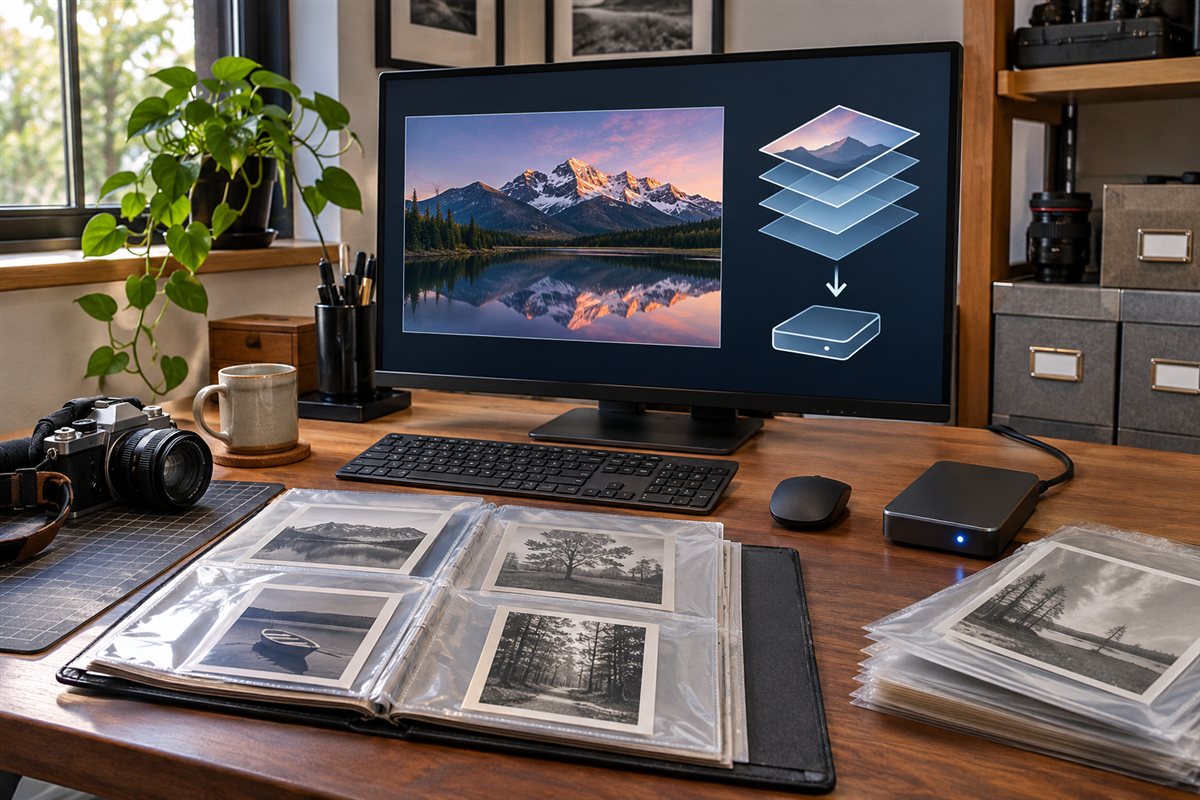
What Each Format Is
TIFF is an established image format used in photography, printing and scanning. It can hold 8 or 16 bits per channel, supports lossless compression such as LZW or ZIP, and can store layers in some implementations, though layered TIFFs are less universal.
PSD is the native Photoshop document. It stores layers, masks, adjustment layers, smart objects and text in a way Photoshop understands best. Other programs read PSD to varying degrees, and some features may be flattened or lost.
In this guide
Key Differences for Archiving
| Trait | TIFF | PSD |
|---|---|---|
| Openness | Widely supported standard | Proprietary, Adobe controlled |
| Layers | Possible, less portable | Full support |
| Compatibility | Very broad | Best inside Adobe tools |
| File size | Large, smaller with compression | Large, grows with layers |
| Future-proofing | Strong | Reasonable but dependent |
A Simple Archive Workflow
- Keep the original camera file untouched, in raw format if you shoot raw.
- Do your editing in the tool you prefer, using layers as needed, and save a PSD or equivalent working file.
- When the image is finished, flatten a copy and export it as a 16 bit TIFF in a wide color space such as Adobe RGB or ProPhoto RGB, with lossless compression.
- Name files clearly with date, project and version, and add keywords and captions in the metadata.
- Store copies on at least two different drives, with one kept in a separate location or online storage.
- Check the archive once or twice a year and move files to fresh media when drives age.
When to Keep Both
If a client might ask for changes, the layered PSD saves hours. If you simply want a record of the final image that will open in any editor for decades to come, the TIFF does the job. Many photographers keep both: PSD for revisions, TIFF as the master, and JPEG for sharing.
Avoid using JPEG alone for masters. It is lossy, and each resave removes a little more detail.
Bit Depth and Color Space Choices for a Master File
A master file should hold as much of the editing quality as possible, because you can always reduce quality later but you cannot restore what was thrown away. Two settings matter most: bit depth and color space. Bit depth controls how many tonal steps each color channel can record. An 8 bit file is adequate for many final outputs, but it has less room for further editing, and smooth gradients such as skies can show banding after strong adjustments. A 16 bit file keeps more tonal information and is a safer choice for a master that you may revisit.
Color space decides which colors the file can represent. A smaller space such as sRGB suits web display and many printing services, but it clips the most saturated colors. A wider space holds more color, which is useful if you expect to print on a wide gamut printer or to re-edit the file later. The trade-off is that a wide space needs careful handling, since viewers that ignore profiles may show dull or shifted colors.
Whichever you choose, embed the color profile in the file. A profile tells software how to interpret the numbers, and without it the same file can look different in different programs. Be consistent across your archive so that you know what to expect.
- Work and save masters in 16 bit if your software and storage allow it.
- Keep sRGB copies for sharing, and label them clearly as derivatives.
- Soft proof before printing, since the master is not the same as the print.
Compression Options and Compatibility Trade-Offs
TIFF is a container that supports several compression methods, and the choice affects both file size and how widely the file can be opened. Uncompressed TIFF is the simplest and the most compatible, but it takes the most space. Lossless methods reduce file size without changing any pixel, and they are generally safe for archives. Some methods are lossy, and these are not suited to masters because they discard information, much like a JPEG.
Compatibility differs between methods. The most common lossless options are read by most mainstream editors, but some less common ones may be unsupported by older or simpler programs. If your goal is to open the files decades from now, favor widely supported choices over the smallest file size. Before settling on a method, test a sample file in two or three different programs, including one you do not normally use.
Also be careful with extra features. A TIFF can include multiple pages, transparency or layers, and these features are not equally supported. A simple, flattened file with a single image is the most portable. If you need to keep layers, consider saving a separate working file alongside the flattened master.
- Choose lossless compression, or none, for masters.
- Avoid unusual options unless you have a clear need.
- Test your files in a second program before you commit to a standard.
Layers, Smart Objects and Linked Content
PSD earns its place when the editing history matters. Layers, masks, adjustment layers and text remain editable, which lets you change a decision long after the original edit. Smart objects add another level, since they keep the original data of an embedded image or filter settings so that changes can be reversed. These are powerful for working files, but they depend on the software that created them.
One risk is linked content. If a file refers to other files stored elsewhere, moving or deleting those files can break the link, and the layer may appear as missing. Embedded smart objects avoid that problem but increase file size. If you plan to archive a layered file, check how it handles links, and gather everything in one folder with a clear structure.
Fonts are another problem. A PSD with text layers needs the same font to display the text as designed. If the font is missing, the software may substitute another one, changing the look. Either rasterize the text in your final master or keep a record of the fonts used and store the font files with the project where licensing allows.
- Keep a flattened TIFF of any finished layered work, so the visual result is always preserved.
- Note which software version created the layered file.
- Avoid depending on features that only one program can read for long-term access.
File Size Limits and Very Large Images
Large panoramas, stitched composites and high-resolution scans can produce very big files, and formats have limits. Standard PSD and TIFF each have practical size ceilings, and the exact figures depend on the specification and the software. For very large images, there are extended versions of both, often called large document format for Photoshop and BigTIFF for TIFF. Not every program supports them, so check the software documentation before relying on them.
If your work often reaches those limits, plan ahead. Decide which format will be your master for oversize images, and test that you can open it in more than one program. Consider whether you really need to store the full stitched file, or whether a set of source files plus a record of how they were combined would be enough. Keep the stitching project file as well, if the software allows it.
Think too about performance. Very large files are slow to open, copy and back up. Dividing a project into logical parts, such as separate scans or tiles, can make the archive easier to manage. Always confirm that the saved file opens correctly before deleting the working copy.
- Check the documentation for maximum dimensions and file sizes in your software.
- Keep the source images for any composite.
- Do not assume that a file that saves successfully will also open elsewhere.
Verifying Files and Planning for Format Change
An archive is only useful if the files can still be opened and are still correct. Build verification into your routine. After saving a master, reopen it and check that the dimensions, color profile and appearance match your expectation. Compare it with the working file at 100 percent view in a few areas, especially fine detail and gradients.
Over time, file damage can occur silently. One practical way to detect it is to record a checksum for each file when you save it, then compare later. Several free tools can create and verify checksums. If a checksum no longer matches, you know the file has changed and can restore it from another copy. Even without checksums, spot checking by opening a sample of files each year helps catch problems.
Formats and software change. Keep an eye on whether your formats remain widely supported, and plan to convert files if support starts to fade. When you convert, keep the original until you have compared the converted version, and note the conversion in your records. Embedding metadata such as titles, captions, keywords and rights information helps files remain useful, and keeping a text description of your folder structure helps someone else understand it.
- Test an old file in current software each year.
- Keep a short readme describing the archive structure and formats.
- Document any conversion you make.
Thinking About Your Archive as a Library, Not a Folder
Most photographers pick a format once and then forget about it until a file refuses to open ten years later. A better habit is to think of your archive as a small library with rules: what goes on the shelf, what gets a label, and what is allowed to leave. The TIFF versus PSD question is only one rule in that set, but it is easier to answer once the other rules exist.
Begin by deciding what each file in your archive is for. A master file is the finished, best version of an image that you would hand to a printer or a client tomorrow. A working file is the layered project you return to when you want to change something. An original is the untouched capture from the camera. Each of these roles can live in a different format, and mixing them in one folder without names is how archives become confusing.
- Originals: keep exactly as the camera wrote them, with no edits.
- Working files: keep the layered project together with anything it links to.
- Masters: flatten or export to a durable format with the profile embedded.
- Delivery copies: smaller files made on demand and never treated as the archive.
A Practical Naming and Folder Scheme
File names carry more archival weight than most people realize. A name that sorts correctly on any computer, with no special characters, will survive moves between systems far better than a clever one. A date first, then a short subject, then a version tag, is a pattern that keeps related files side by side.
Consider a scheme like year, month, day, subject, then a role tag such as master or working. Keep one folder per shoot, and inside it separate subfolders for originals, working files and masters. When a PSD links to outside files, keep those next to it so the link does not break after a move.
Why consistency beats perfection
You do not need the ideal scheme. You need one you will actually follow for years. A simple pattern applied to every shoot is worth more than an elaborate one you abandon after a month.
Format Decision Table
The table below turns the usual questions into a quick lookup. It describes general behavior, so confirm details in the documentation of the software you use.
| Situation | Better fit | Reason |
|---|---|---|
| Finished image for long term storage | TIFF | Open specification and wide software support |
| Project you may edit again | PSD | Keeps layers, masks and adjustment settings |
| Image shared with other editors | TIFF or flattened export | Less dependence on one program |
| Print shop handoff | TIFF | Commonly accepted, predictable result |
| Quick everyday sharing | JPEG copy | Small and universal, but not an archive |
Testing Your Archive Before You Need It
An archive is only real if you can open it. Once or twice a year, pick a handful of files at random and open them in a different program from your usual editor. If a TIFF opens with the right colors and size, good. If a PSD opens with missing layers or warnings, you have learned something while it is still easy to fix.
- Choose five files from different years.
- Open each in a second application.
- Compare the colors and dimensions against what you remember.
- Note any warnings about fonts, profiles or missing links.
- Fix the cause in the source files and record what you changed.
This small routine is more protective than any single format choice.
Backups That Match the Format Decision
A good format cannot save you from a failed drive. Keep more than one copy of your masters, keep at least one copy in a different place from the others, and use a storage type you can replace when it ages. Many photographers use a local drive for daily access, a second drive that is rarely connected, and a cloud or off-site copy for disaster cover.
Think too about file size. Layered PSD files with many pixel layers can grow large, and keeping every version of every project multiplies storage quickly. Decide which versions earn permanent space and which can be pruned once a master exists. A master TIFF plus the final layered PSD is often enough for important work; for casual projects the master alone may do.
Common Archive Mistakes to Avoid
- Saving only a flattened JPEG after a long edit and discarding the layers.
- Letting a PSD depend on fonts or linked files that live on a single computer.
- Forgetting to embed a color profile, so colors shift on another screen.
- Renaming folders after linking files, which breaks the links.
- Assuming a cloud service is a backup rather than a sync tool.
- Never opening archived files again until something goes wrong.
A Short Glossary
- Master file: the finished image you would deliver again without further editing.
- Working file: a layered project kept for later changes.
- Embedded profile: color information stored inside the file so software can display it correctly.
- Flattened: all layers merged into one, which removes the ability to edit them separately.
- Migration: copying archives to a newer format or storage type before the old one becomes hard to read.
Worked Example: A Wedding Gallery Over Ten Years
Imagine a photographer who finishes a wedding with six hundred delivered images. During the edit she created a layered file for about forty of them, using masks for skin retouching, adjustment layers for color and a few composite pieces for the album. A common outcome is that she delivers JPEG copies and keeps everything else on one external drive.
Now picture the same job handled with an archive plan. The originals sit in one folder, never altered. The forty layered projects sit in a second folder with their linked files beside them. A third folder holds forty master TIFF files with embedded profiles. Years later, when the couple asks for a large canvas print of one image, she opens the master TIFF, checks it, and sends it to the lab. If they ask for a changed crop or an altered background, she returns to the layered file. Each format did the job it suited.
The lesson is not that one format is superior. It is that the two formats answer different questions: one says what the picture was when finished, and the other says how it was made.
Troubleshooting Files That Behave Badly
Archives bring surprises, and a few problems recur. Knowing the usual causes saves time.
The colors look different on another computer
This usually means the profile is missing or the second program is not reading it. Check that the master has an embedded profile, and confirm that the viewing program honors profiles. Compare on a screen that you trust.
A layered file opens with a warning
Warnings often point to missing fonts, missing linked files or a plug-in that is no longer installed. Keep links beside the file and record the fonts used. Converting text to pixels on a copy can protect the appearance for the long term.
A file is far larger than expected
Extra layers, hidden layers, high bit depth and embedded thumbnails can all enlarge a file. Remove what you truly do not need from a copy, and keep the full version only if you want it.
A program will not open the file at all
Try a second program, then check whether the file copied completely. A damaged copy is a good reason to have more than one backup.
A Yearly Maintenance Checklist
An archive that is never touched slowly decays. Once a year, give it a brief checkup. It need not take more than an afternoon.
- Confirm that every backup location still works and has space.
- Copy new masters from the current year to all backup copies.
- Open a sample of old files in more than one program.
- Check the age of storage devices and replace the oldest ones on a schedule you set.
- Update your notes on naming rules and folder layout.
- Write down anything about your software that has changed, such as a new version or a retired feature.
These habits matter more than the exact format you chose, because they catch problems while there is still time to act.

Ready to Buy? Start Here
If this guide helped you decide what to look for, these products are a place to start.

As an Amazon Associate we earn from qualifying purchases. Prices and availability are shown on Amazon.
What Archival Storage Actually Has to Survive
An archive is not a folder you keep for a year; it is a promise you make to yourself in ten or twenty years, across computers, drives, software versions and possibly companies that no longer exist. Judging a file format for that job means asking different questions than everyday editing asks. Can the file be opened by software other than its maker’s? Does it contain everything needed to render the image, or does it depend on external pieces? How does it behave when copied, migrated and checked for corruption across decades? Both formats in this comparison have survived a long time already, which is more than most formats manage, but they survive in different ways and with different dependencies.
The deepest difference is philosophical. One format was designed as a container for finished, self-describing images that any competent software can read, with a public specification and decades of universal support. The other was designed as the native working document of one application, storing the full construction of the image, every layer and adjustment, in a format that other software reads imperfectly and that really belongs to its home program. Archives usually need the first philosophy for their master copies and the second only while work is in progress, which is why the practical answer is so often a division of labor rather than a winner.
Longevity also depends on your habits more than on either format. Files that are never opened, never migrated and never checked fail silently in any format. An archive is a routine: redundant copies, periodic integrity checks and migration to new storage every few years. The format choice makes that routine easier or harder; it does not replace it.
Anatomy of the Two Formats
A TIFF file stores image data in a tagged structure that software has understood since the early days of desktop imaging. It can hold a single flattened image or, less commonly, layers; it supports lossless compression that shrinks files without discarding information, high bit depths that preserve editing headroom, and color profiles embedded in the file so the image carries its own interpretation with it. Its great archival virtue is boredom: almost everything opens it, correctly, everywhere, and has done for decades.
A PSD file stores a working document. Layers, masks, adjustment layers, text and effects remain editable, which is exactly what you want while a composite, a restoration or a complex retouch is alive. The cost is dependence: full fidelity outside its home application is not guaranteed, some features render differently or not at all elsewhere, and the file assumes the continued existence and compatibility of one company’s software in a way a TIFF does not. A flattened compatibility copy can be embedded to help other programs, at the price of a larger file and one more setting to remember.
File size follows from these designs. Layered documents grow with every layer and can reach sizes that strain backup systems, while a flattened TIFF of the same image is comparatively compact and predictable. Storage is cheap and getting cheaper, but archives multiply: masters, derivatives, backups of backups. Predictability is a genuine archival feature.
A Practical Archiving Workflow
At the end of a project
Keep the original raw files and your catalog untouched; they are the negative. Export or save a finished master of each final image as a flattened, high bit depth TIFF with the color profile embedded, named consistently with the project. That master is the file future software must be able to open, and flattening is a feature here, because the archive’s job is to preserve the result, not the recipe.
While work is in progress
Keep layered working files for images still being composited, retouched or laid out, in the native format of the application doing the work. When the work ships, decide deliberately which layered files earn permanent storage; most photographers keep the layered file for hero images and flatten the rest, because storage discipline beats storage volume over decades.
The routine that keeps it alive
Maintain at least two copies on different media, with one off-site or in cloud storage, verify copies with checksums when you migrate, and open a sample of old files every year or two to confirm they still render. Migrate the archive when you change computers rather than when a drive fails, and keep a plain text inventory with the files so a future you, or a family member, can understand what the archive contains without any special software.
Special Cases: Scans, Restorations and Print Work
Scanned film and prints are the purest archival case, because the scan is the original; there is no raw file to return to. Scan once, at a quality worth keeping, and store the master as a TIFF with no lossy steps anywhere in its history. Restoration work on that scan belongs in a layered file while it proceeds, and the finished restoration earns its own flattened TIFF master alongside the untouched scan, so both the original capture and the restored result survive.
Print work adds its own wrinkle. Printers and labs accept TIFF happily and universally, and a print master saved at final size with the output profile embedded is the closest thing to a permanent record of what you intended on paper. Layered files matter here only if text, layout or client revisions remain in play, which is a project-management question rather than an archival one.
For photographers delivering to clients, the archive question includes the client’s future. Delivering flattened, universally readable masters alongside any requested working files protects the client from dependence on software they may not own, and protects your reputation when they open the files in fifteen years and everything simply works.
Migration and the Long View
Every archive will be migrated, so plan for it as a certainty. Formats with public specifications and many independent implementations migrate gracefully, because if one tool vanishes, others remain. Proprietary working formats migrate at their maker’s pace, which has historically been good but is a dependency to acknowledge rather than deny. The sensible archive therefore treats the open, flattened master as the canonical copy and everything else as a convenience layered on top.
Metadata is part of migration. Captions, dates, places and rights information embedded in the files travel with them through copies and migrations, while information kept only in one application’s database can be stranded if that database is lost. Before archiving a project, embed the essential metadata in the master files themselves, and keep the catalog backed up as well, belt and braces.
Finally, write down the archive’s own instructions: where the copies live, what the naming means, when it was last verified. Archives fail socially as often as technically, when nobody remembers what anything is. A single page of plain language, stored with the files, is the highest-value kilobyte in the whole system.
Teaching the Archive to Someone Else
The final test of an archive is whether it survives its maker’s absence. Photographs outlive projects, jobs and sometimes photographers, and the person who next opens your archive, a child, a collaborator, an editor settling an estate of images, will not have your software habits or your memory of what anything is called. Formats that open anywhere, names that explain themselves and a page of plain-language notes are the difference between an inheritance and a locked room.
That perspective settles many format debates with unusual clarity. The working file that only one program fully understands is a fine tool and a poor heirloom. The flattened, documented master is a modest tool and a perfect heirloom. Keep both in their seasons, working files while the work is alive, masters forever, and the archive serves the present and the future without asking either to compromise.
Review the arrangement once a year, when you verify the copies: open a few masters, read your own notes as a stranger would, and repair anything that has become unclear. Ten minutes of that maintenance is the cheapest insurance in all of photography, and it is the habit, in the end, that makes an archive archival.
Worked Examples: Three Photographers, Three Answers
Consider the wedding photographer with a decade of client work. Her layered files are her revision insurance while albums are being approved, so she keeps them through each client’s first anniversary, then flattens the delivered images to TIFF masters, keeps the raw files, and deletes the layers with a clear conscience. Her archive’s size stays manageable, her clients’ images open in anything, and her one retained luxury is the layered file of each year’s single best frame, kept as a matter of craft pride.
Consider the landscape photographer who prints large and re-edits old work as his taste matures. For him the layered file is the artwork’s living form, so he keeps layers permanently for his serious images and treats storage cost as a studio expense, while his TIFF masters serve as the print-ready record of each finished state. His example shows the rule beneath the rules: keep layers exactly as long as future editing is a real plan rather than a someday fantasy.
Consider the family archivist scanning a shoebox of prints and negatives. She has no layers to debate; her discipline is scanning once, well, into TIFF, naming by year and event, and making the two backups before the shoebox goes back to the cupboard. Her archive will be opened by grandchildren in software not yet written, and it will open. Three photographers, three different answers, one shared principle: the master copy must never depend on a single company’s future.
Common Archiving Mistakes and Their Fixes
The commonest mistake is the archive that exists only inside one application’s catalog, with the files scattered by that application’s defaults and the edits stored as instructions nothing else can read. The fix is not to abandon the catalog but to complete the circuit: finished work exported as self-contained masters, stored in plain folders with plain names, so the archive survives the catalog rather than depending on it.
The second mistake is the single copy, however beautifully organized, sitting on one drive in one building. Drives fail on their own schedule and buildings have their own risks; the rule of three copies, two media, one elsewhere, is old because it works. Cloud storage has made the elsewhere copy nearly effortless, and the remaining effort, verifying that uploads completed and files open, is the part photographers skip at their peril.
The third mistake is silence: no notes, no inventory, names that meant something in the year of the shoot and nothing a decade later. The fix costs an hour a year: a text file in the archive’s root, updated at each annual check, saying what is here, where the copies are and when they were last verified. Future you, opening the archive on a new machine in a new decade, will read that page the way sailors read a lighthouse, and the whole system will have been worth it for that moment alone.
The Deeper Principle: Formats Are Promises
Step back from the two formats and the comparison becomes a lesson in how to evaluate any technology that asks to be trusted with the irreplaceable. A format is a promise about the future made by its design: an open, documented, widely implemented format promises that strangers in twenty years will be able to keep its word, while a proprietary working format promises power today at the price of dependence tomorrow. Neither promise is dishonest; they are simply addressed to different moments in a file’s life, the season of making and the decades of keeping. Most archival disasters come not from choosing the wrong promise but from confusing the two, asking a working format to be an heirloom or demanding that an heirloom behave like a workshop.
That confusion is understandable because the making is vivid and the keeping is abstract. The layered file glows with possibility on today’s screen, while the flattened master looks like a full stop. But archives are read by people for whom today’s screen is archaeology, and they will bless the full stop that opens. Photographers who internalize that reversal, who feel the future reader’s gratitude as a real weight in today’s decisions, build archives that survive not by luck but by design.
So let the workflow in this guide stand as the practical form of the principle: create in whatever format the work demands, finish into the format the future demands, and keep the two copies in their separate dignities, backed up, verified and explained in plain words. Do that, and the TIFF-versus-PSD question resolves from an argument into what it always should have been: a small, clear decision inside a well-kept archive.
Checking the Archive: A Ritual in Detail
Since the annual check has been recommended so often in this guide, it deserves a concrete description. Set aside an hour, once a year, on a date you will remember. Open the archive’s inventory note and confirm the copies: the working drive, the backup drive, the off-site or cloud copy, each present and each readable. Open a sample from every year of the archive, not the newest files, which always work, but the oldest, and confirm they render correctly in current software. Run whatever verification your backup system offers, and actually read its report rather than assuming its silence is success. Then update the inventory note with the date, the sample results and any migrations performed, and copy that note into every copy of the archive, so the record travels with the data it describes.
The ritual’s value compounds quietly. Migrations happen while drives still work, format surprises surface while the original software still exists to fix them, and the inventory becomes a biography of the archive that any future keeper can follow. Photographers who keep the ritual describe a particular peace when they open a decade-old master and it simply appears, perfect, on a machine its makers never imagined. That peace is the entire product this guide has been selling, in whichever format you choose to store it, and it costs one hour a year.
A Last Word on Enough
Enough fidelity for the future, enough openness for the stranger, enough discipline for the copies to be there when they are called: an archive, like the photographs inside it, succeeds by sufficiency honestly defined rather than by excess anxiously accumulated. The format question that opened this guide resolves, in that light, into a small act of housekeeping performed with unusual care: finish your work into masters that anyone can open, keep your working files exactly as long as they are truly working, and write the one page of plain words that turns a pile of files into an inheritance. Do those things and the archive will keep its promises long after the software that made it has been forgotten, which is the only definition of archival that has ever deserved the name.
The Hands of the Future Keeper
End this comparison by imagining, concretely, the hands that will open your archive in twenty years. They may belong to a client reformatting a campaign, an editor assembling a retrospective, a child meeting a parent’s younger self, or your own older hands, less patient with complexity than today’s. Those hands will not care which application built the file, what the layers were called, or how elegant the working document once was. They will care that the image opens, whole and correct, on whatever machine the future provides, and that a line of plain text nearby explains what they are looking at. Every recommendation in this guide is, in the end, an attempt to be kind to those hands: the flattened master they can open, the embedded profile that keeps its colors honest, the inventory page that speaks in sentences instead of software. Judge your own archiving habits by that imagined moment of opening, and the TIFF-versus-PSD question, like most questions in this guide, will answer itself in the time it takes to picture it.
One More Consideration: Teaching Your Successor the System
A small, practical matter closes this guide: an archive system that only its maker understands is a system half finished. Spend the twenty minutes it takes to show another person, a partner, a colleague, an older child, where the copies live, what the inventory page means and how the annual check is performed. That conversation feels morbid to some photographers and merely organized to others, but its effect is neither: it converts a private habit into a durable arrangement, and it frequently improves the system on the spot, because explaining a workflow aloud exposes the step that was always unclear, the folder whose name made sense only in one year, the backup whose location was a memory rather than a note. Archives are promises made across time, and a promise that two people understand is twice as likely to be kept.
A Final Note Before You Archive
Before the next project closes, perform the smallest possible version of this guide’s whole argument: take one finished image, save its flattened master in an open format with its profile embedded, copy it to a second location, and write one sentence about it in a place a stranger could find. That five-minute act, repeated at the end of every project, is the seed from which real archives grow, and it asks nothing of your working files, your software or your habits in the studio. The future keeper, whoever they turn out to be, will never know your name for that five minutes. They will simply open the file, and it will work, and that quiet success is the entire point.
FAQ
Are TIFF files too big to store?
They are larger than JPEG, but modern drives hold thousands of them, and extra copies are easy to make. Lossless compression reduces size without discarding detail.
Is DNG a better archive format?
For raw files, DNG is an open option some photographers use. It does not replace a TIFF master for edited images, since it serves a different purpose.
Should I archive in 8 bit or 16 bit?
16 bit holds more tonal information and gives more room for later edits, while 8 bit is smaller. For masters, 16 bit is the safer choice if you can afford the space.
Does TIFF compression lose quality?
Lossless methods such as LZW or ZIP do not change the pixels. Some TIFF compression options are lossy, so check the setting before saving.
Can I open a PSD without Photoshop?
Many programs can open PSD files, but support for layers and special features varies. Some features may be flattened or lost.
What happens if the fonts are missing in a PSD?
The software may substitute another font, changing the appearance. Rasterize the text in a final master or store the font files with the project where allowed.
Is it worth embedding a color profile?
Yes. The profile tells software how to read the colors, and without it the same file can look different in different programs.
What are checksums used for?
A checksum is a short value calculated from a file. If the file changes, the value changes, which helps you detect corruption.
Do I need to keep layered files if I have a TIFF master?
Only if you may need to edit again. The layered file saves time on revisions, while the TIFF preserves the finished image.
Should I delete my layered files after flattening a master?
Not automatically. Keep layered files for images you are likely to revisit, hero images, client work within its revision window and anything whose layers contain work you could not quickly recreate. Flatten and archive the rest. The decision is per project, and revisiting it at the end of each year keeps the archive lean without gambling away real work.
Is TIFF lossless compression worth using?
Yes for archives. The common lossless options shrink files meaningfully with no loss of image information, and they are universally supported. Avoid lossy compression in masters entirely; storage saved by discarding image data is the most expensive saving in an archive, because it cannot be undone when standards rise.
What about DNG as an archival format for raw files?
DNG addresses the raw side of the archive, converting proprietary raw files into a documented container, and many photographers use it for exactly the longevity reasons discussed here. It complements rather than replaces the master-file question: keep raw originals or DNG conversions as your negatives, and flattened TIFF masters as the finished record of each final image.
The Short Version
Use TIFF for finished archival masters and PSD for editable layered work. Keep your raw originals, back up in more than one place and check your files regularly.
