The Sony A9 III and the Sony A7R V are two very different full frame E-mount cameras. The A9 III is built for fast action with a global shutter, while the A7R V is built for maximum detail with a high resolution sensor. Choose the A9 III if you photograph sport or other quick subjects; choose the A7R V if you shoot landscapes, studio work or anything printed large.
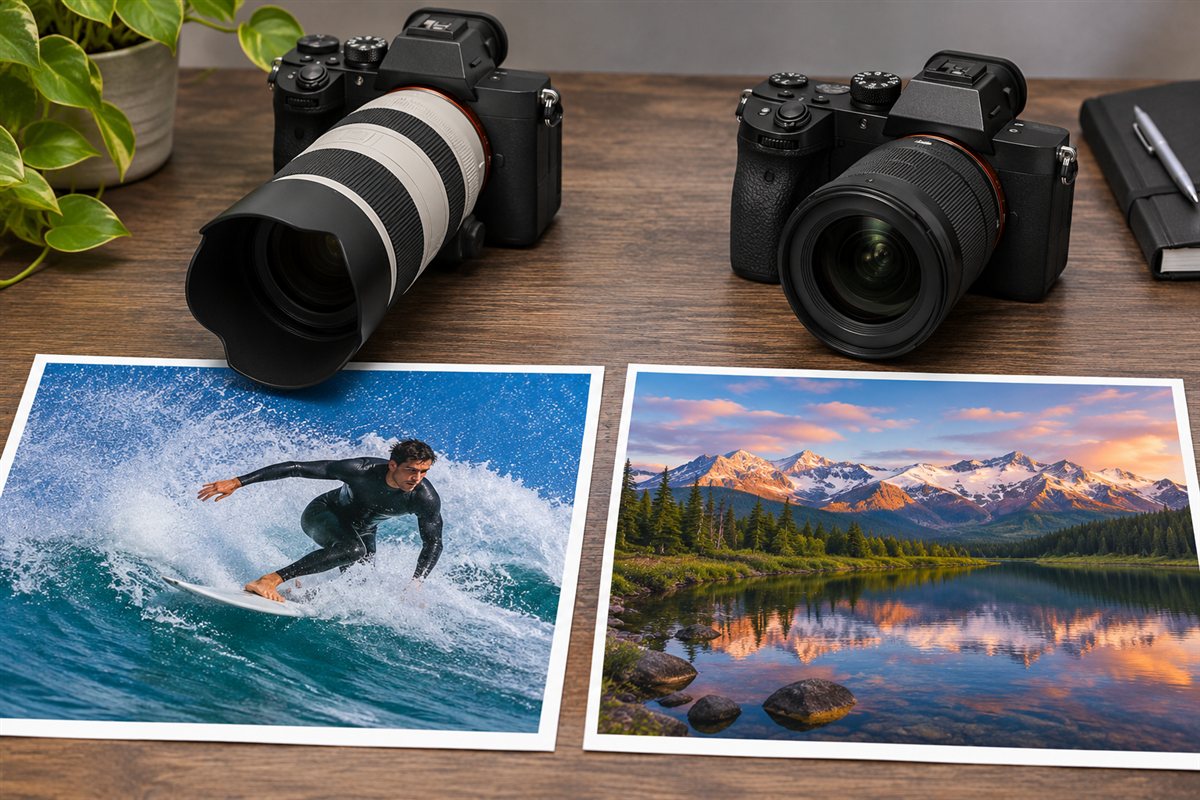
What Each Camera Is For
The A9 series is aimed at sports, news and wildlife photographers who need speed and dependable operation. The A7R series is aimed at people who need as much detail as possible from each frame. They share a lens mount, but their strengths barely overlap. Confirm exact specifications on Sony’s pages.
In this guide
Key Differences
| Area | A9 III | A7R V |
|---|---|---|
| Strength | Speed, global shutter | Resolution, detail |
| Typical subject | Sport, action | Landscape, studio, architecture |
| File size | Moderate | Large |
| Flash at fast speeds | A feature of the global shutter | Conventional behavior |
| Cropping flexibility | Less | More |
Match the Tool to the Job
A fast subject, such as a runner or a ball in flight, needs a camera that captures the moment cleanly and keeps up with a high shooting pace. A landscape on a tripod needs no speed, but it benefits from every pixel the sensor can give. Using each camera outside its comfort zone is possible, but you will feel the trade-offs: the action body gives you less cropping room, and the detail body is not tuned for the quickest sequences.
Questions to Ask Yourself
- Do my subjects move quickly and unpredictably?
- Do I print large or crop heavily?
- Do I use flash outdoors at fast shutter speeds?
- Can my computer and storage handle very large files?
- Which lenses do I already own, and do they resolve fine detail well?
Lenses and Accessories
Since both cameras share a mount, lens choice follows your subject, not the body. Action work leans toward fast telephoto lenses with quick focus, while detail work rewards sharp prime lenses and a sturdy tripod. Think about support gear as well: a monopod for sport, a tripod and remote release for landscapes. The right accessories can improve results more than a body swap.
Finally, consider renting one of the bodies for a weekend before buying. Real use shows quickly whether the handling, file size and speed suit your habits, and it costs far less than a wrong purchase.
Global Shutter and Flash: What It Means in Practice
The A9 III uses a global shutter. This is a different way of capturing an image, where the whole sensor records at the same moment instead of reading line by line. For the photographer, the consequences show up in a few specific situations.
- Fast subjects. A line-by-line readout can bend or skew fast-moving objects such as a swinging bat or a spinning propeller. A global shutter avoids that effect, so shapes stay true.
- Flash at fast speeds. Traditional shutters limit the speed at which flash can be used, because the shutter does not expose the full frame at once at high speeds. A global shutter design can allow flash at much faster speeds, which helps when you want to balance flash with bright sun. Check the maker’s page for the exact limit.
- Silent shooting. Without a moving mechanical shutter, the camera can be quiet, which is useful at events, theaters and wildlife settings. Check how the camera is configured for silent modes.
- Artificial light. Flickering lights can cause banding with some electronic shutters. A global shutter handles this differently. Check the maker’s notes for how it behaves under various lights.
If you never use flash outdoors, rarely shoot fast-moving subjects up close and do not need silence, these benefits may not change much for you. They are valuable to sport and news photographers who face those situations regularly. Compare your needs with the list and decide whether they are daily issues or occasional ones.
Handling Large Files and a Fast Workflow
These two cameras stress different parts of a workflow. The A7R V creates large, detailed files that demand storage, memory and a capable computer. The A9 III produces more modest files, but shoots rapid sequences, so the sheer number of frames can still be large.
Think about your workflow in steps:
- Capture. Fast action means many frames per burst. High-resolution work means fewer, heavier frames. Check card types and speeds for each body and buy cards that keep up.
- Transfer. Large files take longer to copy. A fast card reader and a fast port on your computer reduce waiting time.
- Culling. Sport shooters often need to cull thousands of frames. Learn the culling tools in your software and consider rating images in the camera.
- Editing. High-resolution raw files can slow down older computers. Check the memory and storage that your editing software recommends.
- Storage. Calculate how much space a typical shoot takes, and plan backups. Large archives need several drives or a cloud plan.
A fast news workflow may also involve sending images over a network from the camera. Check the maker’s features for wireless or wired transfer, and whether they work with your newsroom or client. If you rarely shoot on deadline, you can take your time with large files, and the detail body will not feel slow. If you are on deadline every week, the cost of waiting on files adds up, and you should plan the entire chain, not only the camera.
Landscape, Studio and Large-Print Technique
A high-resolution camera only delivers its potential if your technique supports it. Small errors that are invisible on a screen become obvious when you print large or crop deeply, so the A7R V works best with careful habits.
- Support. Use a sturdy tripod and a remote release or timer to avoid shake. Check whether the camera offers a mode to reduce shutter vibration.
- Aperture. Very small apertures can soften detail through diffraction. Test your lens to find the sweet spot, often a few stops down from wide open.
- Focus. Use magnified live view or focus bracketing, if the camera offers it, to place focus precisely. Take several shots at different focus distances for depth.
- Lens quality. A high-resolution sensor reveals lens weaknesses at the edges. Choose sharp prime lenses or high-quality zooms, and check reviews of corner performance.
- Light and ISO. Use the lowest ISO that the scene permits, and expose carefully to preserve highlights.
- Studio. Controlled light, a stable setup and tethered shooting to a computer help you check detail on a large screen.
Also think about print size and viewing distance. Prints seen from far away do not need extreme resolution, so the benefit appears when viewers stand close or when you crop heavily. If your output is mostly for screens, you may not need maximum resolution. Ask what size you really print and how much cropping you use.
Renting, Borrowing or Owning Two Bodies
Because the strengths of these cameras barely overlap, some photographers solve the dilemma by using both, either owning them or renting one when needed. This can be more economical than buying a body that you rarely need.
- Rent for a specific job. If you shoot sport twice a year, renting the action body for those events may cost less than owning it. Check rental policies, insurance and lead times.
- Own the one you use weekly. Buy the body that fits your regular work, and rent the other for special projects.
- Share a kit. A partner or small studio can share an expensive body if the schedules allow.
- Try before you buy. A weekend rental gives you a view of handling, file size and speed under real use, before you spend a lot.
If you own both, plan for shared accessories. Since they share a mount, lenses move between them, and some batteries and accessories may be compatible, which keeps the kit simpler. Check the maker’s notes and manuals before you assume compatibility.
Keep settings consistent between bodies when possible. Using similar custom button layouts means you can switch quickly without thinking. Make notes on which lenses you pair with which body, such as a fast telephoto with the action camera and a sharp prime with the detail camera, and pack accordingly.
Common Mistakes When Choosing a Specialist Body
Specialist cameras are tempting because they promise the best in one area, but they are easy to misjudge. Watch for these mistakes before you commit.
- Buying for prestige. A top-tier action body will not improve landscape work, and a high-resolution body will not rescue weak action technique. Match the tool to the job.
- Ignoring the supporting gear. Fast lenses, good cards, a fast computer and sturdy supports are part of the system. Budget for them.
- Overlooking file handling. Large files require storage and processing power. Without them, the detail advantage is hard to use.
- Misreading the benefit. The speed of a camera does not make a subject easier to follow if your technique and lens are not right. Practice tracking with the equipment you have.
- Skipping hands-on time. Handling, button layout and weight matter for long sessions. A short test can reveal frustrating details.
- Not checking the manual. Features such as high-speed flash or silent modes may have conditions or limits. Read the details on the maker’s page.
Before you buy, write down your five most common shooting situations and ask which body helps in each. If four of five favor one body, the decision is clear. If the list is mixed, consider a more balanced camera, or rent for your special cases. Being honest about your real work is the best protection against an expensive misstep.
Which camera should you buy: the Sony A9 III or the Sony A7R V?
Buy the Sony A9 III if you photograph fast action and want a global shutter, and buy the Sony A7R V if you want maximum detail for landscapes, studio work or large prints. They share the Sony E mount, but they are built for opposite jobs.
Use these pairings as a guide, then confirm details on the listing and Sony’s pages.
- If you shoot sport, news or wildlife, go for the Sony A9 III. It is designed for speed and dependable operation.
- If you use flash outdoors at fast shutter speeds, look at the Sony A9 III, since its global shutter is the feature that supports this.
- If you shoot landscapes, architecture or product photos, choose the Sony A7R V. Resolution and cropping room matter most there.
- If you print large or crop heavily, the Sony A7R V gives you more to work with.
- If you do both, consider owning one and renting the other for special jobs.
Neither camera is a bad all-rounder, but each rewards you most in its own territory.
What to check before you buy a specialist full frame camera
Before buying a specialist full frame camera, confirm that your lenses, cards, computer and support gear match its strengths. A specialist body only pays off when the rest of the kit can keep up.
- Lenses. Action work needs fast telephotos with quick focus, while detail work needs sharp lenses that resolve fine edges.
- Cards. Check supported card types and speeds in the manual, especially for long bursts.
- Computer and storage. Test how your software handles the files from a similar camera, and plan backups.
- Support. A monopod suits sport, and a sturdy tripod with a remote release suits landscape and studio work.
- Battery plan. Decide how many batteries you need for a full event or shoot.
- Listing details. Confirm what is in the box, which variant it is and which region it is for.
- Warranty and returns. Read the return window and warranty terms in your country.
Shoot your own typical subjects in the first days, so any mismatch shows while the return window is open.
Is the Sony A7R V good enough for action photography?
The Sony A7R V can handle some action, but it is not tuned for the quickest sequences the way the A9 III is. Whether it is enough depends on how fast your subjects move and how many frames you need.
For slower action, such as casual sport, pets or children, a high resolution body can work with good technique and a fast shutter speed. For fast, unpredictable subjects, the speed and global shutter of the A9 III offer advantages that technique alone cannot add.
- Test the camera on your real subjects before you rely on it.
- Check burst behavior and focus tracking in the manual for the modes you plan to use.
- Remember that large files fill cards faster and take longer to copy.
The reverse question also matters. The A9 III can shoot stills of landscapes and portraits, but you will have less cropping room and less resolution for large prints.
Be honest about the proportion of your work that is truly fast. If it is occasional, rent a speed body for those events and keep the detail body for everything else.
Is it worth paying more for a global shutter camera?
A global shutter camera is worth paying more for when you face fast subjects, flash at high shutter speeds or silent shooting often enough that these benefits save you shots. If those cases are rare, the feature may not justify the cost.
Think about your shooting week. A sports photographer may meet distortion and flash limits every time, so the benefit is constant. A landscape photographer may never need it, and would likely get more from lenses, a tripod and storage.
- Tight budget. Match the body to your main subject and spend on one excellent lens.
- Middle budget. Add fast cards, spare batteries and a sturdy support.
- Larger budget. Consider both bodies, or one body and regular rentals of the other.
Also weigh the cost of the workflow. Fast action means many frames to cull, and high resolution means large files to store. Both have a time cost that does not appear on a price tag.
Ask yourself which problem you would solve first with extra budget. That answer is usually the right camera.
How do you set up an action camera and a detail camera for best results?
Set up an action camera for speed and reliable focus, and set up a detail camera for stability and precision. The same E-mount lenses can serve both, but the settings and habits differ.
For action work, the priorities are shutter speed, focus tracking and a workflow that handles many frames.
- Choose a shutter speed fast enough to freeze your subject, then adjust from test shots.
- Assign a button to switch between tracking and a fixed focus point.
- Rate keepers in the camera if it allows, to speed up culling later.
- Carry spare cards and batteries so a long event never stops you.
For detail work, the priorities are steadiness, focus accuracy and clean files.
- Use a tripod, a remote release and a low ISO whenever the scene allows.
- Check focus by magnifying the image, and take several frames to choose the sharpest.
- Find your lens’s best aperture, since very small apertures can soften detail.
- Keep the sensor and lens clean, as dust shows more on large files.
Save each setup as a custom mode if the camera supports it. That way you can move between jobs without rebuilding settings from memory.
What are the downsides, and who should skip each camera?
The Sony A9 III gives you less cropping room, and the Sony A7R V is not tuned for the fastest sequences. Skip the one that does not match your daily subjects.
- Skip the A9 III if you print large, crop deeply or mainly shoot still scenes where speed adds little.
- Skip the A7R V if you shoot fast action regularly and need a camera tuned for it.
- Skip both if you want a lower-cost general camera for family and travel, where a balanced body would be enough.
Specialist bodies also come with practical costs. Fast lenses, quick cards and a capable computer are part of the system, and the A7R V in particular asks for patience with technique and storage.
Check Sony’s pages for conditions attached to features like high speed flash or silent shooting, because limits may apply. Reading the manual before buying prevents surprises later.
Renting for a weekend is a low-risk way to test these downsides on your own subjects.
A simple checklist to finish your decision
To finish your decision, list your five most common shooting situations and see which body helps in most of them. If the answer is clear, buy that camera; if it is mixed, consider renting for the special cases.
- Name your main subject and how fast it moves.
- Note how large you print and how much you crop.
- Check your computer, cards and backup plan against the file sizes.
- Read the return terms so you can test the camera properly.
Compare the two cameras above, check the current listing for what is included, then choose the one that matches your most common subject.

Ready to Buy? Start Here
If this guide helped you decide what to look for, these products are a place to start.

As an Amazon Associate we earn from qualifying purchases. Prices and availability are shown on Amazon.
Putting the choice to work: four real situations
Specifications only become useful when they meet an actual day of photography. The four situations below are the ones readers most often describe when weighing the Sony A9 III against the Sony A7R V, and each one shifts the balance in a slightly different direction. Read them against your own calendar rather than against an abstract idea of a typical photographer, because the right answer for a wedding shooter can be the wrong answer for a landscape walker even when both are choosing between the same two products.
School and club sport on a budget of attention
Amateur sport is chaotic: mixed light, cluttered backgrounds, and subjects who change direction without warning. The action body thrives here because its whole design assumes movement, letting you concentrate on positioning and timing rather than settings. The detail body can photograph the same games, and its files will reward you when a frame is good, but you will work harder for keepers and crop with more confidence when you get them. If sport is a weekly commitment, choose the tool that lowers your effort per keeper; if it is an occasional pleasure alongside landscapes, the detail body covers more of your year.
Birds in flight at a local reserve
Flight photography tests focusing, burst discipline, and your ability to pan smoothly more than it tests any single specification. The action body keeps wings and backgrounds geometrically clean and gives you dense sequences to choose from, while the high resolution body gives you the crop: a bird that stayed farther than hoped can still fill a print. Your keeper definition matters: photographers who sell or print large lean toward detail, while those who document behavior and share online often prefer the action body hit rate. Either way, fieldcraft, getting closer with patience and permission, improves results more than the body swap.
Studio portraits and product detail
In a controlled studio the detail body is in its element: tethered review at full size, files that survive aggressive retouching and cropping, and resolution that commercial clients can use across formats. The action body will make perfectly good studio photographs, but you are paying for speed the studio never asks for. If studio work pays your bills and action is a hobby, reverse the usual advice and let the studio choose the camera; hobbies adapt to tools more easily than clients do.
One body for a year of everything
Many photographers cannot justify two specialized bodies, so the real question is which specialization forgives more. The detail body forgives distance and framing errors through cropping, and covers landscapes, studio, and travel superbly, asking only that you accept a calmer pace on action days. The action body forgives timing and movement, and still makes strong files for most uses, asking that you accept less cropping freedom. Your most common disappointment tells you which forgiveness you need: frames that are too small, or moments that got away.
Setup and first-session checks that pay off
Start with the unglamorous foundations. Charge every battery the night before, format cards in the camera you will use rather than in a computer, and set the date, time, and copyright information once so every file is correctly stamped from the first frame. Then set the camera to record the file type you actually edit: raw if you process your pictures properly, raw plus a small jpeg if you also share quickly. These habits sound basic, but they remove the three most common causes of a ruined shoot, which are a flat battery, a card the camera dislikes, and files you cannot organize afterward.
Next, build two or three saved configurations around your real subjects rather than around the menu itself. One setup for still subjects, one for moving subjects, and one for video if you film is enough for most photographers. Give each a sensible focus mode, a drive mode, and an exposure approach, and save them where your body allows it. The point is not to collect settings; it is to make the camera predictable under pressure, so that when a subject appears you are thinking about position and light instead of hunting through pages of options you set once and forgot.
Focus deserves its own deliberate pass. Learn how your body selects and tracks a subject, practice moving the focus point or area quickly with your eye at the finder, and test the behavior on the subjects you really photograph: a child crossing a room, a dog changing direction, a bird against a busy hedge. Automatic subject detection is a powerful helper, but it is not magic, and the photographers who get the most from it are the ones who have watched it fail in practice and know which simpler mode to fall back on without panic.
Exposure discipline matters more as files get larger and more detailed, because mistakes are easier to see. Decide how you will protect highlights, since bright areas that clip to pure white rarely recover gracefully, and learn to read the histogram or highlight warnings as a quick field check rather than as decoration. Set an upper sensitivity limit you are genuinely happy with, not the maximum the camera offers, and review a test frame at full magnification early in every session so a systematic problem, a dirty sensor, a wrong focus mode, a shutter speed quietly too slow, is caught while it can still be fixed.
Technique: getting consistent results in the field
Technique with a modern body is mostly about removing hesitation. Keep the camera ready at settings that suit the scene in front of you rather than the scene you hope for later, because the first frame of a moment is often the best one and a camera set for a different subject will miss it. Review less than beginners do and zoom in more when you do review: a quick full-size check of focus and exposure at the start of a session, then trust yourself and work. Chimping after every frame breaks your connection with a moving subject and drains batteries, while never reviewing at all lets a small error ruin an entire set.
For moving subjects, your feet and your anticipation matter as much as the tracking system. Position yourself where the action will come to you, keep backgrounds as clean as the location allows, and begin following the subject early so the focus system settles before the decisive moment. Shoot in short, deliberate bursts rather than holding the button down in hope, and cull honestly afterward: keeping a handful of strong frames teaches you more than archiving hundreds of near misses, and it keeps your storage and your editing time under control as file sizes grow.
For still subjects, slow down and spend the time the subject gives you. Work the angles, watch the edges of the frame, and use the larger file as permission to refine composition rather than as an excuse to crop carelessly later. A detailed sensor rewards precision in focus placement, so put the focus point exactly where the picture lives, the eye, the inscription, the leading flower, and confirm it at magnification when the subject allows. Photographers often discover that the upgrade they needed was not a new body but this slower discipline applied to the body they already owned.
In poor light, technique becomes a negotiation among shutter speed, aperture, and sensitivity, and there is no setting that wins all three. Decide what the picture cannot sacrifice: a moving subject needs shutter speed, a group needs depth of field, and a printable file needs restraint with sensitivity. Brace against walls, use stabilization properly by giving it a moment to settle, and take several frames of important moments because one will usually be sharper than the others. Grain can be beautiful and can be reduced in editing; motion blur from a timid shutter speed is forever.
Care, storage and troubleshooting
Care for a modern body is mostly cleanliness and calm storage. Keep the sensor protected by changing lenses with the body facing down, away from wind and dust, and use a blower before any contact cleaning. Learn to recognize sensor dust for what it is, small dark spots that appear in plain areas like sky at narrow apertures, and do not panic the first time you see it; a blower cures most cases, and a proper wet clean or a service visit cures the rest. Wipe the body with a slightly damp cloth after dusty or coastal days, because salt air and fine grit are quiet enemies of dials, seals, and screens.
Batteries reward simple habits. Rotate your packs so they age together, store them partly charged if they will sit for months, and keep them warm in cold weather, where a spare in an inside pocket can rescue a winter shoot. Cards deserve the same respect: format them in camera, retire any card that has ever corrupted a file, and never fill a card completely on an important job when a swap costs nothing. None of this is exciting, and all of it is the difference between a tool you trust and a tool you worry about.
Troubleshooting should start with the boring causes, because they are the usual ones. Soft pictures are most often focus placement, a shutter speed too slow for the subject, or a dirty front element, in that order, before they are a faulty camera. Strange exposure is usually a metering mode meeting a scene it was not chosen for. A camera that seems to hunt for focus in dim rooms is often asking for a higher-contrast target or a different focus area, not for a repair. Change one variable at a time, test against a known subject, and keep notes; methodical checking finds faults faster than forum folklore.
When something is genuinely wrong, document it before you seek help: example files, the settings in force, and a plain description of when the fault appears. Makers and repairers solve documented problems quickly and vague ones slowly. Keep firmware notes as part of your records too, updating deliberately when an update addresses your subjects or your lenses, and never on the morning of an important shoot. A camera system is a small ecosystem of body, lenses, cards, and software, and treating it as one, with occasional calm maintenance, is what keeps it invisible in your working life.
Mistakes that make good equipment look bad
The commonest mistake with a capable body is letting its automation make every decision and then blaming the camera for the results. Automatic modes are excellent servants for exposure in changing light, but focus placement, shutter speed for moving subjects, and the choice of what to photograph remain yours. A second mistake is pixel-peeping every frame at maximum magnification and judging a camera by a standard no print or screen will ever apply; evaluate files at the size you will actually share or print, and you will make calmer, cheaper decisions. Finally, many photographers upgrade bodies to fix problems that were actually lens, light, or technique problems, so before any purchase, name the specific failure you keep meeting and confirm that the new body, and not practice, is what removes it.
More questions readers ask about this comparison
Can the A7R V photograph sport at all?
Certainly. It is a capable camera whose focusing handles many action subjects well; it simply works at a calmer pace than a dedicated action flagship and produces much larger files while doing so. For occasional sport it is entirely suitable, and its cropping freedom can rescue distant subjects.
Is the A9 III wasted on a landscape photographer?
Mostly, yes, in the sense that you would be paying for speed and a global shutter that landscapes never use. Its files are still excellent, but a detail-led body serves landscape work better for the same commitment. Buy the specialization you will exercise weekly, not the one you admire in principle.
Which is better for video alongside stills?
Both film well, with different emphases: clean, distortion-free motion and fast work on one side, larger and more flexible files on the other. Decide by your delivery: quick-turnaround clips favor the action body approach, while productions that crop, reframe, and intercut with detailed stills favor the high resolution body.
What lens should I buy first for either body?
The lens your subjects demand: a long telephoto for sport and wildlife, a fast standard prime or zoom for studio and events. Bodies create the headlines, but the lens decides what you can photograph at all, so fund the lens first and let the body follow if the budget forces a choice.
Field notes: habits that improve results with either choice
A useful exercise before any upgrade decision is the two-week diary. For two ordinary weeks of shooting, note every moment your current camera frustrated you and every moment it delighted you, in plain words, at the moment it happens. Patterns emerge quickly: focusing complaints cluster around particular subjects, handling complaints around particular lenses or weather, and many photographers discover their frustrations point at one lens or one habit rather than at the body at all. A diary like this turns a vague urge to upgrade into a specific shopping list, or into the satisfying discovery that the money is better spent on travel to better subjects.
Renting is the most underused tool in camera buying. A weekend rental of the body you are considering, used on your own subjects with your own lenses and cards, answers questions that no comparison table can: how the finder feels after an hour, whether the menus disappear under pressure, how the files behave in your editing software, and whether the size encourages or discourages you from carrying it. Rental fees are small against the cost of a body kept for years, and a rental that talks you out of a purchase has saved you far more than it cost.
Think about the second body question early if you shoot anything unrepeatable. Weddings, travel to distant places, and paid work all carry the same risk: a single body is a single point of failure. Your older camera, kept when you upgrade, often makes the ideal backup because it shares lenses, batteries, and your muscle memory. Photographers who plan this way upgrade less often and worry less, because each purchase has a role waiting for it in the kit rather than a predecessor heading for a drawer.
Editing is where large files either reward or punish you, so set your software habits before the new body arrives. Learn to cull at full speed with flags rather than deleting in the field, apply a consistent starting preset so you judge pictures rather than processing, and archive with a folder structure you can still understand in five years. Storage is cheap compared with reshooting an unrepeatable day, but disorganized storage is its own kind of loss: the photograph you cannot find might as well not exist.
Light remains the cheapest upgrade in photography. A photographer who learns to see window light, open shade, and the blue minutes after sunset will improve more in a season than a body swap delivers in a day. When you test any new camera, test it in the light you actually love, at the hours you actually shoot, and judge whether it helps you work in that light with less friction. Tools that serve your light serve your style, and style is what makes a body of work recognizably yours.
Finally, give any new body a proper settling-in period before judging it. Menus, dial positions, and focus behavior all feel wrong for the first few sessions simply because they are new, and many returned cameras were victims of unfamiliarity rather than faults. Commit to a month of regular use, customize the controls once you know your habits, and only then decide what the camera truly is. Familiarity is a feature, and it is one you build yourself.
Second-hand buying deserves a method rather than a hunch. Handle the body, work every dial and button, mount your own lens, and shoot a deliberate test set: a plain sky or wall at a narrow aperture to reveal sensor marks, a detailed subject at your usual distances, and a short burst to hear and feel whether the camera behaves evenly. Check the screen, the finder, the ports, and the battery door, because small faults in these areas are the ones that annoy daily. A seller who welcomes this routine is telling you something good about the camera history.
Weather changes how a camera should be judged. A body that feels perfect in a warm shop may feel cramped with gloves, slippery in rain, or blinding in bright sun at the finder. If your photography lives outdoors, test in conditions close to your real ones, or at least simulate them honestly: gloves on, strap over a jacket, screen in sunlight. Handling is not a soft, secondary quality; it is the interface between you and every photograph you will ever make with the tool, and it deserves the same seriousness as any specification.
Sound and discretion are real working qualities that specification sheets ignore. In a ceremony, a theater, or a quiet street, how a camera sounds and how large it feels to the people around you can decide whether you are welcome to keep photographing. Electronic shutter options, smaller bodies, and calm handling all contribute to a lower profile. Photographers who work in sensitive places should weigh this as a first-order quality, because access is worth more than resolution once you are asked to stop.
A word about megapixel expectations, because disappointment often starts there. More resolution does not make a bad photograph better; it makes a good photograph bigger and a flawed one more visibly flawed. Photographers who thrive with detailed sensors are the ones who enjoy that honesty: they refine focus, light, and composition because the file shows them exactly what they did. If that feedback loop excites you, a high resolution body will make you better. If it irritates you, a more forgiving camera may suit your temperament, and temperament is a legitimate buying criterion.
Accessories should be bought in the order your failures demand them. A spare battery after the first day you ran dry, a faster card after the first burst you missed, a better strap after the first long walk, a small blower after the first dusty sky. Bought in that order, every accessory has a job waiting for it. Bought in advance from a checklist, accessories become drawer clutter and the money that should have funded a trip sits in a pouch. Let the work write the shopping list.
FAQ
Can I use one body for everything?
You can try, but each leans one way. Many working photographers keep a detail body and a speed body for exactly this reason.
Do they use the same lenses?
Yes, both use the Sony E mount.
Do I need a global shutter for sports photography?
It helps with distortion and flash use, but many sports photographers work well with other cameras. Consider whether those specific benefits apply to the sports you shoot.
Is 'high resolution' always better?
No. It gives more detail and cropping room, but creates larger files and can reveal technique and lens flaws. Choose it if you print large or crop heavily.
Can the detail body shoot action?
It can handle some, depending on the subject and settings, but it is not tuned for the quickest sequences. Test it with your own subjects.
Will my existing lenses work on both?
Yes, if they are for the same mount. Check that they perform well on a high-resolution sensor, since weaker lenses can show their limits.
How much storage will I need?
It depends on file sizes and how much you shoot. Estimate a typical shoot, multiply by your monthly frequency, and plan at least two backup copies.
Is it worth renting before buying?
Yes, for such different cameras. A rental shows whether the handling and files fit your habits for a small fraction of the purchase cost.
Do I need a special tripod for the high-resolution camera?
You need a sturdy one that does not vibrate, with a stable head. Check the weight rating against your camera and lens, and use a remote release.
Is the Sony A9 III better than the Sony A7R V?
Neither is better overall, because they are built for different jobs. The A9 III favors speed and a global shutter, and the A7R V favors resolution and detail. Pick the one that matches your main subject.
What is a global shutter in simple terms?
A global shutter records the whole sensor at the same moment, instead of line by line. This reduces distortion on fast subjects and can allow flash at faster speeds. Check Sony's page for how it works on this model.
Is the Sony A7R V good for landscape photography?
Yes, its high resolution suits landscapes, especially with a tripod and sharp lenses. Plan for large files and a computer that can handle them.
Can the Sony A9 III be used for portraits?
Yes, it can capture portraits well, and quiet shooting can help at events. You will have less cropping room than with a high resolution body.
Do I need fast memory cards for these cameras?
Check the card types and speeds in each manual, since both fast bursts and large files put demands on cards. Buying from reputable sellers helps avoid problems.
How should I choose lenses for action versus detail work?
For action, look at fast telephoto lenses with quick, reliable focus. For detail, choose sharp primes or high-quality zooms. Check sample images and reviews for edge performance.
Should I buy a used Sony A9 III or A7R V?
It can be a good option if the seller has clear return terms and the camera has been cared for. Inspect the sensor, mount and ports, and test it with your own subjects early.
Is it better to rent or buy a specialist camera?
Rent if you need it only a few times a year, and buy if you use it every week. A rental also lets you test handling and files before a larger purchase.
The Short Version
The A9 III is the action specialist, and the A7R V is the detail specialist. Choose according to the subjects you shoot most, not by which body sounds more impressive.
