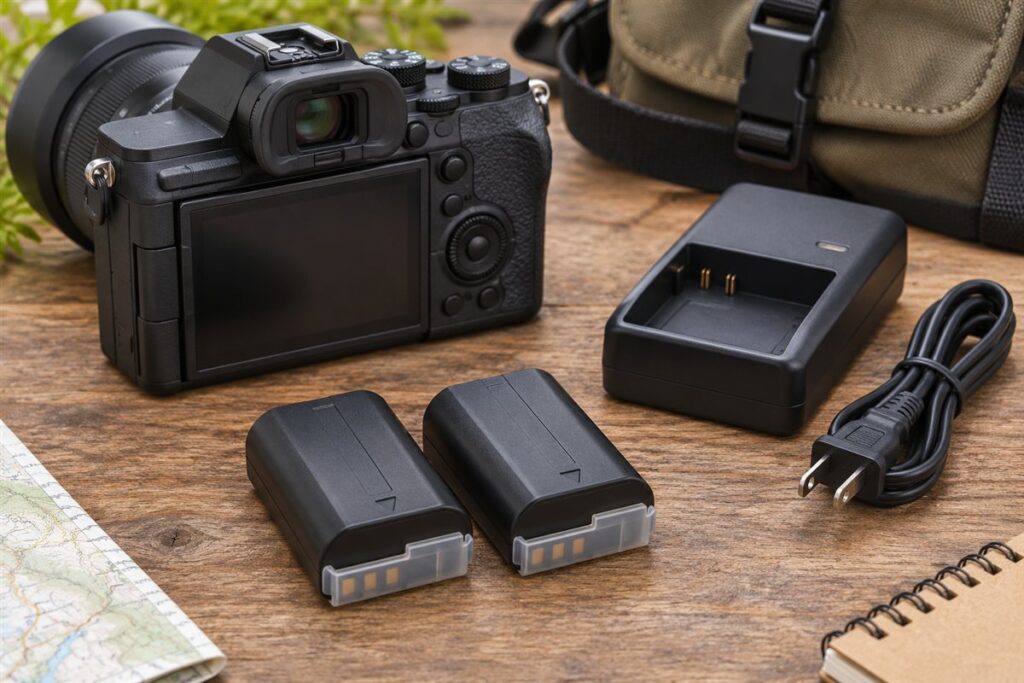
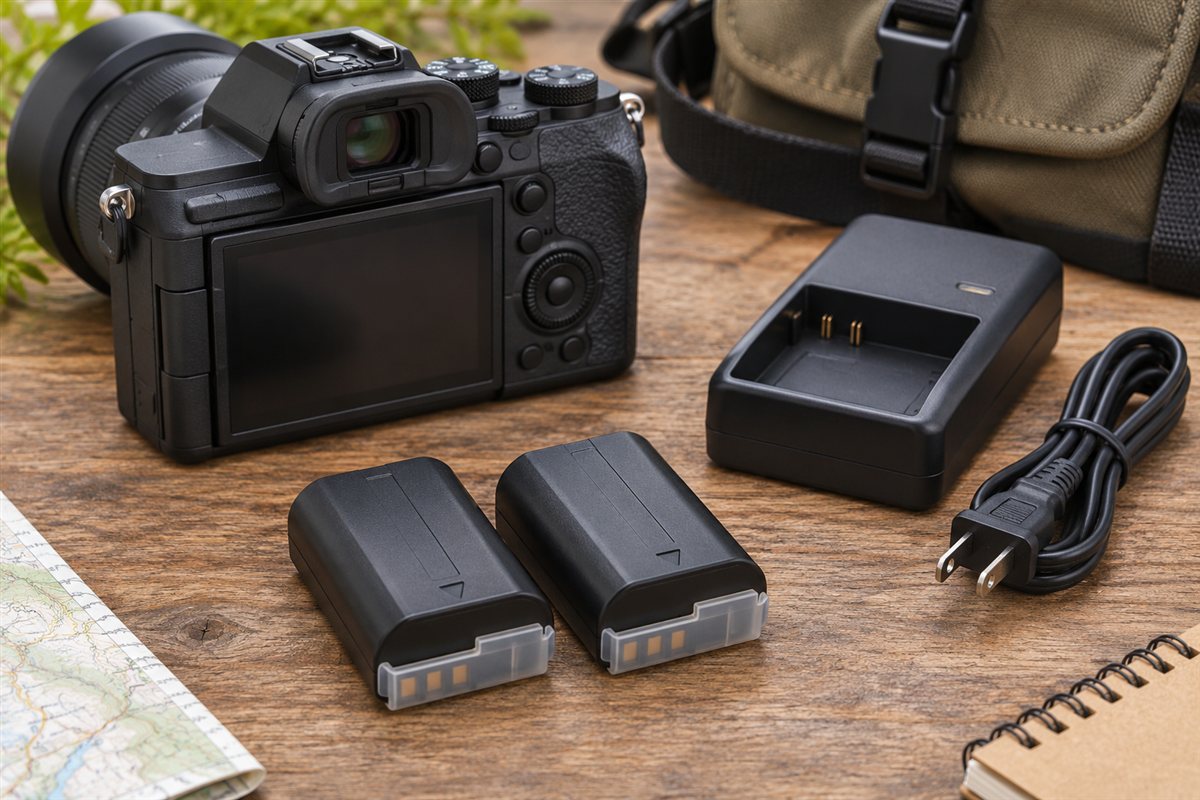
A spare battery is the easiest way to avoid ending a shoot early. To choose one, match the exact model your camera needs, decide between the maker’s own and third-party cells, and plan how many you will carry for the kind of shooting you do. This guide covers matching, safety, planning for different shoots, and the care that keeps batteries dependable.
Begin With the Right Model Code
Camera batteries are shaped for specific bodies. Look for the model code printed on your current battery or listed in your manual, and match it exactly. Similar-looking cells may not fit or may not communicate with the camera. Some cameras share a battery across several models, which is handy if you own more than one body.
Also check the voltage and capacity printed on the label. A battery with the right shape but a different voltage should not be used in your camera. If the label is worn away, look in the manual instead of guessing.
In this guide
Maker or Third-Party
Both routes have supporters, and the right choice depends on what you value.
| Option | Advantages | Things to watch |
|---|---|---|
| Maker’s own | Designed for the camera, full battery readout | Usually costs more |
| Third-party | Often lower cost, sometimes extra features | Quality varies, readout may be limited |
If you buy third-party, choose a known brand with clear information about the cell. Poorly made batteries may swell, fail early or behave oddly. Stop using any battery that looks swollen, leaks, overheats or smells strange, and dispose of it through a local recycling point.
How Many Do You Need
- Casual outings: one spare is often enough.
- Events and travel: two or three, so you can swap without worry.
- Video and heavy screen use: more, because recording drains cells faster.
- Cold weather: cold reduces what a battery can deliver, so keep spares in an inside pocket.
Capacity is shown on the battery label, but real use varies with how you shoot. Check the maker’s guide for the shot count it quotes, and treat it as a rough guide.
Care and Storage
Keep contacts clean and dry and store batteries away from loose metal objects that could bridge the terminals. Use the charger made for your battery type. Rotate your batteries so they wear evenly, and label them if you carry several. For long storage, follow the maker’s advice on charge level and temperature.
Treat batteries as a small system. Charge them the day before, carry them in a case or pouch that keeps the terminals covered, and keep spares in a pocket close to your body in cold weather. Record the date you bought each one if you can, which helps you notice when an older cell is fading faster than the rest.
A Worked Walkthrough: Planning Batteries for a Day Out
A simple routine removes most battery worries. Follow it before any long shoot.
- Estimate your shooting day. A short walk needs less than a wedding, and video drains much faster than stills.
- Decide how many batteries cover that day with a margin, so you are never forced to shoot on the last one.
- Charge every battery the evening before, and check each one reads full on the camera or charger.
- Place a piece of tape or a coloured band on charged batteries, and remove it when a battery is used. This stops you mixing full and flat ones.
- Carry batteries in a pouch with the terminals covered, and keep the pouch in a pocket, not loose in a bag with keys or coins.
- Swap as soon as the camera shows a low warning, not when it shuts down, and put the used cell in a separate pocket.
- Recharge all batteries when you return, then store them at a moderate charge if you will not need them soon.
Common Scenarios
Weekend photography
One spare is usually enough for stills. Keep it in the camera bag so it is always with you, and charge both before you leave.
Travel days
Plan for long days with limited charging time. Carry spares in your cabin bag, and check airline rules on lithium batteries, since carriage in the hold is often restricted.
Cold-weather shooting
Cold slows the chemical action in cells, so a battery that seems flat outside may recover once warmed. Rotate batteries between the camera and an inside pocket.
Video work
Recording, bright screens and wireless features all draw power. Carry extra cells, or look into an external power option if your camera supports it.
It also helps to think about what drains a battery. Bright rear screens, constant autofocus, image stabilisation, burst shooting, wireless connections and video all draw more power than a quick still. If you need to stretch a battery, dim the screen, switch off wireless features you do not use, and turn the camera off between long gaps. These habits do not change the battery itself, but they extend a day of shooting without extra weight in the bag. Keep in mind that a battery rarely fails suddenly; it usually fades, so a cell that drops faster than it did a year ago is a hint to plan a replacement before an important trip.
Mistakes to Avoid
- Buying by appearance. Shape alone does not guarantee a match, so use the model code.
- Carrying loose batteries with metal items. Contact can short the terminals, which risks heat, so cover them.
- Leaving batteries in a hot car. Heat shortens life and can be a safety concern.
- Charging unattended on soft surfaces. Place chargers on a hard, clear surface and stay nearby.
- Using a damaged cell. Swelling or leaking means it should be retired, not tried one more time.
Quick Troubleshooting
| Symptom | Likely cause | What to try |
|---|---|---|
| Camera shows no battery | Dirty contacts or incompatible cell | Wipe the contacts gently and check the model code |
| Battery drains quickly | Age, cold or heavy use | Warm it, reduce screen use, or replace an older cell |
| Charger light blinks oddly | Fault or poor contact | Reseat the battery and check the charger guide |
| Battery feels hot | Charging fault or internal issue | Remove it from use and follow the maker’s safety advice |
| Readout is missing | Third-party cell without data support | Rely on shot count, or choose a model with a readout |
Reading the Label and the Manual
Everything you need to match a battery is usually printed on the battery itself or listed in the camera manual. Taking a minute to read both saves you from buying the wrong cell, and it helps you understand what the numbers mean.
Look first for the model code, which is a short combination of letters and digits. This is the main thing to match. Next, find the voltage, usually shown in volts, and the capacity, often shown in milliamp hours or watt hours. The capacity gives a rough idea of how much energy the cell holds. A higher figure generally means longer use, but only if the voltage and size are compatible with your camera.
Some labels also carry warnings, recycling marks and the charging type. Read these, because they tell you which charger to use and how to handle the cell safely. If the manual lists compatible batteries, trust that list over a seller’s description, and check whether your camera accepts a different model with the same shape but a different internal design.
- Match the model code exactly before you look at anything else.
- Confirm voltage, since a mismatch can damage equipment.
- Use capacity to compare cells of the same type, not different types.
- Keep the manual or a photo of the label so you can check quickly when shopping.
Chargers and Charging Habits
A good battery still needs a good charger. The charger should be made for your battery type and match the voltage and connector. Using the wrong one can cause overheating or shorten the life of the cell, so check the listing and the label before you plug anything in.
Think about how you will charge on a regular day. A dual charger fills two batteries at once, which is handy when you carry spares. A travel charger that can run from a car or a power bank can help on long trips. USB charging in the camera is convenient but ties up the body while it charges.
Build good habits around charging. Place the charger on a hard, clear surface away from curtains and paper. Do not cover it, and stay nearby while it works. Remove the battery when charging is complete if the maker advises it. Let a warm battery cool before charging, and let a cold one warm up to room temperature first.
- Use only the charger that the maker supplies or approves for that battery.
- Check cables and plugs for damage and replace them if frayed.
- Do not charge a battery that is swollen, leaking or damaged.
- Keep the charger dry and away from children and pets.
How Batteries Age and What to Expect
Rechargeable cells do not last forever. Each cycle of use and charging wears them a little, and age and heat add to the effect. You may notice that a battery that once lasted a full day now needs a swap sooner. This is normal, and it is why spares matter.
Storage matters as much as use. A battery left fully charged in a warm place often ages faster than one kept cool at a moderate level. A battery left empty for a long time can drop to a level where it no longer charges properly. Follow the maker’s advice on storage charge and temperature, since recommendations differ between types.
If you own several batteries, number them or mark them with a colour. Rotate them so each gets similar use. When one clearly drains faster than the others, move it to light duty, such as quick outings, and make sure your best cells cover the long days.
- Expect gradual fading, not sudden failure.
- Replace a battery that drops sharply compared with your others.
- Avoid leaving cells in a hot car, bag or window sill.
- Check the camera for a battery health display if it offers one.
Budget Tiers and Getting Good Value
Spare batteries span a wide range of cost, and the cheapest is not always the best value. What you are really buying is reliability on the day you need it. Consider the options in broad terms.
At the lowest tier, unbranded cells may promise high capacity at small cost, but their quality and safety features can vary. Information about cell origin and protection circuits is often thin. At a middle tier, known third-party brands usually provide clearer specifications, sensible warranties and a track record that you can check. At the top tier, the maker’s own batteries offer full compatibility and the battery readout in the camera, which some people value for planning.
Decide how much risk you are comfortable with. For an important job such as an event or a trip, many people favour the most dependable cells they can afford. For casual use, a trusted third-party cell may be enough. Whatever you pick, buy from a seller with a clear return policy, and look at how many people rated the product and what they say in general terms.
- Be cautious of claims that sound too good, such as a capacity far above the original.
- Look for a warranty and for contact details for the seller.
- Check that the product is described as compatible with your exact camera.
- Test a new battery at home before relying on it away from home.
Signs It Is Time to Retire a Battery
Knowing when to stop using a battery is part of caring for your gear. Some signs are about performance, and others are about safety, and you should treat the second group seriously.
On the performance side, watch for a battery that drains far sooner than before, drops quickly from a high reading to a low one, or makes the camera shut down without warning. If the camera repeatedly fails to recognise it even after you clean the contacts gently, it may be worn out or faulty. A battery that no longer holds a charge overnight is also a candidate for replacement.
On the safety side, stop using any battery that swells, leaks, becomes hot in normal use, smells strange or has a dented or cracked case. Do not try to open it or repair it. Cover the terminals with tape, keep it in a safe spot away from flammable items and take it to a recycling point that accepts batteries.
- Fading capacity across several outings, not one bad day.
- Failure to charge, or a charger that keeps showing an error.
- Visible damage, bulging or residue around the case.
- Heat during use or charging beyond what the maker describes as normal.
Keep a note of when you retire each cell and buy its replacement before your next important shoot.
Battery Specifications Explained for Shoppers
A battery label is full of small print, and each item tells you something. Knowing what to look for helps you compare options without being swayed by big claims.
- Model code: the letters and numbers printed on your current battery and in the manual. This is the first thing to match.
- Voltage: must match what the camera expects. A listing with a different figure is not for your body.
- Capacity in mAh or Wh: a higher number suggests more stored energy, but real run time also depends on the camera, screen use, video and temperature.
- Chemistry: most cameras use lithium-ion packs. Follow the maker’s guidance for charging and storage.
- Chip or communication: some cameras read information from the pack. A battery that does not communicate may not show the correct percentage, or may be refused by newer firmware.
- Certification marks: look for marks that suggest compliance with safety standards, and buy from sellers who list their details clearly.
Be wary of an unusually large capacity figure on a small pack, since physical size limits what a cell can hold. When in doubt, compare the stated numbers to your original battery.
A Packing and Rotation Plan for Spare Batteries
Owning a spare is only useful if it is charged and easy to reach. A simple routine makes sure you never find an empty pack at the wrong moment.
- Label each battery with a small mark, such as a dot or a number, so you can tell them apart and track which one has been used most.
- Charge both the night before an outing. Use the charger and cable that the maker recommends.
- Carry the spare in a case or a pouch where its contacts cannot touch keys, coins or other metal. Many batteries come with a plastic cover for this purpose.
- Keep the pack close to your body in cold weather, since low temperatures reduce how long a battery lasts for a while.
- Swap batteries when the first one drops low, not when it quits, so that the camera can finish writing files to the card.
- After the trip, recharge or store according to the manual, and do not leave packs in a hot car.
| Situation | Suggested habit |
|---|---|
| Short walk | One spare in a jacket pocket is usually enough |
| Full day of travel | Carry at least one spare and a way to recharge in the evening |
| Video or long exposures | Bring extras, because these uses draw more power |
| Long storage | Follow the maker’s advice on charge level and place |
If a pack swells, leaks, becomes hot during charging or no longer fits properly, stop using it and follow local guidance for safe disposal. Do not attempt to repair or open it.
Products Worth a Look
As an Amazon Associate, Reviews Took earns from qualifying purchases. These picks come from our guide: 4 Best Camera Chargers and Dummy Batteries (2026).
-
LP NP-FW50 Dual Battery Charger
-
K&F Concept NP-FZ100 3-Slot Charger
-
King Ma Dummy Battery (Type-C Power)
How Camera Batteries Actually Age
A spare battery is not a purchase you make once and forget; it is a consumable with a slow, predictable decline. Every charge cycle costs a little capacity, heat costs more, and time itself costs some even in a drawer. A battery that once carried a camera through a long wedding may, three years later, give up during the speeches, and the change arrives so gradually that photographers blame the camera, the cold, or their own settings first. Learning your batteries’ real condition, rather than their age on paper, is what turns a spare from a talisman into a tool.
Most cameras report battery health in their menus, in bars or percentages that reflect the cell’s remaining capacity and its ability to deliver power under load. Check these readings a few times a year and note them. A battery whose health drops a grade deserves demotion to light duties: short outings, studio work near a charger, or service as the third emergency cell. Retire a battery that swells, runs hot, charges oddly fast, or drops from full to empty in a handful of frames. Those are not quirks; they are the end of the battery’s safe life, and no shoot is worth arguing with them.
Rotation: the habit that makes spares reliable
Spares fail people most often because they sit unused for a year and are grabbed, flat or stale, on the one day they are needed. Rotation fixes this. Number your batteries, use them in turn, and let each one work regularly rather than keeping one pristine battery in reserve while another does all the work. Rotation evens the wear, keeps every cell exercised, and means the battery you reach for in a hurry has been charged and used recently enough to trust. Photographers who shoot for a living often rotate by day or by card case; the exact system matters less than having one.
Storage charge matters during quiet periods. Cells stored fully charged for months age faster than those stored partly charged, and cells stored completely flat can fall below the point where a charger will revive them. For a battery that will rest for a season, the middle ground, roughly half charged, cool and dry, is the kindest place. Before a return to work, cycle it once through the camera and charger so its first real day is not also its first day awake.
Power Planning for Real Shooting Days
The question is never really how many batteries to own, but how much shooting a day demands and what running out would cost. A landscape photographer making two hundred careful frames in mild weather needs a fraction of the power of a sports photographer making ten thousand frames with a hungry electronic viewfinder and constant image review. Cold multiplies everything: a winter day can halve the frames per charge, and batteries resting in an outside pocket fade fastest of all. Experienced cold-weather shooters carry the spare against their body and swap it with the camera’s battery periodically, warming the cold one back to usefulness.
Video is the hungriest work of all, and it punishes optimism. A camera recording continuously draws power without pause, heats its own battery compartment, and often disables the sleep behaviour that saves stills shooters. Plan video days in whole batteries per hour of recording rather than frames per charge, and treat any plan that ends with the last battery at the last scene as no plan at all. External power, a dummy battery on mains or a large power bank where the camera supports it, belongs in the conversation for fixed-position video, with the internal battery as the backup rather than the other way round.
Charging away from home
Travel rearranges charging. Hotel rooms offer few sockets and many devices, so a charger that handles two batteries at once, or charges from a USB source in the car, earns its space. Charge overnight in rotation, label charged and spent batteries in a way you can read at a glance in the dark, and never let the day’s only charged spare ride in the bag you might leave at the venue. Airline rules expect spare lithium batteries in hand luggage, protected from short circuits; individual sleeves or a case are both protection and good organisation. Photographers who tour, shoot festivals or work abroad build this into a fixed evening routine, and their mornings start with full batteries and no arithmetic.
Genuine, Third-Party and the Middle Ground
The choice between the camera maker’s batteries and independent ones deserves a clear head. Genuine cells offer guaranteed fit, accurate reporting to the camera, and warranty comfort, at the highest price. Good independent makers offer honest capacity and reliable behaviour for less, and many working photographers run a mix: genuine batteries for the critical slots, trusted independents as the deeper bench. What to avoid is the anonymous end of the market, where printed capacities are fiction and protection circuits are a rumour. A battery is a small store of energy that lives against your camera’s electronics and sometimes against your body in a pocket; it is the wrong place to save the last few pounds.
Whichever you buy, verify behaviour in the first week. Charge it fully, shoot it down in normal use, and compare its frame count and the camera’s percentage readings with a battery you trust. A good cell behaves boringly. One that reports erratic percentages, loses charge on the shelf in days, or runs noticeably warm should go back while returning it is still easy.
Recognising a Battery Problem and Not Blaming the Camera
When a camera starts behaving strangely, the battery is a prime suspect that often escapes suspicion. Erratic shutdowns at moderate charge, exposure counts that fall off a cliff in cool weather, a camera that works perfectly on one battery and misbehaves on another: these are power symptoms. The diagnostic is simple and costs nothing. Swap in a battery you trust and repeat the work. If the fault follows the battery, you have your answer. If it stays with the camera, you have saved yourself buying batteries for a camera fault. Keep one known-good cell as your reference standard, the way workshops keep a calibrated tool, and let it arbitrate every argument between camera and power.
Contacts are the humble half of the power system. Battery terminals and the camera’s contacts collect pocket lint, oxidation and the residue of a thousand insertions. A dry cloth or a purpose-made contact cleaner, used gently, restores connections that looked like dying cells. Chargers fail too, usually by reporting a full charge they have not delivered; if two batteries both seem weak after the same charger, suspect the charger, and check its contacts and its power supply before condemning the cells. A spare charger is cheap insurance for anyone who earns money with a camera, because a dead charger on location turns a box of good batteries into a countdown.
Batteries for particular kinds of shooting
Some work makes unusual demands. Time-lapse over a whole night in winter is the sternest test: the camera cannot sleep, the cold is constant, and nobody is present to swap cells, which is why external power packs and dummy batteries exist. Astro photographers run dew heaters and cameras from the same supply and plan the whole night’s energy like a small expedition. Wedding and event photographers face the opposite pattern, long idle stretches punctuated by bursts, where the discipline is rotation and knowing, without looking, which pouch holds charged cells and which holds spent ones. Sports shooters burn power in the viewfinder and the autofocus motors and learn to switch the camera off between plays without thinking. In each case the battery system, pouches, labels, rotation, charging rhythm, matters as much as the batteries themselves.
Buying Spares Without Waste
It is easy to overbuy. Batteries bought in a bundle for a camera you replace two years later become drawer clutter, and cells age whether they work or not, so a deep bench bought all at once declines together. Buy spares against a real pattern of use: enough for your longest day plus one, bought when the need is proven. If your work grows, add cells then; they will be fresher than stock bought early and left waiting. When you change camera systems, pass the old batteries on with the body rather than hoarding them for a camera you no longer own.
Keep receipts and note purchase dates on the cells themselves with a fine marker on the label edge. When one battery in a set starts to fade, its date tells you whether the others are likely to follow, and a warranty claim becomes a conversation with evidence. This small administration, five minutes a year, is what separates a power kit that quietly works for a decade from the familiar drawer of mystery batteries that nobody trusts and nobody throws away.
Disposal and the environment
Lithium cells should never go in household rubbish. Retailers and recycling centres take them, and many camera shops collect them as a service. Tape the terminals of retired batteries before transport so they cannot short against keys or coins, and keep swollen or damaged cells apart from sound ones. A battery that has served through thousands of frames has earned a proper ending, and the materials in it are worth recovering.
Power Habits of Photographers Who Never Run Flat
Talk to working photographers about batteries and the same habits recur, so consistent they amount to a method. They charge on a schedule rather than on a suspicion, so batteries are ready before they are needed. They know the frame count of every cell they own in the conditions they actually shoot, because they have watched the percentages fall through real days rather than trusting the optimism of a specification sheet. They carry the spare on their person or in the bag that never leaves their side, not in the case that might stay in the car. And they treat the low-battery warning as a command, swapping immediately rather than gambling on the last bar, because a battery swapped early can be recharged that evening while a moment missed is missed for good.
There is also a social side to power discipline on shared shoots. Second shooters, assistants and borrowed bodies all draw from the same pool, and the professional habit is to hand over equipment with full batteries and to return it the same way, mentioning any cell that behaved oddly. Studios keep a charging station in one visible place for exactly this reason: power becomes a shared, visible resource rather than a private worry discovered mid-ceremony. If you shoot with others even occasionally, agreeing whose batteries are whose, with labels rather than memory, prevents the slow drift of cells between kits that leaves everyone with a mismatched set.
Understanding what drains a modern camera
Knowing your camera’s appetites lets you stretch a battery when you must. The rear screen and electronic viewfinder are the biggest drinkers, followed by image stabilisation working constantly, wireless connections left searching, and autofocus motors driving heavy lenses back and forth. In a pinch, shortening screen review time, dimming the display, switching wireless off and focusing more decisively can add a meaningful margin to a fading cell. None of these substitutes for a charged spare, but together they have saved many final frames of a day, and they cost nothing but awareness.
A Realistic Buying Sequence
If you are building a kit from nothing, the sensible order is dull and effective. Start with the battery that came with the camera and learn its real endurance in your hands. Add one genuine or trusted spare when you first feel the limit, on a long day, a cold day or a paying job. Add a second charger or a dual charger when charging time, not capacity, becomes the bottleneck, as it does on trips with late finishes and early starts. Add further cells only when a specific kind of work, video, events, expeditions, proves the need. This sequence spends money in step with evidence, and it leaves you with a set of batteries of similar age that you understand individually, rather than a drawer of strangers bought in a panic the night before a trip.
When One Battery Must Do: an Emergency Field Guide
Sooner or later every photographer faces the day the spares are flat, forgotten or failed, and a single battery stands between them and the pictures. The method is triage. Decide the frames that matter most and protect the power for them. Switch the camera off between moments rather than letting it idle; compose with your eyes before raising it. Turn off the screen review, the wireless and the stabilisation when the support allows, and resist the urge to show everyone the photographs on the camera, because every showing spends the afternoon’s frames. Shoot in considered bursts rather than continuous chatter, and chimp nothing that cannot change what you do next.
Warmth is your ally in the cold version of this emergency. A fading battery rested in an inside pocket often recovers enough charge for a final sequence, because cold suppresses a cell’s output without truly emptying it. Rotate the camera’s battery with your body warmth as the charger of last resort, and plan the day’s last, most important frames around the warmest battery you have. Photographers who have worked through this once tend never to need the lesson twice; the spare goes on charge that same night, and the rotation system described earlier in this guide starts the next morning.
Sharing power on group trips
On workshops, expeditions and family trips, batteries become a small economy. Shooters with the same camera system lend cells to one another, and the etiquette is simple: borrow early, return charged, and replace anything you damage. A shared charging strip in a lodge or a vehicle, with labelled slots, keeps the peace better than any rule. If you are the organised one, bringing a spare charger for the group’s common battery type makes you quietly popular and keeps the whole party shooting.
Batteries and the Second-Hand Camera Market
Batteries follow cameras into new hands, and both buyers and sellers handle them badly. A camera sold with two elderly batteries of unknown health is worth less than the same body with one fresh cell, yet listings rarely say. If you are buying, ask about battery age and health readings, and budget for at least one new cell so your first months with the camera are not spent diagnosing someone else’s worn-out power. If you are selling, include an honest battery or two and say so; it speeds the sale and starts the buyer well.
The same logic applies to chargers, which wander away from kits over the years. A body without its charger forces the buyer into the third-party market immediately. Keeping each camera’s charger, cable and original battery together, labelled, through the whole period you own it is a small discipline that pays out at resale and saves confusion at home, where a drawer of similar black chargers otherwise breeds slowly. Label the charger with the camera model in tape or marker; future you, packing at midnight, will be grateful.
There is one more quiet benefit to a well-run battery system: confidence that spreads into the rest of the work. A photographer who trusts their power composes more patiently, waits longer for the light and takes the extra frame without calculating. Gear anxiety is a real tax on attention, and batteries, being cheap relative to cameras and lenses, are the easiest anxiety to retire permanently. Sort the system once, maintain it lightly, and spend your worry on the pictures instead.
If you take only three actions from this guide, let them be these: number your batteries, rotate them without exception, and check their health readings twice a year. Those three habits, costing almost nothing, prevent nearly every battery story photographers tell with a sigh, the flat spare, the mystery cell, the shoot that ended at the best moment. Power is the simplest system in the bag to get right, and getting it right is a gift to every future shoot.
Before any important shoot, run one final power check as part of packing: every battery charged or deliberately stored, every battery in its correct pouch, the charger and cable in the bag if the day is long. It takes two minutes, it catches the one flat cell hiding among the good ones, and it means the camera’s power is the last thing on your mind when the work begins, which is precisely where it belongs.
And if a battery ever behaves strangely, hot, swollen, suddenly empty, believe it the first time. Retire it without a second test in the camera you depend on. Cells are inexpensive; cameras, shoots and peace of mind are not, and a battery that has announced a fault has given you all the information you need.
Keep one more small thing in the camera bag: a note, on paper or in your phone, of which battery numbers live in which camera and charger. When several people and several bodies share a charging table, that note ends every argument before it starts and sends everyone home with their own cells.
FAQ
Can I charge a battery in the camera?
Many cameras allow charging over USB, but a separate charger lets you refill one battery while you shoot with another. It is worth having for long days.
Do batteries last forever?
No. They lose capacity gradually with use and age. If a battery drains much sooner than it used to, it may be time to replace it.
What charge level is best for storage?
Many makers suggest a partial charge for long storage, away from heat. Check your battery’s guide for the exact advice, and top up before use.
Can I fly with spare batteries?
Usually, but rules apply. Carry them in the cabin with terminals covered, and check your airline’s current policy before travelling.
How do I dispose of an old battery?
Do not put it in household waste. Take it to a recycling point or collection scheme, and cover the terminals with tape on the way.
Can I mix old and new batteries on the same shoot?
Yes, since you use them one at a time, but treat the older one as a backup for short use. Put the newest, best-charged cells in first on long days, and swap before the camera warns of low power.
Do batteries work in different camera models of the same brand?
Some do and some do not. Look up the model code in your camera manual, since a shared shape does not always mean compatible electronics. Check the list of supported batteries for each body.
Is it safe to leave a battery in the camera when stored?
Many people remove it to avoid slow drain and to protect the camera if the cell ever leaks. Check your camera manual for guidance, and store the cell in a cool, dry place with the contacts covered.
Why does my battery show full but die quickly?
Age and cold can both cause this. An older cell may display a full reading but fall fast under load. Warm it up, try another cell and consider replacing the first if it keeps happening.
Should I buy a battery grip instead of more spares?
A grip holds extra cells and adds handling for some cameras, but it also adds weight and bulk. If you only need more power, spare batteries in a pouch are lighter and easier to carry.
How should I clean battery contacts?
Switch the camera off, remove the battery and wipe the contacts gently with a clean, dry, soft cloth. Do not use liquids or sharp tools unless the maker says they are safe.
Can I use a power bank to extend shooting time?
Many cameras can run or charge from USB power, but support varies by model. Check the manual to see whether your body can be powered while shooting, and use a cable that suits the device.
How many spare batteries do I actually need?
For most stills shooters, one spare covers a normal day and two cover a long or cold one. Video work, time-lapse and professional events justify more. Count in shooting hours and conditions rather than frames, and add one beyond your estimate if running out would end the day’s work.
Why does my spare die faster than the battery that came with the camera?
It may be older than it looks, stored badly, or simply a lower-capacity cell. Rotate your batteries so each is used and charged regularly, store resting batteries partly charged in a cool place, and check the health reading in the camera menu to see whether it has genuinely declined.
Can I charge a camera battery from a power bank?
Many recent cameras charge over USB, and many chargers accept USB power, so a power bank often works, if slowly. It suits topping up during travel rather than refilling several flat batteries overnight. Check that the camera is switched off or set to charge, as models differ.
Is it safe to leave a battery in the camera for months?
For a few weeks, yes. For months, the camera’s tiny standby drain can pull the cell flat, and deeply discharged lithium cells may not recover. For long storage, remove the battery, leave it partly charged, and keep it somewhere cool and dry.
What should I do with a swollen battery?
Stop using it at once. Do not charge it, squeeze it or carry it loose in a bag. Place it in a fireproof container if you have one and take it to a battery recycling point or an electronics retailer that accepts them, and mention the swelling when you hand it over.
The Short Version
Match the model code exactly, buy from a trustworthy source, and carry enough spares for your longest day. Keep them clean, charged and away from extreme heat or cold, and retire any cell that swells, leaks or overheats.