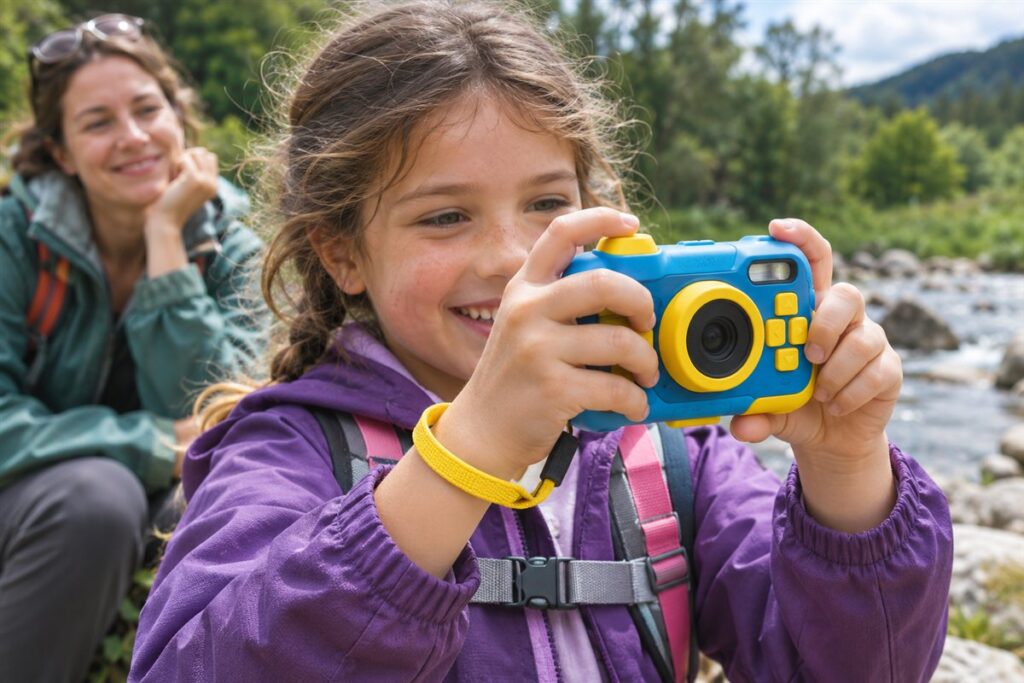
A first camera for a child should be easy to use, hard to break and fun enough to keep them interested. Choose simple controls, a tough body and a short learning curve, and let the child’s age and patience guide how much you spend of your time on setup. This guide covers age and hands, helpful features, camera types, a first-week plan, safety and privacy habits, and troubleshooting.
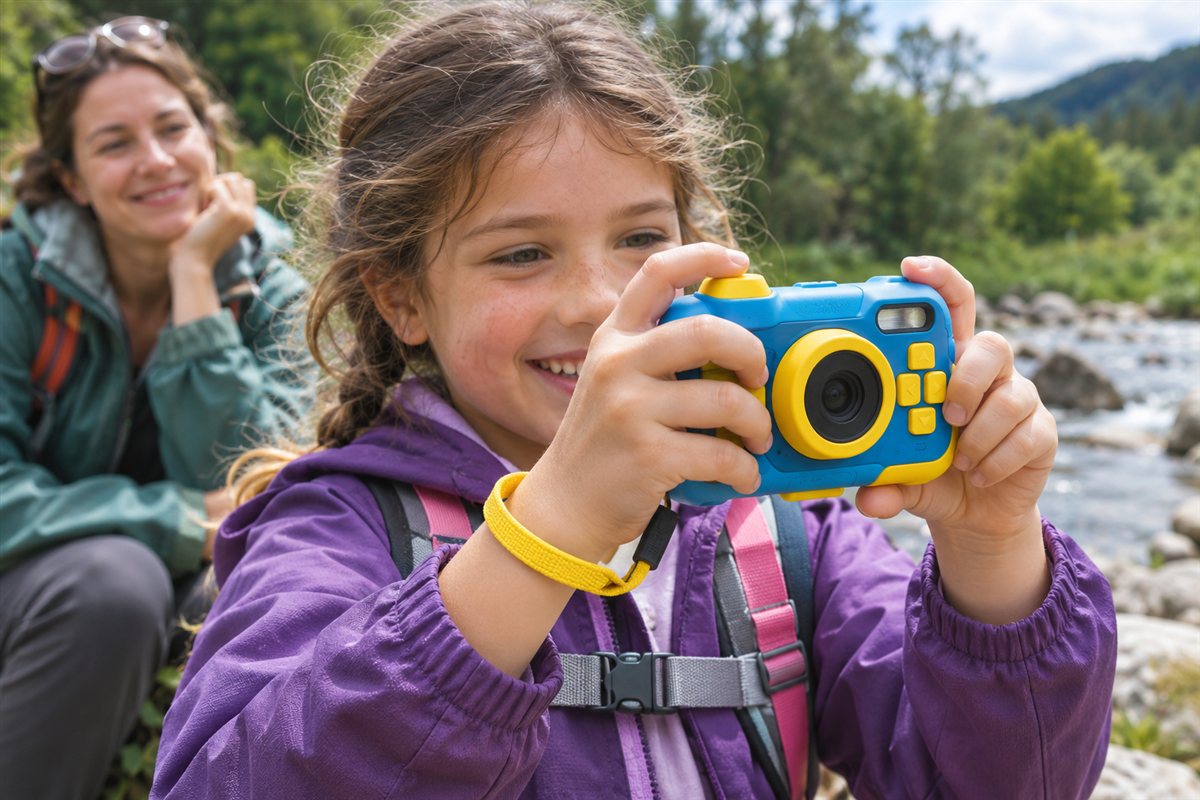
Think About Age and Hands
Small hands need small cameras with big, clear buttons. Younger children enjoy a camera with one-press shooting and a bright screen. Older children and teens may want zoom, manual settings and the ability to swap lenses. Check the maker’s guide for any age guidance, and supervise young children, especially with straps, cables and small parts such as memory cards.
In this guide
Features That Help
- Sturdy build: rubber grips and a wrist strap help against drops.
- Simple menus: fewer choices keep it fun.
- Clear screen: children learn by seeing results straight away.
- Decent battery life: nothing ends a session faster than a flat camera.
- Easy transfer: a card slot or a simple way to move pictures to a computer.
Camera Types Compared
| Type | Good for | Consider |
|---|---|---|
| Toy-style digital camera | Young children, play | Basic image quality |
| Rugged compact | Active children, outdoor use | Fixed lens, simple options |
| Basic compact or hand-me-down | Learning the basics | Older models may lack features |
| Entry-level interchangeable lens | Teens who want to grow | Heavier and more complex |
A second-hand compact is often a gentle way in, since a scratch matters less. Choose from a seller you trust and check the camera works properly.
Making It a Learning Habit
Give the child small projects, such as a photo of something tiny, something round or something that makes them laugh. Print a few favourites and let them display the results. Talk about light, angles and getting closer. Let them make mistakes, because that is how interest grows.
Teach them to respect others, too. Ask permission before photographing people, and talk about sharing pictures online carefully.
Think about the long run too. A child who keeps shooting will soon want to share and print pictures, so a camera with a simple way to move files to a computer is worth having. Set a few ground rules together, such as where the camera is kept, who may be photographed and how images are shared. A small padded case or pouch protects the camera in a school bag. Check the battery type before you buy, since rechargeable cells save frequent trips to the shop.
A First Week Plan
A short, playful plan keeps the first days fun and teaches the basics without lectures.
Day one: set it up together
Fit the strap, insert a charged battery and a memory card, and show where the shutter button and screen are. Take a few silly pictures of each other, and look at them together.
Day two: go on a photo walk
Walk in the garden or the park and photograph anything interesting. Encourage the child to get close, crouch down and look from different angles.
Day three: try a theme
Choose a theme such as colours, shapes or textures. Themes give focus and make the pictures more varied than random shots.
Day four: look over the results
Look at the photos on the screen or a computer, and ask which they like best and why. Let the child delete the ones they do not like.
Day five onward: share and print
Print a few favourites for the wall or make a small album. Seeing the photos as objects builds pride and interest.
Common Scenarios
A very young child
Choose a very simple, sturdy camera and supervise play. Expect blurry and tilted shots, and enjoy the child’s viewpoint, which is often low and full of detail.
A school-age child who wants to take it everywhere
A rugged compact with a wrist strap and a padded pouch suits bags and playgrounds. Agree on where it may and may not be used.
A child who loses interest quickly
Switch themes, share the pictures and give them a purpose, such as a family album or a school project. A change of subject can revive interest.
A teenager who wants more control
An entry-level camera with manual modes allows them to learn exposure. Pair it with a simple lesson on aperture, shutter speed and ISO, and let them experiment.
Siblings who share
Set turns and a fair rule for who holds the camera, and make sure each child can find their own pictures on the card or in a folder.
Safety, Privacy and Courtesy
- Supervise young children around straps, which can wrap around necks, and around small memory cards, which can be swallowed.
- Teach them to ask before photographing others, and to delete a picture if someone asks.
- Keep location details and personal information out of any picture shared online.
- Talk about sharing only with people you know, and decide together what is shared.
- Show them how to look where they walk, and not to step backward while framing a shot.
Mistakes to Avoid
- Buying a complicated camera too early. Many menus can discourage a young child and turn the camera into a drawer item.
- Expecting great pictures straight away. Children need time to explore, and early shots will be rough.
- Never looking at the photos. Pictures that nobody sees fade in meaning. Look at them together.
- Leaving it unprotected. A strap and a pouch prevent most drops and scratches.
- Taking over. Let the child choose subjects and frame their own shots.
Quick Troubleshooting
| Symptom | Likely cause | What to try |
|---|---|---|
| Photos blurry | Hands move while pressing the button, or low light | Teach a steady stance, press gently and shoot in brighter places |
| Camera says memory full | Card is full | Move pictures to a computer and delete unwanted ones |
| Battery drains quickly | Screen left on or old cells | Turn on auto power-off and charge after use |
| Screen is hard to see outside | Bright sun | Shade the screen with a hand or move into shade |
| Camera will not switch on | Battery empty or inserted wrongly | Charge it, check the direction and reseat the battery |
Glossary
- Memory card: a small card that stores the pictures.
- Zoom: a lens feature that makes the subject look closer or farther.
- Rugged: built to resist drops, dust or splashes, within limits set by the maker.
- Auto mode: the setting where the camera chooses exposure for you.
- Transfer: moving pictures from the camera to a computer.
- Composition: the way things are arranged inside the picture.
Budget, Second-Hand Options and Total Cost
A child’s first camera does not need to be expensive, and the best value is often not the lowest sticker price. Think about the total cost of getting a child started: the camera, a memory card, a protective pouch or case, spare or rechargeable batteries, and perhaps a way to print the results. A camera that looks cheap but needs a special battery or proprietary card may cost more in the long run than one that uses common parts.
Second-hand cameras are a sensible route because children are hard on equipment and the first camera may be dropped, sat on or lost. A used compact from a trusted seller or a family member often gives better image quality than a new toy camera at a similar price. Check that the lens extends and retracts smoothly, the screen is free of cracks, the battery holds a charge, and the buttons respond. Ask about return terms, and do not buy a camera that you cannot test.
- Decide how much you would be willing to lose if the camera were dropped in a pond, and set the budget close to that figure.
- Choose a camera that uses a rechargeable battery and a common memory card format.
- Check whether a charger is included, and whether it uses a common cable.
- Look for a manual or a clear on-screen guide that a child can follow.
- Consider whether an older phone, kept offline and used only as a camera, would serve better than a dedicated device.
Image Quality That Matters at This Age
Parents sometimes worry about megapixels, but for a child who shares pictures on a screen or prints small snapshots, resolution is rarely the limit. What affects results more are the lens, sensor size, how well the camera handles indoor light and how fast it responds when the shutter button is pressed. A slow camera that records the picture a second after the press frustrates a child who is chasing a pet or a friend.
Look for a camera with a bright screen, a shutter that responds quickly and automatic modes that handle most scenes. A built-in flash is useful indoors, though its light can be harsh, and a child should learn not to fire it close to someone’s eyes. Some toy-style cameras include filters, frames and stickers, which can be fun for young children but may be limiting once they want more control. Think about whether the novelty will wear off and whether the camera can grow with them.
| Feature | Why it helps a child | What to check |
|---|---|---|
| Fast shutter response | Catches moving subjects and reduces frustration | Reviews that mention lag |
| Clear screen | Shows results immediately | Visibility outdoors |
| Simple auto mode | Lets the child focus on subject and framing | Menus that are easy to read |
| Optical zoom | Gets closer without losing quality | Digital zoom is less useful |
| Rugged body | Survives drops and splashes within stated limits | The maker’s rating and conditions |
Camera or Phone: Deciding What Fits Your Family
Many families already have a phone that takes good pictures, so the real question is whether a separate camera adds value. A dedicated camera has advantages: it does not connect to messaging or games, so the child stays focused on photography, it can be handled by small hands without risk to the family phone, and it gives a clear sense of ownership. It also teaches basic ideas such as framing and light, which a phone can teach too, but with more distractions.
A phone has strengths as well. It is always available, it has capable image processing, and sharing is simple. For a child who will mostly take casual snapshots, an older phone with no cellular service, set up with parental controls, can work. If you choose this route, decide on rules for apps, storage and sharing before handing it over.
Who is better off with a dedicated camera
A dedicated camera suits children who want to focus on pictures, families who prefer limited screen time, and situations where the device may be dropped or lost, such as school trips or outdoor activities. It also suits parents who want an easy way to copy pictures to a computer and keep them organized.
Who might prefer a phone
A phone may be better for older children who already have one, for families who want instant sharing with relatives, and for those who do not want to buy and manage another device. In that case, consider a rugged case and a simple folder system for photos.
Storing, Printing and Sharing the Pictures
Pictures are more meaningful when children can do something with them. Set up a simple routine for moving photos from the camera to a computer or tablet, and show the child how to find them. Create a folder for each month or outing, and let them help name it. Teaching this early builds good habits and keeps pictures from being lost when a card is erased or a camera breaks.
Printing makes a strong impression. Choose a handful of favorites and print them as small snapshots, then let the child arrange them on a wall or in an album. Photo books can be a good project at the end of a holiday or school term. A small instant-print camera or a portable printer can also be fun, though running costs for film or paper add up, so check them first. If you share pictures with family online, use a private album with a known guest list and avoid public posting.
- Back up the pictures to a computer and a second place, so one failure does not erase them.
- Let the child delete failed shots, but keep a rule that a parent checks before the card is wiped.
- Review the pictures together each week and talk about what worked.
- Print a few pictures each month so the child sees progress.
Growing With the Child: When to Upgrade
A child who keeps taking pictures for a year or more will eventually push against the limits of a simple camera. Signs include asking how to blur the background, wanting a closer zoom, shooting in dim places where pictures come out blurry, or experimenting with long exposures. Those questions are good signs. They show that interest is turning into skill.
When that time comes, step up gradually. A compact with manual modes and a good zoom may be enough. An entry-level interchangeable lens camera is another path, but it brings added weight, cost and care, so be sure the interest is strong. Pair any upgrade with a small project, such as portraits of family members or a series on a theme, and agree who will carry and protect the equipment. Keep the old camera as a backup or pass it to a sibling.
Fun Projects That Keep Interest Going
Once the first week passes, children need reasons to keep shooting. Short, playful projects work well because they give each outing a purpose and produce a set of pictures to show.
- An alphabet hunt: find objects shaped like each letter and photograph them.
- A day in the life: photograph a pet, a meal, a walk to school and bedtime, then arrange the pictures in order.
- Close-up week: photograph small things such as insects, leaves, buttons and textures from a few inches away.
- Portraits of family: ask relatives to pose, then let the child choose a favorite for a card.
- Same place, different times: photograph one window or tree each day and compare the results after a month.
- A story in five pictures: choose a simple idea such as a snail on a journey and tell it with five frames.
Add a small reward that is not about winning. Display the pictures at home, send a print to a grandparent, or let the child make a card for a friend. Keep the focus on enjoyment and noticing. If the child shows interest in learning more, borrow a library book about photography for kids or watch a short age-appropriate video together.
Pay attention to their pace. Some children want daily outings, others prefer occasional bursts. Both are fine. The aim is a lasting habit of looking closely at the world, not a collection of technically perfect images.
Ready to Buy? Start Here
If this guide helped you decide what to look for, these links take you to the next step.
Compare specific products
Gear for this guide
- Kids digital cameras on Amazon
- SD cards for kids cameras on Amazon
- Kids camera cases on Amazon
- Rechargeable AA batteries on Amazon
As an Amazon Associate we earn from qualifying purchases. Prices and availability are shown on Amazon.
Going Deeper: Matching the Camera to the Child, Not the Catalogue
Adults buy cameras by specification; children use them by feel. The camera that succeeds with a child is the one that fits their hands, survives their day and responds fast enough to keep up with their curiosity. The earlier sections covered ages, features and types. This section looks at the subtler matches between child and camera that decide whether the gift becomes a hobby or a drawer ornament.
The first ten seconds
A child’s verdict forms almost instantly: pick it up, find the button, take a picture, see the picture. Any camera that interrupts that sequence with menus, modes or a slow start loses the child before the photography begins. When choosing, perform the sequence yourself in the shop and time it honestly. For younger children especially, the shutter button’s position and the immediacy of the rear screen matter more than any other specification, because the reward loop of press-and-see is what teaches cause and effect and keeps them coming back.
Weight through a whole outing
Adults underestimate how long a child will carry a camera, because children carry things in bursts and then want to run, climb or hold a hand. A camera that is light enough to be forgotten on its strap between pictures is the one that is present for the pictures. Test by imagining the whole zoo trip, not the first minute in the shop. For many families the right answer is the smaller camera worn on a short strap, with an adult carrying a pouch for the moments when even that is too much.
How the camera handles being dropped, sat on and rained on
Children’s equipment lives roughly, and pretending otherwise leads to either an anxious child or a broken camera. Decide in advance which risk you are buying: a genuinely rugged camera that shrugs off the playground, or an inexpensive one whose loss would be a lesson rather than a disaster. Both are respectable strategies. The poor choice is the fragile, expensive camera handed over with warnings, which teaches the child that photography is a worrying activity and the adults that gifts can be a source of stress.
Room to grow without room to get lost
The ideal child’s camera has a simple surface and depth underneath: automatic shooting that works immediately, and a few controls that can be discovered or taught over the following years. Cameras that are only simple are outgrown and abandoned; cameras that are fully complex are never grown into. Look for the middle path, and think in terms of the child’s next two birthdays. A camera that can grow from point-and-shoot to a first deliberate control, such as exposure compensation or a macro mode, earns its place for years.
Three Children, Three Right Cameras
Age guides are a start, but temperament decides. These three portraits show how the same family might choose differently for different children.
The whirlwind six-year-old
This child photographs like they do everything: at speed, at close range, and with the camera swinging from its strap. The right camera is rugged, light and instant, with big controls and nothing to configure. Image quality is almost irrelevant beside survival and immediacy; the pictures will be of worms, shoes, the dog’s nose and grinning friends, and they will be wonderful because they are the child’s world at the child’s height. Give this child volume and freedom, review the pictures together with delight, and let technique arrive later if it wants to.
The careful ten-year-old collector
This child photographs butterflies, arranges still lifes and wants the pictures to look like the ones in books. The right camera offers a real zoom or macro ability, a screen that tilts for awkward angles, and enough control to reward care. This child will look after equipment, enjoy a small tripod and a notebook, and benefit from an adult who answers questions seriously. Spend more here, because the camera is feeding a genuine emerging interest, and consider printing the best pictures properly, which tells the child their work is real.
The teenager ready to join the family hobby
This photographer needs a camera that does not embarrass: capable in low light, connected enough to share results, and compatible with the lenses or accessories already in the house if possible. A teenager given a visibly lesser camera while adults use better ones receives a message, and it is not about photography. A good used camera from the family’s own system, handed over properly as a real tool, often works better than a new child-market model, and shared lenses and batteries simplify everyone’s life on trips.
The First Month: Habits That Make the Hobby Stick
Whether a child’s camera becomes a hobby is decided less by the camera than by the family’s habits around it. These five small structures make a disproportionate difference.
Step one: make the camera easy to reach
Keep the camera charged, with a card in it, in a fixed place the child may take it from without asking. Every layer of permission and preparation between the child and a picture costs pictures. The strap goes on before the camera leaves the hand, as the one non-negotiable rule, and otherwise the camera should feel like the child’s own property, because ownership is what produces care far more reliably than warnings do.
Step two: review together, briefly and warmly
Look through the pictures together every few days, on the biggest screen available, and talk about what the child was seeing. Ask about their favourites rather than grading technique. Children photograph more when their pictures are witnessed. Save the best into a family album as you go, because the growing album is the hobby’s visible progress, and delete the obvious accidents together so the card never becomes an overwhelming backlog.
Step three: give small missions, not lessons
A mission, photograph three round things, find the colour red, take a portrait of someone laughing, gives purpose without pressure and produces delightful sets. Missions suit car journeys, walks and rainy afternoons, and siblings can share them competitively or cooperatively. Resist turning them into instruction; if a mission raises a question about light or focus, answer it then, in one sentence, and let them play. Teaching that arrives as an answer is remembered; teaching that arrives as a lecture is endured.
Step four: print early and display proudly
A printed photograph changes a child’s relationship with the camera more than any feature can. Print a few favourites each month, put them on the fridge or a bedroom wall, and let the child choose a picture to give as a gift. The camera stops being a screen toy and becomes a way of making things for the world. A small annual album, even a simple one, gives the year a shape and the hobby a history the child can hold.
Step five: let the interest breathe
Children’s enthusiasms surge and fade, and photography is healthiest treated as a returning friend rather than a commitment. If the camera rests for a season, leave it charged and available without comment. Holidays, new places and family events usually revive it. The child who is never nagged about the camera is the one still using it as a teenager, because it remained theirs. Your role is gardener, not manager: water occasionally, and let it grow at its own pace.
When the Hobby Stalls: Reading the Real Cause
A child’s camera falling silent usually has a practical cause rather than a failure of interest. Check these before concluding anything.
The camera is always flat or full when wanted
Nothing kills a young hobby like equipment that is never ready. If the battery is dead or the card full whenever the moment comes, the child learns that photography is unreliable and stops reaching for it. The fix is a family rhythm: the camera returns to its place after use, charging happens overnight after outings, and an adult quietly checks it weekly. Readiness is the adults’ contribution to the hobby, and it matters more than the camera’s specification.
The pictures disappoint the child
Children compare their results with the polished images they see everywhere, and the gap can discourage them. Reframe what a good picture is by valuing the ones only they could take: their height, their friends, their world. Show them your own early efforts if you have them. Practical help also counts: many disappointments are blur from moving subjects or dim rooms, and one tip at a time, hold still, find the light, fixes the worst of it without a lecture.
A sibling or friend has a better camera
Comparison arrives in every hobby. The honest response is to look together at what the other camera does that matters, and whether the gap is real or only visible in the shop. Often the child’s camera has strengths, size, toughness, simplicity, that the other lacks. If the gap is real and the interest is proven, this becomes the natural case for the next step up, earned by use rather than granted by envy, which is a sequence children understand perfectly well.
The camera was confiscated by its own rules
Families sometimes surround a child’s camera with so many conditions, ask first, only outdoors, not near water, hand it back by six, that using it stops being fun. Review the rules honestly and keep only the ones that protect something real: the strap rule, the privacy rules about photographing others, and care around genuine hazards. A camera that is mostly forbidden is mostly unused, and the loss is the family’s, in pictures never taken of a childhood that will not repeat.
Photography as a Family Inheritance
The deepest value of a child’s camera is not the child’s pictures, charming as they are. It is the habit of noticing, and the family archive gains a second viewpoint: birthdays photographed from a height of one metre, parents seen as children see them, the dog’s-eye view of the household. Families who keep a child’s camera in circulation for years treasure these pictures disproportionately later. Support that by treating the child’s archive with the same respect as the adults’: backed up, printed and kept, so the child learns their seeing was always taken seriously.
Expect the camera to be outgrown, and plan the succession kindly. A younger sibling inherits it with ceremony, or it becomes the family’s beach and mud camera, or it is kept for the grandchildren argument that every family eventually enjoys. The next camera, when interest has been proven, can be chosen with the child, using everything the first one taught about their hands, their subjects and their patience. That is the real curriculum the first camera was delivering all along.
Above all, keep the adults’ photography honest in front of the child. Let them see you miss shots, laugh at your failures, print your work and argue kindly about which picture is better. A child who grows up around that culture absorbs the deepest lesson the camera teaches: that looking carefully at the world is a pleasure worth organising a life around. The small camera you are choosing today is simply their first instrument for joining in.
Safety, Privacy and Kindness With a Child’s Camera
A camera gives a child a new kind of power in the world, and part of the gift is learning to use it kindly. These are conversations worth having early, in plain language, as part of the fun rather than as a warning.
Asking before photographing people
Teach the simple rule that people may always say no to a photograph, and that no is a complete answer. Practise it in the family first, where the child both asks and is asked, so consent is experienced from both sides. Children who learn this early become photographers others welcome, and they also learn to protect their own image, which matters increasingly as they grow. The rule extends to posting: a picture the subject has not agreed to share stays in the family album.
Knowing where cameras do not go
Some places are private by nature: bathrooms, bedrooms of others, changing areas, and other people’s screens and letters. State these plainly once, as geography rather than suspicion, and add the school’s and clubs’ own rules where they exist. Children generally accept clear maps of the world readily. What they need from adults is consistency: the same rules visibly applying to the adults’ own phones and cameras, because children follow the example far more than the instruction.
Sharing pictures safely as they grow
As children approach the sharing age, the camera’s pictures start to travel. Talk early about what a photograph reveals: places, school uniforms, routines, and about keeping location information off shared images. Let the child’s first sharing happen inside the family’s chosen spaces, with an adult audience, so the feedback is kind and the habits form safely. The goal is a young photographer who shares with judgement, neither fearful nor careless, and that is built gradually, like every other part of the craft.
Photographing alongside your child
Some of the richest family photography happens when adult and child photograph the same outing side by side, each with their own camera. Compare results afterwards with genuine curiosity: the child’s version will include things you walked past, at heights you no longer occupy. Resist correcting their compositions during the walk. The side-by-side album of one day, two viewpoints, is a family treasure in the making, and it teaches the child, without a word of instruction, that photography is a way of paying attention together.
FAQ
Should a child use a phone instead?
It is possible, but a separate camera keeps the focus on photography and away from messages and games.
What age is right?
Many children enjoy simple cameras from around the early school years, though it depends on the child. Follow the maker’s guidance.
Is a rugged camera really drop proof?
Rugged cameras are built to withstand some knocks, but every maker has limits. Read the guide for the height and conditions it describes, and keep a strap on at all times.
How do I keep photos safe?
Copy them to a computer regularly and keep a second copy somewhere else. Children delete photos by mistake, and cards can fail.
Should I let a child edit photos?
Basic editing such as cropping and brightness can be fun and teaches how pictures change. Keep it simple, and always keep the original.
What is a good first camera for a 6 year old?
Look for a sturdy, simple camera with big buttons, a clear screen and a wrist strap, and check the maker’s age guidance. A basic rugged compact or a toy-style digital camera is often enough. Supervise use, keep the memory card out of reach of very young children, and expect blurry results.
Is a kids’ digital camera worth it compared with an old phone?
It can be if you want a device with no apps or messaging, a rugged shell and simple controls. An old phone with no service can work too and often gives better pictures. Decide on rules for screens and sharing, then choose whichever device your child will actually enjoy and use.
How many megapixels does a child’s camera need?
Not many. For viewing on screens and printing small snapshots, even a modest resolution is adequate. Lens quality, sensor, speed and ease of use influence results more. If you plan to print larger pictures, check the pixel size against the print size, and treat megapixel counts as a minor factor.
How can I teach a child to take better photos?
Give small, fun assignments such as photographing something tiny or something red, then look at the results together. Teach them to get closer, hold the camera steady, and notice light. Praise what works, avoid heavy criticism, and let them choose subjects so that interest stays alive.
Should my child’s camera have wireless features?
Not necessarily. Wireless transfer is convenient, but it can add settings and risks, especially if pictures can be shared online. A simple card slot or cable works well for most families. If you choose a model with wireless features, review the privacy settings together and limit sharing to known people.
Should a child’s camera have a screen protector and case?
A simple case or pouch is worthwhile for any camera that travels in a school bag, because bags are hostile environments of books, bottles and crumbs. A screen protector is cheap insurance on models with large rear screens. Beyond that, avoid wrapping the camera in so much protection that using it becomes a ceremony; the balance is a camera that is protected in transit and naked in the hand.
What should we do with hundreds of pictures of the floor?
Celebrate a few and delete the rest together. Accidental and experimental frames are the tuition every photographer pays, and children should see adults treat their own failures the same way. Keep the accidental picture that turns out wonderful, because every family archive has one, and let the child make the final choices about their own work wherever possible. Curation is a skill of the hobby, learned by practising it, not by having it done for you.
Is a waterproof camera a good idea for family holidays?
For holidays built around water, yes: it removes the adults’ anxiety and the child’s restrictions at exactly the moments, pools, beaches, boats, when the best pictures happen. The same camera serves bath-time and rainy-day duty at home. If your holidays are not watery, the toughness features matter more than the waterproofing itself, and a rugged non-waterproof model or a simple inexpensive camera may serve just as well.
How do we handle the camera at school events?
Follow the school’s rules, which exist to protect all the children, and check them before the event rather than at the door. Where photography is allowed, teach your child to photograph their own friends and moments rather than the whole class, and to share only within the family’s agreed spaces. Schools’ policies vary and change; respecting them visibly is part of the child’s education in being a welcome photographer.
When is a child ready for a camera with manual controls?
When they start asking why, why is this one blurry, why is the background soft in that one, they are ready for the control that answers the question. Introduce one control at a time, tied to the problem it solves, and let the camera’s automatic mode remain the home base they can always return to. Readiness is curiosity-driven, not age-driven, and forcing controls early only teaches that photography is complicated, which it need never feel.
What if my child only wants to photograph one thing?
Let them. A month of nothing but the cat, or every red car in the street, is a series, and series are what serious photographers make. Repetition at one subject teaches framing, patience and variation faster than variety does. Join in occasionally by photographing the same subject yourself, and the shared obsession becomes a family joke and a small exhibition waiting to happen. New subjects arrive on their own schedule.
Should we set a daily limit on photographs?
Limits rarely help. The cost of an extra frame is effectively nothing, and volume is how children explore. If anything needs managing it is review time, not shooting: agree together how you will look through the day’s haul so it stays fun. A child who shoots freely and curates willingly is learning the photographer’s real workflow, and the occasional thousand-frame day is a story the family will retell with pleasure.
The Short Version
Choose a tough, simple camera with a clear screen and easy transfer. Keep expectations modest, make it playful, and upgrade only when the child asks for more control. Teach good habits about asking permission and sharing carefully from the first day.
