DNG is an openly documented RAW format, while proprietary RAW files such as CR3, NEF or ARW are defined by each camera maker. For long-term archiving, DNG is the more future-friendly container, but keeping the original files alongside it is the most careful approach. Either choice works if you back up properly and keep your files organized.

What Each Format Is
A proprietary RAW file holds the unprocessed sensor data in a layout the camera maker designed. Software support depends on the maker and on the editing program continuing to read that layout. DNG, short for Digital Negative, was created by Adobe as a public specification, and many programs and some cameras can read or write it.
In this guide
Key Differences for Archiving
| Factor | DNG | Proprietary RAW |
|---|---|---|
| Specification | Publicly documented | Defined by the maker |
| Software support | Broad across editors | Depends on the maker and the editor |
| Metadata | Can be stored inside the file | Often paired with a separate sidecar file |
| Original data | May lose some maker-specific details in conversion | Everything the camera wrote is kept |
| File size | Often similar or somewhat smaller with lossless compression | Varies by camera and setting |
Reasons to Choose DNG
- A public specification makes it easier for future software to open the files.
- Edits and keywords can live in the file instead of a separate sidecar.
- Optional embedded checksums let you detect file damage during later checks.
Reasons to Keep Proprietary RAW
- You hold exactly what the camera recorded, with no conversion step.
- Some maker-specific tools and color profiles work best with the original format.
- Skipping conversion saves time on large shoots.
A Practical Archive Workflow
- Copy the originals from the card to two separate drives as soon as you finish shooting.
- Decide whether to convert to DNG, and if you do, keep the originals until you have confirmed the converted files open correctly.
- Use a clear folder structure, such as year then date then event, and keep names consistent.
- Store one copy offsite or in cloud storage.
- Every year or so, open a sample of old files and copy the archive to fresh media when drives age.
What Actually Threatens an Archive
Format debates tend to overshadow the more common ways photo collections are lost. Hardware failure is the most frequent: drives wear out, cards corrupt, and laptops are stolen or dropped. Human error comes next, including accidental deletion, overwriting a folder with an older copy, or moving files and losing track of where they went. Then come slower threats such as bit rot, where data quietly changes on storage media, and the loss of accounts or subscriptions that hold cloud copies.
File format obsolescence is a real concern, but it is usually the slowest-moving risk. Popular RAW formats are supported by many programs for a long time, and open-source decoders exist for many of them. A DNG file adds some reassurance because its specification is public, but it does not protect against drive failure or deletion. A DNG on a single dead drive is as lost as any other file.
For this reason, treat the format decision as one layer of a larger plan. Rank your risks honestly. If you currently keep everything on one external drive, improving the number and independence of your copies will do far more for your archive than switching formats. Once backups are solid, the DNG question becomes a refinement: do you want a more future-friendly container, extra safeguards such as embedded checksums, and a single file instead of file plus sidecar? That framing helps you choose without anxiety about picking the wrong format.
Conversion Settings and What Gets Kept
If you decide to convert, the settings you choose affect what the DNG contains. Most converters offer options such as lossless compression, embedding the original RAW file inside the DNG, creating or updating an embedded preview, and choosing how much of the image is stored as raw sensor data. Read the converter’s documentation to understand each option, since names and behavior can differ between programs and versions.
Embedding the original file makes the DNG larger, but it keeps the maker’s original data inside a single container and allows you to extract it later. Some photographers like this for peace of mind, while others prefer to store the original separately and keep the DNG lean. There is no single right answer; decide based on how much storage you have and how much you value having one file instead of two.
Also be aware of what a conversion might not carry over. Maker-specific data such as certain autofocus information or proprietary color profiles might not be preserved in the same form. If you rely on a maker’s own software for rendering, compare a converted file and an original in that software, and note any differences. Metadata like ratings, keywords and edit settings may be handled differently, so test with a small batch first. Confirm the conversion is verified in the tool, if it offers a validation step, and open a few converted files in more than one program before you rely on them.
Metadata, Keywords and Sidecar Management
An archive is only useful if you can find things in it. Metadata such as capture date, camera, lens, location, keywords, captions and copyright notice makes a collection searchable years later. Decide on a consistent approach before you tag thousands of files. Keep keywords simple and controlled, using the same word for the same thing, and avoid long lists that you will not maintain.
With proprietary RAW files, editing programs often store changes and keywords in a separate sidecar file next to the image. These small files are easy to forget. If you move or rename a RAW file without its sidecar, you can lose the edits and tags. Make it a habit to move both together, or let your catalog software handle moves so they stay linked. With DNG, much of this information can be written inside the file, which reduces the risk of separation, though you should still check the software settings to confirm that it actually writes metadata to the file and not only to its catalog.
Whichever format you use, back up your catalog database as well, because it holds your organization work. Export metadata to a standard form where possible. Keep a short text file in the archive root that explains your folder structure, naming scheme and the software used, so that future you, or someone else, can make sense of it. Document the date you last verified the archive so you know how current your checks are.
Storage Media and the Backup Rhythm
Different storage types suit different roles. Internal and external hard drives offer large capacity at modest cost, but they have moving parts and finite lifespans. Solid-state drives have no moving parts and are fast, but they can lose data if left unpowered for very long periods, and their behavior varies by product, so check the maker’s guidance. Optical discs and tape are options some archivists use, but they require compatible readers, and reader availability is itself a long-term risk. Cloud storage adds offsite protection, but terms, pricing and availability can change, so keep your own local copies too.
A common and sensible pattern is to keep at least three copies on two different types of media, with one copy offsite. Copies should be independent. Two partitions on one drive do not count as two copies. Automated backups help, but also verify them occasionally, since a backup that fails silently is worse than none.
Build a rhythm that you can keep. Copy new work to the archive soon after each shoot, run a verification or checksum pass on a schedule, and plan to replace drives before they reach an age at which failure becomes likely, following the maker’s guidance. Label drives with the date they entered service. When you migrate to new media, do not delete the old drive until you have checked a good sample of the new one against it. Keep spare cables and any adapters needed to read older drives, since connection standards change over time.
Making the Decision for Your Situation
Different photographers have different needs, and the best answer often depends on volume, workflow and how long you expect to keep the images. A hobbyist with a few thousand photos might convert everything to DNG and store both versions, since storage is cheap relative to their collection size. A busy professional shooting thousands of frames per week might keep original files only, to save conversion time, and rely on strong backup discipline. A family archivist who wants files to be as readable as possible decades from now might choose DNG with embedded originals and extra copies.
Ask yourself a few questions. How much storage can I afford to keep up? Do I rely on a specific maker’s software for color rendering? Will others need to open these files? Is my editing software going to keep supporting my camera’s format? How much time am I willing to spend on conversion and checking? Your answers point toward a choice.
Also consider exporting the best images to widely supported formats such as high-quality TIFF or JPEG for the final versions. These are easy to open on nearly any device and make a useful safety net alongside RAW files. Keep your selects in a separate folder so that the most important pictures are the easiest to preserve and share. Review your plan once a year and adjust as your collection grows or your software changes. A simple, consistent system you actually follow is better than a perfect plan that is abandoned.
A Checklist for Planning a Photo Archive
Choosing a file format is only one piece of preserving photographs. Before you debate formats, check the basics of your archive plan with the list below.
- Decide which pictures are worth keeping long term, and which can be deleted after a short time.
- Keep at least two copies of every important file, stored in different places.
- Use a clear folder and naming system that you can understand years from now.
- Record keywords, dates and locations in a way that is stored with the files and not only in one program.
- Choose software that you can access in the future and that can export your data in open formats.
- Write a short note describing how the archive is organized, and store it with the files.
- Schedule a regular check, such as once a year, to confirm that files open and backups are intact.
- Plan for migration to new storage media as technology changes.
Whichever raw format you keep, these habits protect your work. The format debate matters most for the small part of the archive that depends on software support.
Mistakes That Threaten a Photo Archive
Many archives fail through neglect rather than technical issues. Avoid these common slips.
Relying on a single drive
Drives fail without warning. Keep multiple copies, including at least one in a separate location.
Skipping verification
A backup you have never opened may be unreadable. Test restores from time to time.
Storing metadata only in a catalog
If your edits and keywords live in one database, losing that database means losing the work. Write data to the files or to standard sidecar files as your software allows.
Converting without saving the original
If you convert files, keep the originals until you are certain the converted copies are complete and faithful.
Ignoring software and hardware changes
Programs and computers change. Revisit your plan every few years and update it as needed.
Comparing the Approaches in General Terms
The table describes broad differences. Specific cameras and software behave differently, so confirm the details with the makers before you decide.
| Topic | Open, published raw format | Camera maker raw format |
|---|---|---|
| Specification | Publicly documented | Defined by the camera maker |
| Software support | Designed for wide support | Supported by major programs, but depends on updates for new cameras |
| Metadata handling | Can embed edit settings and data in the file | Often uses sidecar files for edits |
| Original data | Depends on conversion settings | Exactly as recorded by the camera |
| File size | Can be smaller or larger depending on options | Varies by model |
| Workflow impact | Adds a conversion step | No conversion needed |
Many photographers keep original files and also create converted copies, which gives them the benefits of both approaches at the cost of extra storage.
A Glossary of Archiving Terms
- Raw file: unprocessed sensor data saved by the camera.
- Sidecar file: a small separate file that stores metadata or edit instructions.
- Checksum: a value calculated from a file to detect changes or corruption.
- Bit rot: gradual corruption of stored data over time.
- Migration: moving files to new storage or formats as technology changes.
- Redundancy: keeping extra copies for safety.
- Metadata: information about a file, such as date, camera and keywords.
- Offsite backup: a copy stored in a different location.
Learning this vocabulary makes it easier to design a plan that lasts.
Decision Guide by Situation
- Shooting with a very new camera: keep original files, since conversion tools may take time to support it.
- Working in one catalog program: check how it stores edits and consider the sidecar approach.
- Planning for decades: keep originals and consider storing converted copies in an openly documented format as well.
- Limited storage: decide which images deserve full raw archiving and which can be stored as high-quality exports.
- Shared family archive: choose simple, well-documented formats and clear folder names.
Choosing Drives and Setting a Backup Calendar
No medium lasts forever. Use a mix of internal drives, external drives and a remote service or offsite copy, depending on your comfort. Replace drives on a schedule suggested by the maker, and avoid leaving them in hot or damp places. Keep a log of when backups were made and checked. After major shoots, copy files to two locations on the same day. Once a year, open a sample of old files in your current software and confirm that images and metadata look right. This quiet routine matters more than any one file format.
Conversion Choices to Understand Before You Batch Convert
If you decide to create converted copies, learn what the settings do before you process thousands of files. Some options keep the original data in a more or less untouched form, while others apply compression or change the way the data is stored. Check whether the converter can embed the original file inside the new one, and think about what that does to file size. Test with a small group of images, compare them in your software, and confirm that metadata, labels and edits carry over as you expect. Read the software documentation and keep a note of the settings you used, so that future you knows how the archive was created.
Writing Down Your Archive Rules
A short document makes an archive far easier to maintain. Describe your folder structure, your naming scheme, where the backups live, how often you check them, and which software you used to catalog and edit. Add the conversion settings if you made converted copies, and list any passwords or access methods in a safe place. Store a copy of the document with the archive itself and with a trusted person if the images matter to others. Update it when you change your system, and read it once a year. Future you, or a family member, will be grateful.
Test Restores and Everyday Checks
An archive is only as good as your ability to retrieve files. Once or twice a year, pick a random selection of images from different years and cameras, restore them from backup and open them in your current software. Look at the pictures at full size, and confirm that metadata and edits appear. If something fails, investigate right away, then repair or replace the faulty copy. Record the results in your archive document, so you build a history of reliability.


Products Worth a Look
As an Amazon Associate, Reviews Took earns from qualifying purchases. These picks come from our guide: 6 Best Photo Backup Drives for Photographers (2026).
-
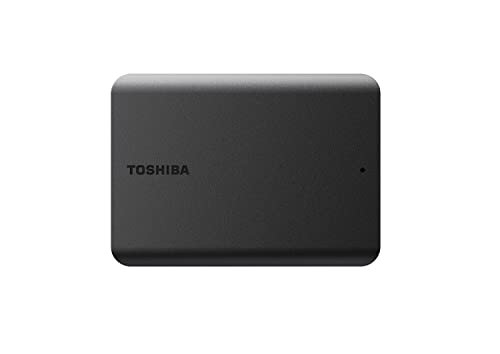
Toshiba Canvio Basics 4TB Portable Hard Drive
 Toshiba Canvio Basics 4TB Portable External Hard Drive USB 3.0
-
Seagate Portable 5TB External Hard Drive
 Seagate Portable 5TB External Hard Drive HDD – USB 3.0 for PC
-
LaCie Rugged USB-C 5TB
 LaCie Rugged USB-C
The Human Side of an Archive: Making It Usable by Others
An archive is usually built for an audience of one, but photographs outlive intentions. Family members, clients, collaborators and eventually executors may all need to find and open your pictures, and an archive that only makes sense inside your head fails them. This is where the format question gains a human dimension: a widely documented format that ordinary software can open is a kindness to whoever inherits the collection, while a catalogue-dependent structure with unexplained folders is a puzzle left behind.
You do not need to reorganise everything for hypothetical strangers. A single plain-text document stored with the archive, explaining where things live, what the folder names mean, which files are the masters and which are exports, and what software you used, transforms a stranger’s chances. Add a note about anything with special value or restrictions, such as client work under agreement. An hour spent writing this document is worth more to your archive’s future than many technical refinements.
Test the archive’s usability while you can still fix it. Ask whether someone who knows your work but not your filing system could find a named photograph from a named year using only your written guide. If the answer is no, the problem is structure and documentation, not format, and it is far easier to repair now than later. Archives are ultimately read by people; build yours to be readable.
Deciding What Deserves Archiving at All
Not every frame deserves permanent storage, and an archive swollen with everything is harder to protect than a smaller one kept well. Photographers differ in temperament here, but some honest sorting pays for itself in backup costs and in the simple ability to find things. A practical approach is to archive all finished work, all frames with personal or documentary value and a generous selection of the best from each shoot, while letting true duplicates, accidents and test frames go.
Make the sorting decision close to the shoot, while you still remember what mattered. Deleting years later is slower and more emotional, and hard drives fill in the meantime. Whatever your threshold, apply it consistently, because an archive where some years are ruthlessly culled and others are untouched is confusing to navigate and to back up. If deleting makes you uneasy, a middle path exists: keep a slim archive of the chosen work with full protection, and a cheaper, simpler copy of everything else with fewer guarantees.
Record your policy in the archive’s guide document. Future you, and anyone helping future you, should know whether a missing frame was deleted on purpose or lost by accident. That single distinction, written down, prevents a great deal of pointless searching and worry, and it turns culling from a guilty secret into a stated, defensible part of the system.
Migration: Moving an Archive Without Breaking It
Sooner or later every archive moves: to a larger drive, a new computer, a different storage service or a new format. Migrations are where archives quietly die, because a copy that almost worked looks exactly like a copy that did. Treat migration as a procedure, not a drag and drop. Before moving, note the number of files and the total size of the archive. After moving, confirm both match, and open a sample of files from the beginning, middle and end of the collection, including the oldest material you own.
Keep the old copy until the new one has been verified and backed up, and only then retire it. If the migration involves converting formats, convert a copy and keep the originals until the converted set has passed the same checks; conversion is exactly the moment when a misunderstanding about settings can do widespread harm. Work in stages small enough to check properly rather than in one heroic overnight transfer that nobody can realistically verify.
Write down what you did. A line in your archive log noting the date, what moved where and how it was verified turns the next migration from archaeology into routine. Storage technology will change several more times in your archive’s life, and each mover, including future you, deserves the courtesy of a map left by the last one.
When Disaster Has Already Happened: Calm Recovery Steps
If you are reading archiving advice because something has already gone wrong, take a breath and slow down. The most damaging moves in data loss are the hurried ones: writing new files to a failing drive, letting recovery software loose on the only copy, or reformatting anything. Stop using the affected drive or card immediately. A device that still spins or mounts is a device from which much may be recoverable, provided nothing new overwrites the old data.
Work from a copy whenever possible. If the material matters and the drive shows physical symptoms such as clicking, repeated disconnects or corruption spreading between folders, professional recovery is worth considering before home attempts, because each power-on can worsen a mechanical fault. For purely logical problems such as an accidental deletion on a healthy drive, reputable recovery software used on a cloned copy is a reasonable first step. Either way, decide the value of the photographs honestly and in advance, so cost decisions are made calmly.
Afterwards, whatever the outcome, write down what happened and change the system that allowed it. Nearly every photographer with a long career has a loss story; the ones who tell it as history rather than repeating it are the ones who let the lesson redesign their backups. A painful recovery that produces a tested archive is, in the long accounting, a bargain.
An Annual Archive Health Check
Archives decay quietly, so give yours a short annual appointment. Open a sample of the oldest files and a sample from each storage location, confirm your backups run and complete, and check that free space on every drive leaves comfortable headroom. Look at your guide document and update anything that has changed: new drives, new software, a new folder habit. Half an hour once a year is the entire cost of this insurance.
Use the check to look ahead as well. Is any drive old enough that replacing it on your schedule beats having it fail on its own? Has a software change affected how your formats open? Has the collection grown enough that your backup arrangement no longer covers it comfortably? Small, planned replacements are cheap and calm; emergency ones are neither. Note the answers in the archive log so the pattern of your decisions is visible over time.
Finally, let the health check include one genuine restore. Choose a real photograph from years ago and bring it back from backup alone, timing how long it takes and noting every step you had to remember. If the restore needed knowledge that exists only in your head, write that knowledge into the guide. An archive that has passed an honest restore test is not a hope; it is a system.
Teaching the Next Keeper of the Archive
Every archive eventually changes hands, temporarily or permanently: a colleague covering your work, a family member helping after an illness, an assistant taking over the filing. Prepare for that handover while it is hypothetical. The guide document is the start; the rest is a short practical apprenticeship. Walk your likely successor through one complete cycle: finding a photograph, opening it, making an export, restoring one file from backup. Watching someone else use your system reveals every place where the instructions live only in your head.
Write down the passwords problem honestly without writing down passwords. An archive locked behind credentials nobody else can reach is not protected; it is lost in advance. Use whatever password management your household or business trusts, and make sure the route to the archive’s keys is documented for the people who would legitimately need it. Security and survivability are both virtues, and an archive needs them balanced rather than maximised one at a time.
Revisit the handover plan when life changes: a new partner, a new business structure, a move, a grown child who has become the family’s memory-keeper. Ten minutes of updating keeps the plan true. The archives that survive generations are rarely the most technically sophisticated; they are the ones whose keepers kept handing them on deliberately.
Prints, Books and the Analogue Backup
Digital archives are not the only form of keeping, and for your most important photographs they may not even be the most durable. A well-made print in an album or a box asks nothing of software, formats or passwords, and it will be readable by anyone, instantly, for longer than any storage technology you own. Photographers building a serious archive should consider a printed strand running alongside the digital one: the best of each year, the family’s milestones, the portfolio pieces, printed properly and stored sensibly.
Choose the strand ruthlessly or it will never happen. A small annual selection, made while the year is fresh, printed in one session and added to the same album or box, is a system that survives busy lives. Note on the back or in an accompanying list what each print shows and when, because a print’s weakness is its silence: without a caption, a face becomes anonymous within two generations.
Store prints as carefully as drives, in their own way: dry, dark, moderate in temperature, away from attics and basements where damp and heat do their slow work. The printed and digital strands protect against each other’s characteristic disasters, which is the entire logic of keeping both. An archive with two different kinds of survival built in is a genuinely robust one.
The Archive Audit for Working Photographers
Professionals hold other people’s memories as well as their own, and that adds duties to the archive. Client work should be filed so that a named client’s complete set can be found, delivered or deleted on request without archaeology. Know your obligations: how long you have promised to keep client files, what your contracts say about delivery and retention, and what your local rules require. Write those promises into the archive guide where future you will see them before making storage decisions.
Delivery copies and masters need separating in your mind and your folders. The master archive is the photographer’s responsibility; the delivered files become the client’s own keeping, and your communications should say so kindly and clearly at the time, because clients universally assume you keep everything forever. A short, friendly note at delivery, explaining how long you retain files and how re-orders work, prevents the saddest email in photography, the one asking for a wedding from a decade ago that no longer exists.
Audit the client archive annually alongside the personal health check: what is due for deletion under your stated policy, what has been requested, what needs its backup verified. Deleting on schedule, as promised, is as much a professional duty as keeping safely, and it keeps the archive’s size, cost and risk proportionate to its purpose.
Choosing Calm Over Perfection
Archiving advice can become its own anxiety, with endless formats, media and systems competing for your worry. Step back and rank the risks honestly. The overwhelming majority of lost photographs are lost to having one copy, to drives never checked, to accounts closed and to structures nobody documented, not to the difference between two reputable file formats. A simple archive with copies in two places, a written guide and an annual check will out-survive a sophisticated one that its owner found too burdensome to maintain.
So let the format decision in this guide settle at the level it deserves: make a reasoned choice, DNG, proprietary or a deliberate mixture, apply it consistently, and then spend your remaining archiving energy on copies, documentation and restores, where the real danger lives. Perfection is not available; resilience is, and it is mostly made of habits.
Revisit the decision only when something real changes: your software, your cameras, your clients’ needs or the state of your backups. An archive is a long project run on short, regular acts of care, and the photographers whose work survives are the ones who found a system calm enough to keep for decades.
A Small Glossary of Decisions, Not Just Terms
Archiving vocabulary hides the decisions inside the definitions, so end with the decisions stated plainly. A master is the file you would save from a fire: protect it accordingly. A backup is only a backup if it has been restored from at least once. A format choice is a bet on the future of software, hedged by keeping your masters readable and your guide document honest. A deletion is a decision, and decisions belong in the log. An archive is not a folder; it is the whole arrangement of masters, copies, documents and habits that lets a stranger, or an older you, find and open a photograph and trust that it is the photograph.
Hold those plain versions in mind when the technical discussions grow elaborate. Most archiving failures happen when the plain duties, copy, document, verify, were postponed in favour of refined ones. The photographers whose work survives are rarely the ones with the most sophisticated systems; they are the ones whose simple systems were actually running, every year, without exception. Let your archive be boring in the best way: understood, documented and quietly doing its job while you get on with making the photographs it exists to keep.
Starting Today: The Smallest Archive That Works
If this guide has left you feeling that your own photographs are one accident away from loss, do not attempt a perfect system this weekend. Build the smallest archive that works and build it today: choose the masters, make two copies in two places, write the one-page guide, and perform one restore. That afternoon of plain work removes the great majority of the risk your collection currently carries, and it creates the skeleton onto which every refinement, format decision, printed strand and annual check can later be hung.
Then put the next small step in the diary for a month from now, and another for the annual check, and get back to making photographs. An archive’s purpose is to serve a living body of work, not to become a second hobby competing with it. The photographers whose pictures survive are not the ones who built cathedrals of storage; they are the ones who did the simple things, completely, and then kept doing them.
FAQ
Does converting to DNG reduce image quality?
The sensor data is kept in a lossless conversion, but some programs may not carry over every maker-specific detail. Check your converter’s options and keep the originals if that matters to you.
Will proprietary RAW files stop opening someday?
Popular formats are supported for a long time, and open-source tools exist for many of them. Still, no format is guaranteed forever, which is why regular copies matter more than the format itself.
Should I delete my original RAW files after converting to DNG?
The careful approach is to keep them, at least until you have verified the converted files in more than one program. If storage is limited, you might embed the original inside the DNG or keep originals on a cheaper offline drive.
Is DNG supported by all cameras?
No. Some cameras can record DNG directly, but many only record their own RAW format. Check your camera's manual for supported file types.
Do I lose my edits if I convert to DNG?
Not necessarily, but it depends on the software and how edits were stored. Test with a small batch and confirm adjustments carry over before converting a whole library.
How often should I check my archive?
A yearly check works for many people. Open a sample of files from different years, run any verification tool you have, and confirm that backups are current.
Is cloud storage enough as an archive?
It is a useful offsite copy, but terms and availability can change. Keep at least one local copy as well, and make sure you can download your files if you ever leave the service.
Are JPEG files a good archive format?
They are widely readable, but they lose editing flexibility compared with RAW and can lose quality when re-saved. Many people keep RAW for originals and JPEG or TIFF for final versions.
Does file size matter for archiving?
Yes, because larger libraries need more drives and take longer to copy and verify. Lossless compression options in DNG may reduce size, but check results against your own files.
How should I name archive folders so they still make sense in ten years?
Use plain, descriptive names built from dates and subjects rather than clever shorthand only you understand. A year folder containing clearly named event or project folders will outlast any private code. Write the naming habit into your archive guide so future additions match, because consistency across years is what makes an old archive navigable.
Is it safe to store my only backup in the same building as the original?
It protects against drive failure but not against fire, flood or theft, which tend to take both copies together. Keep at least one copy somewhere else, whether that is a cloud service or a drive stored with family or at an office. The distance matters more than the technology.
What should I do with the archive of a relative who has died?
First, copy everything before sorting anything, because originals and cards may be fragile or borrowed. Then open samples to learn what formats and software are involved, and keep the folder structure as found until you understand it. Resist deleting in the early stages; grief and haste are poor archivists, and storage is cheaper than regret.
How can I tell if a converted file lost something important?
Compare more than the picture. Open original and conversion side by side, then check the information around the image: shooting details, keywords, ratings and any edit settings you rely on. Convert a small test batch first, examine it thoroughly, and only proceed with the full set once you know exactly what carries across.
Do I need to archive my edited exports as well as the raw files?
Keep the finished exports of your best work. Raw files preserve the ability to edit again, but your chosen edits are themselves part of the work’s history and the fastest thing to share or print. Storage for finished pieces is small compared with the raw library, and future software may not reproduce an old edit exactly.
What is the simplest archive improvement I can make this week?
Write the guide document: where everything lives, what the masters are, how backups work and how to restore one file. Then perform that restore once to prove the document is true. This costs an hour, requires no purchases and improves an archive more than most equipment decisions.
Who should know how to access my archive if something happens to me?
At least one trusted person, with the route documented through your normal password arrangements rather than written in plain sight. Show them the guide document and one complete restore while the lesson is hypothetical. An archive nobody else can open is protected against everything except the most likely problem of all.
How many prints should go into an annual printed selection?
Few enough that you will actually do it every year. A modest set of the year’s best and most important images, captioned and stored together, beats an ambitious plan abandoned by March. The habit’s survival matters more than any single year’s completeness.
When should I delete client files?
When your stated policy and any contract say so, and not before. Tell clients at delivery how long you retain their files and how re-orders work, keep that promise exactly, and record deletions in the archive log. Deleting on a documented schedule is professionalism; deleting on a whim is how archives and reputations get holes.
What is the difference between an archive and a backup?
A backup is a copy made for recovery; an archive is the organised, documented collection the copies protect. You can have backups of chaos and still lose your life’s work in plain sight. The archive is the structure, names, masters and guide; the backups are how that structure survives accidents.
How do I start if my current archive is a mess?
Do not reorganise first. Copy everything, exactly as it is, to a second location today, because protection precedes tidiness. Then write the guide describing the mess honestly, and improve the structure gradually for new work while the old material stays safe and findable by its existing names. Archives are rescued by copies and documentation, not by heroic weekends of renaming that introduce new errors into old chaos.
What should I do first if I have never backed anything up?
Copy the whole collection to a second drive or service today, before sorting, renaming or converting anything. That single copy changes your situation from fragile to defensible in one afternoon. Everything else in this guide, formats, documents, checks and restores, builds on the existence of that copy, so make it first and let the refinements follow at a human pace.
The Short Version
DNG offers an open specification and in-file metadata, which suits long-term storage. Proprietary RAW keeps everything the camera wrote. For the most careful approach, keep your originals, add DNG copies if you like, and maintain several backups.
