The Canon EOS R1 is Canon’s flagship professional mirrorless camera in the EOS R system, aimed at working photographers who shoot sports, news and other fast-moving subjects. It sits at the top of the lineup, so it is built for speed, durability and reliability under pressure. This guide covers what it is for in general terms; confirm every specification on Canon’s own page, since we have not used the camera ourselves.

Where It Fits in the Lineup
Canon’s R-series includes compact entry bodies, hybrid cameras and high-resolution models. The R1 is positioned as the action-focused flagship, in the lineage of Canon’s 1-series bodies, which have long been built for professional use. It uses the RF lens mount and a full-frame sensor.
- Above it in purpose: nothing; it is the top of the line for action.
- Alongside it: other pro bodies, such as the EOS R3 and EOS R5 family, which suit different mixes of speed and resolution.
- Below it: more affordable full-frame and APS-C bodies for enthusiasts.
In this guide
Who It Is Built For
Flagship bodies are designed around a short list of needs.
- Sports and news photographers who need fast autofocus and long bursts.
- Wildlife shooters who track animals and birds in flight.
- Professionals who need a rugged, weather-resistant body, as described by the maker.
- Photographers who send images quickly and need strong connectivity options.
How to Decide If You Need One
A flagship is a major commitment, so test your real needs against it before you decide.
- Do you miss shots because of autofocus speed or buffer limits on your current camera?
- Do you work in harsh weather or long events where durability and battery life matter?
- Do you already own RF telephoto lenses that can use the extra performance?
- Would a smaller, lighter body serve your work equally well?
If you answered no to most of these, a less specialized body may fit better.
Lenses and Accessories
A body like this deserves strong glass. Consider fast telephoto zooms, super-telephoto primes and quick memory cards. Check Canon’s lens lineup for the focal lengths your work requires, and look into accessories such as spare batteries and a sturdy strap.
It also helps to think about workflow. Pro events often involve fast file transfer, tagging and delivery within minutes, so check what connectivity and card options the body offers before assuming it will fit your routine.
Shooting Sports and News With a Flagship
A flagship action camera is designed around the working habits of sports and news photographers, so it helps to understand those habits. Before an event, you scout positions, check sightlines, learn the rules for where photographers may stand and decide which lens you need. You set shutter speed high enough to freeze action, commonly a fast value such as 1/1000 or higher for field sports, and use auto ISO with a sensible ceiling so the camera adjusts for changing light.
Anticipation matters more than gear. Learn the sport, watch for patterns, and be ready at moments of high action. Use burst mode in short bursts rather than holding the shutter down for long, since it saves buffer space and reduces editing time. Continuous autofocus with a tracking-friendly area mode suits most action, but test the settings in advance with similar subjects.
News work adds the challenge of unpredictable light and people. Keep the camera ready with sensible default settings, and use programmed buttons to switch quickly. Carry a flash for indoor events. Respect people, rules and privacy, and be aware of your surroundings. In both fields, a quick workflow for selecting, captioning and sending pictures is part of the job. Practice that workflow before relying on it under pressure.
Wildlife and Birds in Flight
For wildlife, the camera is only one element. Fieldcraft, patience and knowledge of animal behavior determine most of your success. Learn where and when your subjects are active, wear clothing that blends in, and move slowly. A long lens and a stable support are essential, and a hide or a vehicle can serve as a blind.
Camera settings for birds in flight follow similar lines to sports. Use a fast shutter speed, continuous autofocus and a focus mode that suits the background. A busy background can distract the focus system, so choose angles where the subject is against open sky or smooth foliage when possible. Subject detection features, where the camera offers them, can help find and hold on to animals, but check how well they work in your conditions.
Ethics matter. Keep a safe distance from nests and animals, avoid disturbing behavior and follow local rules. Do not use baiting or calls if they are prohibited or harmful. If your pictures change an animal’s behavior, you are too close. Be ready for long waits and plan your food, water and clothing. Review your images at the end of each outing, note which settings worked, and refine your approach for the next trip.
Durability and Looking After an Expensive Body
A flagship camera is built for tough conditions, but it still benefits from good habits. Use the weather-sealing described by the maker as a margin of safety, not an invitation to neglect. Wipe off rain and dust after use, and let the camera dry before putting it in a sealed bag. Avoid changing lenses in rain or wind, and keep the mount cap and body cap handy.
Clean the camera regularly. Use a blower on the sensor and mount, and a soft cloth on the body and screen. If the sensor needs more than a blower, consider a professional service rather than risking damage. Keep contacts clean on the battery and the lens mount, and check the rubber grips for wear.
Protect against theft and loss. Record serial numbers, consider insurance and use a strap that is secure. Many photographers carry a backup body or a smaller camera in case of failure, since one camera is a single point of failure. Update firmware when it fixes problems, and test updates before important jobs. Over time, track the shutter count if the camera reports it, and schedule servicing based on the maker’s guidance and your own experience.
What to Check Before Paying for a Flagship
Because this is a major purchase, take time with the details. Check that you are buying the right model and mount, and verify the contents of the box. Confirm that the listing includes the battery, charger, strap and cables. If a retailer offers bundles, compare what is included against your needs.
Look at warranty and support. Check what the maker’s warranty covers, and what the retailer adds. Registration may be required to activate coverage. For gray-market or unfamiliar sellers, be careful: the warranty may not be honored in your country. Keep your receipt and packaging.
Consider financing and timing. Models can receive price changes, bundles or accessory offers, so ask about them without rushing. Think about how soon you need the camera. If a project is coming, buy early enough to learn it. Test the camera when it arrives: check the shutter, autofocus, buttons, screen and card slots, and examine the body for marks. Shoot a variety of tests and review them at full size. If anything seems wrong, contact the seller promptly within the return window, and document the issue with photos.
Alternatives Worth Weighing
A flagship is not the only way to get good action results. Smaller bodies in the same system often share many lenses and some capabilities, and might suit your needs at lower weight and cost. Compare what features you would give up, and whether those matter to you in practice.
Think about the lens budget. Money spent on a better telephoto lens often improves results more than money spent on a top-tier body. If you have a mid-range body now, consider whether a lens upgrade, a better support system or a training course would raise your results more. Used or older bodies in the same mount can also make sense.
Finally, think about how you work. If you do not shoot for deadlines, you may not need the fastest file transfer or the toughest body. If you shoot occasionally, renting a flagship for specific events can be more economical than buying. Ask yourself what the flagship would allow you to do that you cannot do now. If you can name specific shots or jobs, it may be justified. If not, keep your money and revisit the question when your work demands it.
Reading a Flagship Body the Way a Working Photographer Does
Flagship cameras are often discussed as lists of features, yet professionals judge them by a different question: will this body let me deliver the job when conditions are bad? That shift in thinking helps any buyer. Instead of asking which numbers are largest, ask which parts of your workflow currently fail you and whether this body addresses them.
Think about your last ten assignments or outings. Which frames did you miss? Was the cause slow focus acquisition, a full buffer, poor handling in rain, or simply being in the wrong place? A flagship body targets the first three. It cannot fix the fourth. Write down your honest answers before you look at any specification sheet, and compare them with what Canon states on its product pages.
Questions to Put on Paper
- How many frames per assignment do I discard because focus missed?
- Do I ever stop shooting because the camera or card is busy writing?
- Have I lost a shot because of weather, dust or a dead battery?
- Do I need to send images from the field on a tight deadline?
If most answers are no, a more modest body may serve you better, and the saved money could go into a lens.
Handling and Ergonomics in Long Sessions
A body built for demanding work usually has a built-in grip, duplicate controls for vertical shooting and large buttons that can be found by touch. These features matter when you hold a heavy telephoto for hours. Pay attention to how the weight balances with the lenses you actually use. A front-heavy combination tires the left arm and wrist, while a well balanced one lets you keep the camera at eye level through a whole match.
Whenever possible, hold the camera before you buy. Visit a rental house, a camera shop that stocks it or a photographer friend. Try both orientations. Check whether your thumb reaches the focus control without moving your grip. Press the buttons while wearing gloves if you shoot in cold climates. Small details of this kind often decide whether a body feels like an extension of your hands or a burden.
Customizing the Camera for Your Style of Work
Flagship bodies tend to offer deep customization. You can assign functions to buttons, store groups of settings and shape how autofocus behaves in different situations. Take time to build a setup that suits you, then save it to a card or to the camera memory if the menu allows.
- Choose which buttons trigger focus, change focus area and switch drive mode.
- Create a custom group for fast action and another for slower, quieter work.
- Check whether the menu lets you build a short list of your favorite items.
- Back up your settings file so a replacement body can match the first.
This last point is often forgotten. If you ever borrow or rent a second body, loading the same configuration saves minutes of confusion on a busy day. Check the manual for the exact procedure.
Workflow After the Shutter
A camera is only the first link in a chain. Fast files are wasted if you cannot transfer, sort and deliver them efficiently. Consider the whole path from card to client.
| Stage | Question to ask | Why it matters |
|---|---|---|
| Card writing | Do my cards match what the camera needs? | Slow cards can limit continuous shooting |
| Card reading | Do I have a fast reader and enough computer ports? | Transfers can become the new slowdown |
| Storage | Is there room for large files on my drives? | High volume shooting fills drives quickly |
| Sorting | Can my software keep up with the files? | An older computer may struggle with big files |
| Delivery | Can I send selects from the field if needed? | Some work has tight deadlines |
A new flagship can reveal weaknesses elsewhere in your setup. Budget for memory cards, storage and perhaps a computer upgrade if you plan to shoot large volumes.
Common Buying Mistakes With Flagship Cameras
Buying for Prestige
Owning the top model does not make photographs better. If your work involves landscapes on a tripod or relaxed portraits, the extra speed and toughness may sit unused.
Ignoring Total System Cost
The body is one expense. Lenses, batteries, cards, bags and insurance all add up. A realistic plan includes all of them.
Skipping Practice Time
An advanced autofocus system rewards study. Photographers who read the manual and practice on moving subjects get far more from it than those who leave every setting on default.
Forgetting Backup Plans
Paid work should not depend on a single body. Consider a second camera or a rental arrangement for important events.
Insurance, Warranty and Documentation
Expensive gear deserves paperwork. Keep your receipt, record the serial number and take photographs of the camera from several sides. Ask your insurer whether household or business cover includes equipment, and under what conditions. Check the warranty terms on the official Canon page or in the box, since they differ by region. Register the product if the maker offers registration. If you buy from a retailer, read the return terms before you pay, and keep the original packaging for a while in case of a fault that appears early.
Learning the Camera Before the Big Day
Do not take a new body to an important event without practice. Spend at least a week with it. Photograph a local sports training session, birds in a park or traffic from a footbridge. Learn how it handles low light, how fast it recovers after a long burst and how its menu is organized. Read the manual from beginning to end once. Make a small cheat sheet of your custom settings and tape it inside your bag.
Photographers who treat a new flagship as a tool to be learned, not a magic fix, tend to be happiest with it. Combine careful research, an in-person look in a shop and a clear understanding of your own needs, and you will make a decision you are comfortable with. Always confirm current specifications and availability on the official Canon pages before you commit.
Renting First: A Low-Risk Trial
Few purchases justify a short trial as much as a flagship body. Many camera rental businesses lend professional bodies for a weekend or a week. A trial lets you test the camera with your own lenses, your own cards and your own computer, in the exact kind of light you work in. That is far more informative than any article, including this one.
Plan the rental like an experiment. Pick two or three typical assignments, shoot them as you normally would and keep notes. Count how many frames you keep compared with your old camera. Watch how often you feel the body helps and how often you simply do not notice a difference. Ask yourself whether you enjoyed using it and whether the files needed more or less work in editing. If you feel a clear improvement, the purchase is easier to justify. If the improvement is hard to find, you have saved a large sum.
What to Bring to a Trial
- Your usual lenses and any adapters you rely on.
- The memory cards you already own, to learn whether they keep up.
- A laptop or drive so you can test the real transfer and editing routine.
- A written list of the problems you hope the body will solve.
Used and Previous-Generation Options in General Terms
If the budget is tight, the camera that came before a flagship is often a sensible compromise, because professional bodies keep their value of toughness and handling for years. A previous generation body can offer much of the build and control layout at a lower outlay. The trade-offs are older technology and sometimes fewer years of support. Confirm the supported lens mount, battery type and software requirements before buying, and read the maker pages for current compatibility information.
When buying used, ask for the shutter count if the camera has a mechanical shutter, inspect the mount and contacts, check that all dials and buttons respond and look for signs of heavy wear or repair. Choose a seller that offers a return period. Be cautious about deals that seem too good to be true, and pay only through methods that protect buyers.
Decision Checklist
- I can describe a specific problem this body would solve.
- I have budgeted for cards, storage and spare batteries.
- I have handled the camera or know someone who has used it.
- My lenses are good enough to take advantage of it.
- I have a backup plan for important assignments.
If you can tick most of these boxes, you are probably ready. If not, spend time on the gaps first. The camera will still be there when your plan is complete.
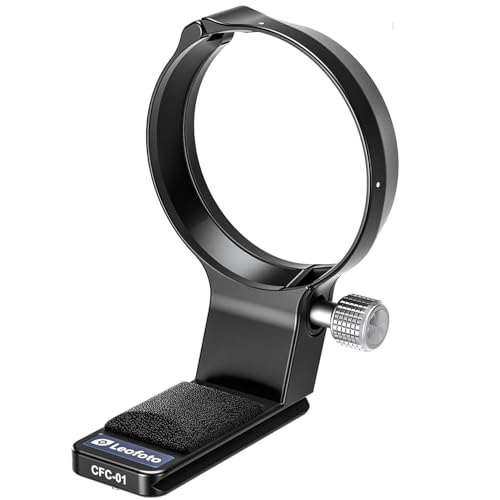

Ready to Buy? Start Here
If this guide helped you decide what to look for, these products are a place to start.


As an Amazon Associate we earn from qualifying purchases. Prices and availability are shown on Amazon.
What Flagship Money Actually Buys
In the Canon EOS R1 and the work it is built for, it is worth being precise about what the flagship premium purchases. It buys speed under pressure, durability when conditions turn, customisation deep enough to match a professional routine and service support built around people whose income depends on the tool. It does not buy better light, better subjects or better judgement, and in gentle conditions a smaller body can produce files an audience cannot tell apart. Holding both truths at once is the beginning of a sensible flagship decision.
Canon EOS R1 and a smaller Canon mirrorless body both sit in that world, so the useful comparison is not capable versus incapable. It is about emphasis: where each maker chose to spend its engineering effort, which sports or assignments that emphasis serves best, and how each camera behaves at the moment a professional fears most, which is a fast, unrepeatable sequence in poor light with no second chance. Judge them there, at the hard edge of use, rather than in specifications both handle easily.
Also count the cost of the ecosystem honestly. Flagship bodies demand flagship support: fast cards in pairs, batteries in rotation, lenses that focus quickly enough to keep up and a backup plan for the day anything fails. The body price is the entry ticket, not the whole fare, and planning the whole fare in advance is what separates a satisfying flagship purchase from a stressful one.
Autofocus When the Moment Will Not Repeat
Flagship autofocus earns its reputation in sequences, not single frames. Watch how a system behaves as a subject changes direction, passes behind another player or bird, or moves from bright ground into shadow while approaching. The best systems hold their nerve through those disturbances and return to the eye or head when it reappears, and they do so without the photographer nursing settings mid-sequence. That composure, repeated over a long event, is the real product being sold.
Configuration is where professionals separate themselves. Spend time before the event deciding which detection mode owns which situation, how quickly the system should switch subjects and when you will override it with a chosen point. A flagship offers many options precisely so that, on the day, you use very few of them. Photographers who arrive with a simple, practised setup consistently outperform those still exploring menus between plays.
Review your misses with the same honesty. Play back sequences and ask whether the system lost the subject, whether your panning let the subject leave the active area, or whether shutter speed rather than focus softened the result. Flagship cameras make focus the least of your problems more often than any class below them, but they cannot repair anticipation, and anticipation remains the skill that decides action photography.
Burst Shooting, Buffers and Card Discipline
Sustained shooting is a chain, and the slowest link decides the result. The camera’s buffer, the card’s writing speed, the file type you choose and even battery condition all interact when a long sequence matters. Professionals test that chain before it counts: they fire the kind of burst their sport produces, time how the camera recovers and choose file settings that keep the chain strong without drowning the evening edit in data nobody needs.
Card discipline is unglamorous and absolute. Use matched, reputable cards, format them in the camera, and never let the only copy of an assignment live on a card overnight. Dual slots earn their keep as insurance, whether mirrored for safety or overflowed for capacity, and the decision should be made by assignment risk rather than by habit. A once-only event argues for mirroring; a high-volume day with constant chimping and culling may argue differently.
Heat and power join the same conversation on long days. Know how your body behaves in summer sun, keep batteries rotated rather than run to exhaustion, and notice whether performance changes as a card fills. None of this is exciting, and all of it is what reliability actually consists of at flagship level: a dozen small behaviours that ensure the exciting part, the photography, is never interrupted.
Ergonomics Over a Professional Day
A flagship is a tool you hold for hours, often with a long lens attached, often in gloves, rain or cold. Grip shape, button placement by feel and the logic of dials under your fingers matter more, across a season, than small differences in headline performance. The integrated grip style of body in this class exists because vertical shooting is not an occasional novelty for working photographers; it is half the job, and controls that mirror perfectly in both orientations remove a constant small friction.
Weight deserves a balanced verdict. A heavier body balances a long telephoto better and steadies sequences, while punishing the photographer who walks a venue all day. Support habits decide much of the outcome: a monopod for field sports, a good strap system for news work, and the discipline to put the camera down between sequences. Choose the body whose weight your support habits can honestly manage for your longest assignment, not your shortest.
Customisation ties ergonomics together. Set Canon EOS R1 or a smaller Canon mirrorless body so that the controls you need mid-sequence are reachable without looking, and leave the rest alone. The goal is a camera that feels inevitable in use, where your attention stays on the subject because the tool has stopped asking questions.
Files, Colour and the Evening Edit
Flagship files are built for a workflow, and the workflow deserves planning before the first assignment. Decide how you will ingest, back up, cull and deliver while the day is still fresh, because speed of delivery is part of what clients at this level are buying. A camera that produces beautiful files you cannot turn around quickly is, professionally, only half a solution.
Culling is where flagship volume becomes a skill. Shooting generously is correct at the event; editing ruthlessly is correct afterwards. Learn your software’s fastest path through a large take, mark keepers on the first pass without zooming into every frame, and let technical perfection matter only among near-identical candidates. Clients remember the decisive frame delivered on time, not the almost identical frame you agonised over.
Colour consistency across a long event, and across two bodies if you run a pair, saves hours. Set white balance deliberately in changing light rather than trusting automation to wander, and keep a simple reference habit for mixed lighting venues. These are craft basics, but flagship work exposes any weakness in them at scale, which is why the photographers who thrive with these cameras tend to be systematic people.
Weather, Knocks and Looking After the Tool
Professional bodies are built to keep working through weather that sends everyone else under cover, but sealing is a partnership between body, lens and photographer. Check that lens mounts seat cleanly, keep a proper rain cover available rather than improvised, and dry the kit in moving air after a wet assignment before it goes back into a sealed case. Most weather failures are really storage failures that happened the night after the rain.
Knocks are a matter of when, not if, at this level. Use hoods as the bumpers they quietly are, keep straps attached whenever the camera leaves a bag, and insure gear that your income depends on. Documentation matters too: keep purchase records, serial numbers and service history together, because resale value and repair speed both improve when a camera’s story is provable.
Service intervals are part of ownership, not an admission of failure. A shutter and sensor check before a heavy season, mount and contact cleaning, and firmware kept current on a calm day rather than the morning of an assignment all belong in the professional calendar. Flagships reward owners who maintain them like the working tools they are.
Choosing Between Canon EOS R1 and a smaller Canon mirrorless body as a Working Decision
The honest test between Canon EOS R1 and a smaller Canon mirrorless body is a working one. Put each, if you can, through a real assignment or a faithful rehearsal of one: same venue type, same light, same pressure to deliver. Note keeper rate, comfort at the end, how the files handled your edit and how often the camera made you think about the camera. Those four notes, written the same evening, will decide the question more reliably than another month of comparison reading.
Lenses may decide it before bodies do. If your existing glass belongs to one system, the cost and disruption of switching must be repaid by a genuine, recurring advantage, not a marginal one. Conversely, if you are buying into a system fresh, lens range, rental availability in your city and local service support are rational tiebreakers that professionals weigh heavily and beginners often overlook.
Whichever flagship you choose, the purchase only pays back through use at the level it was built for. Book the work, practise the setup, maintain the tool and deliver reliably. A flagship in committed hands disappears into the background of a strong professional routine, and that disappearance, paradoxically, is the clearest sign the money was well spent.
Renting, Trials and Final Checks Before Paying
Renting a flagship for one real event is the cheapest education in this entire comparison. A rental weekend reveals your true keeper rate, your comfort with the weight and your feelings about the files, and it does so before commitment. Many professionals rent first even when they are fairly certain, because certainty earned in use is different from certainty assembled from reading, and the difference shows up exactly when a client is waiting.
During any trial, test the unglamorous list. Change settings with gloves if your work needs gloves. Shoot the longest sequence your sport produces and watch the buffer behave. Record the kind of video clip your clients ask for, if any, and listen to the audio plan work. Swap batteries and cards under time pressure. A flagship that passes the boring tests will pass the exciting ones; the reverse is not always true.
Before paying, confirm warranty terms, service turnaround where you live and what support programmes exist for working photographers in your region. Then stop researching. Every flagship generation tempts owners to keep one eye on the next announcement, and the photographers who get value from these bodies are the ones who close the comparison tabs and go to work.
Two Bodies, One System: How Professionals Really Work
Many working photographers eventually run two bodies, not from indulgence but from arithmetic: a second body removes lens changes in dust and rain, keeps a different focal length ready and becomes the backup when anything fails. If that future is plausible for you, it argues for choosing a system you can grow within, where a flagship today can be joined later by a smaller stablemate sharing lenses, batteries and menus.
Even with one body, think like a two-body photographer about preparation. A small second kit, a compact camera or even a capable phone, planned in advance as the emergency option, turns a failure from a catastrophe into an inconvenience. Professionals are not people whose gear never fails; they are people whose failures have rehearsed endings.
The Assignment-Day Checklist
Write your own pre-assignment checklist and keep it in the camera bag: batteries charged and spares packed, cards formatted after confirmed backup, sensor checked for dust at a small aperture against a plain surface, settings returned to your known starting point, weather protection included if the forecast even hints at need. Five calm minutes at home replace the most common disasters in this entire class of photography.
After the assignment, the checklist runs in reverse: files copied before anything else, a second copy before editing, gear dried and inspected before it is stored, and one note about anything that behaved oddly while the memory is fresh. Reliability at flagship level is mostly this rhythm, repeated without exception until it is boring, and boring is exactly what you want it to be.
Video Duties on a Stills Flagship
Many flagship stills bodies are also asked to shoot serious video, and they reward the same preparation. Decide your frame rate and resolution per project and stay with them, plan audio as deliberately as picture, and test recording length and heat behaviour in conditions like the real assignment. A body that records beautifully for a short clip but protests during a long ceremony needs to be discovered at rehearsal, not at the event.
Stabilisation and autofocus settings that serve stills may not serve motion. Build a separate video configuration, saved where you can reach it instantly, with focus behaviour tuned for smooth transitions rather than stills urgency. Keeping the two worlds apart prevents the classic error of a camera set brilliantly for yesterday’s job and wrongly for today’s.
Power and media planning double for video. Cards fill faster, batteries drain sooner and backups matter sooner, because a lost clip cannot be re-shot the way a still sometimes can. Treat the video side of a flagship with the same checklist discipline as the stills side and it will repay you in calm.
Working With an Editor, a Team or a Client on Site
Flagship work is often team work. Agree file naming, delivery timing and selection responsibilities before the event, so pictures flow rather than accumulate. If you shoot alongside others, coordinate positions and subjects to avoid three copies of the same frame and none of the moment happening two metres away. Communication, unglamorous as it sounds, is a flagship feature no manufacturer can sell you.
On-site delivery changes how you shoot. Knowing that selects must leave the venue quickly argues for clean in-camera settings, consistent colour and a culling habit that happens in the quiet minutes rather than after the final whistle. Practise that rhythm at smaller events until sending a tight, trustworthy set under time pressure feels routine.
Afterwards, debrief briefly with whoever you worked with. What was missed, what surprised you, which setting earned its place: ten honest minutes after an assignment improve the next one more than any purchase. Professionals treat every job as tuition for the next, and that habit compounds across a career.
Long-Term Ownership: Value, Service and Satisfaction
A flagship bought well should give years of service, and its cost looks different spread across those years and assignments. Keep it serviced, insured and documented, and its resale value will partly repay you when the time eventually comes to move on. Buyers pay for provable care, and a camera with a service history and honest description sells as confidently as it shot.
Resist the annual temptation to trade sideways. Each generation improves something real, but mastery of one body, its menus in the dark, its files in your edit, its behaviour in your weather, is worth more to your results than small increments bought at the price of relearning. Upgrade when your work names a need the current body cannot meet, and not before.
Satisfaction at this level is quiet: a camera that starts every time, focuses without drama and delivers files your clients trust. If your flagship does those things, it is doing its whole job, and your attention is free for the only part that was ever really yours, which is seeing the picture.
Settling Into Flagship Ownership
The first month with a flagship should be deliberately unglamorous. Learn where every control sits until your fingers find them without your eyes, build one configuration for your main assignment type and resist rebuilding it weekly, and shoot enough ordinary work that the camera stops feeling precious. A tool you are afraid to knock is a tool you will hesitate with, and hesitation is the one fault a flagship cannot correct for you.
Keep a simple log of your first assignments: what the camera did well, where you fumbled and which setting you wished had been one button closer. Adjust from evidence, in small steps, and then leave the setup alone long enough to become reflex. That rhythm, evidence then stability, is how professionals turn a complicated camera into an invisible one, and invisibility is the state in which your attention is finally free for the subject.
By the end of that month the flagship debate that started your purchase will feel distant, replaced by working questions about light, timing and delivery. That is the correct outcome. The camera was never the point; it was the means of removing every excuse between you and the picture.
One More Consideration Before You Decide
It is worth pausing on the role of patience in any equipment decision. Photography rewards the person who knows a small kit deeply far more than the person who owns a large kit shallowly, and every topic in this article, from handling and lenses to care and troubleshooting, points back to that same truth. Time spent shooting, reviewing honestly and adjusting one habit at a time compounds quietly, and after a season it shows in your pictures in ways no purchase receipt ever has. If a choice in this comparison tempts you mainly because it is new, give your current intentions a month of real use first and see whether the temptation survives contact with actual photographs.
Community helps that patience along. Photographers who talk with other photographers, share prints, join a walk or simply show their work to friends tend to keep shooting, and keeping shooting is the whole game. Ask questions where experienced users gather, lend your experience to someone newer when you can, and let other people’s pictures stretch your sense of what your own camera might do. Equipment sits inside a practice, and a healthy practice makes modest equipment look remarkable while a neglected practice makes remarkable equipment look ordinary.
So make the decision this article has been circling, make it for the photographer you are and the subjects you love, and then go and use the result this week. A walk, a family afternoon, an hour in good evening light: any of them will teach you more about whether you chose well than another evening of comparison. And if the pictures please you, which they very likely will, you will have your answer in the only form that finally counts.
A Final Practical Note
Before any outing that matters, run one short rehearsal at home with the exact kit you plan to carry: batteries in, card ready, settings at your known starting point and one test frame reviewed properly rather than glanced at. Rehearsals feel unnecessary right up until the first time they catch the flat battery, the wrong mode or the card still sitting in a reader from last week, and after that they feel like the cheapest professionalism there is. Build the habit now, while the stakes are low, and it will be there automatically on the day the stakes are not.
FAQ
Can I use my EF lenses on it?
Canon’s mount adapter lets EF lenses work on RF bodies. Verify support for your specific lenses.
Is it only for professionals?
No, anyone can buy it, but its strengths are speed, durability and workflow features that matter most for demanding work.
What shutter speed suits field sports?
A fast shutter speed is typical, often around 1/1000 or faster, but the right value depends on the sport and lens. Test and adjust.
Should I carry a backup camera?
Professionals often do, because a single body is a single point of failure. A smaller second body is a practical option.
How do I protect the camera in rain?
Use a rain cover, wipe it down afterward and let it dry before sealing it in a bag. Weather sealing helps but is not a guarantee.
Is buying from an unknown seller risky?
It can be, especially if the warranty is not valid in your country. Buy from a reputable dealer and keep your receipt.
Can a lens upgrade matter more than a new body?
Often yes, particularly for telephoto work. Compare your current limits before deciding where to spend.
Is renting a flagship sensible?
For occasional events, renting can be more economical than buying and lets you test the camera in real conditions.
The Short Version
The EOS R1 is Canon’s top action-focused mirrorless camera, built for professionals who need speed and toughness. Decide by matching your real shooting demands to its strengths, compare it with other pro bodies, and confirm details on Canon’s website.
Related Guides
- Canon EOS R1 vs Sony A1 II: Which Flagship Body Fits You
- Canon EOS R1 vs Nikon Z9: Flagship Mirrorless Compared
- Canon 5D Mark IV vs EOS R6: DSLR or Mirrorless Body?
- Canon Mirrorless Cameras for Video: What to Look For in a Body
- Canon 90D vs Canon EOS R7: Which APS-C Body Fits You?
