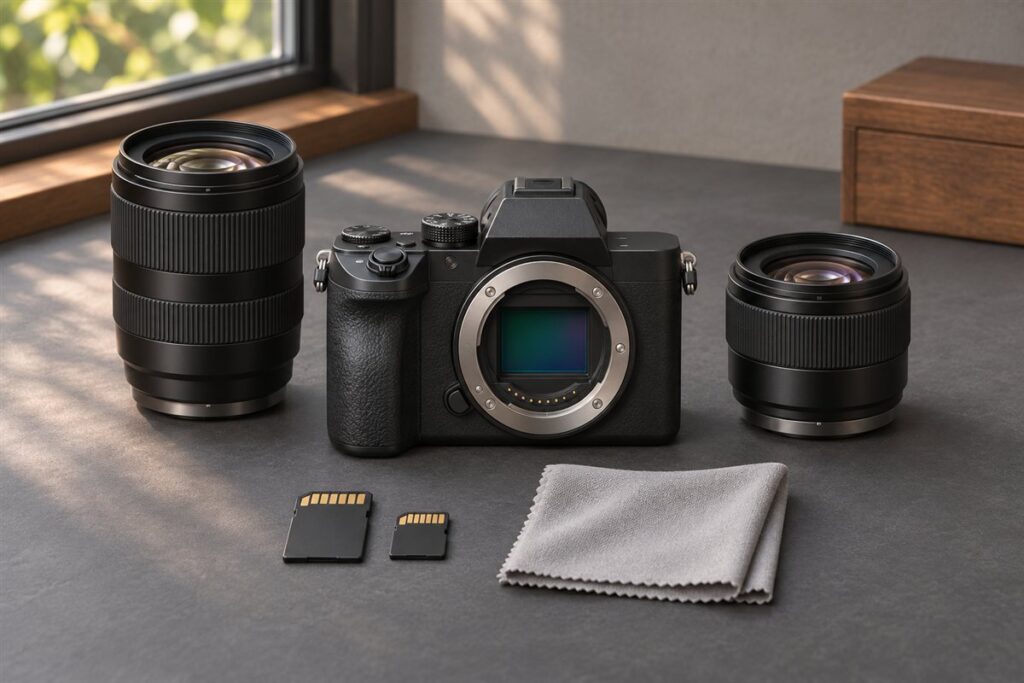
A Canon camera suited to professional work is one that stays reliable through long days, handles your type of subject well and sits inside a strong lens system. There is no single body that fits every professional, because a wedding photographer, a sports shooter and a studio portrait artist need different strengths. Begin with the work, then match the camera to it.
Criteria That Matter
- Autofocus that locks quickly and tracks your usual subjects.
- Dual card slots, so you can record to two cards for important jobs.
- Durable build, with weather sealing described by the maker.
- Battery life and a way to carry spares or a grip.
- Good image quality at the ISO levels you actually use.
- A lens line with the focal lengths and apertures your work needs.
Matching Camera to Work
| Type of work | What to prioritize |
|---|---|
| Weddings and events | Dual cards, low-light autofocus, quiet shutter options |
| Sports and wildlife | Burst speed, tracking, telephoto lens support |
| Studio and product | Resolution, tethering, color control |
| Landscape and architecture | Resolution, dynamic range, wide lenses |
| Video and hybrid work | Video features, heat handling, audio inputs |
Canon’s full-frame mirrorless line, such as the EOS R5, R6 and R3 families, is aimed at these needs, as are the EOS R1 and the earlier DSLR professional lines. Compare the current versions on Canon’s website to see where each fits.
Think About the Whole System
A camera body is replaced more often than lenses. Before you commit, look at the lenses you will use every day, the flash system, and the accessories for your work. Many professionals keep a second body, so a backup that shares batteries and menus with the main camera is convenient.
- List your three most common assignments.
- Write down the lenses you need for them.
- Choose a body that supports those lenses natively, or with a reliable adapter.
- Rent or borrow the camera for a real job if you can.
- Plan for a backup body and extra cards and batteries.
Do Professionals Need Full Frame?
Not always. Full frame is common in professional work because of low-light performance and shallow depth of field, but APS-C bodies can serve wildlife, sports and travel work where reach and weight matter. Choose the format that suits your output, not the label.
Reliability Habits for Paid Work
Professional work is judged by whether you deliver, so reliability habits matter as much as the body. Before a job, check that batteries are charged, cards are formatted and the camera is clean. Test the shutter, autofocus and flash in the venue if possible, and carry a backup for every part of the chain that could fail: a second body or at least a second way to capture, spare cards, spare batteries and a spare flash trigger.
Keep your firmware and settings under control. Updating firmware right before a major job is risky, so do it well in advance and test afterward. Save your preferred settings to the camera’s custom modes if available, and keep a written note of them in case you need to reset. Back up files on location when the job allows, and never reformat a card until the images are copied to at least two places.
- Run a full gear check before every job.
- Carry spares of the items you cannot replace on site.
- Test firmware changes before relying on them.
- Copy files twice before clearing a card.
A calm, repeatable routine reduces the chance of an avoidable problem.
Flash, Lighting and Studio Compatibility
Many professional jobs depend on light you control, so check how a camera works with flash and studio equipment. Look at the flash sync speed, the hot shoe or sync port, and whether the camera supports wireless triggering of your lights. Some bodies work best with the maker’s own system, while others work with a range of third-party triggers; check compatibility before investing.
If you work in a studio, consider tethering, since it lets you review images on a large screen and keeps the files organized as you shoot. Check how stable the connection is with your software and cable. Also consider the shutter type: a quiet or electronic shutter may be helpful in quiet venues but can create problems with some lights, so test with your gear.
- Check sync speed and trigger compatibility.
- Test the camera with your lights before the job.
- Decide whether tethering is part of your workflow.
- Understand how electronic shutter behaves under artificial light.
Confirm details with Canon and your lighting maker, since compatibility can vary between models.
Video and Hybrid Requirements
Clients increasingly ask for both photos and video, so decide how much video you need. For occasional clips, almost any modern body will do. For regular video work, look at recording formats, frame rates, how long the camera can record before stopping or overheating, and the audio options such as a microphone input and headphone output. Check Canon’s pages for recording limits, since these depend on the model.
Think about the workflow around video: card speeds, storage needs, editing performance on your computer, and accessories such as a microphone, a cage and a monitor. Rolling shutter, which can distort fast movement, varies between cameras. Autofocus performance in video also differs, and some users prefer manual focus for precision. Test on a real scenario, with your lenses and audio gear.
- Check recording formats and time limits.
- Look for audio inputs if sound matters.
- Plan for larger files and faster cards.
- Test video focus and heat behavior on a long take.
If video is a major part of your business, put it at the center of the camera decision.
Service, Support and Ownership Costs
A professional camera is a working tool, so consider what happens when it needs repair. Look at what service options are available in your area, how long repairs typically take, and whether loan equipment is offered. Professional support programs, where offered, may provide faster service, but terms vary, so check Canon’s current information for your region.
Ownership costs go beyond the purchase. Include lenses, batteries, cards, storage drives, insurance, cleaning and replacement parts. Shutters are rated for a certain number of actuations, and heavy shooters may need to plan for replacement or servicing. Resale value is another factor if you upgrade regularly. Keep records of purchases, serial numbers and receipts for insurance and tax purposes.
- Ask about repair options and turnaround times.
- Insure equipment and record serial numbers.
- Budget for batteries, cards, storage and backup drives.
- Keep maintenance records and receipts.
Planning for the full cost avoids surprises when the equipment is busiest.
Renting, Borrowing and Trial Runs
The most reliable way to test a camera is to use it on a real job type. Rental houses allow you to try a body and lenses for a day or a weekend, often for a fraction of the purchase cost. Rent the camera for a job similar to your usual work and see how it performs in practice, from autofocus to battery life and handling.
Prepare a test plan. List the situations that worry you, such as low-light focus, long sessions or fast action, and test those. Check how the camera fits your hands, whether the menus make sense, and whether files work smoothly in your editing software. Ask other photographers about their experience, but treat their opinions as one input, as needs differ. Take notes while you test so that you can compare alternatives.
- Rent before buying an expensive body.
- Test the situations that matter most to you.
- Check the files in your editing workflow.
- Write down the pros and cons as you go.
A short trial can prevent an expensive mistake.
FAQ
Is the most expensive Canon always the right choice?
No. Flagship bodies target specific needs, such as high-speed sports. A different model may serve your work better.
Should I buy new or used?
Both approaches are common. Used bodies can work well if they are in good condition, but check the shutter count, the warranty situation and compatibility with your lenses.
Do professionals need two camera bodies?
Many carry a second body as a backup and to avoid changing lenses. It is not mandatory, but it protects against equipment failure on important jobs.
How important is weather sealing?
It is useful for outdoor work in rain, dust or cold. Check what Canon states for each body and lens, because sealing varies and is not a guarantee.
Is mirrorless better than DSLR for professionals?
Mirrorless bodies generally offer newer focusing and video features, while DSLRs offer an optical view and a large used lens market. Choose based on your lenses and needs.
How many megapixels do I need?
It depends on output. Large prints and heavy cropping benefit from more, while events and web work may not. Higher resolution also means larger files.
What accessories are essential for a pro kit?
Spare batteries, fast cards, a flash, a sturdy bag and a backup storage plan are common. Add items specific to your work, such as a monopod or microphone.
Can I mix older lenses with a new body?
Often yes, either natively or with an adapter. Check compatibility, autofocus behavior and any feature limits on Canon's pages.
How often should I replace my camera?
There is no fixed schedule. Upgrade when the camera limits your work or becomes unreliable, not simply because a new model is released.
The Short Version
Choose a Canon camera for professional work by matching autofocus, card slots, build and lens system to your actual assignments. Check the current lineup on Canon’s website, and test a body on a real job if possible.