The Canon 90D is a larger, more capable enthusiast DSLR with more controls and stronger action features, while the 250D is among the smallest DSLRs Canon has made and aimed at newcomers. Choose the 90D for faster, more serious shooting and the 250D for light carry and simplicity. We have not used these cameras ourselves, so confirm exact specs on Canon’s pages.

What each camera is for
Both are APS-C DSLRs with an articulating touchscreen and Dual Pixel focus in live view. The 250D, also called the SL3 in some regions, is designed for people moving up from a phone who want a compact camera with interchangeable lenses. The 90D targets enthusiasts who want a sturdier body and quicker handling.
In this guide
Key differences
- Size and weight: the 250D is much smaller and lighter, so it is easier to carry daily.
- Controls: the 90D offers more buttons, a top LCD and a second dial, which speeds up manual shooting.
- Viewfinder: the 90D generally provides a better viewfinder and a more advanced focusing layout.
- Speed: the 90D is built for faster continuous shooting and moving subjects.
- Battery: larger DSLRs commonly offer longer battery life.
- Video: both record video, but the 90D has the broader feature set.
| Trait | 90D | 250D |
|---|---|---|
| Class | Enthusiast | Entry level |
| Body size | Larger | Compact |
| Top LCD | Yes | No |
| Action use | Stronger | Casual |
Who should choose which
Choose the 90D if you photograph sports, wildlife or kids in motion, want fast access to settings, or plan to shoot a lot of video. Choose the 250D if you want a small camera for travel and family photos, or if this is your first interchangeable lens camera.
Both accept EF and EF-S lenses, so lens ownership will not tie you to one body.
Steps before you decide
- Decide how much weight you will accept in a bag.
- List subjects that move quickly.
- Try each grip in a shop if you can.
- Confirm current specs on Canon’s pages.
Lenses and everyday use
A small body pairs well with small lenses. If you choose the 250D, a compact standard zoom and a light prime keep the whole kit easy to carry. The 90D has a bigger grip that balances better with longer telephoto lenses, so it suits wildlife and sports glass more naturally.
Think about the accessories you may add later, such as a flash, a spare battery or a microphone for video. Larger bodies often give more room for comfortable handling with these extras, while a smaller body wins for quick trips and casual days out.
Viewfinder or Live View: Choosing How You Frame
These cameras let you compose either through the optical viewfinder or on the rear screen, and each approach has strengths. The viewfinder is bright in sunlight, saves battery and steadies the camera against your face. Live view lets you see exposure changes, magnify detail for precise focus and shoot from low or high angles using the articulating screen.
The viewfinder on the larger body is generally more comfortable, while the compact body’s viewfinder is smaller. If you wear glasses or shoot for long periods, try each camera before you decide. Notice how much of the frame you can see, how bright it is, and whether you can see the information you need.
- Use the viewfinder for action, bright days and long sessions.
- Use live view for tripod work, macro, video and awkward angles.
- Try touch focus on the screen for fast point selection, then compare with button selection.
Both cameras offer smooth focusing in live view, so both are suitable if you plan to rely on the screen.
Travel and Carry Comfort
For travel, weight and size influence what you bring. A small body fits into a modest bag with a couple of small lenses, and it is less obvious when you walk around. A larger body is more comfortable with big lenses but takes more space.
Think about the whole kit, not just the body. A compact camera with a large telephoto lens can feel front-heavy and awkward. A compact body suits a small standard zoom and a light prime. A larger body balances better with long lenses.
- Pack a spare battery and a card or two.
- Use a strap that suits your carrying style, such as a sling for long days.
- Protect the screen with a cloth or a cover when in a bag.
Consider who else may use the camera. A lighter body is easier to hand to a family member for a group photo. If you often travel by air, check the weight of your bag with the kit packed.
Action and Wildlife Practicalities
For moving subjects, the larger body offers advantages, but the fundamentals apply to both. Use continuous focus, select a suitable focus area, and choose a fast shutter speed. Check that your lens can keep up, since telephoto lenses with quick focus motors help considerably.
Burst speed and buffer depth matter during action, as does battery life. Test the camera with raw files and see how many frames you can fire before it slows. If the buffer limits you, shoot in shorter bursts or consider JPEG for events where you need continuous shooting.
Wildlife shooters should also consider reach. Crop sensor cameras give extra apparent reach with long lenses. Consider also a stable way to hold the lens, such as a monopod. Practice in your garden or local park before an important trip, so that you know how the camera responds when a subject appears suddenly.
Video and Vlogging Setup
Both cameras shoot video and offer an articulating screen, so they suit simple vlogging and family clips. Put the camera on a tripod or grip, flip the screen toward you, and check framing before recording. Use a wide lens to keep yourself in the frame at arm’s length.
Sound makes or breaks a video. Check Canon’s pages for a microphone input on each body, and consider a small external microphone. Wind protection helps outdoors. Set the audio levels in the menu and record a short test.
- Check recording time limits and file sizes in the manual.
- Use a fast card suitable for video.
- Keep batteries charged, since video uses more power.
- Confirm the video modes available, as they differ between models.
For heavier video use, the larger body’s extra features may justify its size. For casual clips, the compact body may be perfectly adequate.
Budgeting the Whole Kit
The body is only part of the cost. Include lenses, a spare battery, memory cards, a bag and a tripod. Decide where to put your money. A good lens usually returns more than the difference between two bodies, so a lower-cost body with better glass can outperform the reverse.
Think in tiers. A basic setup includes the body, a kit zoom, a card and a bag. A mid-range setup adds a fast prime, a longer zoom and a flash. An extended setup adds more specialized lenses, support and lighting. You do not need to buy everything at once. Begin with a basic kit, learn what you miss, and add as needed.
Check whether the model you are buying is new, used or refurbished, and look at the warranty. Compare prices across sellers, read return policies, and confirm what comes in the box. Avoid paying for accessories you will not use.
Setting Up the Camera in Your First Week
Whichever body you choose, the first week of ownership shapes how much you enjoy it. Rather than shooting a few snaps and leaving everything on automatic, give yourself a short setup routine. Charge the battery fully, update the firmware following Canon’s official instructions, format a new memory card in the camera, and set the date and time so your files are organized correctly.
Next, choose your image quality. Raw files hold the most information and give you freedom in editing, while JPEG files are smaller and ready to share immediately. Many people record both at once for a while, then decide which they prefer. Set the color space and picture style to defaults unless you have a specific need. Turn on the grid display in the viewfinder or on the screen to help with straight horizons.
Then explore the menus with the manual beside you. Find the autofocus settings, the metering options, the exposure compensation control and the self-timer. Learn how to replay pictures and zoom in to check focus. Write down a few settings you want to try, and take the camera for a walk with the goal of testing each. After a week you will feel at ease with your choice, and you will know the camera well enough to make informed decisions about lenses and accessories.
Exposure Skills Built on Practice Assignments
Understanding exposure is the biggest step from snapshots to deliberate pictures. Instead of reading theory alone, use short assignments. Each one isolates a single idea so that you can see cause and effect.
- Aperture assignment: photograph the same object at several apertures from the same position and compare background blur.
- Shutter assignment: photograph moving water or a passing person at slow and fast shutter speeds and note the difference.
- Sensitivity assignment: photograph a dim room at low, medium and high sensitivity and look at the noise.
- Compensation assignment: photograph a bright scene and a dark scene, using exposure compensation to improve each.
View the results on a large screen. Notice how each choice changes the mood of the picture as well as the technical qualities. Keep your best examples in a folder and add a note describing the settings. This personal reference teaches you faster than a textbook.
Once you feel comfortable, try aperture priority mode for daily use. It gives you control over depth of field while the camera handles shutter speed, and it is the favorite of many experienced photographers.
Comparison of Learning Paths for the Two Bodies
These cameras suit different learners. The table summarizes how each might feel during the first months. Confirm specifics on Canon’s pages.
| Learning aspect | Larger enthusiast body | Compact entry body |
|---|---|---|
| Physical controls | More dials and buttons, quick changes | Fewer controls, simpler layout |
| Menu learning curve | More options to explore | Gentler entry through guided features |
| Weight in hand | Solid and stable with big lenses | Very light, easy to carry daily |
| Room to grow | High, suits serious hobbies | Good, but you may outgrow the controls |
| Lens balance | Handles large lenses well | Better with small lenses |
Neither learning path is superior. People who like to tinker enjoy the larger body, while people who want to focus on composition without being distracted by controls often prefer the smaller one. Ask yourself which description sounds like you.
Flash and Low-Light Strategies
Light is the single biggest factor in photography, and DSLR cameras give you several ways to deal with dim scenes. The first is to use a wider aperture lens. A fast prime lens lets in much more light than a basic kit zoom and can transform indoor photography. The second is to raise sensitivity, accepting some noise. The third is to add light with flash.
The built-in flash is convenient but harsh. If your camera has a hot shoe, an external flash that can bounce light off a ceiling or wall will give softer, more natural results. Aim the flash head upward, make sure the ceiling is white or neutral, and keep the subject within a sensible distance. Learn flash exposure compensation so you can balance flash with ambient light.
- For parties, bounce flash and a moderate sensitivity give lively pictures without harsh shadows.
- For portraits, a diffuser or reflector softens the light.
- For nighttime scenes, use a tripod and a longer exposure when subjects are still.
Practice before important events, and check results on the rear screen. Small adjustments in angle and power make a large difference.
Growing Your Lens Collection Sensibly
It is tempting to buy many lenses quickly, but a patient approach saves money. Use the kit lens for a month and note which focal lengths you use most. If you always zoom to the widest end, a wide-angle lens may be next. If you often wish you could get closer, consider a telephoto zoom. If your indoor pictures are dark or blurry, a fast prime is the answer.
Shop used for good value. Many excellent lenses for this mount are available second-hand. Inspect the glass for haze or scratches, test the focus and zoom, and buy from sellers with a return policy. Check that the lens fits crop-sensor cameras properly and whether it offers stabilization.
Think about the overall weight too. A long, heavy lens on a small body can feel awkward, and you may leave it at home. Choose lenses you will enjoy carrying. Over time, aim for a small, thoughtful set that covers wide, standard and telephoto needs, rather than a large pile of overlapping lenses.
Sharing and Printing Your Pictures
Taking pictures is only part of the pleasure; sharing them completes the circle. For online sharing, export copies at a reasonable size, which loads quickly and protects your originals. Add a short caption describing where and when the picture was taken.
Printing gives photographs a new life. Try a few favorites at a modest size, such as 8 by 10 inches, from a local lab or an online service. Check the color settings the service recommends. If prints look darker than your screen, reduce your monitor brightness while editing, as screens are often set too bright. A colour-accurate display helps if you plan to print often.
Creating a small album or a calendar from the year’s best pictures is a satisfying project. It encourages you to select and edit, which improves your eye. Keep a folder of finished pictures and revisit it each season. Seeing progress over time is one of the great rewards of the hobby.
Looking After the Camera Over the Years
A DSLR is a durable tool when handled sensibly. Keep the body and lenses clean using a blower and a microfiber cloth. Change lenses quickly and in sheltered places to limit dust on the sensor. If you see dark spots on your pictures at small apertures, follow Canon’s guidance for sensor cleaning or ask a service center.
Store the camera in a dry place with a silica pack in the bag, especially in humid climates. Remove the battery if you will not use the camera for months, and store the battery partially charged according to the maker’s instructions. Use the camera regularly to keep mechanical parts moving.
Protect against bumps with a padded bag and a decent strap. Carry a rain cover for unexpected weather. If something seems wrong, such as an odd noise or a stuck dial, stop using the camera and seek professional advice rather than forcing it.
Final Checklist for Choosing
- Decide how important light weight is for your daily carry.
- Consider whether you want many physical controls or a simple layout.
- Think about your main subjects: family and travel, or faster action.
- Plan your lens, card and bag budget alongside the body.
- Confirm details on Canon’s pages and check the seller’s return period.
- Commit to a first-week setup routine and a series of practice assignments.
With a clear view of your needs, either body can be a rewarding companion for years of learning.
Wireless Sharing and Remote Control
Modern cameras can connect to phones and tablets, and learning how to use that link adds convenience. Pair the camera with your phone using the maker’s app, following the instructions on Canon’s pages. Once connected, you can transfer selected pictures for quick sharing, and some cameras also let you trigger the shutter from the phone, which is helpful for group photos, long exposures and shots from a tripod.
Keep a few tips in mind. Wireless connections drain the battery, so turn them off when you are not using them. Transfer smaller copies for social media rather than full files to save time. For important pictures, copy the full files to a computer with a card reader or cable, since that is faster and more reliable.
If the connection fails, power-cycle the camera and the phone, check that the app is current, and repeat the pairing steps. Remember that privacy settings matter when you share location information, so check whether the camera is adding it to your files. Learning these basics saves time and prevents embarrassing mistakes.
Reading the Histogram and Rear Screen Honestly
The rear screen is a useful guide, but it can mislead. Its brightness changes with the setting and with the light around you, and a picture that looks good in shade may look dark on a computer. The histogram, a graph of tones from dark on the left to bright on the right, is a more reliable check.
If the graph is pushed against the right edge, highlights may be lost. If it is crowded on the left, shadows may be blocked. A graph that spreads across the whole width usually signals a well-exposed picture, though scenes with a lot of dark or bright content will naturally lean one way. Use highlight warnings to spot blown areas, and adjust exposure compensation.
Zoom in on the screen to check focus at the eyes or the key detail. Do this on important frames in the field, and you will avoid unpleasant surprises at home.
Shooting Habits That Save Keepers
Small routines raise your success rate with either body. Take a test frame whenever the light changes and check it before the real moment arrives. Hold the camera with both hands and keep elbows close to your body. For moving subjects, shoot short bursts instead of holding the button down for long. For static subjects, take two or three frames in case of tiny movement.
Before leaving a location, scan your recent pictures for focus and exposure. It is far easier to retake a scene while you are still there. Carry a small cloth and wipe the lens when you notice smudges, since a fingerprint can soften an entire day of work.


Check Current Listings
As an Amazon Associate, Reviews Took earns from qualifying purchases.
Both options are sold on Amazon. Check the current listing, what is included in the box and the seller before you decide.
Canon 90D
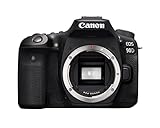
Canon 250D

Ambition at Two Sizes
The 90D and the 250D are both Canon APS-C DSLRs sharing a lens mount and a design language, but they were built for photographers at different points of commitment. The 90D is the enthusiast’s instrument: more controls, a more serious focusing system, faster continuous shooting, a body that assumes its owner shoots deliberately and often. The 250D is the minimalist’s instrument: among the smallest and lightest DSLRs Canon has made, with guided friendliness for newcomers and a carry-anywhere manner that makes it the camera most likely to be present when life happens. Choosing between them is choosing how much camera your photography wants to carry — in your bag and in your attention.
The size difference deserves more respect than comparison tables give it. A smaller body with a small lens disappears into a day bag, a jacket, a life; it gets taken to the school gate, the market and the weekend walk where photographs actually occur. A larger, more capable body gets taken to occasions — the match, the trip, the planned session — where its capabilities earn their weight. Neither pattern is superior. They produce different archives: one broad and spontaneous, the other deliberate and technically ambitious. Know which archive you are trying to build.
Controls follow the same logic. The 90D’s dials and buttons serve the photographer who changes settings as the light changes and wants the camera to keep up. The 250D’s simpler layout, touchscreen guidance and unintimidating menus serve the photographer who wants the camera to explain itself and then get out of the way. Beginners sometimes fear they will outgrow simplicity; enthusiasts sometimes discover they bought authority they never use. Both discoveries are avoidable with an honest look at how you photographed last month with whatever you own now.
Use Cases, One by One
Family and everyday life
The 250D is the family camera in this pair: light enough for any member of the household to carry, friendly enough for any of them to succeed with, and small enough to be present at the unplanned moments that become the archive’s treasures. The 90D serves the family’s dedicated photographer, who will extract from it superb work at games, performances and portraits, and who accepts its size as the price of that authority. Households should be honest about which pattern is theirs, because a camera’s attendance record is written by its size as much as by its specifications.
Sport, wildlife and school events
The 90D owns this territory. Its focusing system, pace and controls were designed for moving subjects, and the crop sensor’s reach flatters the telephoto lenses that sideline and wildlife photography require. The 250D photographs games and performances perfectly happily in decent light, especially from reasonable distances, but erratic subjects at range will find its limits sooner. If your weekends are measured in matches and migrations, the enthusiast body is not a luxury; it is the tool the subjects ordered.
Travel
Travel splits by style with unusual clarity here. The 250D with a compact lens is a genuine travel system: light, discreet and capable, the camera that joins every day of the trip rather than the photographic days only. The 90D suits the photography-led journey — the safari, the festival, the landscape expedition — where the camera is the reason for the itinerary and its abilities justify the bag. Most travelers, if honest, take the first kind of trip far more often than the second.
Portraits and creative work
With the same fast prime fitted, the two bodies produce portraits that are far closer than their prices suggest, because the lens and the light do the work. The 90D’s focusing precision and controls help in deliberate sessions and at wide apertures; the 250D’s tilting touchscreen helps with self-portraits, awkward angles and the experiments beginners attempt most. Creative growth on either body is limited by imagination and practice, and both cameras are honest teachers of the craft.
Video
Both bodies belong to the generation in which Canon’s DSLRs became genuinely pleasant filming tools, with touchscreen focusing in live view serving planned and semi-planned work well. The 90D offers the more complete video package of the two for creators who film seriously; the 250D covers family films and projects with ease and a smaller footprint. If filming grows into your main direction, that becomes a system conversation in which your EF lenses carry forward — the durable part of either purchase.
Setting Up Either Body in the First Week
On the 90D, spend the first week making its authority reflexive: learn the control layout until settings change without thought, configure the focusing system for your main subjects with real practice rather than menu reading, and save a home setup so the camera returns to your way of working after any reset. This body rewards configuration generously, and owners who invest the week get a camera that feels personally built.
On the 250D, spend the first week making its friendliness productive: learn the guided displays if they help, the quick control screen for everything else, and then deliberately practice in the creative modes where you choose the aperture and shutter speed yourself. Its simplicity is a ramp, and climbing it at your own pace turns a beginner’s camera into a photographer’s camera without any purchase in between.
Both bodies need the same foundations: correct clock, consistent file naming, a rehearsed card routine — shoot, import, back up, format in camera — and an hour of focus verification with your real lenses at your real distances. DSLR focusing is a partnership between a specific lens and body; knowing your pairings are honest lets you spend your attention on subjects instead of suspicions, which is where attention earns photographs.
Care, Cleaning and Troubleshooting
Both bodies reward the standard DSLR care pattern: blower and built-in cleaning for sensor dust, verified with a small-aperture shot of a plain surface; gentle treatment of dials, doors and the tilting screen; dry storage away from heat and damp. The 250D’s small size makes it a camera that travels in ordinary bags, so a simple protective case is a wise companion purchase. The 90D’s more serious construction forgives harder use but not neglect; its dials and seals deserve the same respect as any working tool.
Batteries and cards are affordable for both, which suits their roles. Mark battery packs by purchase date, rotate them, and clean contacts with a dry cloth when behavior turns intermittent — tired contacts explain most mysterious faults on modern DSLRs. When buying used, exercise every control, check the screen hinge through its travel, and shoot the standard dust and focus tests, reviewing on a computer rather than trusting the rear screen.
Troubleshoot in the fixed order: note the symptom, refit the lens, swap the card, swap the battery, and reset settings only after noting your customizations. Focus doubts should be tested on a detailed subject in good light before hardware is blamed, because dim, low-contrast scenes make honest cameras hesitate. Both models are popular and thoroughly documented, so shared owner experience is itself a troubleshooting resource — one of the quiet advantages of buying cameras that sold in large numbers.
Lenses: The Shared Inheritance, Again Decisive
Both bodies accept the complete EF and EF-S catalog, so no lens money is ever stranded by this choice — and the lens plan should therefore be written before the body decision, because it will outlive both. The 250D’s character blooms with compact lenses: a small prime turns it into a camera that goes everywhere, which is its entire design argument. The 90D’s character blooms with serious lenses: telephotos for its action brief, fast primes for its precision, balanced by its larger grip as their designers intended.
A sensible path for either owner is well worn: a versatile standard zoom, a fast prime for portraits and evenings, and a telephoto when distance demands it, bought used with the same care applied to bodies. What differs is only the order and the emphasis the body suggests. Let your subjects write the shopping list, and let the body’s size veto any lens that would keep the kit at home — a veto the 250D’s owners should apply with special honesty, since presence is their camera’s whole advantage.
Test each lens pairing at your working distances and apertures, in your working light, when the lens is new to you. A combination that focuses confidently at noon and hesitates in your living room is giving you information worth having before the birthday, not during it.
A Realistic Buying Checklist
Inspect any example, new-old-stock or used, with a fixed routine: mount and contacts, every dial and button, card and battery doors, the screen through its full travel. Fire the shutter across its speeds, shoot a plain surface at a small aperture for sensor dust, and a detailed subject at several distances for focus. Ask what is included — battery, charger, caps — because completing a bare body costs money that belongs in the comparison.
Then price the complete working kit for each body: camera, first good lens, spare battery, reliable cards, and a bag that fits the life the camera will lead. The 250D kit usually totals less and travels more; the 90D kit asks more and returns authority on demanding days. Compare totals against your honest calendar. The wrong purchase in this pair is not the smaller or the larger one; it is the one matched to a photographer you are not.
Pick Against Pick in Everyday Situations
A Saturday market with friends: the 250D, riding light and coming out constantly. A junior cup final in flat light: the 90D, tracking through the finder as it was built to do. A newborn photographed at home by window light: both, with the prime lens doing the gentle work. A mountain holiday where the camera must justify its place in a small bag: the 250D, happily. A safari saved for over years: the 90D, without a debate. A self-filmed project at a desk: both serve, with tilting screens earning their keep equally.
The pattern is the comparison in one line: presence votes 250D, authority votes 90D. Most photographers need both across a year, but rarely in equal measure in the same month. Weigh your months honestly — the ones already lived, not the ones imagined — and the majority will name your camera with very little argument left over.
More Questions Worth Asking
Will a beginner outgrow the 250D within a year?
Only if their ambitions run quickly toward action, demanding conditions or constant manual control. Its creative modes offer complete authority when the student is ready, and its mount imposes no ceiling. Many owners keep it as the light camera long after adding a more serious body, which is outgrowing in the healthiest direction.
Is the 90D too much camera for a keen amateur?
There is no such thing as too much camera for a photographer who uses its abilities; there is only too much weight for one who does not. If your subjects include sport, wildlife or deliberate sessions, the 90D’s authority will be used weekly and its size forgotten. If they do not, its abilities are a subscription you pay in grams.
Which body should a family buy as its one camera?
The 250D, in most households, because a camera everyone can carry and operate captures more of a family’s life than a camera one person guards. The exception is the household built around one serious photographer whose subjects demand the larger body’s talents.
What should I check first on a used 90D?
Its focusing system and shutter behavior, since those are what you are paying for, then the standard dust and control checks. On a used 250D, check the screen hinge and overall lightness of wear, since its life is usually gentler and its faults are usually visible.
What is the first purchase after either body?
A spare battery and a reliable memory card, then the lens your subjects require. For the 250D, add a case that protects it in ordinary bags — presence should not cost the camera its health.
Workflow and Long-Term Ownership
Files from both bodies are easy to live with: import by date, back up before formatting, keep raw files of your best work permanently, and build export presets for your regular destinations. The 90D’s volume at events asks for culling discipline; the 250D’s constant presence asks for archiving discipline, because a camera that is everywhere produces an archive that grows everywhere. Either habit, built early, serves every camera that follows.
Long-term, the two settle into the roles their sizes promised. The 90D becomes the household’s serious instrument, kept for the demanding days and maintained like one. The 250D becomes the beloved constant companion, lent freely, traveled with relentlessly, and still surprising its owner with what it can do. Both are successes. Choose by presence against authority, honestly weighed, maintain the winner with ordinary care, and let the archive — broad or deliberate, whichever you chose — grow into the verdict.
Mistakes Buyers Make With This Pair
The first mistake is buying authority as insurance — the larger body just in case serious subjects appear — and then carrying its weight through years of ordinary days while the serious subjects remain hypothetical. Insurance should match a real exposure. The second mistake is the opposite thrift: buying the light body for its price while knowing your weekends belong to sport, then fighting its limits every Saturday. The third is judging either camera by its kit lens; both sensors deserve a fairer test, and a fast prime in daylight revises most first impressions within an hour.
A fourth mistake is forgetting the household in the arithmetic. A camera that only one person dares to operate will document a fraction of the life around it, however capable it is. A fifth is skipping the used-camera basics because both models are friendly and familiar; familiar models are exactly the ones a ten-minute check can fully verify. Avoid these five and this comparison becomes what it should be: a pleasant, evidence-based choice between presence and authority, made by your calendar rather than by anyone’s hierarchy.
A Simple Decision Exercise
For one week, carry whatever camera you own now — including a phone — exactly as you would carry one of these, and keep two tallies: every photograph you took because the camera was present, and every photograph you wished for more authority to take. At the week’s end the tallies vote with your own evidence. Presence photographs elect the 250D; authority wishes elect the 90D; a balanced count sends you to handle both with your intended first lens fitted, where your hands and shoulders — the final arbiters of every carry decision — will settle the matter in minutes.
Then price both complete kits and read the difference as what it truly becomes in practice: a lens, a trip, a season of prints. If the lighter body’s savings buy something your photography visibly needs, the exercise has concluded itself. Buy accordingly, and spend the saved deliberation on the only specification that compounds — photographs, made often, with a camera whose company you enjoy keeping.
Two Sample Kits and What They Teach
The characteristic 250D kit is a study in presence: the body, one compact prime or a small zoom, a spare battery, all in a bag that also holds the rest of an ordinary day. Its owner photographs constantly — commutes, lunches, grandchildren, light falling across familiar rooms — and the archive’s richness comes from attendance rather than ambition. The characteristic 90D kit is a study in readiness: the body, a standard zoom, a telephoto for the weekends that demand it, and settings saved so the camera wakes already agreeing with its owner’s intentions. Its owner photographs deliberately, and the archive’s richness comes from occasions fully exploited.
Neither owner bought the wrong camera, because each bought the pattern of their own photography rather than a position in a range. That is the lesson to carry away from this comparison, and it generalizes to every camera decision after it: bodies are not ranked, they are matched. Match yours — to your subjects, your household, your shoulders — maintain it with the ordinary care described above, and the photographs will accumulate into the only verdict that has ever settled a comparison like this one.
One Last Practical Test Before You Decide
If you can, borrow each body for the day it was designed for rather than the same day for both. Give the 250D an ordinary day — errands, family, a walk — and notice how often it was simply there, and how the photographs multiplied because presence costs nothing. Give the 90D a demanding day — a match, a performance, a morning of wildlife — and notice how its authority felt when the subjects stopped cooperating. Then compare the two evenings honestly: which archive would you rather have made, and which camera would you pack again tomorrow without a moment’s editing of the bag?
Those questions measure the only quantities that decide whether a camera fills a life or a shelf: attendance, capability at the moment of need, and the desire to repeat the experience. Specifications cannot contain them, and no review can gather them for you. Gather them yourself, buy the body they name, and give it a full season before judging — by the season’s end, if the matching was honest, you will be judging photographs instead of cameras, which is the condition both of these bodies were built, at their different sizes, to produce.
And if the two days disagree — if presence charmed you and authority impressed you in equal measure — remember that this pair shares a mount and a philosophy, so the second body can join the first later without orphaning a single lens. Many households end up owning both, in some order, for exactly the reasons this article has rehearsed. Buying the one your current life needs more is not a compromise in that light; it is simply the correct first chapter.
FAQ
Is the 250D good for learning?
Yes. It has guided modes and simple controls, and still offers manual control when you are ready.
Do I need the 90D for video?
Not necessarily. Both record video. The 90D has the more complete feature set, which matters for frequent video work.
Which one is better for a first interchangeable lens camera?
The compact one is easy to carry and has guided modes. If you expect to shoot fast subjects, the larger body gives more room to grow.
Do both cameras have a touchscreen?
Both are described as having touchscreens, but check Canon's pages for details on how they work in each model.
Is the larger body much heavier?
It is noticeably larger and heavier, though the exact difference depends on the lens. Check the weights on Canon's pages.
Can I use older EF lenses?
Yes, both accept EF and EF-S lenses.
Which is better in low light?
Both are the same class of sensor, so the lens aperture matters most. A fast prime helps either body.
Do I need a flash?
Not at first, but a flash helps indoors. Check that the model you choose has a hot shoe.
The Short Version
Choose the 90D for speed and control, and the 250D for small size and ease. The lenses are shared, so you can grow either way. Confirm exact specs on Canon’s pages.
