The Canon 6D and Nikon D600 are both early entry-level full-frame DSLRs from the same era, and in practice the best choice usually follows the lens system you already own or prefer. Canon offers a simple body with built-in wireless features, while Nikon offers a higher pixel count and a twin card layout. We have not used these cameras ourselves, so confirm exact specs on each maker’s page.

What each camera is for
Both were designed to bring full-frame photography to enthusiasts at a lower cost and size than flagship models. They suit portraits, landscapes, travel and general use. Neither is a dedicated sports camera, so expect modest continuous shooting compared with higher-tier bodies.
In this guide
Key differences
- Mount and lenses: the 6D uses Canon EF and the D600 uses Nikon F. Lenses are not interchangeable without special arrangements, so this is the biggest factor.
- Resolution: the D600 offers a higher pixel count, which gives a little more room to crop.
- Card slots: the D600 has two card slots, which helps with backup or overflow. The 6D has one.
- Wireless features: the 6D includes built-in wireless transfer and location features that were uncommon at the time.
- Known concerns: some D600 owners reported dust or spots collecting on the sensor. Ask a seller about cleaning history if you consider a used body.
| Trait | 6D | D600 |
|---|---|---|
| Mount | Canon EF | Nikon F |
| Card slots | One | Two |
| Built-in wireless | Yes | No |
| Pixel count | Lower | Higher |
Who should choose which
Choose the 6D if you already own Canon lenses, like simple handling, or want easy image sharing to a phone. Choose the D600 if you own Nikon glass, want more cropping room, or like having two card slots for peace of mind.
If you own neither system, compare the lenses you would actually buy. Look at availability of used lenses, the range of primes, and the zooms you would use most.
Used-body checklist
- Ask for the shutter count.
- Check the sensor for dust with a small aperture and a plain bright surface.
- Test autofocus with a few lenses.
- Look at the mode dial, buttons and card door for wear.
- Confirm the seller offers a return option.
Think about the whole kit
A body is only one part of a system, so look at the lenses, flashes and accessories you would add over time. Check that the focal lengths you shoot most are easy to find in each mount, and compare the sizes of the lenses you would carry. Full-frame lenses can be large, so handling a few in a shop is worth the effort.
Full-Frame Lens Choices and Real Costs
Moving to full frame changes how lenses behave, and lens choice often costs more than the body. Lenses made for a full-frame sensor are generally larger and heavier than their crop-sensor equivalents. A wide aperture standard zoom or prime can be bulky, so think about what you are willing to carry.
Start with the focal lengths you use most. A standard zoom handles everyday shooting, a short telephoto prime suits portraits, and a wide zoom serves landscapes and interiors. Both systems offer lenses from the camera makers and from independent makers. Check the listing for the lens mount and for compatibility with the exact body.
Buying used can reduce cost, especially for older lens designs, but inspect each lens carefully. If you already own crop-sensor lenses, check whether they work on a full-frame body. Many can, usually with a cropped image area, which reduces the resolution you get. Using the right full-frame lenses is the better route to the benefits you are paying for.
Card Slots, Backups and File Safety
Two card slots give you options that one cannot. You can record the same image to both cards as a backup, send raw files to one card and JPEGs to the other, or use the second card for overflow. For paid work, backup recording offers real peace of mind.
If you use a camera with a single slot, build good habits. Use reliable cards, replace them periodically, and copy files to a computer as soon as you can. Avoid filling cards to the very last frame, and format the card in the camera before each shoot, after copying its contents.
- Label cards and keep them in a case.
- Do not remove a card while the camera is writing.
- Copy files to two places before you wipe a card.
- Buy cards from reputable sellers to avoid counterfeits.
Check the card types each body accepts and confirm the speeds suited to bursts. Both cameras are older, so very new card types may not be supported.
Dust, Sensor Spots and Cleaning
Dust on a sensor shows up as dark spots in the same place across many images, especially at small apertures and against plain skies. It is a normal part of owning an interchangeable lens camera, but some bodies collect it more than others. When buying used, take a test photo of a plain bright surface at a small aperture and look for spots.
Prevention helps. Change lenses in a clean spot with the camera facing down, keep caps on, and avoid dusty places. Use the camera’s sensor cleaning function if it has one. For stubborn spots, use a blower first, never compressed air from a can. If dust persists, use cleaning products made for sensors, following instructions closely, or have a service center clean it.
Ask the seller about cleaning history. Some owners report issues with particular samples, so find out whether the camera has been serviced. A body with repeated or oily spots may need professional attention, and that cost should be part of your decision.
Wireless Features and Phone Sharing Today
Built-in wireless on a camera of this age is basic by modern standards. It can transfer images to a phone, allow remote control through an app and attach location data, but setup and speed vary. Check the maker’s pages for current app support, since older features may depend on apps that change over time.
A camera without built-in wireless is not stuck. Memory cards with wireless, card readers and USB cables all work. A card reader is usually the fastest way to move large batches of files to a computer.
Think about how you share pictures. If you often post from events, quick phone transfer saves time. If you edit on a computer, wireless matters less. Test the feature before you rely on it, and keep your phone’s operating system and the app updated. If the app no longer supports your camera, a cable or reader remains the dependable option.
Used Market Factors to Weigh
Prices for older full-frame bodies vary with condition, shutter count, included accessories and seller type. Without quoting numbers, the main factors are consistent. Low use and good cosmetic condition raise value. A sensor with persistent spots, a worn grip or a missing charger reduces it.
- Ask for photos of all sides, the mount, the sensor and the screen.
- Check the box contents: battery, charger, strap and body cap.
- Prefer sellers with return periods or a stated warranty.
- Compare several listings for the same model before you decide.
Also consider the cost of repair and service. Parts for older cameras can be scarce. A slightly more expensive copy in better condition can be better value than the cheapest listing. Finally, remember that the lenses you already own or plan to buy matter more than small differences between the bodies.
What Full Frame Does and Does Not Change
People move to a full-frame body hoping for a leap in picture quality, and it is worth being clear about what the larger sensor really offers. A bigger sensor collects more light for the same field of view, which usually means cleaner files at higher sensitivity and a smoother tonal range. It also gives you a thinner zone of sharp focus when you use the same aperture and framing, so backgrounds blur more readily.
What it does not do is turn a weak photograph into a strong one. Composition, light and timing matter far more than sensor size. A careful photographer with a crop-sensor body can easily beat a careless one with a full-frame camera. The larger sensor also makes lenses bigger and more expensive, and it exposes flaws in older or budget glass at the corners of the frame.
Before you move up, ask what problem you want to solve. If your current pictures look noisy indoors, or you want more background blur for portraits, full frame helps. If your pictures are soft because of focus errors or shake, a new sensor will not repair that. Both of these older bodies bring the benefits of a large sensor at a relatively gentle entry point, provided you accept the limitations of their era.
Autofocus Coverage and Habits
Older full-frame DSLRs often have autofocus points clustered in the center of the viewfinder. That affects how you compose. If your subject sits near the edge of the frame, you may need to focus first on the center point, hold the focus, then recompose. This works well for still subjects but can cause small focus errors with a shallow depth of field or when subjects move.
Learn the autofocus modes on whichever camera you choose. Single-shot focus suits still subjects. Continuous focus follows moving ones, though older systems may not track as well as modern mirrorless cameras. Use the center point for the most reliable performance, and check the manual to see which points are strongest.
Habits that help
- Use back-button focus if the camera allows it, so you can lock focus and still keep control over the shutter.
- Take several frames of important moments, because a few will be sharper than others.
- Zoom in on the rear screen after critical shots to confirm focus.
- In dim light, use a wider aperture to give the system more light to work with.
These habits matter more than small differences between the two systems.
Exposure and Metering in Everyday Use
Both cameras offer several metering modes, and understanding them keeps your pictures consistent. Evaluative or matrix metering reads the whole scene and works well for general use. Center-weighted metering emphasizes the middle, which suits portraits and scenes with a clear main subject. Spot metering reads a very small area and helps with difficult lighting such as a backlit subject.
Use exposure compensation to adjust the result when the camera is fooled. Snow and bright sand tend to be rendered darker than they look, so add a little exposure. A dark subject against a dark background may appear too bright, so reduce exposure. Watch the histogram on the rear screen rather than relying on how the picture looks, since the screen brightness can mislead you.
Shooting raw gives you more room to correct exposure later, and these sensors are known for good tonal flexibility. Even so, aim to get the exposure right in the camera. Protect highlights first: bright areas that are completely white cannot be recovered, while dark areas usually carry more detail than you expect.
Side-by-Side Ownership Checklist
When you compare these two bodies, think beyond the picture and consider the experience of owning each for years. The table below lists areas where the cameras may differ in practice. Confirm each point on the makers’ pages.
| Area | Questions to ask |
|---|---|
| Lens mount | Which lenses do I own or want, and how many options exist for each system? |
| Controls | Do the dials and buttons suit my hands and my style? |
| Viewfinder | Is it bright and comfortable, particularly with glasses? |
| Memory cards | What card type and how many slots does each body use? |
| Batteries | How easy is it to find spares and a charger? |
| Software | Does my editing program fully support the raw files? |
| Support | Is service still available if something breaks? |
Go through each row for both cameras and write short answers. After you finish, you will probably see that one body fits you better in several rows, and that decision will feel grounded rather than random.
Practical Lens Combinations for Each System
A body is only half of the equation, so consider what you will mount on it. A simple three-lens plan works well for many people. The first lens is a general-purpose standard zoom for everyday use. The second is a fast prime, often a fifty millimeter type lens, for low light and portraits with blurry backgrounds. The third is a longer zoom or telephoto for sports, wildlife or distant details.
Look at what each system offers in those categories, both new and used. Older full-frame lenses are often available second-hand at sensible levels, and you can save by buying a well-kept used lens instead of a new one. Check the glass for fungus, haze, scratches and dust, and make sure the focus ring and zoom ring turn smoothly. Ask whether the lens has been repaired or dropped.
Think about image stabilization, which some lenses offer and which helps at slow shutter speeds. Keep in mind that lenses designed for smaller sensors may not cover the full frame, so check that a lens is intended for the format you are using.
Low-Light Technique With Older Sensors
These cameras handle dim scenes reasonably well for their age, but modern sensors have moved on, so technique carries more weight. Begin by using the widest aperture your lens offers and a shutter speed that is safe for handheld shooting. Raise sensitivity gradually and find the point at which noise becomes distracting for you. That limit is personal and depends on how large you print or share your pictures.
Expose well. A properly exposed picture at a high sensitivity looks better than an underexposed one that you brighten later, because brightening an underexposed raw file amplifies noise. Use a tripod for still subjects and a timer or remote release to avoid shake. Let the camera rest on a wall or a table when no tripod is available.
In editing, apply noise reduction gently. Heavy smoothing removes fine detail and creates a plastic look. A little grain is often more pleasing than a sterile surface. Practice on a few indoor scenes at home to learn what your camera can do before an important event.
Scenes Where Each Body Shines
Imagine a week of real photography. On a Saturday, you attend a family gathering in a dim restaurant. A fast prime and the camera’s sensible high-sensitivity range make this easy. On Sunday, you walk through a park for landscape pictures, where the large sensor and a good standard zoom collect rich detail. On Monday evening, you photograph a local sports match, where a longer lens and continuous focus matter more than sensor size.
Which body helps most in each case depends on your lenses and your comfort. If you value built-in wireless sharing for quick uploads, one design might suit your habits. If you want a high pixel count for cropping, another might. If you prefer two memory cards for safety on important days, that will weigh on your decision.
List your own week of photography and decide which scenes matter most. That personal list is more reliable than any generic ranking.
Common Beginner Mistakes With Full Frame
- Shooting everything at the widest aperture, which makes focus errors more obvious and thins the sharp zone too much for groups.
- Ignoring shutter speed, then blaming the camera for soft pictures.
- Buying a body first and discovering that the lenses cost more than expected.
- Leaving the camera on automatic settings and never learning exposure.
- Skipping backups, which puts irreplaceable pictures at risk.
Avoid these and you will get better results from either camera than most owners do. Spend time with the manual, take your camera out regularly, and look over your pictures with a critical eye, looking for what you could improve next time.
Final Questions Before You Choose
When you are close to a decision, ask yourself a handful of direct questions. Which lens system do I prefer for the next five years? Which camera feels better in my hands? Can I afford the lenses I want? Do I value the extra features I am paying for? Does the seller offer a return period? If you can answer these confidently, you are ready to buy.
Take the time to inspect the camera in person if possible. Look for wear on the grip and buttons, test the shutter, check that the screen and viewfinder are clear, and verify that all ports and doors close firmly. Bring a memory card and take sample pictures. Then go home, copy them to your computer and look at them at full size before the return window ends.
Keeping Costs Realistic After the Purchase
The body is rarely the biggest expense of a full-frame move. Wide lenses, fast primes, a second battery, a sturdy bag and a reliable card all take money, and so does a computer able to handle larger files. Make a short written budget before you buy, and decide in advance which items are essential and which can wait a few months. Doing this keeps you from stretching on the body and then pairing it with a weak lens that wastes its potential.
A second useful habit is to set a cooling-off period of a week for any extra purchase. Many gadgets look essential in a shop and forgotten a month later. If you still want the item after seven days, and you can explain which of your pictures it will improve, buy it. Otherwise, put the money toward a trip or a workshop, which often does far more for your photography than another accessory.

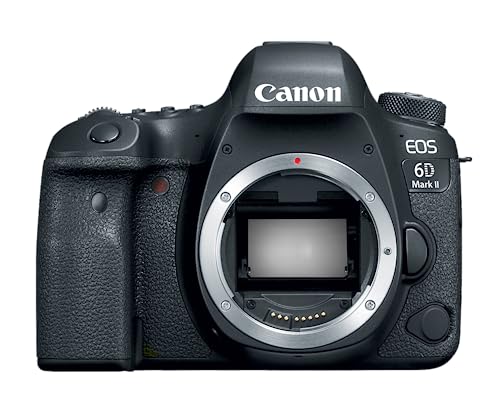
Check Current Listings
As an Amazon Associate, Reviews Took earns from qualifying purchases.
Both options are sold on Amazon. Check the current listing, what is included in the box and the seller before you decide.
Canon 6D
Nikon D600

Choosing a System, Not Just a Sensor
The Canon 6D and Nikon D600 were the two doors into full-frame photography for their generation, and the most important thing about a door is the house behind it. Behind the Canon door sits the EF lens catalog, Canon’s flash system and a control philosophy built around simplicity. Behind the Nikon door sits the F-mount catalog, Nikon’s flash system and a body philosophy that gives the photographer more hardware: more pixels, and a twin card layout that working photographers value. Experienced buyers therefore start this comparison at the lens shelf rather than at the body, because bodies are replaced on a cycle of years while a lens collection is a decade-long commitment.
That said, the bodies have distinct characters worth understanding. The 6D is the minimalist: a clean control layout, a strong central focus point, built-in wireless conveniences that were forward-thinking for its time, and files that behave gracefully in poor light. The D600 is the maximalist within reason: higher resolution for cropping and large prints, two card slots for security or overflow, and a focus system with broader coverage. Neither character is a defect. They are answers to different anxieties — the Canon answers the anxiety of complexity, the Nikon answers the anxiety of missing detail or losing files.
Handling seals many decisions between brands. Canon and Nikon place their dials, buttons and menus differently enough that a photographer raised on one system often fumbles on the other for weeks. If you have history with either brand, that history is a genuine asset and should be priced into the comparison. If you have none, handle both bodies with a real lens fitted; the one your fingers understand by the second hour is telling you something no specification can.
Use Cases, One by One
Portraits and people
Both cameras render people beautifully, as entry full-frame bodies should. The 6D’s low-light grace and simple central focusing suit the focus-and-recompose portraitist working in homes and window light. The D600’s extra resolution rewards the portraitist who crops, retouches closely or prints large, and its broader focus coverage helps when composing with subjects away from the center. Your lens — a fast prime in either mount — will shape the look more than the badge on the body, and both mounts offer superb portrait glass at every budget.
Weddings and events
Events expose the twin-slot question. The D600’s second card slot offers genuine professional comfort: shoot with a backup copy being written as you work, or overflow a long day without swapping cards mid-ceremony. The 6D asks its owner to manage card discipline manually — smaller cards, swapped and secured through the day — which many photographers do successfully, but it is a habit rather than a feature. Against that, the Canon’s simplicity and low-light files serve the reception’s worst light gracefully. Paid work should weigh the card question seriously; it is the one difference in this comparison that is about risk rather than taste.
Landscape and travel
Landscape photographers often lean Nikon here for the resolution and the cropping freedom it buys when the perfect viewpoint is out of reach. Travelers divide: the 6D’s wireless conveniences help move images to a phone without cables, and its body is the simpler travel companion, while the D600’s detail rewards the slow, tripod-based traveler who prints. Both are full-frame bodies with full-frame lens weights; your lens choices will decide your daily comfort more than either camera will.
Family and everyday life
For family life, both are deliberate cameras that reward the effort of carrying them with a look phones cannot imitate. The 6D’s simplicity makes it the easier household camera for a partner to borrow. The D600’s resolution makes it the better archivist of childhood detail for parents who print. Either way, the best family camera is the one that leaves the house, so be honest about size and habit.
Video
Both bodies record video of their era, with focusing while filming being a largely manual craft on DSLRs of this generation. Planned, tripod-based clips suit both; spontaneous filming suits neither particularly. If video becomes a serious direction, that is a future system conversation, and the lenses you buy in the meantime are the part of the purchase that endures.
Setting Up Either Body in the First Week
On the 6D, build your craft around its strengths: master the central focus point and the focus-and-recompose rhythm, taking care at wide apertures where small movements shift the plane of focus. Set up the wireless features if you will use them, since moving images to a phone without friction is one of this body’s genuine daily pleasures. On the D600, configure the twin slots deliberately from day one — decide whether the second card is your backup or your overflow, and never leave the choice ambiguous before an important shoot.
Both bodies reward the same foundational week: correct clock, consistent file naming, a custom setup saved where the body allows it, and a rehearsed card routine of shoot, import, back up twice, then format in camera. Nikon and Canon name the same ideas differently in their menus, so spend an evening with the manual’s map rather than hunting setting by setting. End the week by photographing familiar subjects at several distances and reviewing at full magnification; you are calibrating yourself to the focusing system, which is where these cameras are truly learned.
Add one brand-specific habit early. Canon shooters should learn the quick control screen until settings changes are glances rather than searches. Nikon shooters should learn the two-button shortcuts and the function button assignments that make the body feel personal. In both cases the goal is identical: a camera that disappears, leaving only the subject and the light.
Care, Cleaning and Troubleshooting
Both cameras are now mature used purchases, and inspection is the craft that protects you. Check the mount and contacts, card slots and doors, dials and the viewfinder. On the D600, exercise both card slots. Shoot a plain surface at a small aperture to reveal sensor dust — a check worth doing carefully on any DSLR of this age — and a detailed subject at several distances to verify focusing. Ask about history and inclusions, and prefer sellers who offer a return window.
Routine care is the classic DSLR pattern: blower and built-in cleaning for dust, never touch the mirror, dry storage, and batteries marked by purchase date and rotated. A dry-cloth wipe of lens and battery contacts cures many intermittent faults on cameras of this generation. Both bodies are well understood by independent technicians, which keeps long-term ownership reasonable in either system.
Troubleshoot in the fixed order: note the symptom, refit the lens, swap the card, swap the battery, reset settings only after noting your customizations. On the Nikon, card-related oddities should be tested in each slot separately. On the Canon, wireless quirks usually resolve into settings rather than hardware. Keep a short written log; it turns any repair visit into a conversation instead of an investigation.
Lenses: The Real Decision Underneath
Everything else in this comparison is temporary compared with the mount. Canon’s EF catalog and Nikon’s F catalog are both deep, mature and richly stocked on the used market, but they are not interchangeable, and switching later means selling and rebuying glass at a loss. So inventory your intentions: which specific lenses, at which focal lengths, does your photography require, and what do they cost in each mount? Portraitists, macro shooters and telephoto users will each find slightly different bargains on each side of the fence, and those bargains — not the bodies — are the durable economics of this choice.
Also consider the small print of each mount. Nikon’s long mount history includes lenses that rely on body-driven focusing on some bodies and manual-focus classics that work with varying degrees of metering support; Canon’s EF system is uniformly electronic. Neither is a trap, but the specific older lenses you dream about deserve a compatibility check before money moves. An hour of research at the lens level saves a decade of mild regret.
Whichever system you enter, build the kit in the order your subjects demand: the standard lens first, the lens for your favorite subject second, and patience before the third. Test focus accuracy with each lens at your real distances, since DSLR focusing is a partnership between a specific lens and a specific body, and small mismatches are normal on both brands.
A Realistic Buying Checklist
Run the same fixed routine on either body. Cosmetic wear is harmless; mount damage, bent contacts, sticky doors and a marked finder are not. Fire the shutter across its range, test every control, examine files on a computer rather than the rear screen, and confirm what is included — battery, charger, caps and strap complete a body into a camera, and their absence belongs in the price.
Then price two complete futures: the Canon future and the Nikon future, each with the body, the first two lenses your subjects require, spare batteries and cards. The totals often differ less than the body prices suggest, and occasionally the lens you most want exists at a friendlier price on the side you were not leaning toward. Let the full arithmetic vote. Buying a system on a body discount and paying it back in lenses for ten years is the classic false economy of camera shopping.
Pick Against Pick in Everyday Situations
A wedding in a village hall: the D600’s second slot quietly insures the day while its resolution flatters the group photographs; the 6D works the candlelit evening with graceful files and a simplicity its owner trusts completely. A mountain landscape at first light: the Nikon’s detail rewards the tripod and the patience. A family holiday with photographs moving to phones each evening: the Canon’s wireless habits feel like they were designed for exactly this. A studio portrait session: both disappear behind lighting, and the lens decides the look. A child’s concert from the back row: the Nikon’s cropping room helps, the Canon’s low-light files help, and the parent who knows their camera wins either way.
Notice that the situations rarely crown a universal winner; they crown a match between a photographer’s anxieties and a camera’s answers. List your own anxieties honestly — lost files, missed detail, complexity, weight, dim light — and you will find this comparison has been keeping score for you all along.
More Questions Worth Asking
Does the second card slot really matter for a non-professional?
It matters in proportion to how irreplaceable your photographs are. A hobbyist’s landscape can usually be re-shot; a family’s once-only moments cannot. Many careful single-slot owners manage the risk with small cards and immediate backups, but the slot is the only solution that works while you are still shooting.
Which system is cheaper to build over five years?
It depends on the specific lenses you need, because both used markets are deep and competitive. Price your actual intended kit in both mounts rather than assuming; the answer surprises people in both directions.
Can I adapt lenses between the two systems?
Not in any way worth planning around. The mounts are different worlds with different electronics, and serious adaptation compromises the focusing and automation you are buying a system for. Choose the mount whose native lenses you want.
Which body is better for learning photography?
Both teach the fundamentals completely. The Canon’s simplicity lowers the early friction; the Nikon’s extra hardware teaches professional habits like card management from the start. A mentor’s system, if you have one, is a legitimate tiebreaker — advice is an accessory.
What should I buy first after the body?
A spare battery and reliable cards — two of them, if you choose the Nikon and intend to use both slots as they were meant to be used. Then the lens your subjects require, before any other accessory.
Workflow and Long-Term Ownership
Files from both bodies are easy citizens of a modern archive: import by date, back up before formatting, keep raw files of your best work permanently, and build export presets for print and sharing. The D600’s larger files ask slightly more of storage and reward it with cropping freedom in the editor; the 6D’s files process briskly and suit high-volume evenings. Editing software understands both completely.
Over years, ownership becomes about the system you have built: the lenses that feel like old friends, the flash that just works, the body habits that turned into reflexes. Both of these cameras were designed as long-term foundations, and both have fulfilled that design in countless hands. Choose the house whose rooms fit your photography, maintain the body with ordinary care, and let the collection behind the door — glass, skill and archive — appreciate in the way camera bodies never do.
Mistakes Buyers Make With This Pair
The first mistake is comparing bodies and forgetting systems, then discovering the lens economics of the other brand a year too late. The second is dismissing the card-slot difference as a professional’s vanity; it is a risk decision, and risk decisions should be made consciously rather than by default. The third is the opposite — buying the Nikon purely for insurance while shooting subjects that never needed it, and paying in complexity for a benefit that never arrives. Insurance, like everything else in a kit, should match the actual exposure.
A fourth mistake is assuming brand handling is a triviality. Photographers keep cameras for years, and a control layout that fights your hands extracts a small tax on every outing; over a decade that tax exceeds any specification difference in this article. A fifth is skipping the used-camera routine on either body because the models are well known. Known models are the easiest to verify — shutter history, slot function, sensor cleanliness — and ten structured minutes protect the entire system investment you are about to make. Avoid these, and the Canon-versus-Nikon question becomes what it should be: a calm inventory of your lenses, your risks and your hands.
A Simple Decision Exercise
Write down the five lenses you would own in an ideal world, with no budget limit, and find each one in both mounts on the used market. Note availability and typical condition rather than fantasy prices. Then write down your three most common shooting situations and your single most irreplaceable kind of photograph. Score each system against the lens list and the situations, and give the irreplaceable photograph a double vote — because the camera that protects your most precious work deserves more than an equal say.
Finish by handling both bodies if you possibly can, with a lens fitted and a card inserted, shooting real subjects rather than a shop counter. By the end of this exercise, most photographers find the decision has stopped feeling like brand loyalty and started feeling like bookkeeping — the honest kind, done with your own numbers. Bookkeeping rarely leads anyone astray, and the camera it selects tends to stay selected for the full decade a lens system deserves.
Two Sample Kits and What They Teach
The characteristic 6D kit is a study in enough: the body, a standard zoom, one fast prime for evenings and portraits, and a phone that receives the day’s best frames before dinner. Its owner photographs travel, family and friends’ celebrations, values that the camera never becomes the story, and has built a decade of archives on files that behaved gracefully in every light the world offered. The characteristic D600 kit is a study in assurance: the body writing to two cards, a sharp standard zoom, a longer lens for the children’s sport and the wildlife park, and prints on the wall that reward the resolution every time a guest steps closer.
Neither kit is the budget version of the other. They insure against different losses — one against complexity and friction, the other against lost files and lost detail — and insurance only looks wise when it matches the risk you actually carry. Read the two kits as two answers to the question every buyer should ask first: what would I most regret? Regret about fuss points to the Canon; regret about a lost or lesser file points to the Nikon. Buy against your own regret and the rest of the comparison becomes detail, pleasantly argued over for years without ever needing to be re-decided.
One Last Practical Test Before You Decide
If you can, borrow each body for a day that resembles your real photography — not a test chart, but a family afternoon, a walk with intent, a friend’s small event. Shoot as you normally shoot, manage the cards as you normally would, and spend the evening with the files at the sizes you actually display and print. Notice which camera’s habits you had stopped noticing by midday, which files made you reach for the print button, and which bag you would pack again tomorrow without editing its contents.
Those three impressions are the distilled wisdom of this entire comparison, because they measure the things specifications cannot: friction, confidence and desire. A camera that scores well on all three in your hands will fill an archive; a camera that wins on paper and loses in your hands will fill a shelf. Choose the archive. Then maintain the body properly, build the lens kit patiently, and let the system you have chosen stop being a decision and start being simply the way your photographs happen.
Give the winner a fair season before you judge it, because the first month belongs to learning a new system’s reflexes and the photographs that justify a camera arrive after the learning quiets. Owners entering either system from the other brand routinely report the same arc: a fortnight of fumbled dials, a month of growing fluency, then years in which the camera is simply how photographs happen. That arc is worth remembering in week one, when every difference feels like a flaw and most of them are merely unfamiliarity wearing a disguise.
Unfamiliarity fades; fit remains. Buy for fit — of lenses, of risks, of hands — and the brand question that opened this article will quietly close itself behind a decade of photographs.
That decade is the real product. The body is merely its first page.
FAQ
Can I use Canon lenses on a Nikon body?
Not directly. The mounts differ, and adapters may limit function. It is simpler to stay within one system.
Which one is better in low light?
Both full-frame sensors perform well in dim scenes for their generation. Your lens aperture will matter more than the body difference.
Is full frame worth it over crop sensor?
It gives shallower depth of field and generally better low light behavior, but costs more in lenses and weight. If you do not need those benefits, crop sensor can serve well.
Can I adapt lenses between the systems?
Adapters exist for some combinations, but they may limit autofocus or add bulk. Staying within one mount is simpler.
Do these cameras record video?
They record video, but features and limits differ. Check the maker's pages before relying on either for serious video work.
How many shots will the battery give?
It varies with use. Check the maker's rated figure and carry a spare.
What should I do about sensor spots?
Try a blower first, then a proper sensor cleaning method or a service center.
Should I get a grip?
A grip adds battery life and vertical shooting comfort, but also size. Confirm that the model suits your body.
The Short Version
Choose by lens system first. The 6D suits Canon users who like built-in wireless, and the D600 suits Nikon users who want more pixels and two card slots. Confirm exact specs on each maker’s page.
