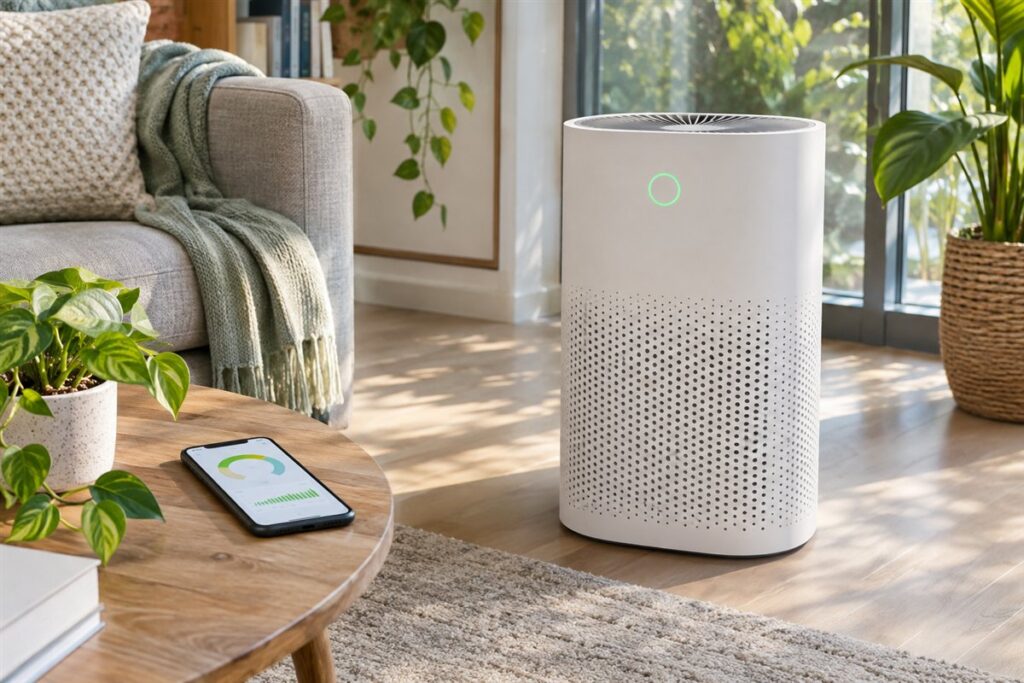
A smart air purifier adds app control, schedules and sensor displays to a basic filter unit. We have not used these products ourselves, so this guide focuses on features and construction only: what the specifications describe, how the connected functions work, and how to match a unit to a room.
Begin with the space. Compare the room size you have with the coverage the maker states, and check how the unit fits among your furniture. Then look at the connected side: which apps and voice assistants it supports, and whether the features need an account. It is also worth reading how the maker describes the fan speeds, the display brightness and the sleep or quiet modes, because these settings decide how the unit fits into a bedroom, an office or a shared living area.
As an Amazon Associate we earn from qualifying purchases. Links on this site are affiliate links, and they do not change the information we give.
In this guide
Quick Picks
| Pick | Product | Best For |
|---|---|---|
| 1 | Levoit Core 400S Smart Air Purifier | Best overall for most rooms |
| 2 | Blueair Blue Pure 311i Max | Quiet running for bedrooms |
| 3 | Levoit Core 600S Smart Air Purifier | Large and open-plan spaces |
| 4 | Coway Airmega AP-1512HHS | Four-stage filtration for odors |
| 5 | Levoit Vital 100S Smart Air Purifier | Compact rooms, washable pre-filter |
Our Picks
1. Levoit Core 400S Smart Air Purifier — Best for Most Rooms
The Core 400S sits in the middle of Levoit’s smart range and suits a living room or a large bedroom. Levoit rates its CADR at 260 CFM and says it can cycle the air in a space of up to 1,980 square feet once an hour, and it carries AHAM verification for its stated room sizes. The 3-in-1 filter stacks a pre-filter, an H13 HEPA layer and activated carbon, so it covers both particles and household odors. A built-in PM2.5 sensor feeds the display on the unit and drives an auto mode that raises or lowers the fan as readings change. Control runs through the VeSync app, with schedules, timers and a sleep mode that dims the lights, and it also answers to Alexa and Google Assistant. Check the maker’s noise figures for each speed before you place it beside a bed.
View Levoit Core 400S Smart Air Purifier on Amazon
2. Blueair Blue Pure 311i Max — Best for Quiet Bedrooms
Blueair takes a different approach with HEPASilent filtration, which pairs a mechanical filter with electrostatic charging of particles. The maker gives a CADR of 250 and says the 311i Max cleans a 387 square foot room in about 12.5 minutes, or up to 1,858 square feet in an hour on its highest setting. It is one of the quieter smart units in this group, with a stated minimum noise level of 23 dB, which makes it a sensible fit for bedrooms and nurseries where a fan runs all night. The Blueair app handles schedules and settings, an air quality sensor supports an auto mode, and the unit carries AHAM verification. Filtration uses a single replaceable F3MAX filter, so upkeep is one part rather than a stack of separate layers to track.
View Blueair Blue Pure 311i Max on Amazon
3. Levoit Core 600S Smart Air Purifier — Best for Large Rooms
The Core 600S is Levoit’s step up for open-plan living areas, basements and rooms with high ceilings. Its listing states a CADR of 410 CFM, enough to cycle 635 square feet in about 12 minutes or up to 3,175 square feet in an hour, so it can run at a lower, quieter speed in a mid-size room instead of working at full power. Filtration is a 3-in-1 stack with a pre-filter, a HEPA layer and activated carbon, and a PM2.5 monitor shows readings on the unit and in the VeSync app. From the app you get schedules, timers and an auto mode, and the purifier also works with Alexa and Google Assistant. It is Energy Star certified, which helps if it will run around the clock. The footprint is larger than the Core 400S, so measure your floor space first.
View Levoit Core 600S Smart Air Purifier on Amazon
4. Coway Airmega AP-1512HHS — Best for Odors and Four-Stage Filtration
The AP-1512HHS is the app-enabled version of Coway’s long-running Mighty design. Its four-stage system runs air through a pre-filter, a deodorization carbon filter, a True HEPA filter and an ionizer stage Coway calls Vital Ion, which gives it a deeper carbon layer than most three-stage rivals for cooking and household smells. Coway rates it for rooms up to 1,575 square feet. The IoCare app adds remote control and scheduling, the unit works with Alexa, and an air quality indicator on the front changes color with sensor readings and feeds an auto mode. A filter replacement indicator tells you when the pack is due. It is a wider, heavier unit than the Levoit towers here, so check the dimensions against the corner you have in mind before ordering.
View Coway Airmega AP-1512HHS on Amazon
5. Levoit Vital 100S Smart Air Purifier — Best Compact Pick
The Vital 100S is the compact option in Levoit’s smart line, aimed at bedrooms, offices and smaller living spaces. Levoit rates it for rooms up to 1,073 square feet on its once-an-hour figure, and the built-in air quality monitor supports an auto mode that adjusts the fan for you. The pre-filter is washable, which cuts down on upkeep, and the main filter combines HEPA and carbon layers for particles and light odors. A sleep mode keeps noise and display light down overnight. Like the other Levoit models here it runs through the VeSync app with schedules and timers, and it works with Alexa for voice control. If your room is small and you want the sensor and app features of the bigger units in a slimmer tower, this is the one to look at first.
View Levoit Vital 100S Smart Air Purifier on Amazon
What to Look For
| Factor | Why it matters | What to check |
|---|---|---|
| Room coverage | Units are sized for different spaces | Maker’s stated room size and your floor area |
| Filter type | Determines upkeep and ongoing costs | Filter layers described and replacement availability |
| Smart controls | App and voice features vary widely | Supported apps, schedules, assistants |
| Sensor display | Shows what the unit detects | Display type and whether it can dim |
| Noise levels | Matters in bedrooms and offices | Maker’s stated decibel range on each fan speed |
| Footprint and design | Must fit the room and airflow path | Width, height and clearance around the unit |
| Wi-Fi setup | Some only support certain bands | Network requirements in the manual |
Setup and Care Tips
- Place the unit with open space around the intake and outlet.
- Follow the app setup carefully and keep the firmware current.
- Check the filter indicator, and replace filters on the maker’s schedule.
- Vacuum or wipe the outer surfaces as the manual describes.
- Use schedules that match your day so the fan is not running unnecessarily.
Mistakes to Avoid
- Buying for the largest listed room size without checking your own space.
- Pushing the unit against a wall or into a corner.
- Ignoring ongoing filter needs.
- Assuming every smart feature works with every home network.
- Expecting results the maker does not claim.
Understanding Filter Layers
Most purifiers use a stack of filters, and the listing usually names each layer. A coarse pre-filter catches larger particles such as hair, lint and dust, which protects the finer layers and is often washable or easy to vacuum. A fine particle filter, often described as a HEPA-type filter, captures smaller airborne particles. An activated carbon layer is generally described as helping with odors and some gases, though how much it can hold depends on how much carbon is in it and how long it has been in use. Some units add extra stages with other methods, which makers describe in their own terms.
Read these descriptions critically. Terms like “true”, “medical-grade” or “HEPA-type” are used loosely across the market, so look for a clear statement of what the filter is and how the maker supports its claim. Consider what you want to address. Dust, pollen and pet dander are particles, so the fine filter matters most. Cooking smells and household odors lean on the carbon layer. Heavy odor loads can use up carbon quickly, so check how replacement is priced and supplied, and whether the carbon layer can be bought on its own.
Reading Airflow and Coverage Claims
Coverage figures on listings are a starting point rather than a guarantee. Makers often rate a unit for a given room size under particular assumptions, such as a certain number of air changes per hour or a specified ceiling height. A unit rated for a large room may only reach that rate on its highest, loudest fan speed. If you want the unit running quietly overnight, compare coverage at the lower speeds instead, if the manual gives it.
Many listings also state a clean air delivery rate or similar airflow figure. These numbers describe how quickly the unit moves cleaned air, and they let you compare one model with another when the same method is used. Check how each maker defines its figure and avoid comparing numbers that were produced under different methods. As a rule of thumb, choose a unit rated comfortably above your room’s size if you want it to work on a lower speed. Remember that open doors, high ceilings and open-plan layouts mean the air to be cleaned is more than the floor area suggests.
Placement and Room Strategy
Where you put a purifier changes how well it works. Leave open space around the intake and the outlet as the manual advises, because blocked airflow wastes the unit’s capacity. Avoid tucking it behind a sofa, into a corner or under a curtain. In a bedroom, a spot a little away from the bed lets the unit move air across the room without blowing directly onto you. In a living area, aim for a place with a clear path for air and not directly in front of a heating or cooling vent, which can short-circuit the airflow.
- Keep doors and windows in mind: a purifier works best in a room that is mostly closed during use.
- Consider the source: if the issue is a kitchen or a pet area, placing the unit nearer to the source can help.
- Multiple rooms: one unit rarely cleans the whole house, so decide which room matters most or plan for more than one.
Cords and outlets matter as well. Check the cable length and whether the plug is easy to reach so you can switch the unit off at the wall for cleaning or moving.
App Accounts, Privacy and Connectivity
Smart features rely on software, and that brings a few questions that have nothing to do with air. Does the app require an account, and what data does it collect? Does it work only with a cloud service, or can it also be controlled locally when the internet is down? Does it work with the voice assistant or home system you already use? A unit that locks key functions behind an account or subscription deserves a closer read before you buy.
Think about longevity too. Apps depend on the maker continuing to update them, and an old unit may lose smart features if support ends. Check that the basic functions, such as fan speed and power, still work from the unit’s own controls without the app. Review the phone and operating system requirements. Look for notes on Wi-Fi bands, since some units only connect to certain bands, and plan for router placement if the unit sits far from it. If privacy matters to you, read the maker’s policy and decide what data you are comfortable sharing before you connect the unit.
Sensors, Running Costs and Knowing When to Replace
Many smart units have a built-in sensor that reports an air quality reading and can adjust fan speed automatically. Treat the display as a helpful guide rather than a laboratory measurement, since small sensors vary in accuracy and respond to different things, such as sprays, steam or cooking fumes. Use readings to notice trends, like a rise after cooking, not to judge precise numbers. Keep the sensor opening clean as the manual directs, since dust can affect readings.
Running costs come from power use and filters. Check the stated power draw at different speeds, and think about whether an auto mode will lower the fan when the air is clean. Filters are the larger ongoing item, so look at how many are needed, how often and whether third-party or genuine options are offered. Signs that something needs attention include a filter indicator that stays on, a drop in airflow, a stale smell from the unit, visible clogging on the pre-filter or noise that rises over time. If replacement filters are no longer available for a model, that is a strong reason to retire the unit.
Making Sense of CADR and Room Coverage
The number that appears most prominently on a purifier listing is usually the clean air delivery rate, shortened to CADR. It describes how much filtered air the machine can supply per minute for a given type of particle, and it is the figure to use when matching a unit to a room. Many makers list individual figures for smoke, dust and pollen.
A commonly used rule of thumb is that the CADR for smoke should be at least two thirds of the room’s floor area in square feet. Ceiling height affects this, so a loft with high ceilings needs more capacity. Also look at the air changes per hour the maker claims and the room size it is intended for, treating these as guidance rather than precise measurements. Bigger rooms usually call for either a larger unit or two smaller ones in different spots.
What Makes a Purifier Smart
The smart label covers a bundle of features, and not all are equally useful.
- App control: schedules, fan speeds and filter reminders from your phone.
- Auto mode with a particle sensor: raises or lowers the fan based on what it detects.
- Voice assistant support: check which assistant is supported and whether it needs an extra skill or account.
- Air quality readouts: a colored light or number on the unit, handy for seeing when cooking or cleaning has stirred the room up.
- Filter life tracking: counts usage time so you replace filters on schedule.
Confirm the Wi-Fi band the device uses, since some only join one frequency, and decide whether you want the unit to work without an internet connection.
Placement and Upkeep
Keep the purifier a little distance from walls and furniture so air can flow freely in and out. Run it with doors and windows mostly closed. Follow the maker’s schedule for changing filters, vacuum the pre-filter if the model has one, and wipe the sensor window with a dry swab as the manual instructs. Treat a purifier as one part of a clean home alongside regular cleaning, not a cure for health concerns; talk to a doctor if you have breathing issues.
Noise and Night Use
A purifier that sounds fine on a low setting can feel loud when pushed to its top speed. Look for decibel figures at each speed in the specifications, and check whether the unit has a night mode that dims the lights and slows the fan. If it will sit in a bedroom or home office, think about where the airflow exits, because a stream aimed at your desk or pillow becomes annoying quickly.
Matching Smart air purifiers to Real Life: Four Situations Buyers Describe Most
Most disappointment with smart air purifiers does not come from a bad product. It comes from a good product bought for the wrong job, the wrong room or the wrong routine. The picks above were chosen for different strengths, and the clearest way to choose between them is to start with the situation that sounds most like yours, then check the details of that pick against your own space, habits and expectations. Work through the four situations below honestly, because the best smart air purifier for a neighbour, a colleague or an online reviewer may be a poor match for the way you actually live.
A bedroom where sleep comes first
In this situation, a compact, quiet unit with a dimmable display and a night schedule usually beats a larger machine that disturbs the room. That starting point changes what you should look for first when you read the pick descriptions above. Instead of comparing every feature in order, begin with the one or two details that decide comfort and success here, and let the rest be secondary. It also helps to picture the second week, not just the first day: routines settle, novelty fades, and the smart air purifier has to keep earning its place when you are tired, busy or in a hurry. If a pick still looks right under those conditions, it is very likely the right direction.
An open plan living and cooking space
Here, cooking smells and daily dust call for stronger airflow and placement that does not fight the layout of sofas and walkways. Buyers in this position often focus on the wrong headline detail and only notice the mismatch once the smart air purifier is in daily use. A calmer approach is to write down the one outcome you need, the one frustration you want to avoid, and the space or routine the smart air purifier must fit, then score each pick above against those three lines. The pick that wins on your own list will serve you better than the pick that wins on a generic list, and it will usually be obvious once your priorities are written down.
A home office used all day
For this kind of use, steady, low background running matters, along with a footprint that fits beside a desk without blowing papers or cooling the occupant. Think about who else is involved, how often the smart air purifier will be used each week, and what happens on the busiest or worst day rather than the best one. A choice that copes gracefully with the awkward day, the guest, the bad weather or the rushed morning is worth more than a choice that only shines in ideal conditions. Compare the picks above with that harder day in mind, and be wary of paying for strengths you will rarely call on while missing a basic that you will need constantly.
A household with pets
In this situation, hair and dander build up on pre filters quickly, so easy access for cleaning and a sensible filter routine matter as much as headline coverage. That starting point changes what you should look for first when you read the pick descriptions above. Instead of comparing every feature in order, begin with the one or two details that decide comfort and success here, and let the rest be secondary. It also helps to picture the second week, not just the first day: routines settle, novelty fades, and the smart air purifier has to keep earning its place when you are tired, busy or in a hurry. If a pick still looks right under those conditions, it is very likely the right direction.
The Details Behind the Details: Reading Smart air purifier Listings Like an Owner
The main buying guide above introduces the criteria that matter for smart air purifiers. This section slows down and looks at how to judge each one from a listing, a box and a first week of ownership, without needing specialist knowledge. None of these checks requires special tools. They require attention, a tape measure where size is involved, and a willingness to believe your own measurements and routines over attractive presentation.
Coverage matched to the real room
Put simply, compare the maker stated coverage with your room as it is actually used, including open doorways and connected spaces that dilute the effect. A useful habit is to separate what the maker states from what the maker implies. Stated details can be compared between the picks above; implied promises cannot. Ask what evidence the listing gives, what it leaves vague, and whether the vague part happens to be the part you care about most. Owners who do this before ordering tend to keep their smart air purifier for years, while buyers who skim this factor are the ones writing frustrated comments a month later.
Filter stages and replacement route
The short version: look at what each filter layer is there to catch, and how easy and predictable it is to source the correct replacement for the model you choose. This factor also interacts with the others, so avoid judging it in isolation: a strong showing here can compensate for a modest showing elsewhere, and a weakness here can undermine an otherwise excellent smart air purifier. As you read the individual pick reviews above, keep this criterion in mind and notice which picks the guide itself associates with it. That pattern is deliberate, and following it is the fastest route to a shortlist of one or two.
Noise across the speeds you will use
What this means in practice: the quiet setting decides bedroom comfort while the higher settings decide how fast a room clears, so judge the range rather than a single figure. When you read a listing, look for this point described in plain, specific language rather than in slogans, and compare how each pick above presents it. If two picks look similar overall, this is often the factor that should break the tie, because it is the one you will feel every single time you use the smart air purifier. After purchase, it is also the first thing to check during any return window: if this detail is wrong for you, the rest of the product rarely makes up for it.
App, sensor and scheduling usefulness
Put simply, smart features earn their place when they automate the boring parts, such as schedules, filter reminders and readings you can actually act on. A useful habit is to separate what the maker states from what the maker implies. Stated details can be compared between the picks above; implied promises cannot. Ask what evidence the listing gives, what it leaves vague, and whether the vague part happens to be the part you care about most. Owners who do this before ordering tend to keep their smart air purifier for years, while buyers who skim this factor are the ones writing frustrated comments a month later.
Living With Your Smart air purifier: Setup, Everyday Use and Care in Practice
A calm first setup
The best first session with any smart air purifier is a slow one. Begin by removing all packaging from inside the filter compartment before first use, placing the unit with clear space around its intakes, and connecting the app only after the purifier runs correctly on its own controls. Resist the urge to judge the purchase in the first ten minutes, because most smart air purifiers feel unfamiliar before they feel right, and many early complaints are really setup details that take minutes to correct. Keep the packaging and paperwork until you have lived with the result for a few days, and make notes on anything you adjust, so you can return to a setting or arrangement that worked instead of rediscovering it later.
The daily routine that makes it feel effortless
Ownership settles down once a small routine forms. For smart air purifiers, that routine is glancing at the air quality reading at the same times each day so you learn what is normal for your home rather than reacting to every change. None of this takes long, and that is the point: thirty seconds of attention at the right moment prevents most of the problems that owners later blame on the product. Households share these habits best when they are simple and visible, so agree the routine with anyone else who uses the smart air purifier, and keep any needed accessories within reach of the place where the routine happens.
Cleaning without damaging anything
Cleaning is where good intentions most often cause harm, usually through water, sprays or force in the wrong place. The safe pattern here is vacuuming or wiping the pre filter area as the maker directs, keeping intakes free of dust and never washing a filter the maker says to replace. Always follow the maker instructions for your specific model where they differ, because materials and constructions vary across the picks above. Little and often beats a rare, aggressive deep clean: grime, dust and residue are easy to shift when they are fresh and stubborn once they have been left through a season of use.
Storage and the quiet months
How a smart air purifier is stored decides how it greets you next season or after a break. Good practice is keeping spare filters sealed in a dry cupboard, and covering the unit if it will sit unused through a dusty renovation or a long trip. Before storing, give everything a final check for damage, looseness or wear that will be easier to sort now than later, and make a short note of anything that needs replacing. That note, kept with the smart air purifier, turns the next setup from an inspection into a simple, confident start.
Accessories worth considering, and those to skip
Useful additions around smart air purifiers include the correct replacement filters for your model, a soft brush for the exterior vents, and a simple plug in timer if your model lacks scheduling. Buy accessories to solve a problem you have actually met, in the order you meet it, rather than collecting every add on at the point of purchase. Equally, skip accessories that duplicate what your chosen pick already includes, that only suit a different model, or that promise to fix a mismatch that should really be solved by choosing a different pick in the first place.
Head to Head: How the Picks in This Guide Differ in Practice
Readers often ask for a single winner, but the honest answer is that each pick above was included for a different reader. This comparison uses only the roles the guide itself gives each product, and translates those roles into the question you should ask before ordering. If your answer points at the same pick from several angles, you have found your match. If it points at two, use the criteria section above to break the tie.
Levoit Core 400S Smart Air Purifier is presented in this guide as best for Most Rooms. Choose this direction if that description matches the outcome you wrote down earlier, and if the details of the review above line up with your space, routine and expectations. Look elsewhere in the list if your priority is different, not because this pick falls short, but because another pick was included precisely for readers whose needs point the other way. That distinction, fit rather than rank, is the most reliable way to use a guide like this one.
Blueair Blue Pure 311i Max earns its place here as best for Quiet Bedrooms. It will suit you best when that strength is the one your situation demands most, and when any trade offs described in its review are ones you can accept without thinking about them weekly. If you find yourself hoping the review said something different about a basic point, take that as useful information and move your attention to the pick whose stated role already matches what you were hoping for.
Consider Levoit Core 600S Smart Air Purifier, described above as best for Large Rooms, when that role is your deciding factor. Before ordering, re-read its individual review with your measurements, your routine and your household in mind, and check the parts of the listing that confirm the details the guide highlights. If those checks pass, this is a confident choice; if they raise doubts, the guide gives you alternatives in the same category rather than leaving you to start the search again.
Coway Airmega AP-1512HHS is presented in this guide as best for Odors and Four-Stage Filtration. Choose this direction if that description matches the outcome you wrote down earlier, and if the details of the review above line up with your space, routine and expectations. Look elsewhere in the list if your priority is different, not because this pick falls short, but because another pick was included precisely for readers whose needs point the other way. That distinction, fit rather than rank, is the most reliable way to use a guide like this one.
Levoit Vital 100S Smart Air Purifier earns its place here as best Compact Pick. It will suit you best when that strength is the one your situation demands most, and when any trade offs described in its review are ones you can accept without thinking about them weekly. If you find yourself hoping the review said something different about a basic point, take that as useful information and move your attention to the pick whose stated role already matches what you were hoping for.
Planning the Purchase: Timing, Checks and Total Cost of Ownership
The purchase itself is only the first commitment. Owning smart air purifiers well involves consumables, wear parts, occasional accessories and, above all, your own time, so think about the whole period you expect to keep the smart air purifier rather than the day it arrives. None of this needs a spreadsheet. It needs a realistic look at how often you will use it, what will need replacing or refilling, and whether those items are easy to find for the model you choose. A pick that is simple to maintain and easy to source parts for will usually cost you less effort over its life than a pick that is marginally more impressive on day one.
Timing deserves a thought as well. Measure and prepare before you order, not after a box is sitting in the hall, and avoid buying in a rush the night before the event, trip, season or project that depends on it, because rushed buyers skip exactly the checks that prevent returns. If you are buying as a gift, keep the receipt route simple, favour the pick whose stated role is the most versatile, and remember that fit, size and personal routine matter more with smart air purifiers than with most purchases, so an easy exchange is part of a thoughtful gift.
Finally, do a last, deliberate pass before you confirm an order. Re-read the one pick review that matters, confirm the size, shape, fitting or compatibility detail that applies to your home, check what is included in the box against what you assumed, and confirm the delivery and returns arrangements while they are still easy to change. That five minute pass is unglamorous, and it is also the difference between the confident owners and the disappointed ones in almost every category, including this one.
When Something Feels Wrong: A Troubleshooting Mindset
Most problems with smart air purifiers announce themselves small: a change in feel, sound, fit or result that was not there in the first weeks. Treat that change as information rather than as a verdict on the whole purchase. Work from the simplest explanations first, because setup drift, wear, dirt, batteries, connections and environment explain far more cases than genuine faults do. Change one thing at a time, test honestly, and give the change a fair chance before moving to the next possibility, otherwise you will never know what actually helped.
Keep a few notes as you go, even if they are only dates and a line each in your phone. A short record of when a problem started, what changed around the same time and what you tried turns a vague frustration into a pattern you, a maker support team or a repairer can act on. And know the point at which to stop troubleshooting: anything involving damaged electrics, structural parts, safety features or a problem that keeps returning after the maker guidance has been followed belongs with the maker, a qualified professional or a replacement, not with another evening of hopeful adjustment.
A Final Owner’s Checklist Before You Decide
A practical checklist before you settle on any smart air purifier runs as follows in your head, if not on paper. Confirm the space it will occupy and the space it needs around it in use. Confirm who will use it, how often, and what they expect from it. Confirm what you already own that it must work alongside, from fittings and furniture to apps, vehicles, doors, floors or routines, depending on the category. Confirm what will need cleaning, replacing or recharging, and how you feel about that rhythm. When all four answers are comfortable, the remaining choice between the picks above is usually a matter of taste, and taste is a perfectly good final judge.
FAQ
Do I need the smart features?
They add convenience such as schedules and remote control. A simple model with manual dials can suit those who prefer fewer connected devices.
How often are filters changed?
It depends on the model and use. The maker’s manual gives the interval, and many units show an indicator. Check whether replacement filters are easy to find for the model you choose, because a unit without available filters has little long-term value.
What does a HEPA-type filter do?
It is designed to capture fine airborne particles as air passes through. Terms are used loosely, so read how the maker describes the filter rather than relying on the name alone.
Will a purifier remove cooking smells?
A carbon layer may help with odors, but results depend on the amount of carbon, the strength of the smell and the room. Ventilating the kitchen while cooking also helps.
Is it safe to leave a purifier on all night?
Many are designed for continuous use, and sleep modes lower the fan and dim the lights. Check the manual for the maker's guidance and place it with clear space around it.
Do smart purifiers work without Wi-Fi?
Most can still be used from the unit's own buttons, but schedules and remote control need a connection. Check the listing to see which functions need the app.
How loud are purifiers?
It varies by model and fan speed. Look at the maker's stated sound range for each speed and think about which speed you will actually use in the room.
Can a purifier replace ventilation?
No. It cleans the air circulating in a room, but it does not bring in fresh air. Open windows or use ventilation where practical.
Can I wash the filter?
Only if the manual says so. Pre-filters are often washable or vacuumable, but finer filters are usually replaced rather than washed.
Should I buy the biggest unit available?
Not necessarily. A larger unit can be noisier and use more power. Choose one rated comfortably for your room rather than the largest option.
Where is the worst place to put a purifier?
Tucked hard into a corner or behind furniture, because blocked intakes and outlets limit how much room air the unit can actually draw through its filters. This is one of the questions owners most often wish they had asked earlier, because the answer shapes daily satisfaction with a smart air purifier far more than most headline features do. Read the relevant pick reviews above with this question in mind, and let the answer steer you between picks rather than trying to make one pick fit every situation.
Should I run a purifier before I need it?
Steady background running usually works better than short bursts, because it keeps on top of everyday dust and odours instead of chasing them after they build up. As with most questions about smart air purifiers, the details of your own home and routine decide the final answer, so use this as the starting point and then check the specific guidance for the pick you are considering. If the question matters enough to affect the purchase, it is worth resolving before you order rather than discovering the answer afterwards.
Can one purifier serve a whole home?
A single unit works on the air in the space around it, so most homes get better results from the right unit in the room that matters most than from expecting whole house coverage. This is one of the questions owners most often wish they had asked earlier, because the answer shapes daily satisfaction with a smart air purifier far more than most headline features do. Read the relevant pick reviews above with this question in mind, and let the answer steer you between picks rather than trying to make one pick fit every situation.
What should I do if the readings never improve?
Check the filter packaging was removed, confirm the doors and windows state, review placement, and look at whether the filter is due for replacement before assuming the unit is faulty. As with most questions about smart air purifiers, the details of your own home and routine decide the final answer, so use this as the starting point and then check the specific guidance for the pick you are considering. If the question matters enough to affect the purchase, it is worth resolving before you order rather than discovering the answer afterwards.
Do purifiers help with dust on furniture?
They reduce airborne dust over time, which can mean less settling, but they do not replace wiping surfaces, vacuuming soft furnishings or dealing with the source of the dust. This is one of the questions owners most often wish they had asked earlier, because the answer shapes daily satisfaction with a smart air purifier far more than most headline features do. Read the relevant pick reviews above with this question in mind, and let the answer steer you between picks rather than trying to make one pick fit every situation.
The Short Version
Match coverage to your room, compare filter layers, noise and app support, and read the setup requirements. A unit with clear controls and easy upkeep is the one you will keep using. Keep your room measurements nearby while you compare listings, read the maker’s notes on filters and app requirements, and be clear about which connected features you truly want. A modest, well-matched unit is easier to live with than an overbuilt one.
Related Guides
- How to Choose the Best Whole House Air Purifiers (2026 Guide)
- How to Choose the Best Smart Blinds: Buyer's Guide (2026)
- How to Choose the Best Smart Ceiling Fans: Buyer's Guide (2026)
- How to Choose the Best Smart Home Devices: Buyer's Guide (2026)
- How to Choose the Best Smart Leak Detectors: A Buyer's Guide