Choosing an RTX graphics card looks simple from a distance and gets complicated the moment a real build enters the picture. The product line stretches from compact cards that sip power and suit a small living-room PC to flagship models that demand a large case, a serious power supply and a monitor capable of showing what they can do. Every card in between makes a different trade between raster performance, ray tracing headroom, memory capacity and price tier, and the right answer depends less on which card sits highest in the range than on the resolution of the screen in front of you, the games you actually play and the machine the card has to live inside.
This guide stays inside one family on purpose. RTX cards share a feature set that competing cards only partly match: hardware ray tracing cores, DLSS upscaling, frame generation on the newer generations, strong video encoding for streaming and recording, and mature support in creative applications. Comparing only RTX models against each other makes the real questions sharper. How much VRAM does your resolution need? How much do ray-traced effects matter to you? Does your power supply have the connectors and the headroom? The six picks below answer those questions at six distinct tiers, from an efficient entry point for 1080p play to a flagship that treats 4K as its home ground.
Some links in this guide are affiliate links, and purchases made through them may earn an affiliate commission at no extra cost to you. That commission supports the research and buying guides published here. Every recommendation below is built from manufacturer specifications, published documentation and technical reasoning about how those specifications behave in real systems, so the reasoning can be checked against the spec sheet of any card you are considering.
Start with the screen, not the card
The single most common mistake in graphics card shopping is buying for a resolution you do not own. A card that is generous at 1080p can be merely adequate at 1440p and genuinely strained at 4K, because each step up multiplies the number of pixels the card must shade, light and store in memory. At 1080p the card renders roughly two million pixels per frame. At 1440p that figure climbs past three and a half million. At 4K it passes eight million, four times the 1080p workload, before ray tracing adds its own heavy layer of calculations on top.
Refresh rate matters just as much. A 60Hz monitor asks the card for sixty finished frames each second and no more; anything beyond that is invisible. A 144Hz or 165Hz esports display doubles or triples the useful frame budget, which shifts value toward cards with strong raw raster speed and toward DLSS features that convert rendering headroom into visible smoothness. Ultrawide monitors sit between the standard steps: a 3440 by 1440 ultrawide carries about a third more pixels than a flat 1440p panel, and a super-ultrawide approaches 4K territory. Match the card to the panel first, and most of the range eliminates itself.
The games matter too. Competitive titles with stylised graphics run happily on modest hardware at very high frame rates, while cinematic single-player releases with ray-traced lighting are the workloads that justify the upper tiers. A mixed library argues for the middle of the range, where a card handles demanding releases at high settings today and keeps DLSS in reserve as releases grow heavier. Keep your own library in mind as each pick below describes who it suits, because the honest answer for a strategy and indie library is a very different card from the honest answer for a library built around the year’s biggest releases.
In this guide
What to look for in an RTX graphics card
VRAM: capacity follows resolution and texture ambition
Video memory holds the textures, geometry and frame data the GPU works on, and running short does not produce a gentle slowdown. When VRAM fills, games stream assets from system memory, stutter, drop texture quality automatically or, in the worst cases, become unstable. Capacity needs have climbed steadily as texture resolutions rise, and the resolution you play at sets the floor. For 1080p play at high settings, eight gigabytes remains workable for most current releases, though the margin is thinner than it was. For 1440p, twelve gigabytes is the comfortable floor and sixteen is the safer long-term figure. For 4K, sixteen gigabytes should be treated as the starting point rather than a luxury.
Longevity is the second half of the VRAM question. A card is usually bought for several years, and memory demand rarely falls. Choosing the larger-memory variant of a model, where one exists, is often the difference between a card that ages gracefully and one that forces texture compromises in its third year. This is why the picks below pay close attention to the variants within a model line: two cards can share a name and a GPU while differing in memory, and that difference matters more with every passing release. Bus width and memory speed also shape how quickly the GPU can use its capacity, which is one reason a higher-tier card with the same headline capacity can still pull ahead in memory-heavy scenes.
Ray tracing and raster performance are different budgets
Traditional raster rendering and ray tracing tax a card in different ways. Raster speed decides how fast the card handles conventional shading, and it remains the foundation of frame rates in the majority of games and in every competitive title. Ray tracing simulates light paths for reflections, shadows and global illumination, producing lighting that raster tricks approximate less convincingly, and RTX cards carry dedicated RT cores for exactly this work. The cost is real: enabling full ray-traced effects can cut frame rates substantially, and the gap between tiers widens under ray tracing because the higher cards carry more RT cores alongside their extra shader power.
The practical reading is that ray tracing ambition should set your tier at least as much as resolution does. A player content with raster lighting at high frame rates can step down a tier and lose little. A player who wants ray-traced reflections and illumination in modern releases should budget a tier higher and lean on DLSS to recover the frame rate. Path tracing, the heaviest form of the technology found in a small number of showcase titles, is realistic only on the top tiers even with every upscaling tool engaged. None of this is a verdict on which style looks better in every game; it is a reminder that the feature has a hardware price, and the price is paid per tier.
DLSS, upscaling and frame generation
DLSS is the RTX family’s defining software advantage. Its upscaling renders the game at a lower internal resolution and reconstructs a clean image at your display resolution, recovering a large share of the performance that ray tracing spends. Quality and Balanced modes are the settings most players live in, and at 1440p and 4K the reconstruction is good enough that many players prefer the DLSS result to native rendering with lesser anti-aliasing. Frame generation, available on the RTX 40-series and later, goes further by inserting AI-generated frames between rendered ones, raising displayed smoothness in CPU-limited or heavily ray-traced scenes.
Two honest caveats belong in any buying decision. Frame generation raises the displayed frame rate without reducing input latency the way a genuinely higher rendered rate does, and it needs a reasonable base frame rate to work well; it is a multiplier, not a rescue for an overloaded card. Upscaling quality also varies by game implementation, and competitive players chasing the lowest latency often run native resolution with DLSS off. Treat DLSS as a powerful tool that extends each tier’s reach, not as a reason to buy a tier below your resolution’s needs and hope software closes the gap forever.
Power draw, PSU requirements and connectors
Every tier step raises the electrical stakes. Entry RTX cards can draw modest power and run from a single eight-pin connector or even motherboard slot power in the smallest models, while the flagship tier can pull several hundred watts under load and expects a high-quality power supply with generous headroom. Manufacturer PSU recommendations assume a typical system; a power-hungry processor, many drives and heavy overclocking all eat into the margin. Buying a card your existing PSU cannot feed means buying a PSU as well, and that hidden cost belongs in the tier comparison from the start.
Connectors deserve a physical check before money moves. Many RTX 40-series cards use the 12VHPWR connector, fed either by a native cable from a newer ATX 3.0 power supply or by an adapter that combines multiple eight-pin leads. The connector must be seated fully and the cable should not bend sharply near the plug, and adapters need the full set of eight-pin leads connected, each from its own cable run where the PSU design calls for it. Older and smaller cards stick with familiar eight-pin connectors, which is one more reason the lower tiers drop into existing builds with less friction. Check both the wattage figure and the connector count on your own PSU label before shortlisting a card.
Card size and case compatibility
Graphics cards have grown. Flagship and many upper-midrange models occupy three or more expansion slots, stretch well past the length of the motherboard, and can block adjacent slots, sag under their own weight and crowd front-mounted radiators. Length, height and thickness all need checking against the case maker’s stated GPU clearance, with extra attention to where the power connector lands: a tall card plus a side-panel connector can leave no room for the cable bend the connector requires. Support brackets or stands are cheap insurance for the heaviest models and are included with some partner cards.
Smaller builds invert the problem. A compact case may limit the shortlist to two-slot, shorter partner designs, which concentrates choice in the lower and middle tiers where such designs are common. Airflow matters alongside raw fit: a large card in a tight case recirculates its own heat, raising temperatures and fan speeds for the whole system. The picks below note the physical character of each tier, because a card that does not fit, or fits but suffocates, is not a bargain at any performance level.
Coolers, noise and partner-card differences
The GPU itself is only part of what you buy. Board partners wrap the same chip in coolers that range from compact twin-fan designs to enormous triple-fan heatsinks, and the differences show up as noise and temperature rather than headline performance. A larger cooler generally runs slower fans for the same temperature, which means a quieter system under load. Factory overclocked variants add a small performance margin, usually a few percent, and are worth having when the price gap is small but rarely worth a large premium. Dual-BIOS switches, fan-stop behaviour at idle and backplate construction are the details that separate a pleasant card from an annoying one across years of daily use.
Founders Edition cards from NVIDIA itself use distinctive flow-through designs and are sold at the reference price tier, while partner ranges stretch from near-reference models to premium lines with vapor chambers and reinforced frames. For most buyers the sensible approach is to choose the GPU tier first, then choose among partner versions of that tier on cooler size, warranty terms and the physical fit in the case. Chasing the single fastest partner variant of a lower GPU almost never beats stepping up to a plain version of the next GPU.
Outputs, encoding and the second jobs a card can do
Display outputs set the ceiling for multi-monitor setups. Most RTX cards offer several DisplayPort and HDMI connections, with newer HDMI supporting high refresh rates at 4K on compatible televisions and DisplayPort carrying high-refresh gaming monitors. If a desk runs three monitors plus a TV, count the ports and check the simultaneous-display limit before assuming any card will drive them all. Virtual-reality headsets add their own connector and bandwidth needs, and VR performance scales hard with GPU tier because each eye gets its own high-resolution render.
For many buyers the card also works a second job. NVIDIA’s NVENC encoder is a genuine reason streamers and video editors choose RTX: it produces clean recorded and streamed footage with minimal performance cost, and newer generations encode more efficiently and support modern codecs. Creative applications lean on CUDA cores for rendering, effects and AI-assisted tools, and the Studio driver branch supports that work. A card bought for games that also accelerates a creator’s timeline or a streamer’s broadcast is easier to justify at a higher tier, and several picks below note where that second-job value is strongest.
Upgrading from GTX or an older RTX card
Upgraders face a different calculation from new builders. The jump from a GTX-era card brings not just speed but the entire RTX feature set: DLSS, hardware ray tracing and modern encoding. From an early RTX card, the decision turns on generational gains and memory; moving from an eight-gigabyte card to a twelve or sixteen-gigabyte card at the same resolution often feels larger than the benchmark gap suggests, because the memory ceiling stops dictating settings. A useful rule is to move at least two tiers or one full generation plus a tier, so the change is unmistakable rather than marginal.
The supporting cast can quietly cap an upgrade. An older processor can hold back a powerful card at 1080p and in esports titles, where the CPU prepares frames as fast as the GPU can draw them. A display capped at 60Hz wastes GPU headroom entirely. Before stepping to the top tiers, confirm that the monitor and processor give the new card room to work; otherwise the money is better split between a midrange card and a better display. Power supply and case checks from the sections above apply with full force to upgrades, since older builds were specced for smaller, cooler cards.
Warranty, drivers and how long the card stays current
The last buying axis is time. Partner warranties vary in length and in how painless a claim is, and on a component this expensive the difference between a two-year and a four-year term is worth real attention, particularly for the upper tiers where a single failure outside warranty ends the purchase’s value entirely. Transferable warranty terms also protect resale value, which matters in a category where many owners sell one card to fund the next. Registering the card promptly and keeping the receipt are dull habits that decide whether the paper promise is worth anything.
Driver support is the other half of longevity. NVIDIA maintains its Game Ready and Studio branches for years after a generation launches, and new releases routinely arrive with day-one driver work for current and recent generations alike, so a card bought today keeps receiving optimisation long after it leaves the shelves. Feature support does eventually narrow by generation, as the frame-generation boundary shows, which is another argument for buying the current generation at the right tier rather than a discounted older card at a nominally higher one. A card’s useful life is set by its memory, its feature set and its driver runway together, and the picks on this page were chosen to score well on all three.
best gaming graphics card under 150
The six RTX cards, tier by tier
The picks are ordered by tier rather than by a single overall ranking, because the honest question is which tier your screen and library need. Each pick names a specific GPU model; partner versions of that model vary in cooler and clock speed, and the variant notes in the companion sources file matter when it is time to match an exact listing.

NVIDIA GeForce RTX 4060: the efficient 1080p entry point
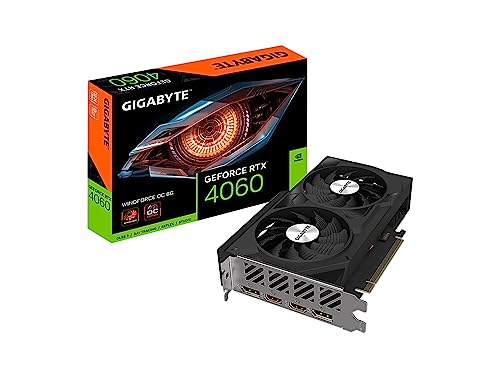
The RTX 4060 is the sensible front door to the RTX family. It is a compact, frugal card built for 1080p play, where it runs modern releases at high settings with frame rates that satisfy high-refresh monitors in most titles, and it does so while drawing little power and fitting cases that larger cards cannot enter. Its eight gigabytes of memory is the specification to understand clearly: adequate for 1080p textures today, with DLSS available to stretch it, but the reason this card belongs at 1080p rather than being stretched to 1440p ambitions.
What elevates the 4060 above older budget cards is the feature set it inherits. DLSS upscaling and frame generation are both present, the encoder is the modern NVENC unit that streamers value, and power efficiency is the best in this list by a wide margin, which keeps fan noise low and lets modest power supplies cope without complaint. In a small-form-factor build or a living-room PC under a television at 1080p, those traits matter more than raw tier. It is also the easiest upgrade on this page for owners of ageing GTX cards, since it commonly drops into an existing system with no PSU or case changes at all.
The limits are equally clear. Ray tracing is available but should be treated as a light-touch feature at this tier, best used in its moderate settings with DLSS engaged rather than as a headline experience. Memory-heavy releases at maximum texture settings can press against the eight-gigabyte ceiling, and 1440p play means leaning on upscaling as a permanent crutch rather than an occasional boost. Buyers who know they will move to a 1440p monitor within the card’s life should read the next two picks as their real starting point.
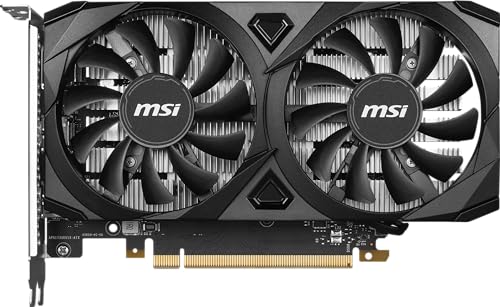
Strengths: excellent power efficiency and small physical size; full DLSS and frame-generation support; modern encoder for streaming; quiet partner coolers even in compact designs; easy upgrade for older systems. Trade-offs: eight gigabytes of VRAM limits texture headroom and 1440p ambitions; ray tracing best kept moderate; narrow memory bus shows in memory-heavy scenes. Who it suits: 1080p players, esports-focused builds and small cases that want current features without electrical or physical drama, and the compact twin-fan versions leave room in almost any chassis, so confirm the length against your case clearance when you check price on Amazon.

NVIDIA GeForce RTX 4060 Ti 16GB: the memory-corrected step up
The RTX 4060 Ti exists in two forms, and the distinction is the whole story of this pick. The sixteen-gigabyte version doubles the memory of the base card while keeping the same GPU, and that single change converts a card with a visible ceiling into one with real staying power at 1080p and a credible claim on 1440p. Texture settings that force compromises on eight-gigabyte cards simply fit here, and the extra capacity is the kind of headroom that quietly pays off across a four or five-year ownership span as releases grow heavier.
Performance sits a clear step above the 4060 in raster work, enough to run 1440p at high settings in many titles with DLSS handling the heaviest scenes, and ray tracing becomes a reasonable feature to enable at moderate levels rather than a curiosity. The card stays relatively compact and efficient next to the tiers above it, so it suits mainstream cases and midrange power supplies. For creators, the larger memory also helps in editing and AI-assisted tools that load models and timelines into VRAM, giving this pick a second-job argument its smaller sibling cannot make as strongly.
The caution is about value rather than capability. The sixteen-gigabyte version must be priced as what it is, a memory upgrade on a midrange GPU, and buyers should be certain the listing in front of them is genuinely the larger variant, since the two share a name. Where the price gap to the RTX 4070 Super below is small, the higher card’s wider memory bus and stronger GPU are the better buy. Where the gap is wide, this card is the balanced answer for a 1440p monitor paired with a library that mixes demanding releases and lighter fare.
Strengths: sixteen gigabytes removes the tier’s main ceiling; solid 1440p capability with DLSS; compact and efficient beside the upper tiers; useful memory for creative tools. Trade-offs: easy to confuse with the eight-gigabyte variant when buying; memory bus still narrower than the tiers above; ray tracing remains a moderate-settings feature. Who it suits: 1440p players and long-term owners who value memory headroom over headline speed, and because the two variants share a shelf and a name, verify the capacity printed on the exact listing when you check price on Amazon.

NVIDIA GeForce RTX 4070 Super: the 1440p sweet spot
If one card on this page deserves the label of the balanced choice, it is the RTX 4070 Super. It pairs a substantially stronger GPU than the 4060 family with twelve gigabytes of memory on a wider bus, and the combination lands exactly where 1440p gaming wants to be: high to maximum settings in current releases, ray tracing that can be enabled seriously rather than decoratively, and DLSS with frame generation to hold high-refresh monitors fed in the heaviest scenes. For a 1440p 144Hz or 165Hz display, this is the tier where compromises mostly disappear.
The Super revision improved on the original 4070 in the way buyers should want, with more cores at a similar position in the range, so the card to look for is specifically the Super variant rather than the earlier model at a similar name. Power draw stays moderate for the performance on offer, and partner cards are commonly two or two-and-a-half slots with sensible lengths, which keeps case compatibility broad. The encoder and creative performance step up with the GPU, making this a strong dual-purpose card for players who also edit video or stream regularly.
Its ceiling appears at 4K and in memory terms. Twelve gigabytes is right for 1440p today, but 4K textures and the heaviest ray-traced workloads will press it sooner than the sixteen-gigabyte cards above, and native 4K play in demanding releases asks more GPU than this tier carries. Buyers running a 4K television as their main display, or planning that move soon, should treat the next pick as their floor. Everyone else can read this card as the point where the range stops asking for apologies at the resolution most gaming monitors actually use.
Strengths: excellent 1440p performance with serious ray tracing; DLSS and frame generation fully featured; reasonable power draw and card sizes; strong streaming and editing capability. Trade-offs: twelve gigabytes is adequate rather than generous for the long term; native 4K in heavy titles is beyond its brief; the non-Super original muddies listings. Who it suits: 1440p high-refresh players who want ray tracing without flagship cost or size, and since the plainer 4070 still circulates beside it, confirm the Super name is in the listing title when you check price on Amazon.

NVIDIA GeForce RTX 4070 Ti Super: sixteen gigabytes and 4K reach
The RTX 4070 Ti Super is the card for players whose ambitions sit between the standard resolutions. Its sixteen gigabytes of memory on a wider bus, matched to a GPU a clear step beyond the 4070 Super, makes it the first tier on this page that treats 4K as a realistic target with DLSS engaged, while at 1440p it simply has headroom to spare: maximum settings, full ray tracing and high frame rates in the same breath. Ultrawide players, whose panels carry more pixels than flat 1440p, will find this the tier where their monitors stop being a compromise.
The memory configuration is the pick’s quiet headline. Sixteen gigabytes at this performance level aligns capacity with capability, so the card is not forced to shed texture quality in the releases that stress memory hardest, and that alignment is what long ownership rewards. It also strengthens the creative case: larger scenes, heavier timelines and local AI tools all consume VRAM, and this tier feeds them without stepping into flagship pricing or power territory. Partner cards grow larger here, commonly triple-fan designs, so the case checks in the earlier section become real rather than theoretical.
Value is the argument to have honestly. This card costs meaningfully more than the 4070 Super while sharing its generation and feature set, and a pure 1440p player may never spend the extra performance it buys. Its case is made by the 4K-curious, the ultrawide owner and the buyer who keeps cards for many years and wants the memory ceiling far away. If your monitor is a flat 1440p panel and your library is mostly competitive titles, the tier below serves you better and leaves budget for the rest of the system.
Strengths: sixteen gigabytes matched to strong GPU performance; genuine 4K capability with DLSS; commanding 1440p and ultrawide headroom; strong creator memory capacity. Trade-offs: price step is real for 1440p-only players; partner cards are large; power and PSU demands climb. Who it suits: ultrawide and 4K-leaning players who want memory and muscle in balance, and with several similarly named 4070 variants on sale, match the full Ti Super wording before you check price on Amazon.

NVIDIA GeForce RTX 4080 Super: the 4K high-refresh card
The RTX 4080 Super is built for the top resolution as a daily habit rather than an occasional experiment. At 4K it runs demanding releases at high settings with ray tracing in play, using DLSS to hold frame rates that a high-refresh 4K monitor can actually display, and at 1440p it is effectively unconstrained for players who prize maximum settings and rate above all. Sixteen gigabytes of fast memory feeds the 4K workload, and the card’s ray tracing throughput is where the flagship experience begins: reflections, shadows and illumination at settings the lower tiers must dilute.
This is also the tier where the physical and electrical conversation becomes unavoidable. The cards are large, often three slots and long, they draw substantial power through the 12VHPWR connector, and they expect a quality power supply with real headroom and a case with the airflow to match. None of that is a flaw; it is the admission price for the performance, and builders at this level usually plan around it. The encoding and creative story peaks alongside the gaming one, with fast NVENC performance and enough memory and CUDA throughput for serious production work.
The question this pick must answer is why not the flagship below. The answer is that the 4080 Super delivers the great majority of the real-world 4K experience, including ray tracing with DLSS, at a noticeably lower tier of cost, power and size. The flagship’s extra memory and muscle matter for path tracing showcases, the highest-refresh 4K panels and heavy professional workloads. For a 4K 120Hz television or monitor and a games-first brief, this card is the rational top of the range.
Strengths: true 4K high-settings performance with ray tracing; sixteen gigabytes of fast memory; flagship-grade encoding and creative throughput; the balanced end of the top tier. Trade-offs: large, power-hungry cards demand case and PSU planning; sixteen gigabytes trails the flagship for professional workloads; cost is firmly premium. Who it suits: 4K players who want the full experience without flagship excess, and because dimensions vary widely between partner designs, measure the card length and slot thickness against your case when you check price on Amazon.

NVIDIA GeForce RTX 4090: the flagship, for those who need it
The RTX 4090 sits at the top of the RTX range as the card that removes GPU performance from the list of things to think about. At 4K it runs the most demanding releases at maximum settings, takes on path-traced showcase titles with DLSS and frame generation doing heavy lifting, and feeds high-refresh 4K and demanding VR headsets with more authority than anything else in the family. Its twenty-four gigabytes of memory is in a class of its own here, and that capacity, as much as the raw speed, defines the pick: enormous texture sets, huge creative scenes and local AI workloads that simply do not fit on lesser cards run on this one.
The professional second job is a major part of the flagship’s real audience. Video production at high resolutions, 3D rendering, and AI development work all scale with its CUDA throughput and memory, and for buyers whose card earns money, the tier justifies itself in hours saved rather than frames gained. Streaming and recording benefit from its encoding headroom, though every card on this page encodes well; it is the memory and compute that separate the flagship for work. Partner designs are uniformly enormous, power draw is the highest in the range, and a top-quality power supply is not a suggestion but a requirement.
Restraint is the honest closing note. For 1440p play, even at high refresh, the 4090’s advantage over the cards below narrows to the point where the money visibly belongs elsewhere in the system. For 4K raster gaming without professional workloads, the 4080 Super covers most of the ground. The flagship is for the buyer who has priced those facts, owns the display and the workloads that expose the difference, and wants the ceiling gone. That buyer will not be disappointed; anyone else is funding capacity they will rarely touch.
Strengths: the fastest card in the family at every resolution; twenty-four gigabytes for games, creation and AI work; path tracing becomes playable with DLSS; unmatched VR and high-refresh 4K headroom. Trade-offs: the largest and most power-hungry card here; premium cost far beyond the tier below; performance wasted at 1440p for most libraries. Who it suits: 4K maximalists, VR enthusiasts and professionals whose software eats memory, and given the size of the commitment, confirm the exact partner model, its dimensions and its connector arrangement when you check price on Amazon.
Side by side: the six tiers at a glance
Numbers alone flatten the differences between these cards, because each tier is a bundle of performance, memory and physical demands rather than a single score. The table compares the six qualitatively, on the axes this guide has argued matter: the resolution each serves best, its memory position, its ray tracing character and the system it expects to live in.
| Card | Best resolution | VRAM position | Ray tracing character | System demands |
|---|---|---|---|---|
| RTX 4060 | 1080p | Entry capacity, fine at its resolution | Light to moderate settings | Minimal; small cases, modest PSU |
| RTX 4060 Ti 16GB | 1080p to 1440p | Generous for the tier | Moderate settings with DLSS | Low; compact partner designs |
| RTX 4070 Super | 1440p | Adequate, matched to 1440p | Serious settings at 1440p | Moderate; mainstream PSU and case |
| RTX 4070 Ti Super | 1440p to 4K | Generous, wide bus | Full settings at 1440p, strong at 4K | Noticeable; larger cases, stronger PSU |
| RTX 4080 Super | 4K | Ample for 4K gaming | High settings at 4K with DLSS | High; large case, quality PSU |
| RTX 4090 | 4K and beyond | Largest in the family | Maximum, including path tracing with help | Highest; flagship planning throughout |
Read the table as a ladder of commitments rather than a league table. Each step up buys performance and memory, and simultaneously buys obligations: a bigger case requirement, a stronger power supply, a monitor that can justify the output. The cheapest card that satisfies your screen and library is not a compromise pick; it is the correct pick, and the money it leaves behind usually does more good in a better display, a larger SSD or a stronger processor than in GPU headroom no current game in your library will use. The tiers exist so that each buyer can stop at the rung their own setup actually calls for.
Pairing the card with the rest of the system
A graphics card does not perform alone, and two pairings decide whether a purchase feels as fast as its tier promises. The first is the processor. At 1080p and in competitive titles, frame preparation falls heavily on the CPU, and an old or entry-level processor can cap a strong card well below its capability. At 4K the balance reverses and the GPU does nearly all the deciding. The practical rule is to keep the two within a generation or two of each other’s ambition: flagship cards deserve modern processors, while the lower tiers pair happily with mainstream chips from recent years.
The second pairing is the display pipeline. A high-refresh monitor only shows its advantage when the connection and settings allow it: use DisplayPort for high-refresh gaming monitors where possible, confirm the refresh rate is actually selected in the operating system, and enable variable refresh rate so the panel syncs to the card rather than tearing or stuttering at mismatched rates. On a television, check that the HDMI port used supports the full bandwidth the card offers and that game mode is engaged. These are five-minute checks that decide whether a new card’s performance reaches your eyes intact.
Storage and memory play supporting roles worth a sentence each. Modern releases increasingly stream assets directly from an SSD, and a system still running games from a mechanical drive can stutter in ways that look like GPU trouble. System RAM of sixteen gigabytes is the working minimum for a gaming build and thirty-two is the comfortable figure for anyone mixing games with streaming, editing or many background applications. Neither upgrade is glamorous, and both protect the investment the graphics card represents.
Common buying mistakes in this category
The first mistake is buying the GPU name instead of the GPU configuration. Variants share names across memory capacities and revisions, and the difference between an eight-gigabyte and a sixteen-gigabyte card, or between a Super revision and the original, is larger than many tier gaps. The second mistake is ignoring the power supply until the card is on the desk: wattage, connector type and connector count all gate the upper tiers, and discovering a missing 12VHPWR path after purchase turns a one-box upgrade into a rebuild. The third is measuring nothing. Case clearance figures are published for both cases and cards, and two minutes with those numbers prevents the most frustrating return in PC building.
The fourth mistake is overbuying for a monitor that cannot show the result, covered earlier but worth repeating because it is the most expensive error on this list. The fifth is the opposite: buying for today’s library alone when a display upgrade is already planned, which guarantees a second purchase. The sixth is treating ray tracing as a checkbox rather than a dial. Every RTX card supports it; the tiers differ in how far the dial turns at your resolution, and choosing with that understanding produces buyers who are pleased rather than surprised.
Reading an RTX model name without a decoder ring
The naming scheme rewards a minute of study, because nearly every buying error in this category starts with a misread badge. The number after RTX states the tier within its generation: a 4060, 4070, 4080 and 4090 share a generation and climb in capability, while the first digits mark the generation itself, so a newer generation’s midrange card can rival or pass an older generation’s higher tier in features even where raw speed is close. Suffixes then modify the tier. Ti marks a strengthened version of the base model, Super marks a refreshed model with more cores or better specifications than the original release, and the two can combine, as the 4070 Ti Super on this page shows, into the strongest form of that tier.
Memory is the figure the badge does not state, and it is the figure that most deserves verification. Two cards with identical names on the front of the box can carry different capacities, as the two forms of the 4060 Ti demonstrate, and the capacity lives in the fine print of the specification table rather than the headline. The same discipline applies to partner naming: words like Gaming, Eagle, Ventus or Strix describe a partner’s cooler and trim line, not a different GPU, and an overclocked partner variant of one tier never becomes the next tier up. Read any listing in this order — generation, tier, suffix, memory — and the range becomes legible.
Generational feature boundaries matter alongside the names. Frame generation arrived with the 40-series, so an older RTX card, however strong its raster speed, cannot offer it. Newer generations also improve ray tracing efficiency and encoding, which is why a cross-generation comparison on raw frame rates alone understates what the newer card brings. When upgrading from a 20-series or 30-series card, the feature ledger is part of the purchase, and it is one more reason the two-tier jump recommended earlier tends to satisfy: it buys features as well as frames.
Settings strategy: making a tier feel like the next one up
How a card is driven matters almost as much as which card it is, and a few settings habits stretch every tier on this page. Texture quality is governed mainly by VRAM rather than GPU speed, so a memory-rich card can hold maximum textures even where other settings must fall, and textures are the setting the eye notices most. Shadows, volumetric effects and ray-traced reflections are the expensive dials; lowering each by one step typically costs little visually and returns meaningful frame rate. The sensible order is to protect textures and resolution first, then tune the expensive effects down until the frame rate target holds.
DLSS mode choice is the second lever. Quality mode at 1440p and 4K reconstructs from a reasonably high internal resolution and is the default worth living in; Balanced buys more performance for a small softness cost that fast motion mostly hides; Performance and Ultra Performance belong to 4K ray tracing scenarios and the flagship experiments respectively. Frame generation, where available, should be switched on once the base frame rate is already healthy, since it multiplies smoothness rather than creating it. Players who set a new card up this way routinely find the tier they bought performing like the tier they talked themselves out of.
Latency settings complete the picture for competitive players. Reflex, NVIDIA’s latency-reduction feature, is supported across the RTX line and is worth enabling in the titles that offer it, and capping frame rate a few frames below a variable-refresh monitor’s ceiling keeps the display inside its sync range. None of these adjustments cost money, and together they explain much of the gap between two owners of the same card reporting very different satisfaction with it.
Heat, airflow and living with a powerful card
Performance figures assume a card that can breathe. Modern RTX coolers exhaust heat in different directions depending on design: traditional partner coolers dump much of it inside the case, while flow-through designs push a share out of the rear. Either way, the case needs a coherent airflow path, with intake air reaching the card’s fans and exhaust capacity matched to the total heat of the system. A flagship card in a sealed, glass-fronted case with weak exhaust will run hot and loud regardless of its cooler’s quality, and the same card in a mesh case with sensible fan placement will be unremarkable in the best sense.
Fan curves and power limits are the owner’s tuning tools. Most partner software and general utilities allow a gentler fan curve for quieter operation at slightly higher temperatures, or an undervolt that trims power draw and heat with minimal performance change, a technique the efficient midrange cards respond to particularly well. Coil whine, an electrical hum some cards produce under high frame rates, varies by individual unit and is often tamed by frame rate caps. These are ownership realities rather than defects, and knowing them in advance separates the buyers who enjoy a powerful card from those who spend a month wondering whether theirs is normal. It is.
A short buying checklist
Before any RTX purchase, five checks close most of the risk. Confirm the monitor’s resolution and refresh rate and let them name the tier. Confirm the exact model configuration, including suffix and memory capacity, in the listing’s specification rather than its headline. Measure the case’s GPU clearance and compare length, height and slot thickness. Read the power supply’s label for wattage and connectors, including the 12VHPWR question for the upper tiers. Finally, confirm the return window, because fit and noise are the two qualities no specification fully predicts, and a card that can go back is a card that can be chosen with confidence.
best pc power supply for gaming under 50
Frequently asked questions
How much VRAM do I actually need?
Match capacity to resolution and ownership horizon. Eight gigabytes serves 1080p today with occasional texture compromises in the heaviest releases. Twelve gigabytes is the comfortable 1440p figure now, and sixteen is the safer choice for anyone keeping a card through several release cycles or moving to 4K or ultrawide. Memory demand grows over a card’s life and cannot be upgraded later, so when two variants of a model differ only in capacity, the larger one is usually the better long-term buy at the resolutions above 1080p.
Is DLSS a good reason to choose RTX over other cards?
For many buyers, yes. DLSS upscaling is widely supported, performs strongly at 1440p and 4K, and effectively extends every tier’s useful life, while frame generation on the newer cards adds smoothness in demanding scenes. It is not a substitute for buying enough hardware: upscaling from a very low internal resolution softens the image, and frame generation needs a healthy base frame rate. Judged as a feature that multiplies a sensibly chosen card rather than rescuing an undersized one, it is one of the strongest arguments for the RTX family.
Can my existing power supply run a higher-tier card?
Check three things on the PSU label and in its cable box: total wattage against the card maker’s recommendation, the connector types available, and whether the unit is a quality model from a reputable line. Lower RTX tiers often run happily on modest supplies with a single eight-pin connector. The upper tiers want more wattage and, on many models, the 12VHPWR connector fed natively or through a fully populated adapter. If any of the three checks fails, budget for a modern ATX 3.0 supply as part of the upgrade rather than risking an expensive card on an unready one.
Does the brand of partner card matter?
It matters for everything except raw silicon. The GPU is identical across partner versions of a model, but cooler size, fan noise, physical dimensions, factory overclock and warranty terms all vary. Choose the tier first, then choose the partner version that fits your case, your noise tolerance and your warranty preferences. Paying a large premium for the most elaborate version of a lower GPU is rarely sensible when a plainer version of the next GPU up costs similar money and performs clearly better.
Should I wait for the next generation instead of buying now?
New generations arrive on a regular cadence and usually shift value rather than invalidate current cards, which keep playing the same games the day after a launch as the day before. Buy when your current card stops serving your screen and library, and buy the tier those needs dictate. Waiting makes sense only when a launch is genuinely imminent and your present setup still works well. A card bought at the right tier serves for years regardless of what follows it, and the picks above were chosen with that ownership span in mind.
The last word
Let the monitor choose the tier, let the case and power supply veto the card, and the RTX you bring home will feel fast for exactly as long as it should.