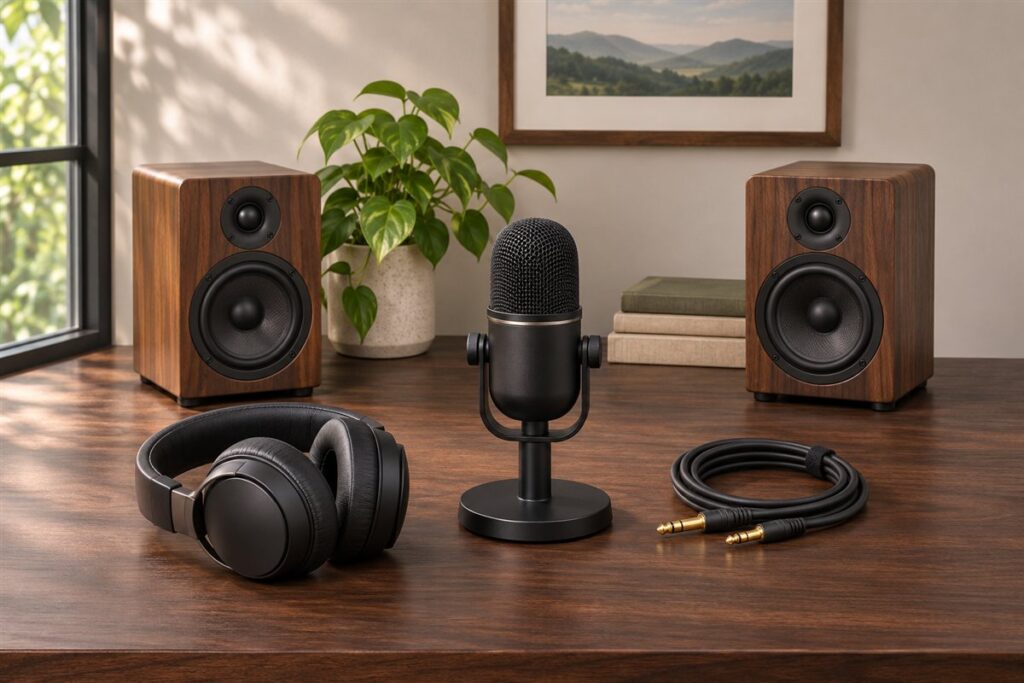
An open-back gaming headset has ear cups with vents or grilles that let air and sound pass through, which gives a wider, more natural sound space. We have not used these products ourselves, so this guide does not rank anything. It shows you how to compare sound, microphone and comfort so you can choose a headset for your desk.
Begin with your room. Open-back designs leak sound out and let outside noise in, so they suit quiet spaces better than shared or noisy ones. Players who value directional audio often like the wide soundstage, but makers describe sound in their own terms, so read those descriptions as claims. Next, look at the connection, such as a wired plug, USB or a separate sound card, and check what your console or PC supports. Microphone type matters, as do weight, clamp force and ear pad material for long sessions. Consider the cable length and whether the mic detaches. A note about where you play will help you use the table below.
As an Amazon Associate we earn from qualifying purchases. Links on this site are affiliate links, and they do not change the information we give.
In this guide
Quick Picks
| Pick | Product | Best For |
|---|---|---|
| 1 | Drop + EPOS PC38X Gaming Headset | Best overall open-back headset |
| 2 | Turtle Beach Atlas Air | Best wireless open-back |
| 3 | EPOS H6PRO Open Acoustic Gaming Headset | Best for PC and console |
| 4 | EPOS Sennheiser GSP 500 | Best adjustable fit |
| 5 | Sennheiser GAME ONE Gaming Headset | Best classic velour comfort |
Our Picks
1. Drop + EPOS PC38X Gaming Headset — Best overall open-back headset
The PC38X is the headset most open-back roundups are measured against. It pairs an open-back over-ear design with drivers derived from Sennheiser’s audiophile headphone line, rated for a 10 Hz to 30 kHz frequency response, and its 28-ohm impedance means a PC, controller or phone can drive it properly without a separate amplifier. The noise-cancelling boom microphone flips up to mute, and Drop includes two cables in the box, a split PC cable and a single-plug console cable, plus two sets of ear pads, velour and mesh knit, so you can pick the feel you prefer. The open cups give the wide, natural soundstage this style is known for, which helps with placing footsteps and directional cues in a quiet room. Choose the PC38X if you play at a desk in a private space and want one wired headset that covers PC and console; skip it if your room is shared or noisy, because it leaks sound both ways.
View Drop + EPOS PC38X Gaming Headset on Amazon
2. Turtle Beach Atlas Air — Best wireless open-back
The Atlas Air is the rare open-back headset that cuts the cable. It connects over low-latency 2.4 GHz wireless to PC and PlayStation, over Bluetooth to phones and other devices, and over a 3.5 mm cable when you need a wired fallback, which is also how it works with Xbox controllers. Turtle Beach rates the battery at up to 50 hours, and the 40 mm drivers are tuned for 24-bit high-fidelity audio on supported sources. The earcups use a floating design with memory foam cushions that reduces clamp pressure, a real benefit in long sessions, and the detachable broadcast-grade microphone flips up to mute. At about 301 grams with the microphone it stays light for a wireless model. Pick the Atlas Air if you want open-back sound without a cable crossing your desk; remember that, like every open-back design, it will not shut out room noise or keep your game audio private.
View Turtle Beach Atlas Air on Amazon
3. EPOS H6PRO Open Acoustic Gaming Headset — Best for PC and console
The H6PRO Open is EPOS’s current open-acoustic flagship, built around 42 mm drivers with a 20 Hz to 20 kHz response and a 28-ohm impedance that plays well with controllers and PCs alike. Its boom microphone attaches magnetically and detaches completely when you would rather use a desk mic or just listen, and EPOS includes cover plates for a cleaner look with the mic removed. A volume wheel sits on the right ear cup for quick adjustments mid-game. At 309 grams it is not the lightest here, but the padded headband and replaceable ear pads are shaped for long sessions. The box includes both a dual-plug PC cable and a single-plug console cable, and it works across PC, Mac, PlayStation, Xbox and Switch. This black version (model 1000934) is the one to pick if you split time between a PC and a console and want a single wired headset with a genuinely good microphone for team chat.
View EPOS H6PRO Open Acoustic Gaming Headset on Amazon
4. EPOS Sennheiser GSP 500 — Best adjustable fit
The GSP 500 stands out for how much you can adjust it. The headband has a built-in slider that changes the contact pressure on the sides of your head, on top of the usual size adjustment, so you can fine-tune the clamp force that makes or breaks comfort over a long evening. The open acoustic design and Sennheiser’s proprietary speaker system aim for the natural, spatial presentation open-back headsets are known for. The broadcast-quality noise-cancelling microphone flips up to mute, and a volume control is built into the right ear cup. Ergonomic ear pads use a mix of materials intended to keep ears cooler than full leatherette pads. It connects by 3.5 mm cable and is listed for PC, Mac, PS4, Xbox One and Nintendo Switch. Choose the GSP 500 if other headsets clamp too hard or sit unevenly for you; its larger frame suits bigger heads better than small ones.
View EPOS Sennheiser GSP 500 on Amazon
5. Sennheiser GAME ONE Gaming Headset — Best classic velour comfort
The GAME ONE is the classic Sennheiser open-back gaming headset, and its comfort is the headline: XXL plush velvet ear pads and a vented open design let air move through the cups, so your ears stay cooler than they do in sealed leatherette headsets during long sessions. The open acoustics are tuned for a natural, spatial sound, and the noise-cancelling boom microphone flips up to mute when you do not need it. A volume control is integrated into the right ear cup, and the exchangeable cables in the box cover both PC-style split plugs and a single console plug, with compatibility listed for PC, Mac, PlayStation, Xbox, Switch and smartphones. This listing is the white version (model 506065). Pick the GAME ONE if breathability and a proven, lightweight fit matter more to you than the newest features; as with all open-back models, it belongs in a quiet room where sound leaking out is not a problem.
View Sennheiser GAME ONE Gaming Headset on Amazon
What to Look For
| Factor | Why it matters | What to check |
|---|---|---|
| Driver size and tuning | It shapes detail, bass and the sense of space. | Read the stated driver size and the maker’s tuning notes. |
| Connection | It must match your PC, console or audio gear. | Compare 3.5 mm, USB and any adapter or amp needs. |
| Microphone | Clear voice chat helps team play. | Check whether it is detachable, flexible and has a mute option. |
| Comfort and weight | Long sessions need a light, balanced fit. | Look at headband design, clamp force and pad material. |
| Sound leakage | Open cups let sound out and noise in. | Think about housemates, roommates and room noise. |
| Cable and build | Daily use puts strain on cables and hinges. | Check cable length, material and replacement parts. |
Setup and Care Tips
- Connect the headset and choose it as the input and output device in your settings.
- Adjust the headband until the pads rest comfortably on your head.
- Keep the volume at a comfortable level and take breaks during long sessions.
- Wipe the pads and grilles gently with a dry cloth.
- Store the headset on a stand to protect the headband and cable.
Mistakes to Avoid
- Choosing an open-back design for a noisy or shared room.
- Ignoring what connections your console or PC supports.
- Judging a headset by driver size alone.
- Overlooking weight and clamp force.
- Assuming the microphone will match a standalone mic.
How Open-Back Design Works and What It Changes
In an open-back headset the outer face of each ear cup is vented or covered with a grille, so air and sound pass freely through it. A closed-back cup traps sound and creates a sealed chamber. Because the open design avoids that sealed volume, makers describe it as producing a more spacious, natural sound with less of the boxed-in character some people notice in closed designs. These are descriptions of intent rather than measurements, so read them as claims and try to compare features rather than adjectives.
The same openness has consequences. Sound leaks out, so people nearby may hear what you are playing, and your microphone may pick up some of that leakage if it is positioned close. Outside noise also reaches your ears, so a noisy room, a loud keyboard, a fan or a street outside will be audible. Bass can feel lighter because there is less sealing against the ear, which some players like and others do not.
These traits suit certain situations. A quiet private room, a home office with a door, or a late-night session when nobody else is nearby all work well. Shared bedrooms, living rooms with a television on and offices where colleagues may be disturbed are poor matches. If you play with speakers or a second audio source in the same room, consider interactions. Be honest about your environment before buying, since this single factor often decides whether an open-back design will satisfy you.
Soundstage, Imaging and Positional Audio
Gamers often value open-back designs for the sense of space. Soundstage refers to how wide and deep the sound feels, and imaging refers to how precisely you can place sounds such as footsteps and gunfire. Open designs are often described as helping with both, though the result depends on the driver design, tuning, the game’s audio and how the sound is processed. Treat the claims as part of a package, not as guaranteed outcomes.
Many headsets offer virtual surround or spatial audio, either through software or through the operating system. Some players prefer plain stereo, while others like processed positional audio. Check what options the headset supports on your platform, whether it requires special software, and whether you can turn effects off. Equalizer settings can help tune the sound to your taste and to different games.
Also consider the type of games you play. Competitive shooters may reward clear directional audio, while story-driven games and music benefit from a balanced, detailed sound. Racing and flight simulations have their own audio demands. A headset that sounds good for music may differ in tuning from one designed for competitive play. Check the maker’s tuning notes, and consider whether you also want to use the headset for movies or music, because versatile tuning might be a priority. Whenever possible, try a headset in person or read the return policy before committing.
Connections, Impedance and Platform Support
Connection type decides what the headset works with. A 3.5 mm analog plug fits many controllers, laptops and desktop sound outputs, and some headsets use a single combined plug while others use separate plugs for headphones and microphone. Adapters can bridge the two, but check that the wiring matches. USB headsets include their own sound processing and connect to a PC, console or both, depending on support. Some include a small control box or dongle. Wireless open-back designs are less common, and you should check latency, battery life and charging.
Impedance and sensitivity affect how easily a headset is driven. Lower impedance models work well with phones, consoles and basic outputs, while higher impedance models may benefit from a headphone amplifier or a dedicated audio interface. Makers publish these figures, and you can compare them, but they do not fully predict sound quality. If you plan to use a desktop amp or DAC, make sure the headset connection suits it.
Platform support is crucial. Check whether the headset works with your console, PC, or both, and what features are available on each. Some consoles handle chat audio differently from others, and some USB features only work on certain platforms. Read the cable details: length, detachable or fixed, and what connectors it uses. A detachable cable is easier to replace, and a longer cable helps if your device sits far from your seat. Confirm everything with the maker’s compatibility notes before you buy.
Microphone, Comfort and Long Sessions
Because open-back cups leak sound, microphone design needs attention. A boom mic that sits close to your mouth picks up your voice with less background noise, and a mic that flips up to mute is convenient. Detachable mics let you remove the boom when you want to use the headset for music. Check whether there is a mute switch or an in-line control, and whether the mic can be positioned away from your breath. Some people choose a separate desk microphone, which makes the headset mic less important.
Comfort is where long sessions are won or lost. Weight, clamping force and pad material all play a role. A lighter headset with a self-adjusting headband distributes pressure over the head. Velour pads are breathable and soft, leatherette pads feel plush but can get warm, and mesh pads are airy. Open-back designs generally allow more heat to escape from the ears, which many users find more comfortable than sealed cups. Check the size of the ear cups, since cups that are too small can press on the ears. If you wear glasses, look for pads that do not press hard on the frames.
Think about adjustability: headband extension, cup rotation and replaceable pads. Replaceable pads extend the life of the headset. Take regular breaks, keep volume at a comfortable level and avoid listening at high volumes for long periods. Quality of life matters as much as raw sound.
Budget Tiers, Care and Replacement Signs
Budget tiers can be viewed through build and features. Entry-level open-back headsets offer simple drivers, plastic frames and basic mics. Mid-range options often add better drivers, sturdier headbands, detachable cables and improved pads. Higher tiers may include premium materials, tuned acoustics and accessories. Choose the tier that matches your hearing, your room and your gaming habits.
Ask yourself a few questions before buying. Is my room quiet enough for open-back sound leakage? Do I need a built-in mic or will I use a separate one? Which platform will I use? Does the headset need an amp? Are replacement pads and cables available? What does the warranty cover?
Care is straightforward. Wipe pads and the headband with a dry or slightly damp cloth as the maker advises. Keep the grilles clear of dust, and avoid pushing sharp objects into them. Store the headset on a stand or hook rather than on a desk where it may be crushed. Coil the cable loosely and avoid tight bends near the connectors.
Signs to replace include worn or flaking pads, crackling or one-sided sound, loose hinges, a cable that cuts out when moved, a microphone that no longer works, and cracks in the headband. Replace pads or cables if parts are available, and consider replacing the headset if multiple parts fail.
Room Check: Is Your Space Right for an Open-Back Headset?
Open-back ear cups let sound escape, and let room noise in. That openness is the source of their airy sound, and also the reason they do not suit every home. Think about your situation before buying.
- Do you share the room? A partner, roommate or child nearby may hear faint audio from the ear cups, especially at higher volume.
- How noisy is the background? Fans, traffic and conversation come through more than they do with a closed headset.
- Do you stream or record? The microphone may pick up game sound that leaks from the cups. A boom mic placed close to your mouth and a noise-reducing setting help.
- Do you game late at night? If others sleep nearby, a closed design may be more considerate.
- Do you value ventilation? Open cups let air move around your ears, which many people like during long sessions.
If your room is quiet and you game alone, an open-back headset can feel natural, with a wide sense of space around the sound. If not, you might keep a closed headset for noisier moments.
Connection Types and Controls: A Simple Compatibility Table
Before you buy, confirm how the headset connects to your devices. The right match avoids adapters and surprises.
| Connection | Works with | Notes |
|---|---|---|
| 3.5 mm analog | PCs, many consoles, controllers and phones | Some PCs use separate jacks for audio and microphone, so a splitter may be needed. |
| USB cable or sound card | PCs and some consoles | Adds its own controls and sometimes software for sound adjustment. |
| Wireless dongle | PCs and consoles, depending on the dongle | Check the platforms listed on the product page. |
| Bluetooth | Phones and tablets | Handy for mobile use, but may add delay in fast games. |
Look at the controls as well. A volume wheel, a mute switch on the boom arm and a detachable microphone are useful in daily use. Check that the cable is long enough for your setup, and whether it detaches for travel.
Comfort is personal. Ear pad material, headband pressure and weight all play a part, and glasses wearers should check that the pads sit well around the frames. Replacement pads are often available from the maker, so look at what support exists. To keep the headset in good shape, wipe pads with a slightly damp cloth, store it on a stand and keep drinks away from the controls. Moderate listening levels are wise, and the maker’s manual may contain guidance on safe use. Keep the original box or a padded bag for storage, so the headband and cups do not get crushed between uses.
Choosing Open-Back Gaming Headsets: The Criteria That Matter Most in Real Life
The reviews above score each pick against its strengths, but your decision will be easier if you first decide how much each criterion matters to you. This section takes the main buying factors for open-back gaming headsets one at a time and explains how to judge them against your own routine, space and budget habits, without any reference to headline claims. Read it with your situation in mind rather than looking for a universal winner, because the same feature can be essential for one household and pointless for another.
Soundstage and imaging
The open design’s gift is space: sounds spread out and locate more naturally, which helps in games where direction matters. Judge how precisely effects place, not just how big the bass feels. In practice, the sensible way to judge this is to picture your own routine rather than a showroom demonstration: how often the item will be used, where it will live, and who else will rely on it. Shoppers often treat this point as a minor detail and only notice it after the first week of ownership, when changing your mind has become awkward. Weigh it against the other criteria in this guide instead of chasing one headline feature, and be honest about which compromises you will actually feel from day to day.
Leakage and room suitability
Open backs let sound out and room noise in. They suit quiet, private rooms and frustrate anyone sharing a space, so honesty about your environment comes before sound quality. It helps to test this against a realistic week rather than a best-case day. Think about the busiest, messiest version of your routine and ask whether the choice still makes sense then. If two options look similar on paper, this is often the factor that separates the one you keep enjoying from the one you work around. Jot down your answer before you order, because it is much easier to compare honestly on paper than from memory once boxes start arriving.
Microphone clarity
Teammates hear the microphone, not the drivers. A clear, well-positioned mic with sensible controls matters as much as the listening experience for multiplayer use. Do not judge this in isolation. It interacts with almost everything else in this guide: a stronger showing here can excuse a weakness elsewhere, while a poor fit here can undermine an otherwise excellent choice. If you are buying for a household or a shared space, ask the other people involved what they expect, because mismatched expectations are a common reason a good product ends up returned. A few minutes spent on this question now saves the cost and hassle of exchanging later.
Comfort over long sessions
Clamp force, earcup depth and headband padding decide whether hour three feels fine. Ventilation is an open-back bonus, but fit is personal, so prioritise adjustability. A useful habit is to rank this criterion against your top three priorities before you look at any product names. Once you know whether it is essential, nice to have, or irrelevant for your situation, the shortlist in this guide becomes much easier to read. Buyers who skip this step often end up paying for capability they never use, or saving money on the one feature they needed every single day. Neither mistake is obvious until the item is already in regular use.
Connection and platform fit
Wired and wireless both work well if they suit your setup. Check compatibility with your console or PC, cable length or wireless method, and whether chat mixing is built in. In practice, the sensible way to judge this is to picture your own routine rather than a showroom demonstration: how often the item will be used, where it will live, and who else will rely on it. Shoppers often treat this point as a minor detail and only notice it after the first week of ownership, when changing your mind has become awkward. Weigh it against the other criteria in this guide instead of chasing one headline feature, and be honest about which compromises you will actually feel from day to day.
Open-Back Gaming Headsets in Practice: Matching the Pick to Your Situation
Most disappointment with open-back gaming headsets comes not from buying a bad product but from buying a good product for the wrong situation. The scenarios below describe the situations readers most often describe, and what each one demands. Find the scenario closest to your life and let it steer which of the picks above deserves your closest attention, because a pick described as ideal for one use may be an awkward fit for another, however well it is made.
Competitive multiplayer in a quiet room
Where the room is private, imaging and a strong microphone shine, and leakage bothers nobody, making this the design’s home ground. For this kind of use, reliability and ease matter more than exotic features. Set the item up the way you would on an ordinary day, not for a special occasion, and notice how much preparation and tidying the routine really involves. If a setup only works when everything goes perfectly, it will frustrate you in real life. The picks in this guide that suit this scenario are the ones whose strengths match the routine, which is why the per-product notes above describe who each model suits rather than declaring one winner for everyone.
Story games and immersive worlds
Open soundstages flatter exploration and orchestral scores, turning ambient detail into part of the storytelling during long, relaxed sessions. The detail that usually decides satisfaction here is not the headline feature but the small friction points: how long setup takes, how much space the routine needs, and how easy it is to put everything away afterwards. Walk through the scenario step by step before you buy and check each stage against the product descriptions above. Where a stage looks awkward, look for the pick in this guide that was designed with that stage in mind, because that match is worth more than a longer feature list.
Streaming and content creation
Streamers value natural voice monitoring and comfort under lights, but must manage microphone pickup of leaked game sound with sensible levels. People in this situation also tend to share the item with others, so think about the least experienced person who will use it and whether the routine still works for them. Clear controls, forgiving design and simple upkeep matter more than squeezing out the last drop of performance. If the scenario happens outdoors or away from home, add a margin for weather, uneven ground and limited access to power or water, and choose the option that tolerates those realities without constant adjustment.
Getting Started: Setup and First-Use Guide
How a open-back gaming headset is set up and used in its first week shapes how it performs for years. The steps below follow the order experienced owners recommend, from preparation to the habits that keep everything working as intended. None of them requires special skill, and together they prevent the majority of the problems described later in this guide. Keep the manufacturer’s instructions beside you as you work through them, because model-specific details always override general guidance.
Step 1: Set volume and mix before judging sound
Balance game and chat levels first, because a badly mixed headset sounds worse than it is and first impressions stick unfairly. Take your time with this stage even if it looks simple. Most early problems trace back to a rushed first setup rather than a faulty product, and ten careful minutes now prevent a string of small annoyances later. Keep the manual open beside you, work on a clean surface with good light, and check each part against the parts list before you start, so a missing piece is discovered before you need it rather than halfway through.
Step 2: Position the microphone correctly
Place the mic near the corner of your mouth as directed, test with a recording or a friend, and adjust gain so your voice is clear without background clutter. If anything feels forced at this point, stop and re-read the instructions instead of pushing harder. Parts that are aligned correctly generally fit together with modest pressure, and forcing a connection is how clips snap, threads cross and seals end up seated badly. It is also worth keeping packaging and paperwork until the item has survived its first few uses, in case you need to exchange it or claim on the warranty.
Step 3: Wear them for a full session before deciding
Comfort faults appear at hour two, not minute two. Keep packaging until you have completed a realistic long session in your normal chair and posture. This is a good moment to involve anyone else who will use the item regularly. A two-minute walkthrough now avoids the situation where one person uses it incorrectly for months because nobody showed them the basics. Agree on where accessories and spares will live, because a surprising amount of frustration with any household product is really just hunting for a part that was put away in a different place each time.
Step 4: Configure platform audio settings
Consoles and PCs hide spatial and chat options in menus. Spend ten minutes setting them properly so the headset receives the mix it was designed for. Before you move on, run one complete, gentle test cycle and watch and listen as it works. Note anything that looks, sounds or feels different from the manual’s description while the details are fresh, and photograph the setup with your phone. That photo becomes a handy reference later when you are trying to remember how things were arranged, which way a part faced, or where a cable or connector originally sat.
Care, Cleaning and Storage: Keeping Your Choice at Its Best
Ownership costs are mostly decided by care habits rather than purchase decisions. A open-back gaming headset that is cleaned on a routine, stored sensibly and checked occasionally will outlast a neglected premium model almost every time. The guidance below is deliberately realistic: short, regular jobs that fit around normal life, rather than heroic annual efforts that nobody sustains. Adapt the rhythm to how often you actually use the item, and increase frequency during heavy-use seasons.
Keep grilles and pads clean
Open grilles invite dust and hair. Brush them gently, clean pads as the maker allows, and never poke anything into the driver area. Build this into a routine rather than treating it as an occasional rescue job. Small, regular attention takes minutes and prevents the slow build-up that eventually needs scrubbing, soaking or professional help. Set a reminder based on how often you actually use the item, not on an idealised schedule, and keep the few supplies you need stored with it so the job never starts with a search through cupboards. If more than one person uses the item, agree on who does what, or the task will silently belong to nobody.
Protect the cable or charge routinely
Wired models fail at strained cables, so avoid tight wraps and yanks; wireless models last longer with regular, moderate charging habits. Always let things cool, dry or settle as the manual directs before you start, and never use abrasive tools or harsh chemicals on surfaces they were not made for. Work in good light so you can actually see residue, wear or damage, and inspect moving parts, seals and connection points while everything is apart. Catching a worn or loose part during a routine clean is far cheaper and safer than discovering it mid-use, and it gives you time to order the right replacement instead of improvising.
Keep them away from moisture and heat
Open designs expose drivers to the room. Store them dry, away from radiators and sunny windowsills, and never use them with wet hair after a shower. Storage deserves as much thought as cleaning. Keep the item somewhere dry, out of direct sunlight where materials can fade or become brittle, and arranged so its weight is supported the way the maker intended rather than resting on a delicate part. Coil, fold or stack only as the instructions allow, and keep small accessories in a labelled container with the item itself. Good storage quietly prevents most of the damage that people later blame on build quality.
How the Picks in This Guide Compare
With the criteria and scenarios above in mind, the shortlist can be read more usefully as a set of different answers rather than a league table. Each pick below is summarised by the role this guide assigned it, so you can match roles to your situation. Where two picks seem close, the deciding factor is usually one of the criteria in the first section of this expansion: the one you ranked highest should break the tie.
Drop + EPOS PC38X Gaming Headset
This guide positions the Drop + EPOS PC38X Gaming Headset as best overall open-back headset. That positioning reflects where its design choices concentrate: it is the pick to examine first if that role matches the scenario you identified as yours. It also implies a trade-off, because design effort spent on its strength is effort not spent elsewhere, so check the criteria you ranked highest against the full review above before deciding. Readers whose priorities differ will often be happier with a different pick from this same list, which is precisely why the guide offers several rather than one.
Turtle Beach Atlas Air
This guide positions the Turtle Beach Atlas Air as best wireless open-back. That positioning reflects where its design choices concentrate: it is the pick to examine first if that role matches the scenario you identified as yours. It also implies a trade-off, because design effort spent on its strength is effort not spent elsewhere, so check the criteria you ranked highest against the full review above before deciding. Readers whose priorities differ will often be happier with a different pick from this same list, which is precisely why the guide offers several rather than one.
EPOS H6PRO Open Acoustic Gaming Headset
This guide positions the EPOS H6PRO Open Acoustic Gaming Headset as best for PC and console. That positioning reflects where its design choices concentrate: it is the pick to examine first if that role matches the scenario you identified as yours. It also implies a trade-off, because design effort spent on its strength is effort not spent elsewhere, so check the criteria you ranked highest against the full review above before deciding. Readers whose priorities differ will often be happier with a different pick from this same list, which is precisely why the guide offers several rather than one.
EPOS Sennheiser GSP 500
This guide positions the EPOS Sennheiser GSP 500 as best adjustable fit. That positioning reflects where its design choices concentrate: it is the pick to examine first if that role matches the scenario you identified as yours. It also implies a trade-off, because design effort spent on its strength is effort not spent elsewhere, so check the criteria you ranked highest against the full review above before deciding. Readers whose priorities differ will often be happier with a different pick from this same list, which is precisely why the guide offers several rather than one.
A final way to decide is to imagine the second month of ownership rather than the first day. Novelty fades, routines remain, and the open-back gaming headset that fits your routine, your space and your care habits is the one still earning its place when the excitement has gone. If you are torn between two picks, choose the one whose weaknesses fall on criteria you care about least, and whose strengths meet you every single day.
Common Problems and How to Solve Them
Even a well-chosen open-back gaming headset will misbehave occasionally, and most common problems have ordinary causes that are cheap to fix. The entries below follow the same pattern: what you will notice, what usually causes it, and what to do first. Work through the simple checks before assuming anything is broken, and stop using the item and seek professional help whenever safety could be involved.
Problem: Teammates say my microphone sounds poor
Check mic position and input gain first, then test in a quiet moment to separate room noise from a settings issue, because open backs admit more room sound. Start with the simplest explanations before assuming the product is faulty. Work through the checks in order, change one thing at a time, and test after each change so you know what actually fixed it. If the problem appeared suddenly after a period of good service, think about what changed: location, users, supplies, weather or a recent clean can all be the real trigger. Only when the basic checks fail is it worth contacting the maker or a professional.
Problem: Game sound leaks and annoys others
That is the design working as intended. Lower volume, move rooms if you can, or accept that shared spaces call for a closed-back headset instead. Prevention is mostly about the habits in the care section above. This issue rarely appears out of nowhere; it builds from small neglects, rushed setups or using the item slightly outside the job it was designed for. If it happens once, fix it and adjust the routine. If it keeps happening, the honest conclusion may be that the product and the use case are mismatched, and the comparison notes in this guide will help you pick a better-suited replacement rather than repeating the purchase.
Problem: One side sounds quieter
Check balance settings, reseat cables fully, and inspect for debris near the driver grille before assuming a driver has failed. Do not keep using the item while you hope the problem will go away. With almost any household product, a small fault that is ignored becomes a bigger fault, and occasionally an unsafe one. Set the item aside, work through the checks calmly, and keep notes on what you tried; if you end up contacting support, that list saves a long back-and-forth and shows exactly where the diagnosis stands. Keep receipts and warranty details somewhere you can find them for the same reason.
FAQ
Are open-back headsets good for gaming?
Many players like the wide, airy sound. They work best in quiet rooms where leakage does not matter to anyone nearby.
Do I need an amplifier?
Some higher-impedance models benefit from one, while many gaming models work with a basic output. Check the maker’s notes.
Will other people hear my open-back headset?
Often yes, especially at higher volumes. Sound leaks out of the cups, so these headsets suit quiet or private rooms better than shared spaces.
Will my microphone pick up game audio from the cups?
It can if the mic is close and the volume is high. Positioning the boom correctly and keeping volume moderate helps, and a separate mic can reduce the problem.
Are open-back headsets good for competitive play?
Many players like the spacious sound, but results depend on the game, the room and your preferences. Choose based on your environment and comfort.
Do I need a sound card or DAC?
Not usually for low-impedance models. Higher-impedance headsets may benefit from an amp or interface, so check the maker's notes.
Can I use an open-back headset on a console?
Many connect through the controller jack or USB. Check the listing for platform support and any adapters needed.
Are open-back headsets less hot to wear?
The open design lets more air pass than sealed cups, which many people find more comfortable. Pad material also affects warmth.
How do I replace worn ear pads?
Check whether the maker sells replacement pads for your model and follow the instructions. Choose pads listed as compatible with your headset.
Can I use an open-back headset on a plane or train?
You can, but you will hear the vehicle and your neighbours will hear your game. For travel, closed-back or earbuds with cancelling are far better suited.
Do open-back headsets need an amplifier?
Many gaming models are designed to run happily from controllers and PCs. Some higher-impedance designs benefit from more power, so check the maker’s guidance for your specific pick.
Is the sound really that different from closed-back?
Yes, most listeners notice a more spacious, natural presentation and less of an in-your-head feeling, traded against isolation. Whether that trade suits you depends entirely on your room.
Will my microphone pick up the leaked sound?
It can if volumes are high and the mic is sensitive. Sensible game volume, correct mic placement and platform noise suppression keep echo and bleed under control.
Are open-back headsets good for music too?
Often excellent, because the same spacious presentation flatters acoustic, live and orchestral recordings. Many owners end up using one headset for games and listening alike.
The Short Version
Think about your room first, then compare connection, microphone and comfort. Read sound descriptions as claims and choose a headset that fits your setup. Think about the games you play, how long your sessions last and whether you also want to use the headset for music or video, then pick the model whose features suit those habits.
Related Guides
- How to Choose the Best Motorcycle Bluetooth Headsets (2026 Guide)
- 6 Best Stadium Seats for Bleachers: Back Support Compared (2026)
- 6 Best Bookcases: Closed-Back and Tall Storage (2026)
- 6 Best Rain Barrels: Flat-Back, Decorative, Collapsible (2026)
- How to Choose the Best Back Massagers: Buyer's Guide (2026)


