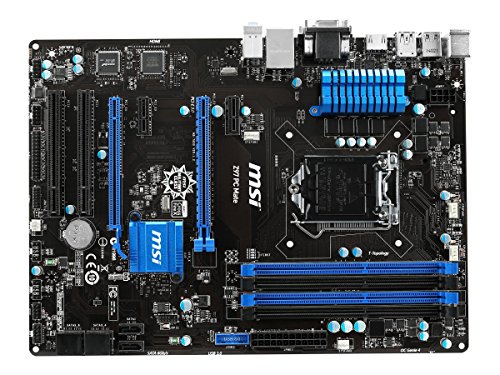
The best Ryzen compatible motherboards are the AM5 boards that take a Ryzen 7000, 8000, or 9000 processor, DDR5 memory, and a modern graphics card, and they are the foundation of a PC that will last. A motherboard decides what the processor can do, how fast the memory can run, how many fast drives can fit, and how the PC connects, so a buyer who chooses well gets a fast PC today and room to grow tomorrow. A buyer who chooses poorly gets a PC that is slow, hot, or stuck with no upgrade path.
A Ryzen compatible motherboard suits the builder who wants an AMD processor, from a budget Ryzen 5 to a fast Ryzen 9, and the boards in this guide cover the main chipsets. The B650 boards are the value choice, with DDR5, PCIe 5.0 storage, and Wi-Fi built in, and the X670E boards are the flagship choice, with more lanes, more USB, and stronger power delivery. All six are AM5 boards, and all six state their chipset, socket, and memory type in the listing title.
The boards in this guide cover the main choices. The Gigabyte B650 Eagle AX is the value pick, the MSI MAG B650 Tomahawk WiFi is the balanced pick, the ASUS ROG Strix B650E-F Gaming WiFi is the gaming pick, the ASUS ROG Strix B650-A Gaming WiFi is the white build pick, the ASRock B650 Steel Legend WiFi is the feature pick, and the ASUS ROG Strix X670E-E Gaming WiFi is the flagship pick. All six are Ryzen compatible AM5 motherboards, and all six are sold as new listings.
This guide covers six best Ryzen compatible motherboards: one Gigabyte B650, one MSI B650, two ASUS ROG Strix B650 boards, one ASRock B650 board, and one ASUS ROG Strix X670E board. All six are AM5, all six take DDR5, and all six state their chipset and socket in the listing title. The comparison table below gives the short version, and the sections after it give the detail.
In this guide
Quick picks: best ryzen compatible motherboards
| # | Product | Where to buy |
|---|---|---|
| 1 | Gigabyte B650 Eagle AX | Check on Amazon |
| 2 | MSI MAG B650 Tomahawk WiFi | Check on Amazon |
| 3 | ASUS ROG Strix B650E-F Gaming WiFi | Check on Amazon |
| 4 | ASUS ROG Strix B650-A Gaming WiFi | Check on Amazon |
| 5 | ASRock B650 Steel Legend WiFi | Check on Amazon |
| 6 | ASUS ROG Strix X670E-E Gaming WiFi | Check on Amazon |
How the picks were chosen for the best Ryzen compatible motherboards
Every board below started as a listing returned by the reviewstook.com product lookup, and every listing was checked the same way. First, the title had to name the exact brand and the exact model, because a Gigabyte B650 Eagle AX is not a B650 AORUS Elite AX, and an ASUS ROG Strix B650E-F is not a B650E-E, and a buyer who orders the wrong model gets the wrong board. Second, the title had to state the AM5 socket and the Ryzen processor support, because an AM4 board does not fit a Ryzen 7000 processor, and a buyer who orders the wrong socket cannot use the board at all.
The boards were also checked for the details that decide real use. The chipset decides the lanes and the ports, and the boards here are B650 and X670E, so the guide covers value and flagship. The memory decides the speed, and the boards here take DDR5, so a buyer gets fast memory and room to grow. The power stages decide the stability, and the boards here state their power stages in the title, from 12+2 to 18+2, so a buyer can see how strong the board is.
One more check shaped the list: the board must be a motherboard alone, not a CPU and board bundle, and not a board for a different socket. Listings for CPU and motherboard combos, for AM4 boards, and for Intel boards were left out, because a buyer searching for the best Ryzen compatible motherboards wants an AM5 board alone. The six boards below are all AM5 motherboards, sold as new listings, with the brand, the model, the chipset, and the socket stated in the title.
What a Ryzen compatible motherboard is, and who should buy one
A Ryzen compatible motherboard is an AM5 board that takes an AMD Ryzen 7000, 8000, or 9000 processor, DDR5 memory, and a PCIe 5.0 graphics card or drive. It has an LGA 1718 socket, four DDR5 slots, M.2 slots for fast drives, and USB and network ports, and it is the base that every other part plugs into. A Ryzen board is the foundation of an AMD PC, and it decides what the PC can do today and what it can grow into tomorrow.
A Ryzen compatible motherboard suits the builder who wants an AMD processor, from a budget Ryzen 5 for everyday use to a fast Ryzen 9 for gaming and work. It is the right choice when the builder wants DDR5 memory, PCIe 5.0 storage, and a processor that can be upgraded later, because the AM5 socket takes Ryzen 7000, 8000, and 9000 chips. It is not the right choice for an Intel processor, because an Intel chip needs a different socket, and it is not the right choice for an old AM4 processor, because that chip needs an AM4 board.
The six boards in this guide cover the main buyers. The value pick is for the builder who wants a solid board at a modest cost, the balanced pick is for the builder who wants a strong board for gaming and work, and the gaming picks are for the player who wants fast memory and strong power delivery. The feature pick is for the builder who wants Wi-Fi and many ports, and the flagship pick is for the builder who wants the most lanes, the most USB, and the strongest power.
A Ryzen compatible motherboard also suits a builder who upgrades over time, because the AM5 socket takes new Ryzen chips, and a board bought today can take a faster processor later. A buyer should check the chipset and the socket in the title before buying, because they decide the upgrade path. The right board is the one that fits the processor, the memory, and the budget.
What makes a good Ryzen compatible motherboard
Socket and chipset are the first test, and they decide what the board can take. An AM5 socket takes Ryzen 7000, 8000, and 9000 processors, and a B650 chipset gives DDR5, PCIe 5.0 storage, and Wi-Fi, while an X670E chipset gives more lanes, more USB, and more M.2 slots, so a buyer should check the socket and the chipset in the title before buying. The boards here are all AM5, with five B650 boards and one X670E board, so the guide covers value and flagship.
Power delivery is the second test. The power stages feed the processor, and a board with more stages runs cooler and steadier, especially with a fast Ryzen 9, so a buyer should check the power stages in the title before buying. The boards here state their stages, from 12+2 to 18+2, and a buyer who runs a Ryzen 9 should choose a board with strong stages, while a buyer who runs a Ryzen 5 can use a simpler board.
Memory is the third test. A board with four DDR5 slots takes fast memory, and a board that supports DDR5 7200 or faster gives room for a quick kit, so a buyer should check the memory speed in the title before buying. The boards here take DDR5, and a buyer should buy a DDR5 kit that matches the board, because DDR4 does not fit an AM5 board. Check the memory type in the title, because it decides the kit.
Ports and storage are the fourth test. A board with three or four M.2 slots takes several fast drives, a board with USB 3.2 Gen 2×2 Type-C takes fast external drives, and a board with Wi-Fi 6E and 2.5Gb LAN connects fast without cables. The boards here offer M.2 slots, USB-C, Wi-Fi, and fast LAN in different mixes, and a buyer should check the ports in the title before buying. A good Ryzen board is bought once for the PC and used for years.
Quick picks at a glance
| Motherboard | Chipset and socket | Memory and power | Best for |
|---|---|---|---|
| Gigabyte B650 Eagle AX | B650, AM5 | DDR5, triple M.2 | Value builds |
| MSI MAG B650 Tomahawk WiFi | B650, AM5 | DDR5, Wi-Fi 6E | Balanced builds |
| ASUS ROG Strix B650E-F | B650E, AM5 | DDR5, 12+2 power | Gaming |
| ASUS ROG Strix B650-A | B650, AM5 | DDR5, 12+2 power | White builds |
| ASRock B650 Steel Legend | B650, AM5 | DDR5 7200+, Wi-Fi 6E | Feature builds |
| ASUS ROG Strix X670E-E | X670E, AM5 | DDR5, 18+2 power | Flagship builds |
The best Ryzen compatible motherboards

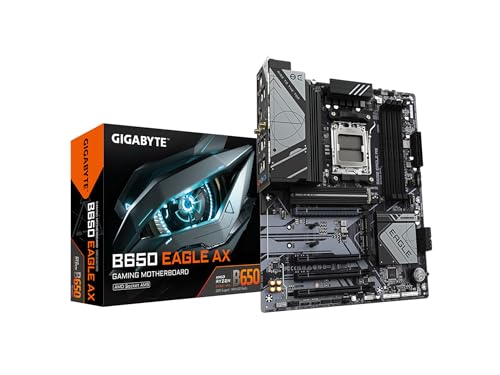
GIGABYTE B650 Eagle AX AM5 LGA 1718 ATX Motherboard
The Gigabyte B650 Eagle AX is the value pick, and it is the most affordable board in this guide. A B650 chipset on the AM5 socket takes Ryzen 9000, 8000, and 7000 processors, and the board gives DDR5 memory, triple M.2 slots with one PCIe 5.0 slot, and USB 3.2 Gen 2×2 Type-C, so a builder gets fast memory, fast storage, and fast ports at a modest cost. The title states the brand, the B650 Eagle AX model, the AM5 socket, the LGA 1718 pin count, and the ATX size, and it names the Wi-Fi 6E and the Realtek GbE LAN.
A value board should not feel cheap, and this one gives the essentials without waste. The board is a full ATX size, so it fits a standard case and a full-size graphics card, and the triple M.2 slots take a fast boot drive and two more drives. It suits a builder who wants a solid Ryzen PC without paying for flagship features.
Key specs:
- Chipset: B650
- Socket: AM5, LGA 1718
- Memory: DDR5
- Storage: triple M.2, 1x PCIe 5.0
- Network: Wi-Fi 6E, GbE LAN
Strengths:
- Good value for an AM5 B650 board
- Triple M.2 slots with PCIe 5.0
- Wi-Fi 6E built in
Trade-offs:
- Simpler power delivery than the flagship picks
- GbE LAN instead of 2.5GbE
- No USB4 port
The Gigabyte B650 Eagle AX fits the builder who wants a solid Ryzen PC at a modest cost. It is the pick for a Ryzen 5 or Ryzen 7 build, for gaming and work, and for a first PC, and it rewards a builder who wants value first.
Best for: Value Ryzen builds with DDR5 and fast storage. Not suited for: A flagship Ryzen 9 build, or a builder who needs 2.5GbE LAN.
Check price on Amazon: Gigabyte B650 Eagle AX

MSI MAG B650 Tomahawk WiFi Gaming Motherboard
The MSI MAG B650 Tomahawk WiFi is the balanced pick, and it is the best-known B650 board in this guide. A B650 chipset on the AM5 socket takes Ryzen 9000, 8000, and 7000 processors, and the board gives DDR5 memory, PCIe 4.0, M.2 slots, and SATA, so a builder gets a fast PC with room for drives. The title states the brand, the MAG B650 Tomahawk WiFi model, the AM5 socket, and the Ryzen processor support, and it names the Wi-Fi 6E, the 2.5Gb LAN, and the USB 3.2 Gen 2 ports.
A balanced board should do everything well, and this one is a long-time favorite for Ryzen builds. The board is a full ATX size with a strong heatsink, so it runs cool under load, and the Wi-Fi 6E and 2.5Gb LAN connect fast without cables. It suits a builder who wants one board for gaming and work that will last.
Key specs:
- Chipset: B650
- Socket: AM5
- Memory: DDR5
- Storage: M.2, SATA 6Gb/s
- Network: Wi-Fi 6E, 2.5Gb LAN
Strengths:
- Well-known board with strong cooling
- Wi-Fi 6E and 2.5Gb LAN
- Good fit for Ryzen 7 and Ryzen 9
Trade-offs:
- PCIe 4.0 graphics slot, not PCIe 5.0
- No USB4 port
- Heatsink is large, so check case clearance
The MSI MAG B650 Tomahawk WiFi fits the builder who wants a proven board for a Ryzen gaming PC. It is the pick for gaming, for work, and for a PC that will be upgraded over time, and it rewards a builder who wants balance.
Best for: Balanced Ryzen gaming and work builds. Not suited for: A builder who needs PCIe 5.0 graphics, or a small case.
Check price on Amazon: MSI MAG B650 Tomahawk WiFi

ASUS ROG Strix B650E-F Gaming WiFi AMD B650 AM5 Ryzen Desktop ATX Motherboard
The ASUS ROG Strix B650E-F Gaming WiFi is the gaming pick, and it is the strongest B650E board in this guide. A B650E chipset on the AM5 socket takes Ryzen 9000, 8000, and 7000 processors, and the board gives DDR5 memory, three M.2 slots, PCIe 5.0, and Wi-Fi 6E, so a gamer gets fast memory, fast storage, and fast networking. The title states the brand, the ROG Strix B650E-F model, the B650 chipset, the AM5 socket, and the Ryzen support, and it names the 12+2 power stages and the 2.5G LAN.
A gaming board needs strong power and fast storage, and this one has both. The 12+2 power stages feed a fast Ryzen chip steadily, and the PCIe 5.0 slots take a fast graphics card and a fast drive. It suits a gamer who wants a B650 board with flagship power delivery.
Key specs:
- Chipset: B650E
- Socket: AM5
- Memory: DDR5
- Power: 12+2 power stages
- Network: Wi-Fi 6E, 2.5G LAN
Strengths:
- Strong 12+2 power delivery for gaming
- PCIe 5.0 for graphics and storage
- Three M.2 slots
Trade-offs:
- Costs more than the value B650 boards
- No USB4 port
- ROG features add cost a worker may not need
The ASUS ROG Strix B650E-F fits the gamer who wants a strong B650 board for a fast Ryzen chip. It is the pick for gaming, for streaming, and for a PC that runs hot, and it rewards a player who wants power delivery to spare.
Best for: Gaming builds with a fast Ryzen processor. Not suited for: A budget build, or a builder who needs USB4.
Check price on Amazon: ASUS ROG Strix B650E-F Gaming WiFi

ASUS ROG Strix B650-A Gaming WiFi AMD B650 AM5 Ryzen Desktop ATX Motherboard
The ASUS ROG Strix B650-A Gaming WiFi is the white build pick, and it is the lightest-looking board in this guide. A B650 chipset on the AM5 socket takes Ryzen 9000, 8000, and 7000 processors, and the board gives DDR5 memory, three M.2 slots, PCIe 4.0, and Wi-Fi 6E, so a builder gets a fast PC in a white theme. The title states the brand, the ROG Strix B650-A model, the B650 chipset, the AM5 socket, and the Ryzen support, and it names the 12+2 power stages and the 2.5G LAN.
A white build needs a white board, and this one is made for it, with a light shroud and a clean layout. The 12+2 power stages feed a fast Ryzen chip steadily, and the three M.2 slots take a fast boot drive and more storage. It suits a builder who wants a white PC that looks as good as it runs.
Key specs:
- Chipset: B650
- Socket: AM5
- Memory: DDR5
- Power: 12+2 power stages
- Network: Wi-Fi 6E, 2.5G LAN
Strengths:
- White design for themed builds
- Strong 12+2 power delivery
- Three M.2 slots
Trade-offs:
- PCIe 4.0 graphics slot, not PCIe 5.0
- White parts show dust more easily
- Costs more than the value boards
The ASUS ROG Strix B650-A fits the builder who wants a white Ryzen PC. It is the pick for a themed build, for gaming, and for a desk where the PC is on display, and it rewards a builder who cares about looks as well as speed.
Best for: White-themed Ryzen gaming builds. Not suited for: A budget build, or a builder who needs PCIe 5.0 graphics.
Check price on Amazon: ASUS ROG Strix B650-A Gaming WiFi

ASRock B650 Steel Legend WiFi 6E AMD Socket AM5 Ryzen Motherboard
The ASRock B650 Steel Legend WiFi is the feature pick, and it is the most flexible B650 board in this guide. A B650 chipset on the AM5 socket takes Ryzen 9000, 8000, and 7000 processors, and the board gives DDR5 memory up to 7200 or faster, M.2 slots, SATA, and Wi-Fi 6E, so a builder gets fast memory and many ports. The title states the brand, the B650 Steel Legend model, the AM5 socket, and the Ryzen support, and it names the DDR5 7200 speed, the BIOS Flashback, and the Wi-Fi 6E.
A feature board should give the builder room to grow, and this one gives fast memory support and BIOS Flashback, so a new processor can be fitted without an old chip. The board is a full ATX size with a steel-look design, so it suits a builder who wants a board that is both fast and easy to update. It suits a builder who upgrades over time.
Key specs:
- Chipset: B650
- Socket: AM5
- Memory: DDR5 7200+ (OC)
- Network: Wi-Fi 6E
- Extras: BIOS Flashback
Strengths:
- Fast DDR5 7200+ memory support
- BIOS Flashback for easy updates
- Wi-Fi 6E built in
Trade-offs:
- Memory over 7200 needs overclocking
- No USB4 port
- Steel look may not suit every theme
The ASRock B650 Steel Legend fits the builder who wants fast memory and easy updates. It is the pick for a Ryzen build that will be upgraded, for gaming, and for work, and it rewards a builder who likes to tune memory.
Best for: Feature-rich Ryzen builds with fast DDR5. Not suited for: A builder who needs USB4, or a small case.
Check price on Amazon: ASRock B650 Steel Legend WiFi

ASUS ROG STRIX X670E-E GAMING WIFI AMD X670 AM5 Ryzen Desktop ATX Motherboard
The ASUS ROG Strix X670E-E Gaming WiFi is the flagship pick, and it is the strongest board in this guide. An X670E chipset on the AM5 socket takes Ryzen 9000, 8000, and 7000 processors, and the board gives DDR5 memory, four M.2 slots with heatsinks, PCIe 5.0, and USB 3.2, so a builder gets the most lanes, the most storage, and the most ports. The title states the brand, the ROG Strix X670E-E model, the X670 chipset, the AM5 socket, and the Ryzen support, and it names the 18+2 power stages and the DDR5 memory.
A flagship board is made for the fastest chips, and this one has 18+2 power stages, so a Ryzen 9 runs cool and steady under load. The four M.2 slots take several fast drives, and the PCIe 5.0 slots take a fast graphics card and a fast drive together. It suits a builder who wants the best AM5 board and is willing to pay for it.
Key specs:
- Chipset: X670E
- Socket: AM5
- Memory: DDR5
- Power: 18+2 power stages
- Storage: 4x M.2 slots with heatsink, PCIe 5.0
Strengths:
- Strongest 18+2 power delivery in this guide
- Four M.2 slots with heatsinks
- PCIe 5.0 for graphics and storage
Trade-offs:
- Costs the most in this guide
- Large board needs a roomy case
- Features a budget builder will not use
The ASUS ROG Strix X670E-E fits the builder who wants the best Ryzen board for a flagship PC. It is the pick for a Ryzen 9 build, for gaming and heavy work, and for a PC that will take the fastest parts, and it rewards a builder who wants no compromise.
Best for: Flagship Ryzen 9 builds with the most lanes and storage. Not suited for: A budget build, or a small case.
Check price on Amazon: ASUS ROG Strix X670E-E Gaming WiFi
Buying guide for the best Ryzen compatible motherboards
Check the socket and the processor first
Start with the socket, because a Ryzen 7000, 8000, or 9000 processor needs an AM5 board, and an old AM4 board will not fit it. Check the socket in the title before buying, and check the processor support too, because the titles here state Ryzen 9000, 8000, and 7000 support, and a board that lists only Ryzen 5000 is an AM4 board. A buyer who orders the wrong socket cannot use the board, and a return costs time.
A buyer who owns a processor already should match the board to it, and a buyer who is buying both should choose the processor first and the board second. The processor decides the socket, and the socket decides the board, so a buyer should never buy a board before knowing the chip. Check the socket letter by letter, because AM4 and AM5 look alike and are very different.
B650 or X670E: which chipset
The chipset decides the lanes and the ports, and a buyer should match it to the build. A B650 board gives DDR5, PCIe 5.0 storage, and Wi-Fi, and it suits most builders, because it covers gaming and work at a modest cost. An X670E board gives more lanes, more USB, and more M.2 slots, and it suits a builder who wants many drives, many ports, and the strongest power delivery.
A buyer who runs one graphics card and two drives can use B650 with ease, and a buyer who runs several fast drives and many USB devices should choose X670E. Check the chipset in the title before buying, because it decides the upgrade room, and a B650 board bought today can still take a faster Ryzen chip later.
DDR5 memory: what to buy
An AM5 board takes DDR5 memory only, and DDR4 does not fit, so a buyer must buy a DDR5 kit. Check the memory speed in the title before buying, because the boards here support DDR5 7200 or faster with overclocking, and a buyer should buy a kit that matches the board. A DDR5 6000 kit is a good middle ground for most builders, and a faster kit suits a builder who likes to tune.
A buyer should buy two sticks for dual channel, because one stick halves the memory bandwidth, and should check the board manual for the right slots, because the slots are usually the second and fourth from the processor. Check the memory type in the title, because DDR5 is the only choice for AM5.
Power delivery and cooling
The power stages feed the processor, and a board with more stages runs cooler and steadier, especially with a fast Ryzen 9. A buyer who runs a Ryzen 5 can use a simpler board, and a buyer who runs a Ryzen 9 should choose a board with 12+2 stages or more, because the chip draws more power under load. Check the power stages in the title before buying, because they decide the stability.
The heatsink matters too, because a board with a large heatsink over the power stages and the M.2 slots will run cooler than a bare board. Check the heatsink in the listing images before buying, and check that the case has airflow, because a hot board will throttle the processor. A cool board is a fast board.
M.2 slots, USB, and networking
The M.2 slots decide how many fast drives can fit, and a buyer who wants a fast boot drive and a games drive should choose a board with three or four slots. A board with PCIe 5.0 M.2 takes the fastest drives, and a board with heatsinks over the slots keeps them cool. Check the M.2 count in the title before buying, because it decides the storage.
The USB and network ports decide how the PC connects, and a buyer should look for USB 3.2 Gen 2×2 Type-C for fast external drives, Wi-Fi 6E for wireless, and 2.5Gb LAN for wired networking. Check the ports in the title before buying, because they are hard to add later, and a board with the right ports saves a hub and a tangle of cables.
Using and caring for a Ryzen motherboard
Update the BIOS on the first day
Update the BIOS on the first day, because a new BIOS adds support for new Ryzen chips and fixes bugs, and a board bought today may ship with an old BIOS. Check the board support page for the latest BIOS, and use BIOS Flashback when the board has it, because Flashback updates the BIOS without a processor fitted. A buyer should read the update guide before starting, because a failed update can stop the board.
After updating, check that the processor and memory are seen correctly, and check that the boot drive is found. A BIOS that is up to date will run the PC well, and one that is old may not see a new chip. Take the time to update, because it is the first job for a new board.
Keep the board cool and clean
A motherboard needs airflow, because the power stages and the M.2 drives get hot under load, and a case with good airflow will keep them cool. Check that the case fans blow air over the board, and check that the cables do not block the flow, because a hot board will throttle the processor. A buyer should clean the dust from the case once in a while, because dust blocks airflow and heats the board.
Use a soft brush or compressed air for cleaning, because a rough cloth can damage the board. A clean board will run cool, and a dusty board will run hot. Good habits keep the board working well.
Look after the board for the long term
Check the cables once in a while, because a loose power cable can stop the PC, and a loose drive cable can hide a drive. Push the cables in firmly, and check that the memory is seated, because a loose stick can cause crashes. A board that is checked will work for years, and one that is ignored will fail at the worst moment.
Keep the board out of damp and dust, because both can damage the circuits. A buyer who moves the PC should lift it by the case, not by the board, and a buyer who changes parts should ground the body first, because static can harm the board. A little care keeps the board working.
Common mistakes when buying Ryzen compatible motherboards
Buying an AM4 board for a Ryzen 7000 chip
The most common mistake is buying an AM4 board for a Ryzen 7000, 8000, or 9000 processor, because the chip does not fit the socket. A buyer should check the socket in the title before buying, and should check the processor support too, because the titles here state AM5 and Ryzen 9000, 8000, and 7000 support. A board that does not fit cannot be used, and a return costs time.
A buyer who is unsure should check the processor box for the socket name, and should compare it with the title letter by letter. The socket is the purchase, and everything else follows.
Buying DDR4 memory for an AM5 board
The second mistake is buying DDR4 memory for an AM5 board, because DDR4 does not fit a DDR5 slot. A buyer should check the memory type in the title before buying, and should buy a DDR5 kit, because the boards here take DDR5 only. A DDR4 kit bought by mistake cannot be used, and a return costs time.
A buyer who owns DDR4 from an old PC should not reuse it, because it will not fit. Buy a new DDR5 kit, and check the speed in the title, because the kit should match the board.
Choosing a board with too few M.2 slots
The third mistake is choosing a board with too few M.2 slots, because a builder who wants a fast boot drive and a games drive needs at least two slots, and a builder who wants more needs three or four. A buyer should count the drives before buying, and should choose a board with one slot to spare, because storage grows over time. Check the M.2 count in the title before buying, because it decides the storage.
A buyer who runs out of slots can add a SATA drive, but SATA is slower than M.2, and a buyer who wants speed should plan ahead. The M.2 count decides the storage, and the storage decides the board.
Ignoring the power delivery
The fourth mistake is ignoring the power delivery, because a board with weak stages will run hot with a fast Ryzen 9, and the processor will throttle. A buyer who runs a Ryzen 9 should choose a board with 12+2 stages or more, and a buyer who runs a Ryzen 5 can use a simpler board. Check the power stages in the title before buying, because they decide the stability.
A buyer who is unsure should choose a board with stronger stages, because it costs a little more and runs cooler. The power delivery decides the speed, and the speed decides the board.
Final recommendation
The best Ryzen compatible motherboard for most builders is the MSI MAG B650 Tomahawk WiFi, because it is a proven B650 board with strong cooling, Wi-Fi 6E, and 2.5Gb LAN, and it covers gaming and work at a fair cost. A builder who wants one board for a Ryzen 7 gaming PC should buy this one, because it is balanced, reliable, and ready to upgrade, and it rewards a builder who wants no fuss.
A builder who wants value should buy the Gigabyte B650 Eagle AX, because its triple M.2 slots and Wi-Fi 6E cover the essentials at a modest cost, and a gamer who wants strong power should buy the ASUS ROG Strix B650E-F, because its 12+2 stages and PCIe 5.0 feed a fast chip. A builder who wants a white PC should buy the ASUS ROG Strix B650-A, and a builder who wants fast memory should buy the ASRock B650 Steel Legend. A builder who wants the best should buy the ASUS ROG Strix X670E-E, because its 18+2 stages and four M.2 slots take the fastest parts.
Whichever board is chosen, check the AM5 socket and the Ryzen support in the title before buying, buy DDR5 memory, update the BIOS on the first day, and leave room for one more drive, because a Ryzen board bought well will serve the PC for years and take a faster chip when the time comes.
Related reading on Reviewstook: see our guides to best AM5 motherboard for beginners under 100, best micro ATX motherboard under 100, best Intel motherboard for beginners under 100 for more on this topic.
Frequently asked questions about Ryzen compatible motherboards
What socket do Ryzen 7000, 8000, and 9000 processors use?
Ryzen 7000, 8000, and 9000 processors use the AM5 socket, which is an LGA 1718 socket, and they need an AM5 motherboard with DDR5 memory. An old AM4 board does not fit these chips, because the socket is different and the memory is different, so a buyer who owns a Ryzen 7000 chip must buy an AM5 board. Check the socket in the title before buying, because AM4 and AM5 look alike and are very different.
Is B650 or X670E better for a Ryzen gaming PC?
A B650 board is better for most Ryzen gaming PCs, because it gives DDR5, PCIe 5.0 storage, and Wi-Fi at a modest cost, and it covers one graphics card and two or three drives. An X670E board is better for a builder who wants many drives, many USB ports, and the strongest power delivery, because it gives more lanes and more M.2 slots. A buyer who runs one graphics card and two drives can use B650 with ease, and a buyer who runs several fast drives should choose X670E.
Can an AM5 motherboard take DDR4 memory?
An AM5 motherboard cannot take DDR4 memory, because it has DDR5 slots only, and a DDR4 stick does not fit. A buyer must buy a DDR5 kit, and should check the memory speed in the title before buying, because the boards here support DDR5 7200 or faster with overclocking. A DDR5 6000 kit is a good middle ground for most builders, and two sticks give dual channel speed.
Do Ryzen motherboards need a BIOS update for new processors?
A Ryzen motherboard may need a BIOS update for a new processor, because a board bought today may ship with a BIOS that does not know the latest chip. A buyer should update the BIOS on the first day, and should use BIOS Flashback when the board has it, because Flashback updates the BIOS without a processor fitted. Check the board support page for the latest BIOS, and read the update guide before starting, because a failed update can stop the board.
How many M.2 slots does a Ryzen gaming PC need?
A Ryzen gaming PC needs at least two M.2 slots, because one slot takes a fast boot drive and one takes a games drive, and a builder who wants more storage should choose a board with three or four slots. The boards in this guide offer triple M.2 slots on the B650 boards and four slots on the X670E flagship, so a builder can grow storage over time. Check the M.2 count in the title before buying, because it decides the storage, and a board with one slot to spare is the wise choice.