The best selling graphics cards are the ones that give the most performance for the money at the resolution the buyer actually plays at. A graphics card is the most expensive part of a gaming PC, and the wrong one wastes money in two directions: too weak, and the games stutter; too strong, and the monitor cannot show what the card can do. The six cards in this guide cover 1080p and 1440p gaming, from the popular RTX 4060 to the strongest RTX 4070 here, and every listing was checked in full before it was linked.
A graphics card matters because it decides what the games look like and how smoothly they run. The card renders every frame, and a weak card means low settings, low frame rates, and stutter in busy scenes. A strong card means high settings, high frame rates, and smooth play. The memory on the card decides how much texture detail the games can hold, and the cooling decides how loud the card is under load.
The cards in this guide fall into two groups. The 1080p cards are the Gigabyte RTX 4060 WINDFORCE OC and the ASUS Prime RTX 5060, and they are for buyers with 1080p monitors who want smooth play at a sensible price. The 1440p cards are the MSI RTX 5070 Ventus 2X OC, the Gigabyte RX 7800 XT Gaming OC, the ASUS Dual RTX 5060 Ti White, and the Gigabyte RTX 4070 WINDFORCE OC, and they are for buyers with 1440p monitors who want high settings.
This guide covers six best selling graphics cards: three NVIDIA RTX 40 and 50 series cards, one more RTX 50 series card, one AMD RX 7800 XT, and one RTX 4070. All six are sold as new listings, all six have their brand and model stated in the listing title, and all six state their memory, cooling, and outputs. The comparison table below gives the short version, and the sections after it give the detail.
In this guide
Quick picks: best selling graphics cards
| # | Product | Where to buy |
|---|---|---|
| 1 | Gigabyte GeForce RTX 4060 WINDFORCE OC graphics card | Check on Amazon |
| 2 | ASUS Prime GeForce RTX 5060 OC graphics card | Check on Amazon |
| 3 | MSI Gaming RTX 5070 Ventus 2X OC graphics card | Check on Amazon |
| 4 | Gigabyte Radeon RX 7800 XT Gaming OC graphics card | Check on Amazon |
| 5 | ASUS Dual GeForce RTX 5060 Ti 16GB White OC graphics card | Check on Amazon |
| 6 | Gigabyte GeForce RTX 4070 WINDFORCE OC graphics card | Check on Amazon |
How the picks were chosen for the best selling graphics cards
Every card below started as a listing returned by the reviewstook.com product lookup, and every listing was checked the same way. First, the title had to name the exact brand and the exact model, including every number and letter, because a Gigabyte RTX 4060 WINDFORCE OC is not an ASUS Dual RTX 4060, and an MSI RTX 5070 Ventus 2X OC is not an MSI RTX 5070 Shadow 2X OC. Second, the title had to state the memory and the cooling, because a card with 8GB of memory is a different purchase from a card with 16GB.
The cards were also checked for the details that decide real performance. Memory size decides texture detail, and the cards here range from 8GB to 16GB. Memory type decides speed, and the cards here use GDDR6, GDDR6X, and GDDR7. Cooling decides noise, and the cards here use two and three fan designs with WINDFORCE and Axial-tech fans. Outputs decide the monitor, and the cards here offer DisplayPort 2.1 and HDMI 2.1.
One more check shaped the list: the card must be a graphics card, not a part or an accessory. Listings for used cards, renewed cards, and cards from unknown brands were left out, because a buyer wants a new card from a known brand with a warranty. The six cards below are all new listings from Gigabyte, ASUS, and MSI, with the brand and the model stated in the title.
What a graphics card is, and who should buy one
A graphics card is the part of a computer that renders images, and it decides what games look like and how smoothly they run. It has its own processor, called a GPU, its own memory, called VRAM, and its own cooling, usually two or three fans. The card plugs into a PCIe slot on the motherboard, connects to the monitor by DisplayPort or HDMI, and draws power from the power supply. A stronger card renders more frames per second at higher settings.
A graphics card suits anyone building a gaming PC or upgrading one that can no longer keep up. It is the right choice when games stutter, when settings must be turned down to low, when a new monitor has a higher resolution than the old card can drive, and when the buyer wants ray tracing or high frame rates. It is not the right choice for a computer used only for browsing and office work, because the built-in graphics in a modern processor are enough for that.
The six cards in this guide cover the main uses. The 1080p cards are for buyers with 1080p monitors, the 1440p cards are for buyers with 1440p monitors, and the strongest card here gives a taste of 4K. A buyer should match the card to the monitor, because a 1440p card on a 1080p monitor wastes money, and a 1080p card on a 1440p monitor wastes the monitor.
What makes a good selling graphics card
Memory size is the first test, and it decides how much texture detail the games can hold. A card with 8GB of memory is enough for 1080p gaming with medium textures, and a card with 12GB or 16GB is needed for 1440p gaming with high textures. The cards here range from 8GB to 16GB, and the 16GB cards are the picks for a buyer who keeps a card for years. Memory type matters too, and GDDR7 is faster than GDDR6X, which is faster than GDDR6.
Cooling is the second test, because a card that runs hot slows itself down and gets loud. The cards here use two and three fan designs, and the three-fan RTX 4070 is the coolest and quietest under load. A buyer with a small case should pick a two-fan card that fits, and a buyer with a large case should pick a three-fan card that stays cool. Fan technology matters as well, and WINDFORCE and Axial-tech fans are the designs used here.
The outputs and the generation are the third test. DisplayPort 2.1 and HDMI 2.1 cover the current monitors and televisions, and the cards here offer both. The generation decides features, and the RTX 50 series cards here use Blackwell architecture with the latest NVIDIA features, while the RTX 40 series and the RX 7800 XT use the previous generation. A buyer building a new PC should look at the current generation, and a buyer on a budget should look at the previous one.
Quick picks at a glance
| Card | Memory and cooling | Use | Best for |
|---|---|---|---|
| Gigabyte RTX 4060 WINDFORCE OC | 8GB GDDR6, 2X WINDFORCE fans | 1080p gaming | Best all-round pick |
| ASUS Prime RTX 5060 OC | 8GB GDDR7, PCIe 5.0, Dual BIOS | 1080p/1440p gaming | Best new-generation pick |
| MSI RTX 5070 Ventus 2X OC | 12GB GDDR7, 2557 MHz, Blackwell | 1440p gaming | Best 1440p pick |
| Gigabyte RX 7800 XT Gaming OC | 16GB GDDR6, Windforce, metal back plate | 1440p gaming | Best memory for the money |
| ASUS Dual RTX 5060 Ti 16GB White | 16GB GDDR7, 0dB, white | 1440p gaming | Best white card |
| Gigabyte RTX 4070 WINDFORCE OC | 12GB GDDR6X, 3X WINDFORCE fans | 1440p/4K gaming | Best performance pick |
The best selling graphics cards

Gigabyte GeForce RTX 4060 WINDFORCE OC 8G
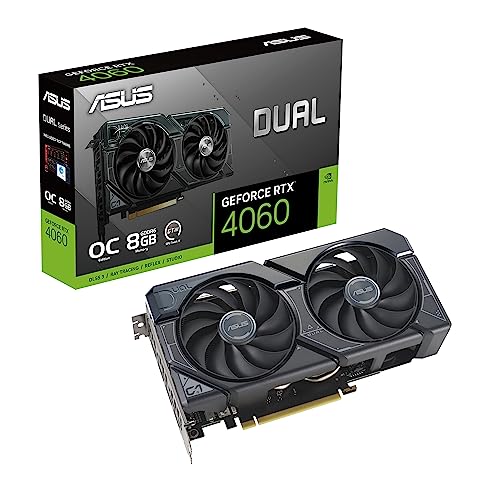
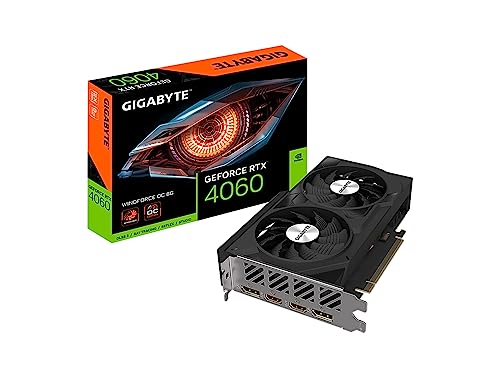
The Gigabyte GeForce RTX 4060 WINDFORCE OC 8G is the best selling graphics card for most buyers, and it is the pick for a buyer who wants smooth 1080p gaming without paying for more card than the monitor can use. It is a Gigabyte WINDFORCE OC card with two WINDFORCE fans, 8GB of 128-bit GDDR6 memory, model GV-N4060WF2OC-8GD. The two fans keep it cool under load, and the 8GB of memory covers the games most people play at 1080p.
The RTX 4060 WINDFORCE OC suits a buyer building or upgrading a 1080p gaming PC on a sensible budget. It runs the popular competitive and story games well at 1080p, it fits in a standard mid-tower case with its two-fan design, and it draws modest power for its class. It is the card for a first build or a replacement for an older card that can no longer keep up.
Key specs:
- Gigabyte GeForce RTX 4060 WINDFORCE OC 8G
- 2X WINDFORCE fans
- 8GB 128-bit GDDR6
- GV-N4060WF2OC-8GD
Strengths:
- Strong 1080p performance for its price
- Two-fan WINDFORCE cooling keeps it quiet
- Modest power draw for its class
Trade-offs:
- 8GB of memory limits high-resolution textures
- A 1080p card, not a 4K card
- Two fans, so it is not the coolest card here
The Gigabyte RTX 4060 WINDFORCE OC fits a buyer building a 1080p gaming PC who wants the best selling card at a sensible price.
Best for: smooth 1080p gaming on a budget. Not suited for: 4K gaming, or heavy ray tracing at high settings.
Check price on Amazon: Gigabyte GeForce RTX 4060 WINDFORCE OC graphics card

ASUS Prime GeForce RTX 5060 8GB GDDR7 OC Edition
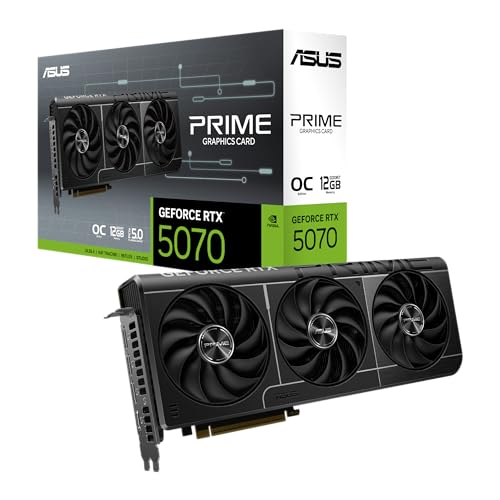
The ASUS Prime GeForce RTX 5060 8GB GDDR7 OC Edition is the newest card in this guide, and it is the pick for a buyer who wants the latest generation with faster memory. It is an ASUS Prime OC card with 8GB of GDDR7 memory, PCIe 5.0, HDMI and DisplayPort 2.1, a 2.5-slot design, Axial-tech fans, and Dual BIOS. The GDDR7 memory is faster than the GDDR6 in the older cards here, and the PCIe 5.0 connection suits a new build.
The RTX 5060 Prime suits a buyer building a new PC who wants the current generation and a card that will stay relevant for years. The Axial-tech fans keep it cool, the Dual BIOS gives a quiet mode and a performance mode, and the 2.5-slot design fits most mid-tower cases. It is the card for a new build where the buyer wants the latest hardware.
Key specs:
- ASUS Prime GeForce RTX 5060 8GB GDDR7 OC Edition
- 8GB GDDR7
- PCIe 5.0, HDMI/DP 2.1
- 2.5-slot design
- Axial-tech fans, Dual BIOS
Strengths:
- Newest generation with faster GDDR7 memory
- Dual BIOS gives quiet and performance modes
- PCIe 5.0 suits a new build
Trade-offs:
- 8GB of memory limits high-resolution textures
- A new card, so driver and game support is still maturing
- Costs more than the older RTX 4060
The ASUS Prime RTX 5060 fits a buyer building a new PC who wants the latest generation card with faster memory.
Best for: a new build with the latest generation card. Not suited for: a buyer on the tightest budget, or 4K gaming.
Check price on Amazon: ASUS Prime GeForce RTX 5060 OC graphics card

MSI Gaming RTX 5070 12G Ventus 2X OC
The MSI Gaming RTX 5070 12G Ventus 2X OC is the 1440p card in this guide, and it is the pick for a buyer with a 1440p monitor who wants high settings without stutter. It is an MSI Ventus 2X OC card with 12GB of 192-bit GDDR7 memory, extreme performance at 2557 MHz, three DisplayPort 2.1a outputs, HDMI 2.1b, and NVIDIA Blackwell architecture. The 12GB of memory gives room for high-resolution textures, and the two fans keep the card cool in a standard case.
The RTX 5070 Ventus 2X OC suits a buyer who plays at 1440p and wants high settings in story games and high frame rates in competitive games. The three DisplayPort outputs cover multi-monitor setups, the HDMI 2.1b port covers a living room television, and the Blackwell architecture covers the latest features. It is the card for a 1440p setup that should last for years.
Key specs:
- MSI Gaming RTX 5070 12G Ventus 2X OC
- 12GB 192-bit GDDR7
- Extreme performance: 2557 MHz
- DisplayPort x3 2.1a, HDMI 2.1b
- NVIDIA Blackwell architecture
Strengths:
- 12GB of memory suits 1440p with high-resolution textures
- Three DisplayPort outputs cover multi-monitor setups
- Blackwell architecture covers the latest features
Trade-offs:
- Costs more than the 1080p cards here
- Needs a stronger power supply than the RTX 4060
- Two fans, so it is not the coolest 5070
The MSI RTX 5070 Ventus 2X OC fits a buyer with a 1440p monitor who wants high settings and high frame rates.
Best for: 1440p gaming at high settings. Not suited for: a tight budget, or a small case with weak airflow.
Check price on Amazon: MSI Gaming RTX 5070 Ventus 2X OC graphics card

Gigabyte Radeon RX 7800 XT Gaming OC 16GB
The Gigabyte Radeon RX 7800 XT Gaming OC 16GB is the memory king in this guide, and it is the pick for a buyer who wants the most memory for the money. It is a Gigabyte Gaming OC card with 16GB of 256-bit GDDR6 memory, Windforce cooling, a metal back plate, DisplayPort 2.1, HDMI 2.1, AMD RDNA 3 architecture, model GV-R78XTGAMING OC-16GD. The 16GB of memory is the most in this guide, and it gives room for the highest texture settings at 1440p.
The RX 7800 XT Gaming OC suits a buyer who plays at 1440p with the texture settings turned up, and a buyer who keeps a card for years and wants memory headroom. The metal back plate stiffens the card and helps it cool, the Windforce cooling keeps it quiet, and the RDNA 3 architecture covers the current AMD features. It is the card for a buyer who wants memory first.
Key specs:
- Gigabyte Radeon RX 7800 XT Gaming OC 16GB
- 16GB 256-bit GDDR6
- Windforce cooling system
- Metal back plate
- DP 2.1, HDMI 2.1
- AMD RDNA 3 architecture
- GV-R78XTGAMING OC-16GD
Strengths:
- 16GB of memory, the most in this guide
- Metal back plate stiffens the card and helps cooling
- Strong 1440p performance for its price
Trade-offs:
- AMD card, so no NVIDIA DLSS
- A large card that needs room in the case
- Draws more power than the RTX 4060
The Gigabyte RX 7800 XT Gaming OC fits a buyer who wants the most memory for the money and plays at 1440p with high textures.
Best for: 1440p gaming with the highest texture settings. Not suited for: a buyer who needs NVIDIA features, or a small case.
Check price on Amazon: Gigabyte Radeon RX 7800 XT Gaming OC graphics card
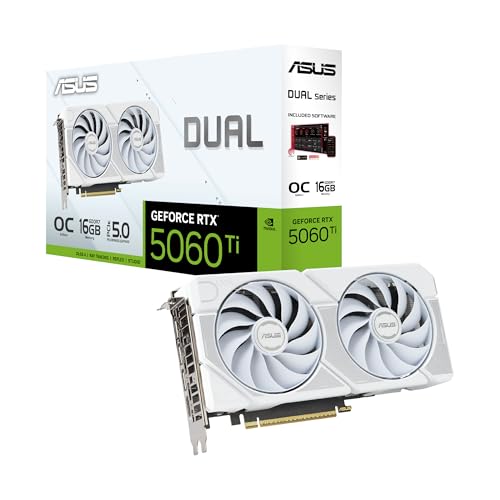
ASUS Dual GeForce RTX 5060 Ti 16GB GDDR7 White OC Edition
The ASUS Dual GeForce RTX 5060 Ti 16GB GDDR7 White OC Edition is the white card in this guide, and it is the pick for a buyer building a white PC who wants 16GB of fast memory. It is an ASUS Dual OC card in white with 16GB of GDDR7 memory, PCIe 5.0, HDMI 2.1b, DisplayPort 2.1b, a 2.5-slot design, Axial-tech fans, and 0dB technology. The 16GB of GDDR7 gives room for high-resolution textures, and the 0dB technology stops the fans at low load, so the card is silent on the desktop.
The RTX 5060 Ti White OC suits a buyer building a white-themed PC who wants a card that matches the build and has memory to spare. The two fans keep it cool under load, the 0dB mode keeps it silent when idle, and the 16GB of GDDR7 covers 1440p gaming with high textures. It is the card for a white build that should look good and play well.
Key specs:
- ASUS Dual GeForce RTX 5060 Ti 16GB GDDR7 White OC Edition
- 16GB GDDR7
- PCIe 5.0, HDMI 2.1b, DisplayPort 2.1b
- 2.5-slot design
- Axial-tech fans, 0dB technology
Strengths:
- 16GB of fast GDDR7 memory
- White finish suits a white-themed build
- 0dB technology keeps it silent at low load
Trade-offs:
- Costs more than the 8GB cards here
- A white card that shows dust faster than black
- A Ti card, so it needs a stronger power supply
The ASUS Dual RTX 5060 Ti White OC fits a buyer building a white PC who wants 16GB of fast memory for 1440p gaming.
Best for: a white build with 16GB of GDDR7 memory. Not suited for: a black build, or a buyer on the tightest budget.
Check price on Amazon: ASUS Dual GeForce RTX 5060 Ti 16GB White OC graphics card

Gigabyte GeForce RTX 4070 WINDFORCE OC 12G
The Gigabyte GeForce RTX 4070 WINDFORCE OC 12G is the strongest card in this guide, and it is the pick for a buyer who wants high frame rates at 1440p and a taste of 4K. It is a Gigabyte WINDFORCE OC card with three WINDFORCE fans, 12GB of 192-bit GDDR6X memory, model GV-N4070WF3OC-12GD. The three fans keep the larger chip cool, and the 12GB of GDDR6X memory gives room for high settings at 1440p and entry-level 4K.
The RTX 4070 WINDFORCE OC suits a buyer who wants the most performance in this guide and is willing to pay for it. It runs story games at high settings at 1440p, it handles ray tracing better than the cheaper cards here, and its three fans keep it quiet under load. It is the card for a buyer who wants the strongest card here and a setup that lasts.
Key specs:
- Gigabyte GeForce RTX 4070 WINDFORCE OC 12G
- 3X WINDFORCE fans
- 12GB 192-bit GDDR6X
- GV-N4070WF3OC-12GD
Strengths:
- Strongest performance in this guide
- Three fans keep it cool and quiet
- 12GB of GDDR6X suits 1440p and entry-level 4K
Trade-offs:
- The most expensive card in this guide
- Needs a stronger power supply
- A large three-fan card that needs room in the case
The Gigabyte RTX 4070 WINDFORCE OC fits a buyer who wants the strongest card here for high settings at 1440p.
Best for: the strongest 1440p performance in this guide. Not suited for: a tight budget, or a small case with weak airflow.
Check price on Amazon: Gigabyte GeForce RTX 4070 WINDFORCE OC graphics card
Buying guide for the best selling graphics cards
Match the card to the monitor resolution
Start with the monitor, because the resolution decides the card. A 1080p monitor needs a 1080p card, and the Gigabyte RTX 4060 and the ASUS Prime RTX 5060 are the picks here. A 1440p monitor needs a 1440p card, and the MSI RTX 5070, the Gigabyte RX 7800 XT, the ASUS Dual RTX 5060 Ti, and the Gigabyte RTX 4070 are the picks here. A 4K monitor needs a stronger card than any in this guide, and a buyer with a 4K monitor should look at a higher card.
Buying a stronger card than the monitor needs wastes money, because the monitor cannot show the extra frames. Buying a weaker card than the monitor needs wastes the monitor, because the games must run at low settings to keep up. Match the card to the monitor, and spend the saved money on the next upgrade instead.
How much memory is enough
Memory decides texture detail, and 8GB is enough for 1080p gaming with medium textures. A buyer who plays at 1440p with high textures should buy 12GB or 16GB, because 8GB will force the texture settings down in the newest games. The 16GB cards here are the Gigabyte RX 7800 XT and the ASUS Dual RTX 5060 Ti, and they are the picks for a buyer who keeps a card for years.
Memory type matters as well. GDDR7 is faster than GDDR6X, and GDDR6X is faster than GDDR6, so a card with 12GB of GDDR7 can beat a card with 12GB of GDDR6 in memory-heavy games. Check both the size and the type in the title before buying, because the size alone does not tell the whole story.
Check the case size and the power supply
A graphics card must fit in the case and the power supply must feed it. The two-fan cards here fit most mid-tower cases, and the three-fan RTX 4070 needs more room, so measure the case before buying. The 2.5-slot design of the ASUS cards takes two and a half slots, and a buyer with a small case should check the length and the thickness in the listing before buying.
The power supply matters just as much. The RTX 4060 draws modest power, and the RTX 4070 and RTX 5070 need a stronger supply, so check the wattage and the connectors. A card that the power supply cannot feed will crash under load, and a buyer who must replace the power supply as well should count that cost before buying the card.
Cooling and noise: two fans or three
A three-fan card runs cooler and quieter than a two-fan card with the same chip, because three fans move the same air at lower speed. The Gigabyte RTX 4070 with three WINDFORCE fans is the coolest and quietest card here, and the two-fan cards are louder under load. A buyer who plays with speakers may not care, and a buyer who plays with open headphones will hear the difference.
Fan technology matters too. Axial-tech fans and WINDFORCE fans are designed to move more air with less noise, and the 0dB technology on the ASUS Dual RTX 5060 Ti stops the fans entirely at low load, so the card is silent on the desktop. A buyer who values quiet should look for 0dB mode and a three-fan design.
NVIDIA or AMD: which brand suits the buyer
NVIDIA cards offer DLSS, which uses AI to raise frame rates, and the RTX cards here cover DLSS and ray tracing well. AMD cards offer more memory for the money, and the RX 7800 XT here gives 16GB where the NVIDIA cards at the same price give 8GB or 12GB. A buyer who plays games with DLSS support should lean NVIDIA, and a buyer who wants the most memory for the money should lean AMD.
The choice also depends on the games. Some games run better on NVIDIA, and some run better on AMD, and the difference is usually small. A buyer who streams should look at NVIDIA, because its encoder is widely supported, and a buyer who only plays should pick the card with the best performance for the money at the monitor resolution.
Using and caring for a graphics card
Install the card and update the drivers
Turn the computer off and unplug it before installing a card, then remove the old card, seat the new card firmly in the PCIe slot, and screw it to the case. Connect the power cables from the power supply, and make sure they click in, because a loose power cable is the most common cause of a card that will not start. Close the case, plug the monitor into the card and not into the motherboard, and turn the computer on.
After installing, download the latest drivers from NVIDIA or AMD, because the drivers on the disc in the box are old. New drivers fix bugs, improve performance, and add support for new games, so update them when a new game is installed. A card with old drivers will run worse than the same card with new ones.
Keep the card cool and clean
A graphics card needs airflow, so keep the case fans clean and the cables out of the airflow path. Dust the card with compressed air every few months, because dust on the fans and the heatsink makes the card run hotter and louder. Hold the fans still while dusting them, because spinning them with compressed air can damage the bearings.
Watch the temperatures in the first week, because a card that runs hot in a case with weak airflow needs more fans or a different fan layout. A card that stays cool will last longer and run quieter, and a card that overheats will slow itself down to protect itself. Good airflow is the cheapest upgrade a card can get.
Look after the card for the long term
A graphics card lasts for years when it is kept cool and clean, and the buyer should check it once a year. Look at the fans for dust, listen for a fan that rattles, and check the temperatures under load. A fan that rattles should be replaced before it stops, because a card with a dead fan will overheat and shut down.
Do not overclock a card without knowing what it does, because a heavy overclock raises temperatures and shortens the life of the card. The factory overclock on the OC cards here is safe, because the maker set it, but a manual overclock beyond that needs care. A buyer who wants more performance should buy a stronger card, not push a weak one beyond its limits.
Common mistakes when buying a graphics card
Buying a card the monitor cannot use
The most common mistake is buying a card that is too strong or too weak for the monitor. A 1440p card on a 1080p monitor wastes money, because the monitor cannot show the extra frames, and a 1080p card on a 1440p monitor wastes the monitor, because the games must run at low settings. Match the card to the monitor resolution before buying.
The same mistake happens with the refresh rate. A 144 Hz monitor needs a card that can reach 144 frames per second, and a 60 Hz monitor does not. Check the monitor resolution and refresh rate, then buy the card that can drive it, and spend the saved money elsewhere.
Forgetting the case size and the power supply
A card that does not fit in the case is a return, and a card that the power supply cannot feed will crash under load. Measure the case before buying, and check the power supply wattage and connectors. The three-fan RTX 4070 needs more room and more power than the two-fan RTX 4060, and a buyer who forgets either will be disappointed.
The slot count matters too. A 2.5-slot card takes two and a half slots, and a buyer with a small case or a card in the next slot may find it does not fit. Count the free slots and measure the space before buying, because a card that cannot be installed cannot be used.
Buying a used or renewed card by mistake
Used and renewed cards appear in the same search results as new cards, and they cost less, but they carry no maker warranty and they may have been used for mining. A card that was run at full load for months will not last as long as a new one, and a buyer who saves money on a used card can lose it on an early failure. Buy new, from a known brand, and keep the warranty.
The listing title states whether a card is renewed, so read it before buying. A card with Renewed in the title is not a new card, no matter how good the price looks. The six cards in this guide are all new listings, and a buyer should check the title of any card before buying it.
Judging a card by memory size alone
Memory size is important, but it is not the whole story. A card with 16GB of slow memory can be slower than a card with 12GB of fast memory, and a card with a weak chip and lots of memory is still a weak card. Check the chip, the memory size, and the memory type together, because all three decide performance.
The same care applies to the model name. A Gigabyte RTX 4060 WINDFORCE OC is not an ASUS Dual RTX 4060, and the cooling, the clock speed, and the outputs differ. Read the full model name, including every letter and number, and compare it with the reviews and the benchmarks before buying.
Our recommendation for the best selling graphics card
The best selling graphics card for most buyers is the Gigabyte GeForce RTX 4060 WINDFORCE OC 8G, because it gives smooth 1080p gaming at a sensible price with quiet two-fan cooling. It is the card for a first build or an upgrade from an older card, and it runs the popular games well at 1080p. A buyer with a 1080p monitor should start there.
A buyer with a 1440p monitor should buy the MSI RTX 5070 Ventus 2X OC, because its 12GB of GDDR7 memory and Blackwell architecture give high settings at 1440p. A buyer who wants the most memory for the money should buy the Gigabyte RX 7800 XT Gaming OC, and a buyer building a new white PC should buy the ASUS Dual RTX 5060 Ti White. A buyer who wants the strongest card here should buy the Gigabyte RTX 4070 WINDFORCE OC.
Whichever card is chosen, match it to the monitor, measure the case, and check the power supply before buying. A card that fits the case, feeds from the supply, and matches the monitor will give years of smooth gaming. The right card is the one that drives the monitor the buyer already owns.
Related reading on Reviewstook: see our guides to best gaming graphics card for beginners under 1000, best graphics card for beginners under 1000, best gaming graphics card for budget builds under 1000 for more on this topic.
Frequently asked questions about best selling graphics cards
How much graphics card memory do I need?
A buyer with a 1080p monitor needs 8GB of memory for medium textures, and a buyer with a 1440p monitor needs 12GB or 16GB for high textures. The 16GB cards in this guide are the Gigabyte RX 7800 XT and the ASUS Dual RTX 5060 Ti, and they are the picks for a buyer who keeps a card for years. Memory type matters too, and GDDR7 is faster than GDDR6X, which is faster than GDDR6.
A card with too little memory will force the texture settings down in the newest games, and a card with more memory than the games need wastes money. Match the memory to the monitor resolution, and check both the size and the type in the title before buying.
Is the RTX 4060 still worth buying?
Yes, the RTX 4060 is still worth buying for a 1080p monitor, because it runs the popular games smoothly at 1080p and it costs less than the newer cards. The Gigabyte RTX 4060 WINDFORCE OC in this guide is the best selling card for most buyers, and it is the pick for a first build or an upgrade from an older card.
A buyer building a new PC who wants the latest generation should look at the RTX 5060 instead, because it has faster GDDR7 memory and PCIe 5.0. A buyer on a budget who plays at 1080p should buy the RTX 4060 and spend the saved money on the next upgrade.
Should I buy NVIDIA or AMD?
NVIDIA cards offer DLSS, which uses AI to raise frame rates, and the RTX cards here cover DLSS and ray tracing well. AMD cards offer more memory for the money, and the RX 7800 XT here gives 16GB where the NVIDIA cards at the same price give 8GB or 12GB. A buyer who plays games with DLSS support should lean NVIDIA, and a buyer who wants the most memory should lean AMD.
The choice also depends on the games and on streaming. Some games run better on NVIDIA, and a buyer who streams should look at NVIDIA, because its encoder is widely supported. A buyer who only plays should pick the card with the best performance for the money at the monitor resolution.
Will a new graphics card fit in my case?
A two-fan card fits most mid-tower cases, and a three-fan card needs more room, so measure the case before buying. The 2.5-slot design of the ASUS cards takes two and a half slots, and a buyer with a small case should check the length and the thickness in the listing. Count the free slots and measure the space, because a card that cannot be installed cannot be used.
The power supply matters as well. The RTX 4060 draws modest power, and the RTX 4070 and RTX 5070 need a stronger supply, so check the wattage and the connectors before buying. A card that the power supply cannot feed will crash under load.
Do I need a new power supply for a new graphics card?
It depends on the card and the supply. The RTX 4060 draws modest power and works with most supplies, while the RTX 4070 and RTX 5070 need a stronger supply with the right connectors. Check the wattage and the connectors before buying, and count the cost of a new supply if the old one cannot feed the card.
A card that the power supply cannot feed will crash under load, and a buyer who must replace the supply should count that cost before buying the card. A good power supply lasts through several card upgrades, so it is worth buying one with headroom.