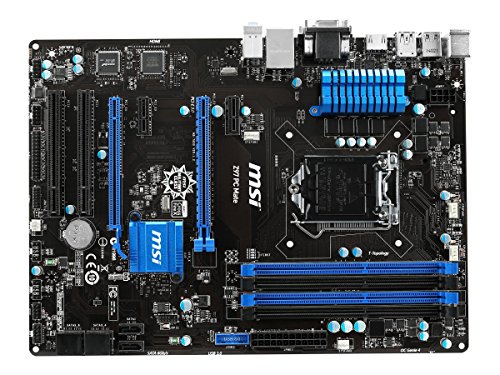
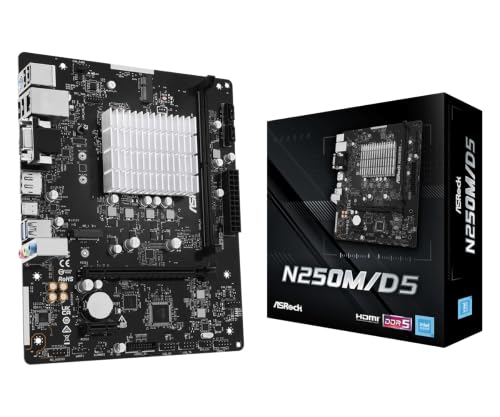
The motherboard is the part of a PC that nobody notices until it is wrong. It decides which processor you can use, how much memory you can install, how many fast storage drives you can fit, and whether your build has Wi-Fi, fast networking, and enough USB ports. The boards below cover the two platforms that matter for builders coming from the 2018 era: AM4, the socket that defined Ryzen builds from 2017 onward and still powers countless machines, and AM5, the current AMD platform for anyone building new.
If you are upgrading a machine built around 2018, an AM4 board is the practical choice, because it takes the Ryzen processors that platform is known for and it uses DDR4 memory, which is affordable and widely available. The B550 boards below are the sweet spot for that job, with modern features like PCIe 4.0 and fast networking on a mature, well-tested platform. If you are building new instead, an AM5 board with DDR5 is the forward-looking choice, and the B650, B850, and X870E boards below cover that range from sensible to high-end.
One honest note on the 2018 angle. The boards listed here are current listings, not 2018 stock, because the boards you can actually buy today are the ones that matter. The AM4 boards are the direct continuation of the platform that 2018 builds were made on, and they are the boards to buy if you are keeping a Ryzen system from that era alive or building a budget machine in its spirit. The AM5 boards are for the next build. Match the board to the processor and memory you actually own or plan to buy, because the socket decides everything else.
In this guide
Quick picks: best motherboards for 2018
| # | Product | Where to buy |
|---|---|---|
| 1 | GIGABYTE B850 AORUS Elite WIFI7 AMD AM5 ATX Motherboard, Support AMD Ryzen 9000/8000/7000 Series, DDR5, 14+2+2 Power Pha | Check on Amazon |
| 2 | GIGABYTE B550M K AMD AM4 Micro-ATX Motherboard, Supports Ryzen 5000/4000/3000 Series Processors, DDR4, 3+3 Power Phase | Check on Amazon |
| 3 | Asus ROG Strix B550-F Gaming WiFi II AMD AM4 (3rd Gen Ryzen) ATX DDR4 Gaming Motherboard (PCIe 4.0, WiFi 6E, 2.5Gb LAN | Check on Amazon |
| 4 | GIGABYTE B650 Eagle AX AM5 LGA 1718 ATX Motherboard, DDR5, Triple M.2 Slots (1x PCIe 5.0, 2X PCIe 4.0), USB 3.2 Gen2x2 T | Check on Amazon |
| 5 | ASUS ROG Strix X870E-E Gaming WiFi AMD AM5 X870 ATX Motherboard 18+2+2 Power Stages, Dynamic OC Switcher, Core Flex, DDR | Check on Amazon |
| 6 | GIGABYTE B650 AORUS Elite AX AMD AM5 ATX Motherboard, Support Ryzen 9000/8000/7000 Series, DDR5, 14+2+1 Power Phase, PCI | Check on Amazon |
| 7 | MSI B550 Gaming WIFI6E Motherboard, ATX – Supports AMD Ryzen 5000 Series, 5000 G-Series, 4000 G-Series and 3000 Series P | Check on Amazon |
Quick comparison
| # | Product | Best for |
|---|---|---|
| 1 | GIGABYTE B850 AORUS Elite WIFI7 Motherboard | AM5 ATX board with Wi-Fi 7 and DDR5 |
| 2 | GIGABYTE B550M K AMD AM4 Micro-ATX Motherboard | Budget AM4 micro-ATX board for Ryzen 5000 |
| 3 | ASUS ROG Strix B550-F Gaming WiFi II Motherboard | AM4 gaming board with Wi-Fi 6E and 2.5Gb LAN |
| 4 | GIGABYTE B650 Eagle AX AM5 Motherboard | AM5 ATX board with triple M.2 and DDR5 |
| 5 | ASUS ROG Strix X870E-E Gaming WiFi Motherboard | Flagship AM5 board with 18+2+2 power stages |
| 6 | GIGABYTE B650 AORUS Elite AX AM5 Motherboard | AM5 AORUS board with 14+2+1 power phases |
| 7 | MSI B550 Gaming WIFI6E Motherboard | AM4 ATX gaming board with Wi-Fi 6E |
The table above is a shortcut, not a verdict. Two products can look close on a spec line and feel very different in daily use, so use it to narrow the field to two or three candidates, then read those full sections before deciding.

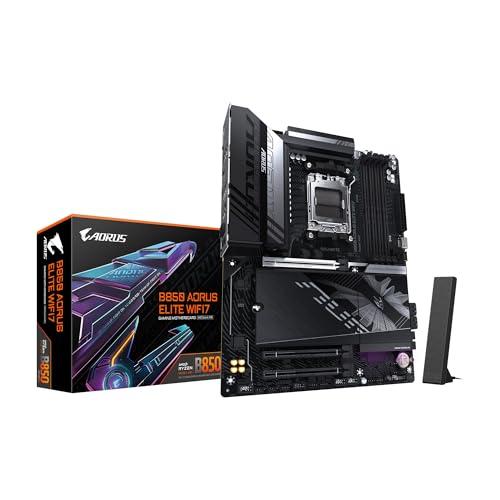
1. GIGABYTE B850 AORUS Elite WIFI7 Motherboard
The GIGABYTE B850 AORUS Elite WIFI7 is the modern mainstream AM5 board on this list, built for the current Ryzen 9000, 8000, and 7000 series processors with DDR5 memory and Wi-Fi 7. The 14+2+2 power phase design delivers clean, stable power to the processor, which matters for sustained performance and for keeping the board cool under load. It is an ATX board, so it has room for a full set of expansion slots and storage, and the Wi-Fi 7 support means wireless networking that keeps up with a fast connection.
On paper, the headline facts are straightforward: AMD AM5 socket, ATX form factor; Supports Ryzen 9000, 8000, and 7000 series; DDR5 memory support; 14+2+2 power phase design; Wi-Fi 7 connectivity. None of that makes it the right pick for everyone, but it does define the audience clearly. If those headline facts match what you actually need day to day, this is a shortlist candidate rather than a curiosity. If they do not match, the rest of this section will make that obvious quickly, and you can move on to the next pick without losing anything.
What stands out
- AMD AM5 socket, ATX form factor
- Supports Ryzen 9000, 8000, and 7000 series
- DDR5 memory support
- 14+2+2 power phase design
- Wi-Fi 7 connectivity
The combination of a current AM5 platform, DDR5, and Wi-Fi 7 makes this a board that will stay relevant for years, and the strong power delivery means it can handle the higher-end Ryzen chips without throttling. The AORUS line is built for builders who want a solid board without paying for flagship extras, and the ATX layout gives room for a graphics card, multiple fast drives, and future upgrades.
Before you buy, it is worth checking the practical details that cause most returns. Confirm that the listing shows the exact model name and configuration you expect, because similar models often share a name and differ in one specification that matters. Check the size and the connections against your setup, and make sure you know what is included in the box and what is sold separately. Read the return policy before ordering, and when the product arrives, test it with your real setup in the first few days rather than leaving it in the box. A quick check at the start saves a return later, and it is the simplest way to be sure the product you receive is the one you meant to buy.
Trade-offs to weigh
An AM5 board needs DDR5 memory and a current Ryzen processor, so it is a new-build purchase rather than an upgrade for a 2018 machine. The B850 chipset is a step below the X870E boards for extreme overclocking and connectivity, though for most builders that difference will never show up. Budget for DDR5, which costs more than DDR4.
Who it fits best
Best for builders starting a new AM5 system with a current Ryzen processor who want Wi-Fi 7, DDR5, and strong power delivery at a mainstream price.

2. GIGABYTE B550M K AMD AM4 Micro-ATX Motherboard
The GIGABYTE B550M K is the budget AM4 board on this list, a micro-ATX board that supports Ryzen 5000, 4000, and 3000 series processors with DDR4 memory. It is the board to buy if you are keeping a Ryzen machine from the 2018 era alive, or building a budget PC around a processor you already own. The micro-ATX size fits smaller cases, and the B550 chipset brings modern features like PCIe 4.0 to the AM4 platform, which the older boards from that era did not have.
On paper, the headline facts are straightforward: AMD AM4 socket, micro-ATX form factor; Supports Ryzen 5000, 4000, and 3000 series; DDR4 memory support; 3+3 power phase design; Compact budget AM4 board. None of that makes it the right pick for everyone, but it does define the audience clearly. If those headline facts match what you actually need day to day, this is a shortlist candidate rather than a curiosity. If they do not match, the rest of this section will make that obvious quickly, and you can move on to the next pick without losing anything.
What stands out
- AMD AM4 socket, micro-ATX form factor
- Supports Ryzen 5000, 4000, and 3000 series
- DDR4 memory support
- 3+3 power phase design
- Compact budget AM4 board
The price is the point, because this is one of the cheapest ways to get a modern-featured AM4 board, and it pairs well with affordable Ryzen 5000 processors and DDR4 memory. The micro-ATX size suits compact builds, and the B550 chipset means you get PCIe 4.0 for a fast graphics card and storage. For a budget build or a repair, it is hard to argue with the value.
Before you buy, it is worth checking the practical details that cause most returns. Confirm that the listing shows the exact model name and configuration you expect, because similar models often share a name and differ in one specification that matters. Check the size and the connections against your setup, and make sure you know what is included in the box and what is sold separately. Read the return policy before ordering, and when the product arrives, test it with your real setup in the first few days rather than leaving it in the box. A quick check at the start saves a return later, and it is the simplest way to be sure the product you receive is the one you meant to buy.
Trade-offs to weigh
The 3+3 power phase design is modest, so this board is not the choice for a high-end Ryzen 9 or for heavy overclocking. The micro-ATX size means fewer expansion slots and fewer storage connectors than a full ATX board. If you plan to run a top-end processor or many drives, one of the full-size boards below is better.
Who it fits best
Best for budget builders and anyone repairing or upgrading a Ryzen machine from the 2018 era who wants a cheap, modern AM4 board with DDR4.

3. ASUS ROG Strix B550-F Gaming WiFi II Motherboard
The ASUS ROG Strix B550-F Gaming WiFi II is the gaming AM4 board on this list, and it is the board most 2018-era Ryzen builders would have wanted. It is a full ATX board with DDR4, PCIe 4.0, Wi-Fi 6E, and 2.5Gb LAN, which is the networking combination that keeps a gaming PC fast on both wired and wireless connections. The ROG Strix line is built for gaming, with the audio, the cooling, and the BIOS features that gamers actually use.
On paper, the headline facts are straightforward: AMD AM4 socket, ATX form factor; Supports 3rd generation Ryzen processors; DDR4 memory support; PCIe 4.0 support; Wi-Fi 6E and 2.5Gb LAN. None of that makes it the right pick for everyone, but it does define the audience clearly. If those headline facts match what you actually need day to day, this is a shortlist candidate rather than a curiosity. If they do not match, the rest of this section will make that obvious quickly, and you can move on to the next pick without losing anything.
What stands out
- AMD AM4 socket, ATX form factor
- Supports 3rd generation Ryzen processors
- DDR4 memory support
- PCIe 4.0 support
- Wi-Fi 6E and 2.5Gb LAN
The networking is the standout, because 2.5Gb LAN and Wi-Fi 6E cover both a wired gaming setup and a wireless one, and few AM4 boards offer both. The ATX layout gives room for a full graphics card, multiple drives, and expansion cards, and the ROG BIOS is one of the most user-friendly for tuning and overclocking. For a gaming PC built on AM4, this is a well-judged board.
Before you buy, it is worth checking the practical details that cause most returns. Confirm that the listing shows the exact model name and configuration you expect, because similar models often share a name and differ in one specification that matters. Check the size and the connections against your setup, and make sure you know what is included in the box and what is sold separately. Read the return policy before ordering, and when the product arrives, test it with your real setup in the first few days rather than leaving it in the box. A quick check at the start saves a return later, and it is the simplest way to be sure the product you receive is the one you meant to buy.
Trade-offs to weigh
It is still an AM4 board, so it cannot take a current Ryzen 7000 or 9000 processor, and it uses DDR4 rather than DDR5. That is fine for a build based on the 2018 platform, but it is a dead end for future processor upgrades. The ROG branding also adds a small premium over plainer B550 boards.
Who it fits best
Best for gamers building or upgrading a Ryzen PC on the AM4 platform who want strong networking, a full ATX layout, and a gaming-tuned BIOS.

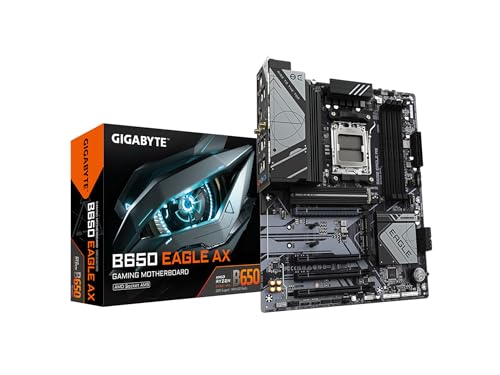
4. GIGABYTE B650 Eagle AX AM5 Motherboard
The GIGABYTE B650 Eagle AX is the value AM5 board on this list, an ATX board with DDR5, triple M.2 slots, and USB 3.2 Gen2x2 Type-C. The triple M.2 layout is the feature that matters most for builders who want fast storage, because it lets you install three NVMe drives without expansion cards, and one of those slots runs at PCIe 5.0 speeds. It is the board for a new AM5 build where storage and connectivity matter more than flagship extras.
On paper, the headline facts are straightforward: AMD AM5 socket, LGA 1718, ATX form factor; DDR5 memory support; Triple M.2 slots with PCIe 5.0 and 4.0; USB 3.2 Gen2x2 Type-C; Wi-Fi connectivity. None of that makes it the right pick for everyone, but it does define the audience clearly. If those headline facts match what you actually need day to day, this is a shortlist candidate rather than a curiosity. If they do not match, the rest of this section will make that obvious quickly, and you can move on to the next pick without losing anything.
What stands out
- AMD AM5 socket, LGA 1718, ATX form factor
- DDR5 memory support
- Triple M.2 slots with PCIe 5.0 and 4.0
- USB 3.2 Gen2x2 Type-C
- Wi-Fi connectivity
The storage layout is excellent for the price, with three M.2 slots and a PCIe 5.0 slot for the fastest drives available. The ATX form factor gives room for a full graphics card and expansion, and the DDR5 support means the memory will stay current for years. For a new build that needs lots of fast storage, this is the most practical AM5 board here.
Before you buy, it is worth checking the practical details that cause most returns. Confirm that the listing shows the exact model name and configuration you expect, because similar models often share a name and differ in one specification that matters. Check the size and the connections against your setup, and make sure you know what is included in the box and what is sold separately. Read the return policy before ordering, and when the product arrives, test it with your real setup in the first few days rather than leaving it in the box. A quick check at the start saves a return later, and it is the simplest way to be sure the product you receive is the one you meant to buy.
Trade-offs to weigh
The B650 chipset is a step below B850 and X870E for power delivery and connectivity, so it is not the choice for extreme overclocking or for a top-end Ryzen 9. The Eagle branding is plainer than the AORUS line, with fewer premium touches. Budget for DDR5 memory, which costs more than the DDR4 an AM4 build would use.
Who it fits best
Best for new AM5 builders who want lots of fast NVMe storage, DDR5, and a full ATX layout at a sensible price.

5. ASUS ROG Strix X870E-E Gaming WiFi Motherboard
The ASUS ROG Strix X870E-E is the flagship AM5 board on this list, built for builders who want the most powerful platform available. The 18+2+2 power stages deliver the cleanest, most stable power of any board here, and the Dynamic OC Switcher and Core Flex features let the board tune itself for the workload, switching between overclocking modes automatically. It is an X870E board, which is the top AMD chipset, with the connectivity and the expansion to match.
On paper, the headline facts are straightforward: AMD AM5 socket, X870 chipset, ATX form factor; 18+2+2 power stages; Dynamic OC Switcher and Core Flex; DDR5 memory support; Wi-Fi connectivity. None of that makes it the right pick for everyone, but it does define the audience clearly. If those headline facts match what you actually need day to day, this is a shortlist candidate rather than a curiosity. If they do not match, the rest of this section will make that obvious quickly, and you can move on to the next pick without losing anything.
What stands out
- AMD AM5 socket, X870 chipset, ATX form factor
- 18+2+2 power stages
- Dynamic OC Switcher and Core Flex
- DDR5 memory support
- Wi-Fi connectivity
The power delivery and the automatic tuning are the reasons to buy this board, because they let a high-end Ryzen processor run at its best without manual tweaking. The X870E chipset gives the most USB, the most storage, and the most expansion of any board on this list. For a no-compromise build with a top-end processor and a high-end graphics card, this is the platform to build on.
Before you buy, it is worth checking the practical details that cause most returns. Confirm that the listing shows the exact model name and configuration you expect, because similar models often share a name and differ in one specification that matters. Check the size and the connections against your setup, and make sure you know what is included in the box and what is sold separately. Read the return policy before ordering, and when the product arrives, test it with your real setup in the first few days rather than leaving it in the box. A quick check at the start saves a return later, and it is the simplest way to be sure the product you receive is the one you meant to buy.
Trade-offs to weigh
The price is flagship-level, and most builders will never use the full power delivery or the full connectivity. It needs DDR5 memory and a current Ryzen processor, so it is a new-build purchase with a high total cost. If you are building a mainstream PC, the B650 or B850 boards above give you nearly everything for much less.
Who it fits best
Best for enthusiasts building a top-end AM5 system with a high-end Ryzen processor who want the strongest power delivery and the most connectivity available.

6. GIGABYTE B650 AORUS Elite AX AM5 Motherboard
The GIGABYTE B650 AORUS Elite AX is the balanced AM5 board on this list, with a 14+2+1 power phase design, DDR5 support, and the AORUS build quality that sits between the budget Eagle and the flagship boards. It supports the full range of current Ryzen processors, from the 7000 series to the 9000 series, and its power delivery is strong enough for a high-end chip without paying for flagship extras. It is the board for builders who want a solid, well-built AM5 platform without overspending.
On paper, the headline facts are straightforward: AMD AM5 socket, ATX form factor; Supports Ryzen 9000, 8000, and 7000 series; DDR5 memory support; 14+2+1 power phase design; PCIe 4.0 and Wi-Fi connectivity. None of that makes it the right pick for everyone, but it does define the audience clearly. If those headline facts match what you actually need day to day, this is a shortlist candidate rather than a curiosity. If they do not match, the rest of this section will make that obvious quickly, and you can move on to the next pick without losing anything.
What stands out
- AMD AM5 socket, ATX form factor
- Supports Ryzen 9000, 8000, and 7000 series
- DDR5 memory support
- 14+2+1 power phase design
- PCIe 4.0 and Wi-Fi connectivity
The power delivery is the highlight, because 14+2+1 phases is strong for a mid-range board and it means the board can handle a powerful Ryzen processor without throttling. The AORUS build quality shows in the cooling and the components, and the ATX layout gives room for expansion. For a new AM5 build that needs to last, this is a well-judged middle ground.
Before you buy, it is worth checking the practical details that cause most returns. Confirm that the listing shows the exact model name and configuration you expect, because similar models often share a name and differ in one specification that matters. Check the size and the connections against your setup, and make sure you know what is included in the box and what is sold separately. Read the return policy before ordering, and when the product arrives, test it with your real setup in the first few days rather than leaving it in the box. A quick check at the start saves a return later, and it is the simplest way to be sure the product you receive is the one you meant to buy.
Trade-offs to weigh
The B650 chipset is a step below B850 for the newest features, and the board does not have the flagship extras of the X870E. It needs DDR5 memory, which costs more than DDR4. For builders who want the very latest chipset, the B850 AORUS Elite above is the newer option, but the practical difference is small.
Who it fits best
Best for builders who want a well-built, balanced AM5 board with strong power delivery for a current Ryzen processor, without paying flagship prices.

7. MSI B550 Gaming WIFI6E Motherboard
The MSI B550 Gaming WIFI6E is the other full-size AM4 gaming board on this list, an ATX board that supports Ryzen 5000, 5000 G, 4000 G, and 3000 series processors with DDR4 memory and Wi-Fi 6E. The wide processor support is useful, because it covers both the standard Ryzen chips and the G-series processors with built-in graphics, which are popular for budget builds without a separate graphics card. The ATX layout gives room for a full graphics card and multiple drives.
On paper, the headline facts are straightforward: AMD AM4 socket, ATX form factor; Supports Ryzen 5000, 5000 G, 4000 G, and 3000 series; DDR4 memory support; Wi-Fi 6E connectivity; Gaming motherboard design. None of that makes it the right pick for everyone, but it does define the audience clearly. If those headline facts match what you actually need day to day, this is a shortlist candidate rather than a curiosity. If they do not match, the rest of this section will make that obvious quickly, and you can move on to the next pick without losing anything.
What stands out
- AMD AM4 socket, ATX form factor
- Supports Ryzen 5000, 5000 G, 4000 G, and 3000 series
- DDR4 memory support
- Wi-Fi 6E connectivity
- Gaming motherboard design
The processor compatibility is the widest on this list for AM4, covering the G-series chips that let you build a working PC without a graphics card. The Wi-Fi 6E support is a modern touch on a mature platform, and the ATX size gives room to expand. For a budget gaming build or a machine that needs to work without a graphics card, this is a practical choice.
Before you buy, it is worth checking the practical details that cause most returns. Confirm that the listing shows the exact model name and configuration you expect, because similar models often share a name and differ in one specification that matters. Check the size and the connections against your setup, and make sure you know what is included in the box and what is sold separately. Read the return policy before ordering, and when the product arrives, test it with your real setup in the first few days rather than leaving it in the box. A quick check at the start saves a return later, and it is the simplest way to be sure the product you receive is the one you meant to buy.
Trade-offs to weigh
It is an AM4 board, so it cannot take a current Ryzen 7000 or 9000 processor, and it uses DDR4. The B550 chipset is a generation behind the AM5 boards for storage speeds and connectivity. If you are building new and want a platform with a future, an AM5 board is the better investment.
Who it fits best
Best for budget AM4 builders, especially those using a Ryzen G-series processor with built-in graphics, who want a full ATX board with Wi-Fi 6E.
Buying guide
Warranties, returns, and checking your purchase
Most products in this guide come with a manufacturer warranty, and the length and coverage vary by brand, so check the warranty terms before you buy rather than after something goes wrong. Keep the packaging until you have tested the product, because a return is much easier with the original box. When the product arrives, check that the model name, the configuration, and the included accessories match the listing, and test it with your real setup in the first few days. If anything is wrong, contact the seller promptly, because return windows are limited and the first week is the time to find problems.
AM4 or AM5: which platform?
AM4 is the mature platform, with affordable DDR4 memory and a huge range of Ryzen processors, and it is the right choice if you are upgrading a machine from the 2018 era or building on a budget. AM5 is the current platform, with DDR5 memory and the newest Ryzen processors, and it is the right choice if you are building new and want a platform with a future. The socket decides the processor and the memory, so choose the platform first and the board second.
Form factor: ATX, micro-ATX, or Mini-ITX?
ATX is the full-size board, with the most expansion slots and storage connectors, and it suits a standard mid-tower case. Micro-ATX is smaller and cheaper, with fewer slots, and it suits compact builds and budget machines. Mini-ITX is the smallest, for tiny cases, and it trades expansion for size. Match the board to your case, because a board that does not fit is useless, and a board with slots you will never use is wasted money.
Power delivery: what the phases mean
Power phases deliver electricity to the processor, and more phases generally means cleaner, more stable power, which matters for high-end processors and for overclocking. A budget board with 3+3 phases is fine for a mid-range Ryzen, while a board with 14+2+2 or 18+2+2 phases is built for a top-end chip. Do not overbuy phases you will never use, but do not pair a high-end processor with a board that cannot feed it.
DDR4 or DDR5?
AM4 boards use DDR4, which is affordable and widely available, while AM5 boards use DDR5, which is faster and more expensive. DDR5 is the future, but DDR4 is still perfectly capable for gaming and office work. If you are upgrading an existing machine, you will use the memory it already has. If you are building new, DDR5 is the sensible choice, because it will stay current longer.
Storage: M.2 slots and PCIe generations
M.2 slots hold NVMe SSDs, which are the fastest storage available, and the number of slots decides how many fast drives you can install without expansion cards. PCIe 4.0 is fast enough for any current drive, while PCIe 5.0 is faster still but the drives cost more. For most builders, two M.2 slots are enough, and three is generous. Check that the board has enough slots for the drives you plan to install.
Wi-Fi, LAN, and USB: the connectivity check
Built-in Wi-Fi is worth having if your router is not next to your PC, and Wi-Fi 6E or Wi-Fi 7 is the current standard. A 2.5Gb LAN port is useful if your network supports it, though most home networks do not yet. USB ports matter more than they sound: count the ports you need for a keyboard, mouse, headset, and external drives, and check that the board has a USB-C port if your devices use one.
BIOS updates and processor compatibility
A board may need a BIOS update to support a newer processor, especially on AM4, where the same socket covers many generations. Check the board’s processor support list before buying, and check whether it can update the BIOS without a processor installed, which is a feature called BIOS Flashback on many boards. Buying a board and a processor that need each other to work is a frustrating loop, so verify compatibility first.
Frequently asked questions
Can I use a 2018 Ryzen processor on a new AM4 board?
Yes, most AM4 boards support a wide range of Ryzen processors, including the older generations, but check the board’s processor support list first. Some newer AM4 boards may need a BIOS update for older chips, and some older boards may need an update for newer chips. The support list on the manufacturer’s site is the authority.
Is AM4 still worth buying?
Yes, for budget builds and for upgrading a machine from the 2018 era. AM4 processors and DDR4 memory are affordable, and the platform is mature and well-tested. AM5 is the future, but AM4 is the value choice, and a Ryzen 5000 processor on an AM4 board is still a capable gaming and work machine.
Do I need DDR5 for a new build?
If you are building on AM5, yes, because AM5 boards only take DDR5. If you are building on AM4, DDR4 is the only option and it is fine. DDR5 is faster and will stay current longer, but DDR4 is cheaper and still performs well for gaming and office work. Choose the memory that matches your platform, not the other way around.
How many M.2 slots do I need?
One is the minimum, two is comfortable, and three is generous. Most builders use one fast NVMe drive for Windows and applications and a second for games or files. If you plan to install many drives, choose a board with three M.2 slots, like the GIGABYTE B650 Eagle AX on this list.
What is the difference between B550, B650, B850, and X870E?
These are AMD chipsets, and they decide the features a board offers. B550 is the mainstream AM4 chipset, B650 is the mainstream AM5 chipset, B850 is the newer mainstream AM5 chipset, and X870E is the flagship AM5 chipset with the most connectivity and the strongest power delivery. For most builders, a B-series board is enough, and the X-series is for enthusiasts.
Conclusion
For most builders, the choice is simple: if you are keeping a Ryzen machine from the 2018 era alive, the ASUS ROG Strix B550-F or the MSI B550 Gaming WIFI6E are the best AM4 boards on this list, with strong networking and full ATX layouts. If you are building new, the GIGABYTE B850 AORUS Elite WIFI7 is the most forward-looking mainstream board, with DDR5 and Wi-Fi 7. And if you are on the tightest budget, the GIGABYTE B550M K gets you a modern AM4 board for the least money.
Match the board to the processor and memory you own or plan to buy, because the socket decides everything else. Check the processor support list, count the storage slots, and make sure the board fits your case before ordering, and your build will go together without surprises.