reviewstook.com is reader-supported. When you buy through links on our site, we may earn an affiliate commission.
Where to buy
Five of the six cameras below link to their Amazon listings; the dedicated streaming camera discussed last is a prose-only pick in this guide, available from broadcast and electronics retailers. Live-event work is a chain, camera, cable, encoder or network, power, and the chain should be bought and tested as a unit: order early enough to run two full rehearsals at event length before the first real audience depends on it, and keep the receipts until the chain has survived its debut.
- Panasonic LUMIX S5IIX: check price on Amazon
- Sony Alpha 7 IV: check price on Amazon
- Canon EOS R6 Mark III: check price on Amazon
- DJI Osmo Pocket 3: check price on Amazon
- OBSBOT Tiny 2: check price on Amazon
- Dedicated streaming camera class: available from broadcast retailers (prose-only pick in this guide)
A live event is the one filming assignment that cannot be apologised to afterward. The wedding vow, the keynote sentence, the winning goal, the graduation name: each exists once, in front of an audience that includes everyone who could not be in the room, watching a stream or a recording whose failure is permanent and public. The best cameras for filming live events are therefore not ranked here by beauty alone. They are ranked by the virtues live work actually bills you for: endurance without drama, connections that stay connected, autofocus that behaves like a professional colleague, and behaviour at hour two that matches behaviour at minute two.
The live-event brief also splits into two honest halves. Some events are streamed, their audience remote and simultaneous, and the camera is one link in a live chain. Others are recorded for an edit delivered tomorrow, where the camera’s job is to bring home complete, clean coverage. Many real events, the school concert, the conference, the service, are both at once. The six picks below were chosen to cover that whole territory, from the produced multi-camera stream to the lone operator at the back of a hall with one body, one tripod and one chance.
What disqualifies a camera here is rarely its image. It is the recording limit that ends mid-speech, the battery that fades during the finale, the output that sleeps, the autofocus that wanders to the backdrop while the speaker moves. Live filming is an audit of a camera’s manners under duration, and this guide reads like an auditor: every pick has been considered at the length of a real event, in a real hall, with a real audience’s patience as the pass mark.
Key Takeaways
- Live events bill you for endurance and manners, not for peak image quality.
- The LUMIX S5IIX is the produced stream’s anchor, built for long, monitored, serious work.
- Sony’s Alpha 7 IV is the dependable all-rounder for the recorded-and-streamed middle.
- Canon’s R6 Mark III brings flagship speed and detection to fast-moving live stages.
- A gimbal pocket camera gives the lone operator a second, moving viewpoint.
- The tracking webcam runs the meeting, class and town-hall end of live entirely alone.
- Rehearse the whole chain at full event length, twice, before a real audience does.
In this guide
Quick Picks
| Camera | Badge | Why it is here |
|---|---|---|
| Panasonic LUMIX S5IIX | Best for Produced Streams | Video-first body with the depth and manners for long broadcasts. |
| Sony Alpha 7 IV | Best All-Round Event Body | Balanced, proven and calm across weddings, stages and services. |
| Canon EOS R6 Mark III | Best for Fast Live Stages | Flagship detection and speed for sport, dance and theatre. |
| DJI Osmo Pocket 3 | Best Roaming Second Camera | Stabilised movement for processions, reactions and arrivals. |
| OBSBOT Tiny 2 | Best Self-Running Camera | AI tracking covers the speaker while nobody operates it. |
| Dedicated Streaming Camera Class | Best Set-and-Forget Streamer | A camera and encoder in one box for fixed installations. |
How did we choose cameras for filming live events?
We began with duration. Each candidate was assessed as though the event were a two-hour service, a full conference day or a wedding’s long arc, and any behaviour that degrades with time, heat, battery anxiety, recording ceilings, outputs that sleep, was marked as the serious fault it is in this category. A camera that films a glorious ten minutes and an unreliable two hours is, for live events, an unreliable camera.
Connection behaviour came next. Live chains run on outputs and protocols, clean video feeds to encoders and switchers, USB to computers, the camera’s own streaming features where they exist, and we favoured bodies whose live output is a designed feature rather than a tolerated side effect. Autofocus was judged on stage manners specifically: holding a speaker who paces, ignoring the banner behind them, refinding the subject after a passer-by crosses the frame.
Audio inputs were treated as mandatory at the serious end, because the hall’s mixing desk or a properly placed microphone is where live sound actually comes from, and a camera that cannot accept it cannot do the job. Finally, we weighed the operator’s reality: one person, often a volunteer, often also doing three other jobs. Controls that can be locked, settings that stay where they were left, and bodies that forgive a busy operator earned their ranking as surely as sensors did.
The picks in detail
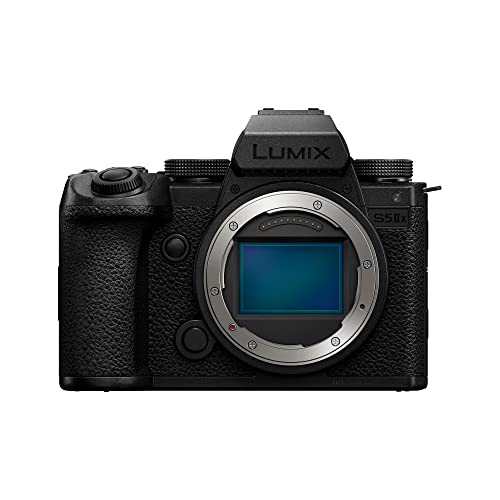
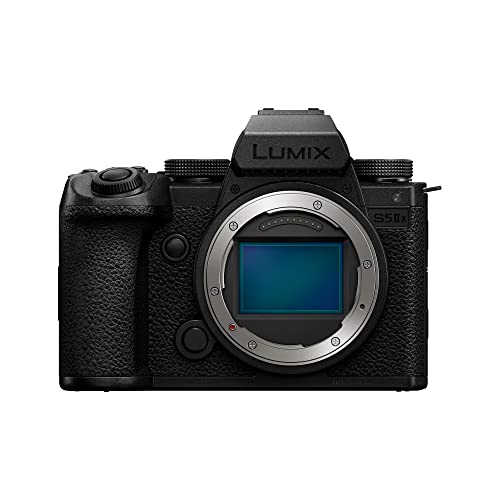
Panasonic LUMIX S5IIX — Best for Produced Streams
For the event that is produced rather than merely covered, the streamed service with a small crew, the conference with a switching desk, the concert that will be watched in three time zones, the S5IIX is this guide’s anchor. Panasonic built this generation of its full-frame line with the live room explicitly in mind: recording depth for long takes, monitoring tools that let an operator judge exposure and focus like an engineer rather than a hopeful, cooling that treats duration as a working condition, and streaming support designed into the feature set rather than improvised around it.
Its phase-hybrid autofocus holds a moving speaker with the calm this work requires, and its stabilisation serves the handheld cutaway camera at the produced event’s edges. The image grades beautifully, matching across a multi-camera Panasonic chain or sitting as the unquestioned master camera in a mixed one. Colour, audio input provision and output behaviour all read as though the designers had sat through the events their customers film, including the boring, crucial hours in the middle.
The honest costs are a production’s costs. It rewards an operator who sets it deliberately and a chain that is rehearsed, its menus offer depths a casual user will never open, and the body plus its streaming companions is an investment a small organisation should make once and plan around. For the event whose audience is genuinely remote and genuinely waiting, that is the correct shape of spending, and this is the body to build the chain around.
- Form: full-frame mirrorless, video-led
- Endurance: cooling for long productions
- Tools: professional monitoring and streaming support
- Focus: phase-hybrid, stage-calm
- Role: streamed services, conferences, concerts
Strengths
- Built for the full length of real events.
- Monitoring that lets volunteers engineer properly.
- Grades and matches like a broadcast camera.
Trade-offs
- Rewards rehearsal and a deliberate setup.
- More depth than a casual event needs.
- The full chain costs more than the body.
Best for: organisations streaming services, conferences and performances to a real remote audience. Not suited for: the lone filmer who needs to press record and walk away.

Sony Alpha 7 IV — Best All-Round Event Body
Most live events are not broadcasts; they are occasions, weddings, school productions, local sport, community theatre, filmed by one competent person who needs the camera to be excellent at everything and dramatic about nothing. The Alpha 7 IV is that camera. Its stills side covers the event’s photographs, its video side records detailed, gradeable footage with autofocus that tracks faces and eyes through a crowd’s confusion, and its behaviour across a long day is the calm of a mature design that has been doing this work, in owners’ hands, for years.
Its live virtues are the quiet ones. The mode separation keeps the event’s video settings safe from its stills settings. The lens catalogue offers the event shooter’s essential glass, the fast standard zoom, the long lens for the back of the hall, at every budget. Battery and card behaviour are known quantities with no surprises at the finale, and its output options serve both the recorder’s edit and the modest stream through a capture device.
It concedes the extremes to specialists: the S5IIX out-produces it as a streaming anchor, the Canon outruns it on a fast stage, and its rolling shutter asks respect during pans. But the middle of live-event work, which is most of it, belongs to bodies like this, and an organisation buying one camera for every occasion on its calendar will find this the safest pair of hands in the guide.
- Form: full-frame mirrorless, balanced
- Focus: eye tracking through crowds
- Mount: Sony E, every event lens exists
- Settings: stills and video banks kept apart
- Role: weddings, schools, community events
Strengths
- Excellent at everything a live day asks.
- Lens choice for every hall and budget.
- Known, calm behaviour across long events.
Trade-offs
- Specialists beat it at each extreme.
- Fast pans need rolling-shutter respect.
- Best modes want fast cards.
Best for: the one-camera filmer covering a whole calendar of occasions. Not suited for: dedicated broadcast production or pure sports stages.
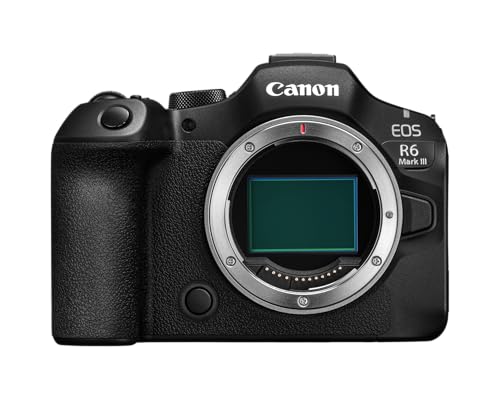
Canon EOS R6 Mark III — Best for Fast Live Stages
Some stages refuse to hold still: dance, sport, theatre with a moving company, the school musical whose cast has never once hit the same mark twice. Canon’s R6 Mark III brings the flagship virtues, subject detection that recognises and holds people through chaos, burst and video performance with headroom to spare, colour that flatters performers under stage light, to the live-event problem, and for the fast end of this category it is the body that misses least.
Its detection is the headline for a reason. A live operator at the back of a hall, working a long lens on a moving stage, is effectively doing sports photography with a record button, and a camera that finds the lead dancer’s face and keeps it, through turns, lifts and a crossing chorus, is a colleague rather than a tool. The video inherits the same intelligence, and the stills it takes between cues are publication-grade, which matters to the theatres and schools whose events live afterward as posters and programmes.
Flagship virtues bill flagship costs, in the body, in the cards its fastest modes prefer, and in batteries across a long day. Its depth also asks an operator who will learn it; handed cold to a volunteer, its simpler siblings in spirit would serve better. For the organisation whose live calendar is movement, it is the pick that turns the hardest category of event filming into a strength.
- Form: full-frame mirrorless flagship
- Detection: people held through stage chaos
- Colour: flattering under stage lighting
- Stills: publication-grade between cues
- Role: dance, sport, theatre, musicals
Strengths
- Detection that works like a follow-spot operator.
- Stills and video both thrive on movement.
- Stage faces rendered kindly at distance.
Trade-offs
- Flagship cost across body, cards and batteries.
- Depth demands a learned operator.
- Over-specified for a static lectern.
Best for: theatres, dance schools, sports clubs and fast-stage filming. Not suited for: fixed, quiet events where a simpler body would do.

DJI Osmo Pocket 3 — Best Roaming Second Camera
The produced event has a master camera; the honest event has a person. The Pocket 3 is the second viewpoint that a one-person crew can actually deploy: gimbal-stabilised, pocket-sized, filming the procession from inside it, the arrivals from the door, the reaction from the third row, the details from the table, while the main camera holds the wide, safe frame. Its footage cuts into an event film like a professional’s B-roll because, mechanically, that is what it is.
At streamed events it earns a subtler role, the roaming feed. A producer with a switcher can take the Pocket’s view for the moments the fixed cameras cannot see, the walk-in, the signing, the presentation, and its subject tracking keeps a moving subject framed while its carrier simply walks and watches. Its one-inch sensor holds up in hall light far better than its size suggests, and its audio, especially with its wireless microphone companions, is entirely respectable.
It is not a master camera for a long event: battery and storage suit shifts rather than marathons, its fixed wide view cannot work the back of a hall, and it should be deployed, charged and swapped like the specialist it is. Used that way, it adds more production value per gram than anything else an event filmer can carry.
- Form: pocket gimbal camera, one-inch sensor
- Stabilisation: three-axis mechanical
- View: wide, roaming, inside the event
- Audio: wireless microphone companions available
- Role: B-camera, processions, reactions, arrivals
Strengths
- Movement footage that looks crewed.
- Deploys in seconds from a pocket.
- Tracking keeps roaming subjects framed.
Trade-offs
- Battery suits shifts, not marathons.
- Fixed wide view cannot reach across a hall.
- Needs a master camera to support.
Best for: lone operators and small crews wanting a second, moving viewpoint. Not suited for: anyone needing one camera to hold a whole long event alone.

OBSBOT Tiny 2 — Best Self-Running Camera
A large share of live events are one person talking: the lecture, the class, the town-hall address, the training session, the sermon from a single position. The Tiny 2 covers that entire category without an operator. Its gimbal head and AI tracking follow the speaker’s movement, its 4K image crops to a closer frame without a second camera, and its voice and gesture control let the speaker direct it while presenting, which is to say, while doing the actual job.
For the recorded event its virtues compound. It starts when the computer starts, behaves identically every week, and asks nothing of the volunteer who would otherwise be volunteered into camera duty. Institutions that stream or record a weekly address get, from this small device, a consistency that rotating human operators rarely match, and its framing presets function as a modest multi-angle system for a one-camera room.
Its limits are the webcam form’s own: a room-sized reach, low-light performance bounded by its sensor class, and no place in a produced multi-camera broadcast beyond a useful extra angle. Within its category, the self-running live event, it has no serious rival in this guide, and its presence here is a reminder that the best live camera is sometimes the one that removes the operator problem entirely.
- Form: AI-tracking PTZ webcam, 4K
- Tracking: follows the speaker automatically
- Control: voice and gesture, hands-free
- Framing: presets act as extra angles
- Role: lectures, classes, addresses, training
Strengths
- Covers a speaking event with no operator.
- Identical behaviour every single week.
- Croppable 4K from a desk-sized device.
Trade-offs
- Room-sized reach only.
- Low light bounded by its sensor class.
- Not a produced broadcast’s master camera.
Best for: lecturers, teachers, trainers and institutions recording weekly addresses. Not suited for: large halls, stages and multi-person productions.
Dedicated Streaming Camera Class — Best Set-and-Forget Streamer
The final pick has no link because it names a class rather than a pool product: the dedicated streaming camera, a small fixed unit that combines camera and encoder, connects to the network, and streams to the usual platforms on a schedule or a single command, forever, without a computer in the chain. For the venue that streams the same event from the same position every week, a place of worship, a council chamber, a lecture theatre, this class solves the live problem at the level of the building rather than the operator.
Its virtues are institutional. It can be installed, aimed, and effectively forgotten; a volunteer presses one control, or none, and the event is live. There is no capture chain to misassemble, no laptop to update itself mid-service, no settings for a well-meaning hand to improve. The image is honest rather than cinematic, and for an audience whose need is presence, the congregation member in hospital, the parent overseas, honesty at perfect reliability beats beauty at occasional reliability every week of the year.
The class’s limits are its fixed nature: one viewpoint, modest low-light artistry, and features that end where the manufacturer’s platform support ends. Organisations outgrow it toward the S5IIX’s produced world, and that is a happy direction of travel. As the first, permanent answer to a venue’s live duty, discussed here without a link because the class sits outside this guide’s verified pool, it deserves its place in any honest survey of live-event cameras.
- Form: fixed camera with built-in encoder
- Operation: scheduled or one-command streaming
- Chain: no computer required
- Image: honest, reliability-first
- Role: weekly services, chambers, lecture theatres
Strengths
- Installed once, then effectively forgotten.
- No chain for volunteers to misassemble.
- Perfect reliability for a fixed viewpoint.
Trade-offs
- One viewpoint, forever, unless reinstalled.
- Image is honest rather than cinematic.
- Platform support defines its lifespan.
Best for: venues streaming the same event from the same seat weekly. Not suited for: events that move, vary or aspire to production.
Comparison table
| Camera | Sensor / form | Best at | Character | Choose it for |
|---|---|---|---|---|
| Panasonic LUMIX S5IIX | Full frame | Produced streaming | Long, monitored, graded | Stream anchors |
| Sony Alpha 7 IV | Full frame | All-round occasions | Calm across a long day | One-camera filmers |
| Canon EOS R6 Mark III | Full frame | Fast stages | Detection through chaos | Dance, sport, theatre |
| DJI Osmo Pocket 3 | 1-inch gimbal | Roaming B-camera | Stabilised movement | Second viewpoints |
| OBSBOT Tiny 2 | PTZ webcam | Self-running speaker cover | AI tracking, no operator | Lectures and classes |
| Dedicated Streaming Class | Fixed install | Set-and-forget streaming | No computer in chain | Weekly venues |
What should you check before filming a live event?
Check the duration honestly, from the audience’s arrival to the last applause, and then check every link in the chain against that number: recording limits, battery or mains power, storage, thermal behaviour, the encoder’s and the network’s stamina. Live failures are almost always duration failures wearing a disguise. Then check the output path end to end in the actual venue, because halls are full of surprises, house systems that expect one signal and not another, network ports that are decorative, Wi-Fi that collapses under a crowd’s phones.
Check the light at the event’s actual hour. A hall rehearsed in at noon is a different country at seven in the evening, and stage lighting, house lighting and window light each rewrite the exposure problem. Check the audio source with the venue’s own people: where the desk is, what feed it can give you, and what your fallback is when the desk cannot. And check the permissions, the venue’s, the performers’, the audience’s expectations, because the finest live film ever made is worthless if it should not exist.
How do you run a live event shoot without courting disaster?
Arrive as though the event were live already
Set up early enough that the final hour before doors is boredom, not labour. The chain tested, the framing chosen, the batteries fresh, the spare cables coiled where a hand can find them in the dark. Live work rewards the operator who has nothing left to do, because the event will invent new work the moment it begins, and it should find you unoccupied and watching.
Record locally even when streaming
The stream is a promise; the local recording is the insurance. Networks fail in ways that are nobody’s fault and everybody’s problem, and the camera or encoder that also records to its own card turns a public failure into a private repair, the full event uploaded an hour later with an apology. Any setup in this guide’s serious end can arrange this, and no live filmer should work without it twice.
Assign one person to the audience’s experience
At streamed events, someone should watch the stream itself, on a phone, with the sound on, as the audience does. That person catches the muted microphone, the wrong camera, the frozen frame, minutes before the comments section becomes the technical support desk. It is the cheapest production role in live work and the one most often unfilled.
Write the failure ladder before you need it
Decide in advance what happens when each link fails: the order of swaps, the spare that comes out of which bag, the point at which the event continues unstreamed rather than interrupted. A ladder written in calm is climbed calmly; a ladder improvised in front of an audience is a performance of its own, and not the one anyone bought tickets for.
What mistakes do live-event filmers make?
Testing at ten minutes for a two-hour event
The rehearsal that ends after a song proves the song, not the service. Heat, batteries, storage and networks all fail on duration’s schedule, and the only honest rehearsal is a full-length one. This guide’s most repeated sentence is its most important: rehearse the whole chain, at full length, before the audience is real.
Trusting the venue’s Wi-Fi with the main event
Venue Wi-Fi is a shared resource shared with every phone in the building, and it degrades precisely when the event succeeds. A wired connection where one exists, a dedicated network where it does not, and a local recording beneath either, are the professional’s answers; hope is not a network strategy.
Framing for the empty hall
The camera set for a rehearsal’s empty seats discovers, at doors, heads in its frame, a raised stage picture altered by bodies, light changed by a full room’s warmth and movement. Set the final frame with the audience imagined in it, higher and wider than the rehearsal tempts you to be, and the live frame survives its own success.
Forgetting that the event is not about the filming
The live filmer is a guest at someone else’s occasion. Cables across walkways, an operator wandering the sightlines, a tripod in the accessible seat: each is a small theft from the event itself. The best live crews are nearly invisible, and their invisibility, planned like everything else in this section, is part of what the audience is paying for.
Final Recommendation
Build a produced stream around the Panasonic LUMIX S5IIX. Cover the general calendar of occasions with the Sony Alpha 7 IV, and take the Canon EOS R6 Mark III when the stage moves fast. Add the Pocket 3 as the roaming second eye, let the OBSBOT Tiny 2 run the speaking events no one should have to operate, and consider the dedicated streaming class when a venue’s duty is fixed and weekly. Above every model recommendation stands the discipline: full-length rehearsals, local recording beneath every stream, and a failure ladder written in calm. Live events forgive nothing, but they reward preparation completely.
Related guides
Frequently Asked Questions
Can one camera film a whole live event alone?
Yes, if the event’s shape suits it: a fixed, well-chosen position, mains power or disciplined batteries, and storage for the full duration plus margin. The Alpha 7 IV class of body does this weekly in halls everywhere. What one camera cannot do is be in two places, which is why the roaming second camera exists in this guide.
Should I stream, record, or both?
Both, whenever the chain allows. The stream serves the audience who needed to be present in the moment; the local recording insures against the network and becomes the archive, the edited highlights and the evidence. Streaming without recording is the one configuration this guide advises against at any serious event.
How do I handle a hall with terrible light?
Get closer or get faster glass before reaching for sensitivity, expose for the faces rather than the room, and accept a honest, slightly grainy image over a bright, smeared one. Stage and house lighting vary enormously; the rehearsal at the event’s own hour is where the real answer for your hall lives.
What is the minimum crew for a streamed event?
One competent operator can run a one-camera stream with a rehearsed chain and a local recording. The second person, watching the audience’s stream and minding the room, is the highest-value addition in all of live work, worth more than a second camera.
How long a rehearsal is long enough?
The full event, at its full length, with the full chain, ideally twice before the debut and once after any change to the setup. Anything shorter is a demonstration, and demonstrations are precisely what live events punish.
How do weddings, conferences and performances each rewrite the brief?
The wedding is live filming with the highest emotional stakes and the least cooperation from the schedule. Its filmer works around a day that will not pause, in venues that change hourly, for clients who will watch the result for decades. The virtues that matter are discretion, stamina and autofocus that can be trusted while the operator composes, which is why the balanced bodies dominate wedding work and why the roaming pocket camera has become the modern wedding filmer’s secret.
The conference is the opposite temperament: predictable, seated, lit like an office and judged on intelligibility. Slides must be readable, speakers must be audible, and the recording must survive eight hours of it. Here the produced end of this guide, monitored, mains-powered, desk-fed audio, earns its keep, and the self-running tracking camera covers the single-speaker sessions with an economy no crew can match.
The performance lives between the two: scheduled like a conference, emotional like a wedding, lit like neither. Stage light is contrasty, coloured and unkind to automatic exposure, and the filmer’s craft is exposure discipline and detection that holds a moving cast. Each genre rewards a different line of this guide’s table, and the filmer who works all three should read the table as a kit list rather than a contest.
What does a season of live events teach that one event cannot?
It teaches that reliability is a system, not a product. The same camera that failed in March succeeds all autumn once its owner has built the rituals around it: the checklist, the rehearsal habit, the labelled cables, the log of what each venue did to the chain last time. Seasoned live filmers are recognisable by their paperwork as much as their footage, and their calm at doors-open is manufactured, deliberately, in the weeks before.
It also teaches the audience’s true scale of values. Viewers forgive a modest image indefinitely; they forgive bad sound for about a minute; they forgive absence, the missed vow, the frozen finale, never. A season of comments sections will reorganise any filmer’s budget toward audio, endurance and insurance, which is exactly the order this guide ranked its picks in, and exactly the order a beginner’s enthusiasm, left alone, would reverse.
How should a small organisation build its live capability over time?
Begin with the event that recurs. The weekly service, the monthly lecture, the termly concert is the training ground where a chain can be rehearsed, logged and improved in low-stakes repetitions. Buy for that event first, the fixed answer or the one good body, and let the occasional spectacular borrow or hire its extras rather than owning them. Capability built on repetition becomes boring in the best way, and boring live production is the kind audiences trust.
Grow by adding viewpoints before complexity: the second camera before the switcher, the stream-watcher before the graphics, the audio feed from the desk before either. Document every step so the capability belongs to the organisation rather than to one volunteer’s memory. The organisations whose live events are quietly excellent are never the ones with the most equipment; they are the ones whose equipment, people and paperwork agree with each other, which is a state any of this guide’s picks can anchor if it is chosen for the calendar it will actually serve.
How do you film the audience as well as the stage?
An event film made only of the stage is a document; an event film that includes the room is a memory. The audience’s laughter arriving a half-second after the joke, the congregation rising, the parents’ faces at the school play’s final song: these are the shots clients replay, and they are the shots a fixed master camera never takes. This is the roaming camera’s deepest justification. A few seconds of honest reaction, cut at the right moment, tells the remote viewer what the event felt like, which is the thing they actually missed by not being there.
Audience filming carries its own etiquette and technique. Work from the edges and the aisles rather than looming over seats, favour the wide reaction over the intrusive close-up, and remember that a face lit by a phone screen at a solemn moment is a person having a private experience in public. The filmer who treats the audience as participants rather than scenery gets both better footage and a warmer welcome at the next event, and in community live work there is always a next event, with a memory of how the last one was filmed.
What paperwork does professional live filming quietly run on?
Behind every calm live production sits a small library of dull documents. A running order with timings, shared with the venue and the performers, so the filmer knows when the unscheduled speech is actually scheduled. A chain diagram, drawn once and taped inside the kit case, so any volunteer can reassemble the system identically. A venue sheet per hall, recording where the power lives, what the desk can feed, which network port worked, and what the light did at the event’s hour. And a log, kept after every event, of what failed, what nearly failed, and what was changed, because live production improves exactly as fast as its log is honest.
None of this appears in the footage, and all of it appears in the footage’s reliability. The beginner live filmer who adopts the paperwork early, even for a school concert, will out-produce a better-equipped rival within a season, because their failures happen on paper in advance while the rival’s happen on air. The cameras in this guide differ in features; the productions built on them differ in documents, and it is the second difference that audiences experience.
How does live filming change when the audience is also recording?
Every live event now has two film crews: yours, and two hundred phones. The phones change the professional’s job in useful ways. They free the official filming from the duty of mere record, since the moment is being captured regardless, and push it toward the things phones cannot do: the steady wide frame, the clean desk audio, the edited whole that tells the event as a story rather than a clip. The official film becomes the memory’s spine, and the phones become its colour.
They also impose a courtesy. Phone screens are part of the modern audience’s silhouette, and the filmer who rages against them dates the production; the filmer who frames generously around them documents the event as it truly was. And practically, a crowd uploading simultaneously is one more reason the professional’s network is wired, dedicated or recorded locally, because the airwaves at a successful event belong to the audience, and the professional should not need them.
What should the live filmer do in the hour after the event?
The hour after is where live work is quietly won and lost. Before any kit is struck, confirm the recordings exist: play the head, the middle and the tail of every card, on the device, with sound. A failure discovered at the venue can sometimes still be rescued, from the stream’s archive, from a backup recorder, from a colleague’s angle; a failure discovered at home is archaeology. Then back up before striking the set, while the cables’ locations are still obvious and the cards are still in the cameras they belong to.
Strike in the reverse order of the audience’s departure needs, leaving walkways clear and the venue’s own people unhurried by your packing. Leave the venue as the venue wishes to be left; live filmers are repeat guests, and the caretaker’s goodwill is a production asset that never appears on an invoice. Finally, write the log while the evening is fresh, three lines minimum: what the chain did, what the room did, what changes before next time. The next event’s calm is written in this hour, by a tired person who does it anyway.
How do you choose positions for a one-camera event?
The lone filmer’s position is the whole production design, and it is chosen by three questions in order. Where does the event’s meaning happen, the lectern, the altar, the centre circle, the stage’s middle third? Where can a tripod stand for two hours without stealing a seat, a sightline or an escape route? And where does the light fall kindly at the event’s hour, favouring faces over backdrops? The position that answers all three is usually elevated, central and slightly to one side, close enough that the lens works in its comfortable middle rather than at its desperate long end.
From that position, the one-camera filmer works a quiet repertoire: the wide frame that establishes and returns, the slow push toward the speaker for emphasis, the held medium shot that does most of the evening’s honest work. Movement is rationed, because a still camera at a live event reads as confidence and a restless one as anxiety, and the audience at home takes its emotional cue from the frame’s manners. Choose the position as though you cannot move, because at a full event, mostly, you cannot.
Why is the second event with the same kit always better?
Because live filming is one of the few crafts where the equipment list genuinely shrinks in importance with repetition. The second event inherits the first event’s solved problems: the cable that now reaches, the setting that no longer needs finding, the venue sheet that remembers the network port. The filmer’s attention, freed from logistics, moves to the event itself, to timing, framing and the audience’s experience, and the footage improves in ways no purchase could have funded.
This is also why this guide resists telling any organisation to begin with a complex multi-camera production. Complexity multiplied by inexperience is the recipe for the public failure that ends live programmes. Begin with the chain you can rehearse to boredom, run it until its operation is muscle, and add the second viewpoint when the first has become dull to operate. The picks above are arranged as that ladder, from the self-running and the fixed to the produced, and climbing it one rung per season is not caution; it is the professional’s actual pace.
A note on filming children and vulnerable audiences
Live events frequently include people who cannot meaningfully consent to a permanent public record: schoolchildren, patients in a streamed service’s congregation, guests at a support group’s open evening. The responsible live filmer treats the organiser’s safeguarding rules as part of the technical specification, as non-negotiable as the recording limit, and plans frames around them in advance: the wide shot that shows the choir without singling out the child who must not be identified, the camera position agreed with the school before the parents arrive, the stream whose chat and replay settings match the event’s actual permissions.
This is not bureaucracy laid over the craft; it is the craft, practised in the real world where events belong to communities. Every pick in this guide can be framed, positioned and configured to honour such rules without surrendering the event’s record, and the filmer who raises the subject early, helpfully and with proposed solutions becomes the person organisations trust with their most precious occasions, which is the only marketing live filming has ever needed.
How do you archive a live event so it stays watchable?
The live recording’s second life begins the moment the stream ends, and it is usually neglected in the relief of having survived. Give the archive its hour within the week: the local recording checked and backed up in two places, the stream’s own copy downloaded before platform policies tidy it away, the files named with the event, the date and the angle, and a one-paragraph note filed with them recording who performed, what the running order became in reality, and anything a future editor will need to know. Live events are institutional memory for schools, congregations, companies and families, and an unnamed file on a former volunteer’s laptop is memory already half lost.
Then make the short version while the event is still warm. Ten honest minutes, or three, cut from the master recording, serve the audience that missed the live moment and the organisation’s future self, who will want to show what these occasions feel like. The cameras in this guide were chosen to bring home material worth this care; the archive hour is how the care is completed.
The live filmer’s temperament
End with the quality no specification sheet lists. Live filming suits a particular temperament: unhurried before the event, unflustered during it, and unembarrassed about the dull preparations that make both possible. The cameras above will each serve that temperament faithfully, and each will expose its absence without mercy. Choose the one whose working style matches your own honest habits, rehearse it past the point of boredom, and the live event, that least forgiving of assignments, becomes the most satisfying work in filming, because when it ends, it is done, witnessed and kept, with nothing left to fix in post.
One practical expression of that temperament is worth stating plainly, because beginners resist it: the live filmer checks the recording is actually recording, visibly, repeatedly, throughout the event, the red light, the timecode advancing, the audio bars moving with the room. It feels like doubt. It is, in fact, the profession’s oldest ritual, practised by broadcast engineers with forty years of unbroken recordings behind them, and the events that were lost to an unpressed button were lost by people who trusted their memory of pressing it. Build the glance into your rhythm, every few minutes, without apology, and your archive will be as unbroken as theirs.
And when the event is a celebration, remember to witness some of it with your own eyes rather than entirely through a screen. The filmer who never looks up owns a perfect record of an occasion they did not attend, and over a career that bargain quietly bankrupts the joy that brought most filmers to the work. The rehearsed chain and the trusted camera earn their keep precisely here: they free their operator, at the peaks, to be present. That presence, paradoxically, also makes the filming better, because a filmer who feels the room’s timing anticipates its moments a half-second before a screen-watcher can.
Keep the kit list taped inside the case lid, and tick it physically, out loud if the room allows, at every load-in and every load-out. Cameras have been left in halls, cables in cathedrals and cards in other people’s recorders by filmers far more experienced than this guide’s readers, and every one of them believed memory was a system. It is not; the list is the system, and the list is cheap.
Finally, thank the venue’s people by name where you can, the caretaker, the sound volunteer, the organiser who held the door. Live filming runs on borrowed rooms and borrowed goodwill, and the filmer’s reputation in a town’s halls is a compound asset, paying out in access, patience and second chances for years. The work is technical; the career is social.
Do that, season after season, and the events themselves begin to seek you out, which is the surest sign the work, and the camera at its centre, were chosen well.
That reputation, built one well-run occasion at a time, is worth more than any single upgrade in this guide, and it begins with the simplest decision of all: showing up early, with a rehearsed chain, and treating somebody else’s once-only day as though it were your own family’s, because for the people in the room, it is.
What backup audio arrangement protects a livestream when the main venue feed suddenly fails?
Place an independent recorder near a loudspeaker, fed at conservative levels, running continuously regardless of what the streaming chain reports. Even imperfect room sound preserves speeches and applause well enough to repair a recording later, whereas silence leaves editors with nothing to rescue. Mark that recorder with bright tape so helpful volunteers never switch it off while tidying cables between programme segments.
Test the emergency path during soundcheck by deliberately muting the primary mixer output for ten seconds. Confirm the alternate source appears in headphones and that whoever operates the desk knows the exact fader to raise. Writing those steps onto a laminated card taped beside the console removes guesswork when nerves rise and house lights fall.
How early should a solo operator arrive to handle seating changes and unexpected stage layouts?
Ninety minutes ahead of doors opening suits most school concerts, worship gatherings, and community award nights. That buffer absorbs relocated lecterns, extra choir rows, and projection screens appearing where a tripod was originally planned. Walk every cable route after positioning, checking fire exits remain unobstructed and latecomers will not kick connectors while squeezing toward middle seats.
Use remaining quiet minutes to record room tone, photograph dial positions on unfamiliar house equipment, and agree hand signals with organisers for extending or shortening segments. When audiences arrive, your attention belongs entirely on performers rather than troubleshooting. Departures also benefit from patience: waiting until crowds thin prevents collisions in narrow aisles while valuable media remains vulnerable on unattended seats.
Finally, brief a trusted usher or colleague on where spare batteries, cards, and the printed running order live inside your bag. If illness or an urgent family call pulls you away unexpectedly, that person can at least keep the wide shot recording and preserve the occasion for organisers. Professionalism at live work includes planning for your own absence, however unlikely, because audiences and performers cannot pause their milestone while a replacement operator travels across town through evening traffic.
After guests depart, resist packing the camera first. Capture a brief empty room shot and the printed programme beside your recording log, material that later helps identify dates, speakers, and running order when archives grow. Such small documentary habits separate dependable event suppliers from talented amateurs whose folders become mysteries within months.
A spare pair of headphones kept in the side pocket also rescues monitoring when the primary set develops an intermittent cable fault mid ceremony.
Related Guides
Platform-specific streaming gets its own treatment in our Facebook Live camera guide. The recording side of the craft continues in the filming video deep dive, and sport takes over in our football filming roundup.


