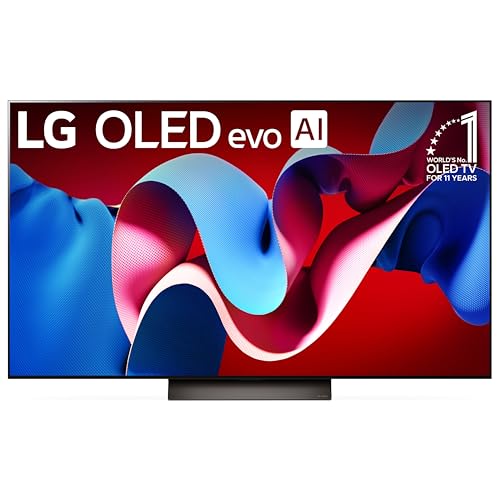
A bright room is hard on a TV. Windows and lamps add reflections, and a dim panel looks washed out. Four things matter most: peak brightness, the screen finish, any anti-reflection layer and the viewing angle from the sofa.
The six 65-inch TVs below pair Mini LED or QLED panels with different finishes, from matte to glossy with an ambient light sensor. Specs come from each listing page, and brightness and refresh figures are the makers’ own. We have not used these TVs ourselves, and we flag where a listing contradicts itself.
As an Amazon Associate we earn from qualifying purchases. Links below are affiliate links, and they do not change the product information we give.

What to Look For
| Feature | Why it matters |
|---|---|
| Peak brightness | Higher nit figures help fight window light |
| Screen finish | Matte and anti-reflection layers cut glare; glossy can show reflections |
| Viewing angle | Wide angle helps when seats are off to the side |
| Backlight | Mini LED with local dimming adds contrast |
| Refresh rate | Matters for sports and games; figures are the maker’s |
In this guide
Specs at a Glance
| TV | Panel | Brightness (maker) | Finish and glare | Refresh |
|---|---|---|---|---|
| Samsung QN70H | Neo QLED Mini LED | 1200 nit | Glossy | 120 Hz (also lists 60) |
| Panasonic W85 | QD-Mini LED | 450 nit | Glare Free Ultra anti-glare | 60 Hz |
| Sony BRAVIA 5 | Mini LED | 1000 nit | Matte | 120 Hz |
| Sony BRAVIA 9 | Mini LED QLED | Not stated | X-Anti Reflection; X-Wide Angle | 120 Hz |
| TCL QM8L | SQD-Mini LED | 6000 nit listed | Glossy; ambient light sensor | 144 Hz |
| TCL Q6 | QLED, direct LED | Not stated | Flat; HighBright backlight | 120 Hz |
The 6 Best 65-Inch TVs for Bright Rooms

Top pickBest for a room with strong daylight
1. Samsung 65-Inch QN70H Neo QLED Mini LED
A 2026 Neo QLED Mini LED with a 4K panel, a quantum dot layer, the NQ4 AI Processor, HDR10+ and 4K upscaling. The listing gives a maximum display brightness of 1200 nit and a glossy finish. It measures about 57.1 by 35 inches with the stand and weighs 47 pounds.
Suits: a room with strong daylight. Strengths: a high brightness figure and Mini LED. Weaknesses: a glossy finish, and the listing shows both 120 Hz and 60 Hz. Skip it if you need a matte screen.
View Samsung 65-Inch QN70H Neo QLED Mini LED 4K TV on Amazon
Best for reflection-prone rooms
2. Panasonic W85 65-Inch QD-Mini LED
A 2026 QD-Mini LED TV with Local Dimming Supreme, Google TV, Dolby Vision, Dolby Atmos and a Glare Free Ultra screen that combines anti-glare, low reflection and a wide viewing angle. The listing gives 450 nit maximum brightness and a 60 Hz refresh rate, at about 56.9 by 34.9 inches.
Suits: reflection-prone rooms. Strengths: a dedicated anti-glare screen. Weaknesses: the lowest brightness figure and 60 Hz. The title lists HDR10+ but the spec table does not. Skip it if you game at high refresh rates.
View Panasonic W85 65-Inch QD-Mini LED 4K Google TV on Amazon

Best for a living room with lamps and windows
3. Sony BRAVIA 5 65-Inch Mini LED (K-65XR50)
A Mini LED TV with XR Backlight Master Drive, the XR Processor, XR Triluminos Pro, Google TV, AirPlay 2 and Google Cast. The listing gives 1000 nit maximum brightness, a matte finish, a 120 Hz refresh rate and Dolby Vision, HDR10 and HLG.
Suits: a living room with lamps and windows. Strengths: a matte screen and 120 Hz. Weaknesses: a lower brightness figure than the Samsung and TCL. Skip it if you want the highest nit number.
View Sony BRAVIA 5 65-Inch Mini LED 4K Google TV K-65XR50 on Amazon

Best for a wide seating area
4. Sony BRAVIA 9 65-Inch Mini LED (K-65XR90)
A Mini LED QLED TV with full array local dimming, the XR Processor, XR Triluminos Pro and a 120 Hz refresh rate. The maker describes X-Wide Angle and X-Anti Reflection for reduced glare from any seat. It supports Dolby Vision, HDR10 and HLG on Google TV.
Suits: a wide seating area. Strengths: anti-reflection and wide-angle features. Weaknesses: the listing gives no nit figure. Skip it if you want a stated brightness number.
View Sony BRAVIA 9 65-Inch Mini LED QLED 4K TV K-65XR90 on Amazon

Best for bright rooms and gaming
5. TCL 65-Inch QM8L SQD-Mini LED
A QLED SQD-Mini LED TV with a 144 Hz refresh rate, an ambient light sensor, a wide viewing angle, a built-in speaker and Google TV. The listing shows a maximum brightness of 6000 nit, a 7000:1 static contrast and a glossy finish, at about 56.5 by 33.9 inches.
Suits: bright rooms and gaming. Strengths: the highest brightness figure and 144 Hz. Weaknesses: the 6000 nit figure is a listing number we could not verify, and the finish is glossy. Skip it if you want a matte screen.
View TCL 65-Inch QM8L SQD-Mini LED QLED 4K Google TV on Amazon
Best for a simpler QLED
6. TCL 65-Inch Q6 QLED (65Q650G)
A 2023 QLED model with a HighBright direct LED backlight, Google TV, Dolby Vision, HDR10+, HLG and a 120 Hz refresh rate with Motion Rate 240. The flat finish is listed, and the size is about 56.9 by 32.8 inches.
Suits: a simpler QLED. Strengths: direct LED brightness and wide HDR support. Weaknesses: an older model, with no nit figure stated and no Mini LED. Skip it if you want the newest panel tech.
View TCL 65-Inch Q6 QLED 4K Google TV 65Q650G on Amazon
Care and Setup
- Place the TV across from, not facing, a window.
- Use the picture mode meant for bright rooms.
- Wipe the screen with a dry microfiber cloth.
- Add curtains or sheers to soften direct sun.
Mistakes to Avoid
- Choosing a glossy screen opposite a window.
- Trusting one brightness number without checking the finish.
- Ignoring the stand width and furniture size.
- Assuming 120 Hz without checking the listing twice.
Reading Brightness Claims for a Sunlit Room
A nit figure on a listing is a starting point, not a verdict. Makers usually quote a peak number, which is how bright a small part of the picture can get for a short time, often in an HDR highlight. The brightness of a full white screen, which is closer to what you see in a bright room during a news broadcast or a sports match, is usually lower, and many listings do not state it.
That is why two TVs with similar peak figures can look different in the same room. The screen finish, the processing and the way the panel handles bright and dark areas at the same time all affect what you actually see. If a listing gives no nit figure at all, as some in this guide do, do not assume the TV is dim. Look instead at the other features the maker describes, such as the backlight type and any anti-reflection layer.
Brightness settings also change real-world results. Many TVs ship in a picture mode that is gentler than the brightest one, and a mode meant for bright rooms may raise the backlight and adjust the contrast. Keep in mind that a brighter setting uses more power. Where a listing mentions an ambient light sensor, it is meant to adjust the picture to the room automatically, which is handy when the light changes from morning to evening.
When you compare figures, check that they are in the same unit and measured the same way. If the listing hints at a particular HDR mode or test pattern, the number only applies in that case. Treat all of these as the makers’ own claims.
Glossy, Matte and Anti-Reflection Screens Compared
The finish of the screen decides what happens to light that arrives from the room. A glossy screen reflects more of it like a mirror, while a matte or textured surface scatters that light so reflections look softer. Anti-reflection and anti-glare layers aim at the same goal in different ways.
Each approach has trade-offs:
- Glossy: tends to give deep-looking blacks in a dim room, but a lamp or window opposite the TV can show up clearly.
- Matte or anti-glare: reduces visible reflections and suits rooms with many light sources, though some people find the picture slightly softer or less punchy in a dark room.
- Anti-reflection coating: a layer meant to cut reflections while keeping the picture sharp; the effect varies by model.
Your room should guide the choice. If the TV faces a large window and you watch mostly in the day, favor a finish designed to cut reflections or a very bright panel. If you watch mostly in the evening with lamps on, any finish may work, and other features may matter more.
The only reliable way to judge is to see a model in a similar light, or to check the return policy so you can try it at home. Photos and specifications cannot show how a lamp reflects in your living room. Be careful when you read marketing terms that sound alike but describe different things.
Seating Distance and Viewing Angle
A 65-inch TV is a large screen, but where you sit decides how well it works in a bright room. If seats are wide of the screen, the picture can look washed out or lose color. Wide-viewing-angle features are designed to reduce that, and listings sometimes mention them. Still, the rule of thumb is to place the main seats as close to straight on as the room allows.
Think about the layout before you buy:
- Measure the distance from the sofa to the TV wall. A larger screen needs more space from the viewers.
- Note where windows sit in relation to the seats and the screen. Light coming from behind you hits the screen head-on.
- Count how many people watch from the sides, and whether anyone sits near the window.
Mounting height matters as well. A TV placed too high makes people tilt their heads and changes the angle at which light hits the panel. Some mounts tilt the screen slightly, which can aim reflections away from the seating area.
Resolution and screen size also interact with distance, but at this size and distance most buyers will see a sharp picture. The more useful question is which seats you care about most, and checking how the picture looks from each of them.
Mounting, Stand Fit and Placement Checks
A 65-inch TV is wide and heavy enough that a quick measurement before ordering can save a return. The listing’s width and height are the starting point. Compare the width with the furniture you plan to use and check that the stand feet, which may sit near the screen edges, land on your table. Some TVs have feet set closer together or a center stand instead, so read the dimensions that include the stand.
If you plan to use a wall mount, check three things on the listing and in the manual:
- The VESA hole pattern, which tells you which mounts fit.
- The weight without the stand, so the mount and the wall can support it.
- The depth of the TV, which affects how far it sticks out from the wall.
Where you mount the TV affects reflections. Facing a window directly is the hardest case for any screen, so consider putting the TV on a wall perpendicular to the main window. If that is not possible, curtains or sheers let you control the light at the busiest time of day.
Finally, leave ventilation space behind and around the TV, and keep cables tidy so you can reach ports. For heavier models, having a second person help with lifting is wise. Follow the maker’s instructions for assembly and keep the box until you are sure you will keep the TV.
Settings That Help in a Bright Room
Even a good TV needs the right settings in daylight. Start with a picture mode meant for bright rooms, which usually raises the backlight and contrast. Many TVs also offer an ambient light sensor or an eco mode that adjusts brightness automatically. These can help, but if the picture looks too dim at midday, switch the feature off and set the level yourself.
Next, look at the other adjustments:
- Raise the backlight or panel brightness first, since that is the setting that fights room light.
- Be careful with contrast and sharpness boosts, which can crush shadows or add an unnatural look.
- Try a low-motion-smoothing setting if you notice a soap-opera effect on films; leave it on for sports if you prefer it.
- For gaming, use the console or game mode if the TV has one, since it can cut processing delay.
Combine settings with room changes. Sheer curtains, blinds or a light-colored wall behind the TV can cut contrast between the screen and its surroundings. Matching bulbs to a softer color temperature and moving lamps out of the screen’s line of reflection also helps. If you find yourself running the backlight at maximum all day, consider whether the room needs a screen with a better anti-reflection finish, or simply better control over the light.
Why Brightness and Reflections Matter More in a Sunny Room
A television in a room with big windows faces a different challenge than one in a dark den. Strong daylight washes out the picture and creates reflections on the glass. Two features help most: high peak brightness and a screen surface designed to reduce glare. Specifications from the maker often list brightness in nits, though real world results vary by model and by content.
| Feature | Why it helps |
|---|---|
| High brightness | Keeps the picture visible in daylight |
| Anti reflective coating | Reduces mirror like glare |
| Wide viewing angle | Helps when seats are off to the side |
| Local dimming | Adds contrast alongside brightness |
Placement and Room Tricks
Position matters as much as specs. Avoid placing the screen directly opposite a large window, if possible. Use curtains or blinds during the brightest hours, and consider lighter wall colors only if reflections are not an issue. Tilt the screen slightly, or choose a wall where light falls from the side.
- Place lamps so they do not reflect on the screen.
- Choose a mount with tilt or swivel.
- Use bias lighting behind the screen for comfort in the evening.
Sizing a 65 Inch Screen for Your Seating
A 65 inch screen suits many living rooms, but seating distance matters. Sit far enough that you can see the whole picture comfortably, and close enough to enjoy detail. Measure the wall width, the stand and the distance to the couch. Check the weight and dimensions, and confirm that your mount or furniture can support the set.
Settings and Mounting Notes
Adjust the picture mode to suit daytime viewing, and consider a separate mode for night. Use a wall mount approved for the screen weight and VESA pattern, following the maker guidance, and call a professional if you are unsure about studs or cabling. Hide cables with channels sold for that purpose, and leave ventilation space around the set. Keep the screen clean with a dry microfiber cloth, avoiding sprays on the display. Updating the software, when the maker offers it, can improve performance. Finally, check the return terms from the seller, in case the reflections in your specific room turn out harder than expected to manage.
Mistakes to Avoid When Buying a Television for a Bright Room
Shoppers sometimes judge televisions in a showroom with lights cranked up, then discover the picture looks different at home. The first mistake is relying on one number such as peak brightness without considering the screen finish, local dimming and viewing angle. A very bright panel with strong reflections can still be tiring to watch in daylight.
- Ignoring the position of windows relative to the planned wall.
- Skipping the panel type, which affects viewing angle and contrast.
- Placing speakers or soundbars where they block the screen or sensors.
- Forgetting that a large set needs a sturdy stand or mount.
- Leaving factory picture modes on, which are often tuned for showrooms.
Spend time on the setup menu once the set arrives. Choose a picture mode meant for bright rooms, adjust brightness and contrast to your taste and turn off unneeded processing effects. Consider calibrating based on a trusted guide from the maker. Keep the original packaging for a few weeks in case you need to return the set. A television is a big household purchase, so a careful look at your room, your seating and your viewing habits pays off for many years of enjoyment.
Choosing 65-Inch TVs for Bright Rooms With Real Life in Mind
The picks above were chosen for a bright living room, but choosing between them well takes more than comparing headline features. The factors below are the ones that decide how a 65-inch TV feels after the novelty wears off: how it fits your space, your routine and the people who share it. Work through them with your own measurements and habits in hand, and use them as a lens each time you return to a product write-up above.
Peak brightness and how it is used
Bright-room performance starts with how much light the panel can produce for highlights and daytime viewing, but judge it alongside contrast behaviour rather than as a single headline figure. Think about it from the point of view of a normal week rather than a showroom moment: the 65-inch TV will be used when you are tired, busy or in a hurry, and this is exactly when thoughtful design shows. Read the listing details against your own habits, look at the photographs for the parts you will touch every day, and be suspicious of any claim that is not backed by a clear description of materials, dimensions or construction. If two options look similar on paper, this factor is often the one that quietly separates the one you will enjoy from the one you will tolerate.
Screen finish and reflection handling
Glossy screens can mirror windows like a dark mirror, while anti-reflection treatments scatter that light; the right choice depends on where your windows sit relative to the screen. This sounds like a small detail until you live with the wrong choice. Owners usually notice it within the first few sessions, and unlike a colour or a finish it cannot be fixed later with an accessory or a workaround. The practical approach is to decide, before ordering, what good looks like for your household: write down the loads, sizes, spaces or people involved, then check each pick in the guide above against that list. The write-ups and the comparison table earlier in this guide give you the maker-stated facts to work from; your job is to match them to your reality rather than to an idealised version of it.
Panel type and viewing angles
Some panels hold colour and contrast when you sit off to the side, others fade; a wide family sofa needs different panel behaviour from a single centred armchair. It is worth slowing down here, because this is one of the points where listings can look almost identical while the products behave quite differently in a home. Consider how often the 65-inch TV will be used, who else will use it, and what happens on the day something goes slightly wrong. A choice that forgives mistakes, cleans up easily or adjusts to different users tends to age far better than one that only shines in its best-case scenario. When you compare the picks above, return to this factor each time and ask which design answers it most convincingly for your situation.
Local dimming and dark-scene control
Bright rooms still host evening films, so how the backlight handles dark scenes, subtitles and mixed content decides whether the TV is a one-trick daytime performer. Many buyers skip past this because it is less exciting than headline features, yet it shapes satisfaction more than almost anything else. Picture the full cycle of ownership: arrival, setup, the first use, the fiftieth use, cleaning, storage and the day you move or pass it on. At each stage this factor is quietly working for you or against you. The guide’s earlier sections describe what each maker offers; use those details, measure your own space and be honest about your routines, and the right choice usually becomes obvious without needing the most elaborate option on the list.
Motion handling for sport and games
Fast sport, gaming and scrolling tickers expose weak motion processing; consider refresh behaviour, motion settings and gaming inputs if those uses top your list. Think about it from the point of view of a normal week rather than a showroom moment: the 65-inch TV will be used when you are tired, busy or in a hurry, and this is exactly when thoughtful design shows. Read the listing details against your own habits, look at the photographs for the parts you will touch every day, and be suspicious of any claim that is not backed by a clear description of materials, dimensions or construction. If two options look similar on paper, this factor is often the one that quietly separates the one you will enjoy from the one you will tolerate.
Sound, connections and everyday usability
Built-in sound is often the weak link in a lively room, and the number and type of connections decide how painlessly soundbars, consoles and boxes join the setup. This sounds like a small detail until you live with the wrong choice. Owners usually notice it within the first few sessions, and unlike a colour or a finish it cannot be fixed later with an accessory or a workaround. The practical approach is to decide, before ordering, what good looks like for your household: write down the loads, sizes, spaces or people involved, then check each pick in the guide above against that list. The write-ups and the comparison table earlier in this guide give you the maker-stated facts to work from; your job is to match them to your reality rather than to an idealised version of it.
65-Inch TVs for Bright Rooms in Everyday Situations
Specifications describe a product; scenarios describe a life. The situations below cover the ways households in a bright living room most often end up using 65-inch TVs, including the messy, busy versions that brochures skip. Find the one or two that sound most like your household and let them steer your shortlist, because a 65-inch TV that excels in your dominant scenario will satisfy you far more than one that wins on features you will rarely touch.
Daytime sport with the curtains open
For weekend matches in a sunlit room, brightness, reflection control and motion clarity lead, because the picture competes with windows the whole game. In this situation, the priorities shift in ways a feature list does not capture. What matters is how the 65-inch TV fits the rhythm of the day: how quickly it is ready, how forgiving it is of interruptions, and how it behaves when several things are happening at once. If this scenario sounds like your life, weight your reading of the picks above towards reliability, straightforward controls and easy cleaning, and be more sceptical of elaborate extras that only help in calmer circumstances. The happiest owners are usually the ones who chose for their busiest typical day, not their most leisurely one.
A family room that does everything
Mixed use means the TV must handle cartoons at noon, news at dinner and films at night, so balanced performance beats a screen tuned for one extreme. Thinking through a concrete scenario like this turns a vague shortlist into a decision. Imagine the whole sequence from start to finish, including the unglamorous parts: getting the 65-inch TV out, preparing, tidying up afterwards and putting everything away. Each step is a chance for a design to help or hinder, and the write-ups above tell you which picks lean which way. Households differ, so there is no universal winner here, only a best match; if this is your dominant use case, let it outrank the scenarios that happen once a year.
Evening films in a room that is bright by day
If most serious viewing is after dark, weigh dark-scene control and contrast more heavily, while still checking daytime reflections for casual viewing. This is the kind of use that rarely appears in marketing photographs, yet it is where satisfaction is won or lost. The 65-inch TV has to cope with real people, real timing and real mess, and small conveniences compound: a control that makes sense without looking, a part that rinses clean in seconds, a design that stores without a fight. When you reread the product sections above with this scenario in mind, different details will stand out, and that is exactly the point. Choose the pick whose strengths line up with the frictions you actually meet, not the ones you imagine you might.
Gaming in a bright space
Gamers should add input behaviour, connection support for their consoles and motion clarity to the bright-room basics, since a washed-out screen is only one of their problems. In this situation, the priorities shift in ways a feature list does not capture. What matters is how the 65-inch TV fits the rhythm of the day: how quickly it is ready, how forgiving it is of interruptions, and how it behaves when several things are happening at once. If this scenario sounds like your life, weight your reading of the picks above towards reliability, straightforward controls and easy cleaning, and be more sceptical of elaborate extras that only help in calmer circumstances. The happiest owners are usually the ones who chose for their busiest typical day, not their most leisurely one.
Setup, First Use and Settling In
When the 65-inch TV first arrives, resist the urge to judge it within the first five minutes. Unpack it somewhere with room to work, keep every small part, fixing and instruction booklet together, and read the maker’s setup guidance fully before the first use rather than after something confuses you. Check the contents against the parts list, look over every surface and moving part for transit damage, and decide where the 65-inch TV will live before you start, because moving a fully set-up product into a tight space is always harder than planning the space first. Take photographs as you assemble or install anything fiddly; they are invaluable if you ever need to reverse a step, move house or explain a problem to the maker’s support team.
The first few uses are best treated as a learning period. Start with the simplest version of the task, follow the maker’s recommended settings or approach, and change one thing at a time so you can tell what helped. Keep notes, even if they are only a few lines on your phone: what you did, what worked and what you would change. With 65-inch TVs, the difference between a disappointing first impression and a satisfying one is very often technique rather than the product itself, and technique improves quickly once you pay attention to it. If something behaves unexpectedly, stop and consult the manual or the maker’s guidance instead of forcing parts, guessing at fixes or assuming the product is faulty.
Finally, set up the surroundings, not just the product. Good light, a clear working area, the accessories you reach for most kept close, and a sensible home for the manual and any spare parts will make every future use calmer. Show anyone else in the household how the 65-inch TV works and, just as importantly, how you have agreed to look after it, because shared products suffer most from inconsistent handling. After the first week, revisit your setup choices once: adjust positions, tighten anything that has settled and put away the packaging only when you are confident everything is present and working as described. This small settling-in routine prevents a surprising share of the complaints people later blame on the product itself.
Cleaning, Care and Storage That Actually Gets Done
The original care notes earlier in this guide cover the essentials for the specific picks; the routine below is about making that care happen in a real household, with a bright living room in mind. None of it is complicated, and almost all of it is cheaper, in time and money, than the repairs or replacements that follow neglect.
Clean the screen the gentle way
Use a soft, dry microfibre cloth and follow the maker’s guidance for marks, because household sprays and rough cloths can damage anti-reflection coatings permanently. Build this into a light routine rather than a heroic annual effort: little and often wins with almost every product in this category. Set the habit alongside something you already do, keep the few supplies it needs in one place, and follow the maker’s own care guidance where it differs from general advice, because materials and mechanisms vary between models. A 65-inch TV that is looked after stays safer, works better and looks presentable for far longer, and the total time cost across a year is surprisingly small compared with the cost of neglect.
Manage heat, vents and sunlight
Keep vents clear, avoid pressing the set against heat sources and consider where direct sun lands, since heat and harsh light are unkind to panels over years. None of this takes long, but it does need to happen before small issues become permanent ones. Treat the first sign of trouble — a new noise, a stiff control, a mark that will not shift, a part that no longer sits true — as useful information rather than an annoyance, and deal with it while it is still a two-minute job. The maker’s manual is the authority for anything involving lubricants, cleaning products or replacement parts, so keep it, or a note of its key points, with the 65-inch TV itself rather than in a forgotten drawer.
Secure the stand or mount properly
Large screens are heavy and top-heavy on stands; use the maker’s fixings, consider anti-tip straps with children around and check wall mounts are rated and anchored correctly. Build this into a light routine rather than a heroic annual effort: little and often wins with almost every product in this category. Set the habit alongside something you already do, keep the few supplies it needs in one place, and follow the maker’s own care guidance where it differs from general advice, because materials and mechanisms vary between models. A 65-inch TV that is looked after stays safer, works better and looks presentable for far longer, and the total time cost across a year is surprisingly small compared with the cost of neglect.
Keep software and settings tidy
Occasional updates and a note of your preferred picture settings make it easy to recover after a reset, a new box or an enthusiastic guest with the remote. None of this takes long, but it does need to happen before small issues become permanent ones. Treat the first sign of trouble — a new noise, a stiff control, a mark that will not shift, a part that no longer sits true — as useful information rather than an annoyance, and deal with it while it is still a two-minute job. The maker’s manual is the authority for anything involving lubricants, cleaning products or replacement parts, so keep it, or a note of its key points, with the 65-inch TV itself rather than in a forgotten drawer.
How the Six Picks Compare When You Line Them Up
With six picks in one guide, the honest question is rarely which is best in the abstract; it is which is best for a particular household, space and set of habits. The fairest way to compare them is to hold your own priorities steady and walk down the list, scoring each pick against the same few factors: the criteria explored above, the scenarios that match your life, and the practical details in the comparison table earlier in this guide. The notes below are deliberately framed as questions to ask of each pick’s own write-up, because the maker-stated facts there, not general impressions, should drive the final call.
The first pick, Samsung 65-Inch QN70H Neo QLED Mini LED, deserves a close look if its write-up above matches the way you actually live. Compare its entry in the table with the others on the points that matter to you, then read its honest limitation as carefully as its strengths, because the limitation is usually the thing you will meet every week. If that limitation touches something you rarely do, this could be your pick; if it touches your main use, keep moving down the list.
Next, Panasonic W85 65-Inch QD-Mini LED takes a different balance of the same trade-offs. Rather than asking whether it is better than its neighbours, ask who it is better for: the household shape, the space and the routine described in its section. Buyers often find that this kind of pick is the quiet all-rounder of a line-up, less dramatic in its strengths but also gentler in its compromises, which is exactly what many homes need.
Then there is Sony BRAVIA 5 65-Inch Mini LED (K-65XR50), which makes most sense when its particular strength is the thing your current setup lacks. Set its write-up beside the scenario earlier in this guide that matches your life and see whether the two align. If they do, small disadvantages elsewhere may be easy to forgive; if they do not, its headline appeal is probably aimed at a different buyer, and there is no shame in recognising that and moving on.
Consider Sony BRAVIA 9 65-Inch Mini LED (K-65XR90) as the option to interrogate hardest on practicalities: size in your space, parts in your sink or storage, and effort in your routine. Its section above gives the facts; your measuring tape and your honest self-knowledge give the verdict. Picks like this often reward owners who do that homework, because the design assumes a particular way of living and repays those who share it.
TCL 65-Inch QM8L SQD-Mini LED is worth comparing directly against whichever pick you are currently favouring, feature by feature, using the table above rather than memory. Where they differ, decide which difference you will actually feel in a month of use; where they are the same, let the practical details — what is included, how it is cared for, how it stores — break the tie. This unglamorous comparison method is how satisfactory purchases are made.
Bright Room TV FAQ
Is a matte screen better in daylight?
Matte and anti-reflection layers reduce visible reflections. Brightness still matters.
Are nit figures comparable?
Not always. They are the makers’ own figures and may be measured differently.
Does a higher nit number always mean a better bright-room TV?
Not always. The figure is a maker's number, often a peak value, and the finish, processing and placement also matter. Use it together with the screen finish and your room layout.
Is a matte screen better than a glossy one for a sunny room?
A matte or anti-glare finish tends to reduce visible reflections, which helps when light falls on the screen. A glossy screen can look very good in a dim room, so match the choice to when you watch.
Where should I place the TV relative to a window?
Avoid putting it directly opposite a bright window. A wall at a right angle to the window is usually easier on reflections, and curtains or sheers help when that is not possible.
What does an ambient light sensor do?
It adjusts the picture to the light in the room, often changing brightness automatically. If it makes the picture look too dim or shift too often, you can usually turn it off.
Do I need a special mount for a 65-inch TV?
Use a mount rated for the TV's weight and size and one that matches the VESA pattern in the specifications. Check the wall type, and follow the mount maker's instructions.
Should I worry about the viewing angle?
If many seats are far to the side, yes. Wide-angle features help, but sitting as close to straight on as you can gives the most consistent picture.
Can I use a bright-room TV in a dark room too?
Yes. You can lower the backlight and switch to a picture mode meant for darker viewing, though black levels and contrast differ by panel type.
Can I set it up and start using it on my own?
In most cases yes, provided you follow the maker’s instructions in order, keep all the small parts organised as you unpack and allow more time than you expect rather than rushing. Anything heavy, wall-mounted or awkward deserves a second pair of hands for safety, and some steps, such as checking fixings or positioning, are simply easier with help. If a step does not make sense, stop and reread rather than improvising, because most setup problems come from one skipped paragraph. Keep the packaging until you have used the 65-inch TV a few times and are confident everything is present and working.
What should I check during the first week of use?
Use the first week to learn the 65-inch TV honestly: check that everything operates as the manual describes, that parts sit true, that nothing loosens, leaks, overheats, wobbles or behaves oddly, and that the size and layout suit your space in real conditions rather than in the doorway on delivery day. Small settling adjustments are normal for many products; persistent problems are not, and they are far easier to resolve with the maker while the purchase is recent and your notes are fresh. Write down anything that surprises you, good or bad, because those notes become your personal manual.
How do I keep it working well for years rather than months?
Longevity is mostly a rhythm: use the 65-inch TV within the limits the maker describes, clean and check it little and often, store it in the conditions it was designed for and deal with small issues while they are still small. Keep the instructions, buy the right consumables or replacement parts when they are needed rather than improvising substitutes, and revisit the maker’s care guidance once a season. Products in this category rarely fail suddenly; they decline gradually through accumulated small neglect, which means steady light care genuinely changes how long yours will serve you well.
What should I do before moving it, lending it or storing it away?
Clean it thoroughly, let it dry completely where relevant, and secure or remove loose parts so nothing is lost or damaged in transit. Photograph how it was set up, keep fixings and accessories in a labelled bag attached to the main item, and store it in a dry place out of strong sunlight and away from anything that could fall on it. If you lend it, pass on the one or two care points that matter most, in writing if necessary. When it comes back into use, run through the same checks you would for a new purchase before relying on it fully.
Which extras are worth adding later, and which can wait?
Live with the 65-inch TV for a while first, and let real friction tell you what to buy: the accessory worth having is the one that removes an annoyance you meet weekly, not the one that looked appealing in a photograph. When you do add extras, choose ones the maker lists as compatible, because fit, safety and performance with third-party additions are never guaranteed. Keep a short running list as you use the product, buy deliberately rather than in a bundle of enthusiasm, and remember that many owners find the standard setup, well understood and well maintained, covers nearly everything they need.
The Short Version
For high brightness, the Samsung QN70H. For anti-glare, the Panasonic W85. For a matte screen, the Sony BRAVIA 5. For wide-angle viewing, the Sony BRAVIA 9. For the top listed nits and 144 Hz, the TCL QM8L. For a simple QLED, the TCL Q6.
Related Guides
- 6 Best Box Fans for Windows and Rooms: 20 Inch Compared (2026)
- 6 Best Gaming Desks for Small Rooms: 33 to 53 Inch Picks (2026)
- 6 Best Acoustic Panel Kits for Home Studios and Rooms (2026)
- 6 Best Nesting Coffee Tables: Sets of Two for Small Rooms (2026)
- 6 Best Roller Shades for Living Rooms: Cordless Picks (2026)