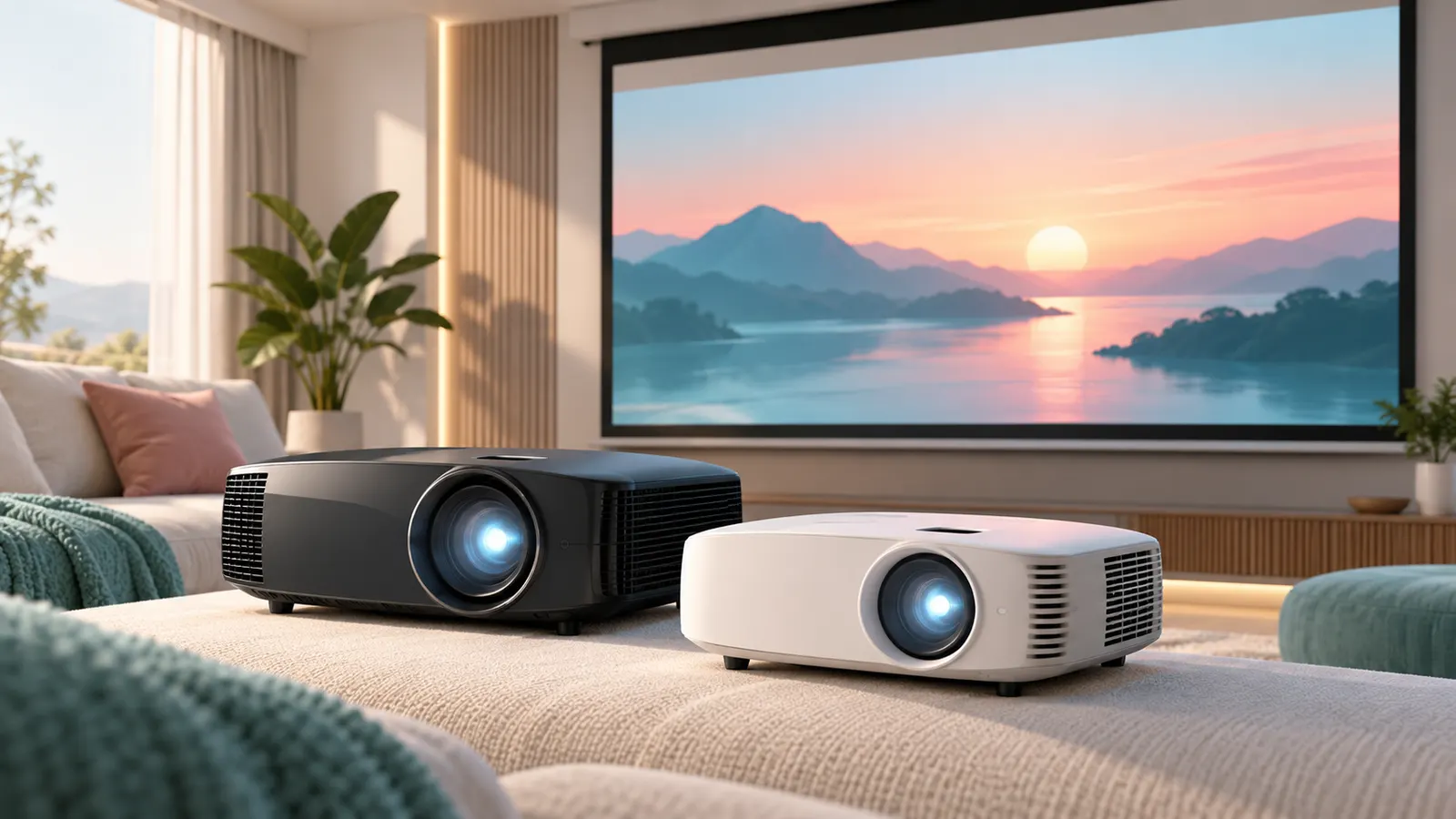
A 4K projector turns a living room wall or a dedicated screen into a large display. The main things that separate models are brightness, the light source, how the 4K picture is produced and how the projector is installed. This guide sticks to projectors whose listings state a 3840 x 2160 native resolution.
The six projectors below run from a 2,000 lumen Sony laser model to a 4,000 lumen Optoma. Brightness, resolution and refresh figures are the makers’ own numbers from each listing page. We have not used these projectors ourselves, and where a listing contradicts itself we say so.
As an Amazon Associate we earn from qualifying purchases. Links below are affiliate links, and they do not change the product information we give.
What to Look For
| Feature | Why it matters |
|---|---|
| Brightness | More lumens help when lights are on; dim rooms need fewer |
| Light source | Laser units list long source life; lamp units list fewer hours |
| Native 4K | Check the listing says 3840 x 2160, not shifted or enhanced |
| Throw distance | Decides where the projector can sit relative to the screen |
| Refresh and lag | Matters for console gaming; figures are the maker’s |
In this guide
Specs at a Glance
| Projector | Brightness (maker) | Resolution | Light source | Notes |
|---|---|---|---|---|
| BenQ TK710 | 3200 ANSI lumens | 3840 x 2160 | Laser, 20,000 hours | HDR10 and HLG; 240Hz at 1080p; 16 ms input lag |
| Optoma UHZ36 | 3500 lumens | 3840 x 2160 | Laser, 30,000 hours | Filmmaker Mode; up to 300 in image |
| ViewSonic PX701-4K | 3200 lumens | 3840 x 2160 | 6,000 hours listed | 240Hz; 4.2 ms input lag; 300 in image |
| Sony XW6100ES | 2700 lumens | Native 4K SXRD | Laser, 20,000 hours | XR Processor; digital keystone |
| Optoma UHD38x | 4000 lumens | 3840 x 2160 | 10,000 hours listed | 240Hz; 4.2 ms at 1080p; HDR10 and HLG |
| Sony XW5000ES | 2000 lumens | Native 4K SXRD | Laser, 20,000 hours | X1 Ultimate processor; 310 W listed |
The 6 Best 4K Projectors for Home Theater

Top pickBest for a bright living room with some light on
1. BenQ TK710 4K Laser Projector
A 3840 x 2160 laser projector with 3200 ANSI lumens, HDR10 and HLG support, a 20,000 hour light source, auto focus, digital keystone correction and a built-in speaker. The listing gives a throw distance of about 8.4 to 16.3 feet and an image up to 144 inches. The maker lists 4 ms response at 1080p/240Hz, 16 ms input lag and 4K at 60Hz for consoles.
Suits: a bright living room with some light on. Strengths: laser source, auto focus and gaming figures. Weaknesses: the listing shows 5 watts, which looks like an error for a laser unit, so we do not rely on it. Skip it if you want a long-throw cinema setup.
View BenQ TK710 4K Laser Projector 3200 Lumens on Amazon
Best for a flexible installation
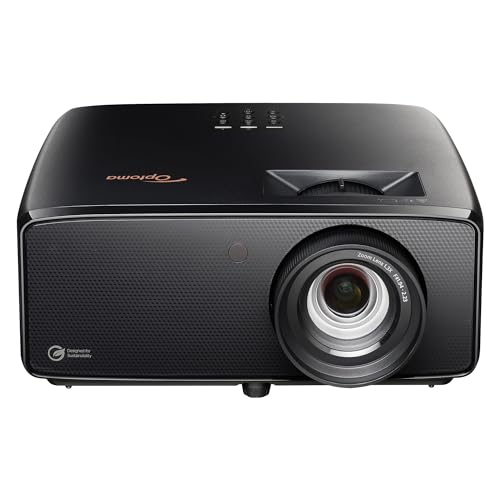
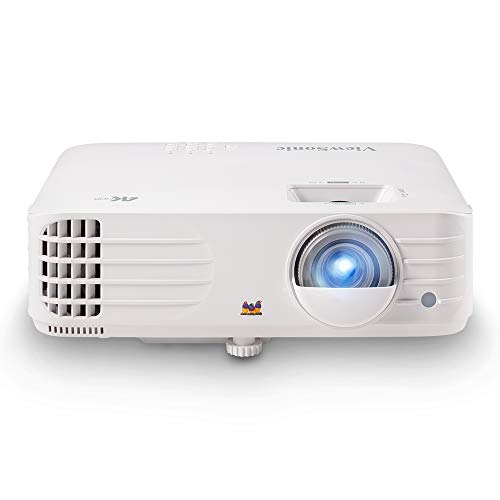
2. Optoma UHZ36 4K Laser Projector
A DLP laser projector with a 3840 x 2160 native resolution, a stated 3500 lumens, 1,500,000 contrast, HDR, Filmmaker Mode and a 30,000 hour light source. It lists a tabletop or ceiling mount, HDMI and USB inputs, a 300 inch maximum image and a throw range from about 3.2 to 34.6 feet.
Suits: a flexible installation. Strengths: the longest source life here and a wide throw range. Weaknesses: the listing mixes in odd tags such as RCA and MPEG-4, so check the ports. Skip it if you want a built-in smart platform.

Best for gaming and movies in one room
3. ViewSonic PX701-4K Projector
A DLP projector with a 3840 x 2160 resolution and 3,200 ANSI lumens. The maker lists a 240Hz refresh rate, 4.2 ms input lag, HDR and HLG support, SuperColor technology, a 12,000:1 contrast ratio and an image up to 300 inches. The light source is listed at 6,000 hours and the power draw at 265 watts.
Suits: gaming and movies in one room. Strengths: the 240Hz figure and low input lag. Weaknesses: the shortest source life in this group. Skip it if you want laser.
View ViewSonic PX701-4K UHD Projector 3200 Lumens on Amazon

Best for a darker dedicated room
4. Sony BRAVIA Projector 8 (VPL-XW6100ES)
A laser projector with a native 4K SXRD panel at 3,840 x 2,160, up to 2,700 lumens, an XR Processor, TRILUMINOS PRO color, an Advanced Crisp-Focused lens and a laser source listed at up to 20,000 hours. Digital keystone correction is listed.
Suits: a darker dedicated room. Strengths: native 4K panel and Sony processing. Weaknesses: the listing gives 3000:1 contrast while its sibling just says high, so treat the number with care. Skip it if you need maximum brightness.
View Sony BRAVIA Projector 8 VPL-XW6100ES 4K Laser on Amazon

Best for a room that stays lit
5. Optoma UHD38x 4K Projector
A projector with a stated 4000 lumens, true 4K UHD resolution, 240Hz refresh, 4.2 ms response at 1080p with an enhanced gaming mode, HDR10 and HLG, 1,000,000:1 contrast and a 300 inch maximum image. The light source is listed at 10,000 hours.
Suits: a room that stays lit. Strengths: the highest brightness figure here. Weaknesses: the listing shows 10 watts, Portable and RCA, which look wrong, so verify before buying. Skip it if you want laser.
View Optoma UHD38x True 4K UHD Gaming Projector on Amazon

Best for a controlled-light cinema room
6. Sony VPL-XW5000ES Laser Projector
A native 4K SXRD projector with up to 2,000 lumens, the X1 Ultimate processor, TRILUMINOS PRO color and a laser source listed at 20,000 hours. The listing shows 310 watts and a Short Throw tag but gives no throw ratio.
Suits: a controlled-light cinema room. Strengths: native 4K panel and a long source life. Weaknesses: the lowest brightness here and no throw ratio on the page. Skip it if you watch with lights on.
View Sony VPL-XW5000ES 4K HDR Laser Projector on Amazon
Care and Setup
- Measure the room and check the throw distance before ordering.
- Use an HDMI cable that supports 4K at the refresh rate you want.
- Leave space around the vents for airflow.
- Keep the lens clean with a lens cloth.
Mistakes to Avoid
- Assuming every 4K label means native 4K.
- Ignoring ambient light when choosing lumens.
- Skipping the throw distance check.
- Forgetting to plan for a streaming device and speakers.
Matching Lumens to the Light in Your Room
Brightness is the spec buyers lean on most, and it is easy to misread. Lumens describe how much light leaves the lens, not how good the picture looks. A projector in a room with open curtains has to fight daylight that washes out dark scenes, while the same projector in a closed, dark room can look bold at a much lower figure. Start by deciding when you will actually watch. If most viewing is at night with the lights off, a lower lumen figure is usually enough. If the projector will share a living room with lamps, windows or a kitchen opening, you want more headroom.
Image size matters too. The same light spread over a larger image looks dimmer, so a 150 inch picture needs more output than a 100 inch one to feel equally punchy. Wall color plays a part as well: a white or light gray wall reflects more light back than a dark or textured one.
Also remember that makers quote lumens in different ways, and the number is usually for the brightest picture mode. Movie modes that aim for accurate color often give up some output. Treat the headline figure as a ceiling, not the brightness you will see in the mode you use for films. Check whether the listing says ANSI lumens or simply lumens, and keep in mind that all of these numbers are maker claims you cannot verify from a product page.
Laser or Lamp: What Ownership Looks Like
The light source changes how you live with a projector over several years. Lamp projectors typically list a few thousand hours of source life, and when the lamp fades or fails you buy a replacement and install it. Laser projectors list far longer source life, and the light level tends to fall slowly instead of the unit needing a part swap. That makes laser attractive for people who watch daily or who mount the projector high on a ceiling where changing parts is awkward.
Laser models usually cost more up front, so the real comparison is how many hours you expect to run it. A projector used for the occasional weekend movie may never reach the lamp life listed, which makes a lamp model a reasonable budget choice. A projector running several hours every evening will reach it much sooner.
Lamp units often need a short warm-up and should be allowed to cool before being unplugged or moved, so check the manual. Laser units generally start up quickly. Whichever you pick, read the listing for the stated source hours, ask how a replacement lamp is sourced if the unit uses one, and note that source-life hours are the maker’s estimate and often assume a particular brightness mode. Running in a lower-output mode can extend life, but the details are in the manual.
Screen or Bare Wall
A smooth, light-colored wall works as a starting point, and many people begin there. A dedicated screen usually improves things in three ways: it is flat, it has a known reflectivity, and it often has a black border that frames the picture and makes edges look cleaner. If your wall has texture, even slight orange-peel, a 4K image can look soft or noisy because the fine pixels land on bumps.
Fixed-frame screens stay taut and flat and suit a room used only for viewing. Pull-down and motorized screens roll away, which helps in a shared living space. Check that the screen aspect ratio matches your content, which for most films and shows is widescreen 16:9, and that the screen size fits within the maximum image size the projector lists.
Ambient light screens are designed to reflect light from the projector direction while rejecting light from other angles, which can help in a lit room, though they work best with the projector placed as the screen maker specifies. Gain is another term you will see: higher gain reflects more light toward the viewer but can narrow the seating angle and sometimes shows hot spots. For most home rooms a neutral gain is a safe starting point. Always check the screen listing for its rated size and for whether it is compatible with the projector throw type you are buying.
Planning Placement, Mounting and Cables
Most installation regrets come from not planning the path between the projector and the source. Start with the throw distance. Every projector has a range of distances at which it can fill a given screen size, and the listing or manual shows this as a throw ratio or a distance chart. Measure from the lens position to the screen and confirm your screen size falls inside the range. If the projector will sit on a table, check the height of the table against the lens position so the image lands on the screen without heavy tilting.
Digital keystone correction can square up a tilted image, but it reshapes the picture electronically and can soften it. Lens shift, where present, moves the image optically and is generally preferable. Check the listing to see which the model offers and how far it moves.
For a ceiling mount, use a mount rated for the projector weight and fix it into a ceiling joist, not just drywall. Leave room around the vents so heat can leave the case. Cable runs deserve thought: a long HDMI run at 4K needs a cable certified for the bandwidth you want, and very long runs may need an active or fiber cable. Plan where power, source devices and speakers will sit before you drill any holes, and consider running a spare conduit or cable for future upgrades.
Getting the Picture Right After Setup
A projector out of the box is rarely at its best. Begin with focus: project a still image with fine text and adjust until the text is sharp across the frame, not just in the middle. Then set the image size and square it up. Let the projector warm up for a few minutes before final focus, since the image can shift slightly as it heats.
Next, choose a picture mode. Cinema, movie or filmmaker-style modes aim for natural color and are meant for dim rooms, while brighter presets trade accuracy for output and suit rooms with some light. Avoid heavy motion smoothing for films if you dislike the soap-opera look; it is a setting you can turn off. If your streaming device or player sends HDR, make sure the projector input is set to accept it, and check that the source is set to output the resolution and range you expect. The manual will show which HDMI input handles the highest bandwidth.
Calibration discs and built-in test patterns can help you set brightness and contrast without special tools. Do not chase perfection on day one: set the basics, watch a few familiar scenes, then adjust gradually. Revisit settings if you change screens, move seats or repaint walls, because all of these change how the picture looks.
Reading the Resolution Claim: Native or Shifted?
The phrase 4K on a projector listing can mean two quite different things. Some models use a panel with the full 3840 x 2160 grid of pixels, while others use a lower-resolution chip that moves rapidly to build a 4K image. Both can produce a sharp result at viewing distance, but the listing should say which method it uses, and the difference is worth understanding.
Native panels show the finest detail without relying on rapid shifting. Shifting systems can still look convincing in a living room, especially with good source material, and they often fit lower budgets. Rather than assume, read the specification section for terms such as native resolution, pixel shifting or enhancement. If a listing is vague, check the maker’s own product page.
The source you feed the projector matters just as much as the panel. A 4K streaming app, a 4K disc player or a console that outputs 4K will all show the benefit, while a standard cable box signal will look like a stretched, softer picture. Check that the HDMI port you plan to use supports the resolution and refresh rate you want.
| Term on the listing | What it usually means |
|---|---|
| Native 4K | The imaging chip has the full pixel count |
| 4K enhancement or shifting | A lower-resolution chip builds the picture by moving |
| Supports 4K input | Accepts the signal, may scale it down |
| HDR support | Can read high dynamic range signals, brightness decides the result |
A Room Walkthrough Before You Commit to a Projector
Great specs fall flat in the wrong room, so walk through your space with the projector’s needs in mind. Begin by standing where the unit will sit and looking at where the image will land. Is the wall flat and light in color, or does it have texture, windows and wall hangings? A dedicated screen usually gives a cleaner picture, but a smooth painted wall can do the job for casual viewing.
Measure the distance from the lens position to the screen, then compare it with the throw ratio range on the listing or manual. This tells you the largest and smallest image you can fill. Make sure the projector’s lens shift or keystone options can correct for a mounting position that is not perfectly centered, and remember that heavy digital correction can soften the image.
- Plan where power, HDMI and any audio cables will run.
- Leave clear space around vents so heat can escape.
- Choose a mounting method the maker supports, and use a licensed professional for ceiling work if you are unsure.
- Think about how you will block daylight, such as curtains or blackout shades.
Once you have these answers, comparing the six models becomes more practical, because you know which numbers actually matter in your room.
Designing the Room Around the Picture
A projector is the only display that asks you to design the room as part of the purchase, and the buyers who are happiest with their setup are the ones who treated the room as a component. Start with light. A projector image is light reflected off a surface, so every lumen of ambient light in the room competes with it, washing out blacks and flattening contrast. Blackout curtains or shades, a door that closes, and dimmable lights you can actually turn fully off transform what any projector in this guide can do. A mid-range model in a properly darkened room will look better than a premium model fighting afternoon sun through sheer curtains, every single time.
Walls and ceiling are the second consideration, because they are part of the optical system whether you plan them or not. Light from the screen bounces onto nearby surfaces and back onto the screen, lifting black levels. Dark, matte colours near the screen, even just on the wall behind it and the first stretch of ceiling, noticeably deepen the picture. Few living rooms can become full cinema caves, and they do not need to: controlling the surfaces closest to the screen captures most of the benefit. Renters can use removable panels, curtains or a large dark throw as a compromise that still helps.
Seating distance and screen size are a matched pair, and bigger is not automatically better. Sit too close to a very large image and you start seeing pixel structure and source flaws, and your eyes tire scanning the frame during action scenes. Sit too far from a small image and the cinema effect evaporates. The comfortable middle is where the screen fills your central vision without forcing head movement, and most viewers land there by testing with a taped outline or a cheap temporary screen before committing to a size. Every projector in this guide has a throw range that suits particular sizes, so let your measured seating distance nominate the screen size, then check which picks throw that size from your available mounting position.
Sound belongs in the room plan too. A big picture with thin sound feels unfinished, and projector built-in speakers are a convenience, not a destination. Plan where a soundbar or speakers will sit, how cables will reach them, and whether dialogue will be clear at your seating position. Rooms with hard floors and bare walls echo, which blurs dialogue; a rug, soft furnishings and curtains tame that echo while also helping the light control. The room is doing double duty in a projector setup, and a little planning makes it do both jobs well.
Screens, Walls and What the Image Actually Lands On
The surface you project onto shapes the image as surely as the projector does, and it is the most under-bought part of most setups. A proper screen gives you a flat, colour-neutral, consistently reflective surface with a border that frames the image and tricks your eye into seeing deeper contrast. A wall can work, and many households start there, but walls bring texture, slight colour casts and imperfections that the projected light reveals mercilessly. If you start on a wall, choose the smoothest, lightest one available, and know that a screen remains the single most visible upgrade you can add later.
Screen material involves a genuine trade-off. Standard matte white screens suit dark rooms and wide seating, spreading light evenly to every seat. High-gain screens concentrate light toward viewers sitting centrally, which helps in brighter rooms or with a less bright projector, but narrow the good seats and can show hotspots. Ambient-light-rejecting screens are engineered for living rooms that cannot be fully darkened, preserving contrast by reflecting projector light toward viewers while absorbing light from windows and lamps, and for many family rooms they are worth more than a step up in projector brightness. Match the screen to the room’s light problem, not to a showroom ranking.
Size and format deserve the same care. A screen that suits films may leave everyday television feeling small if black bars dominate, while a screen sized for television can make films feel cramped. Most home viewers settle on the larger size their seating distance supports and accept letterboxing as part of cinema. Pull-down and portable screens suit rooms that must return to normal life daily; fixed screens suit dedicated rooms; painted screen coatings suit walls you own and can prepare properly. Each option is respectable, and the right one is the one your room and household will actually keep using.
Do not overlook the border and the wall behind the screen. A black border around the image, whether from the screen’s frame or from masking panels, makes the picture look sharper and more contrasty by giving your eye a true black reference. It is the cheapest-looking upgrade with the most expensive-looking effect. Combined with tidy cable runs and a screen hung level and taut, it is what separates a setup that looks installed from one that looks improvised, regardless of which projector from this guide hangs behind the seats.
Living With a Projector: Noise, Heat, Lamps and Habits
Projectors ask for a few lifestyle adjustments that television owners never think about, and knowing them in advance prevents buyer’s remorse. Fan noise is the first. Every projector moves air to cool its light source, and in quiet film scenes you will hear it if the unit sits close to the seating. Eco or quiet modes reduce brightness and noise together, mounting the projector a little farther from ears helps, and models differ genuinely in how refined their cooling sounds. If your seating places the projector directly overhead, noise deserves real weight in your choice between the picks in this guide.
Light source life is the second adjustment. Traditional lamps dim gradually over their life and eventually need replacement, which is a real, budgetable cost of ownership. LED and laser light sources last far longer and hold their brightness and colour more consistently, effectively removing lamp changes from the ownership picture, which is one reason they feature so strongly in modern lineups. Either way, brightness on day one is not brightness in year three, and a setup with a little brightness headroom, or a screen choice that helps, ages more gracefully than one run at its maximum from the start.
Heat and ventilation are the quiet third factor. A projector is a small heater, and in a small closed room it will warm the air during a long film, which affects comfort and, if the projector’s own intake air gets hot, its cooling efficiency. Leave the clearances the manual specifies, avoid enclosing a projector in an unventilated cabinet or hush box built without thought, and keep filters clean on the schedule the manual sets. Dust on filters and optics is the slow thief of both brightness and quietness, and a few minutes with a soft brush on schedule prevents most of it.
Daily habits complete the picture. Projectors reward being switched on for a proper viewing session rather than flicked on and off for two-minute checks, and they dislike having their power cut at the wall while fans are still cooling the light source. A surge protector, a remote routine the whole household understands, and a lens cap or cover habit in dusty rooms all extend the machine’s good years. None of this is burdensome; it is simply a different ownership rhythm from a television, and households that adopt it find a projector no harder to live with than any other appliance.
Gaming, Sports and Everyday Television on a Big Screen
Not every hour in front of a projector is a film, and the other uses have their own priorities. Gaming cares about input lag, the delay between your controller and the picture, which matters in fast games and barely at all in slow, story-driven ones. Many projectors offer a game mode that trims processing to cut lag, usually at some cost to picture refinement. If gaming is a headline use in your household, test your favourite style of game in that mode early, and let the result, not a headline specification, tell you whether the setup works for you.
Sports care about motion handling and brightness. Fast pans across a pitch or court expose how a projector deals with movement, and a room bright enough for a group of friends to eat, talk and watch together pushes brightness harder than a darkened film night does. This is where the brighter picks in this guide and a screen chosen for ambient light earn their place. Sports viewing is social viewing, and a setup that only works in total darkness with everyone silent is a setup that will lose the room by halftime.
Everyday television, news, streaming series and children’s programmes, cares mostly about convenience. Quick start-up, a picture that looks acceptable with some light in the room, sound that is clear without firing up the full audio system, and a remote that everyone can drive all decide whether the projector becomes the household’s main screen or a weekend treat. Neither role is wrong, but be honest about which one you are buying for, because a dedicated cinema setup and a family-room workhorse are optimised differently, and the picks in this guide lean in different directions.
Source quality ties all three uses together. A projector magnifies everything, including the flaws of a poor stream, a low-resolution broadcast or an old DVD. Feeding it the best source you reasonably can, a good streaming tier, a decent player, a solid HDMI cable run that is not at the ragged edge of its length, pays off more visibly on a large screen than on a television. When a picture disappoints, check the source before blaming the projector; on a screen this size, the weakest link in the chain is rarely the machine itself.
A Sensible Upgrade Path: What to Improve and in What Order
Projector setups improve in a fairly predictable order, and knowing the order saves money. The first upgrade is almost always light control, because it costs little and improves every other component you own. The second is the screen, which locks in size, flatness and contrast for every future projector. The third is sound, because audiences forgive a modest picture with great sound far more readily than a great picture with poor sound. Only after those three does a projector upgrade deliver its full value, since a brighter, sharper machine shining onto a wrinkled wall in a bright room with tinny audio is money spent where the eye and ear cannot collect it.
Within the projector itself, think about what actually limits your current viewing. If films look washed out, the answer is light control or contrast, not raw brightness. If the image is dim on your screen size, brightness or screen gain is the lever. If you are tired of lamp changes and warm-up waits, a long-life light source is the lever. If the picture is sharp in the centre and soft at the edges, lens quality is the lever. Matching the upgrade to the limitation is the whole skill, and it is why two households with the same budget can both be right while buying different picks from this guide.
Cabling and mounting deserve a line in the plan, because they are miserable to change later. Run the best HDMI cable your length requires while the room is in disarray, consider running a spare or a conduit if the run is long or buried, and mount the projector on something rigid that will not drift when doors slam. A mount that slowly sags ruins alignment a millimetre at a time and is a common, misdiagnosed cause of a setup that never looks quite right. Doing these jobs once, properly, is worth more than a small step up in projector specification.
Finally, keep the whole system in proportion. A projector setup is a chain, and the experience is set by its weakest links: room, screen, sound, source, machine. The picks in this guide are all capable of genuinely cinematic evenings; which one is right for you depends on your room’s light, your screen size, your seating and your mix of films, games and everyday viewing. Buy for the room you have, upgrade the chain in order, and the setup will keep improving long after the first film’s credits roll.
Choosing Content and Settings for Different Kinds of Evenings
A projector setup serves different masters on different nights, and the households that get the most from theirs learn to adjust a handful of settings rather than living with one compromise. Film nights reward the most accurate picture mode, lights fully out and sound given its head. Sports afternoons reward brightness and motion handling with the lights partly up. Late-night viewing, when others are asleep, rewards the quiet fan mode, lower brightness and subtitles you can read without waking the house. Most modern projectors store these as selectable modes or memories; spending twenty minutes setting them up once pays out for years.
Picture modes deserve a plain explanation. The most accurate mode is rarely the brightest, because accuracy spends brightness on correct colour and contrast, while showroom modes push brightness and saturation to grab attention under shop lights. At home, in the dark, accuracy wins: faces look like faces, night scenes hold their detail, and your eyes tire less across a long film. Use the brighter modes when the room demands them, for daytime sport or a children’s matinee, and return to the accurate mode for films. That simple habit closes most of the gap between home projectors at very different prices.
Sound settings follow the same pattern. Dialogue clarity is the feature every household actually needs, and most systems offer a mode or adjustment that favours it. Film soundtracks mix dialogue against music and effects at levels designed for cinemas, which is why home viewers ride the volume control; a centre-focused or dialogue-enhancing setting, or simply placing the sound source closer to the seating, fixes more evenings than any other adjustment. Test your settings with a quiet, talky scene rather than an action sequence, because that is where home systems struggle.
Streaming quality is the variable nobody budgets for. A projector reveals compression mercilessly on a big screen: banding in skies and shadows, softness in faces, artefacts in dark scenes. The highest streaming tier your service offers, a wired connection or strong wireless signal to the player, and a player set to output the best format the projector accepts all show up directly on the screen. When a film looks disappointing, this chain is the first place to investigate, before the projector’s own settings and long before the projector itself.
Finally, build a small pre-film ritual: lights down, mode selected, sound set, phones away. It sounds precious and it works, because it tells everyone in the room, including you, that the next two hours are an event rather than background. That ritual is the true difference between owning a projector and owning a cinema habit, and it costs nothing beyond the decision to keep it.
Projectors for Work, Study and Big Shared Screens
Home projectors quietly moonlight outside entertainment, and for some households the second job justifies the purchase. A big projected image is a generous way to share photographs and home video with a room full of family, to follow a recipe or a workout video without squinting at a tablet, or to give children a shared screen for school projects and presentations. Students in shared houses use them for revision sessions and film society evenings; home workers occasionally use them for presentations practice. None of these uses needs cinema darkness, which makes them a forgiving daytime role for the brighter picks in this guide.
Presentations and shared documents have their own priorities: text legibility beats colour drama, so a brighter mode, a slightly smaller image and seating closer to the screen serve better than the full cinema treatment. Wireless casting from a laptop or phone, where a model supports it, removes the cable dance that otherwise precedes every shared session. If these uses are central in your household, say so when choosing: connectivity and brightness deserve more weight, and ultimate film contrast a little less, than a pure cinema brief would suggest.
The larger point is that a projector, unlike a television fixed to one wall, is a flexible pool of screen size the household can deploy where it is needed. That flexibility, added to the film evenings the machine was bought for, is why projector households rarely go back. Choose the pick whose brightness, throw and connections fit both your cinema and your everyday sharing, and the machine will be working for you far more hours than the film schedule alone would predict.
4K Projector FAQ
Is native 4K different from 4K shifted?
Yes. Native means the panel itself has 3840 x 2160 pixels. We left out a model whose maker calls it 4K PRO-UHD.
How many lumens do I need?
Brighter figures suit lit rooms. Darker rooms can use the lower numbers.
Do I need a special HDMI cable for 4K projection?
Use a cable certified for the bandwidth of the signal you plan to send, especially for 4K at higher refresh rates with HDR. For long runs, check whether an active or fiber HDMI cable is recommended. The projector manual shows which input supports the highest bandwidth.
Can I use a 4K projector for console gaming?
Many 4K projectors accept console signals, but input lag and the refresh rates supported at 4K differ by model. Check the listing for a gaming mode and for the resolution and refresh combinations it supports. The figures are the maker's claims.
Why does my projector image look dim even though it has high lumens?
Ambient light, a large image size, a dark or textured wall and a low-output picture mode all reduce perceived brightness. Try a smaller image, darker room conditions or a brighter picture mode to see which factor matters most.
Is keystone correction bad for picture quality?
Digital keystone reshapes the image electronically and can reduce sharpness, so it is best used for small adjustments. Positioning the projector squarely to the screen, or using lens shift where available, gives a cleaner result.
How loud are projector fans?
It varies by model and brightness mode, and listing noise figures are maker claims. Higher-output modes spin the fan faster. If you sit close to the projector, check for a quieter eco mode and avoid mounting it directly behind seating.
Do I need to buy speakers separately?
A built-in speaker is fine for casual viewing, but most home theater setups use a soundbar or receiver with speakers. Check which audio output the projector offers, such as HDMI eARC or an optical port, or plan to feed audio from your source device instead.
How should I clean the lens?
Use a soft microfiber lens cloth or a blower, and only use lens cleaning fluid if the manual allows it. Avoid paper towels and household cleaners, and switch the unit off and let it cool first.
Do I need a screen, or is a wall good enough to start?
A smooth, light-coloured wall is a perfectly reasonable way to start, and many households use one happily for months. A screen becomes worthwhile when you want a flatter surface, truer colour, a defined border for perceived contrast, or help against ambient light. Treat the wall as your trial period: if you love the size and the habit of projector viewing, the screen is the upgrade you will appreciate most.
How dark does the room really need to be?
For films, as dark as you can comfortably make it: blackout window coverings and lights fully off give you the contrast the projector was designed for. For sports, gaming and everyday television, moderate light is fine, especially with a brighter model or an ambient-light-rejecting screen. The honest test is your own room at your usual viewing hour, not a showroom.
Can a projector replace our television entirely?
It can, and many households do it, provided the room’s light is managed, the sound is sorted and everyone is comfortable with the projector’s start-up and viewing rhythm. Households with heavy daytime viewing in a bright room often keep a television for daily use and let the projector own evenings and events. Either arrangement is sensible; the mistake is expecting one setup to be perfect at both without compromise.
What maintenance does a projector actually need?
Keep air filters clean on the schedule in the manual, maintain the ventilation clearances, keep dust off the lens with a soft blower or cloth made for optics, and replace a lamp when yours reaches the end of its rated life or dims noticeably. Long-life light source models remove the lamp task, leaving filters and dust as the whole routine.
Should I use the projector’s eco or quiet mode for films?
If the projector sits near your seating, quiet mode often improves the evening more than the small brightness it costs, especially in a well-darkened room where you have brightness to spare. In a brighter room or on a very large screen, run the standard mode and accept the fan. Test both during a quiet scene in the first week and let your own ears decide; there is no universal answer.
Why do dark scenes look grey rather than black?
Projectors cannot create black; they can only withhold light, so the black you see is your screen lit by whatever light remains in the room plus the projector’s own floor. Grey blacks usually mean ambient light, light bouncing from pale walls and ceilings, or a brightness setting raised too high. Darken the room, lower the brightness control to the accurate range for your mode, and the same scenes will deepen noticeably.
The Short Version
For a bright living room, the BenQ TK710. For the longest laser life, the Optoma UHZ36. For gaming figures, the ViewSonic PX701-4K. For a native 4K panel, the Sony XW6100ES. For the highest lumens, the Optoma UHD38x. For a dark cinema room, the Sony XW5000ES.