Affiliate disclosure: As an Amazon Associate, Daily Home Decorating may earn from qualifying purchases. Product links may earn a commission at no extra cost to you.
The best 280mm water coolers for AM4 are all-in-one (AIO) liquid CPU coolers that include the correct AMD mounting hardware and physically fit your case. A “280 mm” label usually means a radiator designed for two 140 mm fans; it does not mean the radiator itself is exactly 280 mm long. A radiator can be more than 315 mm long, and its real thickness includes both the radiator and fans. That difference is why case-fit checks are just as important as the AM4 socket label.
This guide focuses on the 280 mm radiator class for AMD’s AM4 desktop socket. It is distinct from a 240 mm cooler roundup and a 360 mm roundup: the 280 mm format balances two larger fans against a radiator footprint that many, but not all, mid-tower cases support. We compare models by AM4 bracket support, physical dimensions, cabling, controls, and installation tradeoffs. We have not tested these products side by side, so the shortlist is based on manufacturer specifications rather than a lab ranking.
AM4 compatibility answers one question: whether the cooler can mount to the motherboard’s CPU socket using the correct bracket. It does not establish whether the radiator fits the case, clears memory or motherboard heatsinks, or suits a particular processor’s heat output. Check all three before buying: socket, case clearance, and CPU workload.
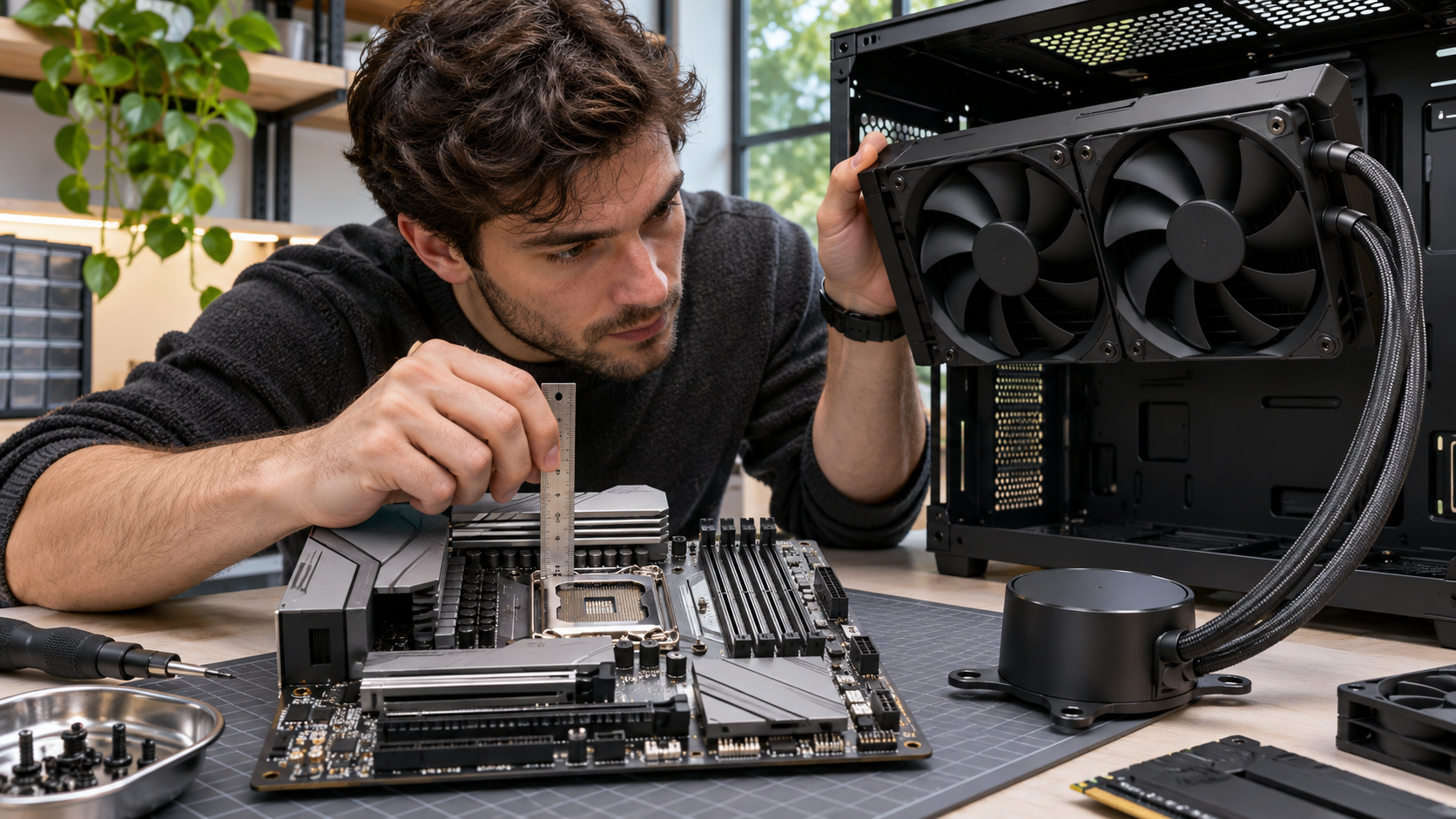
Quick shortlist: 280 mm AIO options for AM4 builds
| Model family | AM4 support | 280 mm fit detail | Who should consider it |
|---|---|---|---|
| ARCTIC Liquid Freezer III 280 | Yes, manufacturer lists AM4 | Thick 38 mm radiator plus fans; reserve roughly 63–65 mm of mounting depth | Builders who want a dense radiator and check case clearance carefully |
| NZXT Kraken 280 RGB (2023) | Yes, NZXT lists AM4 | 315 × 143 × 30 mm radiator; includes two 140 mm RGB fans | Builders who want a pump display and software-managed lighting |
| CORSAIR iCUE H115i Elite Capellix XT | Yes, CORSAIR lists AM4 | About 322 × 137 × 27 mm radiator; verify exact case position | Builders already using CORSAIR lighting or iCUE components |
| ARCTIC Liquid Freezer II 280 A-RGB | Yes on manufacturer documentation; verify bundle revision | 38 mm radiator plus fans, similar clearance concern to Liquid Freezer III | Buyers comparing a prior-generation cooler and confirming included hardware |
Product configurations and stock can change. Amazon cards below use verified Creator API product records where available. For models without a confirmed Creator API ASIN in the exact 280 mm configuration, the card links to an Amazon search using the full model name; choose the correct 280 mm product and verify the AM4 bracket before ordering.
ARCTIC Liquid Freezer III 280
A current 280 mm option with manufacturer-listed AM4 support and a thicker 38 mm radiator. Confirm exact model, case depth, and whether the cooler’s pump-side VRM fan clears nearby components.

NZXT Kraken 280 RGB
A 280 mm AIO with a 1.54-inch pump display, two 140 mm RGB fans, and NZXT CAM control. NZXT’s support specifications list AM4 support and a 315 × 143 × 30 mm radiator.
CORSAIR iCUE H115i Elite Capellix XT
A 280 mm radiator cooler with CORSAIR’s RGB and iCUE ecosystem. CORSAIR lists AMD AM4 support. Use the model code in the search and check the box for the AM4 bracket and included controller.

ARCTIC Liquid Freezer II 280 A-RGB
A prior-generation 280 mm option with two 140 mm RGB fans and a 38 mm radiator. ARCTIC’s documentation lists AM4 support, but verify revision, included brackets, and seller condition before buying.
In this guide
What “280 mm” means for an AIO radiator
A 280 mm AIO is generally built around two 140 mm radiator fans placed side by side. The number refers to the fan/radiator class, not the total external length of the assembly. The end tanks, screw rails, fittings, and fan frames add length and width. Manufacturer drawings for the specific cooler are more useful than the size label alone.
For example, NZXT lists its 2023 Kraken 280 radiator at 315 × 143 × 30 mm. CORSAIR’s H115i Elite Capellix XT is listed at roughly 322 × 137 × 27 mm. ARCTIC lists a 317 × 138 × 38 mm radiator for the Liquid Freezer III 280. Those differences can determine whether a radiator clears a case’s front panel, top rail, motherboard heatsink, or memory modules.
The Liquid Freezer III’s radiator is notably thicker than the 27–30 mm radiators in the other examples. Add fan thickness to radiator thickness when checking depth. ARCTIC’s stock P14 fans are listed around 27 mm thick, so radiator plus fan stack is about 65 mm. A case that officially supports “280 mm” may still have a maximum thickness limit that excludes a thick radiator assembly. Check the case manual’s supported overall clearance, not only the fan mount pattern.
Mounting position changes what can interfere. A top-mounted radiator can compete for space with tall memory modules, motherboard VRM heatsinks, EPS power cables, or the top edge of an ATX board. A front-mounted radiator can reduce graphics-card length clearance, depending on the case’s interior layout. A side-mounted position may be limited by cable channels or motherboard tray features. Measure the actual component arrangement before removing protective films or applying thermal paste.
AM4 socket compatibility: bracket, backplate, and board details
AM4 is AMD’s desktop socket used by Ryzen processors across several generations. A cooler advertised for AM4 should include or support the bracket geometry that matches an AM4 motherboard. But a product family may have revisions, region-specific boxes, or reseller bundles with different mounting accessories. If buying an older or open-box cooler, inspect the kit contents and ask the seller about the AMD hardware before assuming it is complete.
Read the model’s AMD installation guide. Many AM4 AIO mounts use the motherboard’s stock backplate after removing the plastic retention brackets, but mounting systems differ. Do not discard the original backplate or other motherboard parts. Some coolers use a custom backplate, offset bracket, or dedicated standoffs. The wrong screw length or an incorrectly oriented bracket can prevent even contact or damage the board or socket.
Socket compatibility also does not guarantee CPU support in the motherboard BIOS. AM4 motherboards may need a BIOS version that supports a particular Ryzen processor. That is separate from cooler mounting. Confirm the motherboard maker’s CPU support list and the cooler’s bracket requirements independently.
ARCTIC’s Liquid Freezer III support page explicitly lists AMD AM4 and shows the model’s offset mounting arrangement for AM4 processors. NZXT’s Kraken (2023) specification page lists AM4 and the 280 mm dimensions. CORSAIR’s AIO socket compatibility table includes the H115i Elite Capellix XT under AMD AM4. These manufacturer pages are the references to use for the exact product family and revision.
Does a 280 mm AIO make sense for an AM4 CPU?
It depends on the processor, workload, case airflow, ambient temperature, noise target, and budget. A 280 mm radiator provides a larger fan/radiator format than a 240 mm AIO, but the number alone does not predict a fixed temperature improvement. Pump design, fin density, fan curves, radiator thickness, case airflow, and the test workload all matter. A well-chosen 240 mm cooler may be sufficient for many AM4 builds, while a 280 mm model may be attractive when you want additional radiator area, quieter fan tuning, or a balanced upgrade in a compatible case.
AM4 includes a wide range of processors. A cooler choice for a Ryzen 5 used mainly for gaming is different from a heavily loaded Ryzen 9 rendering or compiling for hours. Check CPU power limits and your motherboard’s VRM capability as well as the cooler. A larger liquid cooler cannot compensate for poor case airflow, an unsuitable CPU configuration, a bad thermal paste application, or a motherboard that throttles the processor.
Think about fan noise at the speed you will actually use. A large radiator can sometimes allow lower fan speeds for a given heat load, but that outcome depends on the exact cooler and system. Manufacturer specifications do not establish comparative acoustic performance. If quiet operation is central, compare independent test results for the exact cooler revision, CPU, case, ambient temperature, workload, and noise measurement before making a claim about which one is quieter.
For an older AM4 system, consider the full upgrade cost. A 280 mm AIO may require a larger case, fan control headers, internal USB, an RGB controller, and a different motherboard layout. If the CPU is modest or the case is small, a high-quality air cooler or 240 mm AIO may be a better-value solution. The goal is to match cooler capacity and form factor to the actual system, not to buy the largest size the budget allows.
Case-clearance checklist before ordering
- Check radiator position support. Confirm the exact case supports a 280 mm radiator at the front, top, or side you plan to use.
- Check the radiator’s real length and width. Compare the manufacturer’s dimensions with the case’s radiator tray and end-tank clearance.
- Check total stack thickness. Add radiator thickness, both fans if using push-pull, and any mounting rails or vibration pads.
- Check memory and motherboard clearance. For a top mount, measure from the case rail to RAM, VRM heatsinks, EPS cables, and board components.
- Check graphics-card space. For a front mount, account for the radiator, fans, and any front bracket relative to the GPU length.
- Check tube reach and bends. Confirm the tubing can reach the CPU block without being sharply kinked or pressed against a component.
- Check header and controller needs. Verify pump, radiator fan, RGB, and internal USB connections against the motherboard and case.
- Check orientation guidance. Follow the cooler maker’s instructions for pump and radiator placement to reduce trapped air noise and avoid improper mounting.
Do not rely solely on a case’s general phrase “supports 280 mm radiators.” The fine print may list maximum thickness or require specific fans, front bays removed, or a motherboard form factor. If a case lists a 55 mm radiator-plus-fan limit, an assembly around 65 mm will not fit at that location even if the fan spacing is correct.
Cooler-by-cooler buying notes
ARCTIC Liquid Freezer III 280: thick radiator and AM4 offset mounting
ARCTIC’s Liquid Freezer III 280 supports AM4 and includes a pump block with an auxiliary fan for nearby VRM airflow. The manufacturer lists a 38 mm radiator, which is thicker than many standard AIO radiators. The installation guide shows the AM4 offset mount and explains that part of the CPU heat spreader may remain visible because the cold plate is positioned over the processor’s hotspot; the maker says the contact area is intentional and sufficient for its design.
Its main buying question is fit. Measure the total radiator-and-fan depth carefully, and check motherboard clearance for the pump block and VRM fan. The ARCTIC manual lets the builder choose a single combined PWM connection or separate pump, VRM fan, and radiator-fan control; separate control requires more motherboard headers. This is a good option to research if the case has generous radiator clearance and the AM4 board layout suits the block, but not a “fits every 280 mm case” recommendation.
ARCTIC publishes a six-year warranty for this product family in its specifications. Confirm that warranty terms apply to the exact variant and region you buy. Current manufacturer references include the Liquid Freezer III 280 product page, the AM4 installation guide, and the radiator drawing.
NZXT Kraken 280 RGB: display, 140 mm RGB fans, and CAM wiring
NZXT’s 2023 Kraken 280 RGB combines a 280 mm radiator with two F140 RGB Core fans and a 1.54-inch display on the pump cap. NZXT lists AM4 compatibility, a 315 × 143 × 30 mm radiator, and a 400 mm tube length. The screen and lighting are the visual features; the buyer should also plan for the wiring. NZXT specifications list a USB 2.0 internal connection, SATA power, pump connection, and fan wiring, and the RGB version includes an NZXT controller.
This can be a fit for a themed build where the display and software are valued and the case has space for the 143 mm width and 30 mm radiator depth plus fans. Check whether the motherboard has an available internal USB 2.0 header and enough cable reach. The pump display is small, and installation of its software ecosystem may not appeal to someone who wants minimal background software or simple wiring.
NZXT’s support document lists AM4, dimensions, model numbers, and included fans. Use that official Kraken 2023 specifications page to distinguish the Kraken 280 from Kraken RGB 280 and Kraken Elite variants, which have different included fans and sometimes different displays.
CORSAIR iCUE H115i Elite Capellix XT: AM4 support and iCUE ecosystem
CORSAIR lists the H115i Elite Capellix XT as a 280 mm liquid CPU cooler with AF RGB Elite fans, modular mounting brackets, pre-applied thermal paste, and support for AMD AM4 and AM5. Its radiator is approximately 322 × 137 × 27 mm. This profile is thinner than the ARCTIC Liquid Freezer III radiator, but case fit still depends on total thickness with fans and the placement of end tanks, fittings, and tubes.
This model may suit a PC already using CORSAIR RGB fans, memory, or iCUE control. Check the exact box for the controller and cables included in the selected variant, and make sure your case has mounting depth and cable routes. The manufacturer socket table names H115i Elite Capellix XT under AM4, and the CORSAIR product page lists socket support and fan details. Search for the full model code rather than a shortened “H115i” phrase so retailer listings do not mix it with older H115i versions.
References: CORSAIR H115i Elite Capellix XT product details and the CORSAIR socket compatibility table.
ARCTIC Liquid Freezer II 280 A-RGB: a previous generation to check carefully
The Liquid Freezer II 280 A-RGB is an earlier ARCTIC generation, but the manufacturer’s support materials list AM4 compatibility. Its radiator is also 38 mm thick, so clearance deserves the same attention as on the Liquid Freezer III. The product adds A-RGB lighting and uses a pump-side fan design. Some retail listings may be older stock, open-box, or a different revision, so confirm the exact SKU, included AM4 hardware, warranty, and seller return policy.
Do not assume the listing title’s mention of LGA1700 means the product lacks AM4 support, or assume a generic Liquid Freezer II listing includes every mounting accessory. Consult the exact revision’s ARCTIC support manual and ask the seller if the box has been opened. The manufacturer’s Liquid Freezer II 280 A-RGB page explains the family’s AMD compatibility, offset mounting, radiator, and cable management.
280 mm versus 240 mm and 360 mm on AM4
A 240 mm AIO normally uses two 120 mm fans, while a 280 mm AIO uses two 140 mm fans. A 360 mm AIO usually uses three 120 mm fans. The 280 mm class can occupy a case’s 140 mm radiator position and offer greater fan area than a 240 mm model, while being shorter than many 360 mm radiators. But case support varies: a chassis may fit a 360 mm front radiator but not a 280 mm top radiator because motherboard and memory clearance differ.
There is no simple rule that 280 mm always beats 240 mm or loses to 360 mm. A thick 280 mm radiator may have more surface area than a thin one, and fan quality, static pressure, pump design, and fan curves affect results. The CPU’s power limits and case airflow can matter more than the format difference. Use independent test data if you need a precise temperature or noise comparison.
For a build that already has a compatible 280 mm case position, the size can be a convenient compromise: two 140 mm fans, no third fan mounting point, and a radiator footprint that may fit where 360 mm will not. If the case only accepts a 240 mm radiator, do not try to force 280 mm hardware onto a 120 mm fan mount. If it accepts 360 mm but has generous top clearance, compare both categories by the exact dimensions and your aesthetic or acoustic priorities.
We have separate network articles for 360 mm AIO liquid CPU coolers and 240 mm AIO CPU coolers. They cover adjacent radiator classes; this guide narrows the compatibility discussion to 280 mm and AM4. For a custom open-loop system rather than a sealed AIO, see our internal guide to PC water-cooling pumps.
AM4 installation and cabling checklist
Before installation, update the motherboard BIOS if needed for the CPU, then shut down and disconnect the power supply. Use the cooler’s manual for bracket orientation, standoff placement, thermal paste, and tightening sequence. Keep mounting screws organized; a screw intended for the radiator can puncture a cooling channel if it is too long. Use only the screws and washers supplied for the specific cooler and case.
Plan the radiator orientation so tubes do not kink or press against a GPU, memory module, or side panel. Manufacturers provide guidance about pump and radiator positions; follow the exact product manual rather than repeating a one-size-fits-all rule. Secure the radiator before connecting fans if that makes cable access easier, but plan for the radiator’s weight and avoid bending the motherboard or tubes while lowering it into place.
Connect pump, radiator fans, and lighting according to the motherboard or controller manual. Pump headers may be labeled AIO_PUMP or CPU_OPT, but header names and BIOS behavior vary. If a cooler uses internal USB, confirm the motherboard header pinout and connect it correctly. For ARGB, distinguish 5 V three-pin headers from 12 V four-pin RGB headers; plugging one type into the other can damage lighting hardware. Do not rely on the plug fitting loosely as proof of compatibility.
After first boot, check BIOS pump and fan detection, confirm that the fans spin, and monitor CPU temperature under a normal workload. If temperatures jump immediately, the pump is not detected, or the system shuts down, power off and inspect mounting contact and connections. Do not repeatedly run a CPU under thermal stress to troubleshoot a suspected pump or mounting failure. Follow the manufacturer’s support process for leaks or abnormal noises.
Common buying and installation mistakes
- Buying for the socket name alone. AM4 support does not mean the 280 mm radiator fits your case.
- Measuring only radiator length. Check width, thickness with fans, end tanks, fittings, and mounting rails.
- Ignoring a thick radiator. Some 280 mm models need considerably more depth than standard 27–30 mm radiators.
- Assuming every “280 mm” model is the same size. Published physical dimensions differ across brands and product generations.
- Confusing AIO and custom-loop parts. AIO coolers are sealed units; custom loops use separate pumps, radiators, blocks, and tubing.
- Using a mismatched RGB header. Confirm 5 V ARGB versus 12 V RGB before connecting lighting.
- Discarding the original AM4 hardware. Keep the board’s retention pieces and backplate for future maintenance or resale.
- Assuming a larger radiator guarantees lower noise. Fan tuning, pump noise, case airflow, CPU load, and component quality matter.
What changes when the AM4 system is a workstation, not a games machine
Many surviving AM4 builds earn their living as workstations — long renders, compiles, and virtual-machine sessions that hold every core at full load for hours. That duty profile changes the 280 mm decision in two ways. First, sustained load exposes the difference between a cooler that wins a ten-minute benchmark and one that holds temperature at hour three, when the coolant has fully warmed and the case air has heat-soaked. Radiator volume and fan quality at moderate speeds matter more than peak fan speed you will never tolerate all day. Second, acoustics become a productivity feature: a workstation cooler runs within earshot for entire working days, so a 280 mm unit whose fans can hold the load at a calm speed is worth more than a nominally stronger unit that must spin audibly to do it. If your AM4 machine works for a living, choose for the third hour and the sound of the room, not the first minute.
Memory clearance and the AM4 boards people forget to check
The clearance check in this guide covers the radiator; give the memory the same respect. Tall heatspreaders on performance kits sit exactly where a top-mounted radiator’s fans want to be on many boards, and the conflict is often a matter of millimetres that product photos will not settle. Measure from the top of your installed memory to the case roof and compare it honestly with the combined radiator-and-fan thickness of the unit you are considering. Front mounting sidesteps the memory question but raises the graphics-card length question instead. There is no universal safe answer — only the measurements of your board, your memory, and your case, taken before ordering rather than discovered during installation with the old cooler already off.
Reading the two examples against each other
The NZXT example builds its appeal around presentation and information: an LCD on the block, coordinated lighting, and software that treats the cooler as part of a visible system theme. For a windowed build on a desk, that display genuinely earns its place, showing coolant or CPU temperature at a glance and finishing the look the build was designed around. The ARCTIC example builds its appeal around the cooling hardware itself — a thicker radiator philosophy and a small fan on the block intended to move air over the motherboard’s voltage regulators, a detail AM4 owners should appreciate because many AM4 boards rely on exactly that incidental airflow. Its presentation is plainer and its software footprint lighter.
Choose between them by deciding what the cooler is for in your build. If the machine is a showcase and the display will be seen daily, the NZXT’s premium buys something real. If the machine is a workhorse in a closed case, the ARCTIC’s hardware-first budget allocation buys something real instead. What neither badge changes is the shared checklist: bracket and backplate in the box for AM4, radiator fit measured in your case, and a fan-header plan your board can actually execute.
Fan curves for a 280 mm on AM4, set once and properly
A 280 mm radiator has enough surface to run gently, and the curve should exploit that. Set a low, near-silent floor for desktop work, a gradual ramp through the gaming range, and reserve the top of the curve for temperatures your system should rarely reach. Tie the radiator fans to CPU temperature with a smoothing delay where the board or software offers it, so brief spikes — opening a browser, loading a level — do not produce audible surges. Keep the pump on its own header at the maker’s recommended constant speed rather than on the same curve as the fans. Then leave the curve alone for a month. Constant adjustment chases noise, literally and figuratively; a settled curve you have forgotten about is the sign the 280 mm is doing its job.
The upgrade question: cooling an AM4 chip you plan to replace later
AM4’s long life means many owners will drop a later, stronger processor into the same board. Buy the 280 mm with that chip in mind. A cooler chosen exactly at the limit of a modest current processor leaves nothing for the upgrade; a 280 mm chosen with headroom covers the realistic AM4 range, including the high-core-count parts that reward liquid cooling most. Keep the full mounting kit, as this guide advises for older platforms generally, because the same cooler may follow you to a future socket entirely if its maker supports it with a bracket. Viewed that way, the 280 mm is not an expense for an ageing platform but one of the few components in the system with a future beyond it.
Signs the cooler, not the chip, is the problem
When an AM4 system’s temperatures disappoint, work the diagnosis in order before replacing anything. Dust in the radiator presents as a slow rise over months. A failing pump presents as a sudden rise with a quiet loop or a new noise. Poor block contact presents as high temperature from the first install with normal coolant behaviour. Old thermal paste presents as gradual decline over years. Each has a cheap remedy except pump failure, and guessing wrong means buying a new cooler to fix a cleaning problem. The 280 mm format is rarely the limiting factor on AM4; installation and maintenance almost always are.
Living with the display and the software, honestly assessed
A block-mounted display is the feature owners either use daily or forget exists, and which camp you fall into is predictable before purchase. If the PC lives on the desk in a windowed case at eye level, a screen showing coolant temperature becomes part of the room, and glanceable system information has real charm. If the PC lives under the desk or in a closed case, the display is a feature you paid for and will see at maintenance intervals. Software deserves the same honesty: a cooler’s companion application can unify lighting and fan control elegantly, or it can be one more background service competing with three others from other brands. Check whether the cooler’s essential functions — pump speed, fan curve, lighting off — survive without the software running, because a cooler that depends on an application for basic behaviour has added a failure mode that has nothing to do with cooling.
Lighting coordination without the headache
Where the build already runs an ecosystem — motherboard lighting control, a case with its own controller, memory with its own software — the AIO’s lighting should join the system that exists rather than founding a rival. Confirm the connector standard the cooler uses and whether your board’s header can drive it directly. A build with one lighting authority looks deliberate; a build with four unsynchronised ones looks like an arcade. The ARCTIC example’s restrained approach and the NZXT’s showcase approach are both coherent — what fails is mixing the philosophies accidentally, by buying a display cooler for a build whose lighting you intended to keep invisible.
A first-week verification routine for a new 280 mm install
Treat the first week as commissioning, not just use. On day one, after the build is complete, run a sustained load for half an hour and note the coolant behaviour if your cooler reports it, the CPU temperature at the end rather than the start, and the fan speed the system settled at — those three numbers are the baseline every future judgement compares against. Listen at idle in a quiet room for pump noise, trickling, or a fan tick, while corrections are still a matter of reseating rather than returns. Across the week, check the fittings and the block once for any hint of moisture, confirm the fan curve behaves through a cold start, and save a note of the baseline figures with the PC’s records. A cooler verified this way gives years of unconsidered service; a cooler assumed fine occasionally announces otherwise at the least convenient moment.
What to do when the 280 does not fit after all
If measurements were optimistic and the radiator will not go where the plan put it, stop and re-plan rather than forcing the issue: a radiator mounted under strain, with tubes kinked to reach, or fans omitted for clearance, is worse than the same cooler in its second-choice position mounted properly. Front mounting with tubes arranged as the maker advises, or accepting a 240 mm in a case that honestly suits it, are both respectable outcomes. The respectable outcome is never the one where a fitting is stressed, a fan is left out, or a side panel is bowed to close. Fit is a physical fact, and the build that respects it is the build that stays quiet and cool.
The decision, summarised as a sequence
Everything this guide has asked of an AM4 buyer reduces to a sequence, and the sequence is the safeguard. Confirm the socket hardware is in the box for AM4 as its own line item. Measure the case for the radiator in its intended position, with fans, against the board’s memory and the card’s length. Plan the headers — pump constant, fans curved — against what your specific board offers. Choose between the examples by the build’s purpose: display and presentation, or hardware-first cooling value. Commission the install in its first week against recorded baselines. A buyer who runs that sequence will be satisfied with either pick in this guide, because the failures in this category are almost never the cooler — they are the skipped step, and the sequence exists so that none is skipped.
A note on buying used AIOs for AM4
The second-hand market tempts AM4 builders, whose whole platform is an exercise in value, but a used sealed cooler carries risks its price must honestly discount: unknown pump hours, coolant loss that cannot be inspected, mounting kits separated from their brackets, and no warranty behind any of it. If you buy used, buy it as a discount on uncertainty — complete kit verified in hand, pump run and listened to before fitting, and a price that survives the possibility of early replacement. For a system you depend on, the new unit’s warranty is frequently the better arithmetic.
How long should an AIO serve, and what ends its service
A sealed liquid cooler is a consumable on a long fuse, and AM4 owners — who keep platforms longer than most — should hold a realistic picture of its lifespan. The usual endings, in order of frequency, are pump wear announcing itself in noise and then in temperature, gradual coolant loss through the tubing over years that no user service can reverse, and fan bearings reaching their limit, which alone among the three is cheaply curable. Plan on the cooler being a several-year component rather than a permanent one, keep the air cooler it replaced if storage allows, and let the commissioning baselines you recorded do the diagnostic work when performance drifts. A platform kept alive with open eyes outlasts a newer one kept carelessly, which is the entire philosophy of the AM4 builds this guide serves.
Thermal paste and mounting pressure: the quiet variables
Two installation variables decide more AM4 temperatures than any radiator dimension, and both are free. The first is the thermal interface: a thin, complete, even layer, applied by whichever method you execute reliably, with the block seated in one motion rather than slid into place. The second is mounting pressure, even across the block — screws taken down in small alternating turns, so the coldplate sits flat rather than cocked, because a tilted block concentrates pressure on one edge and starves the opposite cores of contact. Owners chasing a few degrees with fan curves while a cocked block costs them ten are optimising in the wrong order. When a new install disappoints, reseating the block with fresh paste and disciplined pressure is the first remedy to try, before settings, before returns, before conclusions about the cooler — it resolves a startling share of disappointing installs, on AM4 and everywhere else.
More questions about 280 mm coolers on AM4
Will a 280 mm AIO extend the useful life of my AM4 system?
Indirectly, yes, in the way that stable temperatures and a quiet room extend any machine’s welcome. Sustained thermal stress is not usually what kills a processor, but a cooler that lets an ageing system run its heaviest work calmly removes one reason to replace the platform — and if the plan is to drop a stronger AM4 chip into the same board later, the headroom is already installed. Judge the purchase against the system’s remaining years, not its age: a platform with three good years left justifies cooling that will serve all three and possibly the next build besides.
My temperatures are fine but one fan rattles at low speed. What now?
Isolate which fan, then check the three ordinary causes in order: a cable or tie touching a blade, a mounting screw unevenly seated so the frame sits under twist, and debris in the hub’s path. A rattle that survives all three, at a specific low speed, is a bearing announcing itself early; that is a warranty conversation while the cooler is young, not a defect to tune around with fan curves for a year.
Should the radiator fans blow into the case or out of it?
Either can be correct; the case’s overall airflow decides. A front radiator on intake feeds the graphics card warmer air but keeps the radiator in the coolest stream; a top radiator on exhaust keeps the case’s air strategy simple and gives the radiator warmer air to work with. On AM4 systems with modest graphics loads the difference is small; on gaming builds it is worth testing both if the case allows, using your first-week baseline method, and keeping the arrangement your own numbers prefer.
Keeping the AM4 build’s records
Older platforms reward documentation more than new ones, because their parts are discontinued and their knowledge disperses. Keep with the PC a single note: the cooler’s model and install date, the bracket parts retained and where they are stored, the fan-header plan, and the baseline temperatures from commissioning week. That note is what a future upgrade, a sale, or a midnight fault will ask for, and it costs one index card. The AM4 systems still running in five years will be the documented ones — not because documentation cools anything, but because it makes every later decision about the machine a short one.
Frequently asked questions
Will any 280 mm AIO fit an AM4 motherboard?
No. The cooler must include AM4 mounting support, and the case must fit the actual radiator assembly. Confirm the product’s socket list, bracket contents, motherboard layout, and the case’s specific radiator position and thickness clearance.
Is 280 mm better than 240 mm for a Ryzen AM4 processor?
Not automatically. A 280 mm cooler uses two 140 mm fans and may offer a different radiator area and acoustic tuning potential, but actual results depend on the exact cooler, CPU, case, workload, and fan settings. A well-matched 240 mm unit can be adequate; compare independent tests for your CPU and noise target.
Is a 280 mm radiator exactly 280 mm long?
No. “280 mm” identifies the two-140-mm-fan class. Product radiators can be around 315 to 322 mm long, with different widths and thicknesses. Use the manufacturer’s dimensional drawing and include the fans when measuring total depth.
Does AM4 require a special bracket?
The cooler needs AM4-compatible mounting hardware, but the exact installation differs by model. Some AIOs use the AM4 motherboard backplate; others use their own bracket or standoffs. Follow the specific manual and confirm that the kit is included in the box.
Can the ARCTIC Liquid Freezer III 280 fit a case that supports 280 mm?
Not necessarily. Its radiator is 38 mm thick, and the stock fans add more depth, bringing the radiator-and-fan stack to roughly 63–65 mm. Check the case’s maximum radiator-plus-fan thickness and nearby RAM, motherboard heatsinks, and cables for the exact mount location.
Can I use a 280 mm AIO with a Ryzen 7 or Ryzen 9?
Socket fit alone does not answer cooling capacity. Consider the exact processor, power limits, workload duration, case airflow, ambient temperature, and noise target. Check the cooler maker’s specifications and credible independent testing for that CPU. Also confirm that the motherboard can support the processor and its power settings.
Do AIO liquid coolers need coolant refilled?
Most consumer AIOs are sealed units and are not designed for routine user refilling. Some manufacturers describe their loops as maintenance-free, but a sealed loop can still age or fail. Follow the warranty and support guidance, inspect for leaks, and do not open the loop unless the maker explicitly supports that service.
Is a 280 mm AIO quieter than a 360 mm AIO?
Not by size alone. The fans, pump, radiator thickness, fan curve, case airflow, and CPU heat load influence noise. Compare measured tests for the exact models under similar conditions.
Final recommendation
For an AM4 build with enough radiator depth, the ARCTIC Liquid Freezer III 280 is a strong candidate to investigate because the manufacturer lists AM4 support and publishes detailed mounting instructions. Measure its thicker radiator and fan stack before buying. If a pump display and RGB controller are priorities, compare the NZXT Kraken 280 RGB and verify internal USB and controller requirements. If your system already uses CORSAIR iCUE, the H115i Elite Capellix XT is another 280 mm AM4-compatible option according to CORSAIR’s socket list.
For older-stock pricing, the Liquid Freezer II 280 A-RGB remains a documented AM4 model, but check the exact revision, mounting kit, warranty, and seller condition. Whatever model you choose, confirm the exact radiator dimensions against your case and check CPU and motherboard support separately. That combination—correct socket bracket, verified physical clearance, and realistic workload fit—is what makes a 280 mm AIO a sensible upgrade rather than a frustrating return.
For more PC liquid-cooling background, read our guide to water-cooling pumps and explore the site’s Digital Tools section. Custom open loops and AIOs are different designs; use the pump guide for custom-loop context and this article for sealed 280 mm CPU coolers.
Amazon content disclosure: Images and Amazon listing details in the product cards are supplied through Amazon’s Creators API where direct product links are shown. Other models may link to an Amazon search for the exact name and model code. Specifications and socket/clearance guidance are linked to manufacturer sources. Availability, model revisions, included mounting hardware, and seller information can change; verify details on the live listing before purchase.
