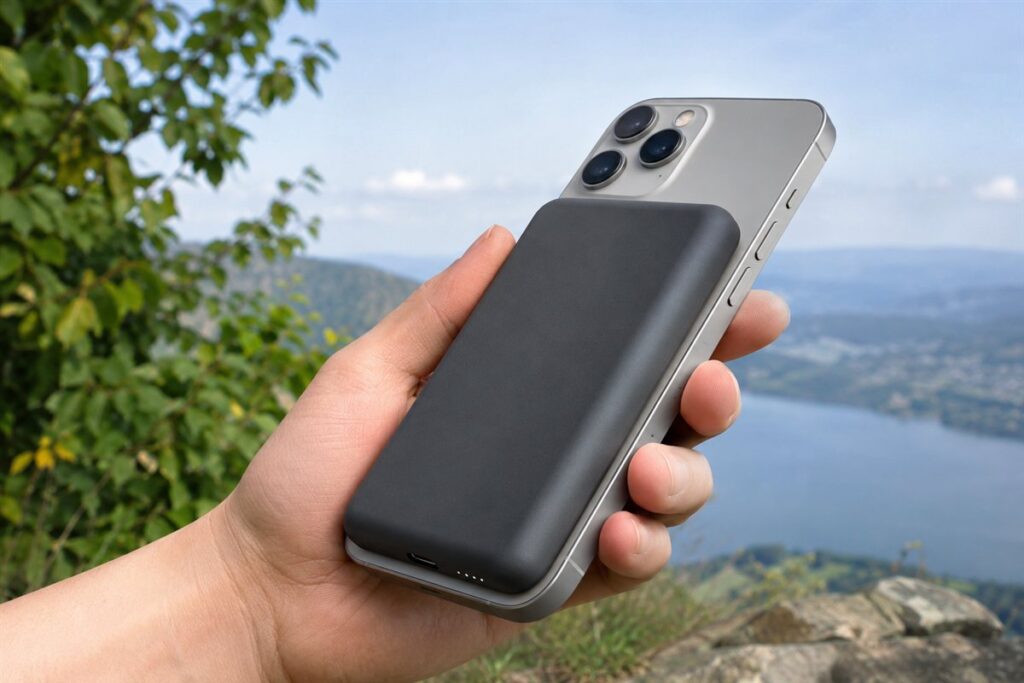
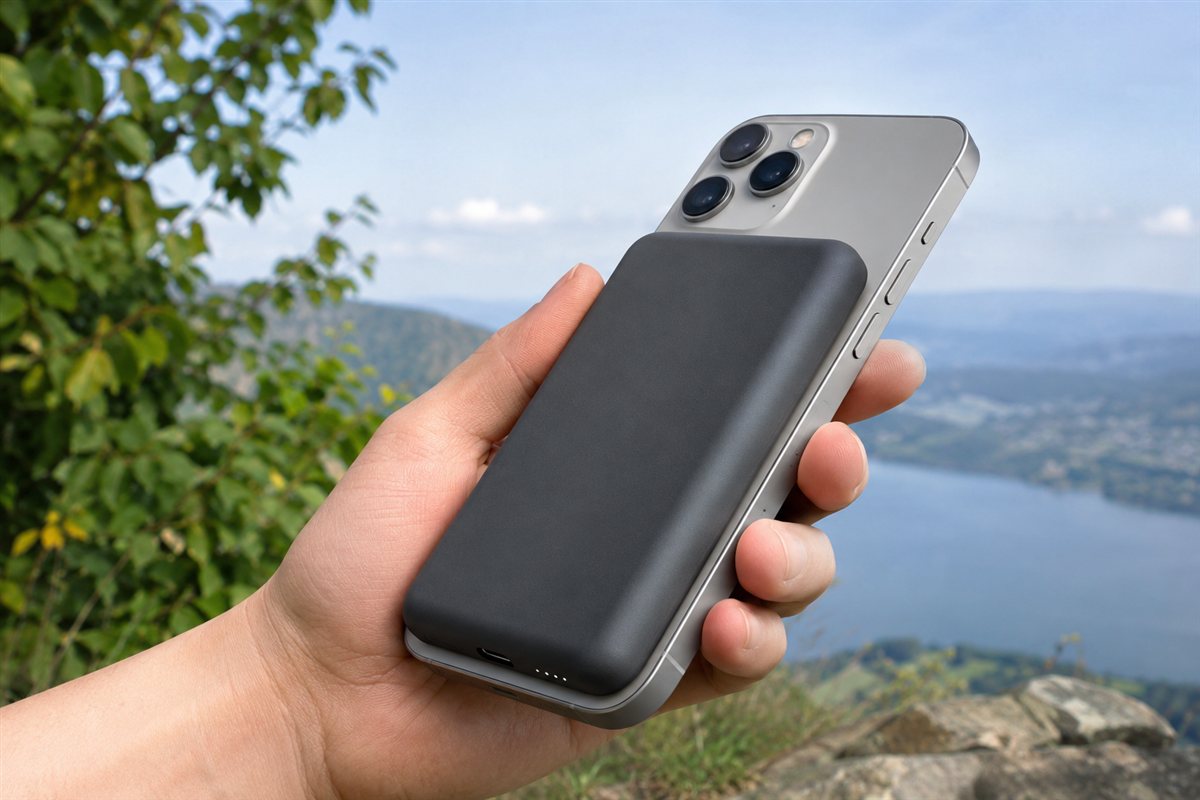
A MagSafe power bank snaps onto the back of a compatible phone with magnets and charges it wirelessly, so there is no cable to untangle on a commute, at a desk or on a trip. Some also add a USB-C port, a fold-out stand or a built-in cable for flexibility.
We have not used these products ourselves. This guide covers the details worth comparing on a listing, so you can pick a magnetic battery that suits your phone, your bag and your daily routine.
As an Amazon Associate we earn from qualifying purchases. Links on this site are affiliate links, and they do not change the information we give.
In this guide
Quick Picks
| Pick | Product | Best For |
|---|---|---|
| 1 | Anker MagGo Power Bank (10K, Qi2, A1654) | Best overall |
| 2 | Belkin BoostCharge Pro Magnetic Power Bank 5K with Qi2 (BPD006) | Best slim Qi2 pick with kickstand |
| 3 | UGREEN Magnetic Power Bank 10,000mAh (PB561) | Best wired fast-charge backup |
| 4 | ESR HaloLock Kickstand Wireless Power Bank 10,000mAh | Best for video calls and viewing |
| 5 | Anker 321 MagGo Battery (PowerCore Magnetic 5K, A1616) | Best light everyday carry |
Our Picks
1. Anker MagGo Power Bank (10K, Qi2, A1654) — Best overall
Anker’s MagGo 10K is the most complete package in this category. It is Qi2 certified, so a compatible iPhone charges wirelessly at up to 15W instead of the 7.5W cap on older MagSafe-style banks, and the 10,000mAh cell is enough for roughly 1.8 charges of an iPhone 15 Pro according to Anker. Two details set it apart from basic magnetic slabs: a smart display that shows the remaining battery percentage and recharge time, and a foldable stand that props the phone up for video calls or StandBy mode while it charges. The USB-C port handles wired charging when you need speed or want to top up a second device, and a USB-C cable is included in the box. It is thicker than the 5,000mAh options below, which is the trade-off for the bigger battery and stand, so it suits a bag or coat pocket better than a jeans pocket. If you only buy one MagSafe power bank, this is the one that covers the most situations.
2. Belkin BoostCharge Pro Magnetic Power Bank 5K with Qi2 (BPD006) — Best slim Qi2 pick with kickstand
Belkin’s BoostCharge Pro 5K pairs the newer Qi2 standard with a slim 5,000mAh body, so you get up to 15W wireless charging without the bulk of a 10,000mAh brick. Its party trick is a built-in pop-up kickstand that folds flat against the back and flips out when you want to watch video or use StandBy while charging. Pass-through charging means you can plug the bank in overnight and wake to both the bank and your phone full. Belkin also builds in overcharge and temperature protection, and the housing is made with post-consumer recycled plastic. The 5,000mAh capacity is a top-up rather than a full second battery for larger Pro Max phones, so heavy users should look at the 10,000mAh picks instead. For commuters and travelers who want Qi2 speed in the slimmest form with a stand, this is the most polished option here, and it comes from a maker with a long accessory track record.
3. UGREEN Magnetic Power Bank 10,000mAh (PB561) — Best wired fast-charge backup
UGREEN’s magnetic bank treats wireless as only half the story. The 10,000mAh battery snaps onto an iPhone for MagSafe-style charging at up to 7.5W for iPhones, but the USB-C port delivers 20W PD wired output, which is the fastest way to refill a low phone when you have a cable handy, and the port also recharges the bank itself at 20W. A soft silicone finish keeps the bank from scuffing the phone’s back, and LED indicators show the remaining charge at a glance. The magnets are strong enough for use with MagSafe-compatible cases, though, as with all magnetic banks, a thick or non-magnetic case will weaken the hold. There is no kickstand or display, so it gives up some convenience features to the Anker above, but it is a practical pick for people who charge both ways. If your routine mixes snap-on top-ups with quick wired boosts at a desk or in the car, this one fits well.
4. ESR HaloLock Kickstand Wireless Power Bank 10,000mAh — Best for video calls and viewing
ESR built this HaloLock bank around its adjustable kickstand, which flips out to hold your phone at a viewing angle for FaceTime, streaming or StandBy while the 10,000mAh battery charges it. ESR rates the magnetic holding force at 1,000 grams, so the bank stays put on a bare iPhone or a magnetic case, and the HaloLock alignment makes it snap into the right position without fiddling. Wireless charging runs at 7.5W for iPhones, while the USB-C port provides 20W wired output for a faster boost, and a USB-C cable is included. The design has picked up Red Dot and iF design awards, which reflects the tidy way the stand folds away when you do not need it. It predates Qi2, so if 15W wireless speed matters most, look at the Anker or Belkin above. For anyone who regularly props a phone up at a desk, on a train tray or by the bed, the stand makes this the most convenient pick of the five.
5. Anker 321 MagGo Battery (PowerCore Magnetic 5K, A1616) — Best light everyday carry
The Anker 321 is the bank you forget you are carrying. Its 5,000mAh cell keeps the body slim and light compared with the 10,000mAh models, yet it still holds enough for a meaningful top-up — Anker rates it for up to 19 hours of extra video playback on an iPhone 14 Pro Max. Magnets align it with any MagSafe iPhone or magnetic case, wireless charging runs at 7.5W, and the USB-C port handles recharging the bank and wired output to a phone. There is no stand, display or Qi2 here, which is exactly why it stays compact and simple. The black finish is the standard version and matches most phones and cases. This is the right pick if your phone usually makes it to the evening but sometimes needs a rescue on the way home, or if you want a just-in-case battery that lives in a jacket pocket or small bag without weighing it down.
What to Look For
| Factor | Why it matters | What to check |
|---|---|---|
| Capacity | It sets how much extra charge you carry. | Compare milliamp-hours against your phone battery size, and note real-world losses. |
| Magnet strength | A weak hold lets the pack slip off in a pocket or bag. | Look for the maker’s description of the magnet ring and case compatibility. |
| Wireless output | Output decides how quickly a phone charges. | Check the stated wireless wattage and which phones it supports. |
| Wired port | A cable port is useful when speed matters or for other devices. | See whether a USB-C port supports input, output or both. |
| Size and weight | A thick pack makes a phone awkward to hold. | Check thickness, weight and whether it fits your phone case. |
| Extras | Stands and indicators change daily use. | Look for a kickstand, charge level lights and pass-through charging. |
Setup and Care Tips
- Remove thick or metal-backed cases that weaken the magnetic hold.
- Line up the pack with the phone coil so charging begins reliably.
- Charge the power bank fully with a suitable adapter before a long trip.
- Keep it away from extreme heat, such as a parked car in summer.
- Store cards and key fobs elsewhere, since magnets may affect some of them.
Mistakes to Avoid
- Choosing the largest capacity without thinking about weight in your pocket.
- Assuming every phone supports magnetic wireless charging.
- Ignoring the wireless wattage and then wondering why charging feels slow.
- Overlooking whether the pack has a wired port for backup use.
- Leaving the pack attached to the phone while it gets hot in direct sun.
Capacity Versus Pocket Comfort
Capacity is listed in milliamp-hours, and it is tempting to buy the biggest number. A magnetic pack, however, sits on the back of your phone, so every extra millimeter and gram is felt in your hand and pocket. Think about how much extra charge you want. A small pack that adds a partial charge may be enough to get through an evening, while a larger one may recharge a phone more than once but feels bulky.
You will never get the full rated capacity into your phone. Voltage conversion, wireless transfer and heat all consume some energy, and the listing’s figure is usually measured at the battery cell. To estimate the benefit, compare the pack’s capacity with your phone’s battery capacity, which is listed in the phone’s specifications, then expect to receive noticeably less than the ratio suggests.
Consider your routine. A commuter who charges at a desk may need only a slim pack for emergencies. A traveler on a long day of maps and photos benefits from a larger one, and might keep it in a bag with a cable. Check weight and thickness in the listing, and think about whether you will use the phone while the pack is attached.
Magnets, Alignment and Case Compatibility
The magnetic ring holds the pack in place and keeps the charging coils aligned. A weak magnet can let the pack slide or detach in a pocket or bag, which interrupts charging and may drop it. Listings describe the ring in general terms, so read recent customer comments for patterns about slipping, while remembering that individual experiences vary.
Your case has a large effect. Cases designed for magnetic charging include a ring of magnets and are thin at the back so the pack seats close. Thick rugged cases, cases with metal plates, card holders, or wallet-style accessories can weaken the hold or block charging. If you use a ring grip or phone stand, check whether the pack sits correctly with it attached.
Not every phone supports magnetic charging in the same way. Some handsets have built-in magnets, while others need a magnetic case to work with these packs. Check the listing’s compatibility list against your phone’s exact model. Also check whether the pack supports other wireless standards, in case you switch phones later. When attaching, center the pack on the phone’s coil so charging starts reliably, and check the phone shows it is charging.
Wireless and Wired Charging Speed
Wireless output is stated in watts, but your phone sets the maximum it will accept, so a higher number on the pack will not make an older phone charge faster. Check the phone maker’s information on supported wireless speeds and compare it with the pack.
Wireless charging is convenient but less efficient than a cable, which means more heat and slower charging. Many people use a magnetic pack for convenience, without a cable, and keep a cable for urgent top-ups. A USB-C port on the pack matters here. See whether it provides output so you can charge another device, input so you can recharge the pack, or both, and what wattage the port supports. Some packs allow pass-through charging, where the pack and phone charge together from one adapter, but check the maker’s notes for details.
Recharging the pack itself takes time. A larger pack with low input power can take hours to refill, so look at the stated input rate and use a wall adapter that matches it. Charging overnight is simple, but avoid covering the pack while it charges.
Heat, Safety and Battery Care
Charging a phone wirelessly generates heat in both devices, and heat is hard on batteries. Many phones slow or stop charging when they get warm. Avoid using the combination in hot sun, inside a parked car or under a pillow. If a pack becomes unusually hot, swells, smells or looks damaged, stop using it and follow the maker’s disposal advice.
Look for descriptions of protection features, such as over-charge, over-current, short-circuit and temperature protection, and treat them as the maker’s statements. Check whether the pack has a foreign-object detection feature, since metal between the pack and phone, such as a thin plate or coin, can heat up. Remove metal accessories from between the devices.
Travel rules matter. Power banks are generally restricted to carry-on bags on flights, and capacity limits apply, so check the airline’s rules. For storage, keep the pack at a moderate charge in a cool place rather than empty or full for months, and recharge it occasionally. Magnets can affect magnetic strips on cards and some small devices, so keep them apart.
Everyday Use and Feature Trade-offs
Small features change how you use a pack every day. A fold-out kickstand lets you watch video hands-free, but adds thickness. Indicator lights or a small display show remaining charge so you know when to recharge. A soft or textured surface grips the phone and resists scratches. Some packs offer a hole or loop for a strap.
Think about how you hold the phone. Heavier packs shift the balance, which some people find awkward for one-handed use. If you often take photos, check that the pack does not block the camera or interfere with the case. For left-handed users or people who use a case with a pop-out grip, test how the combination feels.
Finally, consider support. Check what the warranty covers, how long it lasts and how to claim. Read the return terms so you can swap a pack that does not hold securely on your case. Budget packs may offer the basics, while higher-tier ones tend to add faster output, indicators and a wired port, so choose by the features you will use rather than by the longest feature list.
Which MagSafe power bank should you buy?
The best MagSafe power bank for you depends on how much charge you need, whether you want a stand, and how much bulk you will accept, so start with your routine and then choose from the five picks above.
- If you want one bank that covers the most situations, choose the Anker MagGo Power Bank (10K, Qi2, A1654), which adds a display and a foldable stand.
- If you want Qi2 speed in a slim body with a pop-up stand, go for the Belkin BoostCharge Pro Magnetic Power Bank 5K with Qi2 (BPD006).
- If you often need a fast wired top-up as well as snap-on charging, the UGREEN Magnetic Power Bank 10,000mAh (PB561) fits that mix.
- If you prop your phone up for video calls, streaming or the bedside, the ESR HaloLock Kickstand Wireless Power Bank 10,000mAh is built around its stand.
- If you want something light that lives in a jacket pocket, choose the Anker 321 MagGo Battery (PowerCore Magnetic 5K, A1616).
The main split is size against capacity. The 10,000mAh models give you more charge but sit thicker on the phone, while the 5,000mAh models are slimmer and work best as a top-up. Heavy users who stream, navigate and take photos all day should lean toward the larger capacity.
Wireless speed is the second split. Check which picks use the newer Qi2 standard and which use the older, slower wireless rate, because that decides how quickly a compatible phone charges when the bank is attached.
What to check before you buy a MagSafe power bank, and who should skip it
Check your phone model, your case and the bank’s thickness before you order, since a magnetic bank only works well when all three line up.
- Confirm your exact phone model appears in the compatibility list on the listing.
- Check whether your case is thin and magnet-friendly, or whether you will need a different one.
- Look at the wireless wattage and see whether your phone can use it.
- Check that the USB-C port supports both charging the bank and charging a device.
- Note the thickness and weight, and think about how the phone will feel in your hand.
- Read the warranty, return terms and what cable is included.
Now the honest objections. Wireless charging is slower and warmer than a cable, so the convenience has a cost. A bank on the back of the phone makes it thicker and heavier, and a stand adds more thickness. The 5,000mAh models will not fully recharge a large phone, and the 10,000mAh models are bulky for a trouser pocket. Magnets can also weaken with thick cases or accessories such as card holders.
Who should skip it: if your phone has no magnetic support and you do not want to change your case, a standard cable power bank may suit you better. People who rarely run out of battery may be happy with a small cable bank or a wall charger at their desk.
Compare the picks above, check the current listing for size and what is included, then choose the one that fits how you will use it.
What Capacity Really Means in Daily Charging
The capacity printed on a magnetic power bank describes the battery inside the pack, not the amount of charge that finally arrives in your phone. Every step between the two batteries loses a little energy: converting voltage, running the wireless charging coils, and the simple fact that two devices pressed together generate warmth while they work. Wireless transfer loses more than a cable does, because the energy crosses an air gap through coils that are never perfectly aligned in real life. That is why a pack that looks large enough on paper for two full phone charges may deliver noticeably less in practice, and why comparing packs by their printed capacity alone can mislead.
A more useful way to think about sizing is in terms of your day. Ask how much extra phone use you need to buy: a top-up to get through an evening, a full recharge after a heavy day of maps, photos and messaging, or enough reserve for a long travel day with no wall socket in sight. Match the pack to that job. A slim, smaller-capacity pack that you actually carry beats a large pack left at home, while a larger pack earns its bulk when it replaces a wall charger and cable for a whole weekend.
Why two packs with the same capacity can perform differently
Coil alignment, magnet strength, case thickness and how well the pack manages warmth all change real-world results. A pack that stays well aligned and reasonably cool will usually deliver more of its stored energy to the phone than a pack that slips, tilts or gets hot and slows itself down to protect the batteries. This is also why two charging sessions with the same pack can differ: a phone in a thick case, in a warm bag, running navigation at full brightness is a harder load than a phone resting on a cool desk.
MagSafe, Qi2 and Plain Magnetic Charging, Explained Plainly
The names matter because they describe different combinations of magnets and charging standards. MagSafe is Apple’s magnetic system built into recent iPhones, pairing a ring of magnets with a wireless charging standard. Qi2 is the open standard that adopted a very similar magnetic alignment idea, so Qi2 packs align and charge in much the same way on compatible phones, including phones beyond Apple’s range as adoption grows. Then there are magnetic packs that use the older, slower Qi standard with magnets added mainly for attachment. Those can still be perfectly serviceable for overnight or desk top-ups, but they generally charge more slowly and are more sensitive to exact placement.
For a buyer, the practical questions are simple. Does your phone have built-in magnetic alignment, or will it need a magnetic case or ring to attach properly? Does the pack’s standard match what your phone can accept at its faster wireless rate? And does the pack also offer a wired output for the times when speed matters more than convenience? Answering those three questions sorts most of the market more reliably than any headline claim.
Cases, rings and alignment in real life
A case changes the distance between the coils and can weaken the magnetic grip. Cases designed for magnetic charging keep that distance small and place their own magnets to reinforce alignment. Thick wallet cases, cases with metal plates for car mounts, and cases with grips or rings on the back can block charging or hold the pack at an angle. If a pack attaches but charges slowly or keeps disconnecting, the case is the first suspect. Test a new combination at home, where you can watch it for a few minutes, rather than discovering a problem halfway through a journey.
Managing Heat: The Quiet Deciding Factor
Warmth is the enemy of both charging speed and battery longevity, and magnetic charging naturally produces more of it than wired charging. Phones and packs protect themselves by slowing down when they get hot, so a pack that feels impressively fast for the first few minutes may settle to a gentler pace. You can help every pack perform better with a few habits. Charge in the shade rather than in direct sun, avoid charging a phone that is already hot from gaming or filming, and do not bury a charging phone under bedding or inside a tightly packed bag where heat cannot escape. If a pack or phone ever becomes uncomfortably hot to hold, feels swollen, or behaves strangely, stop using it and let it cool in the open air.
Heat is also why the fastest choice is not always a wireless one. When you are short of time, a short wired charge from the pack’s cable port will usually add charge more quickly and with less warmth than snapping the pack on magnetically. Many experienced users treat the magnetic connection as the convenient default and the cable as the express option, and choose between them based on the clock rather than habit.
Choosing by Scenario: Commute, Desk, Travel and Family Use
The daily commute and the small bag
For commuting, thinness and a reliable magnetic grip matter more than maximum capacity. The pack lives in a pocket or small bag, gets used in short bursts, and needs to stay attached while the phone is handled for tickets, messages and payments. A kickstand is a bonus here rather than a core feature, useful for a video on a train table but not worth much extra thickness if pocket comfort is your priority.
Desk and bedside use
At a desk, a pack doubles as a stand and a charger, so a stable kickstand, a comfortable viewing angle and pass-through behaviour become more interesting. Think about whether you want the phone upright for calls or flat and out of the way. At the bedside, slower and cooler is a virtue: an overnight top-up does not need speed, and a pack that runs gently is a kinder companion for the phone’s battery.
Travel days and long journeys
Travel is where larger capacity justifies itself. Long days combine maps, boarding passes, photos, messaging and poor signal, all of which drain a phone quickly. A bigger pack, a short cable for fast wired top-ups at a gate or on a train, and a plan to recharge the pack itself each night form a reliable system. Remember that power banks belong in hand luggage, not checked bags, and keep the pack somewhere you can reach it and check on it rather than buried and forgotten while it charges.
Households with more than one phone
In a shared household, compatibility decides whether a pack gets used or ignored. Check that the magnetic system works with each phone and case in the house, and consider whether a wired output matters for the phone or tablet that has no magnets at all. A pack that serves everyone, even if it is not the perfect specialist choice for one person, often turns out to be the best value in the home.
Battery Care, Storage and Getting a Longer Life From the Pack
A power bank is itself a rechargeable battery, and it ages whether you use it or not. You can slow that ageing with simple habits. Avoid leaving the pack fully drained for long periods, and avoid storing it for months in a hot car or a sunny windowsill. If you will not use it for a while, storing it partly charged in a cool, dry drawer is kinder than storing it completely full or completely empty. Use it regularly rather than saving it untouched for an emergency years away; a pack that cycles gently through normal use is more likely to be healthy when you need it.
Only use charging cables and wall adapters that are in good condition, and stop using a pack whose casing is cracked, whose port is loose, or which shows any sign of swelling. Never charge a lithium-ion pack on a bed, under a pillow, or anywhere it cannot shed heat, and do not leave a charging pack pressed against soft furnishings. These are ordinary precautions for any lithium-ion battery, and they apply just as much to the phone itself.
Signs a pack should be retired
- The casing bulges, separates, or no longer sits flat against the phone.
- It becomes much hotter than it used to during an ordinary charge.
- It holds noticeably less charge than when new, even after a full recharge.
- The magnetic hold weakens sharply or the connector port feels loose or damaged.
- It has been crushed, punctured, or soaked.
Retired packs should go to a battery recycling point rather than into household rubbish, both for safety and because the materials are worth recovering.
Buying Mistakes That Waste Money
The most common is buying capacity you will never carry, then leaving the pack at home on the very days it was bought for. The second is assuming magnetic attachment guarantees fast charging, when the underlying standard and the phone’s own limits decide the speed. The third is ignoring the case you actually use every day, which can quietly undermine alignment, speed and grip. Finally, many buyers overlook the pack’s own recharge time: a large pack that takes all night and part of the morning to refill needs a routine that accommodures that, or it will be half empty when you reach for it.
Decision Checklist
- Confirm your phone has built-in magnetic alignment, or budget for a compatible magnetic case.
- Choose the charging standard that matches your phone if wireless speed matters to you.
- Size the capacity to your longest typical day away from a socket, not to a rare extreme.
- Decide whether a kickstand, a display, or a wired fast-charge port will genuinely be used.
- Check the pack fits your pocket, bag and hand comfortably with your real case fitted.
- Plan where the pack will be recharged each night so it starts the day ready.
A magnetic power bank chosen this way stops being a gadget and becomes a habit: it lives where you need it, attaches without thought, and quietly removes low-battery anxiety from the days that used to end with a phone in the red.
A Worked Example: Choosing for Three Different Days
Consider three days in one person’s life. On a workday, the phone leaves home fully charged, spends the day on a desk and in meetings, and needs only a modest evening top-up to cover the commute and the gym. On a travel day, the same phone is a boarding pass, a map, a camera and a hotspot, in weak signal areas that make it work harder, and it may not see a wall socket from dawn until midnight. On a festival or family day out, the phone is a camera first, passed between hands, filming and photographing for hours. One person, three completely different power problems.
The mistake is buying for only one of those days. Buying for the travel day alone gives you a brick that stays home on workdays. Buying for the workday alone leaves you rationing the camera on the day out. The practical answers are either a mid-size pack that covers the workday fully and the travel day adequately with one wired fast top-up along the way, or a two-pack household: a slim daily pack and a larger travel pack that lives in the luggage. Running through your own three hardest typical days, with honest estimates of how much charge each consumes, is the most reliable sizing method in this guide.
Reading your own battery habits
Your phone already keeps the evidence. Look at which apps and activities drain your battery most, and at what time of day you usually hit the level that makes you anxious. If the drain is concentrated in navigation and camera use, your hard days are travel and outings, and capacity matters. If the drain is a steady all-day fade, a slim pack that tops you up at lunch may change your routine more than a large one. Buying against your own data beats buying against anyone else’s review.
Features Worth Paying For, and Features That Are Decoration
A small charge-level display earns its keep because it ends the guessing game of whether the pack itself needs charging tonight. A kickstand earns its keep if you genuinely watch video or take calls propped up most days. Pass-through charging, where the pack can charge itself and the phone together overnight, suits tidy bedside routines. A wired port with genuinely fast output is one of the most useful extras of all, because it converts the pack into a fast charger when the clock matters.
Decoration, by contrast, includes novelty attachments you will use once, companion apps for a device whose whole virtue is simplicity, and headline wireless speeds your phone cannot accept. Judge every feature by a single test: will this change what I do on an ordinary Tuesday? If not, let the simpler, slimmer or less expensive pack win.
Household Systems: Keeping Packs Charged and Findable
Power banks fail households organisationally more often than electrically. The pack is in the wrong bag, or flat, or borrowed. A small system fixes this: a home base, usually one drawer or shelf with a charging cable, where packs live and recharge; a rule that a used pack goes back to base the same evening; and a quick check before known hard days. Label packs if the household owns several similar ones. These habits sound trivial until the morning a charged, findable pack turns a travel disruption into a non-event.
Questions to Ask Before You Order
- Does the pack’s magnetic system match my phone, or does it need a magnetic case I am willing to use daily?
- What will it realistically deliver to my phone across a full day, allowing for wireless losses?
- How long does the pack itself take to recharge, and where will that happen in my routine?
- Does it offer a wired output for fast top-ups, and a cable in the box or one I already own?
- Will I carry this size and weight every day, or only on travel days, and is that the right split?
- What are the maker’s safety and warranty provisions for a lithium-ion product I will carry against my phone?
Answer those six questions honestly and the market narrows to a pack or two that fit your life, which is exactly where a buying decision should end up.
Troubleshooting the Annoyances Owners Actually Meet
Most magnetic power bank problems have mundane causes. If the pack attaches but will not start charging, work through the sequence: remove the case or try the phone bare to rule out interference, clean the back of the phone and the face of the pack, because grit and pocket lint genuinely weaken both grip and alignment, and confirm the pack itself has charge by checking its indicator or giving it time on its own charger. If charging starts and stops repeatedly, suspect alignment drift: a grip, ring or thick case edge may be letting the pack tilt as the phone is handled, breaking the connection each time it moves.
If charging feels slower than it used to, consider heat first. A phone in a warm environment, running demanding apps while charging, will slow its own intake to protect its battery, and the pack gets blamed for the phone’s good judgement. Try charging with the phone resting and unused, in a cool spot, and compare. If the pack itself recharges slowly, check the cable and wall adapter you are feeding it with; a pack is only as fast as its supply, and an elderly low-output adapter can turn an overnight recharge into an all-day one.
If the magnetic hold has weakened, inspect both surfaces for damage and check whether a new case has entered the picture. Magnets themselves rarely fade in normal use, but the geometry around them changes constantly in real life: new cases, new grips, a cracked pack face. Diagnose the combination, not the component. And if a pack ever behaves in a way that worries you, with unusual heat, odour, swelling or damage, stop troubleshooting and retire it. Batteries earn trust slowly and lose it in a single incident, and no top-up is worth arguing with that rule.
Getting the most from the pack you already own
Before replacing a pack that seems disappointing, give it one week of best practice: charged fully each night at its home base, used with the case it was designed for, kept out of heat, and used with a cable for the urgent top-ups. Many packs that seemed inadequate were simply being asked to work half charged, through a thick case, in a hot bag. If a week of best practice still leaves you short, the sizing was wrong for your days, and the worked example earlier in this guide will size its replacement correctly.
One Last Test Before You Commit
If you can, borrow or briefly try a magnetic pack in your own case before buying. Ten minutes of real use answers questions no listing can: whether the grip survives your hand and your pocket, whether the alignment finds itself without fiddling, and whether the added thickness changes how the phone feels in the ways you actually hold it. If borrowing is impossible, simulate it: cut a piece of card to the pack’s stated dimensions, tape it to your cased phone for an afternoon, and live with the bulk honestly. Buyers who run even this crude test rarely return packs, because they bought the size their life wanted rather than the size the advertisement suggested.
FAQ
Will a magnetic power bank charge as fast as a cable?
Usually not. Wireless charging loses some energy as heat, so cable charging is generally faster. A model with a wired port gives you both options.
Does the case matter?
Yes. Thin cases made for magnetic charging tend to work best, while thick or metal cases can weaken the hold and interrupt charging. Read the compatibility notes on each listing.
Will a magnetic power bank damage my phone battery?
Used as directed, it is designed to be safe, but heat is hard on any battery. Avoid charging in hot places and remove the pack if the phone becomes very warm.
Can I use it with a phone that has no built-in magnets?
Often yes, with a magnetic case that adds the ring. Check the listing and the case maker's notes, since alignment and hold vary.
Can I charge while the phone is in a wallet case?
Usually not well. Cards, metal and thick backs weaken the magnetic hold and may block charging. Use a thin compatible case instead.
Can I take one on a plane?
Power banks are generally allowed in carry-on luggage and not in checked bags, subject to capacity limits. Check the rules of your airline and the country you are traveling through.
Why does the pack charge my phone more slowly than a cable?
Wireless transfer loses more energy as heat and may be limited by your phone. A cable is usually faster, which is why a wired port can be useful.
How long does a power bank last?
Battery life depends on use, heat and charge habits, and the listing may state cycle ratings. Replace a pack that holds noticeably less charge, swells or heats abnormally.
What is the difference between MagSafe and Qi2?
Qi2 is a wireless charging standard that includes magnets for alignment, and MagSafe is Apple's magnetic charging system. Check the listing for which one a bank supports and what speed it offers for your phone.
Is a 5,000mAh or 10,000mAh power bank better?
It depends on how you use your phone. A 5,000mAh bank is slimmer and good for a top-up, while a 10,000mAh bank gives more charge but is thicker.
Can I use my phone while the power bank is attached?
Yes, you can use the phone normally, though the added thickness changes how it feels in your hand. Avoid heavy gaming in hot conditions, since heat slows charging.
Does a power bank with a kickstand add much bulk?
A kickstand adds some thickness, but it folds flat when not in use. Check the dimensions on the listing to compare.
Can I charge other devices from a MagSafe power bank?
If the bank has a USB-C port that supports output, you can charge other devices by cable. Check the listing for the port's stated output.
How long does it take to recharge a magnetic power bank?
The time depends on the capacity and the input power of the charger you use. Check the stated input rate on the listing and use a matching adapter.
The Short Version
Match capacity to your phone and daily use, then compare magnet hold, wireless output, thickness and any wired port. Choose the pack that feels comfortable on your phone and fits your case. Think about how you carry your phone every day: a slim, light pack suits a pocket, while a bulkier, higher capacity one suits a bag or a long travel day. Check the phone model list on each listing, because magnetic charging support differs between handsets, and read the maker’s notes on cases before you order.

