Disclosure: As an Amazon Associate, reviewstook.com earns from qualifying purchases. Links on this page are affiliate links at no extra cost to you; prices and availability change frequently, so check Amazon for the latest.
Where to Buy
Shopping for the best fan controller under $100 usually starts with one question: how do you want to control the fans — a knob, your motherboard, or software? The six verified picks below cover each answer at this level, and every one was cross-checked against the manufacturer listing before it earned a link on reviewstook.com.
- Best Overall: ARCTIC Fan Controller, 10 Ports with Individual PWM Control — Check on Amazon
- Best Premium: Noctua NA-FH1 8-Port PWM Fan Hub — Check on Amazon
- Best for Versatile Power: OwlTree 12V 4-Pin PWM Fan Speed Controller Hub, 6 Fans, Type-C Powered — Check on Amazon
- Best for Gaming: Thermalright ARGB and Fan HUB X12 IR Hub Controller — Check on Amazon
- Best for Precise Manual Control: Noctua NA-FC1 Compact PWM Fan Speed Controller — Check on Amazon
- Best Budget: OwlTree 4-Pin 12V PWM Fan Controller, 6 Fans Supported — Check on Amazon
Best fan controller under $100: What Actually Matters
If you are hunting for the best fan controller under $100, picture a mid-tower with three intake fans, two top exhausts and a rear exhaust all competing for two usable headers. That scene, repeated in thousands of builds, is why this small accessory category exists at all. Motherboards still ship with fewer fan headers than modern cases have fans, and the gap between those two numbers is exactly the problem a controller or hub is hired to close.
The audience for this guide is builders who have outgrown their motherboard headers, and the lens stays on balanced, whole-case fan control from the first pick to the last. At the top of this range you are paying for control depth and finish: individual PWM zones, generous per-port current, status feedback and hubs that survive several rebuilds. The fans themselves still decide your noise floor, so spend on control only after the fans are decent. Everything recommended below sits inside that reality rather than pretending the budget stretches further than it does.
Three priorities shaped the shortlist for the best fan controller under $100: enough ports for the fans you actually own; power delivered from the supply, not from a fragile header; and a control style you will genuinely use after build day. A controller that fails the first priority is a paperweight, one that fails the second is a risk to your motherboard, and one that fails the third ends up ignored in a drawer while the fans run at full speed forever. Best Graphics Cards and Best Power Supplies cover the two upgrades most often planned alongside this one, because fan control usually gets revisited when heat or power changes.
One honest warning before the picks: a controller cannot make a bad fan quiet or a blocked intake breathe. It distributes power and control; airflow still comes from fan quality, case design and common sense about intake and exhaust balance. Keep that in mind and the best fan controller under $100 decision becomes much simpler — you are buying control, not magic.
In this guide
Quick Picks
Six picks, six different jobs. Read the badge first, because in this category the right controller for a tower that got louder after a graphics card upgrade pushed more heat into the case is rarely the right controller for a showcase build, and the badge tells you which job each product was chosen to do at the $100 level.
- Best Overall: ARCTIC Fan Controller — zone-based cooling with different curves per fan group.
- Best Premium: Noctua NA-FH1 — clean multi-fan builds that trust motherboard fan curves.
- Best for Versatile Power: OwlTree Type-C PWM Fan Hub — bench, test and flexible-power fan setups with six PWM fans.
- Best for Gaming: Thermalright ARGB and Fan Hub X12 — rGB-heavy builds that need fan and lighting control together.
- Best for Precise Manual Control: Noctua NA-FC1 — fine-tuning one noisy fan group without rebuilding the setup.
- Best Budget: OwlTree 6-Fan PWM Knob Hub — builders who want one simple dial for a whole fan group.
How These Picks Were Chosen
Every candidate for this best fan controller under $100 guide had to be a genuine PC fan controller or hub, verified against its live manufacturer listing on 2026-11-20, with its port count, power input and control method confirmed from the listing itself. That verification step removed more than half of the initial candidate pool: ceiling-fan remotes, automotive radiator relay kits, wireless household outlets and bathroom humidity switches all surface in search results for this category, and none of them belongs anywhere near a gaming PC.
What survived was then sorted by control philosophy rather than by marketing. Passive hubs that follow the motherboard signal, manual knob and dial controllers, external voltage adapters for fans outside a case, and — at the higher levels — software controllers with individual per-port PWM each solve a different version of the problem. The six picks below were chosen so that a reader shopping for the best fan controller under $100 can find their version of the problem represented exactly once, without duplicates wearing different badges.
Detailed Reviews: The Best fan controller under $100 Shortlist

Best Overall — ARCTIC Fan Controller, 10 Ports with Individual PWM Control
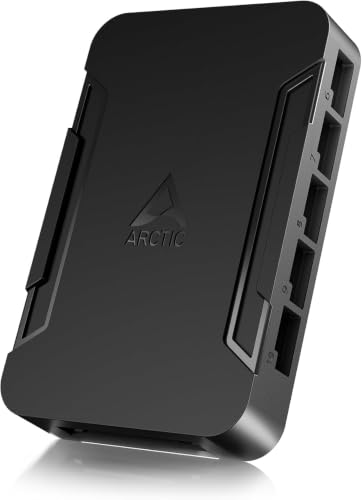
The ARCTIC Fan Controller sits at the top of this category: ten ports, each with individual PWM control, managed through software on Windows and Linux, with 2A available per port and 4.5A in total. Magnetic or adhesive mounting keeps installation flexible. This is the pick for builders who think in zones — radiators on one curve, intakes on another, exhaust on a third — rather than one speed for the whole case. The use case that sells it is a mid-tower with three intake fans, two top exhausts and a rear exhaust all competing for two usable headers, which is a far more common story than the marketing for this category ever admits.
The strengths are concrete rather than decorative. Ten ports with individual PWM control matters every single day, windows and linux software support matters the day you add or change hardware, and strong 2a per-port power budget is the difference between a tidy build and a compromise. The practical effect is a build that behaves predictably — fans do what you told them to do on day one, on day ninety, and after every driver update in between, because the control path is simple enough to have almost nothing in it that can break. For a best fan controller under $100 shortlist, that combination is why this product holds the Best Overall badge instead of merely appearing in the table.
Strengths
- Ten ports with individual PWM control
- Windows and Linux software support
- Strong 2A per-port power budget
Trade-offs
- Software setup takes real time
- Overkill for three-fan builds
- Most complex wiring job here
| Ports | 10 |
| Control | Individual PWM per port |
| Software | Windows and Linux (Kernel 7.2+) |
| Per-port current | 2A |
| Total current | 4.5A |
| Mounting | Magnetic or adhesive |
The honest limitation deserves its own paragraph. Individual control only pays off if you actually configure it; left at defaults, this controller is an expensive way to do what a simple hub already does. That is not a reason to skip the product — every controller in this roundup trades something away — but it is the reason the badge says Best Overall rather than Best for Everything. Match the limitation to a problem you do not have, and the trade becomes free.
In a real build shaped by balanced, whole-case fan control, the routine looks like this: install it where the cables already want to go, set the control once, close the case, and judge it over the following week of normal use. Products in this category fail socially, not electrically — they fail when the setting is annoying enough that the owner stops adjusting it, and this one’s setting is painless enough to survive contact with real life.
Best for: Zone-based cooling with different curves per fan group / Not suited for: small builds that would never open the software or use per-port control — judged against the best fan controller under $100 brief
Check on Amazon for the latest availability of the ARCTIC Fan Controller — our Best Overall pick in this best fan controller under $100 roundup.

Best Premium — Noctua NA-FH1 8-Port PWM Fan Hub
The Noctua NA-FH1 is an eight-port PWM hub built the way Noctua builds most things: carefully and without decoration. It mounts magnetically with no tools, draws power from SATA with up to 54W of output, protects against short circuits, shows status through LEDs, and accepts both 12V and 5V fans. It follows the motherboard PWM signal rather than replacing it, which keeps your existing fan curves in charge. The use case that sells it is a tower that got louder after a graphics card upgrade pushed more heat into the case, which is a far more common story than the marketing for this category ever admits.
The strengths are concrete rather than decorative. Eight PWM ports, 12V and 5V support matters every single day, magnetic toolless mounting anywhere steel matters the day you add or change hardware, and short-circuit protection and status leds is the difference between a tidy build and a compromise. What you notice after a week is not the controller itself but the absence of annoyance: no header juggling when you add a fan, no mystery splitter overheating, and no reason to open the case again just to fix cooling. For a best fan controller under $100 shortlist, that combination is why this product holds the Best Premium badge instead of merely appearing in the table.
Strengths
- Eight PWM ports, 12V and 5V support
- Magnetic toolless mounting anywhere steel
- Short-circuit protection and status LEDs
Trade-offs
- Fans follow one shared PWM signal
- No manual knob or software suite
- No ARGB or lighting control
| Ports | 8 PWM |
| Fan support | 12V and 5V fans |
| Power input | SATA |
| Max output | 54W |
| Mounting | Magnetic, toolless |
| Protection | Short-circuit protection, status LEDs |
The honest limitation deserves its own paragraph. If you want independent zones or a physical dial, the FH1 deliberately offers neither; it distributes one well-managed signal eight ways. That is not a reason to skip the product — every controller in this roundup trades something away — but it is the reason the badge says Best Premium rather than Best for Everything. Match the limitation to a problem you do not have, and the trade becomes free.
Day to day, the experience is deliberately boring, and boring is good here. Temperatures settle into a pattern you recognise, the noise profile stops changing with your mood, and the controller becomes part of the case rather than a gadget competing for your attention — exactly what builders who have outgrown their motherboard headers tend to want after the first month of ownership.
Best for: Clean multi-fan builds that trust motherboard fan curves / Not suited for: builders who want a manual dial, separate zones or lighting control — judged against the best fan controller under $100 brief
Check on Amazon for the latest availability of the Noctua NA-FH1 — our Best Premium pick in this best fan controller under $100 roundup.

Best for Versatile Power — OwlTree 12V 4-Pin PWM Fan Speed Controller Hub, 6 Fans, Type-C Powered
This OwlTree hub supports six 12V 4-pin PWM fans like a conventional splitter hub, but its power story is different: it can be fed by Type-C PD3.0 or QC 3.0, or by a DC 5521 input, up to a 60W total output. That flexibility suits bench setups, external fan arrays and cases where a spare SATA lead is not the most convenient power source. For builders who have outgrown their motherboard headers, the appeal is immediate: it answers a rebuild where the old splitter cables are a rat’s nest behind the motherboard tray without asking you to redesign the rest of the build.
The strengths are concrete rather than decorative. Six PWM fans with 60W total output matters every single day, type-c pd power option is unusual matters the day you add or change hardware, and also accepts dc 5521 input is the difference between a tidy build and a compromise. In daily use those strengths compound: the install happens once, the setting is made once, and the controller disappears into the background of the build, which is the highest compliment this category can earn. For a best fan controller under $100 shortlist, that combination is why this product holds the Best for Versatile Power badge instead of merely appearing in the table.
Strengths
- Six PWM fans with 60W total output
- Type-C PD power option is unusual
- Also accepts DC 5521 input
Trade-offs
- Power depends on your USB-C source
- No per-fan individual control
- No ARGB lighting support
| Fans supported | 6 |
| Connector | 12V 4-pin PWM |
| Power input | Type-C PD3.0 / QC 3.0 and DC 5521 |
| Max total output | 60W |
| Control | PWM speed control |
The honest limitation deserves its own paragraph. The Type-C convenience only works if your power source genuinely delivers the required output, so a weak phone charger is not a substitute for a proper supply. That is not a reason to skip the product — every controller in this roundup trades something away — but it is the reason the badge says Best for Versatile Power rather than Best for Everything. Match the limitation to a problem you do not have, and the trade becomes free.
In a real build shaped by balanced, whole-case fan control, the routine looks like this: install it where the cables already want to go, set the control once, close the case, and judge it over the following week of normal use. Products in this category fail socially, not electrically — they fail when the setting is annoying enough that the owner stops adjusting it, and this one’s setting is painless enough to survive contact with real life.
Best for: Bench, test and flexible-power fan setups with six PWM fans / Not suited for: builders without a suitable USB-C PD or DC power source to feed it — judged against the best fan controller under $100 brief
Check on Amazon for the latest availability of the OwlTree Type-C PWM Fan Hub — our Best for Versatile Power pick in this best fan controller under $100 roundup.

Best for Gaming — Thermalright ARGB and Fan HUB X12 IR Hub Controller
The Thermalright X12 is the lighting-plus-airflow hub of this group: it supports twelve groups of fans, combining 4-pin PWM fan control with 3-pin ARGB lighting on one SATA-powered board. That makes it the natural centre of a case full of illuminated fans, where one hub keeps both the spinning and the glowing halves of the build organised instead of scattering splitters across the cable compartment. The use case that sells it is a mid-tower with three intake fans, two top exhausts and a rear exhaust all competing for two usable headers, which is a far more common story than the marketing for this category ever admits.
The strengths are concrete rather than decorative. Twelve fan and ARGB groups matters every single day, combines pwm and argb in one hub matters the day you add or change hardware, and sata power keeps headers unloaded is the difference between a tidy build and a compromise. What you notice after a week is not the controller itself but the absence of annoyance: no header juggling when you add a fan, no mystery splitter overheating, and no reason to open the case again just to fix cooling. For a best fan controller under $100 shortlist, that combination is why this product holds the Best for Gaming badge instead of merely appearing in the table.
Strengths
- Twelve fan and ARGB groups
- Combines PWM and ARGB in one hub
- SATA power keeps headers unloaded
Trade-offs
- No support for 12V 4-pin RGB
- Lighting sync depends on your ecosystem
- Twelve groups reward careful cable planning
| Fan/ARGB groups | 12 |
| Fan connector | 4-pin PWM |
| Lighting connector | 3-pin ARGB |
| Power input | SATA direct input |
| Not supported | 12V 4-pin RGB |
The honest limitation deserves its own paragraph. Owners of older 12V 4-pin RGB fans should look elsewhere, because the hub explicitly does not support that lighting standard. That is not a reason to skip the product — every controller in this roundup trades something away — but it is the reason the badge says Best for Gaming rather than Best for Everything. Match the limitation to a problem you do not have, and the trade becomes free.
In a real build shaped by balanced, whole-case fan control, the routine looks like this: install it where the cables already want to go, set the control once, close the case, and judge it over the following week of normal use. Products in this category fail socially, not electrically — they fail when the setting is annoying enough that the owner stops adjusting it, and this one’s setting is painless enough to survive contact with real life.
Best for: RGB-heavy builds that need fan and lighting control together / Not suited for: owners of 12V 4-pin RGB fans, or builders who want no lighting layer at all — judged against the best fan controller under $100 brief
Check on Amazon for the latest availability of the Thermalright ARGB and Fan Hub X12 — our Best for Gaming pick in this best fan controller under $100 roundup.

Best for Precise Manual Control — Noctua NA-FC1 Compact PWM Fan Speed Controller
The Noctua NA-FC1 is a small in-line PWM controller with a single dial. It can trim the speed of up to three fans, it can work on its own or combined with an incoming PWM signal from the motherboard, and its no-stop mode prevents fans from stalling completely at the lowest settings. It is a scalpel rather than a hub: precise, tiny and deliberately limited in fan count. Consider a tower that got louder after a graphics card upgrade pushed more heat into the case — this is precisely the situation the Noctua NA-FC1 was designed to rescue, and it does so without exotic requirements.
The strengths are concrete rather than decorative. Precise manual PWM dial control matters every single day, no-stop mode prevents fan stalls matters the day you add or change hardware, and works with or without motherboard signal is the difference between a tidy build and a compromise. In daily use those strengths compound: the install happens once, the setting is made once, and the controller disappears into the background of the build, which is the highest compliment this category can earn. For a best fan controller under $100 shortlist, that combination is why this product holds the Best for Precise Manual Control badge instead of merely appearing in the table.
Strengths
- Precise manual PWM dial control
- No-stop mode prevents fan stalls
- Works with or without motherboard signal
Trade-offs
- Controls three fans at most
- No hub-style power distribution
- No lighting control included
| Control | Manual PWM dial |
| Fans supported | Up to 3 |
| Signal | Can combine with incoming PWM signal |
| Mode | No-stop mode |
| Connector | 4-pin PWM |
The honest limitation deserves its own paragraph. Anyone planning a six-fan case will outgrow the three-fan ceiling quickly, so treat the NA-FC1 as a targeted fix rather than a whole-case solution. That is not a reason to skip the product — every controller in this roundup trades something away — but it is the reason the badge says Best for Precise Manual Control rather than Best for Everything. Match the limitation to a problem you do not have, and the trade becomes free.
In a real build shaped by balanced, whole-case fan control, the routine looks like this: install it where the cables already want to go, set the control once, close the case, and judge it over the following week of normal use. Products in this category fail socially, not electrically — they fail when the setting is annoying enough that the owner stops adjusting it, and this one’s setting is painless enough to survive contact with real life.
Best for: Fine-tuning one noisy fan group without rebuilding the setup / Not suited for: builders who need to run more than three fans from a single device — judged against the best fan controller under $100 brief
Check on Amazon for the latest availability of the Noctua NA-FC1 — our Best for Precise Manual Control pick in this best fan controller under $100 roundup.
Best Budget — OwlTree 4-Pin 12V PWM Fan Controller, 6 Fans Supported
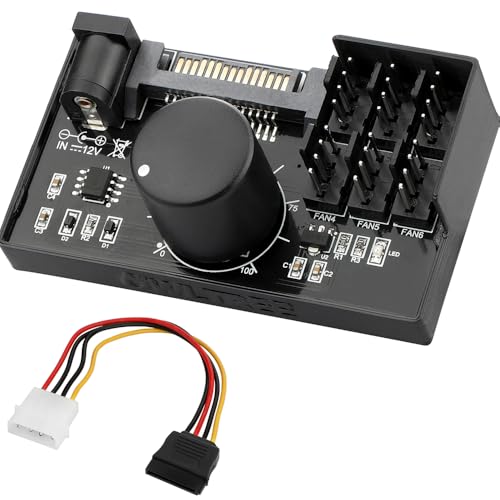
The OwlTree knob hub is the classic splitter-plus-dial design: up to six 4-pin PWM fans plug into one compact board, the board draws power from SATA or a DC 5525 input instead of overloading a motherboard header, and a single physical knob sets the speed for the whole group. There is no software, no screen and no per-fan control, and that simplicity is exactly the point for a build that just needs one reliable speed setting. The use case that sells it is a rebuild where the old splitter cables are a rat’s nest behind the motherboard tray, which is a far more common story than the marketing for this category ever admits.
The strengths are concrete rather than decorative. Six PWM fans from one hub matters every single day, sata power protects motherboard headers matters the day you add or change hardware, and physical knob needs no software is the difference between a tidy build and a compromise. In daily use those strengths compound: the install happens once, the setting is made once, and the controller disappears into the background of the build, which is the highest compliment this category can earn. For a best fan controller under $100 shortlist, that combination is why this product holds the Best Budget badge instead of merely appearing in the table.
Strengths
- Six PWM fans from one hub
- SATA power protects motherboard headers
- Physical knob needs no software
Trade-offs
- All fans share one speed setting
- No per-fan or automatic curves
- No RGB control of any kind
| Fans supported | 6 |
| Connector | 4-pin 12V PWM |
| Power input | SATA and DC 5525 |
| Max total output | 60W / 5A |
| Control | Manual speed knob |
The honest limitation deserves its own paragraph. Because every connected fan follows the same knob position, you cannot run quiet intake fans and aggressive exhaust fans at different speeds on this hub. That is not a reason to skip the product — every controller in this roundup trades something away — but it is the reason the badge says Best Budget rather than Best for Everything. Match the limitation to a problem you do not have, and the trade becomes free.
Day to day, the experience is deliberately boring, and boring is good here. Temperatures settle into a pattern you recognise, the noise profile stops changing with your mood, and the controller becomes part of the case rather than a gadget competing for your attention — exactly what builders who have outgrown their motherboard headers tend to want after the first month of ownership.
Best for: Builders who want one simple dial for a whole fan group / Not suited for: builders who need independent speeds per fan or any ARGB control — judged against the best fan controller under $100 brief
Check on Amazon for the latest availability of the OwlTree 6-Fan PWM Knob Hub — our Best Budget pick in this best fan controller under $100 roundup.
Comparison Table
Only verified specifications appear below — port counts, power inputs and control methods taken from the listings themselves. If a cell looks sparse next to a rival, that sparsity is real information about what the best fan controller under $100 level does and does not buy.
| Pick | Badge | Ports / Fans | Power | Control |
|---|---|---|---|---|
| ARCTIC Fan Controller | Best Overall | 10 | See review | Individual PWM per port |
| Noctua NA-FH1 | Best Premium | 8 PWM | SATA | PWM hub |
| OwlTree Type-C PWM Fan Hub | Best for Versatile Power | 6 | Type-C PD3.0 / QC 3.0 and DC 5521 | PWM speed control |
| Thermalright ARGB and Fan Hub X12 | Best for Gaming | 12 | SATA direct input | PWM hub |
| Noctua NA-FC1 | Best for Precise Manual Control | Manual PWM dial | See review | Manual PWM dial |
| OwlTree 6-Fan PWM Knob Hub | Best Budget | 6 | SATA and DC 5525 | Manual speed knob |
How to Choose the best fan controller under $100
Start the best fan controller under $100 decision with the control question, not the port count. If your motherboard already has good fan-curve software, a passive hub that distributes its signal is the cleanest answer; if your board is basic or you distrust software, a knob or dial puts the decision in your hand; if you want different speeds for different fan groups, only a controller with individual per-port control truly does that job. Choosing in that order prevents the classic mistake of buying ports you cannot independently control. Readers planning the wider build will also find Best Gaming Motherboards and PC Power Supply Guide useful, because header count and spare power leads decide which controller styles are even available to you.
Next, count honestly. Count the fans fitted today, add the fans you genuinely plan to add this year, and ignore the fantasy build in your head. Then check the power story: hubs fed from SATA or another supply lead protect the motherboard, while simple splitters that draw everything through one header have strict limits. In the best fan controller under $100 range, the difference between a hub and a splitter is the difference between an upgrade and a liability.
What This Budget Actually Buys
At the top of this range you are paying for control depth and finish: individual PWM zones, generous per-port current, status feedback and hubs that survive several rebuilds. The fans themselves still decide your noise floor, so spend on control only after the fans are decent. It also buys honesty about lighting: ARGB support appears in this range only where a pick explicitly lists 3-pin ARGB, and 12V 4-pin RGB is a different, incompatible standard. Treat any vague claim of universal RGB compatibility as a warning sign, and check which connector your fans physically carry before ordering anything. For builders who have outgrown their motherboard headers, that connector check matters more than any badge in this guide, because a hub that cannot plug into your fans is not a bargain at any level.
PWM, DC and Voltage Control Explained
Four-pin PWM fans are controlled by a dedicated signal while receiving full 12V power, which gives precise low speeds and reliable start-up. Three-pin fans are controlled by varying voltage, which is simpler and coarser, and some fans hum or stall at very low voltages. A good controller respects that distinction instead of pretending the two fan types behave identically, and the picks above state their connector and control method plainly so you can match them to the fans already in your case. When you shop for the best fan controller under $100, that single distinction — signal control versus voltage control — predicts more about your daily experience than the port count printed in large type.
How Do You Install a Fan Controller Without Regretting It?
Work through the installation for your best fan controller under $100 in order, keeping a rebuild where the old splitter cables are a rat’s nest behind the motherboard tray in mind as the situation you are trying to prevent. First, with the PC fully off and unplugged, decide where the controller will live — a steel surface suits magnetic hubs, and every style needs cable routes planned before the first plug goes in. Second, connect the fans to the controller, keeping intake fans grouped together and exhaust fans grouped together wherever the hardware allows grouping. Third, connect the controller to its power source and, where applicable, to the motherboard header that will supply its control signal.
Fourth, power on with the side panel still off and confirm that every fan spins, because finding a dead channel now costs a minute and finding it after cable management costs an evening — a lesson every {keyword} installer learns exactly once. Fifth, set your starting speeds or curves conservatively — mid-range speeds, then adjust downward over several days of real use rather than chasing silence in the first hour. How To Clean A Gaming PC is worth reading at the same sitting, since dust, not electronics, is what usually defeats a cooling plan six months later.
Troubleshooting for builders who have outgrown their motherboard headers starts from the faults that actually happen after a best fan controller under $100 install, not from exotic failures.
Problem: one fan does not spin after installation -> fix: swap that fan into a channel you have already seen working; if it spins there, the original channel or its plug was the issue, and if it does not, the fan itself is. On a build defined by balanced, whole-case fan control, work channel by channel rather than reseating everything at once.
Problem: fans run at full speed constantly -> fix: check that the motherboard header supplying the signal is set to PWM mode in the BIOS rather than DC or full-speed mode. This is the single most common cause when the best fan controller under $100 hardware itself is healthy.
Problem: a low-speed setting makes a fan click or stall -> fix: raise the minimum slightly; stalling is a physics problem, not a defect, and every fan has a floor below which it cannot start reliably. Judge the result during a tower that got louder after a graphics card upgrade pushed more heat into the case, not during a quiet idle minute.
Common Mistakes
The first mistake is buying for the fantasy build: a ten-port controller in a three-fan case is not future-proofing, it is clutter with a receipt. The second is mixing lighting standards, because 3-pin ARGB and 4-pin RGB look similar in photos and are electrically incompatible in person. The third is judging a controller in the first ten minutes, when the room is cool and the workload is idle, instead of after a long session has heat-soaked the case. The fourth, specific to shoppers chasing the best fan controller under $100, is assuming the cheapest hub and the best hub differ only in price — they differ in power delivery, and power delivery is the part that can damage other hardware when it is wrong.
Final Recommendation
For most readers, the Best Overall pick — the ARCTIC Fan Controller — is the answer to the best fan controller under $100 question, because it solves the header problem properly the first time. Choose a different badge only when your situation clearly matches it: that is what the badges are for. And if your build is part of a larger refresh, Best Graphics Cards and PC Power Supply Guide will help you sequence the spending sensibly.
Buy the controller that matches the fans you own and the control style you will actually use, install it carefully once, and then forget it exists. For anyone who arrived here searching for the best fan controller under $100, that forgettability is the real deliverable: balanced, whole-case fan control should fade into the background of a machine built for other things. In this category, forgetting the product exists is the sign that you bought the right one.
One more consideration for the best fan controller under $100 decision, and it is one experienced builders raise often: think about the second year of ownership, not the first week. In year two you will clean the case, swap a fan, maybe move the whole system into a new chassis, and the controller that survives those moments gracefully — accessible mounting, plugs that release without force, settings that do not vanish — is the one that was worth its place in the build. Scenario 1 in this lens makes the point concretely: a tower that got louder after a graphics card upgrade pushed more heat into the case. A controller chosen for that reality, rather than for a photograph on build day, rarely gets replaced, and a part that never needs replacing is the cheapest part of all in the long run.
One more consideration for the best fan controller under $100 decision, and it is one experienced builders raise often: think about the second year of ownership, not the first week. In year two you will clean the case, swap a fan, maybe move the whole system into a new chassis, and the controller that survives those moments gracefully — accessible mounting, plugs that release without force, settings that do not vanish — is the one that was worth its place in the build. Scenario 2 in this lens makes the point concretely: a rebuild where the old splitter cables are a rat’s nest behind the motherboard tray. A controller chosen for that reality, rather than for a photograph on build day, rarely gets replaced, and a part that never needs replacing is the cheapest part of all in the long run.
One more consideration for the best fan controller under $100 decision, and it is one experienced builders raise often: think about the second year of ownership, not the first week. In year two you will clean the case, swap a fan, maybe move the whole system into a new chassis, and the controller that survives those moments gracefully — accessible mounting, plugs that release without force, settings that do not vanish — is the one that was worth its place in the build. Scenario 3 in this lens makes the point concretely: a mid-tower with three intake fans, two top exhausts and a rear exhaust all competing for two usable headers. A controller chosen for that reality, rather than for a photograph on build day, rarely gets replaced, and a part that never needs replacing is the cheapest part of all in the long run.
One more consideration for the best fan controller under $100 decision, and it is one experienced builders raise often: think about the second year of ownership, not the first week. In year two you will clean the case, swap a fan, maybe move the whole system into a new chassis, and the controller that survives those moments gracefully — accessible mounting, plugs that release without force, settings that do not vanish — is the one that was worth its place in the build. Scenario 4 in this lens makes the point concretely: a tower that got louder after a graphics card upgrade pushed more heat into the case. A controller chosen for that reality, rather than for a photograph on build day, rarely gets replaced, and a part that never needs replacing is the cheapest part of all in the long run.
Frequently Asked Questions
How many fans can the best fan controller under $100 options run at once?
It depends on the pick, and the reviews in this best fan controller under $100 guide state each verified count plainly — from a single-fan adapter up to multi-port hubs. Count your fitted fans first, then choose a controller with a little headroom rather than the largest number on the page.
Is a fan hub the same thing as a fan controller?
Not quite, and the distinction decides which best fan controller under $100 pick is right for you. A hub distributes one control signal and proper power to many fans, so they all follow the same curve. A true controller creates the control itself — with a knob, a dial, or software — and the strongest designs in this guide let different ports follow different settings.
Can a hub damage my motherboard?
A powered hub protects the motherboard, because the fans draw their current from the power supply through the hub rather than through the header. The risky products are unpowered splitters that stack many fans onto one header, which is why every hub recommended for the best fan controller under $100 here uses its own supply input — a detail that matters most in a tower that got louder after a graphics card upgrade pushed more heat into the case.
Do I need PWM fans to use these controllers?
Most picks in this best fan controller under $100 guide are built around 4-pin PWM fans, and their listings say so. Three-pin fans can often be run by voltage-based or external adapter controllers, but low-speed behaviour is coarser, so check the connector and control method in the spec box of the pick you are considering.
Will a controller make my PC quieter?
It gives you the means, not the guarantee. Lower, steadier fan speeds are quieter than fans hunting up and down, and for builders who have outgrown their motherboard headers that control is usually the difference between tolerable and annoying. Fan quality and case airflow still set the floor that no controller can go below.
Can one controller run my ARGB lighting too?
Only where the listing explicitly says so, which is why this best fan controller under $100 guide names the connector in every spec box. In this shortlist the Thermalright X12 combines 4-pin PWM fan control with 3-pin ARGB, and it just as explicitly does not support 12V 4-pin RGB. Everything else here is fan control only, so plan a separate lighting path if your build needs one.
Is the best fan controller under $100 worth it over a simple splitter cable?
If you have more fans than headers, yes — a proper hub or controller adds safe power delivery and a control method you can live with, while a splitter only adds plugs. For builders who have outgrown their motherboard headers, the moment a splitter carries more current than the header was designed for, the saving stops being a saving.
